
C-LOADER II - Uncategorized Elation - Free user manual and instructions
Find the device manual for free C-LOADER II Elation in PDF.


| Product Type | Battery-Powered Handheld Software Uploader / DMX Tester |
| Brand | Elation |
| Model | C-LOADER II |
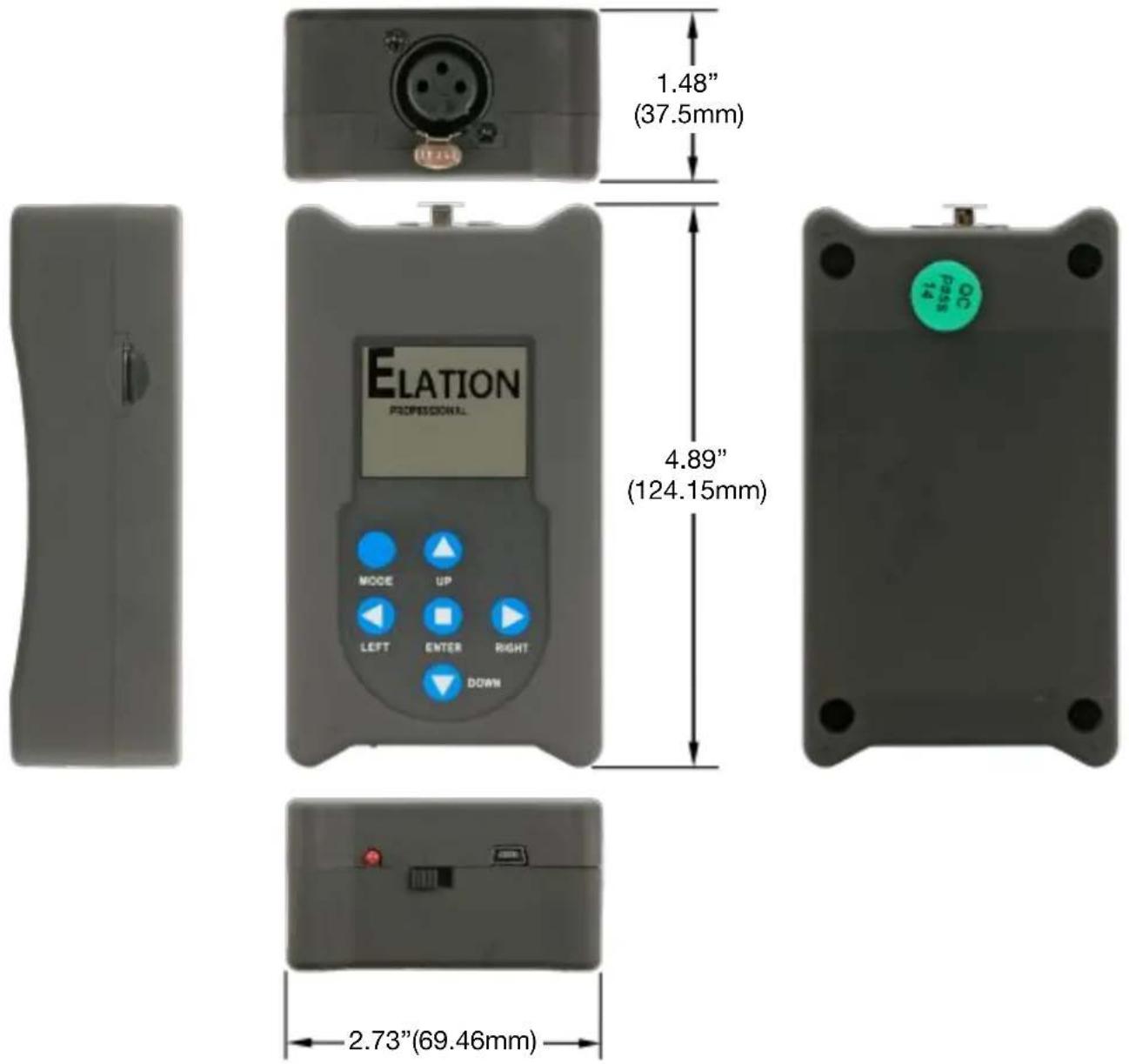
| Dimensions (L x W x H) | 4.89" x 2.73" x 1.48" (124.15 x 69.46 x 37.5 mm) |
| Weight | 0.4 lbs (0.2 kg) |
| Power Source | USB powered (internal rechargeable battery) |
| Display | LCD menu display |
| Control Panel | 6-button touch control (MODE/ESC, UP, DOWN, LEFT, RIGHT, ENTER) |
| DMX Output | 3-pin XLR DMX output (signal) |
| Memory Card Slot | Micro SD card slot (for firmware files) |
| Charging Port | Mini USB input |
| Main Functions | Firmware upload, DMX send/receive, DMX programmer (test programs), RDM sender/receiver |
| Update Speed Options | Fast (default) or Slow |
| Box Contents | USB cable, Micro SD card, USB to Micro SD card adapter |
| Compatible Elation Fixtures | Partial list: ACL BAR, ACL 360 MATRIX, COLOUR CHORUS, CUEPIX BATTERN, DW CHORUS, FUZE WASH, SIXPAR, ZCL BAR, etc. Contact Elation for full list. |
| Safety Notes | Indoor use only. Do not expose to rain/moisture, heat, fire, high humidity, or extreme vibrations. Do not plug into dimmer pack. Do not remove external cover. Do not use if battery damaged. |
| Battery Information | Rechargeable internal battery. Recharge when battery indicator low by using included USB cable. Do not disassemble battery. Dispose properly per local regulations. |
| Warranty (USA Only) | 2 years (730 days) for product, 6 months (180 days) for rechargeable batteries, from date of purchase. Excludes lamps and accessories. |
| Optional Accessories | 3-pin to 5-pin DMX adapter (AC3PM5PFM), 3pin PRO DMX cable (AC3PDMX5PRO), 5pin PRO DMX cable (AC5PDMX5PRO) |
Frequently Asked Questions - C-LOADER II Elation
User questions about C-LOADER II Elation
0 question about this device. Answer the ones you know or ask your own.
Ask a new question about this device
Download the instructions for your Uncategorized in PDF format for free! Find your manual C-LOADER II - Elation and take your electronic device back in hand. On this page are published all the documents necessary for the use of your device. C-LOADER II by Elation.
USER MANUAL C-LOADER II Elation
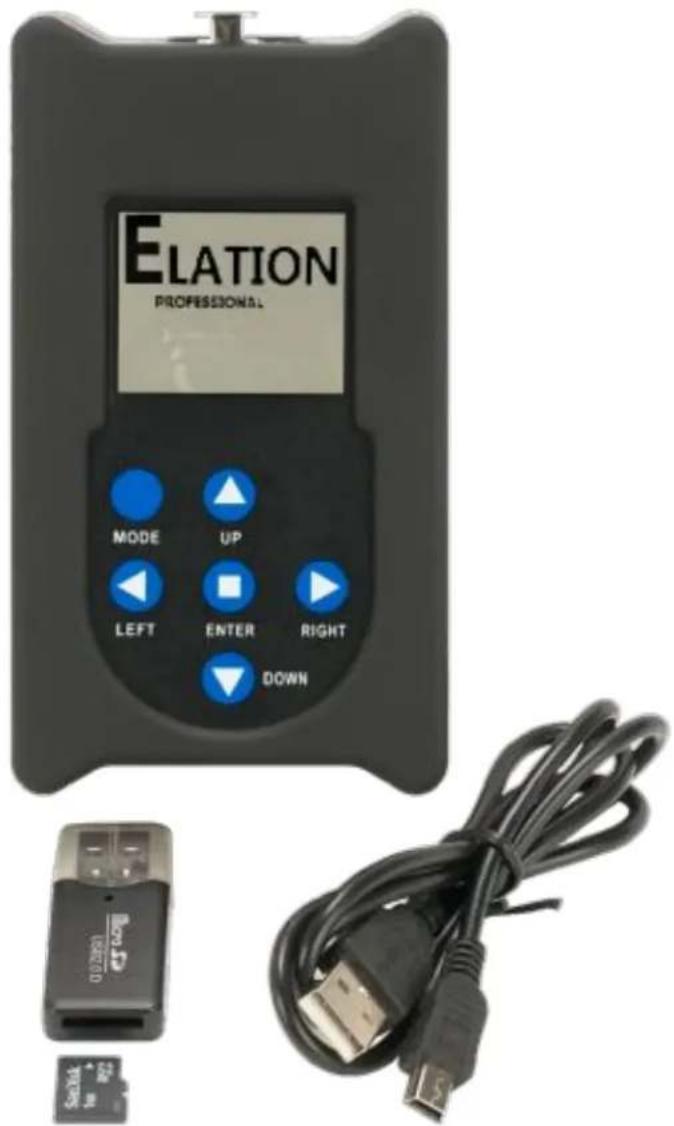
C-LOADER II Software Uploader user guide
©2019 ELATION PROFESSIONAL all rights reserved. Information, specifications, diagrams, images, and instructions herein are subject to change without notice. ELATION logo and identifying product names and numbers herein are trademarks of ELATION. Copyright protection claimed includes all forms and matters of copyrightable materials and information now allowed by statutory or judicial law or hereinafter granted. Product names used in this document may be trademarks or registered trademarks of their respective companies and are hereby acknowledged. All non-ELATION brands and product names are trademarks or registered trademarks of their respective companies.
ADJ PRODUCTS LLC and all affiliated companies hereby disclaim any and all liabilities for property, equipment, building, and electrical damages, injuries to any persons, and direct or indirect economic loss associated with the use or reliance of any information contained within this document, and/or as a result of the improper, unsafe, insufficient and negligent assembly, installation, rigging, and operation of this product.
ELATION PROFESSIONAL USA | 6122 S. Eastern Ave. Los Angeles, CA. 90040
323-582-3322 | Fax 323-832-9142 | www.elationlighting.com | sales@elationlighting.com
ELATION PROFESSIONAL B.V. | Junostraat 2 | 6468 EW Kerkrade, The Netherlands
+31 45 546 85 66 | Fax +31 45 546 85 96 | www.elationlighting.eu | info@elationlighting.eu
ELATION PROFESSIONAL Mexico | AV Santa Ana 30 Parque Industrial Lerma, Lerma, Mexico 52000
+52 (728) 282-7070 | ventas@elationlighting.com
ELATION CUSTOMER SUPPORT
Contact ELATION Service for any product related service and support needs.
Also visit forums.elationlighting.com with questions, comments or suggestions.
ELATION SERVICE USA - Monday - Friday 8:00am to 4:30pm PST
323-582-3322 | Fax 323-832-9142 | support@elationlighting.com
ELATION SERVICE EUROPE - Monday - Friday 08:30 to 17:00 CET
+31 45 546 85 63 | Fax +31 45 546 85 96 | support@elationlighting.eu
REPLACEMENT PARTS please visit parts.elationlighting.com
FCC STATEMENT
This device complies with Part 15 of the FCC Rules. Operation is subject to the following two conditions: (1) this device may not cause harmful interference, and (2) this device must accept any interference received, including interference that may cause undesired operation.
FCC RADIO FREQUENCY INTERFERENCE WARNINGS & INSTRUCTIONS
This product has been tested and found to comply with the limits as per Part 15 of the FCC Rules. These limits are designed to provide reasonable protection against harmful interference in a residential installation. This device uses and can radiate radio frequency energy and, if not installed and used in accordance with the included instructions, may cause harmful interference to radio communications. However, there is no guarantee that interference will not occur in a particular installation. If this device does cause harmful interference to radio or television reception, which can be deter- mined by turning the device off and on, the user is encouraged to try to correct the interference by one or more of the following methods:
- Reorient or relocate the device.
- Increase the separation between the device and the receiver.
- Connect the device to an electrical outlet on a circuit different from which the radio receiver is connected.
- Consult the dealer or an experienced radio/TV technician for help.
Document Version: An updated version of this document may be available online. Please check www.elationlighting.com for the latest revision/update of this document before beginning installation and use.
| Date | Document Version | Notes |
| 04/12/19 | 1 | Initial release |
CONTENTS
| General Information | 4 |
| Limited Warranty (USA Only) | 5 |
| Safety Guidelines | 6 |
| Overview | 7 |
| Compatible Elation Models | 8 |
| Operation | 9 |
| Recharging Internal Battery | 14 |
| Specifications | 15 |
| Optional Components & Accessories | 16 |
GENERAL INFORMATION
INTRODUCTION
Please read and understand all instructions in this manual carefully and thoroughly before attempting to operate this product. These instructions contain important safety and use information.
UNPACKING
The products in this kit have been thoroughly tested and have been shipped in perfect operating condition. Carefully check the shipping carton for damage that may have occurred during shipping. If the carton appears to be damaged, carefully inspect each unit included for damage and be sure all accessories necessary to operate the units have arrived intact. In the event damage has been found or parts are missing, please contact our customer support team for further instructions. Please do not return this kit to your dealer without first contacting customer support at the number listed below. Please do not discard the shipping carton in the trash. Please recycle whenever possible.
ELATION CUSTOMER SUPPORT
Contact ELATION Service for any product related service and support needs. Also visit forums.elationlighting.com with questions, comments or suggestions.
ELATION SERVICE USA - Monday - Friday 8:00am to 4:30pm PST
323-582-3322 | Fax 323-832-9142 | support@elationlighting.com
ELATION SERVICE EUROPE - Monday - Friday 08:30 to 17:00 CET
+31 45 546 85 63 | Fax +31 45 546 85 96 | support@elationlighting.eu
REPLACEMENT PARTS please visit parts.elationlighting.com
LIMITED WARRANTY (USA ONLY)
- Elation Professional hereby warrants, to the original purchaser, Elation Professional products to be free of manufacturing defects in material and workmanship for a period of two years (730 days), and Elation Professional product rechargeable batteries to be free of manufacturing defects in material and workmanship for a period of six months (180 days), from the original date of purchase. This warranty excludes discharge lamps and all product accessories. This warranty shall be valid only if the product is purchased within the United States of America, including possessions and territories. It is the owner's responsibility to establish the date and place of purchase by acceptable evidence, at the time service is sought.
- For warranty service, send the product only to the Elation Professional factory. All shipping charges must be pre-paid. If the requested repairs or service (including parts replacement) are within the terms of this warranty, Elation Professional will pay return shipping charges only to a designated point within the United States. If any product is sent, it must be shipped in its original package and packaging material. No accessories should be shipped with the product. If any accessories are shipped with the product, Elation Professional shall have no liability what so ever for loss and/or damage to any such accessories, nor for the safe return thereof.
- This warranty is void if the product serial number and/or labels are altered or removed; if the product is modified in any manner which Elation Professional concludes, after inspection, affects the reliability of the product; if the product has been repaired or serviced by anyone other than the Elation Professional factory unless prior written authorization was issued to purchaser by Elation Professional; if the product is damaged because not properly maintained as set forth in the product instructions, guidelines and/or user manual.
- This is not a service contract, and this warranty does not include any maintenance, cleaning or periodic check-up. During the periods as specified above, Elation Professional will replace defective parts at its expense, and will absorb all expenses for warranty service and repair labor by reason of defects in material or workmanship. The sole responsibility of Elation Professional under this warranty shall be limited to the repair of the product, or replacement thereof, including parts, at the sole discretion of Elation Professional. All products covered by this warranty were manufactured after January 1, 1990, and bare identifying marks to that effect.
- Elation Professional reserves the right to make changes in design and/or performance improvements upon its products without any obligation to include these changes in any products theretofore manufactured.
- No warranty, whether expressed or implied, is given or made with respect to any accessory supplied with the products described above. Except to the extent prohibited by applicable law, all implied warranties made by Elation Professional in connection with this product, including warranties of merchantability or fitness, are limited in duration to the warranty periods set forth above. And no warranties, whether expressed or implied, including warranties of merchantability or fitness, shall apply to this product after said periods have expired. The consumer's and/or dealer's sole remedy shall be such repair or replacement as is expressly provided above; and under no circumstances shall Elation Professional be liable for any loss and/or damage, direct and/or consequential, arising out of the use of, and/or the inability to use, this product.
- This warranty is the only written warranty applicable to Elation Professional products and supersedes all prior warranties and written descriptions of warranty terms and conditions heretofore published.
WARRANTY RETURNS
All returned service items whether under warranty or not, must be freight pre-paid and accompany a return authorization (R.A.) number. The R.A. number must be clearly written on the outside of the return package. A brief description of the problem as well as the R.A. number must also be written down on a piece of paper and included in the shipping container. If the unit is under warranty, you must provide a copy of your proof of purchase invoice. Items returned without a R.A. number clearly marked on the outside of the package will be refused and returned at customer's expense. You may obtain a R.A. number by contacting customer support.
SAFETY GUIDELINES
This device is a sophisticated piece of electronic equipment. To guarantee a smooth operation, it is important to follow all instructions and guidelines in this manual. The manufacturer of this device is not responsible for injury and/or damages resulting from the misuse of this device due to the disregard of the information printed in this manual. Only qualified and/or certified personnel should use this device. Any modifications to the device will void the original manufactures warranty and increase the risk of damage and/or personal injury.
DO NOT shake device, avoid brute force when using

INDOORS USE ONLY!
DO NOT EXPOSE DEVICE RAIN AND MOISTURE!
KEEP FLAMMABLE MATERIALS AWAY FROM DEVICE!

DO NOT EXPOSE DEVICE TO HEAT OR FIRE!
DO NOT EXPOSE DEVICE TO FLAMMABLE MATERIALS!

DO NOT EXPOSE DEVICE TO HIGH HUMIDITY!
DO NOT EXPOSE DEVICE TO EXTREME VIBRATIONS!
DO NOT REMOVE EXTERNAL COVER/HOUSING!
DO NOT PLUG DEVICE INTO A DIMMER PACK!
BATTERY
DO NOT USE DEVICE IF THE BATTERY IS DAMAGED, DEFORMED, OR HAS AN ODOR!
DO NOT DISASSEMBLE THE BATTERY!
DISPOSE OF BATTERY PROPERLY ACCORDING TO LOCAL,
STATE, AND COUNTRY REGULATIONS!
OVERVIEW
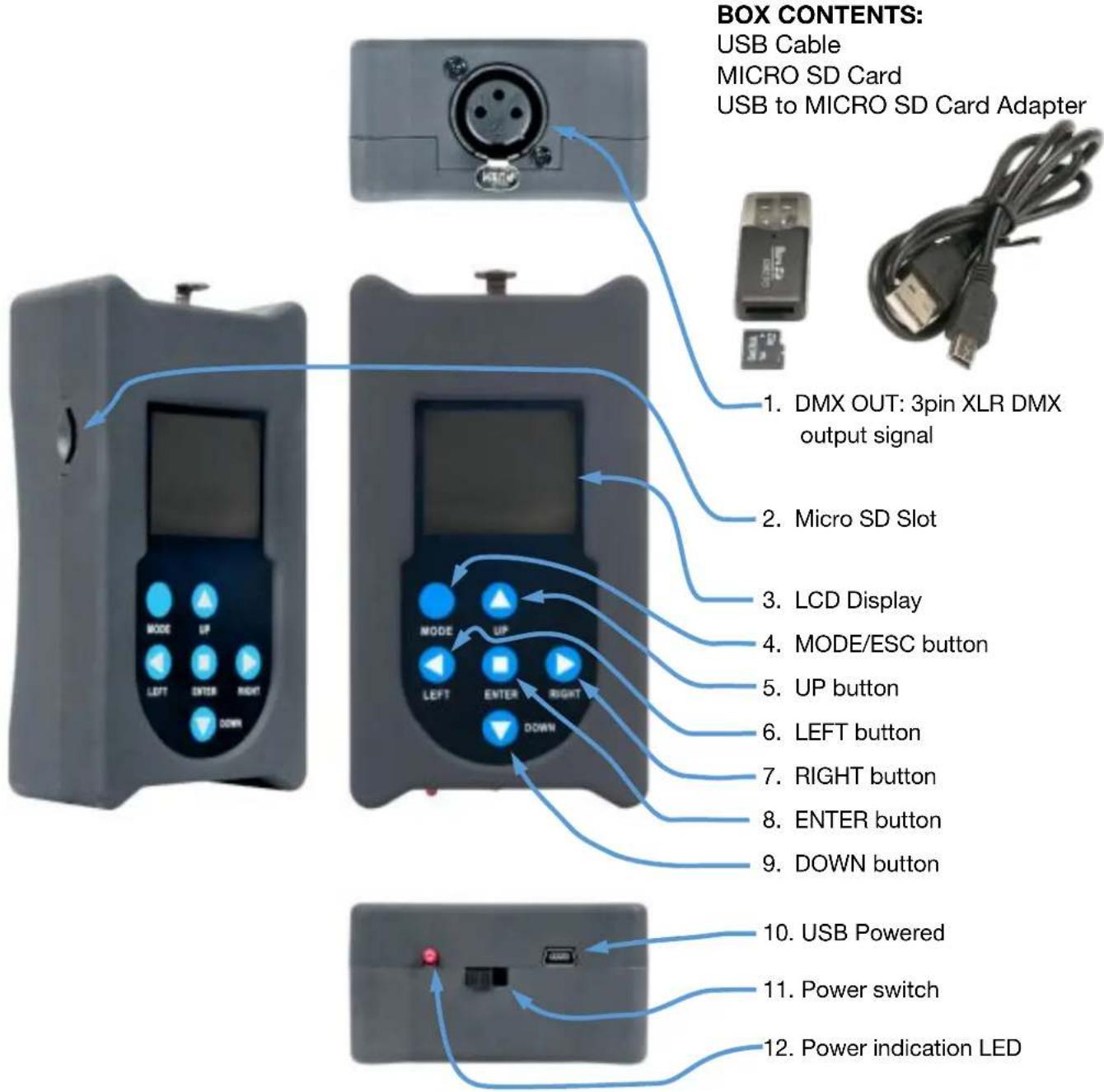
The C-LOADER II™ is a battery powered hand held software uploader device used to update Elation compatible lighting fixtures. Easily upload a software update to an Elation lighting fixture by connecting the C-LOADER II™ to the fixture using the included 3pin DMX cable. Elation software updates (not included) are stored on a MICRO SD card (included) and inserted into the uploader. C-LOADER II™ features an LCD display, 6 button control panel, a MICRO SD card slot, a 3pin XLR DMX cable, USB cable, and a blank MICRO SD card. Please contact Elation Service for details about available Elation fixture software updates.
COMPATIBLE ELATION MODELS:
* Partial listing of models. Contact Elation Service for more details.
ACL BAR
ACL 360 MATRIX
ACL 360 ROLLER
ACL 360i
ACL 360 BAR
ACL CURTAIN
ACL PAR 200
ACL PAR 200 IP
COLOUR CHORUS 12 / 24 / 48 / 72
CUEPIX BATTERN
CUPIX BLINDER WW2 / WW4
CUEPIX PANEL
CUEPIX PAR 300
CUEPIX STRIP TRI / WW
DW CHORUS 12 / 24 / 48 / 72
DTW BAR 1000
DTW BLINDER 350 IP / 700 IP
DTW PAR 300
DTW PAR Z19 IP
FUZE PAR Z60 IP / Z120 IP
FUZE WASH Z120 / Z350
SIXPAR 500 / 1000 / 1000 IP
SIXPAR 100 / 200 / 300
SIXPAR 100IP / 200IP / 300IP
SIXPAR Z19 IP
ZCL 360 BAR
ZCL 360i
ZCL BAR Z300 IP
OPERATION
natural_image
Close-up of a small mechanical component with a red circle highlighting a feature, no visible text or symbols.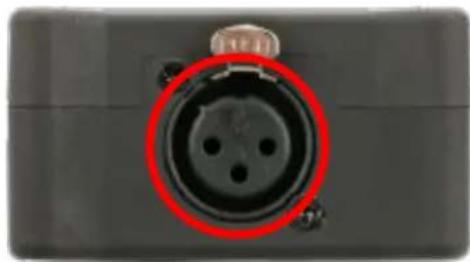
natural_image
Close-up of a black electronic component with a red circle highlighting the central port (no text or symbols visible)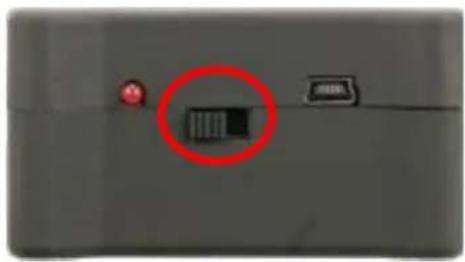
natural_image
Close-up of a device panel with a red circle highlighting a small rectangular component (no visible text or symbols)-
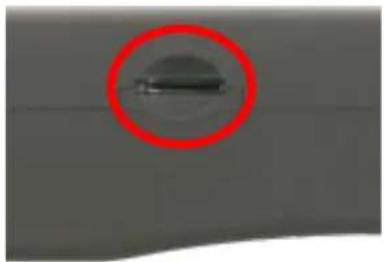
With the software update stored on the MICRO SD card, insert the SD card into the slot located at the left side of the C-Loader II.
-
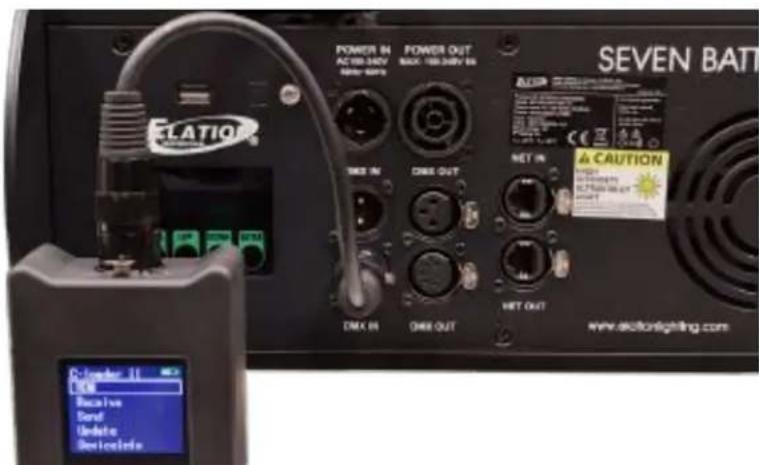
Connect the signal output cable to 3. With the fixture connected, power the fixture to be updated using a 3pin up the fixture, and then power up to 5pin DMX adapter (not included). the C-Loader II.
natural_image
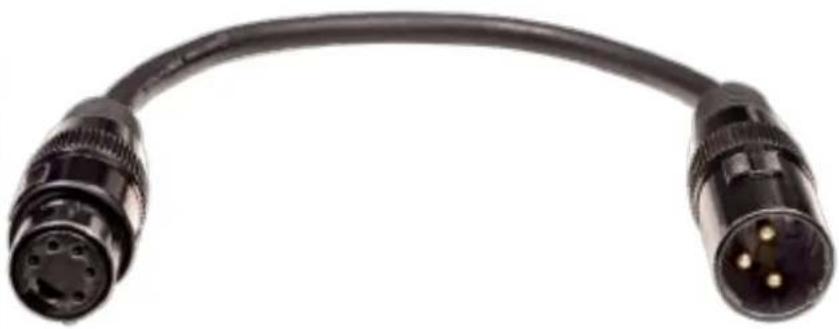
Close-up of a black cable with three gold pins, no text or symbols visibleA 3pin to 5pin DMX adapter (not included) is necessary to connect the C-LOADER II to Elation fixtures and can be purchased at www.elationlighting.com
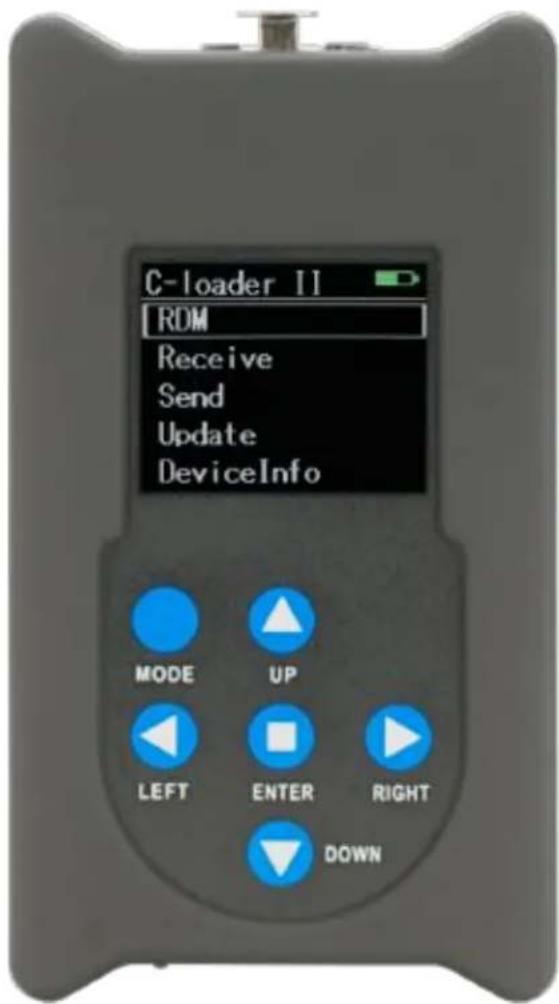
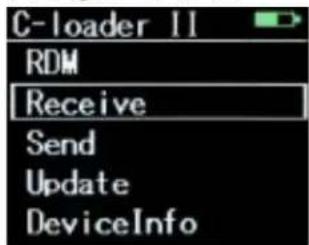
- Use MODE to return to main menu. Use and to navigate. Select between RDM, Receive, Send, Update, and DeviceInfo, then press
OPERATION RDM
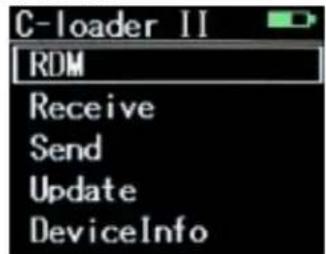
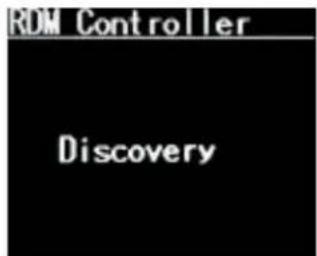
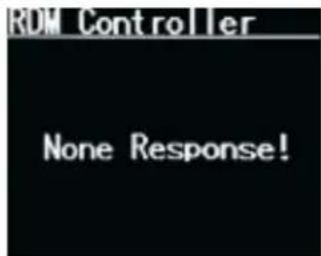
Clicking on RDM begins the Discovery process and opens the Software Update files. None Response! displays if SD card is empty, has not been inserted, or if unit is not connected to fixture.
RECEIVE
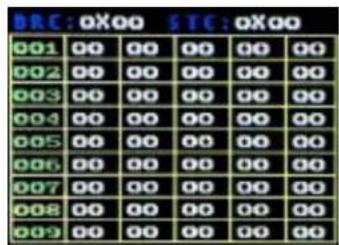
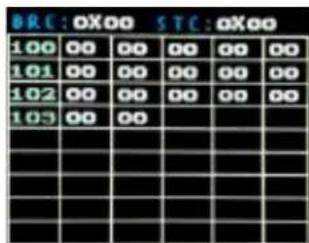
Select Receive, then use ↑↓ to navigate between the 12 screens (1-103). Use MODE to return to main menu.
SEND
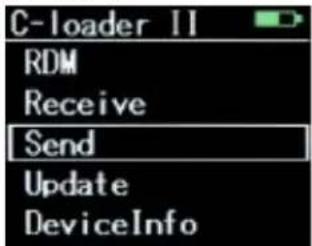
Select Send, then use ↑↓ to navigate between DMXOut and Program, then press
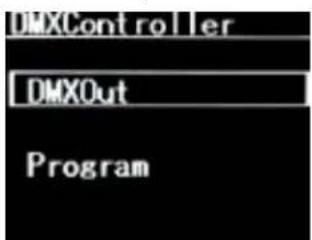
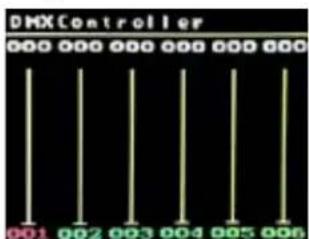
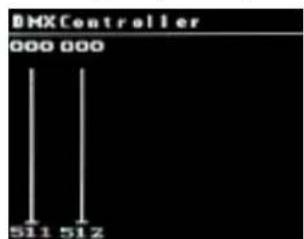
Selecting DMXOut brings you to the DMXController screen. Use to navigate to the desired channel (001 to 512), then use to change its value from 000 to 255.
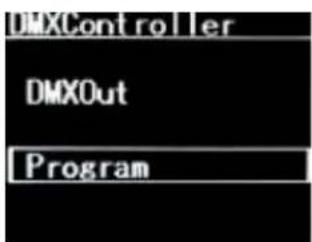
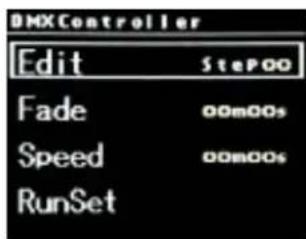
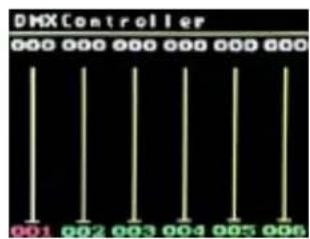
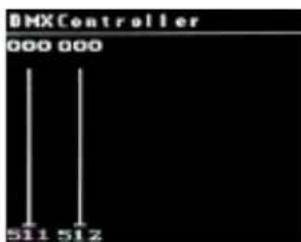
With Program selected, use ↑↓ to navigate between Edit, Fade, Speed, and RunSet. Starting with Edit, use ← → to change Step## from 00 to 19, then pressing
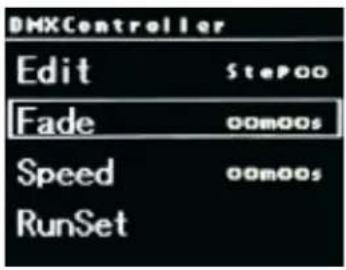
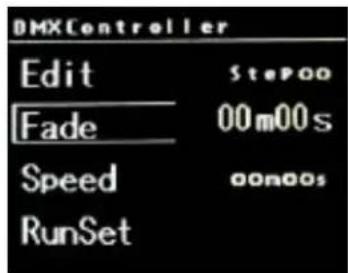
Set Fade time by pressing
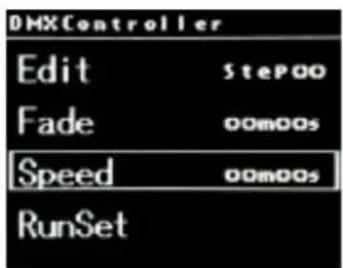
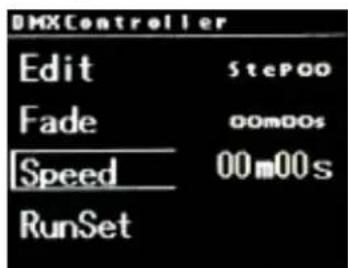
Set Speed by pressing
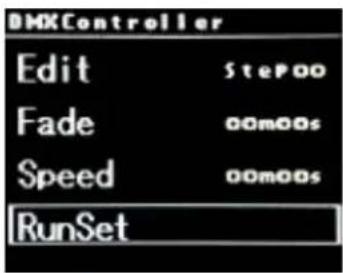
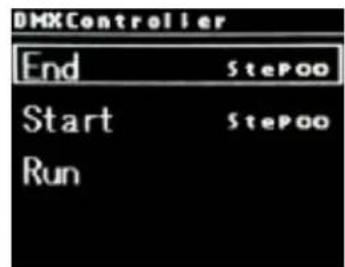
Set RunSet by pressing
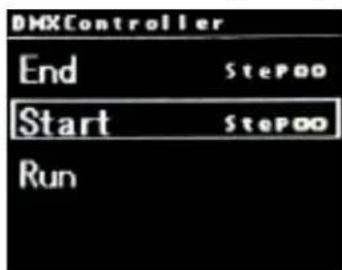
With Start selected, use ← → to change Step## from 00 to 19.
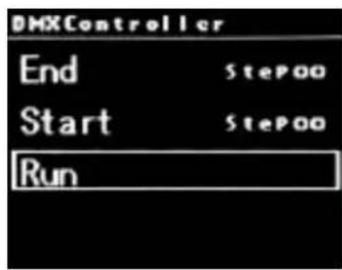
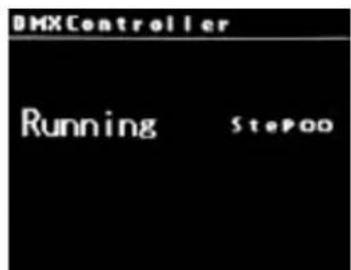
With Run selected, press
UPDATE
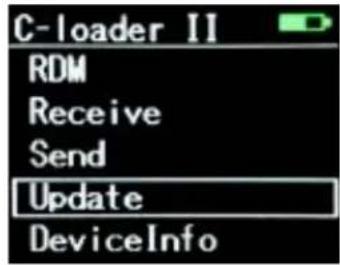
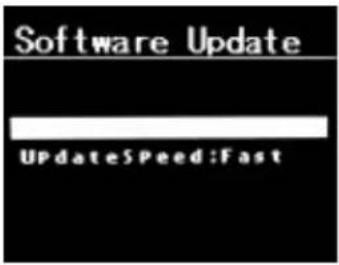
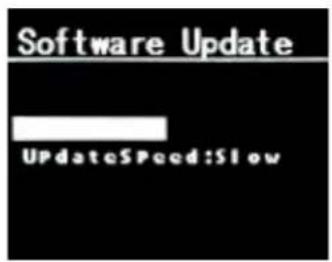
Select Update, then use ←→ to select between a UpdateSpeed:Fast or UpdateSpeed:Slow.
UpdateSpeed:Fast is selected by default and is recommended. With UpdateSpeed selected, press
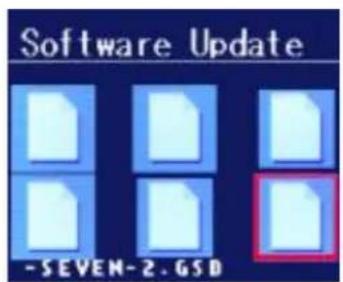
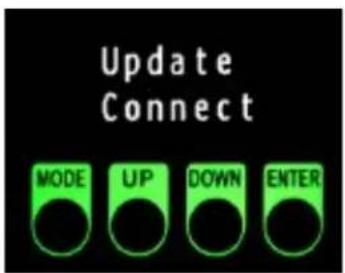
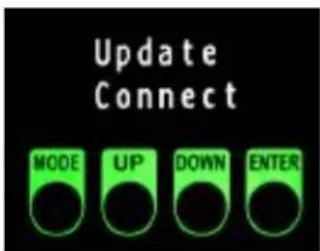
With the Software Update files open, note that there will be some corrupted files among them, which show as similar to above. This is normal, and are not harmful to the fixture. Now check the fixture display to ensure a connection. In this case, the fixture display reads as Update Connect.
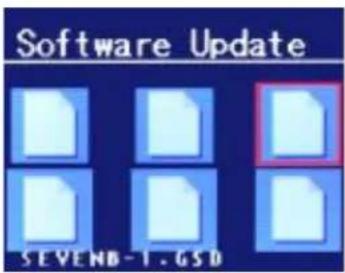
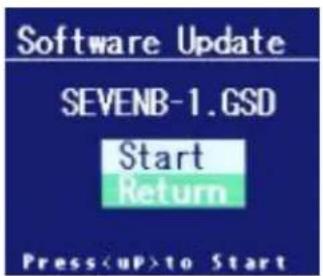
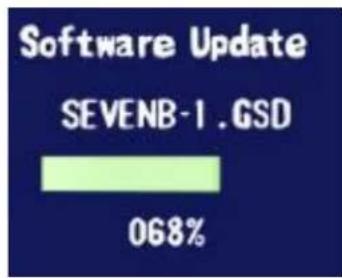
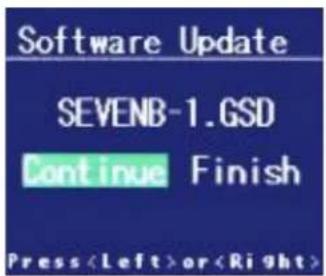
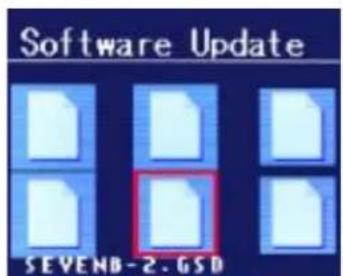
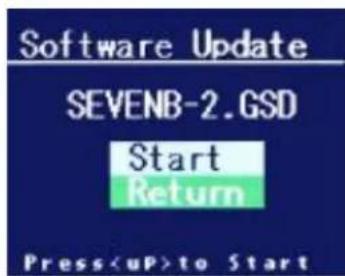
Use to navigate to the desired file, then press <Enter> . This opens a screen with the file name, and the choice to Start or Return. Selecting Start begins the updating process and a process status screen opens. When this process completes, you are given the choice to Continue or Finish.
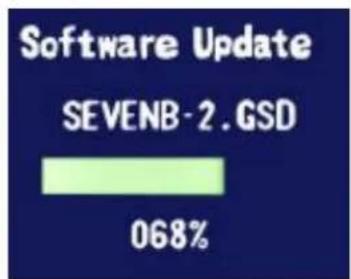
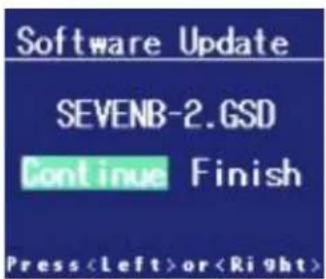
Continue the process until you have updated all the desired files.
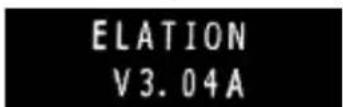
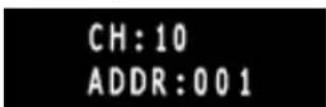


With the completion of each Software Update, the fixture will display the various files that are being updated, and then sequentially display each successive file completed: Update 1 Correct, Update 2 Correct, etc.
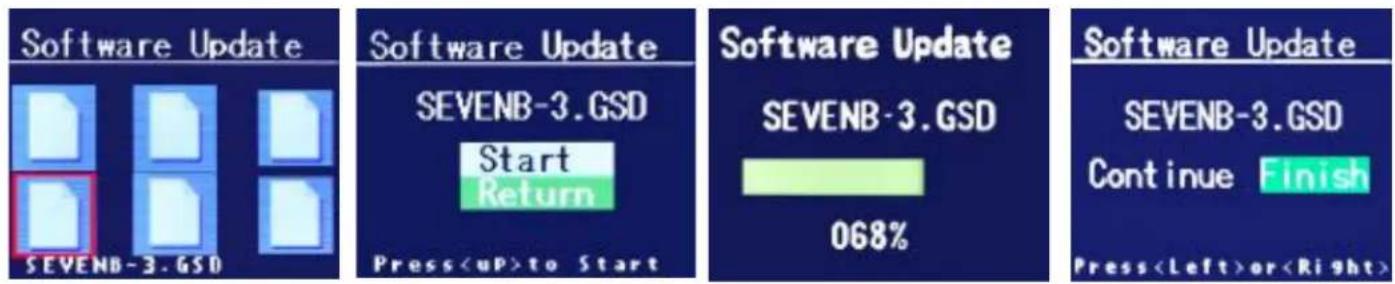
When you have completed the Software Updates, selecting Finish brings you back to the main menu.
DEVICE INFO
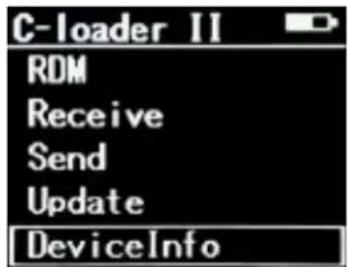
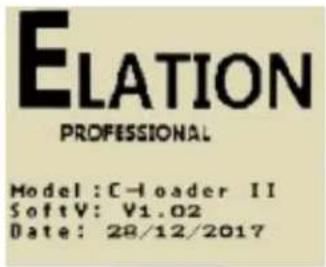
Select DeviceInfo to display the Model, Software, and Date information of the device.
RECHARGING INTERNAL BATTERY
DO NOT USE DEVICE IF THE BATTERY IS DAMAGED, DEFORMED, OR HAS AN ODOR!
DO NOT DISASSEMBLE THE BATTERY!
DISPOSE OF BATTERY PROPERLY ACCORDING TO LOCAL, STATE, AND COUNTRY REGULATIONS!
DO NOT OPERATE DEVICE IF YOU ARE NOT QUALIFIED TO DO SO!

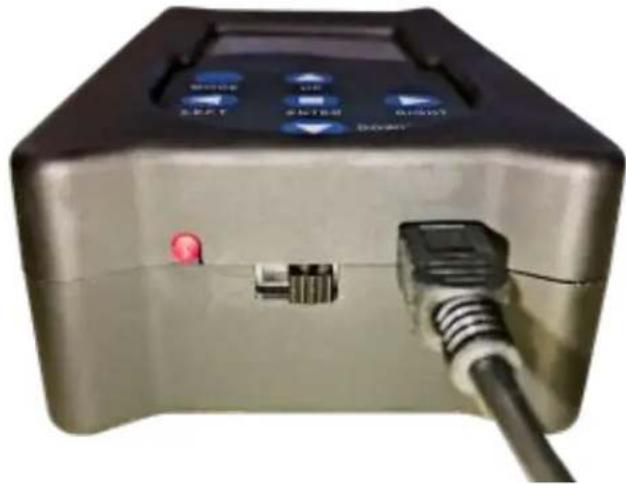
Recharge battery when indicator is low by plugging in the included USB power cord.
natural_image
Close-up of a metallic electronic device with labeled buttons and ports, showing a plug inserted (no readable text or symbols)SPECIFICATIONS
Features:
Firmware Upload Tool
DMX Tester (Send and Receive DMX Signal)
DMX Programmer for Test Programs
RDM Sender Receiver
Control / Connections:
6 Button Touch Control Panel
LCD Menu Display
3pin DMX Out
Micro SD Card Slot
Mini USB Input
Size / Weight:
Length: 4.89" (124.15mm)
Width: 2.73" (69.46mm)
Vertical Height: 1.48" (37.5mm)
Weight: 0.4lbs. (0.2kg)
Electrical:-
USB Powered (Internal Battery)
DIMENSIONAL DRAWINGS
OPTIONAL COMPONENTS & ACCESSORIES
| Model (SKU) | Description |
| AC3PM5PFM | 1 ft. (0.3m) 3pin Male to 5pin Female DMX Cable |
| AC3PDMX5PRO | 5 ft. (1.5m) 3pin PRO DMX Cable |
| AC5PDMX5PRO | 5 ft. (1.5m) 5pin PRO DMX Cable |
| Additional cable lengths available |
- ELATION CUSTOMER SUPPORT
- FCC STATEMENT
- FCC RADIO FREQUENCY INTERFERENCE WARNINGS & INSTRUCTIONS
- GENERAL INFORMATION
- INTRODUCTION
- UNPACKING
- LIMITED WARRANTY (USA ONLY)
- WARRANTY RETURNS
- SAFETY GUIDELINES
- OVERVIEW
- COMPATIBLE ELATION MODELS:
- OPERATION
- OPERATION RDM
- RECEIVE
- SEND
- UPDATE
- RECHARGING INTERNAL BATTERY
- SPECIFICATIONS
- Features:
- Control / Connections:
- Size / Weight:
- Electrical:-
Brand : Elation
Model : C-LOADER II
Category : Uncategorized