
TVS-70T-02-W - TV Stand Gembird - Free user manual and instructions
Find the device manual for free TVS-70T-02-W Gembird in PDF.


User questions about TVS-70T-02-W Gembird
0 question about this device. Answer the ones you know or ask your own.
Ask a new question about this device
Download the instructions for your TV Stand in PDF format for free! Find your manual TVS-70T-02-W - Gembird and take your electronic device back in hand. On this page are published all the documents necessary for the use of your device. TVS-70T-02-W by Gembird.
USER MANUAL TVS-70T-02-W Gembird
- Adjustment
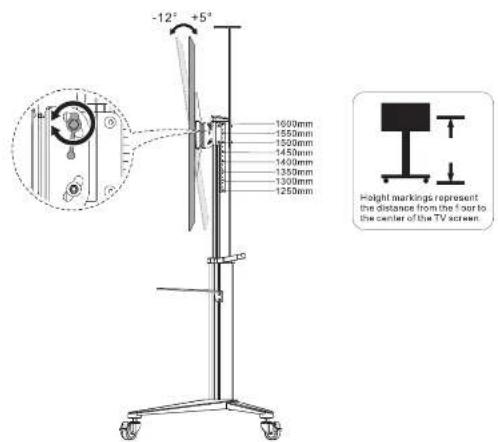
Maintenance
- Check if the bracket is secure and safe to use at regular intervals (at least every three months).
• Please contact your distributor if you have any questions

gembird®
USER MANUAL • HANDBUCH • HANDLEIDING • MANUALE D'USO • MANUAL DE USUARIO • MANUAL DO USUÁRIO • MANUEL DESCRIPTIF • INSTRUKCJA OBSŁUGI • UŻIVATELSKÝ MANUAL • ИНСТРУКЦІЯ КОРИСТУВАЧА • POUŻÍVATELSKÁ PRÍRUČKA • VARTOTOJO VADOVAS • MANUAL DE UTILIZARE
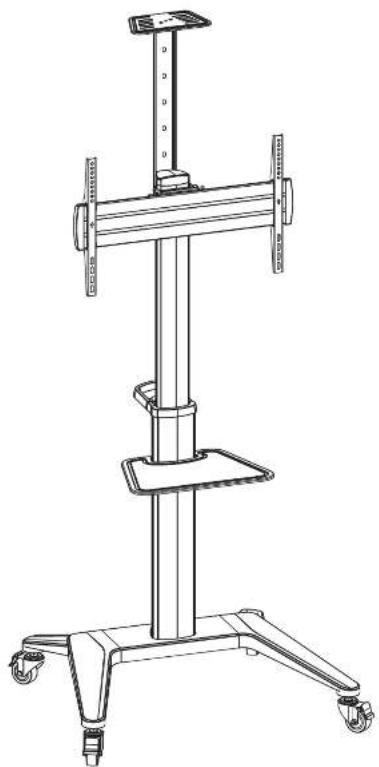
natural_image
Line drawing of a multi-tiered mechanical device with wheels and a central stand (no text or symbols)Aluminum
TV floor stand
with caster wheels
TVS-70T-02-W
VESA Compatible
300×300 600×400
200 x 200 400 x 400
200 400 x


GENERAL INFORMATION
In connection, the commercialized by an outlet of Ostenbene, BV, houses is local, in turn of a solution solution, in turn of collection at Banffel, Surpeckle, Wilkerbaum, 16:158-130.
NAMM, 100%
Product: 300ml, 1mmol/min/2.5L/2.5L/h@beek@einkertel
LADHY
(IRC) To be, in order of holding the product, follow the safety code on (CCAT). In terms of six such Celunics one Flexible (FC) can add (NL)ID. VCR has been able to get back to the product, but it is a general case of being used for the use of the 100% of the total capacity. The product is not only used to create a single or more functional solution. The product is not only used to create a functional solution. The product is not only used to create a functional solution.


Requirement for Installation


Component Checklist
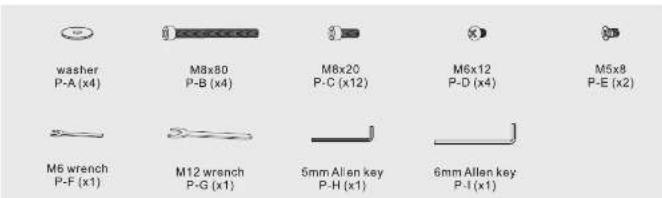
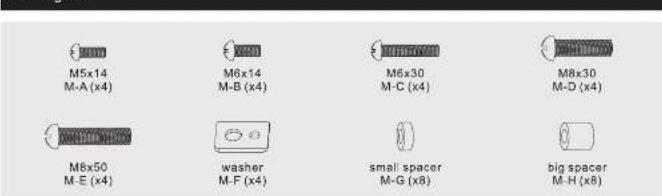
IMPORTANT: Ensure that you have received all parts according to the component checklist prior to installation. If any parts are missing or faulty, contact your place of purchase for a replacement.

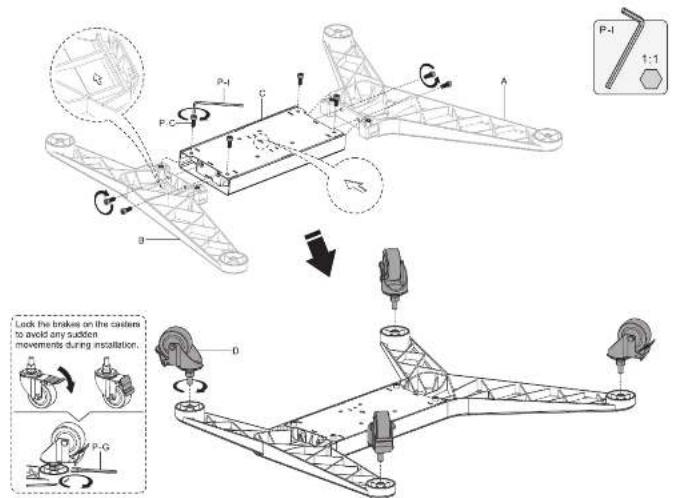
left leg A(x1)
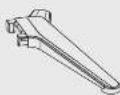
right leg B (x1)
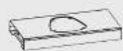
cross bracket
C (x1)

caster D (x4)
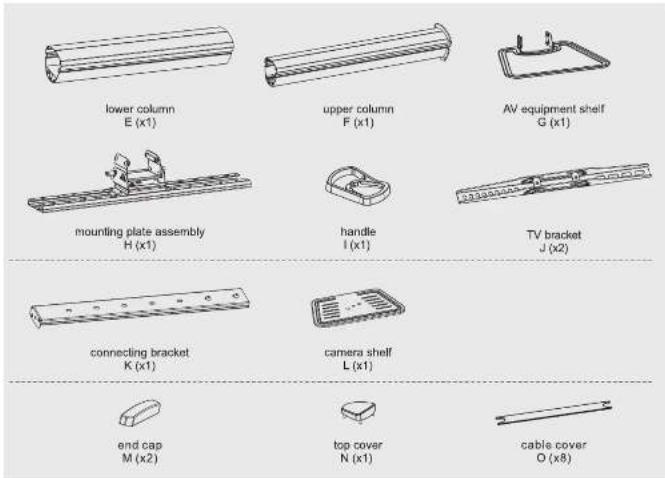
Package P
Package M
- Assemble the Base
- Assemble the Columns
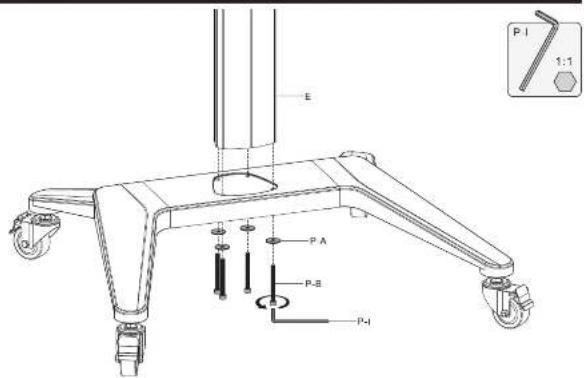
3
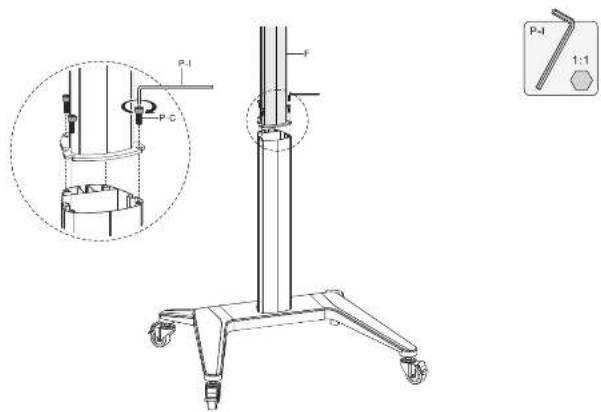
- Assemble the AV Equipment Shelf
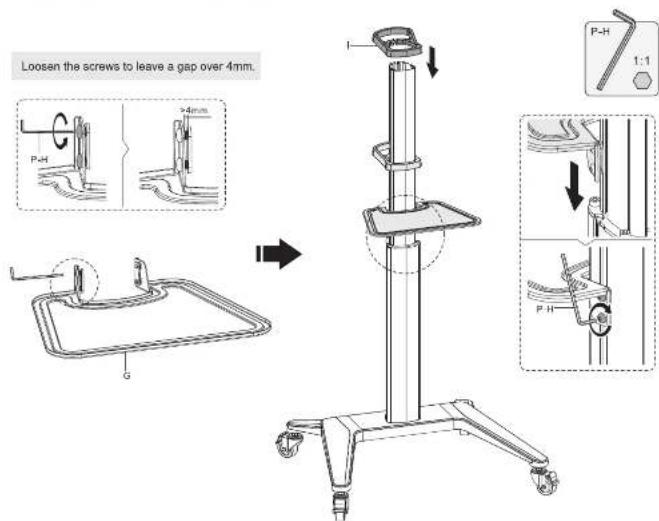
4
- Attach the Connector to the Column
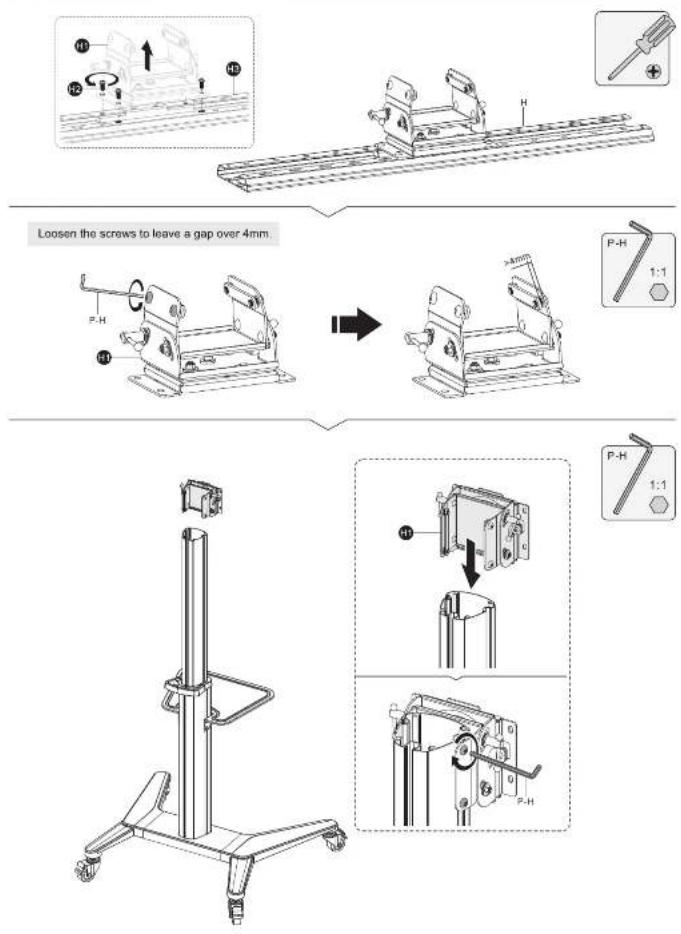
5
- Attach TV Bracket to the Mounting Plate
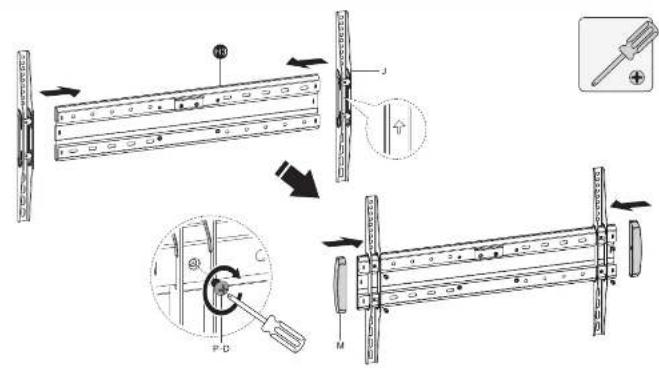
6a. Attach TV Bracket to Flat Back Screen
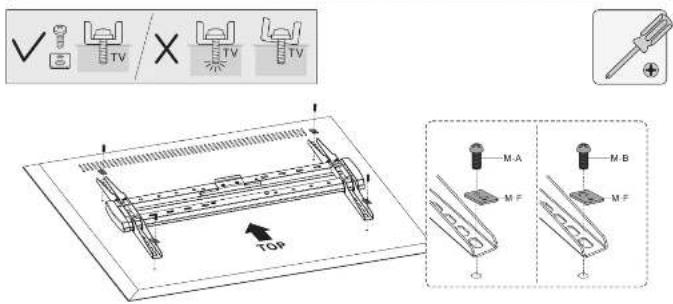
| M-A | M-B | ||
| M-F | |||
6
6b. Attach TV Bracket to Irregular Back Screen
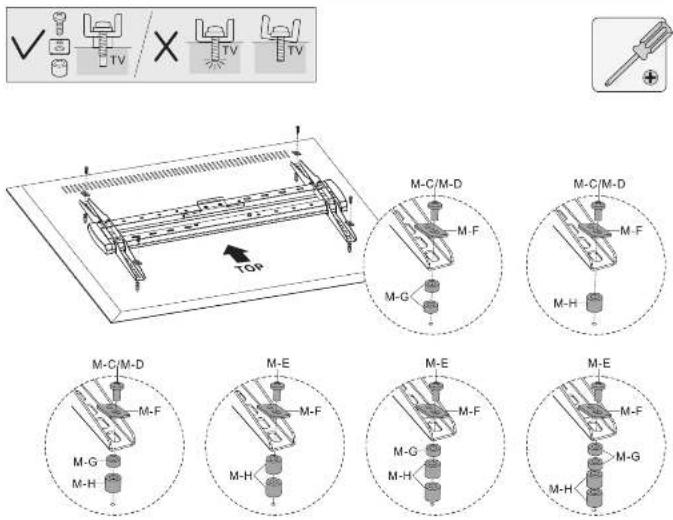
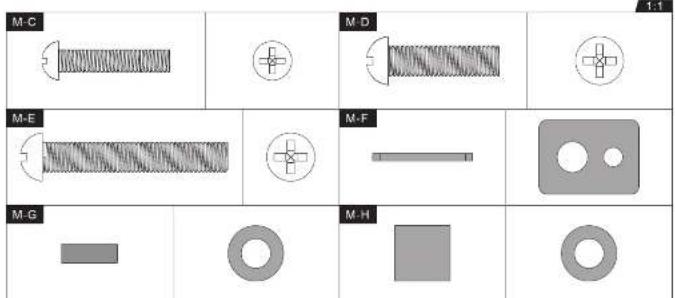
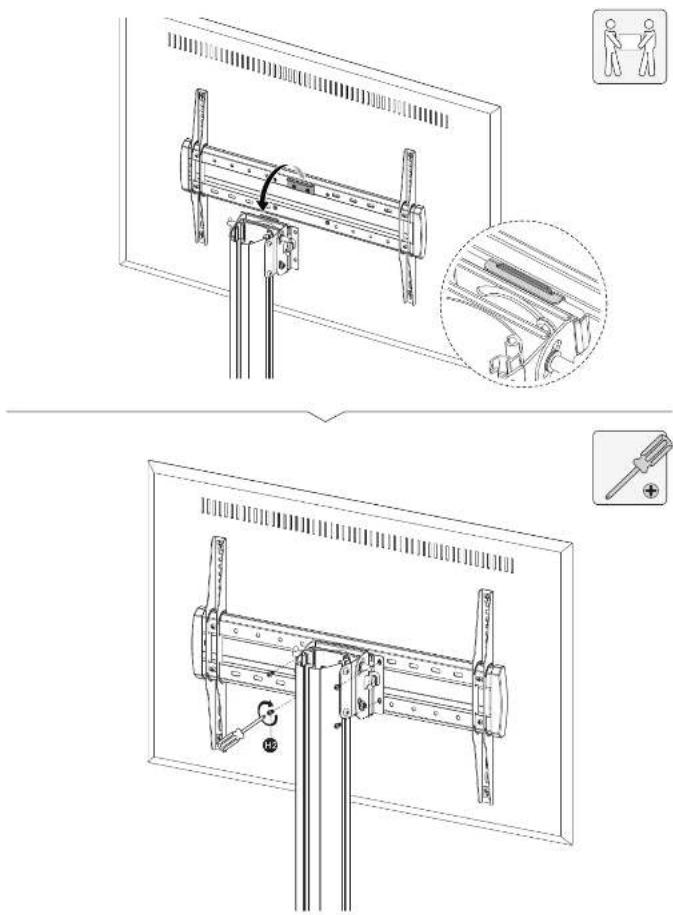
- Hang and Secure the Screen
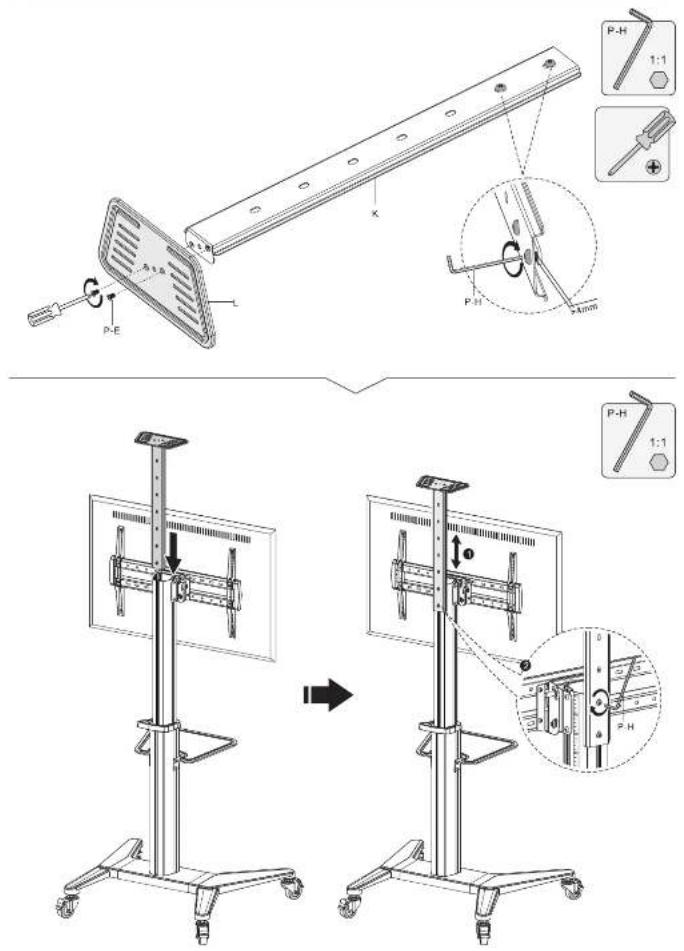
- Assemble the Camera Shelf
9
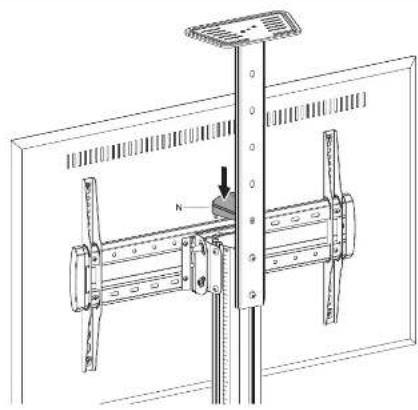
- Assemble the Top Cover
natural_image
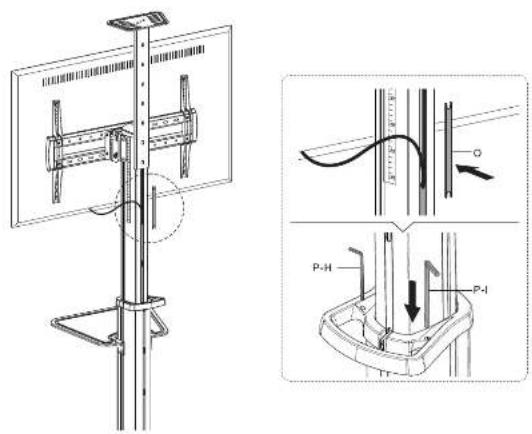
Technical line drawing of a mechanical assembly with a vertical rod and mounting bracket (no text or symbols)- Cable Management
10
Brand : Gembird
Model : TVS-70T-02-W
Category : TV Stand