
Pour Over Envelope Filter - Audio filter FENDER - Free user manual and instructions
Find the device manual for free Pour Over Envelope Filter FENDER in PDF.


| Product Type | Envelope Filter with Distortion |
| Brand | Fender |
| Model | Pour Over Envelope Filter |
| Dimensions | 3.75 x 4.9 x 2.5 in (95.25 x 124.5 x 63.5 mm) |
| Weight | 1.2 lbs (0.54 kg) |
| Power Supply | 9VDC regulated adapter, center negative, 5.5 x 2.1 mm barrel connector |
| Power Consumption | 75 mA @ 9VDC |
| Input Impedance | 820 kΩ |
| Output Impedance | 470 Ω |
| Filter Controls | Frequency, Q, Drive |
| Distortion Controls | Gain, Tone, Level |
| Switches | Filter Type (Low/High/Band-pass), Up/Down (sweep direction), Distortion On/Off, LED Kill |
| Footswitch | Bypass (true bypass) |
| Indicators | Jewel (effect active), Low Battery (when power is low), Control knob illumination (can be disabled) |
| Connectors | 1/4" Input (high impedance), 1/4" Output (low impedance), DC power jack |
| Construction | Sturdy metal enclosure |
| Cleaning Instructions | Unplug adapter, use damp cloth only, ensure completely dry before reconnecting |
| Safety Warnings | Do not expose to rain/moisture, use only approved power source, no user-serviceable parts, hearing damage risk |
| Compatible Instruments | Electric guitar, bass, acoustic with pickup, keyboards, other instruments |
| Manufacturer | Fender Musical Instruments Corporation, Corona, California, USA |
Frequently Asked Questions - Pour Over Envelope Filter FENDER
User questions about Pour Over Envelope Filter FENDER
0 question about this device. Answer the ones you know or ask your own.
Ask a new question about this device
Download the instructions for your Audio filter in PDF format for free! Find your manual Pour Over Envelope Filter - FENDER and take your electronic device back in hand. On this page are published all the documents necessary for the use of your device. Pour Over Envelope Filter by FENDER.
USER MANUAL Pour Over Envelope Filter FENDER
- Bypass Footswitch
- Jewel Indicator
- Output Jack
- Level
- Tone
- Distortion Switch
- Gain
-
Frequency
-
Q
-
Drive
- Up/Down Switch
- Filter Type Switch
- Input Jack
- Low Battery Indicator
- LED Kill Switch
- DC Power Connector
POUR OVER ENV FILTER
Thanks for purchasing the Pour Over Env Filter – a unique new take on the classic envelope filter effect. Pour Over's filter section features Frequency, Q and Drive controls, and toggle switches for sweep-up/sweep-down and filter type (low, high or band-pass). The distortion has its own dedicated toggle switch, with familiar Gain, Tone and Level controls.
Bypass Footswitch
Bypasses effect.
Jewel Indicator
Illuminates when effect is active.
Level
Controls overall distortion output level.
Distortion Switch
Turns distortion on and off.
Tone
Similar to tone control on a guitar – turn counterclockwise to decrease treble frequencies; turn clockwise for full-range tone.
Gain
Controls amount of distortion added to signal.
Freq
Controls filter frequency range.
Q
Controls filter resonant peak.
Drive
Controls amount of signal fed into filter.
Up/Down Switch
Controls frequency sweep direction.
Filter Type Switch
Selects low, high or band-pass filter type.
Input Jack
High-impedance input suitable for electric guitar, bass, acoustic guitars with pickup systems, keyboards and other instruments.
Output Jack
Low-impedance output jack connects to amp or to next effect pedal in signal chain.
DC Power Connector
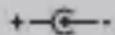
Standard center-negative 9VDC jack for use with appropriate power supplies.
LED Kill Switch
Deactivates control-knob illumination.
A PRODUCT OF:
FENDER MUSICAL INSTRUMENTS CORPORATION
CORONA, CALIFORNIA, USA
Fender® is a registered trademark of FMIC.
Copyright © 2019 FMIC. All rights reserved.
P/N 7717099000 - REV 1
Important Safety Instructions
- WARNING: To prevent damage, fire or shock hazard, do not expose the unit or its AC power to rain or moisture.
- Do not alter the AC plug of the connected power adapter
- Do not drip or splash liquids on the unit.
- No user serviceable parts inside, refer servicing to qualified personnel only.
- WARNING: The unit must only be connected to a safety agency certified, regulated, power source (adapter), approved for use and compliant with applicable local and national regulatory safety requirements.
- Unplug the AC power adapter before cleaning the unit exterior. Use only a damp cloth for cleaning and then wait until the unit is completely dry before reconnecting it to power.
- Amplifiers and loudspeaker systems, and ear/headphones (if equipped) are capable of producing very high sound pressure levels which may cause temporary or permanent hearing damage. Use care when setting and adjusting volume levels during use.
Additional Languages
Manual available in additional languages at:
www.fender.com/support
Specifications
IMPEDANCES:
POWER SUPPLY:
INPUT: 820kΩ OUTPUT: 470Ω
9VDC regulated adapter,
5.5 x 2.1 mm barrel connector, center negative
POWER REQUIREMENTS:
75mA @ 9VDC
DIMENSIONS:
WEIGHT:
3.75" × 4.9" × 2.5" (95.25mm × 124.5mm × 63.5mm)
1.2lbs (.54kg)


NOTES:
Fender
© FENDER MUSICAL INSTRUMENTS 2019
产品中有害物质的名称及含量
- POUR OVER ENV FILTER
- Bypass Footswitch
- Jewel Indicator
- Level
- Distortion Switch
- Tone
- Gain
- Freq
- Q
- Drive
- Up/Down Switch
- Filter Type Switch
- Input Jack
- Output Jack
- DC Power Connector
- LED Kill Switch
- A PRODUCT OF:
- FENDER MUSICAL INSTRUMENTS CORPORATION
- CORONA, CALIFORNIA, USA
- Important Safety Instructions
- Additional Languages
- Specifications
- NOTES:
- Fender
Brand : FENDER
Model : Pour Over Envelope Filter
Category : Audio filter