
Ranger R3 - Mobile Phone Maxwest - Free user manual and instructions
Find the device manual for free Ranger R3 Maxwest in PDF.


| Product Type | Mobile Phone |
| Brand | Maxwest |
| Model | Ranger R3 |
| Dimensions | 145 x 73 x 10.5 mm |
| Weight | 150 g |
| Display Type | TFT LCD |
| Display Size | 3.5 inches |
| Display Resolution | 480 x 320 pixels |
| Processor | MediaTek MT6261 |
| Operating System | Proprietary |
| Storage Capacity | 64 MB internal, expandable via microSD up to 16 GB |
| RAM | 32 MB |
| Primary Camera | 2 MP |
| Secondary Camera | 0.3 MP |
| Battery Type | Li-Ion |
| Battery Capacity | 1500 mAh |
| Talk Time | Up to 8 hours |
| Standby Time | Up to 300 hours |
| Connectivity | Micro USB, Bluetooth 2.1, 3.5 mm jack |
| Network | GSM 850/900/1800/1900 |
| SIM Card | Dual SIM (Mini-SIM, dual stand-by) |
| Features | FM Radio, Torch, MP3/MP4 Player, Speakerphone |
| Power Input | 5V 1A via Micro USB |
| Cleaning Instructions | Wipe with a dry, soft cloth; avoid liquids |
| Safety Precautions | Do not expose to extreme temperatures; use only approved accessories |
| Repairability | Battery and SIM card accessible; professional repair recommended for other issues |
Frequently Asked Questions - Ranger R3 Maxwest
User questions about Ranger R3 Maxwest
0 question about this device. Answer the ones you know or ask your own.
Ask a new question about this device
Download the instructions for your Mobile Phone in PDF format for free! Find your manual Ranger R3 - Maxwest and take your electronic device back in hand. On this page are published all the documents necessary for the use of your device. Ranger R3 by Maxwest.
USER MANUAL Ranger R3 Maxwest
RANGER R3 User Guide
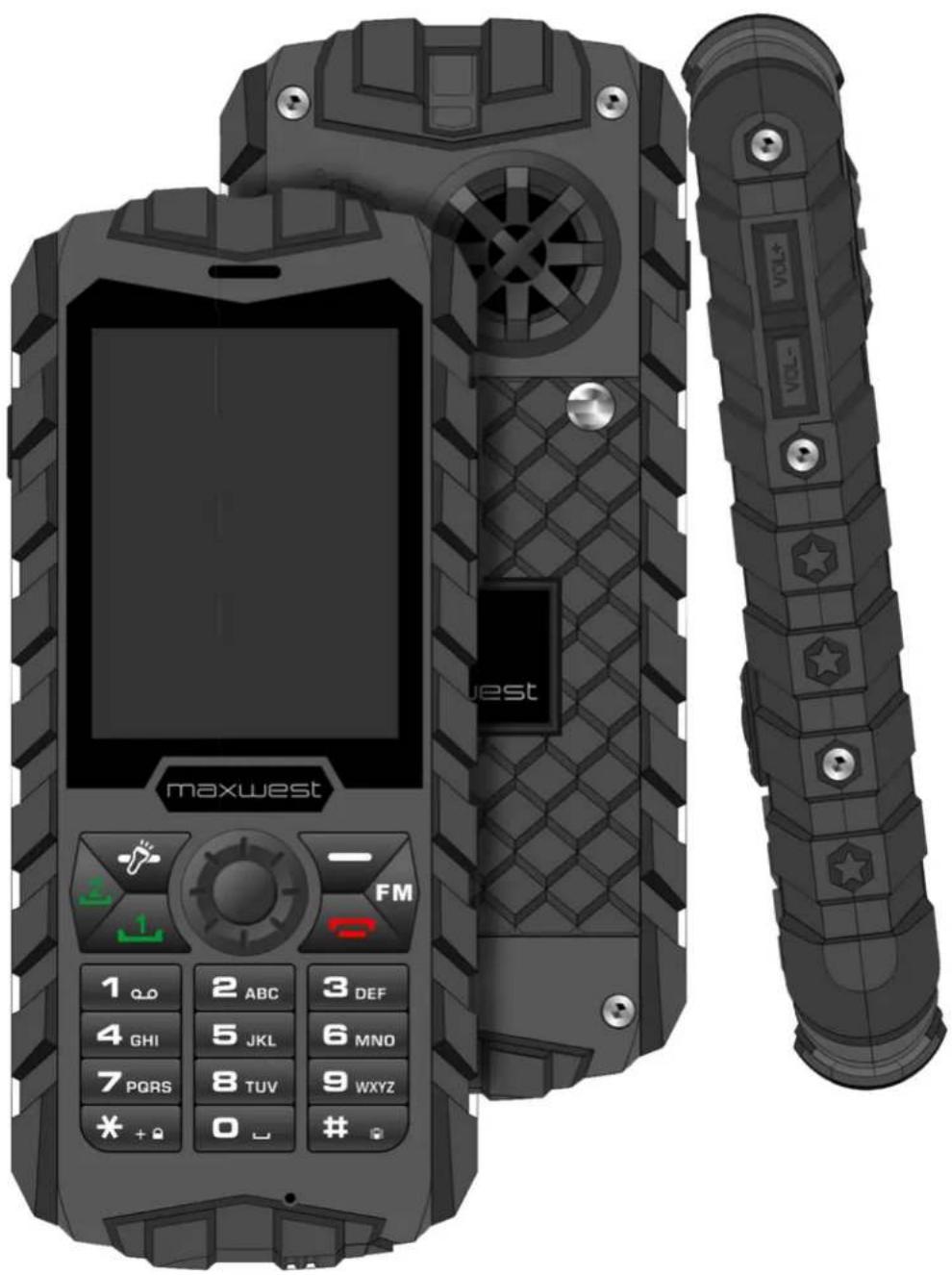
- How to Unlock your Ranger
a. First Press Unlock
b. Now Press Star (*)
- Dialing a number
a. Input number (Example: +1-999-999-9999)
b. Press Center button on keypad to dial out
i. Options
-
Hold – place call on hold
-
End Single call – Ends call
-
New Call – Creates new call
-
Phonebook – See 3.b
-
Call History – See 4.d.l
-
Messaging – See 3.e
-
Sound recorder – See 3.f.iv
-
Background Sound – See 3.d.ii.5
ii. Press Ok button to turn on speaker
iii. Mute – mutes call
- Menu Options
a. File Manager - Allows you to review all your files in the Phone or SD Card
b. Phonebook – All your Contacts as in here
i. Add new contact
-
Name
-
Number
-
Caller Picture
-
Caller Ringtone
ii. Options
-
View – Opens the Contacts Info
-
Send Message – Creates New SMS to send to contact
-
Edit – Allows you to Edit contact
-
Delete – Deletes contact
-
Copy – Creates a Copy of the contact
-
Send business card – Allows you to send the Contact via BT/MMS
-
Mark Several – Allows you select more than one Contact at a time
-
Phonebook settings – you can change the on the phonebook
iii. Search Bar – Allows you to search through your contacts
c. Fun
i. Games – Embedded into the OS
d. Call Center
i. Call history – You can see all History of calls
-
Missed calls – see missed call history
-
Dialed calls – see Dialed call history
-
Received calls – see Received call history
-
Delete call logs – Allows you to delete history of calls
-
Call Timers – Allows you to see total time of calls incoming/outgoing
-
Call cost – Calculates the cost of the call
-
Test msg. counter - counts the amount of SMS sent/Received
-
GPRS counter – counts total Data used
ii. Call Settings
- Blacklist – Blocks Calls/SMS
a. Reject unknown – Blocks the unknown numbers
b. Reject number in Blacklist – Can set on/off of number blacklist
c. Blacklist number – Allows you input 1-20 numbers to be blacklisted
-
Whitelist – Gives Priority over other number
-
Auto redial – Auto redials the number
-
IP dial
-
Background sound – Music that plays while call is being connected
-
Call Time Reminder – When there is missed call, it will remind you
-
Auto quick end – When a call is coming in, you can set the time for it to stop ringing from 1-9999 seconds
-
Reject by SMS – Can Reject calls by send SMS
-
Connect Notice – Notifies you when you have connected to the call
-
Answer mode – Allows you to set different keys to answer calls
e. Messaging
i. Write Message – Creates Blank SMS
- Options
a. Sent to – Select who SMS/MMS will be sent
i. Enter recipient – Manually insert number
ii. Add from Phonebook – Can select number from contact list
b. Insert symbol – Gives you options of different symbol to insert to message
c. Input method – Allows you to change the Language and style of input
d. Input method option
e. Add Picture – you can select an image to send via MMS
f. Add Sound – you can add a sound to send via MMS
g. Add Video – you can add a video to send via MMS
h. Add subject – you can change the subject title
i. Slide Option – Allows you select if you would like the slide to appear before or after text
j. Switch to MMS – Switches from SMS to MMS
k. Advanced – Allows you insert attachments
I. Save – Saves as Draft
m. Details – Give you Details of Message
-
Sending Message – Select the Center Button to send
-
Exit button – Exits the Messaging section
ii. Inbox – Opens your Messages inbox
iii. Draft – Opens your Draft
iv. Outbox – Opens your Outbox
v. Sent messages – Opens your Sent Messages
vi. Archive -Opens your Archived messages
vii. Templates – Opens all SMS/MMS templates by user/default
viii. Messaging settings – Allows you to change the Settings of SMS/MMS sending procedure. (Note: changing these settings may affect device performance. Recommended not to change)
f. Multimedia
i. Camcorder -Opens Camera Recorder (must insert MicroSD Card for it work)
ii. Image Viewer – Can view All Images on device
iii. Media Player – Allows you to play All Video and Audio files in device
iv. Sound recorder – Records Audio
v. FM radio – You can hear FM Radio by plugging Earphones (they act as the antenna)
g. Organizer
i. Calendar – Allows you see dates and schedule meetings
ii. Tasks – Allows you to create a list of tasks
iii. Alarms – Allows you to create up to 5 different alarms
iv. World Clock – give you the time in different parts of the world
v. Notes – Allows you to make a list of notes
h. Settings
i. Dual SIM Switch – Allows you to Switch Primary SIM (holding 3G connectivity) from SIM 1 and SIM 2. Recommended to leave as Automatic
ii. Dual SIM settings
iii. Phone Settings
- Time and Date – Can change Time and date settings
a. Set Home City – Allows you to pick default home city
b. Set time/date – Allows you to change format of time and date
i. HH:MM – can manually change the time to your preference (not recommended to change)
ii. YYYY/MM/DD – can change the date to your preference (not recommended)
iii. Daylight Saving- recommended to on
c. Set format
i. Time – Can select to 12-hour format or 24-hour format
ii. Date – Can change Date format to your preference
iii. Date Separator – Allows you to select Symbol separating date
d. Update with time zone – recommended to keep on
-
Schedule Power on/off – can schedule device to automatically turn off/on
-
Language – can change language settings to English, French Spanish, Portuguese, or Chinese
-
Preferred Input method – Allows you to change the input method when you type
-
Display
a. Wallpaper – Allows you to change wallpaper from default image or user defined
b. Screen Saver – Allows you to keep screen on in one image will in sleep mode
c. Themes – Allows you to change the icons and theme of OS
-
Dedicated keys – From home screen the up/down/right/left buttons can be modified for quick access to different parts of the phone
-
Flight mode – Activate this when boarding Airplane. Will Disable all communication from device
-
Misc. Setting – Allows you to change brightness level and screen time out time
iv. Security Settings
- Phone Security – Allows you to Create a lock on your device
a. Phone lock – select on/off
b. Change Password – Insert old/new password
- Auto Keypad lock – Allows you to keep or disable to lock on device
v. Connectivity
- Bluetooth
a. Power – Allows you to turn on/off
b. Visibility – allows you to be visible or not to nearby devices
c. My device – allows you to search for nearby devices
d. Search Audio device – Searches for Audio BT devices
e. My Name- You can rename device name in BT
-
Connections
-
Data Accounts – Recommended not to change, will affect usage of device
-
Internet Tethering – Allows you to share Data connection to PC by connecting Via USB
-
Data Service – Allows you to turn Data on/off
vi. Restore factory settings – will Reset all device settings and wipe all info from device. Code is 1122
vii. Sound effects – Allows you to play with audio settings of device
i. Profiles (Change Audio Setting Ringtones/media/OS)
i. General
ii. Silent
iii. Meeting
iv. Outdoor
v. My style
- Options
a. Customize
i. Alert Type
-
Ring only
-
Vibrate only
-
Vibrate and Ring
-
Vibrate then ring
ii. Ring type
-
Repeat
-
Ascending
-
Beep once
iii. Sim 1 incoming – can select from Preloading Ringtones or from saved audio file from device
iv. Sim 2 incoming – can select from Preloading Ringtones or from saved audio file from device
v. Ringtone Volume – set volume of ringtone
vi. SIM 1 message – can select from Preloaded Ringtones or from saved audio fie from device
vii. SIM 2 message – can select from Preloaded Ringtones or from saved audio fie from device
viii. Message Volume – allows you to change volume settings for Message notification
ix. Keypad
-
Tone
-
Silent
-
Click
j. Extras
k. Services
i. Can Access the internet
ii. Can Access you STK
I. Shortcuts
i. Shortcuts to different parts of the phone

Brand : Maxwest
Model : Ranger R3
Category : Mobile Phone