
Spark - Home Theater Pure Acoustics - Free user manual and instructions
Find the device manual for free Spark Pure Acoustics in PDF.


| Product Type | Home Theater System |
| Brand | Pure Acoustics |
| Model | Spark |
| Dimensions (approx.) | 30 cm x 20 cm x 10 cm (main unit) |
| Weight (approx.) | 2 kg (main unit) |
| Power Consumption | 50 W |
| Power Supply | AC 110-240 V, 50/60 Hz |
| Speaker Configuration | 2.1 channel (2 satellites + subwoofer) |
| Connectivity | Bluetooth, AUX input, USB port |
| Remote Control | Included (IR) |
| Audio Formats Supported | MP3, WMA, WAV |
| Maximum Power Output | 40 W RMS |
| Frequency Response | 40 Hz - 20 kHz |
| Subwoofer Type | Passive, 4 inch driver |
| Control Interface | Buttons on unit and remote |
| Display | LED indicator |
| Standby Mode | Yes, low power |
| Maintenance | Clean with soft dry cloth; avoid liquids |
| Safety | Keep away from water and heat sources |
| Spare Parts | Contact Pure Acoustics support |
| Reparability | Service by qualified technician |
| Documentation | User manual available online at notice-facile.com |
Frequently Asked Questions - Spark Pure Acoustics
User questions about Spark Pure Acoustics
0 question about this device. Answer the ones you know or ask your own.
Ask a new question about this device
Download the instructions for your Home Theater in PDF format for free! Find your manual Spark - Pure Acoustics and take your electronic device back in hand. On this page are published all the documents necessary for the use of your device. Spark by Pure Acoustics.
USER MANUAL Spark Pure Acoustics
SPARK Owner's Manual
pure acoustics® THE PURE SOUNDS OF LIFE
natural_image
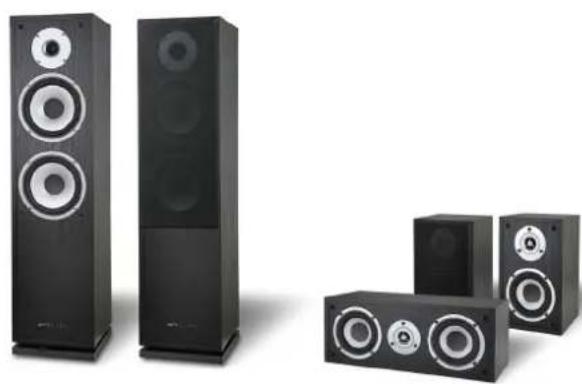
Product photo of five black audio speakers with varying sizes and sound effects (no visible text or labels)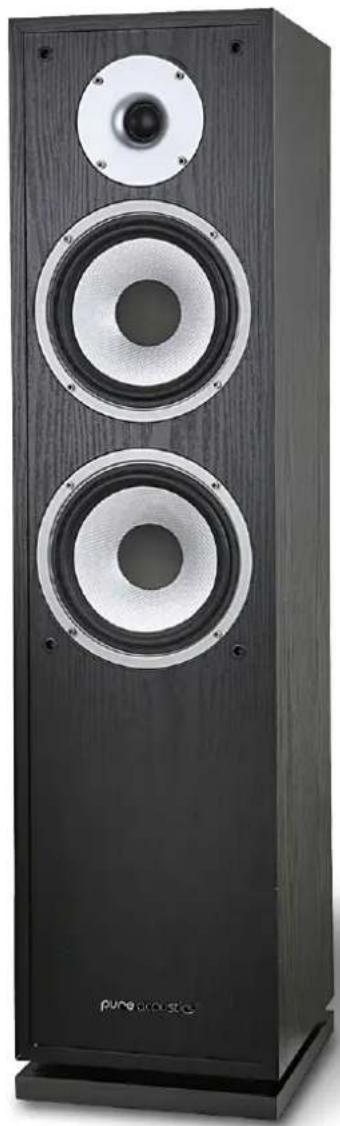
natural_image
Black wooden multi-tiered speaker tower with two speakers and a circular head (no visible text or symbols)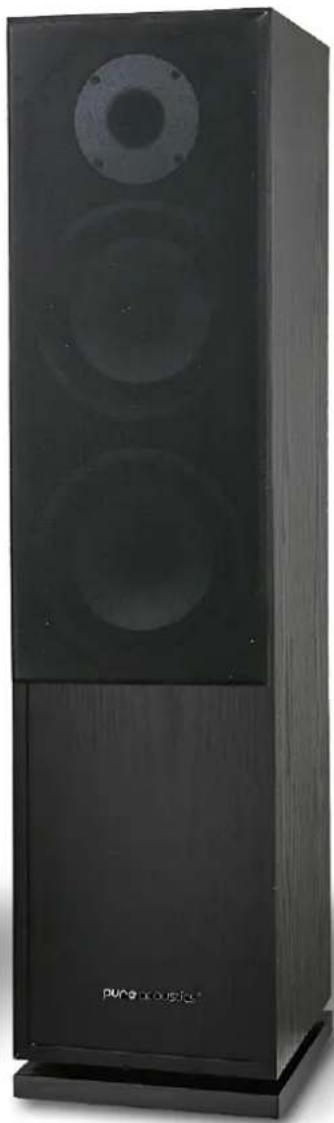
natural_image
Black wooden audio amplifier with three speakers and a label 'pune music' on the base (no other text or symbols visible)Pure Acoustics, Inc. 18 Fuller Place Brooklyn, NY 11215, USA, Tel 718 788 4411
www.pure-acoustics.com
Introduction
Thank you for purchasing Pure Acoustics' products, and welcome to the Pure Acoustics family of satisfied customers!
Pure Acoustics was established to fulfill the need for high quality speakers of exceptional design at an affordable price. After years of research and development, and by manufacturing all parts ourselves -- from the voice-coil to the uniquely-designed crossover -- Pure Acoustics is able to offer you speakers of superior value.
Each speaker component has been designed and engineered with first-rate materials to produce exceptional sound. Our speakers offer the best of it all – high-quality sound, hand-made solid construction, and a remarkably stylish appearance.
We welcome you to witness the results. Our team's dedication to quality, reliability and attractive design has created some of the best-value speakers you can find today.
Reading the complete manual will help you to set up your speakers properly and reward you with a fine listening experience. Pure Acoustics distribution centers in Europe, Asia, Australia and the Americas will be happy to assist you with any questions you may have. Please look for the distributor nearest you on our web site, www.pure-acoustics.com.
Connections
Make sure all equipment is turned off. When connecting the speakers, be sure to retain the correct polarity. Most speaker cables will have (+) red sign for positive and (-) black sign for negative.
Connect the speaker cable to the positive (+) front-left speaker terminal on the amplifier and to the positive (+) terminal on the front-left speaker. Connect the speaker cable to the negative (-) front-left speaker terminal on the amplifier and to the negative (-) terminal on the front left speaker. Repeat the same step for the right – side front speaker. In the case that your speakers have two sets of terminals on the back, either set of input terminals can be used as long as the shorting straps are in place. If you want to bi-wire your speakers and if your amplifier is equipped with bi-wire output connection, remove the shorting straps and connect each terminal to the associated terminal in your amplifier. The upper input terminals on the back of the speaker are connected to the high frequencies and the lower input terminals are connected to the low frequencies.
Connect the speaker cable to the positive (+) center speaker terminal on the amplifier and to the positive (+) terminal on the center speaker. Connect the speaker cable to the negative (-) center speaker terminal on the amp and to the negative (-) terminal on the center speaker.
Connect the speaker cable to the positive (+) rear left speaker terminal on the amplifier and to the positive (+) terminal on the rear-left speaker. Connect the speaker cable to the negative (-) rear-left speaker terminal on the amplifier and to the negative (-) terminal on the rear-left speaker. Repeat the same step for the right-side rear speaker.
Position
THE FRONT SPEAKERS should be placed on each side of your TV or in front of your favorite listening position. As a general guideline, the space from the speakers to the listening position should be 1.5 times the distance between the speakers. For example, if your listening position is 9ft (2.7m) away from the speakers, the distance between the speakers should be 6ft (1.8m)
THE CENTER CHANNEL SPEAKER should be on top of or just above your TV.
THE REAR (SURROUND) SPEAKERS should be positioned either to the side of, or behind, your listening position. Typical placement is on the side walls, slightly above car level, about two-thirds of the way back from the front of the room. This allows the surround speakers to aim directly at the listener, placing you in the middle of a five-speaker sound field.
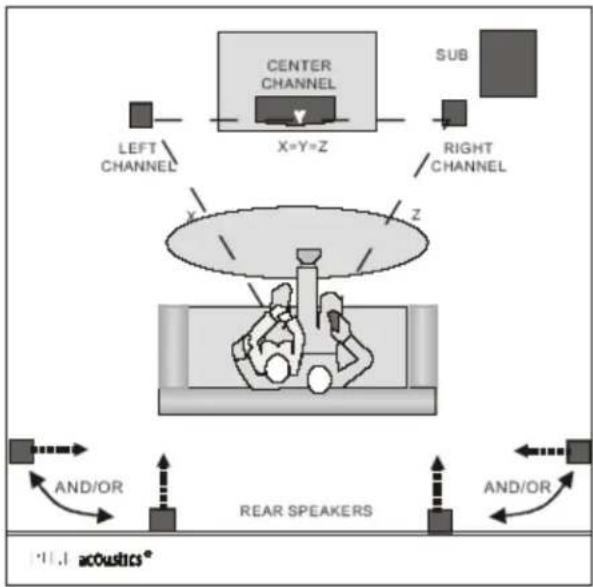
flowchart
graph TD
    A["LEFT CHANNEL"] --> B["CENTER CHANNEL"]
    C["RIGHT CHANNEL"] --> B
    B --> D["X=Y=Z"]
    D --> E["SUB"]
    F["AND/OR"] --> G["REAR SPEAKERS"]
    H["AND/OR"] --> G
    G --> I["acoustics*"]
    style A fill:#000,stroke:#000,color:#fff
    style C fill:#000,stroke:#000,color:#fff
    style F fill:#000,stroke:#000,color:#fff
    style H fill:#000,stroke:#000,color:#fff
    style I fill:#000,stroke:#000,color:#fff
Set-Up Diagram
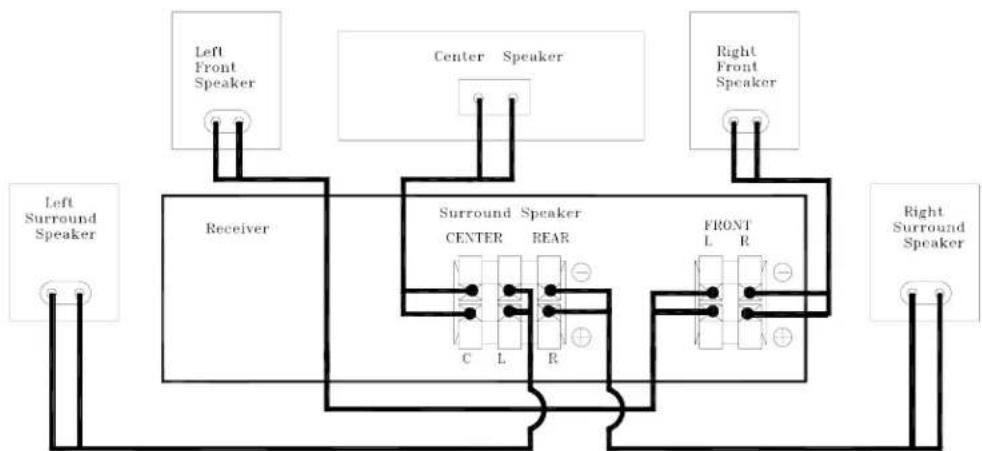
flowchart
graph TD
    A["Left Front Speaker"] --> B["Receiver"]
    C["Center Speaker"] --> D["Surround Speaker CENTER"]
    E["Right Front Speaker"] --> F["Front L R"]
    G["Left Surround Speaker"] --> H["Receiver"]
    I["Right Surround Speaker"] --> J["Front L R"]
    B --> K["Center"]
    D --> L["Front L R"]
    H --> M["Left Surround Speaker"]
    J --> N["Right Surround Speaker"]
Running time and cleaning
The performance of the speakers may change during the initial use due to storage and mechanical limitations. Please allow 15 hours of use for the temperature effect and mechanical parts to attain their intended design characteristics.
Make sure to turn all equipment off before cleaning. The cabinet only requires occasional dusting. Please avoid touching the drive units.
Limited one-year warranty
Pure Acoustics products have been designed and manufactured to the highest quality standards. However, in the event that something malfunctions, Pure Acoustics and your local authorized distributor warrant free of charge parts and labor (some exclusions may apply) for a period of one year. This warranty is only valid for the original owner. This warranty is limited to the repair of the product. This warranty will not apply to units that were subject to misuse, neglect, abuse, alteration or improper installation. This warranty will not cover damage due to fire, water, heat, lightning or any other cause beyond the control of Pure Acoustics. Retention of your original dated receipt is required in order to obtain warranty service from your local authorized Pure Acoustics Dealer.
| Spark F Spark C Spark S | |||
| POWER HANDLING | 200 Watt | 140 Watt | 140 Watt |
| FREQUENCY | 45Hz - 22Khz 55Hz - 20Khz 60Hz-20Khz | ||
| SENSITIVITY (+/- 3DB) 90db 86db 85db | |||
| NOMINAL IMPEDANCE | 8 Ohm | 8 Ohm | 8 Ohm |
| DRIVER COMPLEMENT | 2 way 3 drivers bass reflex | 2 way DRAV FIG. magnetic shielding, bass reflex | 2 way DRAV FIG. |
| WOOFER | Two 6.5" (162mm) woofer PPC | Two 4" (100-mm) midwoofer PPC. | One 4" (100-mm) midwoofer PPC. |
| TWEETER | 1" (25mm) silk dome tweeter | 1" (25mm) silk dome tweeter | 1" (25mm) silk dome tweeter |
| CROSSOVER FREQUENCY | 2,500 Hz | 3,000 Hz | 3,000 Hz |
| DIMENSIONS (HXWXD) | 87.5 x 21.5x 25 Cm | 14.5 x 37 x 17 Cm | 24 x 14.5 x 17Cm |
| WEIGHT | 10.5 Kg each | 3 Kg | 2.1 Kg each |
| FINISH | Black, Silver, Cherry, Beech, Mahogany, Maple | Black, Silver, Cherry, Beech, Mahogany, Maple | Black, Silver, Cherry, Beech, Mahogany, Maple |
| GRILLE | Black/Gray cloth | Black/Gray cloth | Black/Gray cloth |
| CARTON DIMENSIONS (H X W X D) | 96.3 x 70.7 x 32.2 Cm | ||
| CARTON WEIGHT | 31.5 Kg | ||
| CARTON CONTAINS | 5 pcs set , 2 front + 2 rear + 1 center speaker | ||
Design and specifications are subject to change without notice.
www.pure-acoustics.com

Brand : Pure Acoustics
Model : Spark
Category : Home Theater