
ER8000 - Uncategorized SEIKO - Free user manual and instructions
Find the device manual for free ER8000 SEIKO in PDF.


| Product Type | Electronic Dictionary |
| Display | 239 x 80 dots LCD |
| Power Source | 2 AAA batteries (approx. 100 hours continuous use) |
| Weight | Approx. 155 g (including batteries) |
| Operating Temperature | 32°F to 104°F (0°C to 40°C) |
| Built-in Content | Britannica Concise Encyclopedia, Concise Oxford English Dictionary, Concise Oxford Thesaurus, Concise Oxford Dictionary of Quotations |
| Spellchecker | 130,000 words with phonetic spelling correction |
| Solvers | Crossword, Anagram, Phrase Finder, Definition Search, Encyclopedic Search, Abbreviation, Letter Changer |
| Word Games | 11 games: Hangman, User Hangman, Jumble, User Jumble, Crossword Quiz, Time Bomb, Memory, Hidden, Articles, Definitions, Word Building |
| Easy Learn Function | Create custom word lists from dictionaries and games |
| Calculator | 12-digit with memory and percentage functions |
| Converters | Currency, Metric/Imperial (length, area, volume, weight, temperature, power), clothing sizes |
| Jump Function | Cross-reference words between dictionaries |
| Text Size | Adjustable (Large, Middle, Small) |
| Auto Power Off | Adjustable timer (default 3 minutes) |
| Game Levels | 3 difficulty levels (Beginner, Intermediate, Advanced) |
| Warranty | 1 year limited warranty |
Frequently Asked Questions - ER8000 SEIKO
User questions about ER8000 SEIKO
0 question about this device. Answer the ones you know or ask your own.
Ask a new question about this device
Download the instructions for your Uncategorized in PDF format for free! Find your manual ER8000 - SEIKO and take your electronic device back in hand. On this page are published all the documents necessary for the use of your device. ER8000 by SEIKO.
USER MANUAL ER8000 SEIKO
SEIKO
ELECTRONIC DICTIONARY OPERATION MANUAL
Thank you for purchasing the ER8000.
Please read this operation manual carefully before using the product.
This unit contains four dictionaries and reference works: the Britannica Concise Encyclopedia, Concise Oxford English Dictionary, Concise Oxford Thesaurus and Concise Oxford Dictionary of Quotations.
You can expand your English vocabulary further through use of the Spellchecker, the seven Solvers, the 11 Word Games, and the Easy Learn function.
The display screen can be switched to Large, Middle or Small. (See page 58.)
The screen display examples used in this manual are shown in the "Middle" format.
Since this unit contains the most recent data, there are some differences between the book version and the data.
The photographs, illustrations and phonetic symbols contained in the Encyclopedia in the book version are not included.
CE CN148
EC DECLARATION OF CONFORMITY
This is to certify that this equipment fully conforms to the protection requirements of the following
EC Council Directives on the approximation of the laws of the member states relating to:-
Directives Title
89/336/EEC Electromagnetic Compatibility
Applicable Standards
EN55022: 1998 Electromagnetic Compatibility - Emissions (Radiated)
EN55024: 1998 Electromagnetic Compatibility - Immunity (Radiated Susceptibility, ESD)
SEIKO UK Limited SC House, Vanwall Road, Maidenhead, Berks. SL6 4UW U.K.
This device complies with part 15 of the FCC Rules.
Operation is subject to the following two conditions:
(1) This device may not cause harmful interference, and
(2) This device must accept any interference received, including interference that may cause undesired operation.
Britannica Concise Encyclopedia © 2004 Encyclopaedia Britannica, Inc.
Encyclopaedia Britannica, Britannica and the Thistle logo are registered trademarks of Encyclopaedia Britannica, Inc. All rights reserved.
Concise Oxford English Dictionary 11e © Oxford University Press 2004
Concise Oxford Thesaurus 2e © Oxford University Press 2002
CONTENTS
Preparation for using the Unit ... 2 Encyclopedic Search .... 37
Installing Batteries.... 2 Abbreviation .... 38
Resetting 2 Letter Changer 39
Changing Batteries.... 3 Games.... 40
Demo Function.... 3 Hangman.... 40
Functions and Features .... 4 User Hangman .... 42
The Keys and their Functions ... 6 Jumble.... 43
Encyclopedia 8 User Jumble 44
Headword Search 8 Crossword Quiz 45
Spelling Guide 10 Time Bomb 46
Jump function 11 Memory 47
Category Search 12 Hidden 48
Dictionary 16 Articles 49
nesaurus 20 Definitions 50
Synonyms Search .... 22 Word Building .... 51
Dictionary of Quotations ..... 24 Easy Learn ..... 52
Author Name Search...... 24 Calculator / Converters ...... 54
Keyword Search 26 Calculator 54
Spellchecker 28 Converters 55
Solvers 32 Setting function 58
Crossword Solver.... 32 Help function.... 61
Anagram Solver.... 33 Proper Use .... 62
Preparation for using the Unit
Installing Batteries
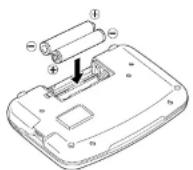
The unit is powered by two "AAA" size batteries.
Before using the unit, please install the batteries as follows.
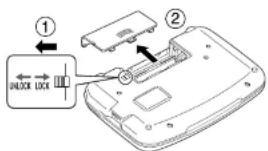
- Turn the unit over.
- Slide the tab to the left and then unlock and remove the battery cover.
- Insert two "AAA" batteries according to the polarity (+, -) marks inside the battery compartment.
- After replacing the battery cover, slide the tab to the right and lock the battery cover.
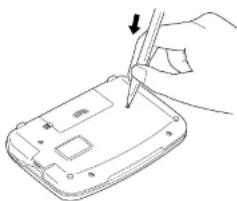
- Press the "RESET" button on the bottom of the unit.
- A demonstration display will appear. (See page 3.)
natural_image
Line drawing of a hand using a pen to press or install a device on a flat surface (no text or symbols)Resetting
Changing Batteries
The battery mark (☐) will appear at the right of the screen when the batteries are almost exhausted, meaning that it is time to replace them.
- Press the "RESET" button on the bottom of the unit after battery replacement.
• M make sure that power is switched off before replacing batteries. - Do not use a previously used battery together with a new battery.
- If the unit is subjected to an electrostatic discharge it may lock up, the batteries should be removed and replaced in order to overcome this problem.
CAUTION
- The batteries may pose a choking hazard to small children.
- Keep the batteries and product away from small children.
- Do not expose the batteries to open flame or intense heat.
- Rechargeable batteries cannot be used.
- Do not try to recharge batteries.
- Never use batteries other than those specified.
- Remove the batteries from the unit if you do not intend to use it for a long duration.
Demo Function
When you turn on the power, a demonstration display will begin to explain the contents of the unit.
You can stop the demonstration by pressing any of the keys.
* If you want to turn off the demonstration
Welcome!
To end this demo press any key.
Functions and Features
1 Encyclopedia
You will find information on just about every field of human knowledge, with more than 25,000 entries.
You can search for the article you're looking for from the category to which it belongs.
Encyclopedia entry words and articles all come from the Britannica Concise Encyclopedia.
2 Dictionary
High speed search of over 240,000 words, phrases and definitions covering current and historical English, as well as hundreds of specialist and technical subjects.
Dictionary entry words, definitions and grammatical information all come from the Concise Oxford English Dictionary.
3 Thesaurus
The unit offers a high speed search of over 4 million synonym links, with over 333,000 alternative words and opposite words to make what you write and say more interesting.
The thesaurus entries, including examples, sense groupings, and all alternative and opposite words, are taken from the Concise Oxford Thesaurus.
4 D ictionary of Quotations
This contains over 9,000 quotations from more than 2,500 authors, and with both author names and quotation keywords searchable, offers the best possible access to this rich and fascinating material.
Dictionary entries all come from the Concise Dictionary of Quotations.
5 Spellchecker
Instant phonetic spelling correction for over 130,000 words ensures you will always have the answer at your fingertips.
6 Solvors
7 Word Games
You can take on the challenge of 11 different word games set to any one of three levels of difficulty.
Hangman, User Hangman, Jumble, User Jumble, Crossword Quiz, Time Bomb, Memory, Hidden, Articles, Definitions, Word Building
8 E asy Learn
The Easy Learn function allows you to create your own word list from the Encyclopedia, Dictionary, Thesaurus, Dictionary of Quotations, Spellchecker, Solvers and Games.
9 Calculator
A full function calculator including memory and % functions.
12 digits, 1 Memory
10 Converters
The conversion function enables you to convert foreign currencies and metric/imperial units of length, area, volume, weight, capacity, power, and temperature.
You can also convert foreign clothing sizes of shirts, shoes, hats etc. for men, women and children.
11 Setting function
You can customize the following operating conditions:
Demo Message, Text Size, Game Level, Game Scores, Easy Learn Word, Easy Learn Sorting, Auto Power Off Timer
12 Other Features
Jump function
This function enables you to look up a word displayed on the explanation screen in any dictionary of your choosing, and to register it in the Easy Learn word list.
Help function
A simple explanation of how to operate the various functions can be
The Keys and their Functions
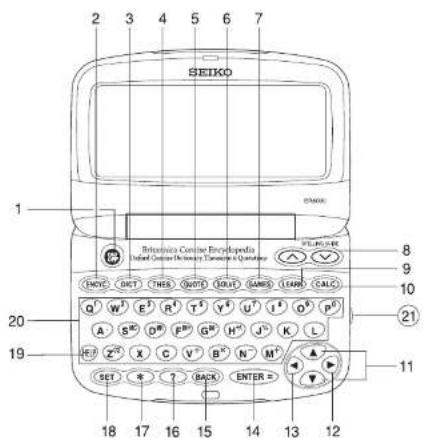
1 T turns the power ON and OFF.
2 Selects Encyclopedia mode.
3 Selects Dictionary mode.
4 Selects Thesaurus mode.
5 Selects Dictionary of Quotations mode.
6 Selects Solver mode.
7 S elects Game mode.
8 For scrolling through the entries.
Activates Spelling Guide function.
11 For scrolling up or down lines.
Cursor key
12 Enters a single blank space when pressed once.
Cursor key / Jump key
13 Cursor key / Jump key
14 Executes the functions.
15 For deleting the last input character.
Returns the display to the previous state/level.
16 Used instead of one letter if you don't know how to spell a word.
17 Used instead of one or more letters if you don't know how to spell a word.
18 Activates Setting function.
19 Activates Help function.
20 Letter, numeral and symbol input keys.
21 Adjusts the contrast of the display.
- When the power is turned back on using, the unit will show the display used before the power was last turned off.
- The unit can also be turned ON with the mode keys.
- In order to avoid unnecessary wear of the batteries, the power will turn off automatically if the keys are not operated for a prescribed length of time. (The initial setting is approximately 3 minutes. The time duration can be changed in settings.)
Encyclopedia
Headword Search
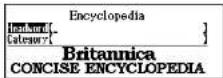
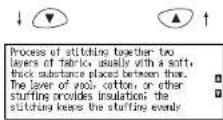
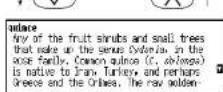
1 Press ENCYC
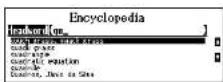
2 Type a word.
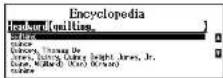
Example: quilting
Every time you enter a letter, the closest match(es) will be displayed.
Use ▼ or ▲ to select the headword as necessary.
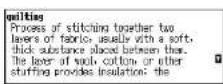
3 Press ENTER-2
An explanation of the selected headword will be displayed.
* Press BACK to return to the headword selection screen.
* The mark will appear if there is insufficient space to display the whole entry.
4 Press ▼ to see the rest of an entry. Press ▲ to scroll up.
* Press ENTER to advance to the next screen.
5 To scroll alphabetically up or down through the headword list, press ∨ or ∧.
Entering and Correcting Letters
- Up to 29 letters can be entered.
- Use ▶ to enter a space.
- If there is no headword corresponding to the sequence of letters you have entered, the words with the closest spelling will be displayed.
- Corrections can be made by using BACK
• U sc or to move the cursor.
• T he entire display can be cleared by pressinencyc
Looking up words whose spelling you aren't sure of
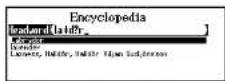
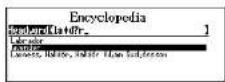
When entering the letters, you can enter “?” or “*” in place of any letters you aren’t sure of.
Use ? to enter " ?".
This is used in place of a single character.
Use * to enter “*”.
This is used in place of one or more characters or words.
1 Type a word.
Example: la*d?r
The corresponding headword list will be displayed.
2 Use ▼ or ▲ to select the headword as necessary.
Example: lavender

Spelling Guide
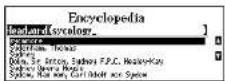
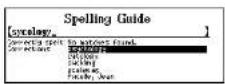
Pressing ∨ or ∧ while entering letters enables you to perform a phonetic search within the range of the headwords in the Encyclopedia.
1 Type a word.
Example: sycology
* If there is no headword corresponding to the sequence of letters you have entered, the words closest in spelling will be displayed in order.
2 Press


A list of words that are phonetically similar to the entered word will be displayed.
Use ▼ or ▲ to select the headword as necessary.
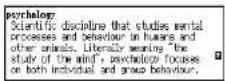
3 Press

* Return to the list by pressing

* This function cannot be used for an Encyclopedia category search. (See page 12.)
Jump function
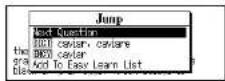
This function enables you to look up a word displayed on the explanation screen in any dictionary of your choosing, and to register it in the Easy Learn word list.
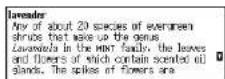
Example: lavender
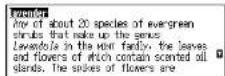
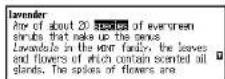
1 Press ▶ to select the first word you can look up. Selected word will begin to flash on and off.
Press ↙ to select the last word.
* Press BACK to return to the previous screen or to disable the cursor.
2 Select another word using the cursor keys.
Example: species
3 Press ENTER-
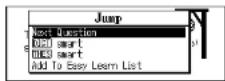
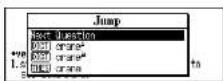
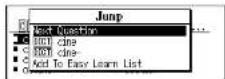
4 Select Dictionary, Thesaurus, Encyclopedia or Easy Learn List by using ▼ or ▲.
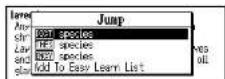
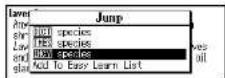
DICT Search for definition in the Dictionary
THES Search for synonyms in the Thesaurus
ENCY Search for articles in the Encyclopedia
Add To Easy Learn List: Add the selected word to the Easy Learn List.
5 Press ENTER-

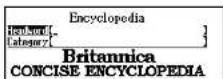
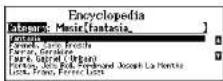
Category Search
1 Press ENCYC
2 Press ▼ to select Category Search.
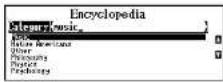
3 Type a category name.
Example: music
Every time you enter a letter, the closest match(es) will be displayed.
Use ▼ or ▲ to select the category as necessary.
4 Press ENTER
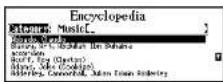
5 Type a word.
Example: fantasia
Every time you enter a letter, the corresponding headword list in the category will change.
Use ▼ or ▲ to select the headword as necessary.
6 Press ENTER
An explanation of the selected headword will be displayed.
* Press BACKdo return to the headword
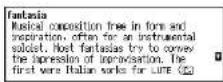
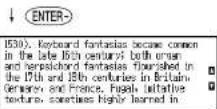
7 Press ▼ to see the rest of an entry. Press ▲ to scroll up.
* Press ENTER to advance to the next screen.
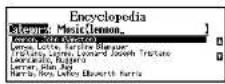
8 To clear the display and search for another word in the same category, simply enter your new word.
Example: lennon

Abbreviations used in the Encyclopedia
| AD | anno Domini | Md. | Maryland |
| Adm. | Admiral | Me. | Maine |
| Ala. | Alabama | mi | mile(s) |
| Amer. | American | Mich. | Michigan |
| Ariz. | Arizona | Minn. | Minnesota |
| Ark. | Arkansas | Miss. | Mississippi |
| BC | before Christ | ml | milliliter(s) |
| C | Celsius | mm | millimeter(s) |
| c. | circa | Mo. | Missouri |
| Cal. | California | Mont. | Montana |
| Captl. | captain | mph | miles per hour |
| cc | cubic centimeter(s) | N | North |
| cent. | century, centuries | N.C. | North Carolina |
| cm | centimeter(s) | N.D. | North Dakota |
| Co. | Company, Country | NE | northeastern |
| Col. | Colorado, Colonel | Neb. | Nebraska |
| Conn. | Connecticut | Nev. | Nevada |
| Corp. | Corporation | N.H. | New Hampshire |
| cu | cubic | N.J. | New Jersey |
| D.C. | District of Columbia | N.M. | New Mexico |
| Del. | Delaware | NW | northwestern |
| Dr. | Doctor | N.Y. | New York |
| E | East | Okla. | Oklahoma |
| e.g. | exempli gratia (for example) | Ore. | Oregon |
| est. | estimate, estimated | oz | ounce(s) |
| F | Fahrenheit | Pa. | Pennsylvania |
| fl. | flourished | PhD | Doctor of Philosophy |
| Fla. | Florida | Pres. | President |
| ft | foot, feet | r. | reigned, ruled |
| g | gram(s) | Rev. | Reverend |
| Ga. | Georgia | R.I. | Rhode Island |
| Gen. | General | S | South |
| Gov. | Governor | S.C. | South Carolina |
| I.e. | id est (that is) | S.D. | South Dakota |
| Ill. | Illinois | SE | southeastern |
| in. | inch(es) | Sen. | Senator |
| Ind. | Indiana | sq | square |
| Jr. | Junior | St. | Saint |
| K | Kelvin | SW | southwestern |
| Kan. | Kansas | Tenn. | Tennessee |
| kg | kilogram(s) | U.N. | United Nations |
| km | kilometer(s) | U.S. | United States |
| kph | kilometers per hour | Va. | Virginia |
| Ky. | Kentucky | vs. | versus |
| La. | Louisiana | Vt. | Vermont |
| lb, lbs | pound, pounds | W | West |
| m | meter(s) | W.V. | West Virginia |
MEMO
Dictionary
Basic Procedure
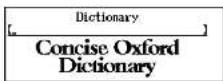
1 Press DICT
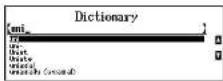
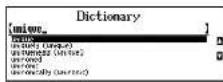
2 Type a word.
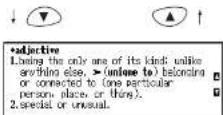
Example: unique
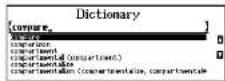
Every time you enter a letter, the corresponding headword list will change.
Use ▼ or ▲ to select the headword required.
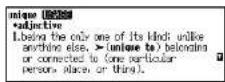
3 Press ENTER-
The unit shows headwords, parts of speech, inflected forms and definitions.
* Press BACK to return to the headword selection screen.
* The thank will appear if there is insufficient space to display the whole entry.
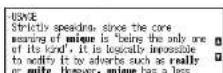
* If there are “USAGE” or “HISTORY” for a headword at the end of the definitions, the USAGE or HIST mark will appear after the headword.
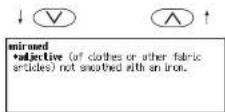
4 Press ▼ to see the rest of an entry. Press ▲ to scroll up.
* Press ENTER to advance to the next screen.
5 To scroll alphabetically up or down through the Dictionary's headword list, press ∨ or ∧.
6 To clear the display and search for another word, simply enter your new word. Example: compare
Entering and Correcting Letters
- Up to 37 letters can be entered.
- Use ▶ to enter a space.
- If there is no headword corresponding to the sequence of letters you have entered, the words with the closest spelling will be displayed.
• Corrections can be made by using BACK
• U sc or to move the cursor.
• T he entire display can be cleared by pressing CT
Looking up words whose spelling you aren't sure of
When entering the letters, you can enter “?” or “*” in place of any letters you aren’t sure of. (See page 9.)
Spelling Guide
Pressing ⬇ or ∧ while entering letters enables you to perform a phonetic search within the range of the headwords in the Dictionary. (See page 10.)
- ... - 2 ... - 1! ...
Abbreviations used in the dictionary
Abbreviations in general use, such as 'etc.', 'i.e., and 'p.m.', are listed and explained as entries in the dictionary itself.
| abbrev. | abbreviation | fem. | feminine |
| Aborig. | Aboriginal | Fr. | French |
| adj. | adjective | freq. | frequently |
| adv. | adverb | Ger. | German |
| Afr. | African | Gk | Greek |
| Afrik. | Afrikaans | Gmc | Germanic |
| alt. | alteration, altered | Heb. | Hebrew |
| Amer. | American | imper. | imperative |
| appar. | apparently | Ind. | Indian |
| Arab. | Arabic | Indo-Eur. | Indo-European |
| assoc. | associated, association | infin. | infinitive |
| aux. | auxiliary | interrog. | interrogative |
| b. | born | Ir. | Irish |
| back-form. | back-formation | Ital. | Italian |
| C (as in C18, C19, etc.) | century | L. | Latin |
| Canad. | Canadian | Latin Amer. Sp. | Latin American Spanish |
| cent. | century | lit. | literally |
| cf. | compare with | masc. | masculine |
| Chin. | Chinese | MDu. | Middle Dutch |
| colloq. | colloquial | ME | Middle English |
| comb. form | combining form | med. | medieval |
| compar. | comparative | Mex. Sp. | Mexican Spanish |
| conj. | conjunction | Mid. High Ger. | Middle High German |
| contr. | contraction | Mid. Low Ger. | Middle Low German |
| corresp. | corresponding | ||
| Dan. | Danish | mod. | modern |
| det. | determiner | n. | noun |
| dial. | dialect | N. | North |
| dimin. | diminutive | naut. | nautical |
| Du. | Dutch | neg. | negative |
| E. | East | neut. | neuter |
| eccles. | ecclesiastical | north. Engl. | northern English |
| OE | Old English | pron. | pronoun |
| OFr. | Old French | pronunc. | pronunciation |
| ON | Old Norse | ref. | reference |
| Old North. Fr. | Old Northern French | rel. | related |
| Russ. | Russian | ||
| orig. | originally | S. | South |
| part. | participle | Sc. | Scottish |
| perb. | perhaps | Scand. | Scandinavian |
| Pers. | Persian | sling. | singular |
| phr. | phrase | sl. | slang |
| phrs | phrases | Sp. | Spanish |
| pl. | plural | Swed. | Swedish |
| pop. | popular | symb. | symbol |
| Port. | Portuguese | Turk. | Turkish |
| possess. | possessive | ult. | ultimately |
| postpos. | postpositive | usu. | usually |
| predet. | predeterminer | v. | verb |
| prep. | preposition | var. | variant |
| pres. | present | vars | variants |
| prob. | probably | W. | West |

Thesaurus
Basic Procedure
1 Press THES
2 Type a word.
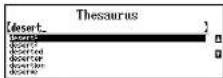
Example: desert
Every time you enter a letter, the closest match(es) will be displayed.
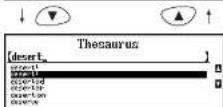
Use ▼ or ▲ to select the headword required.
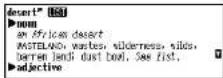
3 Press ENTER-
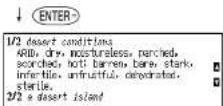
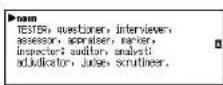
The unit shows a list of synonyms along with any example sentences.
* The synonyms in each set that are closest in meaning to the entry word are given first, usually starting with a ‘core synonym’ in SMALL CAPITALS.
* Press BACK to return to the headword selection screen.
4 Press ▼ see other synonyms. Press ▲ to scroll up.
* Press ENTER to advance to the next screen.
* When there are phrases or opposites, they will be displayed after the last headword synonyms.
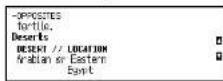
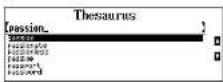
6 To clear the display and search for another word, simply enter your new word. Example: passion
Entering and Correcting Letters
• Up to 37 letters can be entered.
- Use ▶ to enter a space.
- If there is no headword corresponding to the sequence of letters you have entered, the words with the closest spelling will be displayed.
- Corrections can be made by using BACK
• U se or to move the cursor. • The entire display can be cleared by pressing THES
Looking up words whose spelling you aren't sure of
When entering the letters, you can enter “?” or “*” in place of any letters you aren’t sure of. (See page 9.)
Jump function
This function enables you to look up a word displayed on the explanation screen in any dictionary of your choosing, and to register it in the Easy Learn word list. (See page 11.)
Synonyms Search
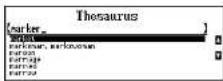
The unit will find the headwords which contain the entered word in their synonyms or antonyms.
If the entered word is not contained in the headword of the thesaurus but is contained in the synonyms or antonyms data, the unit will find and display the group(s) of the synonyms or antonyms.
Example: marker
1 Press


A list of the headwords (and their group) which contain the entered word in their synonyms or antonyms will be displayed.
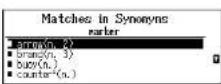
2 Use ▼ or ▲ to select the headword as necessary.
Example: examiner
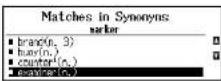
3 Press

* Return to the list by pressing

Spelling Guide
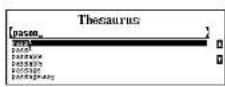
If the word entered is not contained in the unit's list of entries, pressing ∨ or ∧ while entering letters enables you to perform a phonetic search within the range of the headwords in the Thesaurus.
1 Type a word.
Example: pason
* If there is no headword corresponding to the sequence of letters you have entered, the words with the closest spelling will be displayed.
2 Press


A list of words that are phonetically similar to the entered word will be displayed.
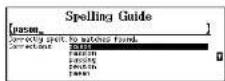
3 Use ▼ or ▲ to select the headword as necessary.
Example: passion
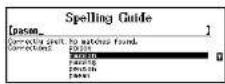
4 Press


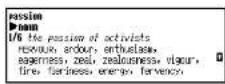

Dictionary of Quotations
You can search for all the quotations from a particular author using the Author Name search (see below), or alternatively look for individual quotations by entering one or more keywords (see page 26).
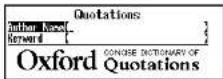
■ Author Name Search
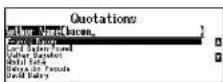
1 Press QUOTE.
2 Type in the authors last name.
Example: bacon
Every time you enter a letter, the closest match(es) will be displayed.
Use ▼ or ▲ to select the author name required.
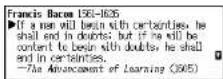
3 Press ENTER-
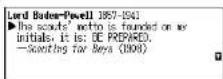
The quotations from the selected author will be displayed.
* Press BACK to return to the author name selection screen.
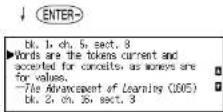
4 Press ▼ to see the rest of an entry. Press ▲ to scroll up.
* Press ENTER to advance to the next screen.
5 To scroll alphabetically up or down through the author name list, press ∨ or ∧.
- To clear the display and search for
Entering and Correcting Letters
• Up to 26 letters can be entered.
- Use ▶to enter a space.
- If there is no author name corresponding to the sequence of letters you have entered, the names with the closest spelling will be displayed.
• Corrections can be made by using BACK
• U se or to move the cursor.
• The entire display can be cleared by pressing ☐QUOTE
Looking up author names whose spelling you aren't sure of
When entering the letters, you can enter “?” or “*” in place of any letters you aren’t sure of. (See page 9.)
Spelling Guide
Pressing √ or ∧ while entering letters enables you to perform a phonetic search within the range of the author names in the Dictionary of Quotations. (See page 10.)
Jump function
This function enables you to look up a word displayed on the explanation screen in any dictionary of your choosing, and to register it in the Easy Learn word list. (See page 11.)
Keyword Search
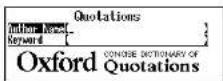
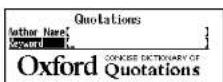
1 Press QUOTE.
2 Press ▼ to select Keyword Search.
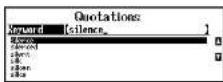
3 Type a keyword.
Example: silence
Every time you enter a letter, the closest match(es) will be displayed.
Use ▼ or ▲ to select the keyword as necessary.
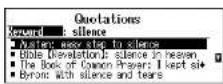
4 Press ENTER-
A small part of the matching quotations will be displayed, along with the author name.
* P resBACK to return to the keyword selection screen
5 Use ▼ or ▲ to select the quotation required.
Example: Lord Byron
6 Press ENTER-
The requested quotation will be displayed in full.
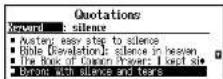
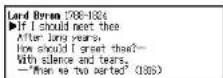
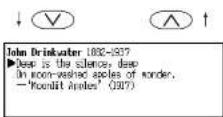
7 To scroll up or down through the author names in the list, press √ or ∧.
* Press ENTER to advance to the next screen.
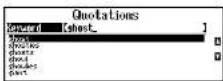
8 To clear the display and search for another keyword, simply enter your new word.
Example: ghost

Spellchecker
The Spellchecker function conducts a phonetic search using the 130,000 words in the Oxford Spellcheck Wordlist.
If the spelling of a word you enter is correct:
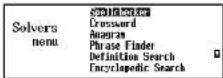
1 Press SOLVE
2 Select "Spellchecker" by pressing ▼ or ▲.
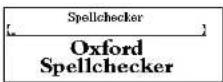
3 Press ENTER-
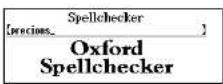
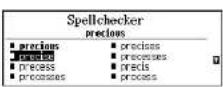
4 Type a word to be checked. Example: precious
5 Press ENTER-
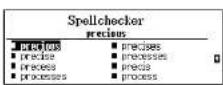
If the input spelling is correct, the word will appear in bold characters. Phonetically similar words may also be displayed.
* T o clear the display and spellcheck another word, simply enter your new word.
6 Select a word using the cursor keys. Example: precise
7 Press ENTER to activate the jump function.
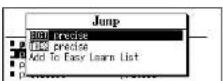
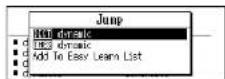
DICT Search for definition in the Dictionary THES Search for synonyms in the Thesaurus ENCY Search for articles in the Encyclopedia
Add To Easy Learn List: Add the selected word to the Easy Learn List
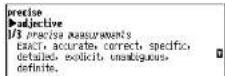
9 Press ENTER
* After you've looked up the definition or synonyms, you can return to the previous display by pressing BACK.
■ If the spelling of a word you enter is incorrect:
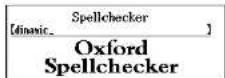
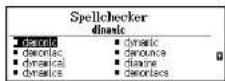
1 Type a word to be checked. Example: dinamic
2 Press ENTER
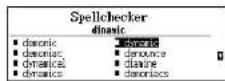
3 Select a word using the cursor keys. Example: dynamic
4 Press ENTER-
* Use the jump function as described on Page 28.
* Please note that not every word returned by the Spellchecker is included in the
Using the Wildcard function
If you are unsure of part of the spelling of a word, enter the word using “?” or “*” for the letter(s) of which you are unsure.
Use ? to enter “ ? ”.
This is used in place of a single character.
Use * to enter “*”.
This is used in place of one or more characters.
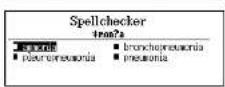
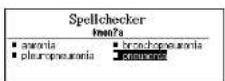
1 Type a word.
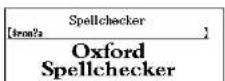
Example: *mon?a
2 Press

The corresponding word list will be displayed.
3 Select a word using the cursor keys. Example: pneumonia
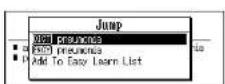
4 Press

* Use the jump function as described on Page 28.
* Please note that not every word returned by the Spellchecker is included in the encyclopedia, dictionary or thesaurus.
MEMO
Solvers
The unit provides seven solvers that can help you to solve word games.
Selecting the solver
1 Press

The unit selects the last solver used each time you select the solver mode.
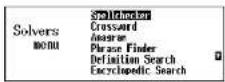
2 Select the solver you wish to use by pressing ▼ or ▲.
Seven solvers:
Crossword, Anagram. Phrase Finder, Definition Search, Encyclopedic Search, Abbreviation. Letter Changer
* By pressing the first letter of a solver name, you can directly select the desired solver. Further solvers starting with the same letter can be selected by pressing the same letter again.
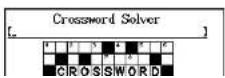
Crossword Solver
To solve a crossword, type the known letters and insert “?” for any unknown letters or “*” for multiple unknown letters or words.
Use ? to enter “?”.
This is used in place of a single character.
Use * to enter " *".
This is used in place of one or more characters or words.
1 Select "Crossword" and then press ENTER-
3 Press

The corresponding word list will be displayed.
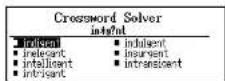
* The corresponding word list may include words with spaces or hyphens, though these are not included in the character count.
* U se the jump function as described on Page 28.
* P lease note that not every word returned by the Solvers is included in the encyclopedia, dictionary or thesaurus.
* If the letters entered do not have any corresponding words, the message "No matches - names of Places and People may not have a full dictionary entry, synonym list or encyclopedia article." will be displayed.
Anagram Solver
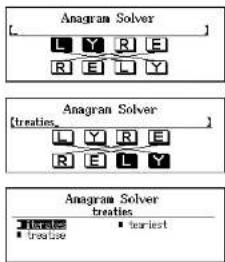
Look for anagrams using the same letters or words that you entered. You can enter actual words, or jumbled letters.
flowchart
graph TD
    A["Anagram Solver"] --> B["L Y R E"]
    B --> C["R E L Y"]
    D["Anagram Solver (treaties)"] --> E["L Y R E"]
    E --> F["R E L Y"]
    G["Anagram Solver treaties"] --> H["Treaties: 1, 2, 3"]
    H --> I["Treaties: 1, 2, 3"]
    J["earliest"] --> K["End"]
1 Select "Anagram" and then press ENTER-
2 Enter letters.
Example: treaties
3 Press ENTER.
The corresponding word list will be displayed.
* 1+ is the lower function as described on n. . . 20
■ Phrase Finder
Look for the phrases in the Dictionary using the word you have entered.
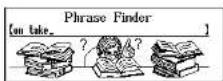
1 Select "Phrase Finder" and then press ENTER-
2 Type word(s).
Example: on take
* Y ou can enter up to seven words. This method will search for phrases which include all words.
A space can be entered by using ▶.
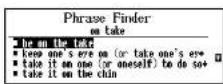
3 Press ENTER-2
The corresponding phrase list will be displayed.
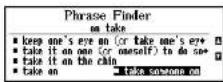
4 Select a phrase using
Example: take someone on
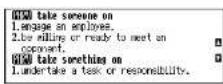
5 Press ENTER
The selected phrase and its definition will be displayed at the top of the screen. Note that the selected phrase is displayed within its full dictionary entry. not on its own.
* Return to the phrase list by pressing BACK.
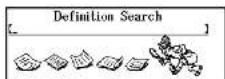
■ Definition Search
The unit will find the Dictionary entries whose definitions contain the word(s) you enter.
1 Select "Definition Search" and then press ENTER- .
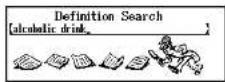
2 Type word(s).
Example: alcoholic drink
* Y ou can enter up to seven words.
This method will find the entries which contain all the entered words in their definitions.
A space can be entered by using ▶.
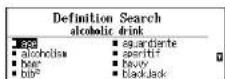
3 Press ENTER-
The corresponding headword list will be displayed.
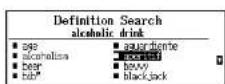
4 Select a headword using the cursor keys.
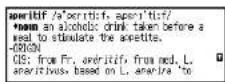
Example: aperitif
5 Press ENTER-
The definition for the headword "aperitif" will be displayed.
* Return to the headword list by pressing BACK.
Using the Wildcard function
A single word containing a wildcard ("? " or "*") can be input.
Headwords which contain the input word in their definitions can be investigated in further detail using this word.
Use ? to enter “?”.
This is used in place of a single character.
Use * to enter “*”.
This is used in place of one or more characters.
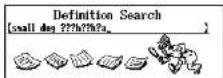
1 Type word(s).
Example: small dog ???h??h?a
2 Press

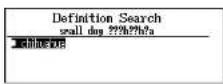
The corresponding headword list will be displayed.
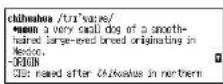
3 Press

The definition for the headword "chihuahua" will be displayed.
* Return to the headword list by pressing BACK.
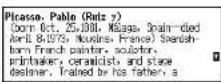
■ Encyclopedic Search
The unit will find the Encyclopedia articles which contain the word(s) you enter.
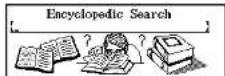
1 Select "Encyclopedic Search" and then press ENTER.
2 Type word(s).
Example: air liquid chemical
* Y ou can enter up to seven words.
This method will find the articles which contain all the entered words.
A space can be entered by using ▶.
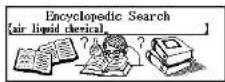
3 Press ENTER-
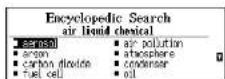
The corresponding headword list will be displayed.
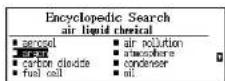
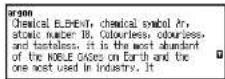
4 Select an article using the cursor keys. Example: argon
5 Press ENTER-
The article for "argon" will be displayed.
* R return to the article list by pressing BACK.
Using the Wildcard function
A single word containing a wildcard ("? " or "*") can be input.
Articles which contain the input word can be investigated in further detail using this word.
Use ? to enter " ?".
This is used in place of a single character.
Use * to enter “*”.
This is used in place of one or more characters.
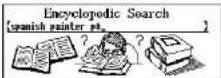
1 Type word(s).
Example: spanish painter p*
2 Press ENTER-
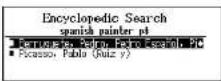
The corresponding headword list will be displayed.
3 Select an article using the cursor keys.
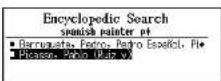
Example: Picasso
4 Press ENTER-
The article for "Picasso" will be displayed.
R return to the article list by pressing BACK.
Abbreviation
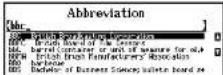
1 Select "Abbreviation" and then press ENTER.
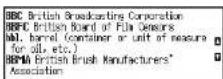
2 Type an abbreviation.
Example: bbc
Every time you enter a letter, the corresponding abbreviation list will change.
3 Press ENTER-
4 You may scroll through the abbreviation list by using ▼ ▲ or ▼ △
* R return to the abbreviation list by pressing BACK.
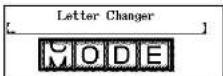
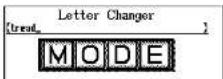
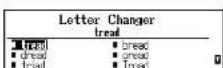
Letter Changer
The unit will allow you to view possible alternative words by changing one letter at a time.
1 Select "Letter Changer" and then press ENTER-
2 Type a word.
Example: tread
3 Press ENTER-
The corresponding headword list will be displayed.
Games
There are 11 great word games that will help you to improve your spelling and vocabulary.
Selecting a game
1 Press GAMES.
The unit selects the last game used each time you select the game mode.
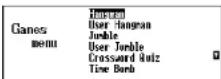
2 Select the game you wish to play by pressing ▼ or ▲.
11 word games:
Hangman, User Hangman, Jumble, User Jumble, Crossword Quiz, Time Bomb, Memory, Hidden, Articles, Definitions, Word Building
* By pressing the first letter of a game name, you can directly select the desired game. Further games starting with the same letter can be selected by pressing the same letter again.
* T he Game Levels can be changed from the SET menu. (See page 59.)
* Please note that the inflected forms of words are not used in the Games.
Hangman
This is a game in which you have to find a mystery word whose spelling is unknown to you with a limited number of allowed tries.
1 Select " Hangman" and then press ENTER- .
The number of letters in the mystery word is indicated by question marks. The number of times you can try is shown.
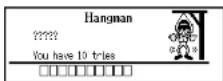
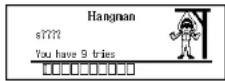
* In some cases, the same letter is used two or more times in the same word: When you enter the letter, all the corresponding question marks will be replaced by the letter simultaneously.
* The number of tries you are allowed will decrease progressively every time you enter an incorrect letter.
Example: Enter "i".
* One letter will be displayed in turn as a "Tip" every time you press ?.
The number of times a "Tip" can be used is determined on the basis of the set game level. (Beginner: 5, Intermediate: 3, Advanced: 2)
* A ll the letters will be displayed if you press ENTER- .
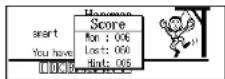
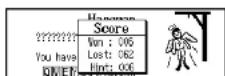
3 If all the letters in the word are displayed before you have used up all the tries, a congratulatory message will be displayed and counted in the "Won" column.
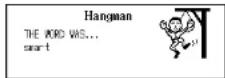
The answer will then be displayed.
* P press any alphabet key to display the next question.
* Y ou can use jump function by pressing ENTER-. (See page 28.)
* If you fail to find the word before you have used up all the tries you are
User Hangman
This is the Hangman game for 2 players using words that you can select.
1 Select "User Hangman" and then press ENTER-
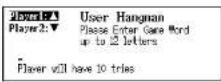
2 Select the player you want by pressing ▼ or ▲.
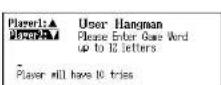
3 Enter a word. You can use up to 12 letters. Example: people
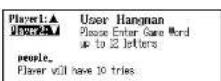
4 Press ENTER-
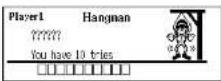
5 An opponent has to guess the mystery word.
* The ensuing procedure is the same as that used in the Hangman Game.
*** Tip for Parents ***
This game is a fun way for you to help your children to learn new words from a list or as part of their homework. Select a suitable level, secretly enter your chosen word and then work with them to spell the mystery word correctly.
Jumble
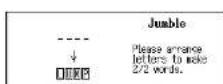
Using letters displayed at random, you attempt to find a specified number of words.
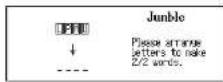
1 Select "Jumble" and then press ENTER- The selected letters and the number of answers will be displayed.
Example: lpmu
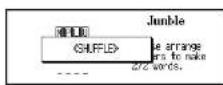
* T o shuffle the letters, pres ENTER-
2 Enter a try using all the selected letters.
Press BACK to return.
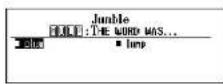
* If your answer is incorrect, the message "Try again" will appear and the selected letters will be displayed again.
* T o give up entering letters, press?
3 Press ENTER-
If your answer is correct, you can enter the next word.
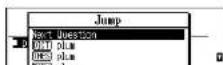
* Y ou can use ▼ or▲ to redisplay words previously used in replies. Press BACK to return.
4 If you enter all the answers and press ENTER- , a congratulatory message will be displayed and counted in the "Won" column.
* P press any alphabet key to display the next question.
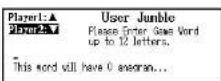
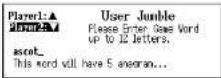
User Jumble
This is a Jumble game using words that you can select.
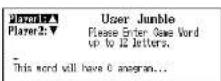
1 Select "User Jumble" and then press ENTER-
2 Select the player you want by pressing ▼ or ▲.
3 Enter a word.
You can use up to 12 letters.
Example: ascot
4 Press ENTER-
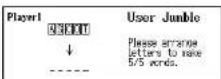
5 An opponent has to enter a try.
* The ensuing procedure is the same as that used in the Jumble Game.
*** Tip for Parents ***
This game is a fun way for you to help your children to learn new words. Simply enter your chosen word and then work with them to find the correct anagrams.
Crossword Quiz
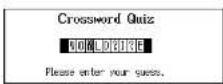
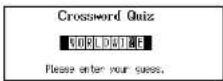
Enter a letter or letters to replace the question marks.
1 Select " Crossword Quiz" and then press ENTER-
The question will be displayed.
Example: WO?LD?I?E
2 Enter letters to replace the question marks.
Example: R, W
* The entered letter can be changed. Press ◀ or ▶ to select the letter and then enter the new letter.
* One letter will be displayed in turn as a "Tip" every time you press ?.
* To give up entering letters, press ENTER.
3 Press ENTER-
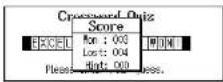
If your answer is correct, a congratulatory message will be displayed and counted in the "Won" column.
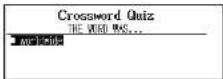
The answer will then be displayed.
* P ress any alphabet key to display the next question.
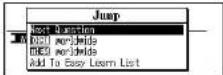
* Y ou can use jump function by pressing ENTER-. (See page 28.)
* If your answer is incorrect, or if you press ENTER halfway through a
Time Bomb
This is a game in which you have to find a mystery word with a limited number of tries, in a limited time.
1 Select "Time Bomb" and then press ENTER. The number of letters in the mystery word is indicated by question marks. The number of times you can try is indicated by boxes.
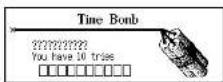
2 When you enter one of the letters used in the mystery word, the question mark will be replaced by the letter. Example: Enter "i". The fuse will also begin to burn down.
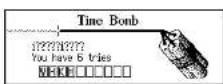
* O ne letter will be displayed in turn as a "Tip" every time you press ? . * A If the letters will be displayed if you presENTER.
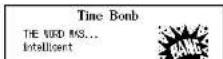
3 If you complete the spelling of the mystery word before you have used up all the tries or the fuse burns out, a congratulatory message will be displayed and counted in the "Won" column. The answer will then be displayed.
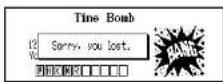
* If you fail to find the word before you have used up all the tries you are allowed, if the fuse burns out, or if you press ENTER half way through a game, "Sorry, you lost." will be displayed and counted in the "Lost" column. The answer will then be displayed.
Memory
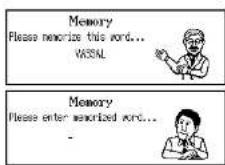
Correctly enter the spelling of the word momentarily displayed.
1 Select "Memory" and then press ENTER The word will be displayed for about one second. Example: vassal
2 Enter the spelling of the word which has just disappeared from the screen.
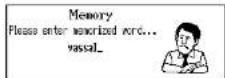
3 Press ENTER-
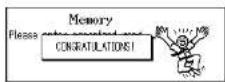
If your answer is correct, a congratulatory message will be displayed and counted in the "Won" column.
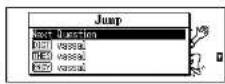
The answer will then be displayed.
* P ress any alphabet key to display the next question.
* Y ou can use jump function by pressing ENTER. (See page 28.)
* If your answer is incorrect, "Sorry, you lost." will be displayed and counted in the "Lost" column. And the answer will then be displayed.
Hidden
Find the non-synonym word from the displayed words.
1Select "Hidden" and then press ENTER.
A list of synonyms is displayed with one random word added that does not belong.
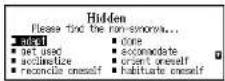
2Select the non-synonym word by using cursor keys.
* P r e? ss to see a hint.
* T o give up selecting a word, press ENTER-
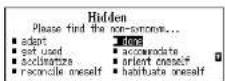
3Press ENTER:
When the correct word is selected, a congratulatory message will be displayed and counted in the "Won" column.
The answer will then be displayed.
* P ress any alphabet key to display the next question.
* Y ou can use jump function by pressing ENTER-. (See page 28.)
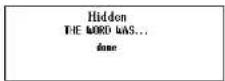
* If your answer is incorrect, "Sorry, you lost." will be displayed and counted in the "Lost" column.
The correct word will then appear.
Articles
Guess the encyclopedia headword based on the contents of the article, with some of the letters already supplied.
1 Select "Articles" and then press ENTER.
The question will be displayed.
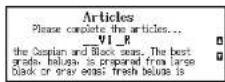
Example: __VI_R
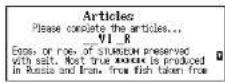
2 Press ▼ to see the rest of the explanations.
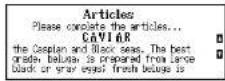
3 Enter letters to replace the underline marks.
Example: C, A
* The entered letter can be changed. Press or to select the letter and then enter the new letter.
* One letter will be displayed in turn as a "Tip" every time you press ? .
* T o give up entering letters, presENTER-
4 Press ENTER-
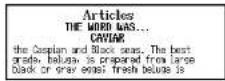
If your answer is correct, a congratulatory message will be displayed and counted in the "Won" column.
The answer will then be displayed.
* Press any alphabet key to display the next question.
Definitions
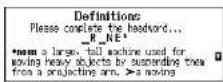
Guess the dictionary headword based on its definitions, with some of the letters already supplied.
1 Select "Definitions" and then press ENTER.
The question will be displayed.
Example: _R_NE
2 Press ▼ to see the rest of the definitions.
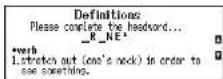
3 Enter letters to replace the underline marks.
Example: C, A
* The entered letter can be changed. Press or to select the letter and then enter the new letter.
* One letter will be displayed in turn as a "Tip" every time you press ? .
* T o give up entering letters, presENTER-
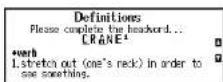
3 Press ENTER
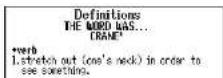
If your answer is correct, a congratulatory message will be displayed and counted in the "Won" column.
The answer will then be displayed.
* P ress any alphabet key to display the next question.
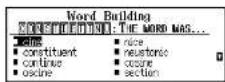
Word Building
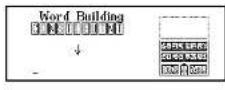
Use some or all of the letters displayed to make new words.
You'll win if you create the same number of words as the remaining number of floors in the building on the screen.
1 Select "Word Building" and then press ENTER-
* T o shuffle the letters, pressENTER-
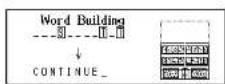
2 Enter a word using 3 letters and over. Press BACK to return.
3 Press ENTER-
If your answer is correct, you can enter the next word.
* Y ou can use ▼ or▲ to redisplay words previously used in replies. Press BACK to return.
* T o give up entering letters, press?
* If your answer is incorrect, the message "Try again" will appear and the selected letters will be displayed again.
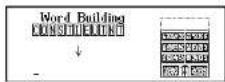
4 If you enter the answers and press ENTER, a congratulatory message will be displayed and counted in the "Won" column.
* P ress any alphabet key to display the next question.
Easy Learn
The Easy Learn function allows you to create your own word list from the Dictionary, Thesaurus, Spellchecker, Solvers and Games, which can then be used in the games.
■ Building your word list:
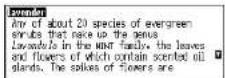
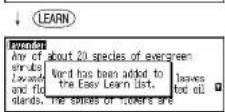
The selected word will be added to your word list by pressing (LEARN). (See page 11.)
* The unit can store words between 3 and 12 letters. The words must not contain letters or symbols other than lower case alphabetic letters.
* If the word to be added is already contained in memory, the message "Word is already in your list" will appear.
* The unit's memory can store 100 words. When you try to add the 101st word, the message "Sorry, Memory is full" will appear.
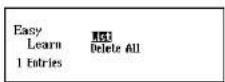
■ Viewing the word list
1 Press LEARN
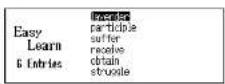
2 Press ENTER-to select "List". The word list will be displayed.
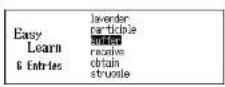
3 Press ▼ or ▲ to scroll the list.
4 Press ENTER-to select a word.
5 Select Dictionary, Thesaurus,
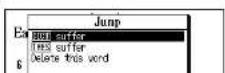
* After you've looked up the definition or synonyms, you can return to the Easy Learn List by pressing BACK.
* Please note that not every word returned by Spellchecker, Solvers or used in the Games, is included in the encyclopedia, dictionary or thesaurus.
** Tip for Parents ***
This is a fun way to help your children learn new words from a list as part of their homework. Enter the words into the list as described above, then set the frequency of use in the SET menu. The words will then appear in the games.
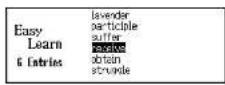
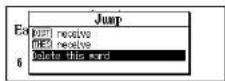
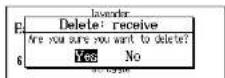
■ Deleting a word
1 Select the word you wish to delete from your word list.
2 Press ENTER-and then select "Delete this word" by using ▼.
3 Press ENTER-to confirm.
* If you decide not to delete the word, select "No" then press ENTER- .
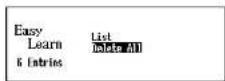
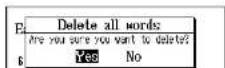
■ Deleting all words
1 Press LEARN and then press ▼ to select "Delete All".
2 Press ENTER-1
3 Press ENTER-again to confirm.
Calculator / Converters
Calculator
Keys and their Functions
- Selects Calculator and Unit Converters.
- Cleets last entry
- 1 \~ 0 Number input keys.
- +, -, x, | Mathematical function keys.
- MC Clears memory.
- MR Recalls number from memory.
- M+ Adds number into memory.
- M- Subtracts number from memory.
- +/- Changes sign of number.
- % Percentage key.
* The number stored in the memory is held when the calculation is changed, the mode is switched or the power is turned off.
Correcting and Clearing Entries
If you enter an incorrect number, press 7^20 to clear the entire display, then re-enter the correct number.
If you press an incorrect mathematical function key, simply press the correct function key afterwards.
If “E” appears in display:
• The answer to a calculation is more than 12 digits.
• The memory is full.
Converters
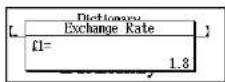
Entering or Changing a Conversion Rate
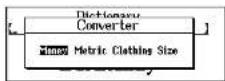
1 Press CALC.
2 Press ▼ or ▲ to display the conversion menu.
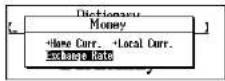
3 Press ENTER-to select "Money".
4 Select "Exchange Rate" by using cursor keys.
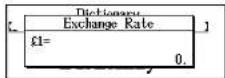
5 Press ENTER
6 Enter the new rate and then press ENTER-
Example: £1=\$1.8
Currency Conversion
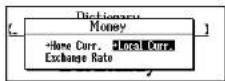
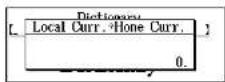
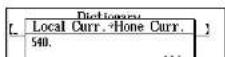
Example: 540 US Dollar to £ (£1=\$1.8)
1 Select "→Local Curr." by using cursor keys.
2 Press ENTER
3 Enter the amount you wish to convert and then press ENTER-
(\$540=£300)
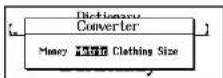
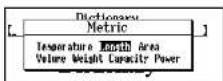
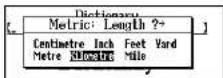
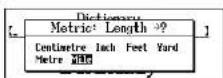
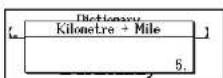
Metric / Imperial Conversion
Example: Kilometres to Miles
1 Press CALC.
2 Press ▼ or ▲ to display the conversion menu.
3 Press ▶ to select "Metric" and then ENTER.
4 Press ▶ to select "Length" and then ENTER-
5 Select "Kilometre" by using cursor keys.
6 Press ENTER
7 Select "Mile" by using cursor keys.
8 Press ENTER-
Enter the number you wish to convert.
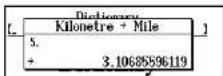
9 Press ENTER
(5 Kilometres = 3.10685596119 miles.)
Categories of Metric Conversion
Temperature: °C, °F
Length: Centimetre, Inch, Feet, Yard, Metre, Kilometre, Mile
Area: Centimetre ^2 , Inch ^2 , Feet ^2 , Yard ^2 , Metre ^2 , Acre, Kilometre ^2 , Mile ^2
Volume: Centimetre ^3 , Inch ^3 , Feet ^3 , Yard ^3 , Metre ^3
Weight: Gram, Ounce, Pound, Kilogram
Clothing Size Chart
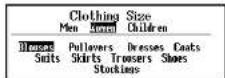
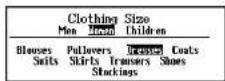
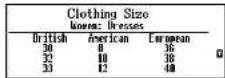
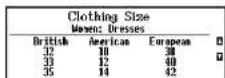
You can easily check foreign clothing sizes: shirts, shoes, hats etc. for men, women and children.
1 Press CALC.
2 Press ▼ or ▲ to display the conversion menu.
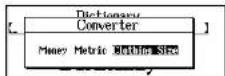
3 Press ▶ to select " Clothing Size" and then ENTER- .
4 Press ▶ to select " Women".
5 Press ▼ or ENTER-2
6 Select "Dresses" by using ▶.
* A fter pressing ▲, you can reselect "Men", "Women" and "Children" using or.
7 Press ENTER-
8 Press ▼ to see more sizes.
Categories of Clothing Size Chart
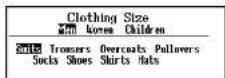
Men: Suits, Trousers, Overcoats, Pullovers, Socks, Shoes, Shirts, Hats Women: Blouses, Pullovers, Dresses, Coats, Suits, Skirts, Trousers, Shoes, Stockings
Setting function
You can customize the operating conditions.
Selecting the menu
1 Press

2 Select the function you want to change by pressing ▼ or ▲.
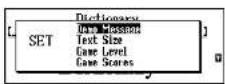
* B y pressing the first letter of a menu item, you can directly select the desired function. Further menu starting with the same letter can be selected by pressing the same letter again.
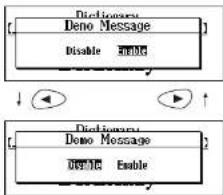
■ Changing the Demo mode
1 Select "Demo Message" and then press ENTER-
2 Select "Disable" or "Enable" by using the cursor keys.
3 Press ENTER-to accept changes.
(See page 3.)
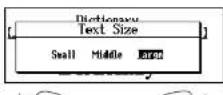
Setting the Text Size
1 Select "Text Size" and then press ENTER-
flowchart
graph TD
    A["Deno Message"] --> B["Disable WEAG"]
    C["Deno Message"] --> D["WEAG Enable"]
Setting the Game Level
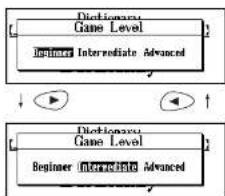
The unit provides three skill levels for playing games (Beginner, Intermediate and Advanced). The level can be changed as required.
1 Select "Game Level" and then press ENTER-
2 Select one of the levels by using the cursor keys.
3 Press ENTER-to set it.
flowchart
graph TD
    A["Beginner Intermediate Advanced"] --> B["Beginner Intermediate Advanced"]
    B --> C["Beginner Intermediate Advanced"]
    C --> D["Beginner Intermediate Advanced"]
    D --> E["Beginner Intermediate Advanced"]
    E --> F["Beginner Intermediate Advanced"]
    F --> G["Beginner Intermediate Advanced"]
    G --> H["Beginner Intermediate Advanced"]
    H --> I["Beginner Intermediate Advanced"]
    I --> J["Beginner Intermediate Advanced"]
    J --> K["Beginner Intermediate Advanced"]
    K --> L["Beginner Intermediate Advanced"]
    L --> M["Beginner Intermediate Advanced"]
    M --> N["Beginner Intermediate Advanced"]
    N --> O["Beginner Intermediate Advanced"]
    O --> P["Beginner Intermediate Advanced"]
    P --> Q["Beginner Intermediate Advanced"]
    Q --> R["Beginner Intermediate Advanced"]
    R --> S["Beginner Intermediate Advanced"]
    S --> T["Beginner Intermediate Advanced"]
    T --> U["Beginner Intermediate Advanced"]
    U --> V["Beginner Intermediate Advanced"]
    V --> W["Beginner Intermediate Advanced"]
    W --> X["Beginner Intermediate Advanced"]
    X --> Y["Beginner Intermediate Advanced"]
    Y --> Z["Beginner Intermediate Advanced"]
    Z --> AA["Beginner Intermediate Advanced"]
    AA --> AB["Beginner Intermediate Advanced"]
    AB --> AC["Beginner Intermediate Advanced"]
    AC --> AD["Beginner Intermediate Advanced"]
    AD --> AE["Beginner Intermediate Advanced"]
    AE --> AF["Beginner Intermediate Advanced"]
    AF --> AG["Beginner Intermediate Advanced"]
    AG --> AH["Beginner Intermediate Advanced"]
    AH --> AI["Beginner Intermediate Advanced"]
    AI --> AJ["Beginner Intermediate Advanced"]
    AJ --> AK["Beginner Intermediate Advanced"]
    AK --> AL["Beginner Intermediate Advanced"]
    AL --> AM["Beginner Intermediate Advanced"]
    AM --> AN["Beginner Intermediate Advanced"]
    AN --> AO["Beginner Intermediate Advanced"]
    AO --> AP["Beginner Intermediate Advanced"]
    AP --> AQ["Beginner Intermediate Advanced"]
    AQ --> AR["Beginner Intermediate Advanced"]
    AR --> AS["Beginner Intermediate Advanced"]
    AS --> AT["Beginner Intermediate Advanced"]
    AT --> AU["Beginner Intermediate Advanced"]
    AU --> AV["Beginner Intermediate Advanced"]
    AV --> AW["Beginner Intermediate Advanced"]
    AW --> AX["Beginner Intermediate Advanced"]
    AX --> AY["Beginner Intermediate Advanced"]
Game Scores
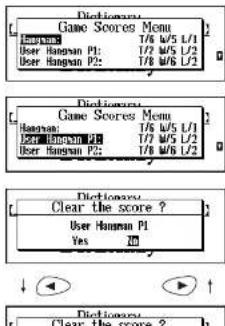
The unit can display the score of the games.
1 Select "Game Scores" and then press ENTER-
2 Select one of the games by using the cursor keys.
* Scroll to the end of the list to reset all game scores.
3 Press ENTER-
"Clear the score?" will be displayed.
4 Select "Yes" or "No" by using the cursor keys and then press ENTER- .
Setting the frequency for the Easy Learn list
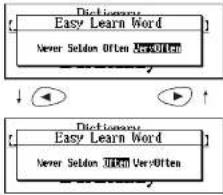
The unit provides four frequency levels to use your user word list for playing games.
1 Select "Easy Learn Word" and then press ENTER-
2 Select a frequency level by using the cursor keys.
3 Press ENTER- to set it.
flowchart
graph TD
    A["Dictionary\nEasy Learn Word\nNever Seldom Often Vers Often"] --> B["↓"]
    B --> C["→"]
    D["Dictionary\nEasy Learn Word\nNever Seldom Often Vers Often"] --> E["↑"]
■ Changing the sorting for the Easy Learn list
The unit can change the sorting of your user word list.
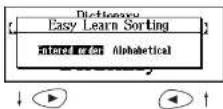
1 Select "Easy Learn Sorting" and then press ENTER- .
2 Select "Entered order" or "Alphabetical" by using the cursor keys.
3 Press ENTER-to set it.
Setting the Auto Power Off Timer
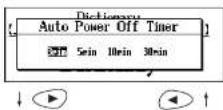
The unit automatically turns off after a period of time. This amount of time can be customized. (Default 3 min)
1 Select "Auto Power Off Timer" and then press ENTER.
Help function
An explanation of how to operate the various functions is simply explained on the screen at each operational stage in each mode.
Example:
1 Press DICT.
2 Press HELP.
3 Press ▼ to see the rest of the explanation.
Press ▲ to scroll up.
4 You can clear the help message by pressing any key.
![Dictionary Concise Oxford Dictionary [To find a deflection for a word, type the word. Note you are typing, a headword list will be displayed. The key can be used to insert a space and the key to save back over] ↓ ▼ ▲ ↑ [The word, While you are training, a headword list will be displayed, the key can be used to insert a space and the key to save back over] [the word, the key]](/content/2026/05/926011/images/caeb13802033418ca7353a4a411a1b9543f89f9086985c55235ea1cdb8a1da26.jpg)
Proper Use
To ensure a long and useful life from this precision electronic instrument, do not expose the unit to extreme heat or cold, water or other liquids including spray cleaners or extreme pressure (such as carrying in a back pocket).
Doing any or all of these things may render the unit inoperable and invalidate the warranty.
Specifications
Display: 239 x 80 dots
Temperature range: 32°F to 104°F (0°C to +40°C)
Batteries: AAA × 2 pcs.
Battery life: approx. 100 hours for continuous use
Weight: approx 155g (including batteries)
* S specifications may change without notice in order to make product improvements.
* The life of the batteries will vary depending on how the unit is used.
ONE YEAR LIMITED WARRANTY
- This product is warranted to be free from defects in material or workmanship for one year from date of purchase.
- Repair (or at our option, replacement) will be made on any unit which proves to be defective during this period. Carefully pack the unit along with proof of purchase and a completed copy of the Warranty Record you will find in this manual. Postage, insurance and shipping costs incurred in returning the product for warranty service are your responsibility.
- This warranty does not extend to units which have been subjected to misuse, abuse, neglect, accidents or to units that have been used in violation of the operation instructions. If in our judgement, the unit shows evidence of having been altered, modified or serviced without our authorisation, it will be ineligible for service under this warranty.
- In Europe, this warranty does not affect your statutory rights.
- Battery replacement and broken Liquid Crystal Displays are not covered under this warranty.
Seiko Instruments Inc. shall not be liable for any direct, consequential or incidental damages arising out of use of this product. Seiko Instruments Inc. shall not be responsible for damages to this unit as a result of a natural or unnatural disaster, except to the extent prohibited by applicable law. Any implied warranty of merchantability or fitness for a particular purpose on this product is limited in duration to the duration of the warranty.
| WARRANTY RECORD ER8000 |
| Warranty Period: One year from the date of purchasePurchase Date : |
| Customer Name: |
| Address: |
| Phone No.: |
| Retailer Name: |
| Address : |
SEIKO UK Limited
Seiko Instruments Inc. Personal Instruments Division
- CE CN148
- CONTENTS
- Preparation for using the Unit
- Installing Batteries
- Resetting
- Changing Batteries
- CAUTION
- Demo Function
- Welcome!
- Functions and Features
- Encyclopedia
- Dictionary
- Thesaurus
- D ictionary of Quotations
- Spellchecker
- Word Games
- E asy Learn
- Calculator
- Converters
- Setting function
- Other Features
- The Keys and their Functions
- Encyclopedia
- Headword Search
- Entering and Correcting Letters
- Looking up words whose spelling you aren't sure of
- Spelling Guide
- Jump function
- Category Search
- Dictionary
- Basic Procedure
- Abbreviations used in the dictionary
- Thesaurus
- Synonyms Search
- Dictionary of Quotations
- ■ Author Name Search
- Looking up author names whose spelling you aren't sure of
- Keyword Search
- Spellchecker
- If the spelling of a word you enter is correct:
- ■ If the spelling of a word you enter is incorrect:
- Using the Wildcard function
- Solvers
- Selecting the solver
- Crossword Solver
- Anagram Solver
- ■ Phrase Finder
- ■ Definition Search
- ■ Encyclopedic Search
- Abbreviation
- Letter Changer
- Games
- Selecting a game
- Hangman
- User Hangman
- Jumble
- User Jumble
- Crossword Quiz
- Time Bomb
- Memory
- Press ENTER-
- Hidden
- Articles
- Definitions
- Word Building
- Easy Learn
- ■ Building your word list:
- ■ Viewing the word list
- ■ Deleting a word
- ■ Deleting all words
- Calculator / Converters
- Calculator
- Keys and their Functions
- Correcting and Clearing Entries
- Converters
- Entering or Changing a Conversion Rate
- Currency Conversion
- Metric / Imperial Conversion
- Categories of Metric Conversion
- Clothing Size Chart
- Categories of Clothing Size Chart
- Setting function
- Selecting the menu
- ■ Changing the Demo mode
- Setting the Text Size
- Setting the Game Level
- Game Scores
- Setting the frequency for the Easy Learn list
- ■ Changing the sorting for the Easy Learn list
- Setting the Auto Power Off Timer
- Help function
- Proper Use
- Specifications
- ONE YEAR LIMITED WARRANTY
Brand : SEIKO
Model : ER8000
Category : Uncategorized