CONCEPTRONIC CTVDIGANG - TV Tuner for Computer

CTVDIGANG - TV Tuner for Computer CONCEPTRONIC - Free user manual and instructions

Find the device manual for free CTVDIGANG CONCEPTRONIC in PDF.

📄 31 pages English EN Download 💬 AI Question 10 questions ⚙️ Specs
Notice CONCEPTRONIC CTVDIGANG - page 2
Pick your language and provide your email: we'll send you a specifically translated version.
Product Type DVB-T TV Tuner for Android Devices
Model CTVDIGANG
Brand Conceptronic
TV Standard DVB-T (Digital Terrestrial Television)
Frequency Range 177 – 858 MHz
Antenna Connector MCX (male)
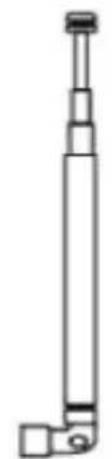
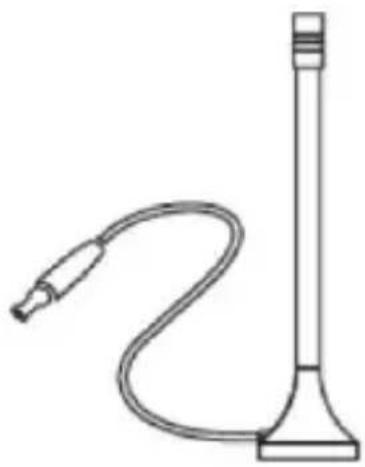
Antenna Included Telescopic antenna and rod antenna
Video Decoding MPEG-2 / MPEG-4 (typical)
Maximum Resolution 1080i
Power Source USB-OTG from Android device (no external power)
Compatible OS Android 4.0 or higher
Required App IDTV (available on Google Play)
Signal Type Digital
Electronic Program Guide (EPG) Supported via app
Recording Function Supported via app (if device storage permits)
Dimensions (approx.) 6.0 x 3.0 x 1.0 cm
Weight (approx.) 20 g
Color Black
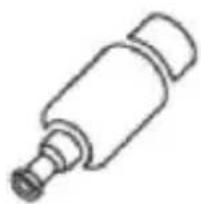
Package Contents Device, telescopic antenna, rod antenna, MCX adapter, multi-language quick guide
Repairability Not user-serviceable; no spare parts available
Cleaning Instructions Wipe with a dry, soft cloth; avoid moisture
Safety Precautions Do not expose to water or extreme temperatures; handle with care
Certifications CE, RoHS

Frequently Asked Questions - CTVDIGANG CONCEPTRONIC

How do I set up the Conceptronic CTVDIGANG?
Connect the device to your Android device via USB-OTG, then download and install the IDTV app from Google Play. Attach the supplied antenna and run the channel scan within the app.
Is the CTVDIGANG compatible with all Android devices?
It requires Android 4.0 or higher and a device that supports USB-OTG (On-The-Go). Most modern smartphones and tablets are compatible.
Do I need an internet connection to watch TV?
No, the device receives over-the-air DVB-T signals. Internet is only needed to download the app and for some EPG or recording features.
Can I record TV programs with the CTVDIGANG?
Yes, the IDTV app supports recording to your device’s internal storage or SD card, depending on available space.
Which antennas are included in the package?
The package includes a telescopic antenna and a rod antenna, plus an MCX adapter for connection.
How do I scan for channels?
Open the IDTV app, go to settings or channel menu, and select 'Auto Scan'. The device will search for all available DVB-T channels in your area.
Why am I not getting any signal?
Ensure the antenna is fully extended and positioned near a window. Also verify that your area has DVB-T coverage and that the connector is firmly attached.
Can I use the CTVDIGANG with a tablet?
Yes, as long as the tablet runs Android 4.0+ and supports USB-OTG. Some tablets may require an OTG cable.
Does the device support HD channels?
Yes, it can decode MPEG-4 and display resolutions up to 1080i, which includes most HD DVB-T broadcasts.
How should I clean and maintain the CTVDIGANG?
Use a dry, soft cloth to wipe the device. Avoid liquids and abrasive materials. Store in a dry place when not in use.

User questions about CTVDIGANG CONCEPTRONIC

0 question about this device. Answer the ones you know or ask your own.

Ask a new question about this device

The email remains private: it is only used to notify you if someone responds to your question.

No questions yet. Be the first to ask one.

Download the instructions for your TV Tuner for Computer in PDF format for free! Find your manual CTVDIGANG - CONCEPTRONIC and take your electronic device back in hand. On this page are published all the documents necessary for the use of your device. CTVDIGANG by CONCEPTRONIC.

USER MANUAL CTVDIGANG CONCEPTRONIC

natural_image Abstract black logo design with curved and angular elements, no text or symbols present.

Multi Language Quick Guide

Android DVB-T TV Receiver

CTVDIGANG

CONCEPTRONIC CTVDIGANG - CTVDIGANG - 1

natural_image Stylized grayscale illustration of a city skyline with wind turbines, swirls, and airplanes (no text or symbols)

V1.0

Conceptronic CTVDIGANG

1. Package contents

The following items are present in the package of the Conceptronic Android DVB-T TV Receiver:
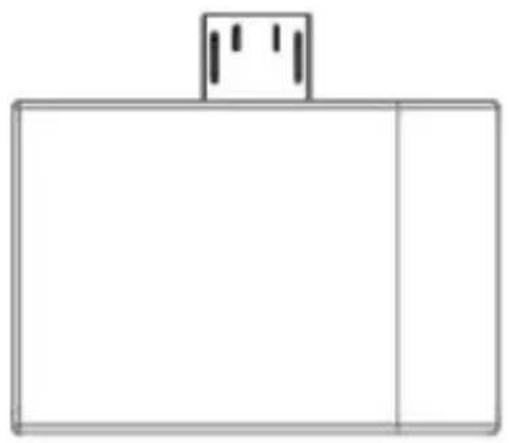
CONCEPTRONIC CTVDIGANG - Package contents - 1

natural_image Simple line drawing of a rectangular box with a small top bracket and two vertical lines above it (no text or symbols)

① Android DVB-T TV Receiver

CONCEPTRONIC CTVDIGANG - Package contents - 2

natural_image Pure mechanical component diagram without any text, numbers, or symbols

② Telescopic Antenna

CONCEPTRONIC CTVDIGANG - Package contents - 3

natural_image Line drawing of a laboratory apparatus with a coiled tube and a vertical rod (no text or symbols)

③ Rod Antenna

CONCEPTRONIC CTVDIGANG - Package contents - 4

natural_image Simple line drawing of a cylindrical object with a protruding shaft (no text or symbols)

④ MCX Adapter

⑤ Multi Language Quick Installation Guide

2. Installation & usage

- Connect Android DVB-T TV Receiver to your Android Device and download Ê IDTVË from Google play.
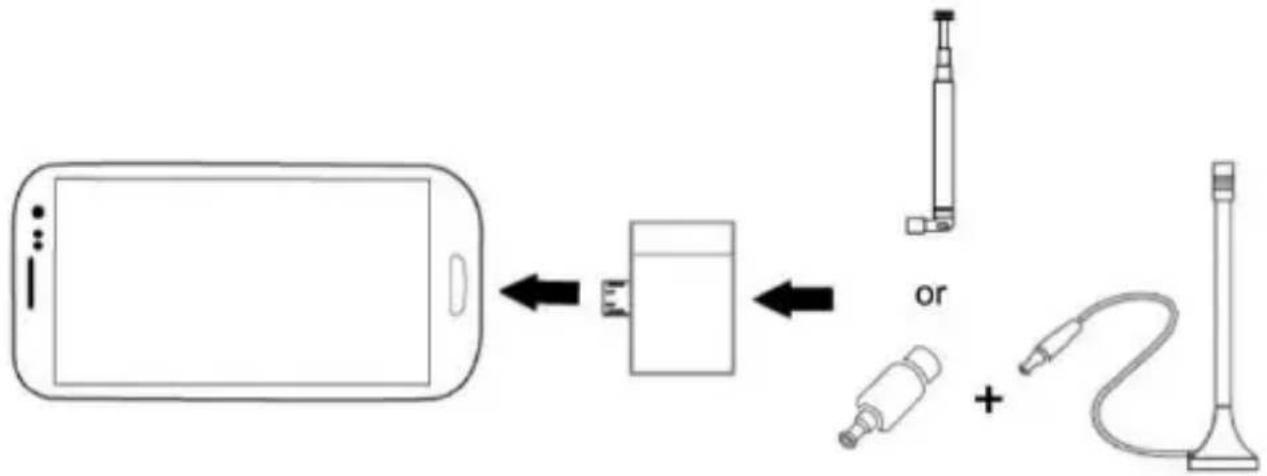
CONCEPTRONIC CTVDIGANG - Installation & usage - 1

flowchart
graph LR
    A["Smartphone"] <--> B["Battery"]
    B <--> C["Charging Station"]
    C <--> D["B Cable"]
    D + E["Cable"]

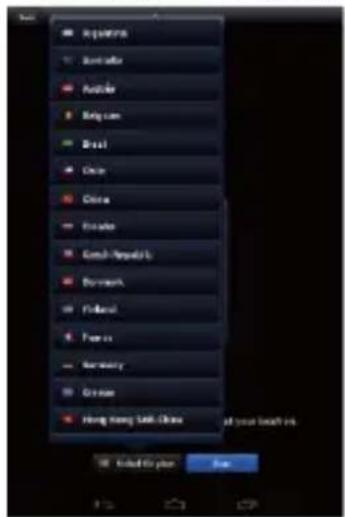
- Select the language which you need.
Equinix Sumter Austice Religian Brasil China China Eduo Gent-Myristic Boromach Fukou Foxa Norway Greece Huang Wang Liu: China all your look in. Edited by plan Run

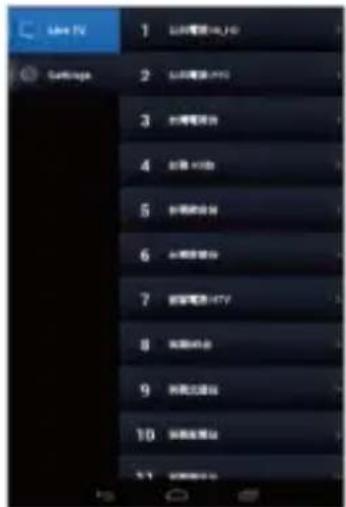
- All of channels will show on your screen after ÊDTVËscan the channel.
Live TV 1 2 3 4 5 6 7 8 9 10

Enjoy the use of your Conceptronic Android DVB-T TV Receiver!

CONCEPTRONIC CTVDIGANG - Installation &amp; usage - 4

CONCEPTRONIC CTVDIGANG - Installation &amp; usage - 5

CONCEPTRONIC CTVDIGANG - Installation &amp; usage - 6

CONCEPTRONIC CTVDIGANG - Installation &amp; usage - 7

CONCEPTRONIC CTVDIGANG - Installation &amp; usage - 8

CONCEPTRONIC CTVDIGANG - Installation &amp; usage - 9

CONCEPTRONIC CTVDIGANG - Installation &amp; usage - 10

CONCEPTRONIC CTVDIGANG - Installation &amp; usage - 11

CONCEPTRONIC CTVDIGANG - Installation &amp; usage - 12

CONCEPTRONIC CTVDIGANG - Installation &amp; usage - 13

CONCEPTRONIC CTVDIGANG - Installation &amp; usage - 14

CONCEPTRONIC CTVDIGANG - Installation &amp; usage - 15

CONCEPTRONIC CTVDIGANG - Installation &amp; usage - 16

CONCEPTRONIC CTVDIGANG - Installation &amp; usage - 17

CONCEPTRONIC CTVDIGANG - Installation &amp; usage - 18

CONCEPTRONIC CTVDIGANG - Installation &amp; usage - 19

CONCEPTRONIC CTVDIGANG - Installation &amp; usage - 20

CONCEPTRONIC CTVDIGANG - Installation &amp; usage - 21

CONCEPTRONIC CTVDIGANG - Installation &amp; usage - 22

CONCEPTRONIC CTVDIGANG - Installation &amp; usage - 23

CONCEPTRONIC CTVDIGANG - Installation &amp; usage - 24

CONCEPTRONIC CTVDIGANG - Installation &amp; usage - 25

CONCEPTRONIC CTVDIGANG - Installation &amp; usage - 26

CONCEPTRONIC CTVDIGANG - Installation &amp; usage - 27

CONCEPTRONIC CTVDIGANG - Installation &amp; usage - 28

CONCEPTRONIC CTVDIGANG - Installation &amp; usage - 29

CONCEPTRONIC CTVDIGANG - Installation &amp; usage - 30

Manual assistant
Powered by Anthropic
Waiting for your message
Product information

Brand : CONCEPTRONIC

Model : CTVDIGANG

Category : TV Tuner for Computer