
CFR518RR - Audio-video furniture SANUS - Free user manual and instructions
Find the device manual for free CFR518RR SANUS in PDF.


| Product Type | Projector Ceiling Mount |
| Brand | Sanus |
| Model | CFR518RR |
| Color | Black / Silver |
| Material | High-grade steel |
| Weight Capacity | 50 lbs (22.7 kg) |
| Mount Weight | 3.5 lbs (1.6 kg) |
| Dimensions (W x H x D) | 18 x 6 x 3 inches (457 x 152 x 76 mm) |
| Extension Length | 0.5 to 18 inches (12.7 to 457 mm) |
| Ceiling Plate Dimensions | 6.5 x 6.5 inches (165 x 165 mm) |
| Compatible Mounting Pattern | Universal (up to 4.5 x 4.5 inches) |
| Tilt Adjustment | ±15° |
| Roll Adjustment | ±3° |
| Swivel Adjustment | 360° |
| Built-in Leveling | Yes |
| Installation Hardware | Included (M3, M4, M5, M6 screws) |
| Cable Management | Integrated cable clips |
| Security Features | Security screws and lockable |
| Compliance | UL listed |
| Warranty | 5 years |
Frequently Asked Questions - CFR518RR SANUS
User questions about CFR518RR SANUS
0 question about this device. Answer the ones you know or ask your own.
Ask a new question about this device
Download the instructions for your Audio-video furniture in PDF format for free! Find your manual CFR518RR - SANUS and take your electronic device back in hand. On this page are published all the documents necessary for the use of your device. CFR518RR by SANUS.
USER MANUAL CFR518RR SANUS
ID SANUS™ FOUNDATIONS
CFR518RR, CFR524RR, & CFR535RR
(6901-002033 <00>)


natural_image
Two technical illustrations: a toolbox and an adjustable wrench, shown side by side (no text or symbols)Sanus Systems
2221 Hwy 36 West
Saint Paul, MN 55113 USA
Customer Service
Americas: 800-359-5520 • 651-484-7988 • info@sanus.com
Europe, Middle East, and Africa: 31 (0) 40 26 68 619 • sanus.europe@sanus.com
Asia Pacific: 86 755 8996 9226 • 800 999 6688 (mainland China only) • sanus.ap@milestone.com
sanus.com
IMPORTANT SAFETY INSTRUCTIONS - SAVE THESE INSTRUCTIONS - PLEASE READ ENTIRE MANUAL BEFORE USING THIS PRODUCT
Thank you for choosing a Sanus Foundations Component Series Rack Accessory.
The CFR518RR is designed to work with the CFR518 Component Series Rack.
The CFR524RR is designed to work with the CFR524 Component Series Rack.
The CFR535RR is designed to work with the CFR535 Component Series Rack.
CAUTION:
CAUTION: Avoid potential personal injuries and property damage!
All doors and accessories must be grounded.
Do not use this product for any purpose not explicitly specified by Sanus Systems.
If you do not understand these instructions, or have doubts about the safety of the installation, assembly or use of this product, contact Sanus Systems Customer Service or call a qualified contractor.
Sanus Systems is not responsible for damage or injury caused by incorrect assembly or use.
LEGEND
 |  |  |  |  |
| WARNING This product contains small items that could be a choking hazard | Tools Required Caution/Warning Repeat Step Heavy! | Assistance Required. | ||
 |  |  |  |  |
| Choose an Option | Do Not Loosen/Tighten Note This End Up. | |||
 |  |  |  |
| Electrical Warning | Troubleshooting and Maintenance | Tip Hazard Optional |
Supplied Parts and Hardware
Before starting assembly, verify all parts are included and undamaged. If any parts are missing or damaged, do not return the damaged item to your dealer; contact Sanus Systems Customer Service. Never use damaged parts!

natural_image
Two vertical rectangular panels with circular indentations, no text or symbols present
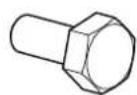
[03] × 8 [04] × 8 [01] × 1 [02] × 1
Install Rear Rack Rails
Install the rails into any of the slots provided.
For the CFR518 and CFR524, be sure to install the rails to the top (T), bottom (B), right (R), and left (L) support bars evenly.
For the CFR535, be sure to install the rails to the top (T), bottom (B), middle (M), right (R), and left (L) support bars evenly.
CFR518 & CFR524


Milestone AV Technologies and its affiliated corporations and subsidiaries (collectively, "Milestone"), intend to make this manual accurate and complete. However, Milestone makes no claim that the information contained herein covers all details, conditions, or variations. Nor does it provide for every possible contingency in connection with the installation or use of this product. The information contained in this document is subject to change without notice or obligation of any kind. Milestone makes no representation of warranty, expressed or implied, regarding the information contained herein. Milestone assumes no responsibility for accuracy, completeness or sufficiency of the information contained in this document.
Brand : SANUS
Model : CFR518RR
Category : Audio-video furniture