
AT-HDF20R - Video extender Atlona - Free user manual and instructions
Find the device manual for free AT-HDF20R Atlona in PDF.


| Product Type | HDMI over HDBaseT Receiver |
| Model | AT-HDF20R |
| Brand | Atlona |
| Video Input | 1x RJ-45 (HDBaseT) |
| Video Output | 1x HDMI Type A |
| Max Resolution | 4K@60Hz 4:4:4 (up to 30 ft) |
| HDCP Support | HDCP 2.2 |
| Audio Support | LPCM, Dolby Digital, DTS |
| Power Supply | DC 5V, 2A (included) |
| Dimensions (HxWxD) | 1.1 x 4.2 x 3.3 in (28 x 107 x 84 mm) |
| Weight | 0.3 lbs (0.14 kg) |
| Operating Temperature | 32°F to 104°F (0°C to 40°C) |
| Max Distance | 230 ft (70m) at 1080p, 130 ft (40m) at 4K |
| IR Pass-through | Yes |
| RS-232 Control | Yes |
| EDID Management | Yes |
| Power Consumption | 4W (typical) |
| Care and Cleaning | Wipe with dry cloth; do not use liquids. |
| Safety | For indoor use only. Keep away from water. |
| Spare Parts | Contact Atlona support for replacement power adapter. |
Frequently Asked Questions - AT-HDF20R Atlona
User questions about AT-HDF20R Atlona
0 question about this device. Answer the ones you know or ask your own.
Ask a new question about this device
Download the instructions for your Video extender in PDF format for free! Find your manual AT-HDF20R - Atlona and take your electronic device back in hand. On this page are published all the documents necessary for the use of your device. AT-HDF20R by Atlona.
USER MANUAL AT-HDF20R Atlona
Atlona VGA/Component/DVI/HDMI Extenders over Fiber optic
Models: AT-RGVF30S-IR, AT-RGBF30R-IR, AT-DVIF30S-IR, AT-DVIF30R-IR, AT-DVIF20S, AT-DVIFW10S, AT-DVIFW10R, AT-HDF30R-IR, AT-HDF30S-IR, AT-HDF20S, AT-HDF20R, AT-HDFW10S, and AT-HDFW10R
AT-RGBF30S-IR and AT-RGBF30R-IR AT-HDF30S-IR and AT-HDF30R-IR
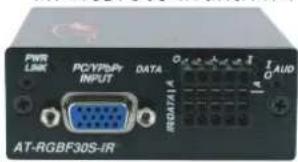

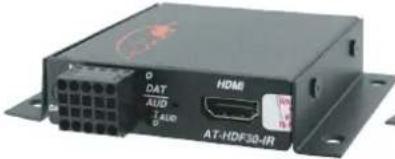

AT-DVIF30S-IR and AT-DVIF30R-IR

natural_image
Black electronic device with I/O port, ports, and a red emblem on top (no readable text or symbols)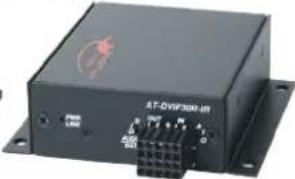
natural_image
Exterior view of a black AT-DVSP30R-IR electronic device with ports and connectors (no readable text or symbols beyond branding)AT-DVIFW10S and AT-DVIFW10R
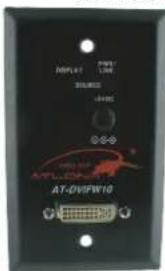
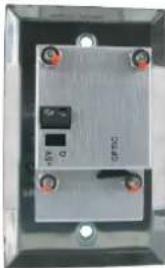
natural_image
Close-up of a metallic electrical control box with mounting holes and a small indicator (no visible text or symbols)AT-HDFW10S and AT-HDFW10R

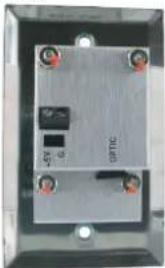
natural_image
Close-up of a metallic electrical contactor or relay box with mounting holes and indicator lights (no visible text or symbols)AT-DVIF20S and AT-DVIF20R


AT-HDF20S and AT-HDF20R


User Manual
Table of Contents
- Introduction 3
- Package Contents 3
- Features 4
- Connection and Operation 6
- Specification 7
- Troubleshooting 8
- Terminal Block Pin-Out 9
- Audio 9
- RGB-IR Pinouts 10
- Serial Data and IR Data Interface 11
- Atlona Product Registration 11
- Safety Information 12
- Warranty 13
INTRODUCTION
The Atlona family of fiber optic extenders includes VGA, Component, DVI and HDMI extenders which are all very similar and many of them can work together. All the extenders featured in this manual can operate on a single multi-mode fiber cable and able to transmit large amounts video/audio and data which results an ability of extremely high resolutions, lossless video and audio transition, and error free data.
All the extenders are capable of transmitting resolutions up to 1920x1200 or 1080p at the distance of 1300ft without any signal degradation. Some models below can also transmit bi-directional RS232, Bi-directional Audio and IR Signal as well.
- AT-RGBF30S-IR – VGA or Component Video + bi-directional RS232 + Stereo Audio + IR Transmitter Unit.
- AT-RGBF30R-IR - VGA or Component Video + bi-directional RS232 + Stereo Audio + IR Receiver Unit.
- AT-DVIF30S-IR - DVI + bi-directional RS232 + Stereo Audio + IR Transmitter Unit.
- AT-DVIF30R-IR - DVI + bi-directional RS232 + Stereo Audio + IR Receiver Unit.
• AT-DVIF20S – DVI Transmitter Unit
• AT-DVIF20R – DVI Receiver Unit - AT-DVIFW10S – DVI Wall Plate Style Transmitter Unit
- AT-DVIFW10R – DVI Wall Plate Style Receiver Unit
- AT-HDF20S – HDMI Transmitter Unit
• AT-HDF20R – HDMI Receiver Unit - AT-HDFW10S – HDMI Wall Plate Style Transmitter Unit
- AT-HDFW10R - HDMI Wall Plate Style Receiver Unit
- AT-HDF30S-IR - HDMI + bi-directional RS232 + Separate Stereo Audio + IR Transmitter Unit.
- AT-HDF30R-IR - HDMI + bi-directional RS232 + Separate Stereo Audio + IR Receiver Unit
Some models can work together, the groups are listed below:
(Models which support RS232/IR and Bi-Directional Audio can work together as well as mini modules and Wall plate models can work together)
- AT-RGBF30S-IR— AT-DVIF30R-IR or AT-HDF30R-IR
- AT-DVIF30S-IR— AT-DVIF30R-IR or AT-HDF30R-IR
- AT-HDF30S-IR - AT-HDF30R-IR or AT-DVIF30R-IR
- AT-DVIF20S— AT-DVIF20R or AT-DVIFW10R or AT-HDF20R or AT-HDFW10R
- AT-DVIFW10S— AT-DVIF20R or AT-DVIFW10R or AT-HDF20R or AT-HDFW10R
- AT-HDF20S— AT-HDF20R or AT-HDFW10R or AT-DVIF20R or AT-DVIFW10R
- AT-HDFW10S— AT-HDF20R or AT-HDFW10R or AT-DVIF20R or AT-DVIFW10R
PACKAGE CONTENTS
Depends on the model purchased
- 1 x transmitter or receiver (depending on the model purchased)
- 1 x 5v Power supplies (Universal 110/240V) -- Wall plates are 12V
• 1 x Set of Wall Mounting Ears - 4 x screws
• 1 x Instructions manual
Note: IR Cable will be includes with models which have IR support
FEATURES
For AT-RGBF30S-IR and AT-RGBF30R-IR:
- Transmits VGA or YPrPb (Component) with Stereo Audio, bi-directional RS232 and IR up to 1300ft away on a single Multi-Mode Fiber Cable
• Supports Full HD Video with resolutions up to 1920x1200
• Supports high resolution Video VESA: 640x480, 800x600, 1024x768, 1280x800, 1280x768, 1280x1024, 1680x1050, 1600x1200, 1920x1080, 1920x1200 - Bi-Directional RS232 support, perfect for sending serial commands from control system to the display or another equipment at the display end and transmit the feedback commands back to the control system
- Bi-Directional Audio support allows user to send audio to the display or set of speakers as well as send Audio signals back.
- IR support, allows user to control sources from the display location with IR
- DDC Support, allows source to know exactly what is connected at the other end and configure the resolutions and video settings accordingly.
- Format Conversion function, allows the source to be component video and the display to be VGA, the format conversion is done within the transmitter module.
- The AT-RGBF30S-IR is compatible with AT-RGBF30R-IR, AT-DVIF30R-IR and AT-HDF30R-IR, which means that the receiver module could either be VGA, DVI or even HDMI.
• Supports all VESA formats, perfect when used with specialized projectors or commercial LCD panels. - Wall Mountable
For AT-DVIF30S-IR and AT-DVIF30R-IR:
- Transmits DVI-D (digital only) with Stereo Audio, bi-directional RS232 and IR up to 1300ft away on a single Multi-Mode Fiber Cable
• Supports Full HD Video with resolutions up to 1920x1200
• Supports high resolution Video VESA: 640x480, 800x600, 1024x768, 1280x800, 1280x768, 1280x1024, 1680x1050, 1600x1200, 1920x1080, 1920x1200
• Supports HDCP 2.0
• Supports EDID - Bi-Directional RS232 support, perfect for sending serial commands from control system to the display or another equipment at the display end and transmit the feedback commands back to the control system
- Bi-Directional Audio support allows user to send audio to the display or set of speakers as well as send Audio signals back.
- IR support. allows user to control sources from the display location with IR
- The AT-DVIF30S-IR is compatible with AT-DVIF30R-IR and AT-HDF30R-IR, which means that the receiver module could either be DVI or even HDMI.
• Supports all VESA formats, perfect when used with specialized projectors or commercial LCD panels.
• Wall Mountable
For AT-HDF30S-IR and AT-HDF30R-IR:
• Transmits HDMI (Digital Video with Digital Audio) + Stereo Audio, bi-directional RS232 and IR up to 1300ft away on a single Multi-Mode Fiber Cable
• Supports Full HD Video with resolutions up to 1920x1200 or 1080p
• Supports high resolution Video VESA: 640x480, 800x600, 1024x768, 1280x800, 1280x768, 1280x1024, 1680x1050, 1600x1200, 1920x1080, 1920x1200, 480i/p, 720p, 1080i, 1080p (24, 30, 50, 60Hz)
• Supports HDCP 2.0
• Supports EDID
• Supports Digital Audio: up to Dolby True HD or DTS Master
• Supports 3D, all 7 formats are supported
- Bi-Directional RS232 support, perfect for sending serial commands from control system to the display or another equipment at the display end and transmit the feedback commands back to the control system
- Bi-Directional Audio support allows user to send audio to the display or set of speakers as well as send Audio signals back.
- IR support, allows user to control sources from the display location with IR
- The AT-HDF30S-IR is compatible with AT-HDF30R-IR and AT-DVIF30R-IR, which means that the receiver module could either be HDMI or even DVI.
• Supports all VESA formats, perfect when used with specialized projectors or commercial LCD panels.
- Wall Mountable
For AT-DVIF20S/AT-DVIF20R:
• Transmits DVI-D (digital only) up to 1300ft away on a single Multi-Mode Fiber Cable
• Supports Full HD Video with resolutions up to 1920x1200
• Supports high resolution Video VESA: 640x480, 800x600, 1024x768, 1280x800, 1280x768, 1280x1024, 1680x1050, 1600x1200, 1920x1080, 1920x1200
• Supports HDCP 2.0
• Supports EDID
- Small size allows to directly connect the transmitter or and receiver to the DVI port on the source/display
- The AT-DVIF20S is compatible with AT-DVIF20R, AT-DVIFW10R, AT-HDF20R and AT-HDFW10R, which means that the receiver module could either be DVI or even HDMI as well as a wall plate style DVI/HDMI receiver could be used. The AT-DVIF20R (Receiver) could also be used with wall plate or mini DVI/HDMI transmitters.
- Supports all VESA formats, perfect when used with specialized projectors or commercial LCD panels.
For AT-DVIFW10S / AT-DVIFW10R:
• Transmits DVI-D (digital only) up to 1300ft away on a single Multi-Mode Fiber Cable
• Supports Full HD Video with resolutions up to 1920x1200
• Supports high resolution Video VESA: 640x480, 800x600, 1024x768, 1280x800, 1280x768, 1280x1024, 1680x1050, 1600x1200, 1920x1080, 1920x1200
• Supports HDCP 2.0
• Supports EDID
- Wall plate style
- The AT-DVIFW10S is compatible with AT-DVIFW10R, AT-DVIF20R, AT-HDF20R and AT-HDFW10R, which means that the receiver module could either be DVI or even HDMI as well as a wall plate style DVI/HDMI or miniature receivers could be used. The AT-DVIFW10R (Receiver) could also be used with wall plate or mini DVI/HDMI transmitters.
• Supports all VESA formats, perfect when used with specialized projectors or commercial LCD panels.
For AT-HDF20S/AT-HDF20R:
• Transmits HDMI (Digital Video with Digital Audio) up to 1300ft away on a single Multi-Mode Fiber Cable
• Supports Full HD Video with resolutions up to 1920x1200 or 1080p
• Supports high resolution Video VESA: 640x480, 800x600, 1024x768, 1280x800, 1280x768, 1280x1024, 1680x1050, 1600x1200, 1920x1080, 1920x1200, 480i/p, 720p, 1080i, 1080p (24, 30, 50, 60Hz)
• Supports HDCP 2.0
• Supports EDID
• Supports Digital Audio: up to Dolby True HD or DTS Master
• Supports 3D, all 7 formats are supported
- Small size allows to directly connect the transmitter or and receiver to the HDMI port on the source/display
- The AT-HDF20S is compatible with AT-HDF20R, AT-HDFW10R, AT-DVIF20R and AT-DVIFW10R, which means that the receiver module could either be HDMI or even HDMI as well as a wall plate style DVI/HDMI receiver could be used. The AT-HDF20R (Receiver) could also be used with wall plate or mini DVI/HDMI transmitters.
• Supports all VESA formats, perfect when used with specialized projectors or commercial LCD panels.
For AT-HDFW10S/AT-HDFW10R:
- Transmits HDMI (Digital Video with Digital Audio) up to 1300ft away on a single Multi-Mode Fiber Cable
• Supports Full HD Video with resolutions up to 1920x1200 or 1080p
• Supports high resolution Video VESA: 640x480, 800x600, 1024x768, 1280x800, 1280x768, 1280x1024, 1680x1050, 1600x1200, 1920x1080, 1920x1200, 480i/p, 720p, 1080i, 1080p (24, 30, 50, 60Hz)
• Supports HDCP 2.0
• Supports EDID
• Supports Digital Audio: up to Dolby True HD or DTS Master
• Supports 3D, all 7 formats are supported - Wall plate style
- The AT-HDFW10S is compatible with AT-HDFW10R, AT-HDF20R, AT-DVIF20R and AT-DVIFW10R, which means that the receiver module could either be HDMbr even HDMI as well as a wall plate style DVI/HDMI receiver could be used. The AT-HDFW10R (Receiver) could also be used with wall plate or mini DVI/HDMI transmitters.
• Supports all VESA formats, perfect when used with specialized projectors or commercial LCD panels.
- Connect the transmitter unit to the source
- Terminate or use pre-existing single multi-mode fiber cable SC type
- Connect the receiver module to the display
- Connect both modules with supplied power supplies
- Connect terminated SC multi-mode cable to transmitter first and then to the receiver
- You should receive an image on the display
SPECIFICATIONS
| Model | AT-RGBF30S-IR and AT-RGBF30R-IR | AT-DVIF30S-IR and AT-DVIF30R-IR | AT-HDF30S and AT-HDF30R |
| Supported Resolutions up to 1920x1200 or 1080p | |||
| Terminal Block Yes | |||
| Supported Audio 2 channels | stereo bi-directional via terminal block | 2 channels stereo bi-directional via terminal block | 2 channels stereo bi-directional via terminal block and up to Dolby Tue HD or DTS Master on the HDMI |
| In/Out Impedance 10k/50 Ohms (Stereo Audio) | |||
| Max. Input/Output Level 5 dBu/4Vpp (Stereo Audio) | |||
| Magnitude Freq. Response 20Hz to 20kHz @ -3dB /THD+N>70dB @ 1k Hz | |||
| Serial direction 2-way | |||
| Data Rate Up to 57.6Kbaud | |||
| Freq. Range up to 38kHz | |||
| Fiber Type Multimode | |||
| Number of Fibers 1 | |||
| Fiber Connector SC | |||
| Power Level (max.) | +5VDC @ 1.2A | ||
| Operating Temperature | 0 to +50°C | ||
| Humidity | 0 to 95% RH, non-condensing | ||
| Dimension (H x W x D) – each unit | 1.2" x 3.0" x 3.6" | 1.2" x 3.0" x 3.6" | 0.70" x 1.58" x 3.31 |
| Weight (lb) – each unit | 0.4 | 0.3 | 0.1 |
| Model | AT-DVIF20S and AT-DVIF20R | AT-DVIFW10S and AT-DVIFW10R | AT-HDF20S and AT-HDF20R | AT-HDFW10S and AT-HDFW10R |
| Supported Resolutions up to 1920x1200 or 1080p | ||||
| Terminal Block | No | |||
| Supported Audio | no Audio | no Audio | up to Dolby True HD or DTS Master | up to Dolby True HD or DTS Master |
| Fiber Type Multimode | ||||
| Number of Fibers 1 | ||||
| Fiber Connector SC | ||||
| Power Level (max.) | +5VDC @ 1.2A -- 12V for Wall plates | |||
| Operating Temperature | 0 to +50°C | |||
| Humidity | 0 to 95% RH, non-condensing | |||
| Dimension (H x W x D) – each unit | 0.59" x 1.54" x 2.3 | 4.50" x 2.75" x 1.2" | 0.70" x 1.58" x 3.31 | 4.50" x 2.75" x 1.2" |
| Weight (lb) – each unit | 0.1 | 0.2 | 0.1 | 0.2 |
AT-RGBF30S-IR – dip switch configuration:
Switch Switch Mode Description
1 RGB For RGBHV video
YPbPr For YPbPr video
2 Bypass Bypass as YPbPr when input is YPbPr video
RGB Convert to RGB when input is YPbPr video
AT-DVIFW10S / AT-DVIFW10R / AT-HDFW10S / AT-DVIFW10R – Power Configuration:

natural_image
Close-up of a metallic electronic device casing with labeled ports and connectors (no readable text or symbols)Connect it with 12V positive wires
TROUBLESHOOTING
- Please make sure that the wire is working properly. Most of the issues do come up from the incorrect termination. Please refer to the link below for connection termination:
http://www.fiberoptics4sale.com/Merchant2/terminating_sc_connectors.php - If the signal is going in and out, please use fiber wipe and clean the fiber ends
- It is very important to keep the connections clean as greasy spots or dust can bring the transmission down.
• We recommend to use Multimode 62.5, 125 Micron or 50 Micron Fiber. The 50 Micron is considered better for the distance.
- If the POWER indicator is OFF, check for the following:
a. The line cord is plugged into the unit and your outlet has power.
- If the POWER indicator is ON, but the Optical Link indicator is OFF, check for the following:
a. Make sure the appropriate (Multimode) fibers are being used.
b. Fiber and fiber connectors are not broken.
c. For each unit, the transmit (TX) fiber is connected to the other unit's receiver (RX).
- If the POWER indicator and Optical Link indicator are ON, but the audio/video channels are not operating, then:
a. Check to see that the attached user equipment is turned on.
b. Both ends of the link are connected to the corresponding equipment and to the same corresponding channel port.
c. Cable connections at both the video/audio channels are securely fastened to each connector. Turn the power off, then back on to reset the link.
TERMINAL BLOCK PIN-OUT

AUDIO
The audio interface supports two channel high fidelity transmissions. Two separate mono channels or one stereo channel is transmitted in each direction.
To send audio signals, label and connect two cables to the "AUDIO OUTPUT" connectors of the line level audio source. Connect the other end of the cables to the front panel terminal block connectors labeled "AUDIO IN". For stereo channels, be sure to match the cables at both ends (L to L, R to R).
To receive audio signals, at the far-end location, label and connect two twisted shielded pair cables to the "AUDIO INPUT" connectors of the line level audio receiver. Connect the other end of the cables to the front panel terminal block connectors labeled "AUDIO OUT". If using stereo channels, be sure to match the cables at both ends. (L to L, R to R).
RGB-IR PINOUTS

SERIAL DATA AND IR DATA INTERFACE
The transmitter transmits two channels of unbalanced data signals. Follow the procedures for installing data terminal devices.
- Label and connect one RS232 cable to the user's RS-232 device.
- Connect the other end of this cable to the front panel data terminal block connector (as displayed on the picture above)
The transmitter transmits one (1) channel of IR data signal. Use the following steps for IR connection.
- For the source side, (transmitter unit) connect IR Emitter cable to the IR connection.
- For the monitor side (receiver unit), connect IR pick-up cable to the IR connection.
ATLONA PRODUCT REGISTRATION
Thank you for purchasing this Atlona product — we hope you'll enjoy it.
We also hope that you'll take a few moments to register your new purchase. Registration creates an ownership record if your product is lost or stolen and helps ensure you'll receive notification of performance issues and firmware updates.
At Atlona, we respect and protect your privacy and assure you that your registration information is completely secure. Of course, Atlona product registration is totally voluntary and failure to register will not diminish your limited warranty rights.
To register go to www.atlona.com/registration
Safety Information
Safeguards

To reduce the risk of electric shock, do not expose this product to rain or moisture

If the wall plug does not fit into your local power socket, hire an electrician to replace your obsolete socket.

Do not modify the wall plug. Doing so will void the warranty and safety features.

This equipment should be installed near the socket outlet and the device should be easily accessible in the case it requires disconnection.
Precautions
FCC regulations state that any unauthorized changes or modifications to this equipment, not expressly approved by the manufacturer, could void the user's authority to operate this equipment.
Operate this product using only the included external power supply. Use of other power supplies could impair performance, damage the product, or cause fires.
In the event of an electrostatic discharge this device may automatically turn off. If this occurs, unplug the device and plug it back in.
Protect and route power cords so they will not be stepped on or pinched by anything placed on or against them. Be especially careful of plug-ins or cord exit points from this product.
Avoid excessive humidity, sudden temperature changes or temperature extremes.
Keep this product away from wet locations such as bathtubs, sinks, laundries, wet basements, fish tanks, and swimming pools.
Use only accessories recommended by Atlona to avoid fire, shock, or other hazards.
Unplug the product before cleaning. Use a damp cloth for cleaning and not cleaning fluid or aerosols. Such products could enter the unit and cause damage, fire, or electric shock. Some substances may also mar the finish of the product.
Never open, remove unit panels, or make any adjustments not described in this manual.
Attempting to do so could expose you to dangerous electrical shock or other hazards. It may also cause damage to your Atlona Fiber Optic Extender. Opening the product will void the warranty.
Do not attempt to service the unit. Disconnect the product and contact your authorized Atlona reseller or contact Atlona directly.
Warranty
Limited Warranty
Atlona Technologies warrants that (a) its products (Atlona Fiber Optic Extender) will perform substantially in accordance with the accompanying written materials for a period of 3 years from the date of receipt and (b) that the product will be free from defects in materials and workmanship under normal use and service for a period of 3 years. In the event applicable law imposes any implied warranties, the implied warranty period is limited to 3 years from the date of receipt. Some jurisdictions do not allow such limitations on duration of an implied warranty, so the above limitation may not apply to customers that fall within those areas.
Customer Remedies
Atlona Technologies' and its suppliers' entire liability and Customer's exclusive remedy shall be, at Atlona Technologies' decision, either return of the price paid for the product, repair, or replacement of the product that does not meet this Limited Warranty and which is returned to Atlona Technologies with a copy of the Customer's receipt. This Limited Warranty is void if failure of the product has resulted from accident, abuse, misapplication, or natural occurrence. In example but not limited to: power surges (electrical storms, local power outage), dropping the product (or items on the product), contact with fluids, and physical misconduct (i.e. kicking or punching). Any replacement product will be warranted for the remainder of the original warranty period.
No other warranties
To the maximum extent permitted by applicable law, Atlona Technologies and its suppliers disclaim all other warranties, either expressed or implied, including, but not limited to, implied warranties of merchantability and fitness for a particular purpose, with regard to the product and any related written materials. This Limited Warranty gives customer specific legal rights. Customers may have other rights depending on the jurisdiction.
No liability for damages
To the maximum extent permitted by applicable law, in no event shall Atlona Technologies or its suppliers be liable for any damages arising out of the use of or inability to use this product, even if Atlona Technologies has been advised of the possibility of such damages. Such damages include but are not limited to: special, incidental, consequential, or indirect damages for personal injury, loss of business profits, business interruption, loss of business information, or any other pecuniary loss. Atlona Technologies' and its suppliers' entire liability under any provision of this agreement shall be limited to the amount actually paid by you for the product. Some Jurisdictions do not allow the exclusion or limitation of liability for consequential or incidental damage. The above limitations may not apply to you in such jurisdictional cases.


- Atlona VGA/Component/DVI/HDMI Extenders over Fiber optic
- Table of Contents
- INTRODUCTION
- PACKAGE CONTENTS
- Depends on the model purchased
- FEATURES
- For AT-RGBF30S-IR and AT-RGBF30R-IR:
- For AT-DVIF30S-IR and AT-DVIF30R-IR:
- For AT-HDF30S-IR and AT-HDF30R-IR:
- For AT-DVIF20S/AT-DVIF20R:
- For AT-DVIFW10S / AT-DVIFW10R:
- For AT-HDF20S/AT-HDF20R:
- For AT-HDFW10S/AT-HDFW10R:
- AT-RGBF30S-IR – dip switch configuration:
- Switch Switch Mode Description
- AT-DVIFW10S / AT-DVIFW10R / AT-HDFW10S / AT-DVIFW10R – Power Configuration:
- TROUBLESHOOTING
- AUDIO
- SERIAL DATA AND IR DATA INTERFACE
- ATLONA PRODUCT REGISTRATION
- Safety Information
- Safeguards
- Precautions
- Warranty
- Limited Warranty
- Customer Remedies
- No other warranties
- No liability for damages
Brand : Atlona
Model : AT-HDF20R
Category : Video extender