
BB-RE-2436-V2 - Flash Angler - Free user manual and instructions
Find the device manual for free BB-RE-2436-V2 Angler in PDF.


| Product Type | Photographic Flash Unit |
| Model | BB-RE-2436-V2 |
| Brand | Angler |
| Dimensions (approx.) | 180 x 70 x 60 mm |
| Weight (approx.) | 350 g (without batteries) |
| Power Source | 4 x AA batteries (Ni-MH recommended) |
| Guide Number | 30 (ISO 100, meters) |
| Recycle Time | Approx. 4-6 seconds with fresh batteries |
| Number of Flashes | Approx. 200 per set of batteries |
| Flash Modes | Manual, Slave (S1/S2) |
| Power Adjustment | 1/1 to 1/64 in 1 EV steps |
| Triggering | Hot shoe, PC sync, optical slave |
| Wireless Control | Optical slave mode |
| Bounce/Swivel | Yes, vertical 90°, horizontal 270° |
| Color Temperature | 5600K (daylight balanced) |
| Maintenance | Clean with dry cloth; avoid moisture |
| Safety | Do not disassemble; avoid flammable environments |
| Spare Parts | Batteries, flash tube (if replaceable) |
| Repairability | Limited; contact authorized service |
| Included Accessories | Flash unit, stand, sync cable, manual |
Frequently Asked Questions - BB-RE-2436-V2 Angler
User questions about BB-RE-2436-V2 Angler
0 question about this device. Answer the ones you know or ask your own.
Ask a new question about this device
Download the instructions for your Flash in PDF format for free! Find your manual BB-RE-2436-V2 - Angler and take your electronic device back in hand. On this page are published all the documents necessary for the use of your device. BB-RE-2436-V2 by Angler.
USER MANUAL BB-RE-2436-V2 Angler
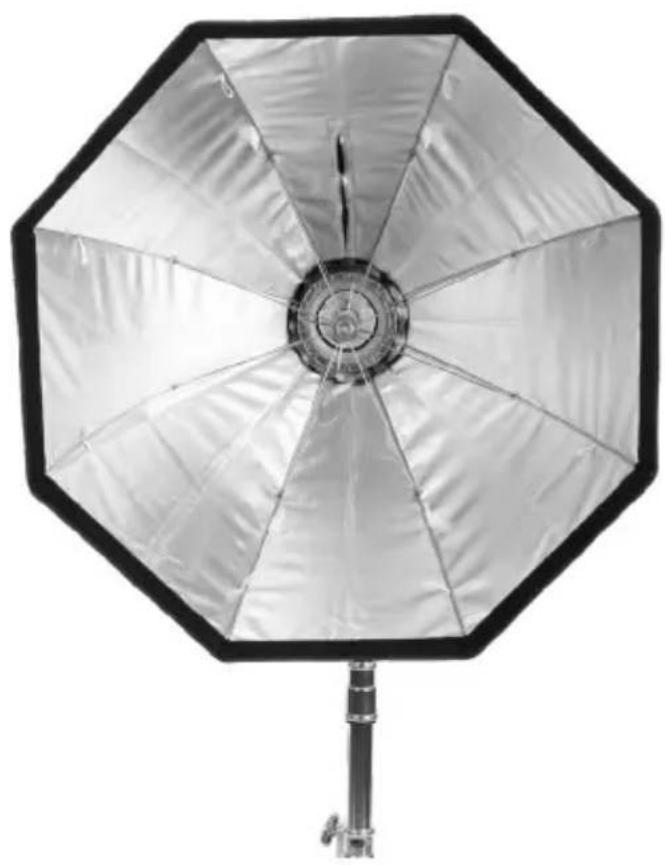
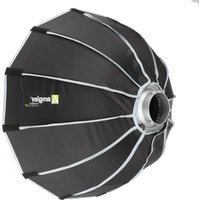
BoomBox for Bowens Mount
BB-26DB-V2/BB-36DB-V2/BB-48DB-V2
BB-ST-1024-V2/BB-ST-1236-V2/BB-ST-1255-V2
BB-RE-2436-V2
INSTRUCTIONS
natural_image
Black octagonal studio lighting umbrella with silver filter bands and black frame (no text or symbols visible)
natural_image
Black-and-white photo of a rectangular device with a central circular component and radial lines, mounted on a stand (no visible text or symbols)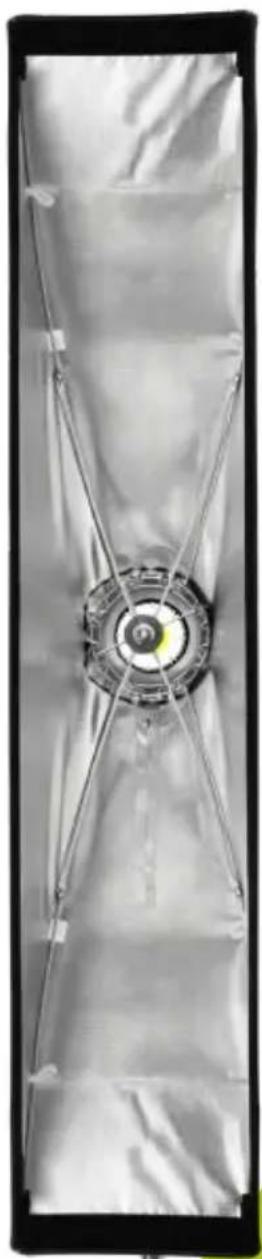
natural_image
Close-up of a metallic cylindrical device with internal components and wiring, no visible text or symbols
angler®
Setting Up the BoomBox
-
For Monolights and studio strobes with Bowens mounts, align the mounting tabs with the Bowens mount and insert the BoomBox into the Bowens mount. Turn the BoomBox clockwise until it locks.
-
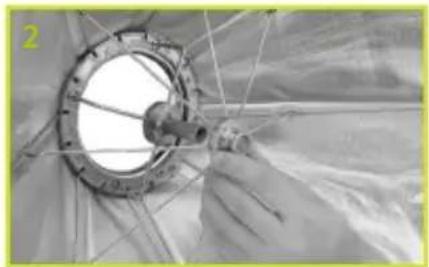
Open the BoomBox, and push the center ring over the shaft until it's all the way in, just like an umbrella.
Tip: You may find it easier to hold the base of the shaft through the side opening while pushing the center ring over it.
- Adjust the BoomBox's orientation by loosening the adapter ring's thumbscrew and rotating the BoomBox. Tighten the thumbscrew until secure.
Optional: To add the deflector to the BoomBox, screw the deflector extension into the center stem. Once it's attached, slide the deflector plate onto the extension.
Try experimenting with the curved side of the deflector facing out or in, and by varying the distance from the light source.
natural_image
Close-up of a gloved hand adjusting a circular mechanical component with wires (no visible text or symbols)
natural_image
Close-up of a hand holding a small object with a green arrow indicating rotation (no text or symbols visible)
natural_image
Close-up of a hand using a tool to adjust or inspect a mechanical component (no visible text or symbols)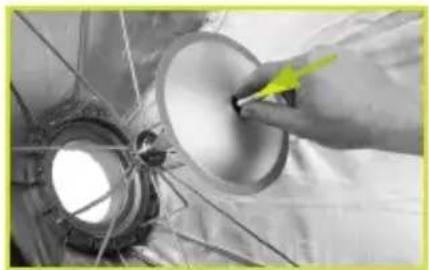
natural_image
Close-up of a hand adjusting a circular component with a yellow arrow pointing to it (no visible text or symbols)Attaching the Diffusers
The inner and outer diffusers add two levels of diffusion that soften and spread the light for an even and flattering effect. The diffusers can be used with or without the deflector plate.
-
Attach the inner diffuser by attaching the diffuser's touch-connect strips to the touch connect tabs inside the BoomBox.
-
Attach the outer diffuser by pressing the touch-connect strips against the inner rim of the BoomBox.

natural_image
Person in white gloves handling a camera lens inside a light bulb (no visible text or symbols)Removing the BoomBox
To remove the BoomBox from a Bowens mount:
- Press the light fixture's Bowens release.
- Turn the BoomBox counterclockwise and remove it from the light.
- If necessary, remove the diffuser, deflector, and extension. Then close the BoomBox by carefully pulling on the center ring.

natural_image
Close-up of a hand pressing down on a mechanical component with a yellow arrow indicating motion (no text or symbols visible)
natural_image
Close-up of a hand holding a mechanical component with visible gears and blades (no text or symbols)Changing the Adapter Ring
Adapter Rings for Broncolor, Elinchrom, and Profoto are available separately. Make sure to use V2 (144 mm) adapter rings.
- Unfasten the zipper and pull back the fabric around the BoomBox adapter ring.
- Use a Philips screwdriver to remove the screws and washers, then remove the thumbscrew and washer.
- Remove the adapter ring from the BoomBox.
- Insert the replacement adapter ring.
- Replace the washers and screws. Make sure to insert the thumbscrew in the recessed hole. Tighten until secure.

natural_image
Close-up of a garment with layered structure and a yellow star accent (no text or symbols)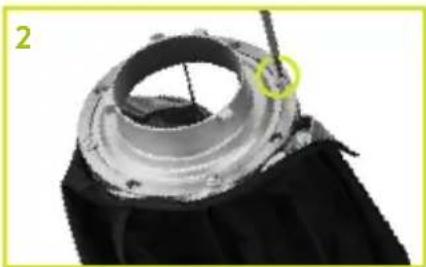
natural_image
Close-up of a mechanical component with a circular highlight and a yellow arrow, no visible text or symbols
natural_image
Close-up of a mechanical component being lifted by a tool, showing internal structure (no text or symbols visible)
natural_image
Close-up of a hand holding a small object over a metallic cylindrical component, with a green circle highlighting a specific area (no text or symbols visible)Specifications
| BB-26DB-V2 BB-36DB-V2 BB-48DB-V2 BB-RE-2436-V2 | ||||
| SIZE | 26 IN.(66 CM) | 36 IN.(91.4 CM) | 48 IN.(121.9 CM) | 24×36 IN.(61×91.4 CM) |
| SHAPE OCTAGONAL OCTAGONAL OCTAGONAL RECTANGULAR | ||||
| WEIGHT | 1.9 LB.(0.84 KG) | 2.5 LB.(1.2 KG) | 3.4 LB.(1.54 KG) | 3 LB.(1.4 KG) |
| BB-ST-1024-V2 BB-ST-1236-V2 BB-ST-1255-V2 | |||
| SIZE | 10×24 IN.(25.4×61 CM) | 12×36 IN.(30.5×91.4 CM) | 12×55 IN.(30.5×139.7 CM) |
| SHAPE STRIP STRIP STRIP | |||
| WEIGHT | 1 LB.(0.45 KG) | 2.5 LB.(1.1 KG) | 2.3 LB.(1 KG) |
Recommended Accessories

natural_image
Metallic circular mechanical component with central hole and flange (no text or symbols visible)ADAPTER RINGS
MODEL # MOUNT TYPE
BBAR-PRO-144 PROFOTO
BBAR-BRL-144 BRONCOLOR
BBAR-EL-144 ELINCHROM
natural_image
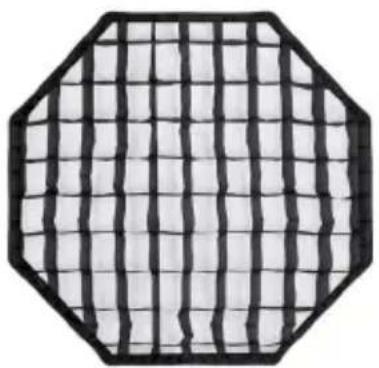
Octagonal grid pattern with black and white lines forming a mesh structure (no text or symbols)GRIDS
MODEL # COMPATIBLE BOOMBOX
BB-G26-V2 BB-26DB-V2
BB-G36-V2 BB-36DB-V2
BB-G48-V2 BB-48DB-V2
BB-G-2436-V2 BB-RE-2436-V2
BB-G-1024-V2 BB-ST-1024-V2
BB-G-1236-V2 BB-ST-1236-V2
BB-G-1255-V2 BB-ST-1255-V2
One-Year Limited Warranty
This Angler product is warranted to the original purchaser to be free from defects in materials and workmanship under normal consumer use for a period of one (1) year from the original purchase date or thirty (30) days after replacement, whichever occurs later. The warranty provider's responsibility with respect to this limited warranty shall be limited solely to repair or replacement, at the provider's discretion, of any product that fails during normal use of this product in its intended manner and in its intended environment. Inoperability of the product or part(s) shall be determined by the warranty provider. If the product has been discontinued, the warranty provider reserves the right to replace it with a model of equivalent quality and function.
This warranty does not cover damage or defect caused by misuse, neglect, accident, alteration, abuse, improper installation or maintenance. EXCEPT AS PROVIDED HEREIN, THE WARRANTY PROVIDER MAKES NEITHER ANY EXPRESS WARRANTIES NOR ANY IMPLIED WARRANTIES, INCLUDING BUT NOT LIMITED TO ANY IMPLIED WARRANTY OF MERCHANTABILITY OR FITNESS FOR A PARTICULAR PURPOSE. This warranty provides you with specific legal rights, and you may also have additional rights that vary from state to state.
To obtain warranty coverage, contact the Angler Customer Service Department to obtain a return merchandise authorization (“RMA”) number, and return the defective product to Angler along with the RMA number and proof of purchase. Shipment of the defective product is at the purchaser’s own risk and expense.
For more information or to arrange service, visit www.anglerlights.com or call Customer Service at 212-594-2353.
Product warranty provided by the Gradus Group.
www.gradusgroup.com
Angler is a registered trademark of the Gradus Group.
© 2023 Gradus Group LLC. All Rights Reserved.

ANGLER®
A Gradus Group Brand
GG6

natural_image
Abstract geometric logo with a white letter 'A' on a green gradient background (no text or symbols)anglerights.com

Brand : Angler
Model : BB-RE-2436-V2
Category : Flash