
Simon Phillips Studio Drums - Audio software STEINBERG - Free user manual and instructions
Find the device manual for free Simon Phillips Studio Drums STEINBERG in PDF.


| Product Type | Audio Software Expansion Pack (Acoustic Agent Kit) |
| Brand | Steinberg |
| Model | Simon Phillips Studio Drums |
| Compatible Software | Groove Agent SE or Groove Agent (Acoustic Agent) |
| Version | 1.0 |
| Language | English (en-US) |
| Main Features | Dual kick drums with 32 trigger options, three snare drums with four main types, toms, octobans, and dedicated room/overhead controls |
| Edit Page Parameters | Resonance, Trigger, Room/Overhead for kicks, snares, toms; Tune, Attack, Hold, Decay for octobans |
| Mixer Page | Individual channels for kicks, snares, hihat, toms, octobans, cymbals, room, overhead; EQ, compressor, tape sat, envelope shaper on each channel |
| Trigger Drum Banks | 32 additional kick drums and 32 additional snare drums for layering |
| Resonance Microphone Channel | Delivers resonating kit sound; accessible via dedicated master channel in mixer |
| Room/Overhead Control | Separate edit pages for tuning, attack, hold, decay offsets per instrument group |
| Recording Format | 16-bit and 24-bit samples |
| Documentation | PDF manual included (7 pages) |
| Developer | Steinberg Media Technologies GmbH |
Frequently Asked Questions - Simon Phillips Studio Drums STEINBERG
User questions about Simon Phillips Studio Drums STEINBERG
0 question about this device. Answer the ones you know or ask your own.
Ask a new question about this device
Download the instructions for your Audio software in PDF format for free! Find your manual Simon Phillips Studio Drums - STEINBERG and take your electronic device back in hand. On this page are published all the documents necessary for the use of your device. Simon Phillips Studio Drums by STEINBERG.
USER MANUAL Simon Phillips Studio Drums STEINBERG
Simon Phillips Studio Drums

natural_image
Abstract geometric shape with a crescent and triangle, no text or symbols presentMatthias Klag, Michael Ruf
Cristina Bachmann, Heiko Bischoff, Christina Kaboth, Insa Mingers, Matthias Obrecht, Sabine Pfeifer, Benjamin Schütte, Marita Sladek
This PDF provides improved access for vision-impaired users. Please note that due to the complexity and number of images in this document, it is not possible to include text descriptions of images.
The information in this document is subject to change without notice and does not represent a commitment on the part of Steinberg Media Technologies GmbH. The software described by this document is subject to a License Agreement and may not be copied to other media except as specifically allowed in the License Agreement. No part of this publication may be copied, reproduced, or otherwise transmitted or recorded, for any purpose, without prior written permission by Steinberg Media Technologies GmbH. Registered licensees of the product described herein may print one copy of this document for their personal use.
All product and company names are ^™ or ^® trademarks of their respective owners. For more information, please visit www.steinberg.net/trademarks.
© Steinberg Media Technologies GmbH, 2017.
All rights reserved.
Simon Phillips Studio Drums_1.0._en-US_2017-09-07
Table of Contents
4 Simon Phillips Studio Drums
4 Edit Page Parameters
7 Mixer Page Parameters
Simon Phillips Studio Drums
The functionality of the Simon Phillips Studio Drums content set is similar to previous Acoustic Agent sets. However, there are some differences and additions on the Edit page and in the Agent mixer.
The following sections describe the parameters that are unique to the Simon Phillips Studio Drums content set. For a complete list of the available parameters, refer to the documentation of the Acoustic Agent in the manual for Groove Agent or Groove Agent SE.
Edit Page Parameters
Kick Drums
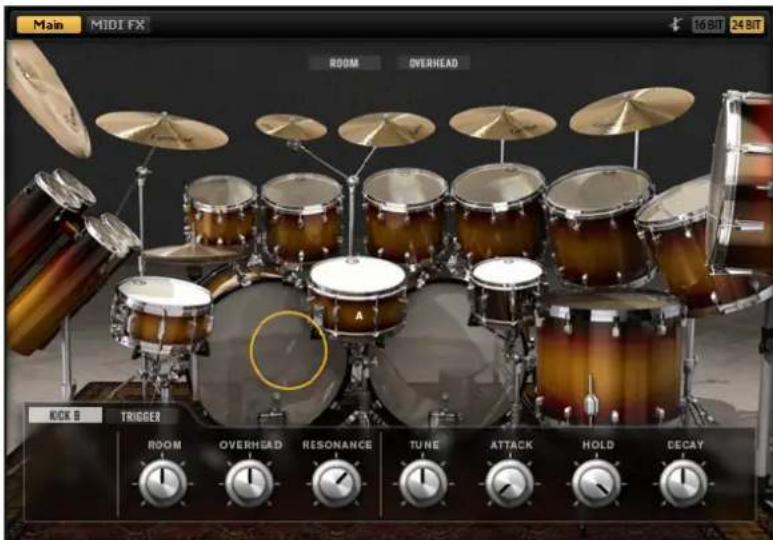
Two kick drums can be used simultaneously.
Resonance
This microphone channel delivers the sound of the resonating kit that is produced when a kick is triggered.
Trigger
On the Trigger tab for the kick drums, you can select 32 different kick drums that can be layered with the kit's standard kick drum. For the trigger kick drums, the parameters Level, Tune, Attack, Hold, and Decay can be modified.
Room/Overhead
The Room and Overhead buttons at the top of the Edit page give you access to additional pages where you can adjust offsets for Tune, Attack, Hold, and Decay. This allows you to tune down the room signals for a particular instrument group,
to create a thicker, more powerful sound, or to use the envelope parameters to produce gated reverb effects, for example.
Snare Drums
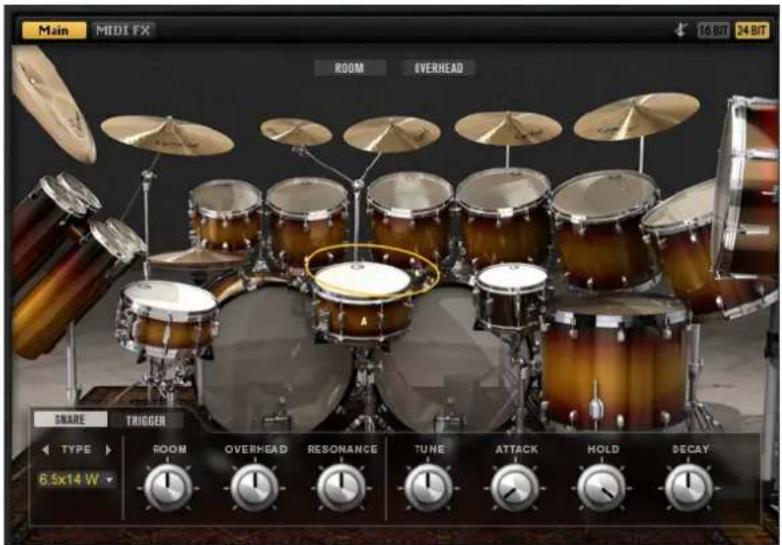
Three snare drums can be played simultaneously. The Piccolo snare on the left and the Popcorn snare on the right provide the same parameters as the Main snare in the middle.
Main Snare Types
For the Main snare, you can choose between four different snares:
- 6.5 x 14 W – a wooden snare with a diameter of 14 inches and a depth of 6.5 inches.
- 6.5 x 14 Wo - a wooden snare with a diameter of 14 inches and a depth of 6.5 inches and with the snares off.
- 6.5 × 14 M - a metal snare with a diameter of 14 inches and a depth of 6.5 inches.
- 5.5 x 14 M – a metal snare with a diameter of 14 inches and a depth of 5.5 inches.
Resonance
This microphone channel delivers the sound of the resonating kit that is produced when a snare is triggered.
Trigger
On the Trigger tab for the snare drums, you can select 32 different snare drums that can be layered with the kit's standard snare drum. For the trigger snare drums, the parameters Level, Tune, Attack, Hold, and Decay can be modified.
Room/Overhead
The Room and Overhead buttons at the top of the Edit page give you access to additional pages where you can adjust offsets for Tune, Attack, Hold, and Decay. This allows you to tune down the room signals for this instrument group, to create a thicker, more powerful sound, or to use the envelope parameters to produce gated reverb effects, for example.
Toms
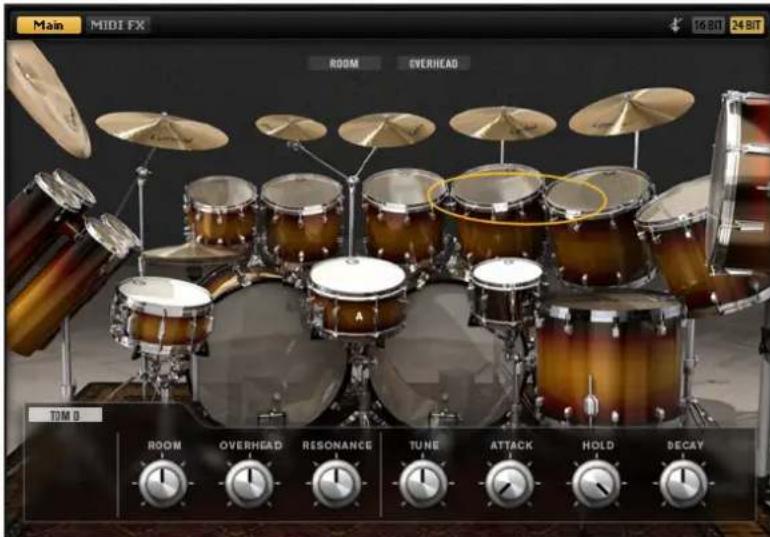
Resonance
This microphone channel delivers the sound of the resonating kit that is produced when a tom is triggered.
Room/Overhead
The Room and Overhead buttons at the top of the Edit page give you access to additional edit pages. On these pages, you can adjust offsets for Tune, Attack, Hold, and Decay. This allows you to tune down the room signals for this instrument group, to create a thicker, more powerful sound, or to use the envelope parameters to produce gated reverb effects, for example.
Octobans
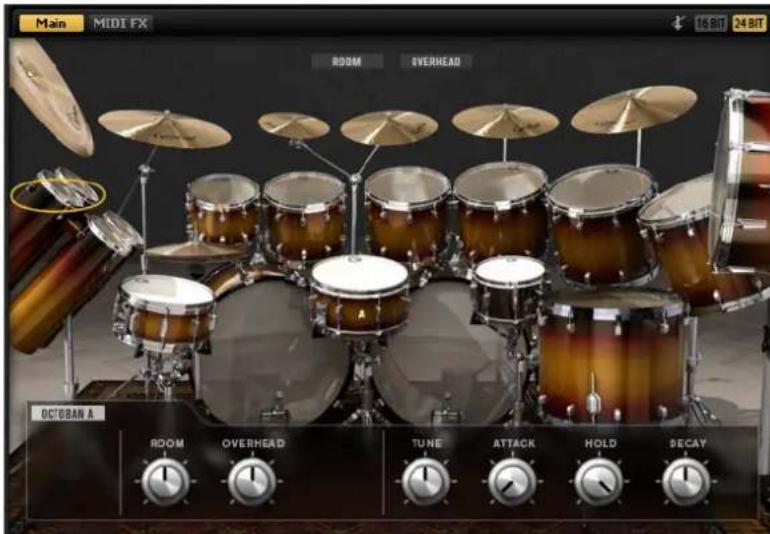
Tune
Adjusts the pitch.
Attack
Adjusts the attack time of the amplifier envelope.
Hold
Adjusts the hold time of the amplifier envelope. Turn the control all the way to the right to play the entire sample.
Decay
Adjusts the decay time of the amplifier envelope.
Room/Overhead
The Room and Overhead buttons at the top of the Edit page give you access to additional edit pages. On these pages, you can adjust offsets for Tune, Attack, Hold, and Decay. This allows you to tune down the room signals for this instrument group, to create a thicker, more powerful sound, or to use the envelope parameters to produce gated reverb effects, for example.
Mixer Page Parameters
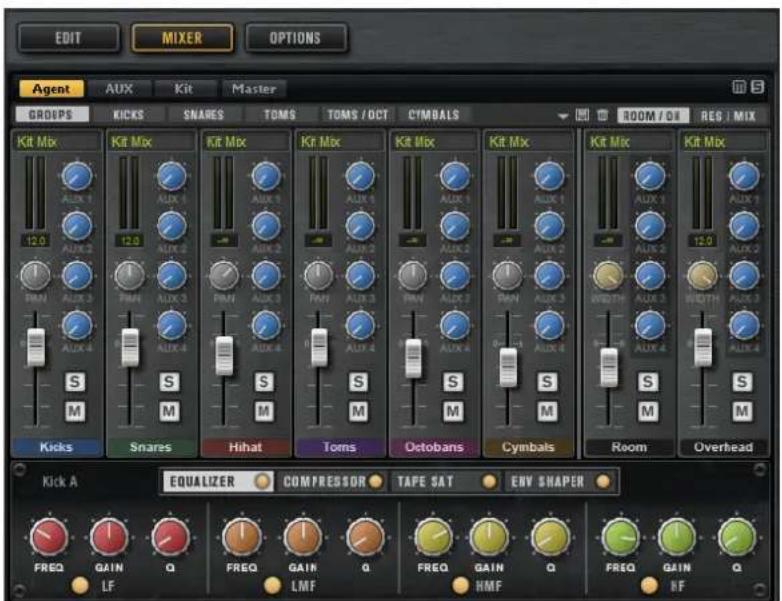
As for other Acoustic Agent kits, the Agent mixer provides dedicated channels for all instrument groups, as well as for the individual instruments.
This means that there are also channels for the trigger signals of the kick drum and the snare drums.
Furthermore, there is a dedicated master channel for the resonance signals. It can be accessed via the RES/MIX button. The channel controls for this channel are the same as for the Room and Overhead channels.
Brand : STEINBERG
Model : Simon Phillips Studio Drums
Category : Audio software