
BreatheSmart 45i - Air purifier Alen - Free user manual and instructions
Find the device manual for free BreatheSmart 45i Alen in PDF.


| Product Type | Air Purifier |
| Brand | Alen |
| Model | BreatheSmart 45i |
| Filtration Technology | True HEPA |
| Fan Speeds | 4 speeds (1, 2, 3, Turbo) |
| Air Quality Indicator | Color Ring (Blue, Green, Orange, Red, Purple) |
| Ionizer | Ozone-safe, on/off |
| Control Type | Capacitive touch buttons |
| Display Lighting | Adjustable (LO, HI, OFF) |
| Filter Life Indicator | Green (normal), Yellow (replace soon), Red (replace now) |
| Auto Mode | Yes, automatically adjusts fan speed |
| Child Lock | Hold 3 seconds to lock/unlock panel |
| Auto Shut-off | When front cover is removed |
| Power Supply | 120V, 60Hz (see rating label) |
| Prefilter | Mesh layer, vacuum cleanable or replaceable |
| Filter Replacement Interval | 9–12 months depending on usage |
| Ozone Output (8 hr TWA) | ≤0.001 ppmv |
| Warranty | 1 year factory; lifetime with registration & filter subscription |
| Filter Subscription | Available (saves 5%, free shipping) |
| Safety Features | Polarized plug, auto shut-off, child lock |
Frequently Asked Questions - BreatheSmart 45i Alen
User questions about BreatheSmart 45i Alen
0 question about this device. Answer the ones you know or ask your own.
Ask a new question about this device
Download the instructions for your Air purifier in PDF format for free! Find your manual BreatheSmart 45i - Alen and take your electronic device back in hand. On this page are published all the documents necessary for the use of your device. BreatheSmart 45i by Alen.
USER MANUAL BreatheSmart 45i Alen
Alen BreatheSmart 45i HEPA Air Purifier
USER MANUAL
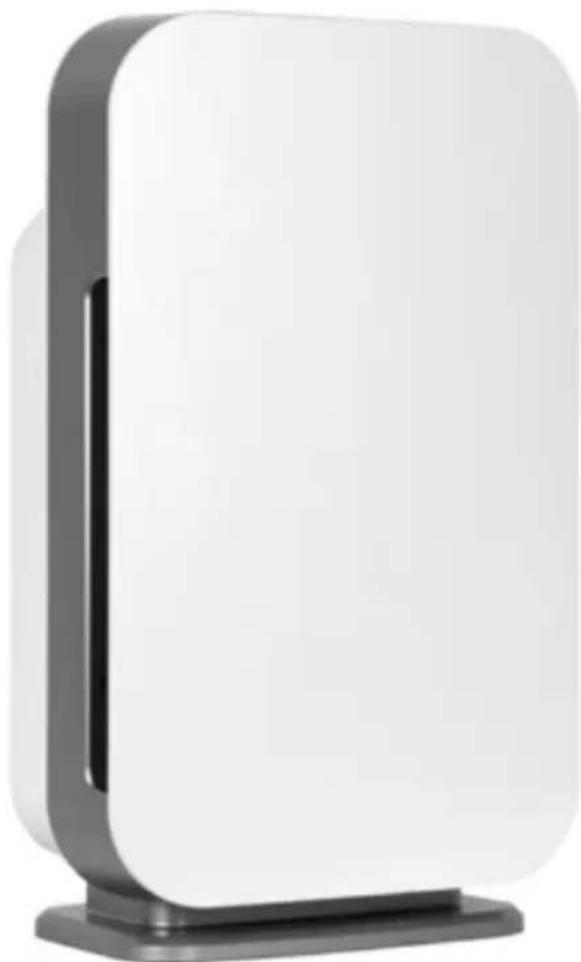
TABLE OF CONTENTS
Air Purifier Safety 3
Using Your Air Purifier 4
Operating Your Unit Identification of Parts
Know Your Air Purifier 6
Getting Started Features
Care & Maintenance 6
Cleaning Instructions Filter Care Alen's Filter Subscription Program How to Replace the Filter
Troubleshooting Tips....9
Warranty Information .... 10

The 8 hr TWA Ozone for this product is 0.001 ppmv when tested in a 30 m3 chamber. Refer to safety instructions in manual for more information. See back of unit for rating label and regulatory markings.

Contains Transmitter Module FCC ID: 2ANDL-TYWE3S
This product must be installed and operated with a minimum distance of 20 cm between the radiator and user body.
AIR PURIFIER SAFETY
This manual provides important safety messages regarding your electrical home appliance. Always read, follow, and, save all safety directions.
Location Requirements
• Use a level surface at least 6" (15.2cm) from heat sources such as ranges, dryers, or heaters.
- Do not block air vent openings.
- Never insert fingers or foreign objects into air vents.
- Do not place air purifier on a soft or unstable surface such as a bed or sofa.
- Do not use in a window.
- Do not use next to a source of heat such as a range, heater, or dryer.
- Do not use near any source of water such as a sink, bath, shower, or swimming pool.
- Operate indoors only.
Electrical and Safety Requirements — Reduce the risk of fire or electric shock.
Failure to follow these instructions can result in property damage, injury, or death.
- Do not connect unit to any electrical socket that is damaged.
- Do not plug the air purifier into an outlet controlled by a dimmer switch.
- Do not insert or pull out plug with wet hands, it may cause electric shock.
- Do not use an adapter. Do not use an extension cord.
- Use only in the proper electrical socket type. Socket type (voltage & hertz) can be found on the unit's back panel label. Incorrect socket use can damage/destroy the unit.
- Do not exceed the rating of the power outlet or connection device. May cause electric shock or fire due to excess heat generation.
- Never try to take apart or repair the unit by yourself.
- Disconnect power immediately if you notice strange sounds, smells, or smoke.
- Change your filter at the recommended interval to avoid particle and dust buildup.
- Ensure filter is correctly installed before turning on unit. Do not run unit without a filter.
- Do not cover the unit or impede airflow.
- Do not drop the unit, as this can result in damage.
- Do not place heavy objects on the power cord and be sure the cord is not compressed as there is danger of fire or electric shock.
- Do not spray insecticides or any other flammable sprays near the unit. It may cause explosion or fire.
- WARNING! To reduce the risk of electric shock, this equipment has a polarized plug (one blade is wider than the other). This plug will fit in a polarized outlet only one way. If the plug does not fit fully in the outlet, reverse the plug. If it still does not fit, contact qualified personnel to install the proper outlet. Do not alter the plug in any way.
USING YOUR AIR PURIFIER
PLEASE NOTE:
The BreatheSmart 45i has capacitive touch control panels. The buttons only operate with a quick, light touch. Holding the buttons down will not activate the controls properly. A chime will indicate that the control has registered your touch.
Operating Your Unit:
- Plug your air purifier into a grounded outlet.
- Touch Power Button in the center to start the air purifier. When your unit is on, the lights will illuminate. To turn off display lighting, press the ⏻ Power Button. To turn off the air purifier, touch the ⏻ Power Button again after the lights have turned off. The LIGHT Button can also be used to control the display lighting.
- The BreatheSmart 45i has a Color Ring around the Power Button indicating air quality, as measured by the particle sensor.
| COLOR MEANING | |
| Blue Very low level of airborne particles detected | |
| Green Low level of airborne particles detected | |
| Orange Medium level of airborne particles detected | |
| Red Significant level of airborne particles detected | |
| Purple Very significant level of airborne particles detected |
- Press IONIZER to activate the ozone-safe ionizer. Activation of the ionizer enhances your unit's ability to remove airborne particles (similar to the way dust is attracted to a TV screen). Press the ionizer button again to turn off.
- FILTER life Indicator — There are three lights above the FILTER button: Green, Yellow, and Red. The Green light will be illuminated for most of the life of the filter. The Yellow light will come on shortly before your filter should be replaced. This is the ideal time to order a new filter. The Red light will be illuminated when it is time to replace the filter.
- After changing the filter, hold the FILTER button down for five seconds. This will reset the Red light to Green.
- Touch LIGHT to adjust display lighting (LO, HI, or OFF). LO dims lights by 50%.
Identification of Parts – BreatheSmart 45i Control Panel
![graph TD A["Ozone-safe Ionizer, On/Off."] --> B["IONIZER"] C["Filter"] --> D["..."] E["Light"] --> F["LO HI OFF"] G["Touch to adjust display lighting. LO (dim), HI (full), OFF."] --> H["Power Symbol"] I["Touch to select one of four fan speeds. Lights will display selected speed."] --> J["~ ≈ ≈ T"] K…](/content/2026/05/898199/images/e11e768d1fe8e5beb54369854d1a033a12327ee1a34d4e13552accae084fe651.jpg)

KNOW YOUR AIR PURIFIER
Getting Started
When using the air purifier for the first time, we recommend that you use a higher fan speed, such as speed three (3) or Turbo (T), for at least two hours to quickly clean the room's air. Then, we recommend that the air purifier run continuously on speed two (2) or three (3) to maintain air quality, or set your unit to Auto mode.
BreatheSmart 45i Features
• True HEPA filtration captures dust, allergens, and airborne pollutants
- Four fan speeds to control air circulation
- Three settings to control display lighting
- Filter change indicator light keeps replacements on schedule
- Simple and intuitive touch button controls
• Auto-off safety feature when front cover is removed
Turn The Lights Off/On
To turn your unit's display lighting off, touch the LIGHT button and select OFF. The lights will go out, but the unit will continue running. To dim the lights on your unit, select LO
CARE & MAINTENANCE
Cleaning Instruction
To avoid scratching the control panel, do not use abrasive/caustic cleaning solutions or scrubbing pads. With the unit unplugged, dampen a clean towel lightly with soap and water to clean the control panel, then dry gently with a soft cloth or paper towel. Glass cleaner (e.g. Windex) is also OK. To avoid damaging electronic components, DO NOT allow liquid to seep into the unit
Prefilter Cleaning
The black mesh layer on the front of the filter, known as the prefilter, captures large dust and hair. This layer is held on with Velcro®-like strips. This prefilter can be vacuumed in place to maintain efficient operation of the unit.
Replacing The Filter
The Filter Indicator has three lights: Green, Yellow, and Red. The Green light will be illuminated for most of the life of the filter. The yellow light will come on shortly before your filter should be re-placed. This is the ideal time to order a new filter. You may order a new filter at www.alen.com/ filters or by calling 1-800-630-2396. The Red light will be illuminated when it is time to replace the filter.
The filters used in Alen Air Purifiers are not designed to be washed, cleaned, or otherwise reused. Over time, the filters become overloaded with particles, decreasing their filtration performance. We recommend regular filter replacements to extend the life of your air purifier and maximize performance.
Reset the Filter Indicator
After replacing the filter, hold the FILTER button down for five seconds. The Red light will be reset to Green.
Why You Should Replace Your Filter
- You purchased an Alen Air Purifier to improve the quality of your indoor air.
- Changing your filters on time is the only way to maintain an optimal level of air quality.
• Excessively dirty filters can compromise the level of clean air your air purifier can provide.
ALEN'S FILTER SUBSCRIPTION PLAN — Pure Air Made Simple
Regular replacement of your filter will extend the life of your air purifier and keep your air clean. Alen filters provide efficient filtration for 9 to 12 months depending on usage and conditions. With Alen's convenient Filter Subscription Plan, your filters will be shipped right to your door, exactly when needed.
Savings — Save 5% over retail and get FREE SHIPPING on every filter.
Convenience — Choose your desired shipping frequency and never run out of filters.
Superior Coverage — Alen's exclusive Forever Guarantee begins when you complete Product Registration and activate your Filter Subscription (see page 10 for details).
To get started, simply visit www.alen.com/activate or call 1-800-630-2396.
How To Replace The Filter
-
Always unplug the unit when installing a filter.
-
Distinguish the front side from the back side of the filter. The front side has a mesh prefilter attached with Velcro®-like strips.
-
Place the used filter in a plastic bag to prevent dust from re-entering the air.

-
Remove the used filter by pulling out on the ribbon loop. Place the used filter in a plastic bag to prevent dust from re-entering the air.
-
To remove cover, pull firmly on the cover near the top of the intake vents with both hands to release the magnets.
-
After pulling the cover out, lift it away from the unit.


-
Take the new filter out of the plastic bag and insert it into the purifier with the tab facing outward.
-
Insert the bottom hooks on the front cover first and then the upper part of the cover will snap into place.

WARNING! RISK OF ELECTRIC SHOCK - To reduce risk of electric shock, do not perform any servicing other than that contained in the operating instructions.
TROUBLESHOOTING TIPS
How do I reset the filter indicator lights? I put in a new filter but the red or yellow lights are still illuminated.
After changing the filter, RESET the filter indicator by holding down the FILTER button for five seconds while the unit is ON. The light above the FILTER button should reset to green.
How do I find out what electrical specifications my unit needs?
Please refer to the rating label on the back of the unit. Here you will find your unit's voltage, hertz, amps, and outlet requirements.
Can I clean the filter?
The black mesh layer on the front of the filter, known as the prefilter, captures large dust and hair. This layer is held on with Velcro ® -like strips. This prefilter can be vacuumed in place or replaced with a new prefilter to maintain efficient operation of the unit. No other layers or parts of the filter can be washed, cleaned, or otherwise reused. Please replace the filter regularly to maintain optimal performance.
I have an issue not listed in this manual.
Please visit www.alen.com, send us a message at service@alen.com, or call 1-800-630-2396 during business hours. A customer service representative will respond to your inquiry in a timely manner.
What information do I need when I contact customer service for warranty?
Please refer to the rating label on the back of the unit. This rating label has your unit's serial number and other important information we need to assist you.
WARRANTY INFORMATION
FACTORY WARRANTY
With valid proof of purchase and an intact ratings label, we warrant your Alen Air Purifier to be free from defects in materials or workmanship for one year from the date of purchase.
If terms of this warranty are met, Alen will, at its option, either furnish a replacement part or replace your air purifier provided the product is determined by Alen to be defective as a result of faulty material or workmanship while in normal use. Replacements at Alen's option may be certified refurbished units, in like-new condition. Alen's sole obligation under the factory warranty is to replace defective parts or replace your air purifier free of charge.
LIFETIME WARRANTY
Alen offers the industry's first transferrable LIFETIME WARRANTY across our full line of air purifiers. Provided that the unit is registered and enrolled in a filter subscription program directly with Alen (within 12 months of purchase), we warrant your Alen Air Purifier to be free from defects in materials or workmanship for the life of the unit.
All Alen warranties are transferrable.
To activate the lifetime warranty, please register your Alen purifier and enroll in a filter subscription at www.alen.com/register within 12 months of purchase.
What if I do not sign up for a filter subscription?
Without a filter subscription, you may extend the factory warranty from one to five years by simply registering the unit at www.alen.com/register within 12 months of purchase.
How do I obtain warranty service?
Email service@alen.com or call 1-800-630-2396. Product registration and filter subscription will be verified by Alen's warranty service representative.
In most cases, the customer will be provided with a return shipping label for the defective unit to be delivered to Alen's authorized service center, at Alen's expense.
Customer is responsible for packaging the unit in its original (or similar) shipping materials, including protective packaging, to avoid further damage. All postage, insurance, and shipping charges to send the replacement unit to you are the responsibility of Alen and included in this warranty.
Product Warranty Conditions
ORIGINAL LABEL: Your purifier's original back-panel ratings label must be intact.
REGISTRATION: Your Alen Air Purifier (with intact ratings label) must be registered at www.alen.com/register. As of June 2, 2020, five-year warranty and lifetime warranty coverage requires product registration with Alen within 12 months of purchase. If the purifier was purchased before June 2, 2020, registration with Alen is required 12 months after your first warranty claim.
FILTER SUBSCRIPTION: As of June 2, 2020, lifetime warranty requires product registration and enrollment in a filter subscription with Alen within 12 months of purchase. If the purifier was purchased before June 2, 2020, product registration and enrollment in a filter subscription with Alen are required 12 months after your first warranty claim.
OPERATION: Your Alen Air Purifier is operated in accordance with the instructions provided in this Alen user manual.
NORMAL USE: Your purifier should show no evidence of unconventional use; e.g., tampering, mishandling, neglect, accidental damage, or modification. Unit must have its original ratings label intact and must have at all times been connected to a proper power supply (see rating/voltage label on unit).
VOIDING WARRANTY
If Product(s) or any part thereof, with the exception of filters, is proved to be defective by reason only of faulty workmanship or materials, Alen will repair or replace the part or product free of charge for labor and materials according to the details of the “Alen Forever Guarantee.” This warranty shall not apply to damage caused through misuse, wear and tear, neglect, unauthorized repair; damage caused through installation, adaptation, modification, or use in an improper manner or manner inconsistent with Alen’s operating and maintenance instructions; wear or deterioration due to environmental conditions; or damage that occurred during transit. Alen will not be liable under this warranty for any fault or damage arising from defective workmanship, if the Product has been serviced, repaired, or modified by any person other than the manufacturer’s authorized service personnel or if the product’s back-panel ratings has been removed or tampered with. All products returned for service or repair must be accompanied by a Return Authorization number (RA number). The RA number must be clearly visible on the external packaging. Alen reserves the right to refuse any shipment received without an RA number and return shipment at sender’s cost. Alen does not refund shipping, handling, or insurance costs for warranty repairs in the event of a warranty claims found to be void due to any of the use cases listed above once the unit has been inspected by Alen. Alen covers the shipping costs from incoming warranty services requests in the form of a return shipping label. Alen covers the shipping costs going back to the customer for ground shipping only. Should a faster shipping service be required or if the product needs to be shipped outside the continental United States, additional shipping costs will apply and are the responsibility of the end-user. Alen does not extend its warranty nor ship products outside North America. Please call the Alen Customer Experience Team to receive a RA number and shipping instructions prior to shipment.
What if my unit was damaged through unconventional use or improper handling?
Contact Alen warranty service as directed above. Provided the other conditions have been met, a replacement can be purchased for 50% of the Alen regular retail price (MSRP) at the time of replacement (or 50% off of a comparable Alen unit if your purifier model is no longer sold).
FILTER WARRANTY
Your filter is warranted to be free from defects for 30 days from the time of purchase. In most cases, the customer will be provided with a return shipping label for the defective filter to be delivered to Alen's authorized service center, at Alen's expense. Customer is responsible for packaging the filter. All postage, and shipping charges to send the replacement filter to you are the responsibility of Alen and included in this warranty.
DISCLAIMERS / LIMITATIONS
ALEN'S WARRANTY IS IN LIEU OF ALL OTHER WARRANTIES, EXPRESSED OR IMPLIED, INCLUDING WARRANTIES OF MERCHANTABILITY AND FITNESS FOR A PARTICULAR USE OR PURPOSE. ALEN'S SOLE LIABILITY WITH RESPECT TO DEFECTS IN MATERIALS AND WORKMANSHIP IN THE AIR PURIFIER SHALL BE, AT ALEN'S OPTION, TO FURNISH REPLACEMENT(S) OF THE DEFECTIVE PART(S) OR REPLACE THE AIR PURIFIER ON THE BASIS DESCRIBED ABOVE. ALEN WILL NOT INSTALL ANY REPLACEMENT PARTS IT PROVIDES OR PROVIDE LABOR WITH RESPECT TO THE SAME. EXCEPT AS STATED IN THE IMMEDIATELY PRECEDING SENTENCE, ALEN SHALL HAVE NO LIABILITY, WHETHER UNDER A CAUSE OF ACTION IN TORT, STRICT LIABILITY, CONTRACT, OR OTHERWISE, TO ANY PERSON FOR ANY CLAIM, INJURY, LOSS, DAMAGE OR EXPENSE (INCLUDING ANY DIRECT, INDIRECT, SPECIAL, CONSEQUENTIAL, INCIDENTAL, PUNITIVE, OR EXEMPLARY DAMAGES) IN ANY WAY ARISING OUT OF OR RELATING TO THE AIR PURIFIER OR ITS USE BY ANY PERSON. SOME STATES DO NOT ALLOW LIMITATIONS ON AN IMPLIED WARRANTY OR HOW LONG AN IMPLIED WARRANTY LASTS, SO ANY SUCH LIMITATION IN ALEN'S LIFETIME WARRANTY MAY NOT APPLY TO YOU. SOME STATES DO NOT ALLOW THE EXCLUSION OR LIMITATION OF INCIDENTAL OR CONSEQUENTIAL OR OTHER DAMAGES SO ANY SUCH EXCLUSIONS OR LIMITATIONS IN ALEN'S LIFETIME WARRANTY MAY NOT APPLY TO YOU. ALEN'S WARRANTY GIVES YOU SPECIFIC LEGAL RIGHTS.
AL≈N®
PURE AIR FOR LIFE™
Copyright © 2021 Alen Corp. All Rights Reserved.
BreatheSmart 45i March-12-2021

- ALEN BREATHESMART 45I HEPA AIR PURIFIER
- TABLE OF CONTENTS
- AIR PURIFIER SAFETY
- LOCATION REQUIREMENTS
- ELECTRICAL AND SAFETY REQUIREMENTS — REDUCE THE RISK OF FIRE OR ELECTRIC SHOCK
- USING YOUR AIR PURIFIER
- PLEASE NOTE
- OPERATING YOUR UNIT
- KNOW YOUR AIR PURIFIER
- GETTING STARTED
- BREATHESMART 45I FEATURES
- TURN THE LIGHTS OFF/ON
- CARE & MAINTENANCE
- CLEANING INSTRUCTION
- PREFILTER CLEANING
- REPLACING THE FILTER
- RESET THE FILTER INDICATOR
- WHY YOU SHOULD REPLACE YOUR FILTER
- ALEN'S FILTER SUBSCRIPTION PLAN — PURE AIR MADE SIMPLE
- HOW TO REPLACE THE FILTER
- TROUBLESHOOTING TIPS
- CAN I CLEAN THE FILTER
- I HAVE AN ISSUE NOT LISTED IN THIS MANUAL
- WARRANTY INFORMATION
- FACTORY WARRANTY
- LIFETIME WARRANTY
- WHAT IF I DO NOT SIGN UP FOR A FILTER SUBSCRIPTION
- HOW DO I OBTAIN WARRANTY SERVICE
- PRODUCT WARRANTY CONDITIONS
- VOIDING WARRANTY
- WHAT IF MY UNIT WAS DAMAGED THROUGH UNCONVENTIONAL USE OR IMPROPER HANDLING
- FILTER WARRANTY
- DISCLAIMERS / LIMITATIONS
Brand : Alen
Model : BreatheSmart 45i
Category : Air purifier