PHILIPS Hue Iris - Lighting

Hue Iris - Lighting PHILIPS - Free user manual and instructions

Find the device manual for free Hue Iris PHILIPS in PDF.

📄 8 pages English EN Download 💬 AI Question 10 questions ⚙️ Specs
Notice PHILIPS Hue Iris - page 3
Pick your language and provide your email: we'll send you a specifically translated version.
Product Type Smart Table Lamp
Model Hue Iris (929002376101 / 929002376201)
Dimensions (Diameter x Height) Approx. 14 cm x 20 cm (5.5 in x 7.9 in)
Weight 0.5 kg (1.1 lb)
Power Supply AC 100-240V, 50/60 Hz (included adapter)
Power Consumption 7 W (max)
Light Source Integrated LED (non-replaceable)
Color Temperature 2000K - 6500K (white ambiance)
Colors 16 million colors
Dimming Software dimming via app (1% - 100%)
Connectivity Zigbee (requires Hue Bridge)
Smart Features Voice control (Alexa, Google Assistant, Apple HomeKit), routines, geofencing, wake-up light
Compatibility Philips Hue app, Amazon Alexa, Google Home, Apple HomeKit, SmartThings
Warranty 2 years (against manufacturing defects)
Maintenance & Cleaning Wipe with a soft, dry cloth. Do not use liquid cleaners.
Safety Features Overheat protection, CE marked, RoHS compliant
Spare Parts & Repairability LED module non-replaceable; power supply can be replaced. Contact Philips support.
Package Contents Hue Iris lamp, power adapter, user manual

Frequently Asked Questions - Hue Iris PHILIPS

Do I need a Hue Bridge to use the Hue Iris?
Yes, the Hue Iris requires a Hue Bridge to connect to your Wi-Fi network and enable smart features like remote control and voice commands.
Can I use the Hue Iris without a smartphone?
Basic on/off and color change can be done using the Philips Hue dimmer switch or Hue Tap, but for full functionality a smartphone with the Hue app is recommended.
How do I reset the Hue Iris?
To reset, unplug the lamp from power, wait 5 seconds, plug it back in, then using the app remove the light and re-add it. If the lamp is unresponsive, use the touchlink feature in the app.
What are the dimensions of the Hue Iris?
The Hue Iris has a diameter of approximately 14 cm (5.5 in) and a height of 20 cm (7.9 in). It is a compact table lamp.
Can I change the color temperature?
Yes, the Hue Iris supports white ambiance from 2000K (warm) to 6500K (cool) as well as millions of colors.
Is the Hue Iris compatible with Apple HomeKit?
Yes, via the Hue Bridge, the Hue Iris works with Apple HomeKit allowing Siri voice control and automations.
How many Hue Iris lamps can be controlled at once?
You can control up to 50 Hue lights with one Hue Bridge. The Iris can be grouped with other lights in the app.
What is the power consumption?
The maximum power consumption is 7 watts, making it an energy-efficient smart lamp.
Can I use physical controls?
Yes, compatible accessories like the Hue dimmer switch or Hue Tap can control on/off, brightness, and scenes without a phone.
What should I do if the lamp does not respond?
First, check power connections. Then ensure the lamp is within range of the Hue Bridge (30m line of sight). If still not responding, power cycle the lamp and use the app's search function to reconfigure.

User questions about Hue Iris PHILIPS

0 question about this device. Answer the ones you know or ask your own.

Ask a new question about this device

The email remains private: it is only used to notify you if someone responds to your question.

No questions yet. Be the first to ask one.

Download the instructions for your Lighting in PDF format for free! Find your manual Hue Iris - PHILIPS and take your electronic device back in hand. On this page are published all the documents necessary for the use of your device. Hue Iris by PHILIPS.

USER MANUAL Hue Iris PHILIPS

personal wireless lighting

Iris
PHILIPS Hue Iris - 1

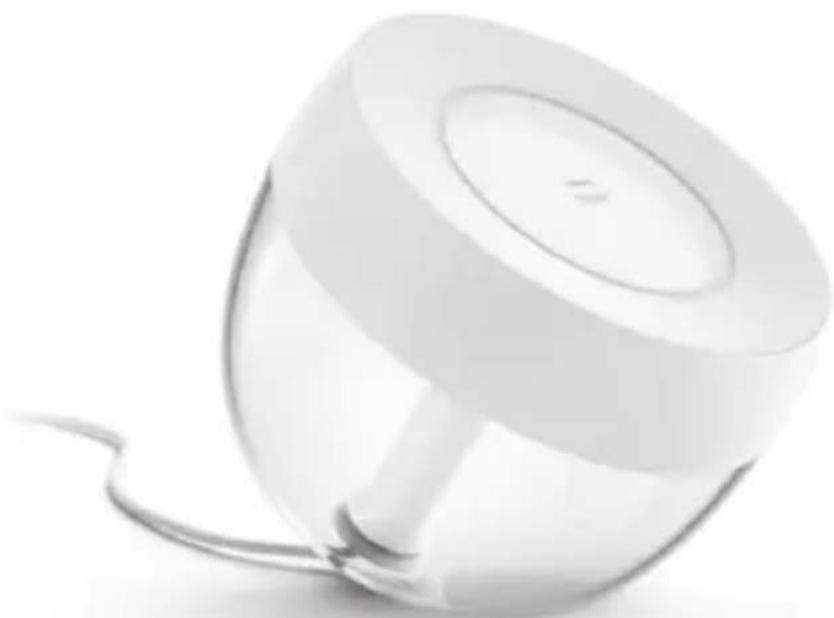
natural_image Modern white lamp with a transparent dome and curved base, no visible text or symbols

Gebruiksaanwijzing

Notice d'emploi

Benutzerhandbuch

User manual

Manual de usuario

Усер инструкция

A

Incl.

A B

UK only

PHILIPS Hue Iris - 4

natural_image Line drawing of a handheld electronic device with a scroll wheel and indicator lights (no text or symbols)

PHILIPS Hue Iris - 5

natural_image Technical line drawing of a mechanical device with no visible text or symbols

PHILIPS Hue Iris - 6

natural_image Line drawing of a mechanical component with a central circular feature and a base (no text or symbols)
PHILIPS Hue Iris - 7

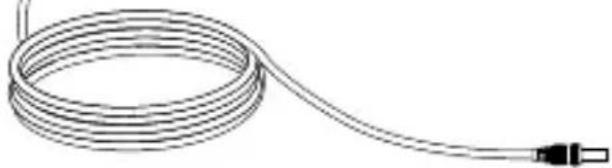
natural_image Line drawing of a coiled cable with a terminal connector (no text or symbols)
PHILIPS Hue Iris - 8

PHILIPS Hue Iris - 9

PHILIPS Hue Iris - 10

PHILIPS Hue Iris - 11

PHILIPS Hue Iris - 12

PHILIPS Hue Iris - 13

PHILIPS Hue Iris - 14

PHILIPS Hue Iris - 15

PHILIPS Hue Iris - 16

PHILIPS Hue Iris - 17

PHILIPS Hue Iris - 18

PHILIPS Hue Iris - 19

www.meethue.com/getstarted

PHILIPS Hue Iris - 20

natural_image Technical line drawing of a mechanical component with a shaft and base, showing a directional arrow (no text or symbols)

HUE serial number

Diagram showing a plug device with warning symbol and magnified detail view, indicating inspection or disassembly.

Diagram showing a power outlet device with warning symbols and a cross symbol indicating no protection or disapproval.

② FELI

EN How to get started

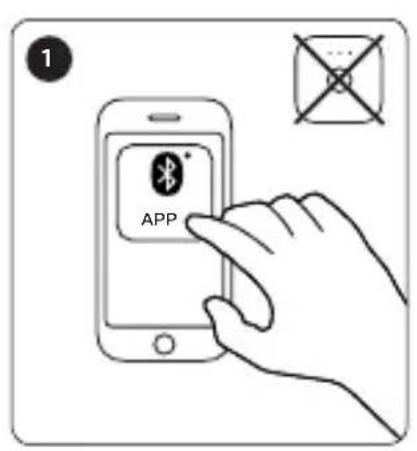
1 APP

2 ? www.meethue.com/bluetooth

3

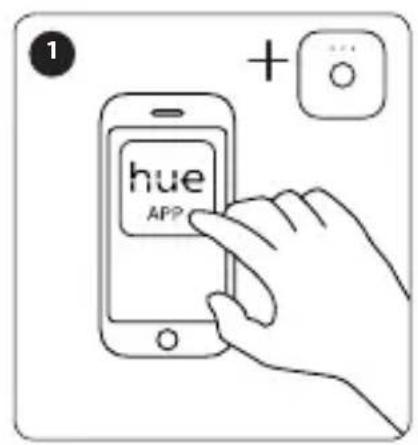
1 + ... hue APP

2 www.meethue.com/philipshueapp

3

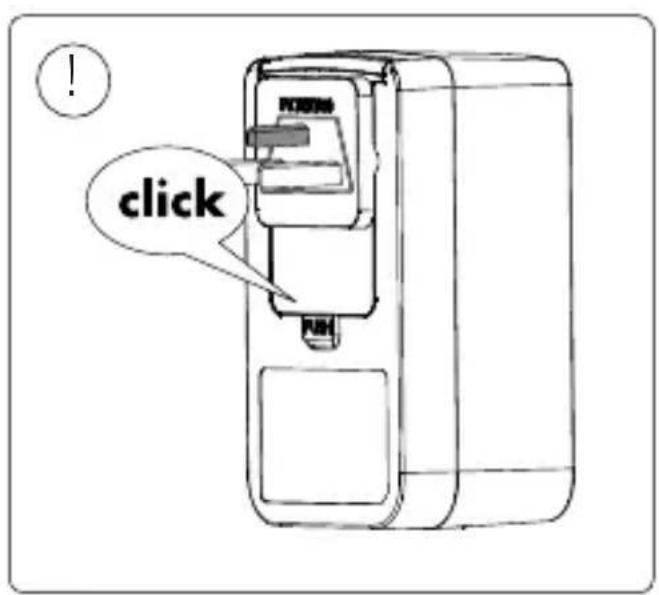
UK only MINTO MINTO PUSH

click

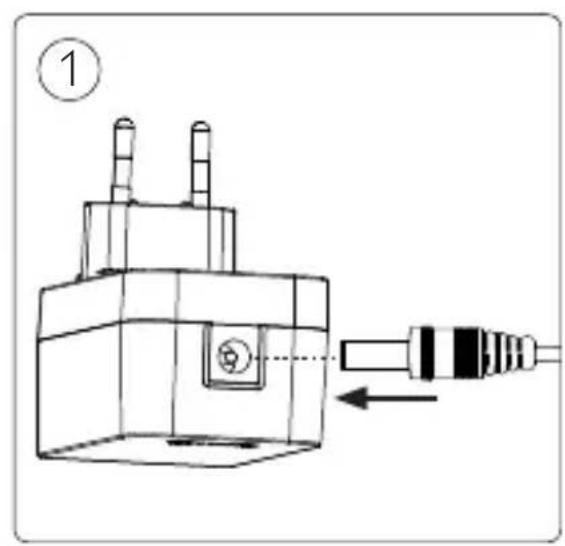
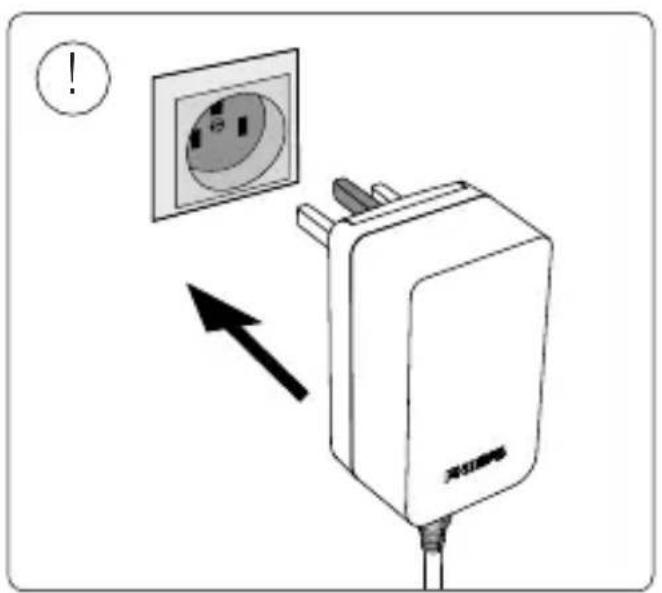
Diagram showing a power outlet with an arrow pointing to it, indicating disassembly or disassembly of the socket.

PHILIPS

Signify

All rights reserved.

929002376101 Hue Iris gen4 EU/UK white

929002376201 Hue Iris gen4 EU/UK black
Table of contents Click a title to access it
Manual assistant
Powered by Anthropic
Waiting for your message
Product information

Brand : PHILIPS

Model : Hue Iris

Category : Lighting