
Mi Bunny MITU Toy Block Robot - Toy Xiaomi - Free user manual and instructions
Find the device manual for free Mi Bunny MITU Toy Block Robot Xiaomi in PDF.


| Product Type | Toy Block Robot |
| Brand | Xiaomi |
| Model | Mi Bunny MITU Toy Block Robot (Mitu (Bunny) Block Robot) |
| Model Number | JMJQR01IQI |
| Number of Blocks | 978 pcs. |
| Weight | 2500 g |
| Packing Size | 380 x 320 x 95 mm |
| Battery Type | Lithium-polymer |
| Battery Capacity | 18.3 Wh |
| Input Voltage | 14 V |
| Input Current | 1.0 A |
| Connectivity | Bluetooth 4.0 |
| Recommended Age | 10 years and up (supervision for under 10) |
| Material | ABS, PC |
| Operating Temperature | -10°C to 45°C |
| Storage Temperature | -20°C to 45°C |
| Main Functions | Building blocks, self-balancing, programmable, app control via Block Robot app |
| Maintenance | Clean with dry cloth; keep away from heat and moisture |
| Safety | Choking hazard for under 3; use only supplied adapter; do not disassemble |
| Warranty | 7-day return, 15-day replacement for faults; warranty conditions apply |
| Manufacturer | Beijing Aiqi Technology (for Xiaomi Tunxun Technology) |
Frequently Asked Questions - Mi Bunny MITU Toy Block Robot Xiaomi
User questions about Mi Bunny MITU Toy Block Robot Xiaomi
0 question about this device. Answer the ones you know or ask your own.
Ask a new question about this device
Download the instructions for your Toy in PDF format for free! Find your manual Mi Bunny MITU Toy Block Robot - Xiaomi and take your electronic device back in hand. On this page are published all the documents necessary for the use of your device. Mi Bunny MITU Toy Block Robot by Xiaomi.
USER MANUAL Mi Bunny MITU Toy Block Robot Xiaomi
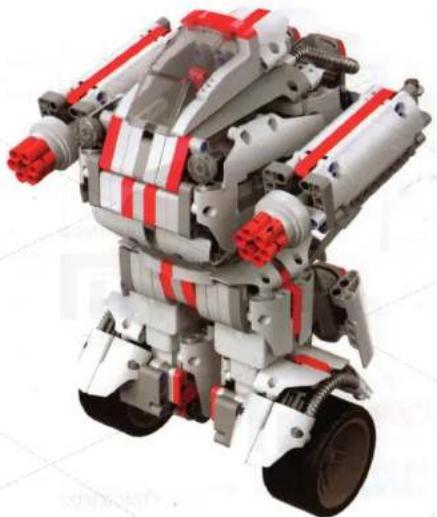
Mitu (Bunny) Block Robot
natural_image
Robotic robot with red and white structural components, no visible text or symbolsOverview
Number of blocks: 978 pcs.
Weight: 2500 g
Packing size: 380 x 320 x 95 mm.
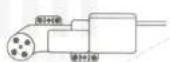
Motor 1

The control unit
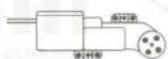
Motor 2
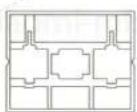
Package for blocks
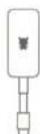
Special
adaptor

Instruction of
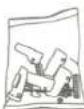
Block pack x8
Robot assembly
1. Preparing for robot assembly
Sort separately all little details in special packaging for storage of robot units, big details gather in separate boxes.
2. Blocks assembly
In compiling Mitu (Bunny) Block Robot follow the instructions or download the e-manual in the «Block Robot» APP.
3. Checking of compiled robot
1) Before first use fully charge the control unit.
2) Ensure an accuracy and strength of connection interfaces.
3) Make sure, that the direction of Mitu (Bunny) logos on motors corresponds to the direction of control unit buttons.
4) Be sure you assembly the robot correctly.
Overview
natural_image
Simple diagram of a robot head with a dotted line and number 4 label, enclosed in a rounded square frame (no text or symbols beyond labels)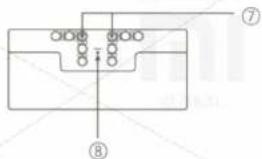
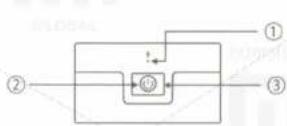
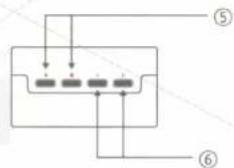
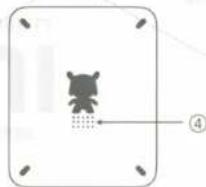
1. Control unit
1) Microphone;
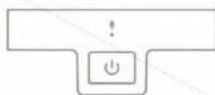
2) Status indicator;
3) Power button;
4) Speaker;
5) Ports of motors;
6) Port to data expansion;
7) Holes for assembly;
8) Reset button.
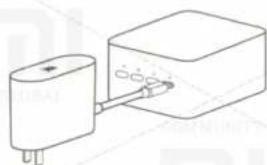
2. Adaptor
Please do not use third-party adapter to recharge the unit.
natural_image
Simple line drawing of a battery connected to a rectangular block with three ports (no text or symbols)The same charge through ports A, B, C, D.
During charging, light is red.
On full charging of device, light is green.
3. Motor
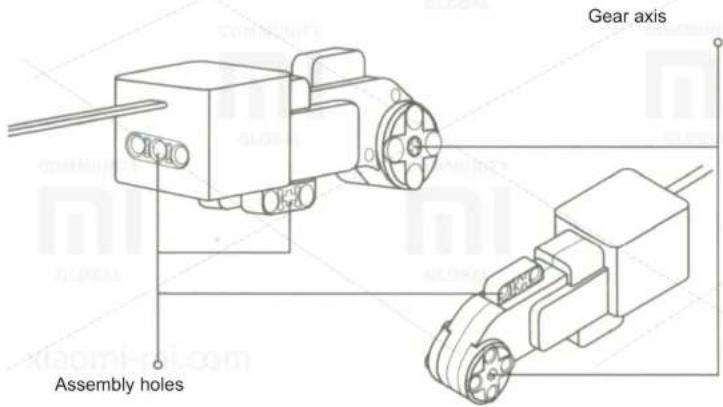
Steps to turning the robot on
When the robot turning on, it's necessary to pay attention to several points:
- Select a space and a flat surface.
- Put robot to selected surface vertically.
- Press the power button to turn on the device. Mitu (Bunny) Block Robot automatically adjust the center of gravity and keep the balance.
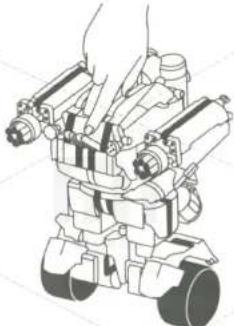
natural_image
Line drawing of a robotic device with articulated joints and wheels (no text or symbols)Switching on: Press the power button.
Switching off: Press the power button and hold for 3 seconds until you hear the special beep.
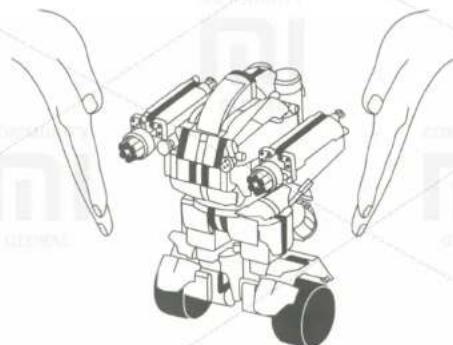
natural_image
Line drawing of a robotic device with two hands pointing at it (no text or symbols)Note: Before turning on, please place the unit as much as possible perpendicular to a surface. In determining the center of gravity, and if you want a little support Mitu (Bunny) Block Robot, to prevent falling. Mitu (Bunny) Block Robot automatically finds and holds a balance.
Installing an App
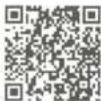
- At Mi Store search for «Block Robot» or scan the QR-code, to download the client program.
2. Connecting to Mitu (Bunny) Block Robot

Open «Block Robot» app, turn on Bluetooth on your phone. Click on the icon with Bluetooth, which is in the upper left corner of the interface, and then start searching for devices. Locate and select Mitu (Bunny) Block Robot.
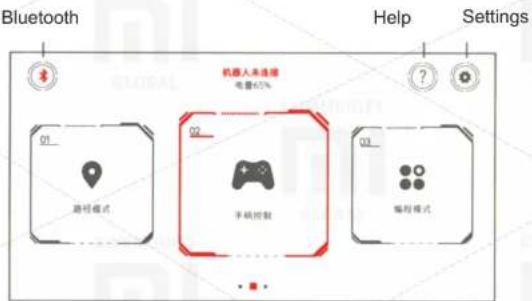
3. Software update and help
Make sure you are connected to the network (we recommend using Wi-Fi). Open the App and connect to the Mitu (Bunny) Block Robot.
Select Settings - System Update - Update Software.
The software update may take about 20 minutes. Please be patient and wait for the completion of upgrades. Note the following items:
1) motors of robot must be switched off to prevent reset an update process.
2) before updating a software, please ensure that you have sufficient level of battery unit.
3) during a software update, the phone should be located near the control unit.
4) for more information, please click on the icon «Help» in the App.
Presence of harmful and toxic substances
O: toxic and harmful substances in all components of the device are contained in an amount below the limit value, according to the standard GB / T 26572.
X: presence of toxic and hazardous substances at least one of the components of the device in an amount, that exceeds the threshold, according to GB / T 26572.
99% of the component parts of the device are made of environmentally friendly materials. Parts containing toxic substances (electronic components) cannot be replaced, because it does not exist analogs, that would completely composed of environmentally friendly materials.
Specifications
Name: Mitu (Bunny) Block Robot;
Children aged from 10 years;
Battery type: Lithium-polymer battery;
Input voltage: 14V;
Connection: on Bluetooth;
Operating temperature: -10C - 45C;
Model: JMJQR01IQI;
Material: ABS, PC;
Battery Capacity: 18.3Wh;
Input Current: 1.0A;
Type of wireless communication: Bluetooth 4.0;
Storage temperature: -20C - 45C.
Cautions
- Do not dismantle the control unit and motors.
- Do not use the device near a heat source, open flame or in rooms, where the temperature exceeds 60 C.
- Do not short circuit the device.
- Do not expose a mechanical stress to the device.
• Children under 10 years old can use the device only under the supervision of elders. - The configuration of this device is the small details. Children under 3 years are prohibited
from using the device to avoid an accident.
Troubleshooting
| Fault | Cause | Troubleshooting |
| No reaction to pressing a button. | Insufficient level of control unit battery. | Charge the control unit. |
| App alerts of problem connecting via Bluetooth. | Control unit is not turned on | Turn on the control unit. |
| Bluetooth is not turned on. | Turn on Bluetooth via App. | |
| After software update flashing red light / sound signal, that indicates an error. | Bluetooth is off. | Try to connect via Bluetooth again. |
| Insufficient level of control unit battery. | Charge the control unit. | |
| Programming error. | Bluetooth is off. | Try to connect via Bluetooth again. |
| Verify whether pressed "Start programming" button in the App. | Press "Start Programming" button. | |
| On a low battery indicator is not lit red. | Ensure good contact between the charging plug and device sockets. | Remove again a plug and insert a charge connector into device. Check a contact between them. |
| Robot self-balance problem | Motor connecting error. | Ensure, that motor is connected to A and B ports. |
| Problems with the contact with the motor. | Remove again a plug and insert a motor connector into device. Check a contact between them. | |
| Problems with assembly and connecting to motor. | Make sure, that the direction of Mitu (Bunny) logos on the motor corresponds to the direction of control unit buttons. | |
| Insufficient level of control unit battery. | Charge the control unit. | |
| The robot shaking when moving. | Collected structure is not strong enough. | Check if assembly of the robot was correct. |
| Problems with the remote control. | Ensure a successful connect via Bluetooth. | Try to connect via Bluetooth again. |
| Recharging problem. | Make sure that you use a correct adapter. | Use a special adaptor only. |
If you can not rectify the fault, control unit press the reset button of control unit.
Warranty
I. Post-sale service is carried out according to the law on «consumer rights» and «Law on product quality.» Warranty service includes:
- Within 7 days of purchase, in case of any problem with «fault list» Xiaomi service center determines the cause of the problem, then you can return.
- Within 15 days of purchase, in case of any problem with «fault list» Xiaomi service center defines the problem, then you can use the free replacement of product.
II. Conditions are not included in warranty
- Completion of maintenance, fall, neglect, abuse, impact of water accident, if tag and marking of device is spoiled;
- The warranty period has expired;
- Damage arising under force majeure circumstances;
- Damage, that do not meet the «List of faults» of Xiaomi service center;
- Breakdown device or its components' list of faults have arisen, due to the human factor and which prevent proper operation.
III. In case of unjustified return of goods within 7 days of purchase, the product must meet the «Conditions of unwarranted return of goods»:
- Return of goods is carried out within 7 days of purchase (time counting starts from the second day after signing the receipt of goods 00.00);
- The application meets all buyer by legislation and regulations;
- The value referred to in the statement of a buyer must meet a cash paid for goods amounts;
- The packaging should be good and hold an all components of the device;
- Appearance should be no scratches, abrasions, fractures and other injuries, indicating a use of the device;
- Be sure to be in stock warranty card without any damage;
- Loss or damage of additional gifts or sales receipt does not affect a return of goods; lost or damaged souvenirs can be evaluated separately (as determined by the cost of a souvenir, if possible, where it's a souvenir value, the price may not exceed 10% of the original price of goods); in case of loss of the sales receipt buyer assumes responsibility for the return of taxes paid.
IV. Requirements for return and replacement of product
Before a user submits a request to return or replace the goods, he should discuss the matter with an expert customer support and determine whether the situation described by the terms of Mitu (Bunny) Block Robot after-sales service.
List of Faults
| Name | Mitu (Bunny) Block Robot | |||
| Faults | The Control unit not turning on | Problems with recharging of device | Problems with using device connectors | Problems with using and working of motors |
Company-Customer: «Xiaomi Tunxun Technology»;
Manufacturer: OOO «Beijing Aiqi Technology»;
Thank you for choosing this product!
Keep these instructions accordingly.
XIAOMI-MI.COM
- Robot assembly
- Preparing for robot assembly
- Blocks assembly
- Checking of compiled robot
- Control unit
- Adaptor
- Motor
- Steps to turning the robot on
- Installing an App
- Connecting to Mitu (Bunny) Block Robot
- Software update and help
- Presence of harmful and toxic substances
- Specifications
- Cautions
- Warranty
- Conditions are not included in warranty
- Requirements for return and replacement of product
Brand : Xiaomi
Model : Mi Bunny MITU Toy Block Robot
Category : Toy