
KW 4060 - Kitchen scale GRUNDIG - Free user manual and instructions
Find the device manual for free KW 4060 GRUNDIG in PDF.


| Product Type | Kitchen Scale |
| Brand | Grundig |
| Model | KW 4060 |
| Weighing Range | 10 g – 5000 g (5 kg) |
| Accuracy | 1 g |
| Units of Measurement | g, oz |
| Weighing Surface | Glass |
| Control Type | Sensor buttons |
| Display | LCD |
| Power Supply | 1 x 3 V Lithium CR-2032 battery |
| Special Functions | Tare function, auto-off after 1 minute, overload indicator (EEEE), low battery indicator (Lo) |
| Maximum Load | 5000 g / 176 oz |
| Safety Features | Non-slip rubber feet, overheat protection (do not place on hot surfaces), battery compartment lock |
| Cleaning Instructions | Wipe with damp soft cloth; do not use alcohol, acetone, or abrasive cleaners; do not immerse in water |
| Storage | Cool, dry place away from moisture and direct sunlight; remove battery if not used for long periods |
| Battery Disposal | Do not dispose with household waste; recycle according to local regulations |
| Environmental Compliance | Conforms to EU Directives 2004/108/EC |
| Accessories Included | 1 x 3 V Lithium CR-2032 battery |
| Intended Use | Domestic household use only |
| Warranty | Standard manufacturer warranty; contact dealer or service center for repairs |
Frequently Asked Questions - KW 4060 GRUNDIG
User questions about KW 4060 GRUNDIG
0 question about this device. Answer the ones you know or ask your own.
Ask a new question about this device
Download the instructions for your Kitchen scale in PDF format for free! Find your manual KW 4060 - GRUNDIG and take your electronic device back in hand. On this page are published all the documents necessary for the use of your device. KW 4060 by GRUNDIG.
USER MANUAL KW 4060 GRUNDIG
natural_image
3D CAD model of a mechanical component with mounting holes and a central internal feature (no text or symbols)ENGLISH 11-15
Please read this instruction manual thoroughly prior to using this appliance! Follow all safety instructions to prevent damage due to improper use!
Keep the instruction manual for future reference. If this appliance is given to a third party, then this instruction manual must also be handed over.
■ The appliance is designed for domestic use only. It should not be used for commercial purposes.
- Do not immerse the appliance in water or in other liquids; do not hold it under running water.
■ Never use the appliance if it is damaged.
- Our GRUNDIG Household Appliances meet the applicable safety standards. Therefore, if the appliance is damaged, it must be repaired or replaced by the dealer, a service centre or a similarly qualified and authorised service technician to avoid any danger. Faulty or unqualified repair work may cause danger and risks to the user.
- Do not dismantle the appliance under any circumstances. No warranty claims are accepted for damage caused by improper handling.
- Keep the appliance always out of the reach of children.
The appliance should not be used by the following persons, including children: those with limited physical, sensory or mental capabilities and also those with a lack of experience and knowledge. This does not apply to the latter if they were instructed in the use of the appliance or if they use it under the supervision of a person responsible for their safety. Children should always be supervised to ensure that they do not play with the appliance.
■ Do not overload this scale, max. 5000g.
- Do not continue to use the appliance, if it is dropped or if there are any cracks or chips on the glass surface.
■ Never operate or place this appliance on or near to hot surfaces such as a gas burner, electric hot plate or hob.
■ Never use the appliance in or near to combustible, inflammable places and materials.
■ Always use the appliance on a stable, flat, clean, dry and non-slip surface.
■ Vibrations should be avoided.
If you have any problems with this appliance, try resetting it by removing the battery briefly or replacing it.
■ Only use top-quality batteries.
■ Batteries are very dangerous if swallowed. Please keep the battery and this appliance away from children at all times. If a battery is swallowed, seek medical attention immediately.
■ The battery should never be recharged or reactivated in any way, nor should it be thrown into a fire.
■ Never allow the battery to come in contact with water.
If the appliance is not to be used for a longer period of time, then the battery should be removed.
■ If the scales no longer works properly, replace the battery.
■ Batteries do not belong in household waste! Please dispose of expired batteries in an environmentally friendly way and according to the applicable legal regulations.
■ Before disposing of the appliance, remove the battery.
- When inserting the battery, pay attention to the polarity as indicated inside the battery compartment. Do not short-circuit the battery.
Note
This product complies to the general radiated immunity standard. However, the product may be influenced by nearby sources of radiated immunity in high frequencies. In such a case, remove the source immediately to avoid any malfunction or incorrect display of the product.
Dear Customer,
Congratulations on the purchase of your new GRUNDIG KW 4060 Kitchen Scales.
Please read the following user notes carefully to ensure full enjoyment of your quality Grundig product for many years to come.
Special features
■ Glass surface design.
■ 10 gr - 5 kg weighing range, with a measuring accuracy of 1 gram.
■ Ultra-slim appearance.
■ Sensor buttons.
Controls, parts and accessories
See the figure on page 2.
A Weighing surface
B UNIT button
c Display
D ON/TARA button
E Rubber feet
F Battery compartment
Accessories
3 V lithium battery
Inserting / replacing the battery
This appliance runs on one 3 V lithium CR-2032 battery. When the battery is running low, "Lo" will appear in the display C. Proceed as follows to insert or replace the battery.
1 Open the battery compartment F on the bottom of the appliance by pressing the latch inwards and removing the battery compartment cover.
2 If necessary, remove the expired battery first and dispose of it in an environmentally friendly way. Place a 3 V CR-2032 battery into the battery compartment. Pay attention to the correct polarity as indicated in the battery compartment.
3 Put the battery compartment cover back on and close it. Make sure that it clicks into place.
Weighing
1 Place the appliance on a stable, flat, clean, dry and non-slip surface.
2 Press ON/TARA button D to turn the appliance on.
- Wait for approximately 5 seconds for the appliance to be ready for operation.
Note
If it is not being used, the appliance turns off automatically after 1 minute.
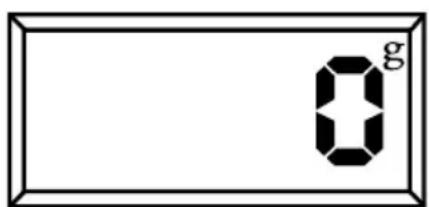
3 The appliance is ready for operation when "0 g" is shown in the display C.
Note
■ Press UNIT button B continuously to change the measuring unit if necessary (see the "Determining the unit of weight" section).
4 Put the items to be weighed on the weighing surface A.
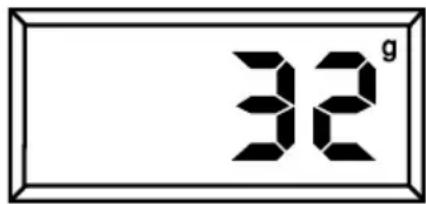
- The display ⓒ will indicate the weight of the items in a few seconds.
5 To turn the appliance off, hold down the ON/TARA button D for 5 seconds.
Determining the unit of weight
This appliance can display the weight in the following units:
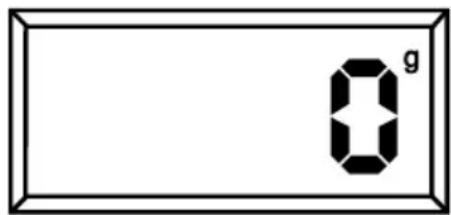
g (gram)
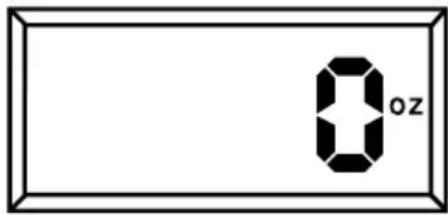
oz (ounce)
1 Set the required unit of weight by continuously pressing the UNIT button B.
Tare function
The Tare function enables you to weigh additional items separately and keep adding them to the existing contents.
1 To use Tare function, press ON/TARA button D after step 4 at weighing section.
- Wait for 2 seconds until the display C indicates "Tare" and "0".
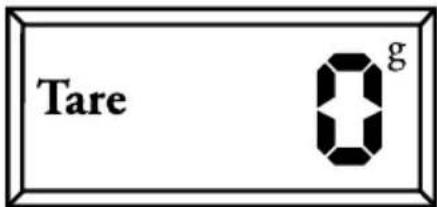
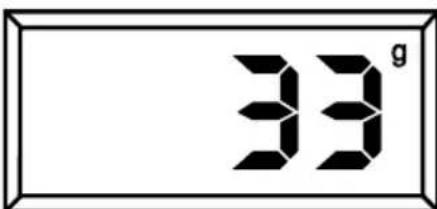
2 Put the additional item on the weighing surface A.
- Weight of the item appears on the displayC.
Note
■ For weighing any additional items repeat steps 1-2.
3 To turn the appliance off, hold down the ON/TARA button D for 5 seconds.
Caution
Do not overload the scales, otherwise it could break. If the scales is overloaded, "EEEE" appears in the display.
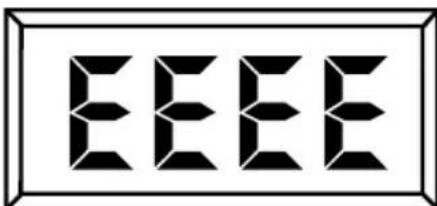
■ The maximum weight on the display of the scales is: 5000 g / 176 oz
Hints and tips
■ You may use containers for items that are suitable for weighing (bowls, plates or cups). Make sure that the containers are not too big.
■ Position the container on the weighing surface correctly.
■ Always place the appliance on an even, clean and non-slip surface.
If the display shows a malfunction, reset the appliance. Remove the battery, wait for 10 seconds and then insert it again.
Cleaning and care
Caution
■ Make sure you follow the safety instructions carefully during cleaning.
1 Turn the appliance off.
2 Use a damp soft cloth to clean the exterior of the appliance.
Caution
■ Never use alcohol, acetone, petrol, solvents or abrasive cleaners, metal objects, metal polish or hard brushes to clean the appliance.
■ Never put the appliance in water or any other liquid.
Note
- Dry all parts carefully with a soft towel after cleaning the appliance.
Storage
If you do not plan to use the appliance for a long period of time, please store it carefully.
Make sure that the appliance is completely dry.
Store the appliance in a cool, dry place, which is protected from moisture and direct sunlight.
Make sure that the appliance is kept out of the reach of children.
Remove the battery from the battery compartment F if you will not be using the appliance for a longer period of time.
Environmental note
This product has been made from high-quality parts and materials which can be re-used and are suitable for recycling.
Therefore, do not dispose of the product and the battery with normal household waste at the end of its service life. Take it to a collection point for the recycling of electrical and electronic equipment. This is indicated by this symbol on the product, in the operating manual and on the packaging.
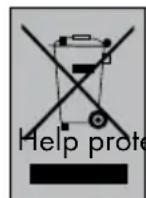
Please consult your local authorities to find out where the nearest collection point is.
ect the environment by recycling used products.
Technical data
This product conforms to the European directives 2004/108/EC.

Power supply: DC 3V; 1 X 3 V Lithium battery (CR-2032)
Max load: 5 kg / 176 oz
Technical and design modifications reserved.
Brand : GRUNDIG
Model : KW 4060
Category : Kitchen scale