
Elan DX 20 - Radio PURE - Free user manual and instructions
Find the device manual for free Elan DX 20 PURE in PDF.


| Product Type | Portable DAB+/FM Radio |
| Brand | Pure |
| Model | Elan DX 20 |
| Dimensions (approx) | 200 x 120 x 80 mm (7.9 x 4.7 x 3.1 in) |
| Weight (approx) | 0.5 kg (1.1 lb) |
| Power Supply | AC adapter (included) or 4 x AA batteries (not included) |
| Radio Bands | DAB/DAB+, FM with RDS |
| Preset Stations | Up to 30 (DAB and FM) |
| Speaker | Single full-range driver, 2.5W output |
| Display | LCD with backlight, showing station info, time, etc. |
| Alarm | Dual alarms with snooze, wake to radio or buzzer |
| Sleep Timer | Yes, adjustable (15-120 minutes) |
| Headphone Jack | 3.5mm stereo |
| Auxiliary Input | 3.5mm stereo (line in) |
| USB Port | None |
| Bluetooth | Not supported |
| Controls | Rotary dial for tuning/volume, buttons for mode, presets, alarm, etc. |
| Care and Cleaning | Wipe with a soft dry cloth; avoid liquids and abrasives |
| Safety | Do not expose to rain or moisture; use only specified power adapter |
| Spare Parts / Repairability | Spare parts not available directly; contact Pure support for repairs |
| General Information | Portable radio for home or travel; easy-to-use interface with clear sound |
Frequently Asked Questions - Elan DX 20 PURE
User questions about Elan DX 20 PURE
0 question about this device. Answer the ones you know or ask your own.
Ask a new question about this device
Download the instructions for your Radio in PDF format for free! Find your manual Elan DX 20 - PURE and take your electronic device back in hand. On this page are published all the documents necessary for the use of your device. Elan DX 20 by PURE.
USER MANUAL Elan DX 20 PURE
PURE
Élan DX20
Owner's Manual

Digital Audio Broadcasting
digital Radio
Warranty information
Imagination Technologies Ltd. warrants to the end user that this product will be free from defects in materials and workmanship in the course of normal use for a period of two years from the date of purchase. This guarantee covers breakdowns due to manufacturing or design faults; it does not apply in cases such as accidental damage, however caused, wear and tear, negligence, adjustment, modification or repair not authorised by us. Please register your product on our website at www.pure.com/register or by filling in and returning your warranty card. Should you have a problem with your unit please contact your supplier or contact PURE Support at the address shown on the rear of this manual.
Copyright
Copyright 2005 by Imagination Technologies Limited. All rights reserved. No part of this publication may be copied or distributed, transmitted, transcribed, stored in a retrieval system, or translated into any human or computer language, in any form or by any means, electronic, mechanical, magnetic, manual or otherwise, or disclosed to third parties without the express written permission of Imagination Technologies Limited.
Disclaimer
Imagination Technologies Limited makes no representation or warranties with respect to the content of this document and specifically disclaims any implied warranties of merchantability or fitness for any particular purpose. Further, Imagination Technologies Limited reserves the right to revise this publication and to make changes in it from time to time without obligation of Imagination Technologies Limited to notify any person or organization of such revisions or changes.
Trademarks
Élan, the Élan logo, PURE, the PURE logo, PURE Digital, the PURE Digital logo, Imagination Technologies, and the Imagination Technologies logo are trademarks or registered trademarks of Imagination Technologies Limited. All other product names are trademarks of their respective companies. Version 1 January 2005
Contents
Introduction....1
Safety instructions....1
Overview diagrams ......2
Top panel - controls and connectors 2
Rear panel - connector....2
Base panel....3
LCD screen 3
Getting started ....4
Switching on and off 4
Listening to DAB 5
Changing stations....5
Using presets....5
Changing the information on the screen....6
Setup options 7
Using the Sleep timer 10
Set the sleep timer....10
Cancel the sleep timer 10
Using batteries 11
Hints and Tips 12
Technical Specifications ....13
Introduction
natural_image
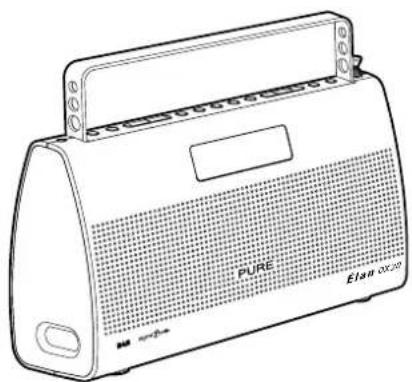
Line drawing of a portable electronic device labeled 'PURE' and 'Elan octos', showing front panel and control panel (no text beyond labels)Thank you for buying the PURE Élan DX20 portable stereo DAB radio.
This manual provides guidance on using your radio and what to do if you have problems.
Please take a minute or two to read through this manual to help you get the most out of your radio, read the safety instructions below, and register your product on our website at www.pure.com/register or by filling in and returning your warranty card.

Safety instructions
Keep the radio away from heat sources.
Do not use the radio near water.
Avoid objects or liquids getting into the radio.
Do not remove screws from or open the radio casing.
Remove batteries if exhausted or if they will not be used again for a long period.
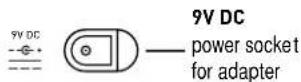
Use only the supplied 9V power adapter if connecting the radio to the mains.
Overview diagrams
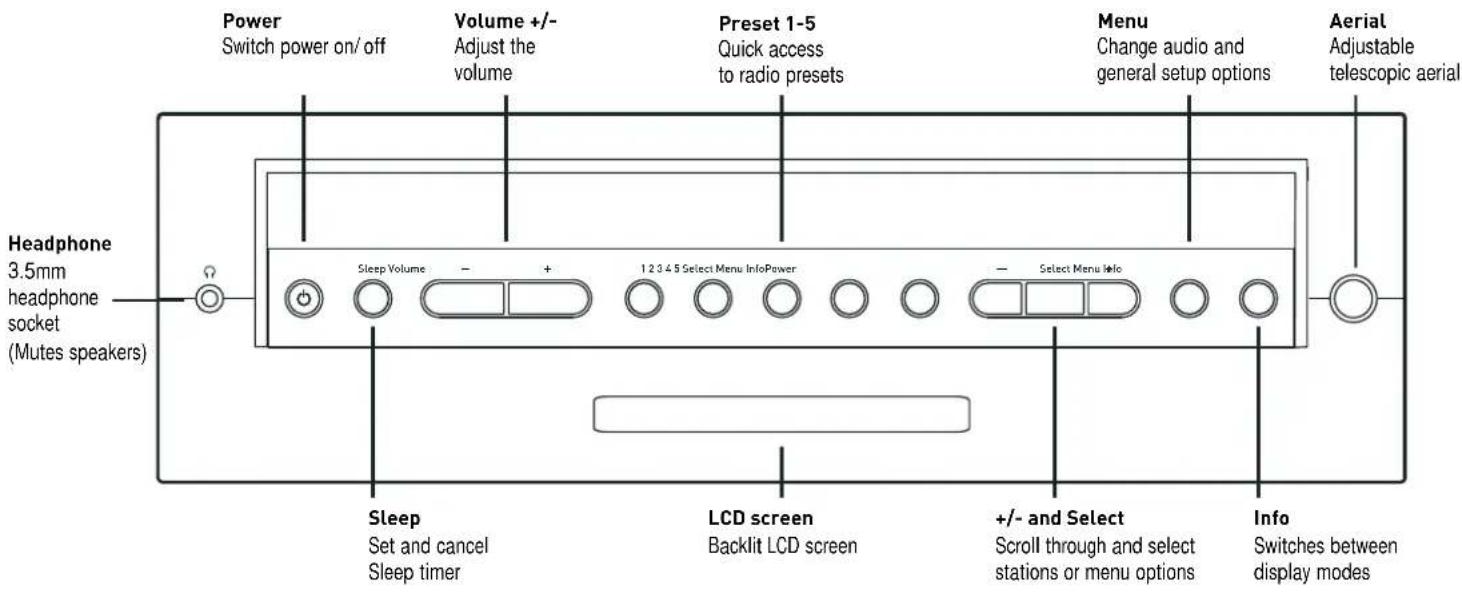
Top panel - controls and connectors
Rear panel - connector
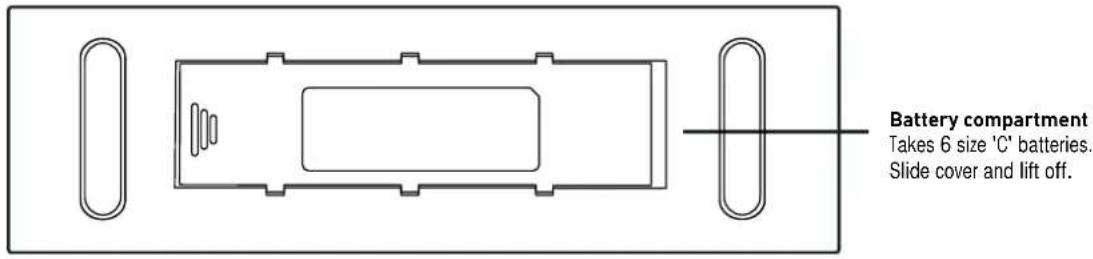
Base panel
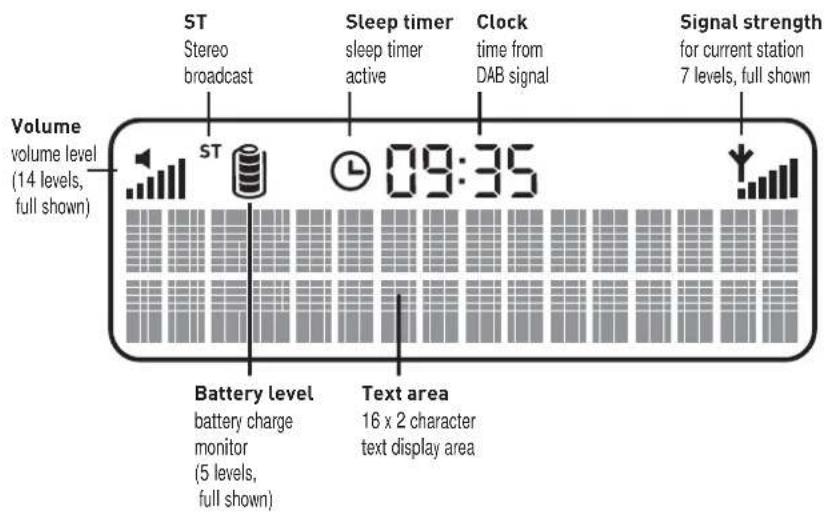
LCD screen
Getting started
Here's how to get up and running quickly using your Élan DX20.
1 Fully extend the telescopic aerial, connect the mains adapter and plug in to your power supply or fit six size 'C' batteries. The LCD lights up, the display shows 'PURE Elan DX20' and a progress bar on the bottom line indicates the progress of a full autotune to find the DAB stations available in your area. The number of stations found is displayed, they are stored in alphanumeric order and the first station on the list is selected.
2 Adjust the volume if required.
3 Use the +/- buttons to see all the stations available. Push Select to change to another station.
4 Push the Info button and repeat to cycle through the optional display modes.
Switching on and off
When you first plug in or put batteries in your Élan DX20 it will switch itself on as described above.
To switch on at any other time press the Power button.
To switch your Élan DX20 from on to standby press the Power button. In standby state your Élan DX20 uses a very small amount of power from the mains or batteries.
Note To switch off your Élan DX20 completely, unplug the power adapter and remove the batteries. Your preset stations and other settings will be saved.
Listening to DAB
If this is the first time you have switched your radio on, or you have just completed an autotune, you hear the first station on the list, otherwise you hear the last station you were listening to.
Changing stations
Change stations using the +/- and Select button or by pressing a numbered preset button.
- Press the + or - buttons to scroll through the list and find the station you want.
The current station is shown at the top of the screen.
- Press the Select button to change the station.
A station with ‘?’ before its name is currently unavailable either because you have lost reception or the station is not currently broadcasting. You can use the ‘Trim stn. list’ option to remove them from the station list, see page 8.
Using presets
The numbered preset buttons enable you to assign up to five stations to presets for easy one-touch access. You can also automatically transfer your five favourite stations to presets, see Station order on page 7.
You can store a station to a preset while listening to it or when you see the station name at the bottom of the screen while scrolling through the station list. Press and hold down a numbered button to store the station under that number.
When you save a station as a preset, the station name shows the preset number next to it on the station list. To recall a preset press the relevant numbered button.
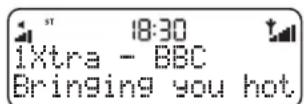
Default screen
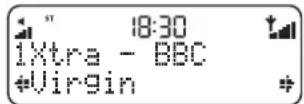
Changing stations
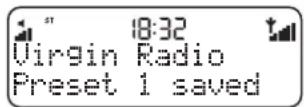
Storing a preset
Info mode - Scrolling text
Info mode - Time and date
Info mode - Channel and frequency
Changing the information on the screen
Press the Info button to change what you see on the bottom line of the screen.
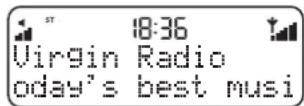
Scrolling text The default mode, broadcast by most stations.
Program type Type of content being broadcast.
Multiplex Multiplex the current station belongs to. Multiplexes, sometimes called ensembles, are groups of stations owned and broadcast by a single operator.
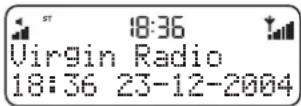
Time and date Time and date updated regularly from the current multiplex. If your radio has been unplugged there may be a slight delay before the time appears when you switch on.
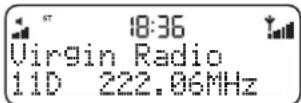
Channel Multiplex channel and frequency.
Mode Stereo or mono indicator and data rate at which the signal is being transmitted. This rate is set by the broadcaster to suit the type of material. Higher rates generally mean higher quality.
Signal quality Signal quality. As a guide, values from 85 to 100 indicate good reception, 70 to 84 borderline reception and 0 to 69 poor reception.
Setup options
Press the Menu button, scroll using the +/- buttons and push Select to choose one of the following setup options.
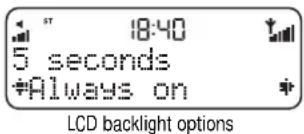
LCD backlight
Change whether the screen backlight stays on all the time or remains on only for a short period after a button is pressed.
Press the +/- buttons to view the options and push Select to choose one:
5 seconds Backlight will turn on when a button is pressed and turn off again after no button has been pressed for around five seconds. This setting is recommended if you are using batteries.
Always on Backlight will remain on all the time.
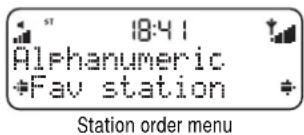
Station order
Changes the order of stations on your station list. Use the +/- buttons to scroll through the following options and push Select to choose one:
Alphanumeric Displays all stations in alphanumeric order.
Fav station Displays your five most listened to stations at the top of the station list and the rest below, in alphanumeric order. Your favourite stations are displayed with a ♥ next to their names.
Active station Displays active stations at the top of the station list and inactive ones at the bottom in alphanumeric order. Inactive stations are those on the station list but not currently available, marked with a '?'
Autotune UK Band III option
Manual tune - channel
Manual tune - low signal
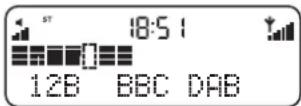
Manual tune - good signal
Multiplex Lists stations in groups according to their multiplex. Multiplexes, sometimes called ensembles, are groups of stations owned and broadcast by a single operator.
Trim stn. list Removes inactive stations from the station list.
♥ → presets Available only when Fav station order (above) has been selected. Transfers your favourite stations to the five presets.
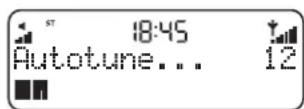
Autotune UK
Scans all UK frequencies for DAB stations and adds any new ones to the station list.
Autotune full
Scans the full range of digital frequencies in Band III. This option is for use outside the UK where other Band III stations may be available.
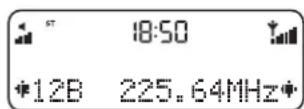
Manual tune
Shows signal level which you can use to find the best position for your radio and aerial.
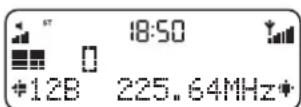
- Use the +/- - buttons to scroll through different channels and push Select to choose one (UK stations are in channels 11B to 12D). You see a signal level display. The empty block indicates the minimum required level for reception and the filled blocks indicate the current level.
- Move your aerial while watching the display and to try to raise the current level to the empty block or beyond. Once you have a good signal the display will show the multiplex name and add the stations in that multiplex to the station list.
- Push the Menu button to exit or +/- and Select buttons to change channel.
Note You can display the signal level at any time by pushing the Select button.
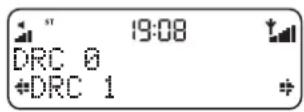
DRC value
DRC (Dynamic Range Control) value makes the quieter sounds in a broadcast easier to hear at low volume or in a noisy environment. The DRC level of a broadcast is set by the station and sent with the signal. At the time of writing in the UK only BBC Radio 3 and 4 regularly use DRC. Check with the broadcasters to find out if they use DRC on their stations. Press the +/- buttons to scroll through the following options and push Select to choose one:
DRC 0 DRC is switched off. Any DRC level broadcast will be ignored.
DRC 12 DRC level is set to 12 that sent with the broadcast.
DRC 1 Applies the DRC level as sent with the broadcast.
Sw version
Displays the version of the software in your radio. You may be asked to quote this if you contact Technical Support.
DRC value
Software version
Sleep Timer - setting
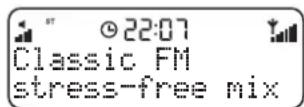
Sleep Timer - set icon
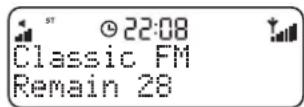
Sleep Timer - time remaining
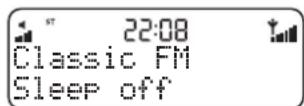
Sleep Timer - switching off
Using the Sleep timer
You can set a Sleep timer after which Élan DX20 will switch itself into standby mode, ideal if you want to fall asleep listening to the radio.
Set the sleep timer
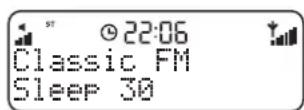
Press the Sleep button and repeat to choose between 15, 30, 45, 60 or 90 minutes or select Sleep off to set no sleep time.
Leave your unit for a couple of seconds to return to what you were listening to. You will see the Sleep Timer icon displayed on screen indicating that the timer is set.
Press the Sleep button again to view the time remaining until Élan DX20 will switch off or to change the sleep time.
Cancel the sleep timer
Press the Sleep button, you will see the remaining time. Press again and repeat until the Sleep off option is selected. In a couple of seconds Élan DX20 will return to what you were listening to, with sleep timer cancelled.
Using batteries
To use battery power as an alternative to a mains power supply, slide and lift off the battery compartment cover on the base and insert six size 'C' batteries. The label inside the compartment shows the correct way to insert the batteries.
When using batteries the Battery Charge monitor icon on the screen shows the charge remaining in the batteries.
If you use rechargeable batteries (NiMh or NiCd), connecting the unit to the mains will not recharge the batteries. Use a separate charger such as the BC-CD6 battery charger available from PURE to recharge your batteries.
The battery supply is switched off when your Élan DX20 is connected to the mains. To switch to battery supply remove the power adapter plug from the rear of the unit.
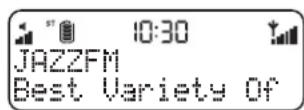
Using batteries - fully charged
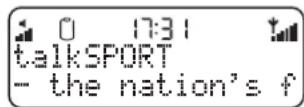
Using batteries - charge low
Hints and Tips
(<</ >>) Secondary services
Secondary services accompany some stations, providing extra information or alternative content and may only be broadcast at certain times. At the time of writing not many secondary services are available. If a station has secondary services available, the station shows ‘>>’ next to its name in the station list and the secondary service appears next to the station in the list. A secondary service has a ‘<<’ before its name in the station list.
(?) Inactive or unavailable stations
Inactive or unavailable stations are those which appear on the station list but are not currently available because either you are outside the broadcast area, have lost reception or the station is not currently broadcasting. Unavailable stations have a ‘?’ before their name on the station list. If you select a station which has this symbol, Élan DX20 returns to the last station you were listening to.
I hear a 'burbling' sound on some stations
Although DAB is excellent at providing quality audio from very little signal, the quality can suffer if the signal strength is too low. If that happens, a 'burbling' sound can sometimes be heard. To help reduce this, check that your aerial is fully extended and upright. If the problem persists try moving your radio or repositioning your aerial using manual tuning.
Display says 'No stations available'
Check that your aerial is fully extended. Use Autotune to search for stations. Use manual tuning to adjust your aerial or radio position.
Clock shows the wrong time
This may happen if the multiplex you are tuned to broadcasts an incorrect time signal, try tuning to a station in another multiplex.
Resetting your radio
Resetting your Élan DX20 removes all presets, stored stations and favourite station settings and resets all options to defaults. To reset:
-
Press and hold the Menu button for three seconds. The screen shows 'Press Select to confirm reset'.
-
Push the Select button to confirm the reset or press no buttons to cancel the reset.
Technical Specifications
General Stereo DAB digital radio with full Band III DAB reception capability, for reception of all UK DAB broadcasts. Fully compliant with ETS 300 401 and capable of decoding all DAB transmission modes 1-4 up to and including 256 kbps.
Speakers Two full-range 3 inch drive units
Frequency range Band III (174-240 MHz), with fast Autotune feature
Aerial Integral telescopic aerial
Input connectors 9V DC power adapter socket (230V adapter supplied)
Output connectors 3.5mm socket for headphones
LCD display Custom, easy to read LCD with 16 x 2 character display plus status icons.
Mains power supply 230V AC to 9V DC external power adapter
Battery power 6 size 'C' batteries. Battery life up to 30 hours at normal listening levels. Ultra low-power standby mode.
Approvals CE marked. Compliant with the EMC and Low Voltage Directives (89/336/EEC and 73/23/EEC)
Dimensions 280 mm (width) x 168 mm (height) x 80 mm (depth)
www.pure.com
Powered by

Imagination
TECHNOLOGIES
PURE Digital, Imagination Technologies Ltd., Imagination House, Home Park Estate, Kings Langley, Herts, WD4 8LZ, UK
+44 (0)1923 277477 support +44 (0)1923 277488 sales
+44 (0)1923 270188
support@pure.com sales@pure.com
PURE
- PURE
- Élan DX20
- Warranty information
- Copyright
- Disclaimer
- Trademarks
- Contents
- Introduction
- Safety instructions
- Overview diagrams
- Getting started
- Switching on and off
- Listening to DAB
- Changing stations
- Using presets
- Changing the information on the screen
- Setup options
- LCD backlight
- Station order
- Autotune UK
- Autotune full
- Manual tune
- DRC value
- Sw version
- Using the Sleep timer
- Set the sleep timer
- Cancel the sleep timer
- Using batteries
- Hints and Tips
- (?) Inactive or unavailable stations
- I hear a 'burbling' sound on some stations
- Display says 'No stations available'
- Clock shows the wrong time
- Resetting your radio
- Technical Specifications
- www.pure.com
Brand : PURE
Model : Elan DX 20
Category : Radio