
ZXA1-SUB - Subwoofer BOSCH - Free user manual and instructions
Find the device manual for free ZXA1-SUB BOSCH in PDF.


| Product Type | Powered Subwoofer |
| Brand | Bosch (Electro-Voice) |
| Model | ZXA1-SUB |
| Enclosure Material | 15 mm Plywood, Internally Braced, Textured Paint |
| Woofer | EVS-12S, 305 mm (12 in) |
| Amplifier Type | Class D Lightweight Amplifier |
| Power Rating | 700 W |
| Frequency Response (-3 dB) | 53 Hz – 93 Hz |
| Frequency Range (-10 dB) | 44 Hz – 118 Hz |
| Max SPL | 126 dB |
| Coverage | Omnidirectional |
| Crossover Frequency | 100 Hz |
| Input Connectors | (2) XLR Stereo Input |
| Output Connectors | (2) XLR Stereo Output |
| Mains Requirements (120V) | 90V - 132V, 1.0 A, 50-60 Hz |
| Mains Requirements (230V) | 190V - 264V, 0.6 A, 50-60 Hz |
| Dimensions (H x W x D) | 400 mm x 444.5 mm x 457.2 mm (15.75 in x 17.50 in x 18.00 in) |
| Net Weight | 20.9 kg (46.0 lb) |
| Shipping Weight | 26.5 kg (56.5 lb) |
| Pole Mount | 35 mm (1-3/8 in) cup for full-range speaker above |
| Accessories (sold separately) | MP1-B Mounting Plate Kit, CA-ZX Truss Clamp Adapter, TSS-1 Tripod Stand |
| Safety Features | Over-temperature protection, limiter, grounding-type plug |
| Cleaning | Clean only with a dry cloth |
Frequently Asked Questions - ZXA1-SUB BOSCH
User questions about ZXA1-SUB BOSCH
0 question about this device. Answer the ones you know or ask your own.
Ask a new question about this device
Download the instructions for your Subwoofer in PDF format for free! Find your manual ZXA1-SUB - BOSCH and take your electronic device back in hand. On this page are published all the documents necessary for the use of your device. ZXA1-SUB by BOSCH.
USER MANUAL ZXA1-SUB BOSCH
ZxA1 ZxA 1-Sub
Important Safety Instructions

CAUTION
RISK OF ELECTRIC SHOCK DO NOT OPEN

WARNING: TO REDUCE THE RISK OF FIRE OR ELECTRIC SHOCK, DO NOT EXPOSE THIS APPLIANCE TO RAIN OR MOISTURE.
WARNING: RISK OF ELECTRIC SHOCK. DO NOT OPEN.
WARNING: CONNECT ONLY TO MAINS SOCKET WITH PROTECTIVE EARTHING CONNECTION.

The lightning flash with arrowhead symbol, within an equilateral triangle is intended to alert the user to the presence of uninsulated "dangerous voltage" within the product's enclosure that may be of sufficient magnitude to constitute a risk of electric shock to persons.

The exclamation point within an equilateral triangle is intended to alert the user to the presence of important operating and maintenance (servicing) instructions in the literature accompanying the appliance.

The asterisk within an equilateral triangle is intended to inform the user to necessary installation or removal instructions regarding equipment or hardware use relating to the system.
- Read these instructions.
- Keep these instructions.
- Heed all warnings.
- Follow all instructions.
- Do not use this apparatus near water.
- Clean only with a dry cloth.
- Do not block any ventilation openings. Install in accordance with the manufacturer's instructions.
- Do not install near any heat sources such as radiators, heat registers, stoves, or other apparatus (including amplifiers) that produce heat.
- Do not defeat the safety purpose of the polarized or grounding-type plug. A polarized plug has two blades with one wider than the other. A grounding type plug has two blades and a third grounding prong. The wide blade or the third prong are provided for your safety. If the provided plug does not fit into your outlet, consult an electrician for replacement of the obsolete outlet.
- Protect the power cord from being walked on or pinched particularly at plugs, convenience receptacles, and the point where they exit from the apparatus.
- Only use attachments/accessories specified by the manufacturer.
- Unplug this apparatus during lightning storms or when unused for long periods of time.
- Refer all servicing to qualified service personnel. Servicing is required when the apparatus has been damaged in any way, such as power-supply cord or plug is damaged, liquid has been spilled or objects have fallen into the apparatus, the apparatus has been exposed to rain or moisture, does not operate normally, or has been dropped.
- To completely disconnect AC power from this apparatus, the power supply cord must be unplugged.
- Do not expose this apparatus to dripping or splashing and ensure that no objects filled with liquids, such as vases, are placed on this apparatus.
- The AC plug of the power supply cord shall remain readily operable. The plug of the power supply cord is used as a disconnect device.

Management of WEEE (waste electrical and electronic equipment) (applicable in Member States of the European Union and other European countries with individual national policies on the management of WEEE). The symbol on the product or on its packaging indicates that this product may not be treated as regular household waste, but has to be disposed of by returning it to an Electro-Voice dealer.
FCC Information
IMPORTANT: Do not modify this unit! Changes or modifications not expressly approved by the manufacturer could void the user's authority, granted by the FCC, to operate the equipment.
NOTE: This equipment has been tested and found to comply with the limits for a Class A digital device, pursuant to Part 15 of the FCC Rules. These limits are designed to provide reasonable protection against harmful interference in a residential installation. This equipment generates, uses and can radiate radio frequency energy and, if not installed and used in accordance with the instructions, may cause harmful interference to radio communications. However, there is no guarantee that interference will not occur in a particular installation. If this equipment does cause harmful interference to radio or television reception, which can be determined by turning the equipment off and on, the user is encouraged to try to correct the interference by one or more of the following measures:
- Reorient or relocate the receiving antenna.
- Increase the separation between the equipment and receiver.
- Connect the equipment into an outlet on a circuit different from that to which the receiver is connected.
- Consult the dealer or an experienced radio/TV technician for help.

- If ZxA1 loudspeakers are used outdoors on a sunny day, place the loudspeakers in a shaded or covered area. The loudspeaker amplifiers have protection circuits that temporarily shut the loudspeaker off when extremely high temperatures are reached. This can happen on hot days when the loudspeaker is in direct sunlight.

- Do not use ZxA1 loudspeakers in an environment where temperatures exceed +40°C (104°F).

- Never expose a ZxA1 loudspeaker to rain, water, or high moisture.

- Electro-Voice ZxA1 loudspeakers are easily capable of generating sound pressure levels sufficient to cause permanent hearing damage to anyone within normal coverage distance. Caution should be taken to avoid prolonged exposure to sound pressure levels exceeding 90 dB.
Table of Contents
Description 4
Quick Setup 4
System Features....5
Specifications 5
Tripod and Floor Monitor Operation 6
Suspending ZxA1 Loudspeakers....8
Rotating the Horn 9
Rotating the Logo 9
Amplifier Controls 10
ZxA1 Amplifier Controls 11
ZxA1-Sub Amplifier Controls....12
Recommended Configurations....13
Dimensions....17
Frequency Response Graphs....18
ZxA1 Model Reference Table....18
Troubleshooting....19
Description
Thank you for choosing an Electro-Voice ZxA1 powered loudspeaker system. Please take time to consult this manual to understand all the features built into your Electro-Voice system and fully utilize its performance capabilities.
Only to be expected from Electro-Voice, the ZxA1 packs a big-stage punch. Electro-Voice drivers, components, and amplifiers are legendary—all proven at the highest levels of live performance. ZxA1 wraps Electro-Voice technology in a durable, lightweight cabinet, resulting in the most powerful and versatile compact loudspeaker available today. Match ZxA1 with the ZxA1-Sub to create a truly exceptional professional sound system.
Quick Setup
The Electro-Voice ZxA1 powered loudspeakers are fully integrated audio systems with carefully matched electronics and transducers. These products make it easy to set up a high quality sound system quickly with a minimum amount of cables and external electronics.
To get the ZxA1 loudspeaker into operation as quickly as possible, please observe the following steps:
| Step ZxA1 Illustration ZxA1-Sub Illustration | ||
| 1. Turn knob to -∞. | 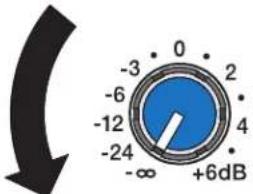 | 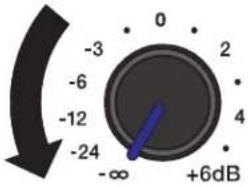 |
| 2. Connect the AC power cord from a grounded line receptacle to MAINS IN. |  | 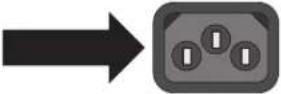 |
| 3. For ZxA1, connect an XLR Mic cable to MIC IN or connect an audio source to LINE IN.ORFor ZxA1-Sub, connect the XLR cables to IN A. | 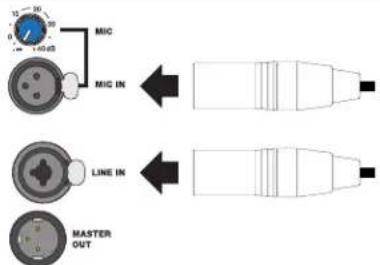 | 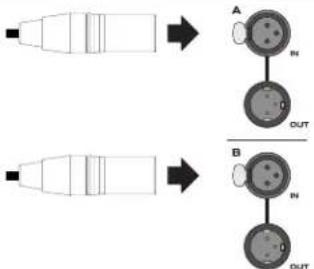 |
| 4. Switch POWER to ON. | 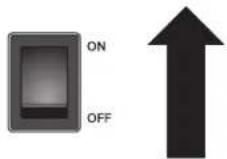 | 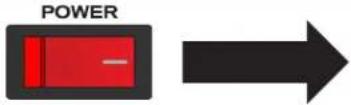 |
| 5. Slowly increase knob to the desired level. | 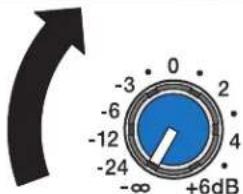 | 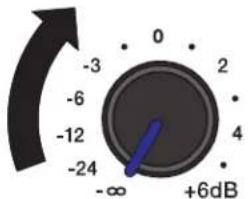 |
ZxA1-8" Two-Way Powered Loudspeaker
The ZxA1 is a compact, powerful, and versatile choice for sound reinforcement and stage monitoring applications — lightweight and durable, with an 800 W amp.
- Lightweight and Durable ABS Enclosure
- Two-way loudspeaker with EV8L 8" Woofer and DH2005 Titanium Compression Driver
- Rotatable High Frequency Waveguide
- Class D Lightweight Amplifier
- Bi-Amplified Design with 24dB/Octave Filter Slopes and Transducer Protection
- Selectable 100Hz High Pass Filter for use with an External Subwoofer
- XLR/TRS Combo Line Input
- XLR Microphone Input with Gain Control
- XLR Summed Output
- LED Indicators for Power On and Limit
- Pole Mount
- 45° Monitor Angle
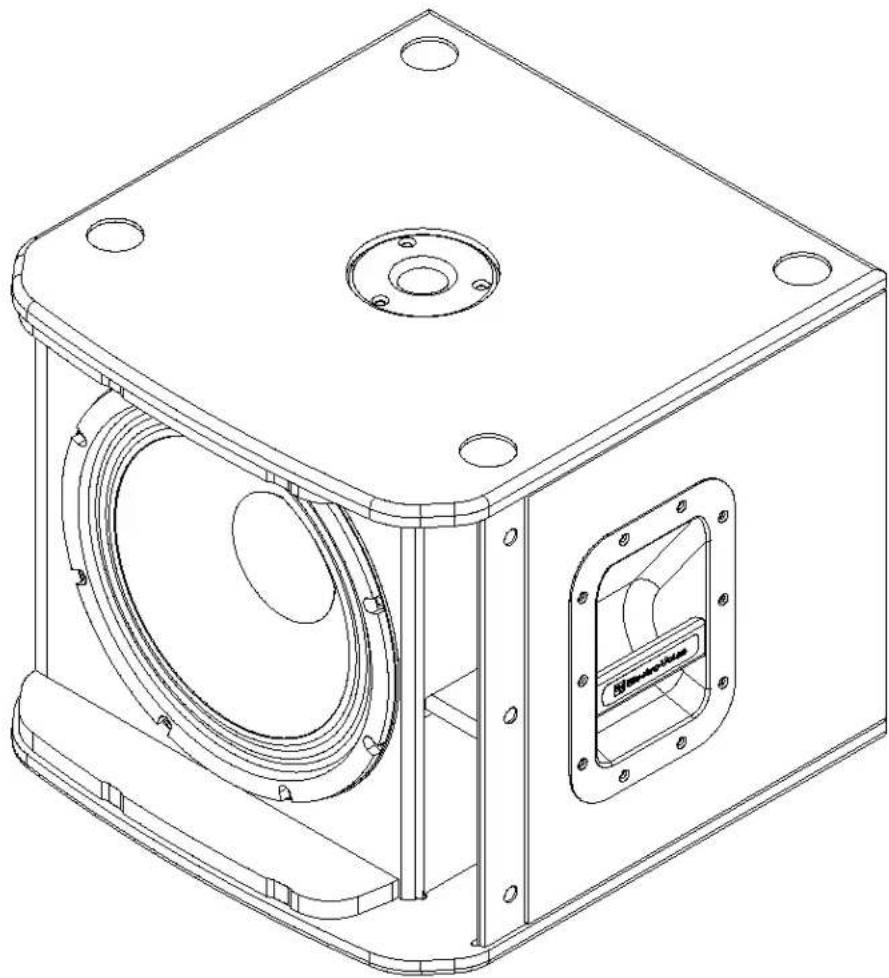
ZxA1-Sub - 12" Powered Subwoofer
Optimized for performance with ZxA1, the ZxA1-Sub adds a deep, low-frequency, amplified punch you can hear and feel.
15 mm Plywood Enclosure, Internally Braced, with Textured Paint
- EVS-12S 305 mm (12") Woofer for Powerful, Engaging Bass Response
- Class D Lightweight Amplifier
- Pole Mount for Full-Range Systems
- Dual XLR Inputs and Outputs
- Switchable EQ Modes for Different Applications
- LED indicators for Power On and Limit
Specifications
| Model ZxA1-90ZxA1-Sub | ||
| Freq. Response (-3dB): | 60Hz-20 kHz 1 | 53Hz-93 Hz 2 |
| Freq. Range (-10dB): | 48Hz-20 kHz 1 | 44Hz-118 Hz 2 |
| Max. Measured SPL: | 126 dB 1,3 | 126 dB 2,3 |
| Coverage (Horiz. x Vert.): 90° x 50° Omnidirectional | ||
| Power Rating: 800 W 700 W | ||
| LF Transducer: (1) EV-8L, 204 mm (8 in) Woofer (1) EVS-12S, 305 mm (12 in) Woofer | ||
| HF Transducer: DH-2005, 25 mm (1 in) Exit Compression Driver N/A | ||
| Crossover Frequency: | 1.8 kHz | 100 Hz |
| Connectors: | (1) XLR Mic Input with Gain Control, (1) XLR/TRS Combo Jack, (1) XLR Link Output | (2) XLR Stereo Input, (2) XLR Stereo Output |
| Enclosure Material: | ABS | 9-ply, 15 mm Plywood, Internally Braced, with Textured Paint |
| Grille: | 18 GA Steel with Black Powdercoat | 16GA Steel with Black Powdercoat |
| Mains Requirements: | 100 V: 80 V-110 V, 0.7 A, 50-60 Hz120 V: 95 V-132 V, 0.6 A 4 , 50-60 Hz230 V: 190 V-264 V, 0.4 A 4 , 50-60 Hz | 120V: 90V-132 V, 1.0 A 4 , 50-60 Hz230V: 190V-264 V, 0.6 A 4 , 50-60 Hz |
| Dimensions (H x W x D): | 457 mm x 282 mm x 264 mm(17.99 in x 11.10 in x 10.39 in) | 400 mm x 444.5 mm x 457.2 mm(15.75 in x 17.50 in x 18.00 in) |
| Net Weight: | 8.6 kg (19.0 lb) | 20.9 kg (46.0 lb) |
| Shipping Weight: | 10.3 kg (22.7 lb) | 26.5 kg (56.5 lb) |
- Full-Space
- Half-Space
- Typical maximum SPL value at one meter over the usable frequency range, measured with a pink-noise burst signal, using internal signal processing and amplifier driven to peak output.
- 1/8 power
Tripod and Floor Monitor Operation
Floor Monitor
Electro-Voice ZxA1 loudspeakers may be used as a floor monitor by placing the speaker on the integral monitor angle. Make sure to:
- Place the speaker on a level, stable surface that is solid and secure.
- Route cables and position the stand so performers, production crew and audience members will not trip over the stand or cables and pull the speaker system over.
- Secure cables with wire ties or tape whenever possible.
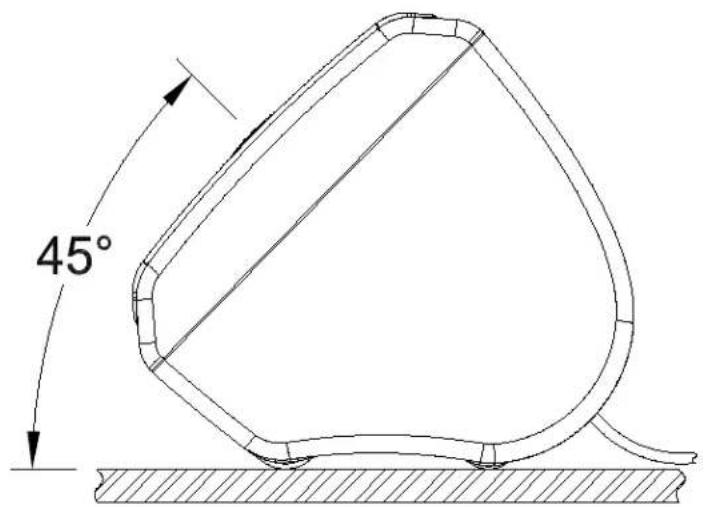
Figure 1: ZxA1 Monitor Position
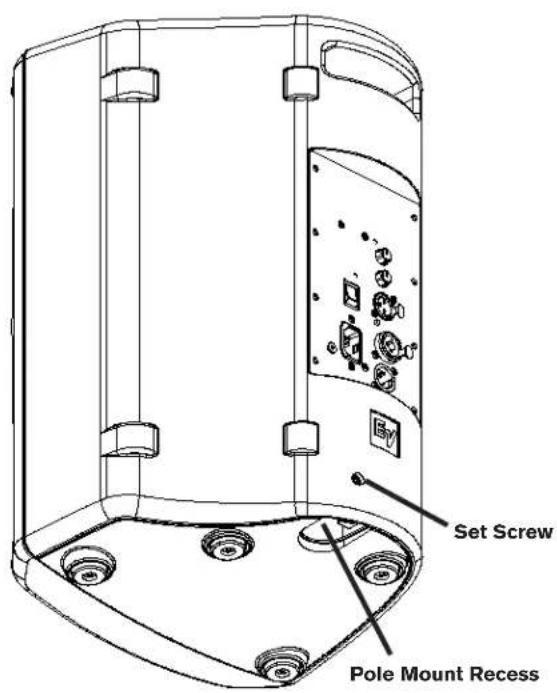
Figure 2a: ZxA1 Pole Mount Location
Tripod and Floor Monitor Operation (cont.)
Tripod
Electro-Voice ZxA1 speakers include 35 mm (1-3/8 inch) stand mounts to allow mounting on tripod stands. Make sure to:
- Check the specifications of the speaker stand to be certain it is capable of supporting the weight of the speaker.
- Check the speaker stand is placed on a flat, stable surface and fully extend the legs of the stand. Do not try to make the stand "taller" and compromise its structural integrity.
- Route cables and position the stand so performers, production crew and audience members will not trip over the stand or cables and pull the speaker system over.
- Secure cables with wire ties or tape whenever possible.
- Do not attempt to suspend more than one speaker on a stand designed for a single speaker.
- Unless you are confident you can safely handle lifting the weight of the speaker onto the stand, ask another person to help you place it.
- Tighten the set screw to minimize rattling and to prevent the speaker from rotating during use.
Pole Mount
Electro-Voice ZxA1-Sub speakers include 35 mm (1-3/8 inch) pole mount cups to allow mounting a full range speaker above it. Make sure to:
- Use a speaker pole that is no longer than 1.2 m (4 ft) and mount a speaker weighing no more than 11.3 kg (25 lb).
- Check that the ZxA1-SUB is placed on a flat and stable surface.
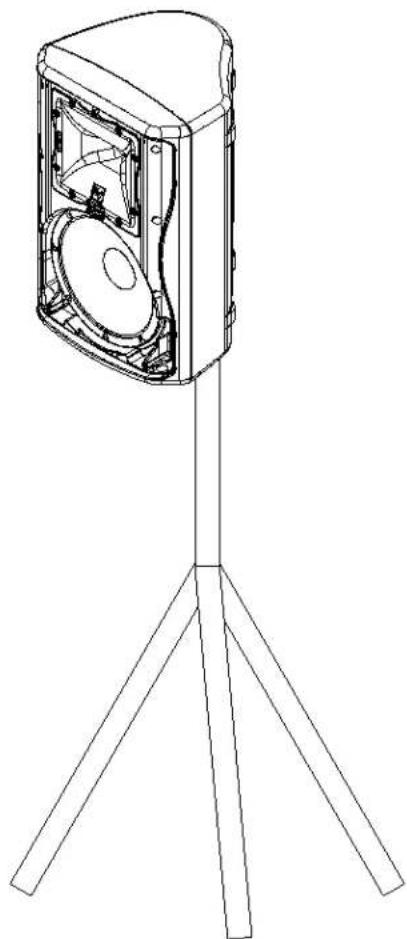
Figure 2b: ZxA1 on Tripod Stand
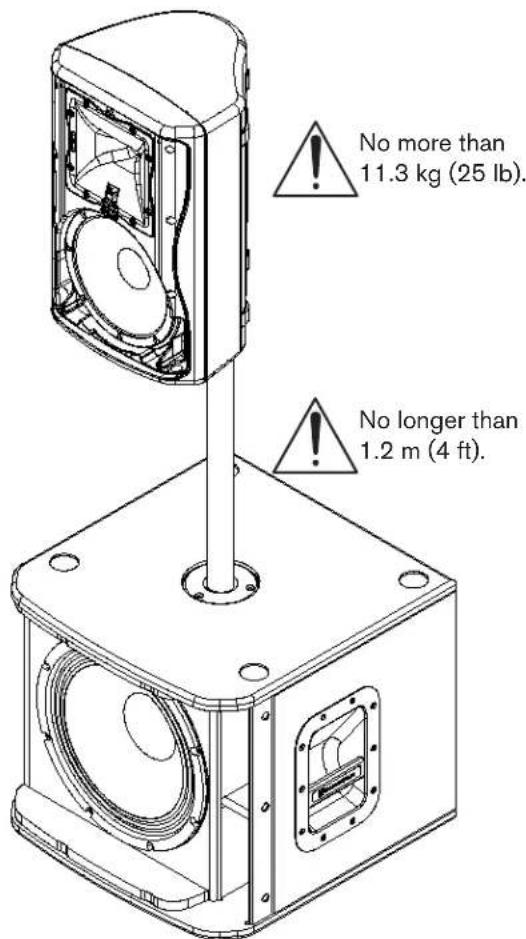
Figure 2c: ZxA1 and ZxA1-Sub Full-Range/Sub Stack with Pole Mount
Suspending ZxA1 Loudspeakers
Electro-Voice ZxA1 loudspeakers may be safely suspended with single stud fittings by using the MP1 suspension kit, or quickly attached to a truss by using the CA-Zx truss clamp adaptor (both sold separately). See MP1 or CA-Zx instruction sheets for proper assembly and use.

WARNING:
Suspending any object is potentially dangerous and should only be attempted by individuals who have a thorough knowledge of the techniques and regulations of rigging objects overhead. Electro-Voice strongly recommends that ZxA1 speakers be suspended taking into account all current national, federal, state, and local regulations. It is the responsibility of the installer to ensure that ZxA1 speakers are safely installed in accordance with all such regulations. If ZxA1 speakers are suspended, Electro-Voice strongly recommends that the system be inspected at least once a year. If any sign of weakness or damage is detected, remedial action should be taken immediately. There are instruction sheets for each EV Suspension and Array Kit that should also be consulted prior to suspending speakers.
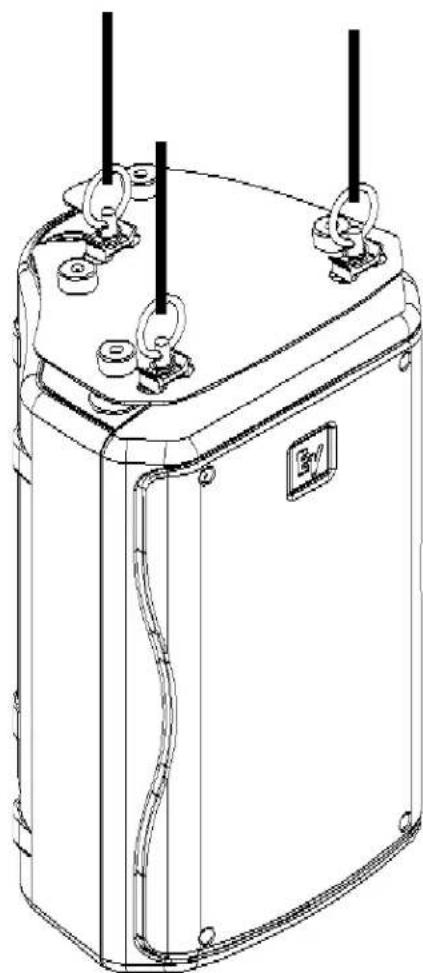
Figure 3: MP1-B Mounting Plate Accessory
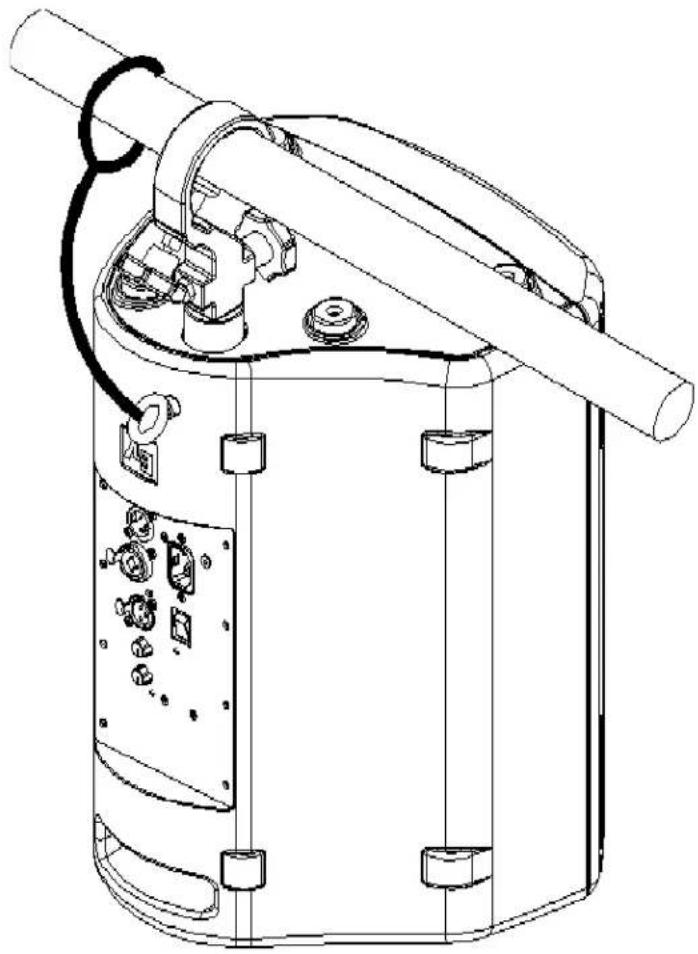
Figure 4: CA-ZX Truss Clamp Accessory
Rotating the Horn
The ZxA1 allows for the horn to be rotated for more effective coverage if desired. The horn is factory-installed with the 90° coverage in the horizontal plane and the 50° coverage in the vertical plane.
To rotate the horn, follow the steps below:
- Remove the grille screws/grille assembly.
- Remove the horn screws/horn assembly.
- Rotate the horn assembly 90°.
- Secure the horn assembly with the horn mounting screws.
- Secure the grille assembly with the grille mounting screws.
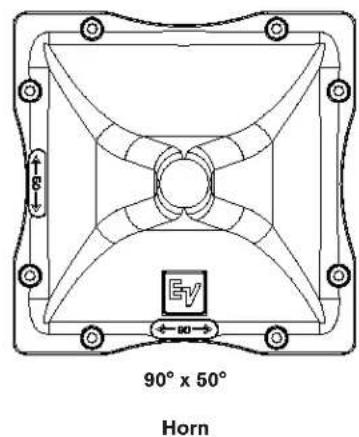
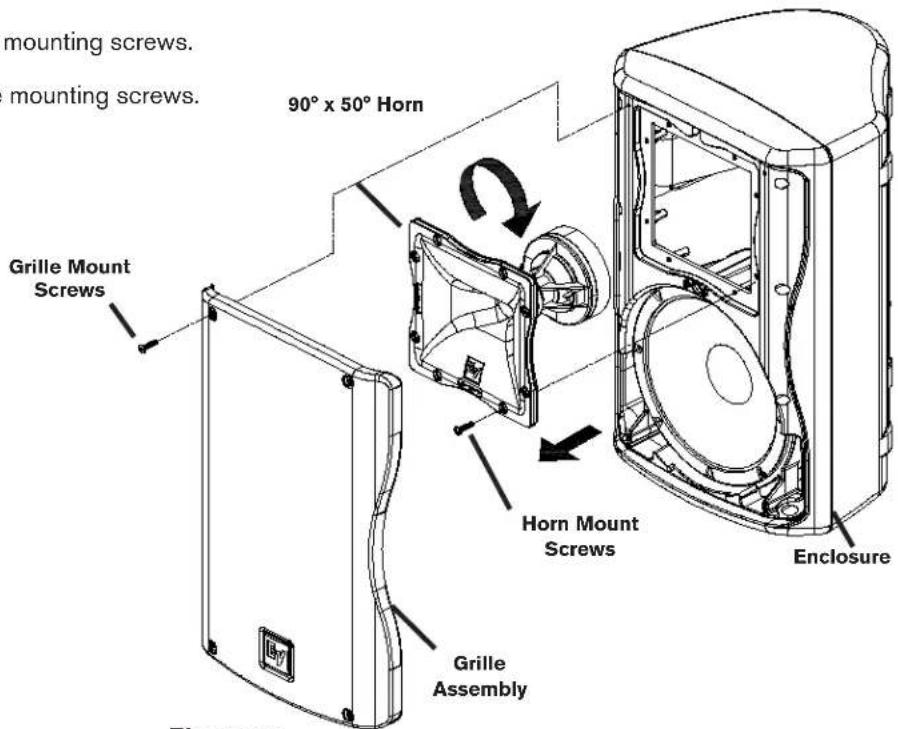
Figure 5: Rotating the ZxA1-90 Horn
Rotating the Logo
All versions of the ZxA1 (except the ZxA1-Sub) allow for the logo badge to be rotated, if desired. The logo badge is square and can be rotated in 90° increments.
To rotate the logo badge, follow the steps below:
- Using a finger or flat-edge screwdriver (using care not to scratch grille), grip under the logo badge.
- Pull the logo badge outwards from the logo recess until it fully clears the front surface of the grille.
- Rotate the logo badge, in 90° increments, to the desired orientation.
- Release the logo badge and let it "spring" back into the logo recess.
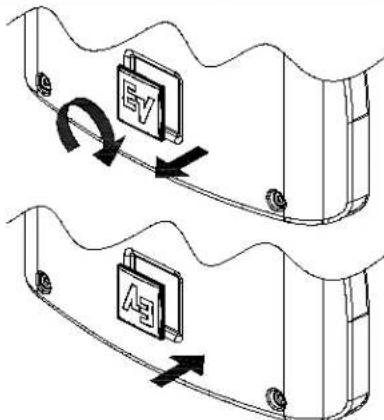
Figure 6: Rotating the ZxA1 Logo
The ZxA1 amplifier has a combination of controls and connectors to ensure the most versatile loudspeaker system. Each component below has a description on the following pages.
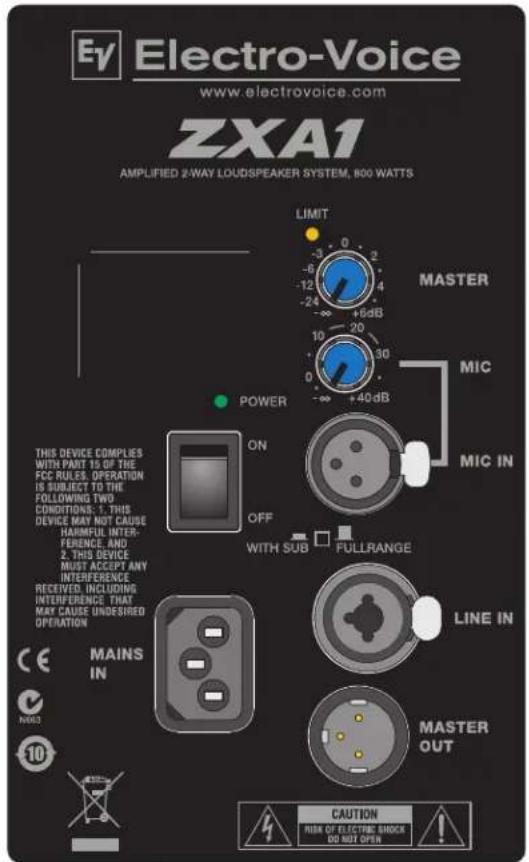
Figure 7a: ZxA1 Amplifier Panel
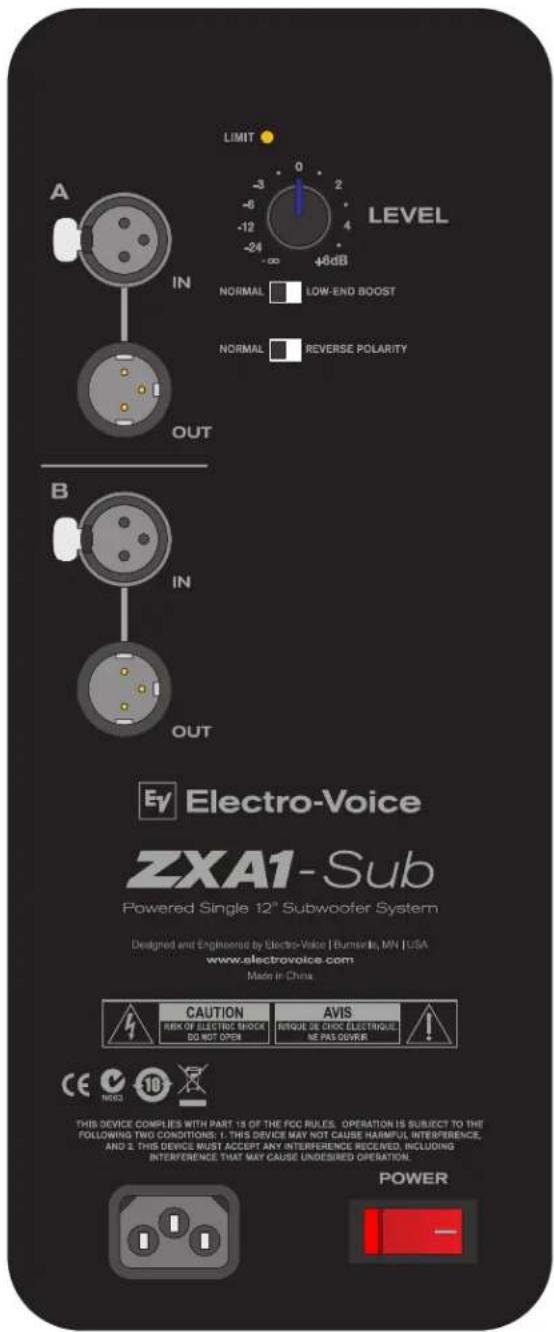
Figure 7b: ZxA1-Sub Amplifier Panel
LIMIT
LIMIT

The LED brief blinking indicates the power amplifier is operated at its limits. Short-term blinking is not critical because the integrated limiter keeps distortion under control. Constant lighting of the LED indicates the sound is negatively affected. Reducing the output volume is strongly recommended.
MASTER
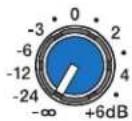
MASTER
Level control for adjusting the power amp's overall amplification. The level control affects the volume of the line input and microphone input. To prevent distortion and clipping of pre-linked mixing consoles, the control should generally be set to a value between 0 dB and +6 dB.
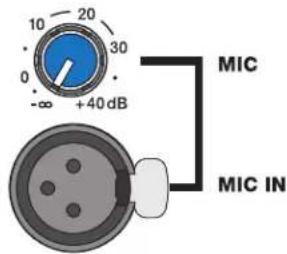
MIC
Level control for adjusting the microphone input level independent of the master level.
MIC IN
XLR input for low level signals like microphones. The MIC IN and LINE IN may both be used at the same time as a 2-channel mixer.

WITH SUB/FULL RANGE
When depressed, activates a 100 Hz highpass for use with a subwoofer, or if the ZxA1 is used as a floor monitor. A pen or paperclip is needed to depress the switch to WITH SUB mode.

LINE IN
LINE IN
Electronically balanced input for the connection of high-level signal sources like mixing consoles or signal processors. Connections can be established using 1/4-inch TRS or XLR-type connectors.
MASTER OUT
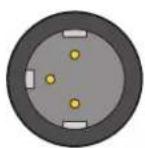
MASTER OUT
Output connector to send the signal to another speaker or subwoofer. The output is the sum of both the MIC IN and LINE IN.

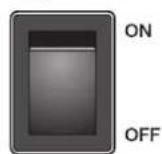
POWER
AC switch for switching the ZxA1's power ON or OFF. The LED lights after turning the power ON. If the LED is not lit upon turning the power on, make sure the AC cord is correctly connected and the outlet is properly working.
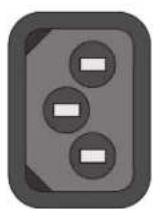
MAINS IN
MAINS IN
AC connection is established via an IEC-connector. A 10 ft (3 m) long AC cord with fitting IEC-plug is supplied. Locking IEC power cords may also be used.
ZxA1-Sub Amplifier Controls

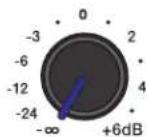
LIMIT
The LED brief blinking indicates the power amplifier is operated at its limits. Short-term blinking is not critical because the integrated limiter keeps distortion under control. Constant lighting of the LED indicates the sound is negatively affected. Reducing the output volume is strongly recommended.
LEVEL
Level control for adjusting the volume of the subwoofer. The level control affects the volume of both Channels A and B.

LOW-END BOOSTNORMAL
BOOST
The BOOST switch controls the low-frequency extension of the subwoofer. NORMAL works best when the subwoofer is used under normal applications. LOW-END BOOST provides additional low-frequency extension and works best for applications requiring enhanced bass performance.

REVERSE POLARITYNOR
POLARITY
The POLARITY switch controls the acoustic polarity of the subwoofer. When using with a ZxA1 and in most applications, the switch should always be set to NORMAL. If the bass output is low when using with other loudspeaker systems and subwoofers, try setting the switch to REVERSE POLARITY.
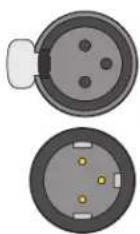
XLR INPUT
XLR input connector to receive the signal from another speaker or subwoofer.
XLR OUTPUT
XLR output connector to send the signal to another speaker or subwoofer.
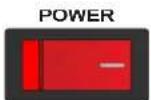
POWER
AC switch for switching the ZxA1-Sub's power ON or OFF. The LED lights after turning the power ON. If the LED is not lit upon turning the power on, make sure the AC cord is correctly connected and the outlet is properly working.
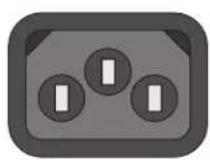
MAINS IN
AC connection is established via an IEC-connector. A 10 ft (3 m) long AC cord with fitting IEC-plug is supplied.
Recommended Configurations
Daisy-Chaining Full-Range Systems (Dual ZxA1s)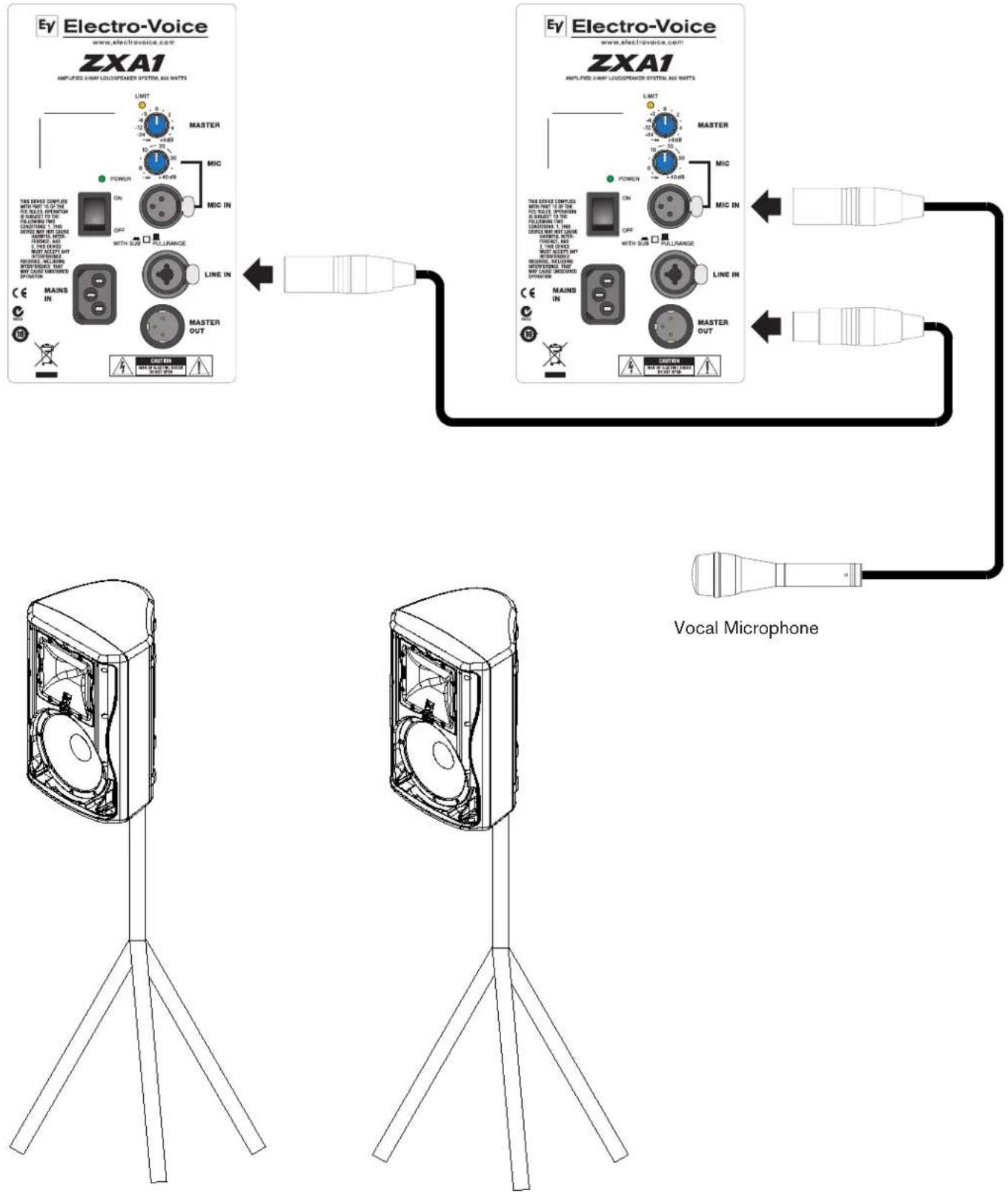
Electro-Voice ZxA1 Series Owner's Manual
Recommended Configurations (cont.)
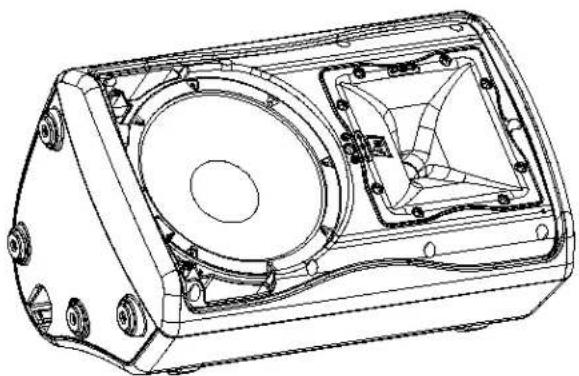
Using Full-Range Systems as Monitors (Dual ZxA1s)
![graph TD A["Instrument"] --> B["Vocal Microphone"] B --> C["Electro-Voice"] C --> D["ZXA1"] D --> E["AMPLIFIED 3-MW LOGOSPEAKER SYSTEM, MAX WATTS"] D --> F["POWER"] D --> G["OFF"] D --> H["MAIN IN"] D --> I["MASTER OUT"] D --> J["LINE IN"] D --> K["FULLRANGE WITH SUST"] D --> L["MAINTS WITH SWITCH"]…](/content/2026/05/859442/images/0523188ae7991a5b3f2c6d60f84970a13834c445bbef80d3731039b919c2a5ee.jpg)
Recommended Configurations (cont.)
Stereo Full-Range Systems w/Subwoofers (Dual ZxA1s with Dual ZxA1-Subs)![graph TD A["Speaker"] --> B["Mixer"] B --> C["Motor"] C --> D["Electro-Voice"] D --> E["Power Control Module"] E --> F["Output"] style A fill:#f9f,stroke:#333 style B fill:#ccf,stroke:#333 style C fill:#cfc,stroke:#333 style D fill:#fcc,stroke:#333 style E fill:#cff,stroke:#333 style F fill:#ffc,str…](/content/2026/05/859442/images/9ed7439ec05754202dbc97ac687ec9576c1b768d02e62ca6341fbbd22302115b.jpg)
Recommended Configurations (cont.)
Stereo Full-Range Systems w/Mono Subwoofer (Dual ZxA1s with a Single ZxA1-Sub)![graph TD A["Electro-Voice ZXA1"] -->|Mixer| B["Power Supply Unit"] A --> C["Audio System"] A --> D["Speaker Equipment"] A --> E["Switch Control Panel"] A --> F["Radio Station"] A --> G["Audio Receiver"] A --> H["Audio Headset"] A --> I["Radio Headset"] A --> J["Audio Signal Line"] A --> K["Radio Sig…](/content/2026/05/859442/images/3c32d5d5175bf39fb99203544c0c04c971016bab68891658473e7a166a38fbd1.jpg)
Dimensions
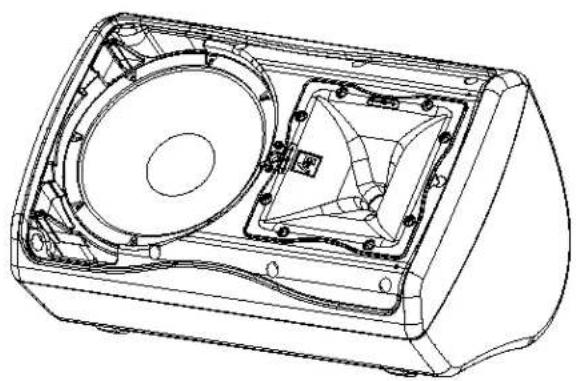
ZxA1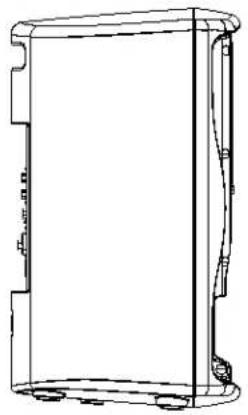
Left View
![457 mm [17.98 in]](/content/2026/05/859442/images/1fd7a1599f2ff13019e8876198cbfdbc5345dbe2daaa793888901683f6bd1494.jpg)
Front View Right View
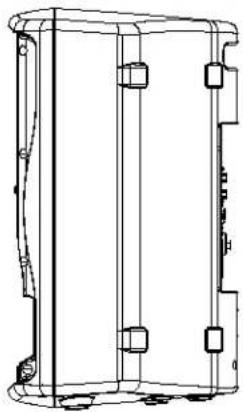
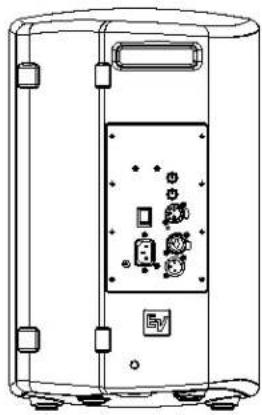
Rear View
![282 mm [11.11 in], 221 mm [8.70 in], 264 mm [10.38 in]](/content/2026/05/859442/images/6f47ff3ba8550504b1352dbd47d5b46fdc6aa09646be5319bc4b781f0f1535c3.jpg)
Bottom View
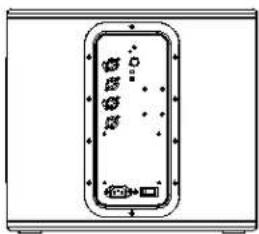
ZxA1-Sub![220 mm [9.00 in], 457 mm [18.00 in], 444 mm [17.50 in]](/content/2026/05/859442/images/1a63b65a99fe13f73efc511940a585ba8f5d71c4feb4a3dd3d51c75701a65696.jpg)
Top View
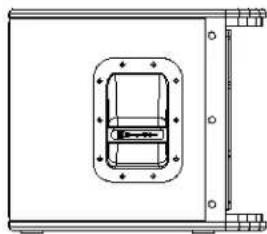
Left View
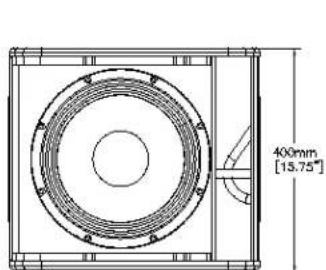
Front View Right View Rear View
![111 mm [4.38 in], 173 mm [6.82 in], 169 mm [6.67 in], 118 mm [4.63 in]](/content/2026/05/859442/images/96db6b41592d8d0885b8f5dfc123d9803529036bca933286c26ae4c85b1bdde8.jpg)
Frequency Response Graphs
ZxA1-90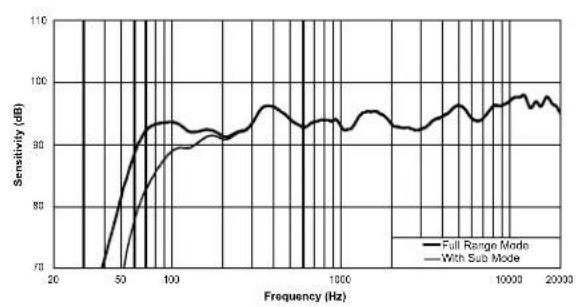
ZxA1-Sub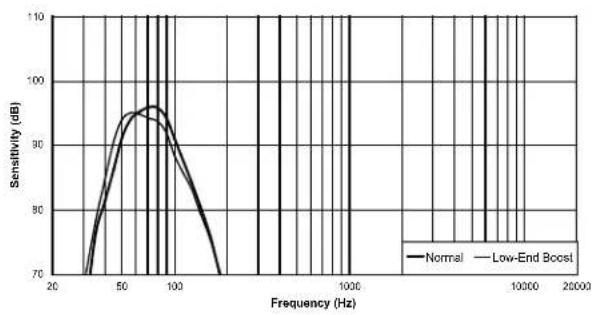
ZxA1 Model Reference Table
| System Model/Commercial Code Coverage Finish Voltage | |||
| ZxA1-90B-100V 90° x 50° Black 100V | |||
| ZxA1-90W-100V 90° x 50° White 100V | |||
| ZxA1-90B-120V 90° x 50° Black 120V | |||
| ZxA1-90W-120V 90° x 50° White 120V | |||
| ZxA1-90B-230V 90° x 50° Black 230V | |||
| ZxA1-90W-230V | 90° x 50° White 230V | ||
| ZxA1-SUB-120V Omnidirectional Black | 120V | ||
| ZxA1-SUB-230V | Omnidirectional | Black 230V | |
| Accessory Model/Commercial Code | Description |
| MP1-B | Mounting Plate Kit, Black Finish |
| CB1 | Carrying Bag, Convertible, Black Finish |
| SC-ZX1 | Slip Cover, Black Finish |
| CA-ZX | Truss Clamp Adapter, Black Finish |
| TSS-1 | Tripod Speaker Stand |
| TSP-1 | (2) TSS-1 Tripod Speaker Stands with Carrying Case |
Troubleshooting
| Problem Possible Cause(s) Action | ||
| 1. No Sound Amplifier Connect a known working signal source to the amplifier inputs. If there is no sound, check all the electronics are on, the signal routing is correct, the source is active, the volume is turned up, and so on. If there is sound, the problem is in the wiring, or a component further up the signal chain. | ||
| Wiring Verify you have connected the correct wire pairs to the amplifier.Play something at low level through the amplifier (for example, from a CD player or tuner). Connect the test speaker in parallel with the malfunctioning line. If the sound level has gone or is very weak, the line has a short in it (possibly a severe scrape, pinch, or staple puncture). If the sound level is normal, the wire is open (possibly a cut wire or a missed connection). Using the test speaker, move down the line and test each connection/junction until you find the problem and correct it. Observe proper polarity. | ||
| 2a. Poor Low-Frequency Response with ZxA1 | WITH SUB switch activated | Set the FULL RANGE/WITH SUB switch to the FULL RANGE position. |
| 2b. Poor Low-Frequency Response with ZxA1-Sub | Incorrect polarity Set the NORMAL/REVERSE POLARITY to the opposite position. | |
| 3. Intermittent output such as crackling or distortion | Faulty connection or damaged cable | Check all connections in the signal chain to ensure they are clean and tight. If the problem persists, it may be in the amplifier or wiring. See Problem 1. |
| 4. Constant noise such as buzzing, hissing, humming | Defective source or other electronic device | If the noise is present but no program material is playing, the likely cause is the signal chain in the electronics. Evaluate each component as necessary to isolate the problem. |
| Poor system grounding or ground loop | Check and correct the system grounding, as required. | |
| Incorrect gain structure Verify level controls of the source are properly structured. Verify microphone cables are plugged into MIC IN and line level cables are plugged into LINE IN. | ||
| 5. No sound produced with microphone connected to MIC IN | Microphone requires phantom power | Use a dynamic microphone that does not require phantom power. If using a microphone that requires phantom power, an external phantom power source will be needed. |
| 6. Sound is distorted.LIMIT LED is constantly on or flashing regularly | Excessive input level Reduce the Master Level or loudspeaker level knobs to prevent limit. | |
| Line level source plugged into MIC IN | Plug line level source into LINE IN | |
| 7. Sound is distorted.LIMIT LED is not blinking | Source input (mixing console/preamp) is overdriven | Verify level controls of the source are properly structured. |
| 8. Microphone produces acoustic feedback when input level is amplified. | Incorrect gain structure Reduce the microphone levels at the mixing console or input source. If the microphone is connected directly to the speaker reduce the MIC LEVEL on the speaker. Positioning the microphone close to the sound source will increase gain-before-feedback. | |
| Microphone position is too close to the front of the speaker | Whenever possible setup the speakers so the microphone is behind them. If using the speakers in a monitor position aim the speaker to the back of the microphone. | |
| If these suggestions do not solve your problem, contact your nearest Electro-Voice dealer or distributor. | ||
Visit www.electrovoice.com/warranty for warranty information.


- IMPORTANT SAFETY INSTRUCTIONS
- CAUTION
- FCC INFORMATION
- TABLE OF CONTENTS
- DESCRIPTION
- QUICK SETUP
- ZXA1-8" TWO-WAY POWERED LOUDSPEAKER
- ZXA1-SUB - 12" POWERED SUBWOOFER
- TRIPOD AND FLOOR MONITOR OPERATION
- FLOOR MONITOR
- TRIPOD AND FLOOR MONITOR OPERATION (CONT.)
- TRIPOD
- POLE MOUNT
- SUSPENDING ZXA1 LOUDSPEAKERS
- WARNING
- ROTATING THE HORN
- ROTATING THE LOGO
- LIMIT
- MASTER
- MIC
- MIC IN
- WITH SUB/FULL RANGE
- LINE IN
- MASTER OUT
- POWER
- MAINS IN
- ZXA1-SUB AMPLIFIER CONTROLS
- LEVEL
- BOOST
- POLARITY
- XLR INPUT
- XLR OUTPUT
- RECOMMENDED CONFIGURATIONS
- RECOMMENDED CONFIGURATIONS (CONT.)
- DIMENSIONS
- FREQUENCY RESPONSE GRAPHS
- ZXA1 MODEL REFERENCE TABLE
- TROUBLESHOOTING
Brand : BOSCH
Model : ZXA1-SUB
Category : Subwoofer