
HR-310 - Pulse oximeter OMRON - Free user manual and instructions
Find the device manual for free HR-310 OMRON in PDF.


| Product Type | Heart Rate Monitor Watch with Chest Belt |
| Model | HR-310 (HBE-310-Z) |
| Power Supply (Watch) | 3 VDC (1 lithium battery CR2032) |
| Power Supply (Chest Belt) | 3 VDC (1 lithium battery CR2032) |
| Battery Life (Watch) | Approx. 1 year (30 min use/day) |
| Battery Life (Chest Belt) | Approx. 1.5 years (30 min use/day) |
| Heart Rate Measuring Range | 30-240 bpm |
| Transmission Range | 25 inches (62.5 cm) |
| Water Resistance (Watch) | 164 feet (50 meters) - not for button presses underwater |
| Water Resistance (Chest Belt) | Splash proof only |
| Clock Format | 12 hr / 24 hr |
| Stopwatch | Counts up to 99:59'59" |
| Calorie Calculation | 0-9,999 kcal |
| Display Features | LCD, backlight, tap on lens, heart rate zone indicators |
| Key Functions | HR, MODE, ST/SP/+, SET, backlight/lock |
| User Data Input | Activity level, gender, birth date, height, weight |
| Fitness Index | FAIR, NORMAL, GOOD based on VO2 max estimation |
| Operating Temperature | 32°F to 104°F (0°C to 40°C) |
| Operating Humidity | 30% to 85% RH |
| Included Components | Watch, chest belt, chest belt strap, 2 CR2032 batteries, instruction manual |
| Warranty | 1 year from purchase date |
Frequently Asked Questions - HR-310 OMRON
User questions about HR-310 OMRON
0 question about this device. Answer the ones you know or ask your own.
Ask a new question about this device
Download the instructions for your Pulse oximeter in PDF format for free! Find your manual HR-310 - OMRON and take your electronic device back in hand. On this page are published all the documents necessary for the use of your device. HR-310 by OMRON.
USER MANUAL HR-310 OMRON
CONTENTS
Before Using the Unit
Introduction ....3
Important Safety Information ....4
Know Your Unit ....6
Main Unit 6
LCD 7
Getting Started 8
Operating Instructions
Clock / Alarm / Keypad Tone / Tap On Lens ......10
Heart Rate Limits / Alert 13
User Data ....16
Wearing the Chest Belt 19
Stopwatch 21
Backlight / Keypad Lock 23
Batteries 24
Care and Maintenance
Use in the Water ......26
Specifications....27
FCC Statement 28
Limited Warranty ......29
INTRODUCTION
Thank you for purchasing the OMRON ^® HR-310 Heart Rate Monitor.
Fill-in for future reference DATE PURCHASED: ____
• Staple your purchase receipt here
- Register your product online at www.register-omron.com
The heart rate monitor can help ensure you receive the maximum benefit from your exercise program. You can increase the effectiveness of your exercise program by monitoring and quantifying your results every step of the way.
Your HR-310 Heart Rate Monitor comes with the following components:
• Heart Rate Monitor Watch
- Chest Belt
- Chest Belt Strap
• 2 Lithium CR2032 Batteries
(1 Monitor Watch, 1 Chest Belt - installed)
- Instruction Manual
SAVE THESE INSTRUCTIONS
IMPORTANT SAFETY INFORMATION
To assure the correct use of the product basic safety measures should always be followed including the warnings and cautions listed in this instruction manual.
| SAFETY SYMBOLS USED IN THIS INSTRUCTION MANUAL | |
 CAUTION CAUTION | Indicates a potentially hazardous situation which, if not avoided, may result in minor or moderate injury to the user or patient or damage to the equipment or other property. |
Do not bend or stretch the transmitter part of the chest belt.
Do not scratch hard objects against the LCD display as this may cause damage.
When using this unit near any electronic devices, keep the devices at least 8 inches (20 cm) away from the unit in order to avoid the possibility of display errors occurring.
Do not throw the batteries into the fire. The batteries may explode.
Do not use batteries not specified for this unit. Do not insert the batteries with the polarities in the wrong direction.
Do not touch the exposed electronic circuitry, as there is a danger of electric shock.
Check all major functions if the device has not been used for a long time. Maintain regular internal testing and cleaning of your device.
⚠ Dispose of the device, batteries and components according to applicable local regulations. Unlawful disposal may cause environmental pollution.
Due to printing limitations, the displays shown in this manual may differ from the actual display.
The contents of this manual may not be reproduced without the permission of the manufacturer.
IMPORTANT SAFETY INFORMATION
CARE AND MAINTENANCE
Use a soft, slightly moistened cloth. Do not use abrasive or corrosive cleaning agents, as these may cause damage. Use lukewarm water and mild soap to clean the watch and chest belt thoroughly after each training session. Never use the products in hot water or store them when wet.
Do not disassemble or modify the unit. Changes or modifications not approved by Omron Healthcare will void the user warranty.
Do not subject the unit to strong shocks, such as dropping the unit on the floor.
Do not submerge the unit or any of the components in water.
NOTES:
- This product is not to be used for diagnostic purposes or to prescribe medication.
- Consult your doctor before beginning any exercise program.
- The technical specifications for this product and the contents of the user manual are subject to change without notice.
- Features and accessories will not be available in all countries. For more information, please visit our web site at www.omronhealthcare.com.
KNOW YOUR UNIT
Main Unit
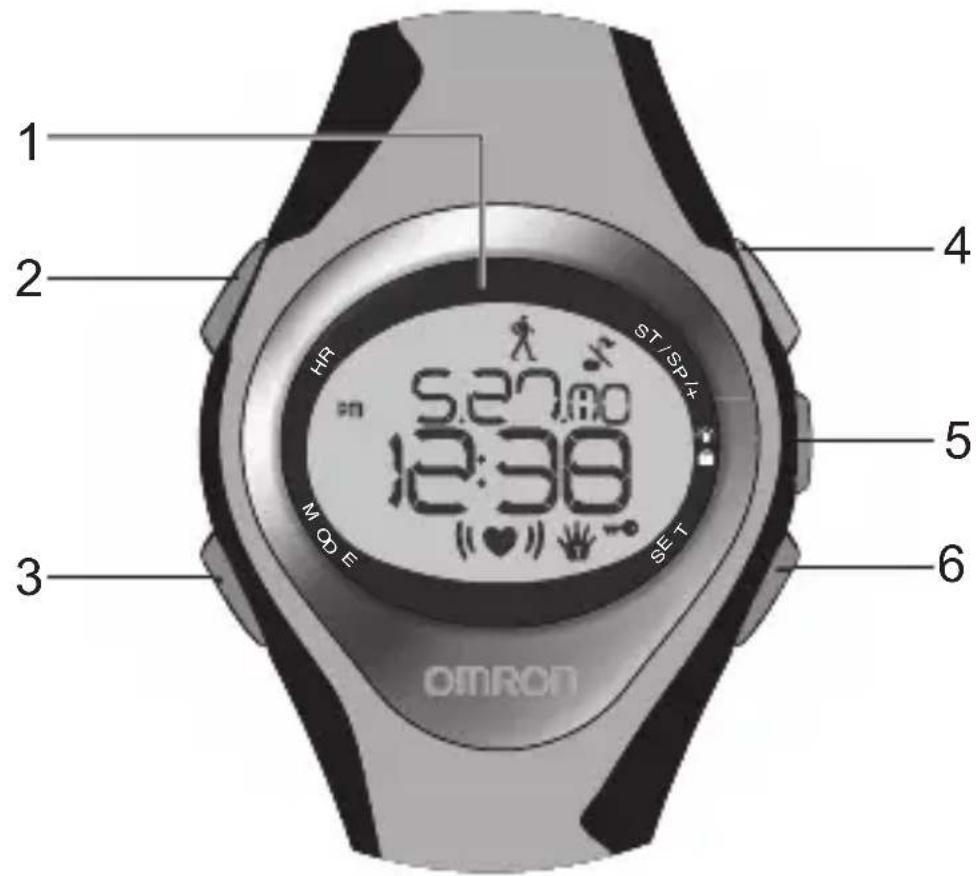
- Tap on lens screen (patent pending): Tap on it to view a display mode
- HR: Enter HR mode; toggle heart rate displays
- MODE: Switch to another display mode
- ST / SP / +: Start / stop stopwatch; change setting
- / Turn on backlight; lock / unlock keypad
- SET: Enter setting mode; clock setting displays
KNOW YOUR UNIT
LCD
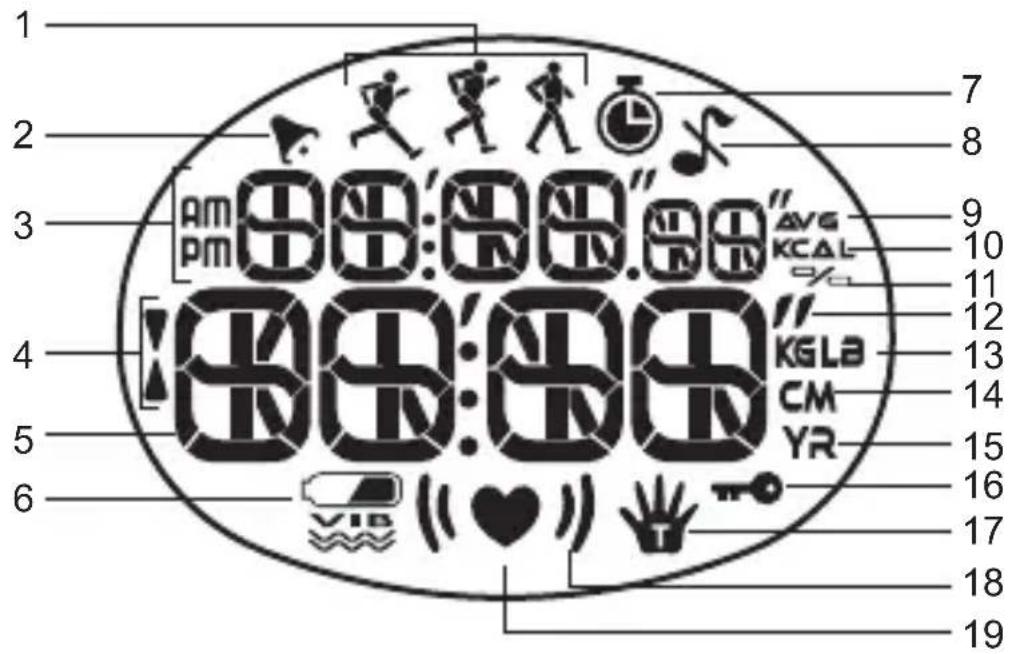
- walking / jogging / running activity level
- : Alarm is set; fl ashes when alarm is active
- AM / PM: 12-hour clock
- ▲/▼: fl ashes when surpassed heart rate limit
- Time / heart rate
- : Indicates battery power is low
- : Stopwatch is shown or running
- ✗ : Keypad tone is turned off
- AVG: Average heart rate reading
- KCAL: Calorie unit
- % : Percentage heart rate reading
- / / Imperial height units (feet and inches)
- KGLB: Body weight unit
- CM: Metric height unit (centimeters)
- YR: Year of user's birth
- ☐: Keypad lock is turned on
- 🎨: Tap on lens function is active
- (1): Heart rate is outside the set limits
- ♥: Flashes when receiving heart rate signal
GETTING STARTED
IMPORTANT:
To effectively use the watch when exercising i.e. to calculate your calories burned and fi tness index, you MUST set the heart rate limits and user data as shown in the relevant sections.
TURNING ON THE WATCH (1ST TIME USE ONLY)
Press any key for 2 seconds to activate the LCD screen.
Press MODE to switch between the 4 operation modes. Each main mode displays a banner screen telling you which mode you are entering. After 1 second the banner screen is automatically replaced by the main mode screen.
GETTING STARTED
| MODE | BANNER | MAIN | MODE |
| CLOCK | 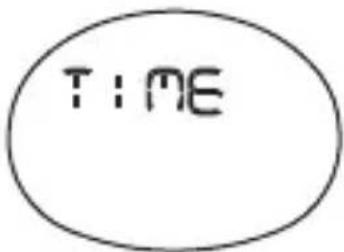 | 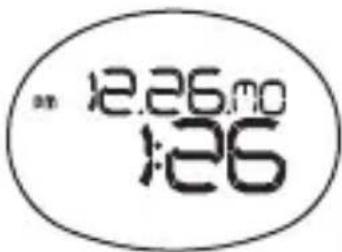 | |
| STOPWATCH | 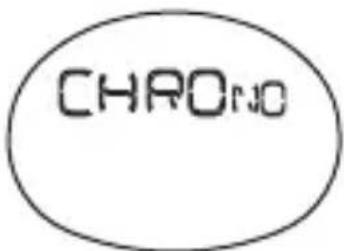 | 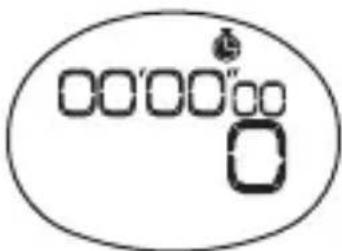 | |
| USER PROFILE | 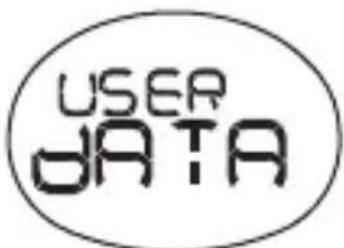 | 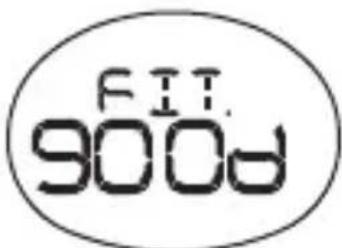 | |
| HEART RATE LIMIT | 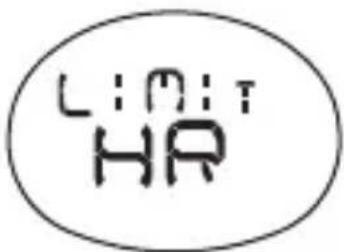 | 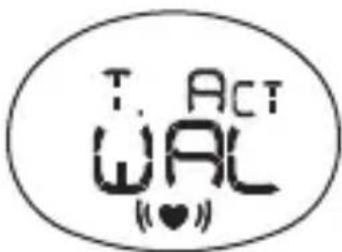 |
CLOCK / ALARM / KEYPAD TONE / TAP ON LENS
CLOCK
To set the clock:
-
Press MODE to switch to clock mode.
-
Press and hold SET until the first setting fl ashes.
-
Press + to change the setting. Hold to speed through the options.
-
Press SET to confirm and move onto the next setting. The setting sequence is: 12/24-hour format, hour, minute, year, day-month format, month and day.
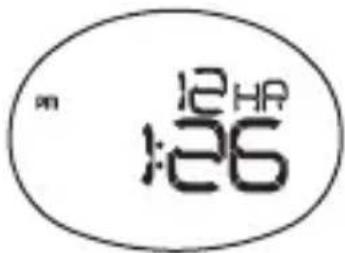
To toggle between the 4 different clock displays:
- Press MODE to navigate to clock mode.
- Press SET to scroll through the different screens.
| 12.26.00 :26 | "ALARM 6:00 |
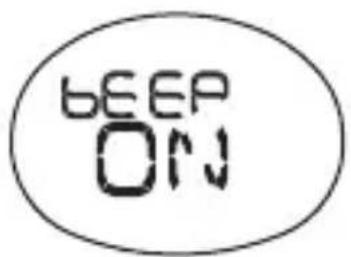
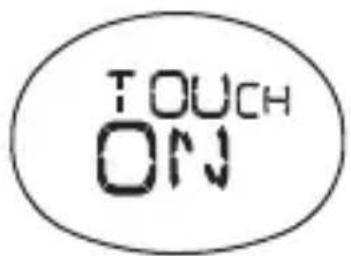
| BEEP ON | TOUCH ON |
CLOCK / ALARM / KEYPAD TONE / TAP ON LENS
ALARM
To set the daily alarm:
- Press MODE to navigate to clock mode.
-
Press SET until you reach the alarm display.
-
Press and hold SET until the first setting flashes.
-
Press + to change the setting. Hold to speed through the options.
-
Press SET to confirm and move onto the next setting. The setting sequence is hours and minutes.
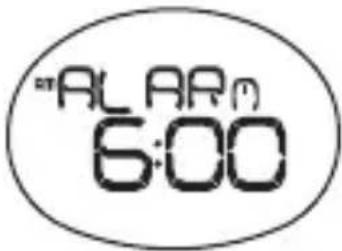
To turn the alarm sound OFF and reset it for the next day:
Press any key.
To activate / deactivate the alarm:
- Press MODE to navigate to clock mode.
- Press SET until you reach the alarm display.
- Press + to toggle between alarm on or off. 🖼 appears when the alarm is activated.
CLOCK / ALARM / KEYPAD TONE / TAP ON LENS
KEYPAD TONE
To turn the keypad tone ON or OFF:
- Press MODE to navigate to the clock mode.
- Press SET until you reach the keypad tone display.
- Press + to change the setting.
- Press SET to confirm.
TAP ON LENS
The tap on lens feature gives you easy access to 1 of 6 preset modes:
- Clock (TIME)
- Instant percentage heart rate, i.e., how hard the heart is working (%HR)
- Stopwatch and current heart rate (STW HR)
• Average heart rate (Avg HR)
• Calories burned (kCAL) - Stopwatch (CHRONO)
To set the tap on lens preset mode:
- Press MODE to navigate to the clock mode.
- Press SET until you reach the tap on lens display and use to select TOUCH ON.
- Press and hold SET.
- Press + to select 1 of the 6 modes and SET twice to confirm.
CLOCK / ALARM / KEYPAD TONE / TAP ON LENS
To use the tap on lens:
Simply tap with fi ngernail on the lens and your preset mode will display for 10 seconds before returning to the previous screen.

It appears when the tap on lens feature is activated and flashes when the preset display is shown.
HEART RATE LIMITS / ALERT
To set lower and upper heart rate limits / alert:
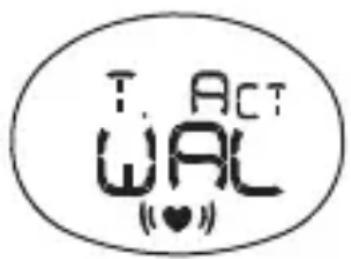
- Press MODE to switch to heart rate limit mode.
NOTE: To enter the user data setting mode, the stopwatch must be stopped.
- Press and hold SET until the first setting fl ashes.
- Press + to change the setting. Hold to speed through the options.
- Press SET to confirm and move onto the next setting. The setting sequence is: Target activity (Walk, Jog or Run), lower heart rate limit, upper heart rate limit and alert ON / OFF.
NOTE: You need to set the target activity for automatic calculation of the lower and upper heart rate limit. If you change the target activity level, your upper / lower heart rate will automatically be updated.
HEART RATE LIMITS / ALERT
TARGET ACTIVITY
| TARGET ACTIVITY | MHR % DESCRIPTION |
| WALK 65 - 78% | Health Maintenance: Low intensity training level. Good for those who want to strengthen their cardiovascular systems |
| JOG 65 - 85% | Aerobic Exercise: Increases strength and endurance. Works within body's oxygen intake capability, burns more calories, can be maintained for a long period of time |
| RUN 78 - 90% | Anaerobic: Generates speed and power. Works at or above body's oxygen intake capability, builds muscle, and cannot be maintained for a long period of time |
Before you begin any exercise program and to achieve maximum health benefits from your workout, it is important to know your:
• Maximum heart rate (MHR)
• Lower heart rate limit
• Upper heart rate limit
HEART RATE LIMITS / ALERT
To manually calculate your own heart rate limits:
| MHR | MHR = 220-age |
| LOWER LIMIT | MHR x lower target activity %.E.g. Target activity is WALK:Lower limit = MHR x 65% |
| UPPER LIMIT | MHR x upper target activity %.E.g. Target activity is WALK:Upper limit = MHR x 78% |
HEART RATE ALERT
You can set the heart rate alert in the heart rate mode to the following settings:
| ICON DESCRIPTION | |
| Heart rate sound alert is OFF | |
 | Heart rate sound alert is ON1 beep = you have gone below your lower zone limit2 beeps = you have gone above your upper zone limit |

or ▼ flash when you have surpassed your heart rate limit.
NOTES:
- Sound alert will only be activated if alert setting is ON and during exercise (when stopwatch is running).
- If the watch is kept idle without receiving a heart rate signal for 5 minutes, the heart rate mode will quit and return to clock mode.
USER DATA
To access the full benefits of this product, set up your user data before you exercise. This will automatically generate a fitness index, and enable the watch to calculate the level of calories burned when exercising. This information helps you track your progress over time.
To set the user data:
- Press MODE to navigate to the user data mode.
- Press and hold SET until the first setting fl ashes.
- Press + to change the setting. Hold to speed through the options.
- Press SET to confirm and move onto the next setting. The setting sequence is: Activity level (ATH / HOB / LIT), gender (M / F), year of birth, month of birth, day of birth, height unit (feet or meters), height, weight unit (lbs or kg) and weight. Once data has been completed the fitness index will display as FAIR, NORMAL or GOOD.

NOTE: You must enter your user data to enable the calorie count and fat burn features.
To view your fitness index:
Press MODE until you reach the user data display.
USER DATA
ACTIVITY LEVEL
The activity level is based on your own self-assessment of the amount of exercise you regularly perform.
| ACTIVITY LEVEL | DESCRIPTION |
| LITTLE | Low - You do not usually participate in programmed recreation sports or exercise. |
| HOBBY | Medium - You are engaged in modest physical activity (such as golfing, horseback riding, table tennis, calisthenics, bowling, weight lifting or gymnastics) 2-3 times a week, totaling 1 hour per week. |
| ATHLETE | High - You actively and regularly participate in heavy physical exercise (such as running, jogging, swimming, cycling, or skipping rope) or engage in vigorous aerobic exercise (such as tennis, basketball or handball). |
NOTE: You must enter the activity level to calculate the calories burned and fi tness index.
FITNESS INDEX
The watch will generate a fitness index based on your aerobic fitness. This index is dependent and limited by the body's ability to deliver oxygen to the working muscles in training. It is often measured by maximum oxygen uptake (VO2 Max), which is defined as the highest amount of oxygen that can be utilized when exercising at an increasingly demanding level. The lungs, heart, blood, circulatory system, and working muscles are all factors in determined VO2 Max. The unit of VO2 Max is ml/kg min.
USER DATA
See the tables below for a rough guide to what your fitness index means:
FITNESS INDEX FOR MEN
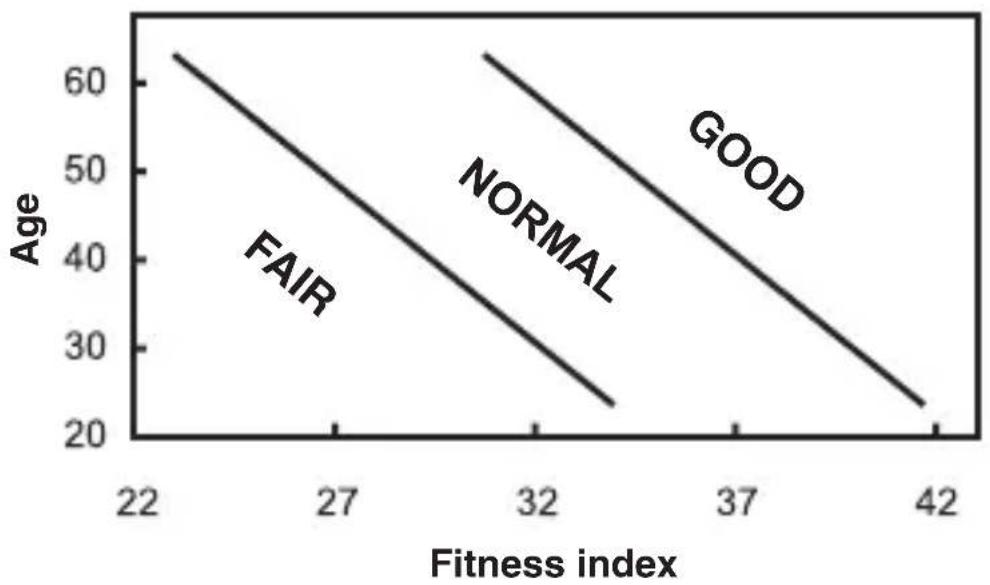
line
| Fitness index | Age | Category | |---|---|---| | 22 | 63 | FAIR | | 27 | 50 | FAIR | | 32 | 40 | NORMAL | | 37 | 30 | GOOD | | 42 | 23 | GOOD |FITNESS INDEX FOR WOMEN
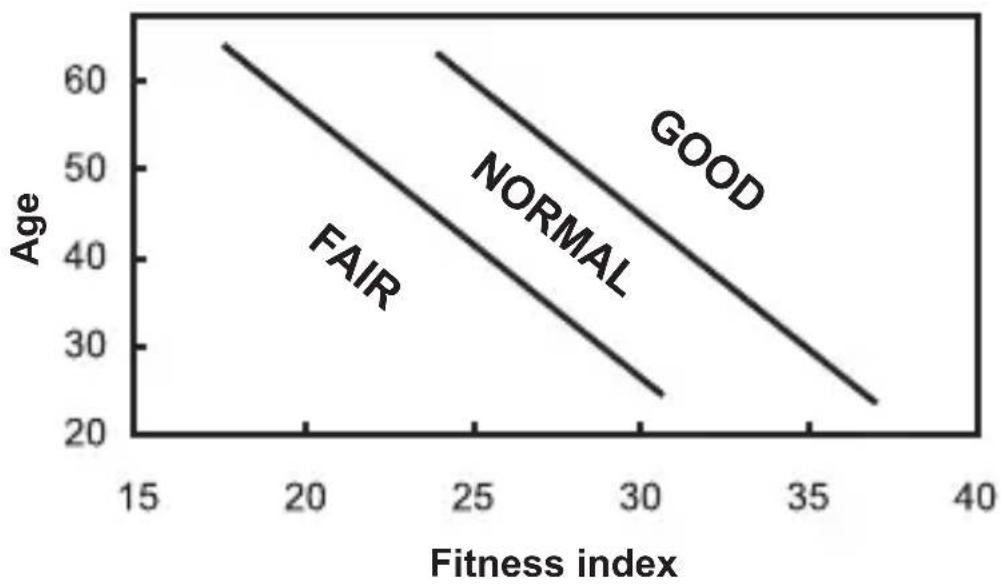
line
| Fitness index | Age | Label | | ------------- | ---- | ------- | | 15 | 60 | FAIR | | 20 | 50 | FAIR | | 25 | 40 | FAIR | | 30 | 30 | FAIR | | 35 | 25 | FAIR | | 40 | 20 | FAIR | | 15 | 60 | NORMAL | | 20 | 50 | NORMAL | | 25 | 40 | NORMAL | | 30 | 30 | NORMAL | | 35 | 25 | NORMAL | | 40 | 20 | NORMAL | | 15 | 60 | GOOD | | 20 | 50 | GOOD | | 25 | 40 | GOOD | | 30 | 30 | GOOD | | 35 | 25 | GOOD | | 40 | 20 | GOOD |WEARING THE CHEST BELT
CHEST BELT
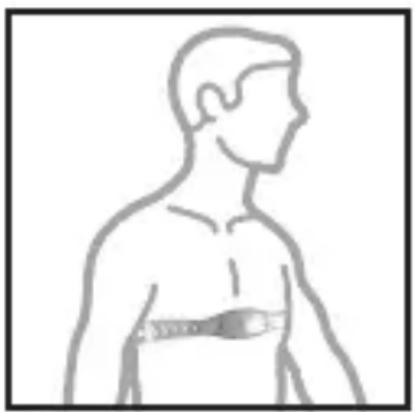
The chest belt counts your heartbeat and transmits this data to the watch.
- Wet the conductive pads on the underside of the chest belt with a few drops of water or conductive gel to ensure solid contact.
- Strap the chest belt across your chest making sure the belt sits snugly below your pectoral muscles.
natural_image
Side profile illustration of a human torso with a medical or health device attached (no text or symbols)TIPS
- For accurate heart rate readings, make sure the chest belt is placed above your heart.
- Avoid areas with dense chest hair.
- In dry, cold climates, it may take several minutes for the chest belt to function steadily. This is normal and should improve with several minutes of exercise.
NOTE: If the watch is kept idle without receiving a heart rate signal for about 5 minutes, the heart rate mode will quit.
WEARING THE CHEST BELT
TRANSMISSION SIGNAL
The chest belt and watch have a maximum transmission range of about 25 inches (62.5 cm).
| ICON DESCRIPTION | |
| ♥ | Flashes when signal has been found |
| « » | Appears when heart rate alert is ON |
In the event that you experience a weak signal or your signal is disrupted by interference in the environment:
- Shorten the distance between the chest belt and watch.
• Re-adjust the position of the chest belt. - Check the conductive pads are moist enough to ensure solid contact.
- Check the batteries. If they are low the range may be less.
- When two or more people use the units nearby at the same time, ensure there is more than 45 inches (112.5 cm) between them.
NOTE: Signal interference in the environment can be due to electromagnetic disturbances. These may occur near high voltage power lines, traffic lights, overhead lines of electric railways, electric bus lines or trams, televisions, car motors, bike computers, some motor driven exercise equipment, cellular phones or when you walk through electric security gates. Under interference, the heart rate reading may become unstable and inaccurate.
STOPWATCH
To use the stopwatch:
-
Press MODE to navigate to stopwatch mode.
-
To start / stop / resume the stopwatch, press ST / SP.
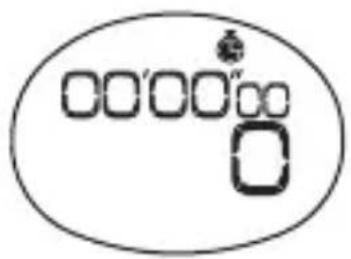
If the watch heart rate function is activated and the user data has been entered, the calorie consumption will start counting when the stopwatch is running.
appears when the stopwatch is running. You can run the stopwatch while you access other modes. If ashes until you switch back to stopwatch mode.
To reset the stopwatch:
- Press MODE to navigate to stopwatch mode.
The stopwatch and time appear on the display.
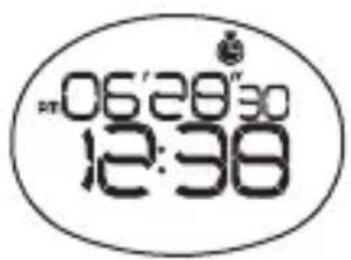
- To reset the stopwatch, press and hold SET.
STOPWATCH
VIEW DATA AND CURRENT HEART RATE WHILE STOPWATCH IS RUNNING
Press HR to scroll through the following screen displays while the stopwatch is in use:
| Percentage heart rate and current heart rate | 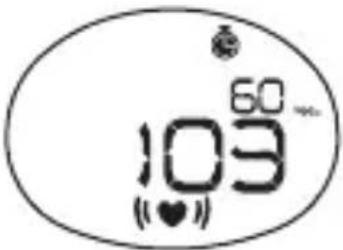 |
| Stopwatch and current heart rate | 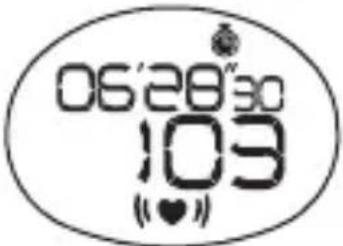 |
| Average heart rate and current heart rate | 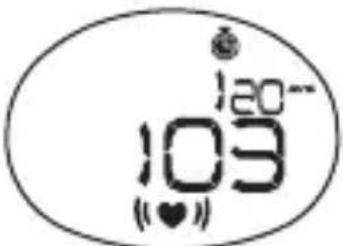 |
| Calories burned and current heart rate | 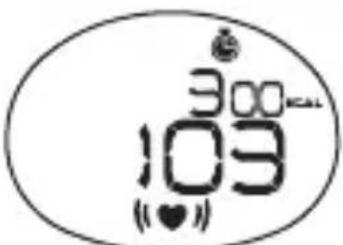 |
PERCENTAGE HEART RATE READING
The percentage heart rate reading is calculated from your current heart rate and MHR: × 100%
The higher the percentage, the harder the heart is working. For example, when you reach 80-90% you should consider slowing down to a more comfortable exercise level.
To turn the backlight on for 3 seconds:
Press ⚡️(Press again within the 3 seconds to extend the light for 3 more seconds.)
To turn the keypad lock ON or OFF:
Press and hold


appears when the keypad lock is ON.
NOTE: The backlight does not work when the low battery icon is shown and will return to normal once the batteries are replaced.
BATTERIES
The watch uses a CR2032 3V battery, which has already been installed. The battery warnings are:
| DESCRIPTION | |
| Continuous fl ashing The watch battery is low | |
| Intermittent fl ashing | The watch battery is too low to run the backlight |
* The batteries typically last one year.
To assure the water resistance take the watch to a local jewelry store for battery replacement. Improper replacement will void the warranty.
IMPORTANT:
Remember to set the profi les after every battery replacement or reset.
BATTERIES
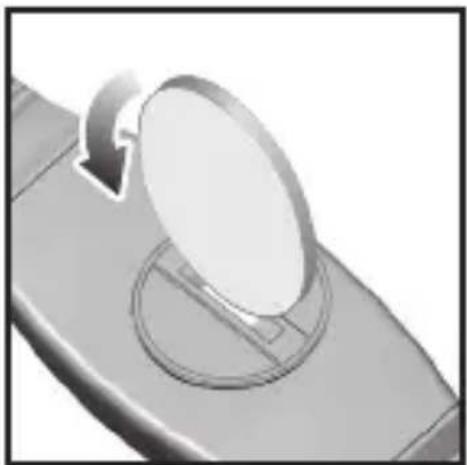
The chest belt uses a CR2032 3V battery, which has already been installed. If the heart rate signals become unsteady or stop your chest belt battery may need replacing.
To replace the chest belt battery:
- Using a coin, twist the battery door counter-clockwise until it clicks out of place.
- Replace the old battery and close the battery door by twisting it clockwise until it is firmly in place.
natural_image
Close-up of a mechanical component with a circular component and a curved arrow indicating rotation (no text or symbols)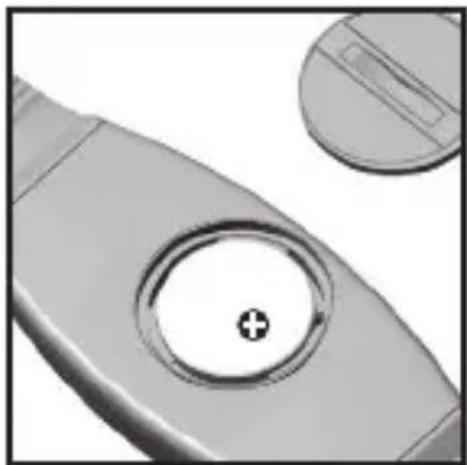
natural_image
Close-up of a mechanical component with a circular hole and a plus symbol, no visible text or symbols.USE IN THE WATER
The watch is water-resistant up to 164 feet. The chest belt is splash proof, but should not be worn for underwater activities, as the heart rate transmission cannot occur under water. Refer to the table for proper use guidelines.
 RAIN SPLASHES ETC RAIN SPLASHES ETC | 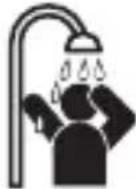 SHOWERING (WARM/ COOL WATER ONLY) SHOWERING (WARM/ COOL WATER ONLY) | 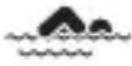 LIGHT SWIMMING / SHALLOW WATER LIGHT SWIMMING / SHALLOW WATER |  SHALLOW DIVING/ SURFING/ WATER SPORTS SHALLOW DIVING/ SURFING/ WATER SPORTS | 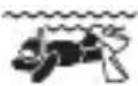 SNORKELING / DEEP WATER DIVING SNORKELING / DEEP WATER DIVING | |
| Watch 164Feet/ 50M | OK OK | OK NO NO | |||
| Chest Belt | OK NO | NO NO NO |
IMPORTANT:
- Ensure the buttons and battery compartment are secured and intact before exposing the watch to excessive water.
- Avoid pressing the buttons while in the water or during heavy rainstorms, as this may cause water to enter the watch, leading to malfunction.
SPECIFICATIONS
| Model | HR-310 (HBE-310-Z) |
| Power Supply Monitor w | watch: 3 VDC (1 lithium battery CR2032)Chest belt: 3 VDC (1 lithium battery CR2032) |
| Clock Time format: 12 hr | / 24 hr |
| Date format: D.M. / M.D. | |
| Year: 2005-2054 (auto-calendar) | |
| Alarm: Daily | |
| Stopwatch Count-up timer: | From 00'00"00 (min' sec" 100th sec) to 99:59'59" (hr: min' sec") |
| Performance Tracking H | heart rate (HR) alert: Sound / visual |
| HR measuring range: 30-240 bpm (beats per minute) | |
| Lower HR settable range: 30-220 bpm (beats per minute) | |
| Upper HR settable range: 80-240 bpm (beats per minute) | |
| Calories calculation: 0-9,999kcal | |
| Transmission Range: 25 inches (62.5 cm) – may decrease with low battery | |
| Water Resistant | Monitor watch: 164 feet (50 meters) not actuating keys |
| Chest belt: Splash proof | |
| Operating Environment | temperature: 32°F to 104°F (0°C to 40°C) |
| humidity: 30 to 85% RH | |
| Battery Life | Monitor watch: Approx. 1 year (when used for measuring 30 minutes a day) |
| Chest Belt: Approx. 1.5 years (when used for measuring 30 minutes a day) | |
| Contents | Heart Rate Monitor Watch, Chest Belt, Chest Belt Strap, 2 Lithium CR2032 Batteries (installed) and Instruction Manual |
- Specifications are subject to change without notice.
FCC STATEMENT
NOTE:
POTENTIAL FOR RADIO/TELEVISION INTERFERENCE (for U.S.A. only)
This product has been tested and found to comply with the limits for a Class B digital device, pursuant to part 15 of the FCC rules.
These limits are designed to provide reasonable protection against harmful interference in a residential installation. The product generates, uses, and can radiate radio frequency energy and, if not installed and used in accordance with the instructions, may cause harmful interference to radio communications. However, there is no guarantee that interference will not occur in a particular installation. If the product does cause harmful interference to radio or television reception, which can be determined by turning the product on and off, the user is encouraged to try to correct the interference by one or more of the following measures:
- Reorient or relocate the receiving antenna.
- Increase the separation between the product and the receiver.
- Connect the product into an outlet on a circuit different from that to which the receiver is connected.
- Consult the dealer or an experienced radio/TV technician for help.
POTENTIAL FOR RADIO/TELEVISION INTERFERENCE (for Canada only)
This digital apparatus does not exceed the Class B limits for radio noise emissions from digital apparatus as set out in the interference-causing equipment standard entitled “Digital Apparatus”, ICES-003 of the Canadian Department of Communications.
Changes or modifications not expressly approved by the party responsible for compliance could void the user's authority to operate the equipment.
LIMITED WARRANTY
Your OMRON ^® HR-310 Heart Rate Monitor, excluding the batteries, is warranted to be free from defects in materials and workmanship appearing within 1 year from the date of purchase, when used in accordance with the instructions provided with the unit. The above warranties extend only to the original retail purchaser.
We will, at our option, repair or replace without charge any monitor covered by the above warranties. Repair or replacement is our only responsibility and your only remedy under the above warranties.
To obtain warranty service contact Omron Healthcare's Customer Service by calling 1-800-634-4350 for the address of the repair location and the return shipping and handling fee. Information for warranty service is available on our website at www.omronhealthcare.com.
Enclose the Proof of Purchase. Include a letter, with your name, address, phone number, and description of the specific problem. Pack the product carefully to prevent damage in transit. Because of possible loss in transit, we recommend insuring the product with return receipt requested.
THE FOREGOING IS THE SOLE WARRANTY PROVIDED BY OMRON IN CONNECTION WITH THIS PRODUCT, AND OMRON HEREBY DISCLAIMS ANY OTHER WARRANTIES, EXPRESS OR IMPLIED, INCLUDING IMPLIED WARRANTIES OF MERCHANTABILITY AND FITNESS FOR A PARTICULAR PURPOSE. IMPLIED WARRANTIES AND OTHER TERMS THAT MAY BE IMPOSED BY LAW, IF ANY, ARE LIMITED IN DURATION TO THE PERIOD OF THE ABOVE EXPRESS WARRANTY.
OMRON SHALL NOT BE LIABLE FOR LOSS OF USE OR ANY OTHER SPECIAL, INCIDENTAL, CONSEQUENTIAL OR INDIRECT COSTS, EXPENSES OR DAMAGES.
This warranty provides you with specific legal rights, and you may have other rights that vary by jurisdiction. Because of special local requirements, some of the above limitations and exclusions may not apply to you.
FOR CUSTOMER SERVICE
Visit our web site at: www.omronhealthcare.com
Call toll free: 1-800-634-4350
NOTES
NOTES
Omron Healthcare, Inc.
1925 West Field Court
Lake Forest, IL 60045
www.omronhealthcare.com
Copyright © 2011 Omron Healthcare, Inc.
Made in China

- CONTENTS
- Before Using the Unit
- Operating Instructions
- Care and Maintenance
- INTRODUCTION
- SAVE THESE INSTRUCTIONS
- IMPORTANT SAFETY INFORMATION
- NOTES:
- KNOW YOUR UNIT
- Main Unit
- LCD
- GETTING STARTED
- IMPORTANT:
- TURNING ON THE WATCH (1ST TIME USE ONLY)
- CLOCK / ALARM / KEYPAD TONE / TAP ON LENS
- CLOCK
- To set the clock:
- To toggle between the 4 different clock displays:
- ALARM
- To set the daily alarm:
- To turn the alarm sound OFF and reset it for the next day:
- To activate / deactivate the alarm:
- KEYPAD TONE
- To turn the keypad tone ON or OFF:
- TAP ON LENS
- To set the tap on lens preset mode:
- To use the tap on lens:
- HEART RATE LIMITS / ALERT
- To set lower and upper heart rate limits / alert:
- HEART RATE ALERT
- USER DATA
- To set the user data:
- To view your fitness index:
- ACTIVITY LEVEL
- FITNESS INDEX
- WEARING THE CHEST BELT
- CHEST BELT
- TIPS
- TRANSMISSION SIGNAL
- STOPWATCH
- To use the stopwatch:
- To reset the stopwatch:
- VIEW DATA AND CURRENT HEART RATE WHILE STOPWATCH IS RUNNING
- PERCENTAGE HEART RATE READING
- To turn the backlight on for 3 seconds:
- To turn the keypad lock ON or OFF:
- BATTERIES
- To replace the chest belt battery:
- USE IN THE WATER
- SPECIFICATIONS
- FCC STATEMENT
- NOTE:
- LIMITED WARRANTY
- FOR CUSTOMER SERVICE
- NOTES
- Omron Healthcare, Inc.
Brand : OMRON
Model : HR-310
Category : Pulse oximeter