SOMMERsuite - Uncategorized Sommer - Free user manual and instructions
Find the device manual for free SOMMERsuite Sommer in PDF.


| Product Type | Software for managing SOMlink and Codemaster+ |
| Operating System Compatibility | MS Windows 7 or higher |
| Internet Connection | Required for download, updates, and backup |
| Administrator Rights | Required for installation |
| Supported Devices | SOMlink and Codemaster+ (firmware v03.05.18 or higher) |
| Main Functions | Update firmware, create backup, restore backup |
| Update Feature | Checks for firmware updates, downloads and transfers to device |
| Backup Feature | Creates backup copy of object data from Codemaster+ to computer |
| Restore Feature | Restores previously created backups to Codemaster+ |
| Backup Frequency Recommendation | Regular intervals (operator responsibility) |
| Language | English (manual available in multiple languages) |
| Installation Method | Download from som4.me/sommersuite, run setup file |
| Automatic Update | If an older version is installed, it updates automatically on start |
| Connection Type | WiFi (device must be within WiFi range) |
| Device Power | Device must be plugged into power outlet |
| Password Protection | Optional password entry for device access |
| Warranty | Statutory, contact qualified dealer |
| Contact for Service | Service hotline: +49 (0) 900 1800-150 |
| Copyright | © SOMMER Antriebs- und Funktechnik GmbH |
Frequently Asked Questions - SOMMERsuite Sommer
User questions about SOMMERsuite Sommer
0 question about this device. Answer the ones you know or ask your own.
Ask a new question about this device
Download the instructions for your Uncategorized in PDF format for free! Find your manual SOMMERsuite - Sommer and take your electronic device back in hand. On this page are published all the documents necessary for the use of your device. SOMMERsuite by Sommer.
USER MANUAL SOMMERsuite Sommer
natural_image
Black electronic device with a flat top and power outlet, no visible text or symbols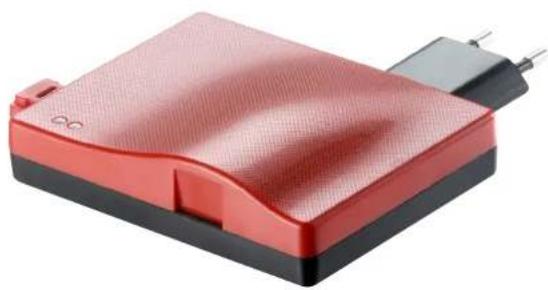
natural_image
Red and black electronic device with a power connector (no visible text or symbols)EN TRANSLATION OF THE ORIGINAL MANUAL
SOMMERsuite
SOMlink
Codemaster+

natural_image
Red square icon with white circular arrows forming a cycle (no text or symbols)
natural_image
Icon of a gear on a red diagonal background with the word 'SOMMER' below (no additional text or symbols)SOMMERsuite_S12157-00001_122019_0-DRE_Rev-A_EN
Table of contents
Contents
Table of contents 2
General information 3
SOMMERsuite
About this manual 4
Product description 4
Requirements
Download
Installation
Performing an update 5
Creating backup 6
Restore backup 7
4
4
5
5
General information
Information on the Installation and Operating Manual
Version of the installation and operating manual:
SOMMERsuite_S12157-00001_122019_0-DRE_Rev-A_EN
Warranty
The warranty complies with statutory requirements. The contact person for warranties is the qualified dealer. The warranty is only valid in the country in which the operator was purchased. There is no warranty for consumables such as batteries, accumulators and safety products as well as light bulbs. This also applies for wear parts. The operator is only designed for a limited frequency of use. More frequent use leads to increased wear.
Contact data
If you require after-sales service, spare parts or accessories, please contact your qualified specialist retailer or installer.
Feedback on this Installation and Operating Manual
We have tried to make the Installation and Operating Manual as easy as possible to follow. If you have any suggestions as to how we could improve it or if you think more information is needed, please send your suggestions to us:

If you require service, please contact us on our service hotline (fee required) or see our web site:

+49 (0) 900 1800-150
(0.14 euros/minute from land line telephones in
Germany, mobile prices may vary)
Copyright and proprietary rights
The manufacturer retains the copyright for this Installation and Operating manual. No part of this installation and operating manual may be reproduced in any form without the written permission of SOMMER Antriebs- und Funktechnik GmbH or processed, copied, or distributed using electronic systems. Violations of the above stipulations will lead to damage claims. All brands mentioned in this manual are the property of their respective manufacturer and hereby recognised as such.
SOMMERsuite
About this manual
This manual describes:
- download and installation of the computer program required to update the SOMlink and Codemaster+ software.
→ Need only be performed once and can be skipped during future updates. - Carrying out a software update on the SOMlink and Codemaster+.
Product description
The SOMMERsuite is a software program for the management of the SOMMER products SOMlink and Codemaster+.
The following options are available for both devices:
Updater
- Checks whether a firmware update is available for the product
• Downloads updates to the computer
• Transfers updates to the respective product
Backup (creating data backup)

NOTE

The operator of the Codemaster+ is responsible for creating data backup. We recommend that you create backup copies of the data at regular intervals.
- Create backup function:
Creates a backup copy of the object data stored on the Codemaster+ and saves it to the computer. - Restore backup function:
Restores previously created data backups on the Codemaster+.
Requirements
The following criteria must be fulfilled in order to install and use SOMMERsuite:
natural_image
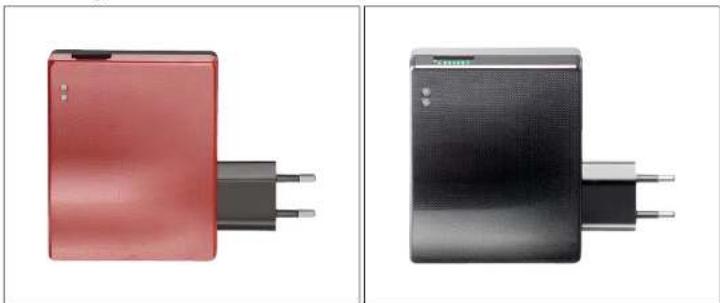
Two electronic devices with black and red buttons, one with two pins and the other with three pins (no visible text or symbols)- WiFi-compatible end device with MS Windows 7 or higher
- Internet connection
• Administrator rights for the end device
• SOMlink or Codemaster+ from firmware version v03.05.18

NOTE
To carry out an update or create backup, the SOMlink or Codemaster+ must be plugged into a power outlet and be within WiFi range.
SOMMERsuite
Download
SOMMERsuite can be downloaded via this link:
som4.me/sommersuite
- Click the link and download SOMMERsuite.
Installation
- De-install any older version.
- Run the downloaded file "SOMMERsuiteSetup.exe"
- Install SOMMERsuite.

NOTE
If a version of SOMMERsuite is already installed, it will be updated automatically when the program is started if an update is available.
Performing an update

NOTE
▶ Other end devices which could connect to the SOMlink or Codemaster+ should be switched off during the update process.
- Start SOMMERsuite.
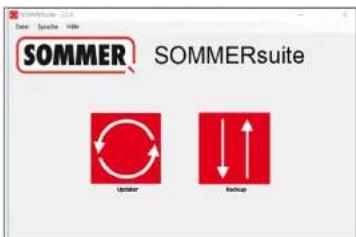
- Select the "Updater" button.

Internet connection must be established!
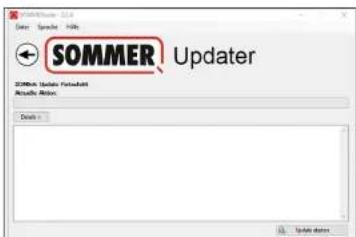
- Click "Start Update."
SOMMERsuite
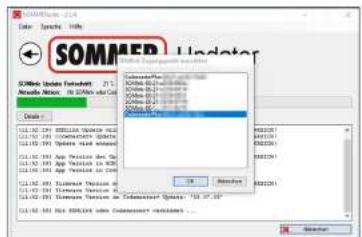
- Select the device on which the update is to be installed.
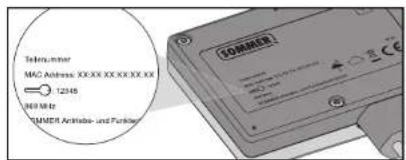
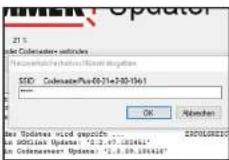
- Where applicable, enter password and confirm with "OK."
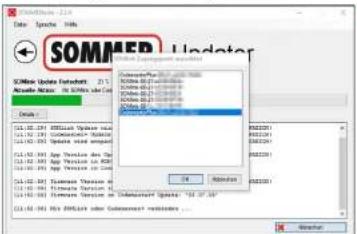
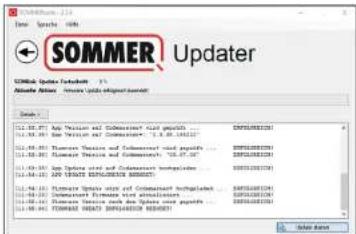
⇒ The update process runs automatically.
- Delete temporary data (cache, cookies etc.) in the browser.
Creating backup
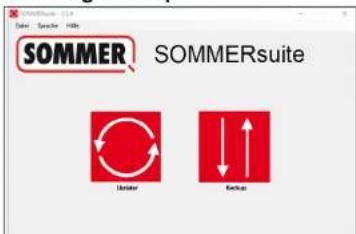
- Select the "Backup" button.
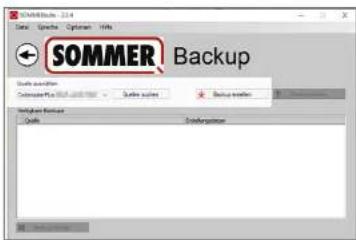
-
Select the device for which data backup is to be performed.
-
Enter password where applicable.
-
Click "Create backup."
SOMMERsuite
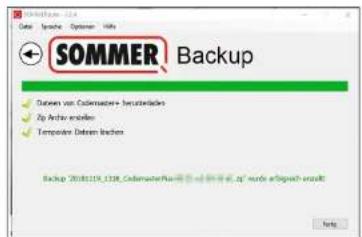
⇒ The backup process runs automatically.
→ Data set appears in the list with the date of creation.
Restore backup

NOTE
All data on the device are overwritten when restoring backup.
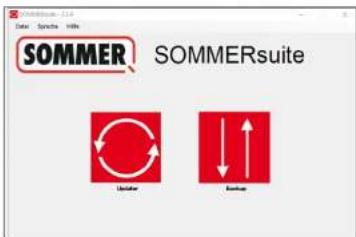
- Select the "Backup" button.
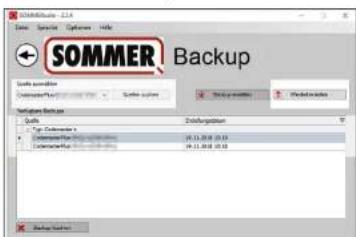
- Select the device on which the data are to be restored (source).
- Select the desired data set from the list.
- Click "Restore."
SOMMERsuite
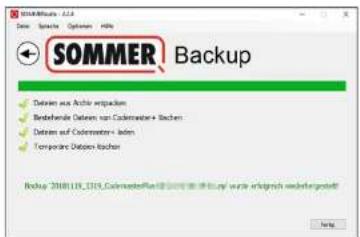
→ Data are transferred to the device.
© Copyright 2019 All rights reserved
- EN TRANSLATION OF THE ORIGINAL MANUAL
- Table of contents
- Contents
- General information
- Warranty
- Contact data
- Feedback on this Installation and Operating Manual
- Copyright and proprietary rights
- SOMMERsuite
- About this manual
- Product description
- Updater
- Backup (creating data backup)
- NOTE
- Requirements
- Download
- Installation
- Performing an update
- Restore backup
Brand : Sommer
Model : SOMMERsuite
Category : Uncategorized