
HB-6PNV - Uncategorized Sabrent - Free user manual and instructions
Find the device manual for free HB-6PNV Sabrent in PDF.


| Product Type | USB-C 6-Port Hub with M.2 SSD Slot |
| Brand | Sabrent |
| Model | HB-6PNV |
| Dimensions | Approximately 4.5 x 2.5 x 0.5 inches (115 x 64 x 13 mm) |
| Weight | Approximately 3.5 oz (100 g) |
| Material | High-quality aluminum alloy body |
| Power Source | Bus-powered via USB-C; supports USB-C PD3.0 bypass charging up to 90W |
| Upstream Connection | Integrated 6-inch USB-C cable, supports up to 10 Gbps (USB 3.2 Gen 2) |
| USB Type-A Ports | 3 ports: 1x USB 2.0 (5V/900mA), 2x USB 3.0 (5 Gbps, 5V/900mA) |
| HDMI Port | HDMI 2.0, supports video output up to 4K@60Hz (requires DP Alt Mode) |
| Ethernet Port | RJ45 Gigabit Ethernet (10/100/1000 Mbps) |
| M.2 SSD Support | M key slot, supports NVMe and SATA SSDs; form factors 2242/2260/2280 |
| M.2 SSD Speed | Up to 5 Gbps (USB 3.2 Gen 1x1) |
| LED Indicator | Blue power LED |
| System Compatibility | Windows, macOS, Linux |
| Package Contents | Hub, M.2 SSD rubber fastener, SSD heatsink screw and screwdriver, user manual |
| Cooling | Aluminum heatsink with thermal pad for M.2 SSD cooling |
| Warranty | Contact Sabrent support via website for details |
Frequently Asked Questions - HB-6PNV Sabrent
User questions about HB-6PNV Sabrent
0 question about this device. Answer the ones you know or ask your own.
Ask a new question about this device
Download the instructions for your Uncategorized in PDF format for free! Find your manual HB-6PNV - Sabrent and take your electronic device back in hand. On this page are published all the documents necessary for the use of your device. HB-6PNV by Sabrent.
USER MANUAL HB-6PNV Sabrent
SABRENT Connecting Differently™
USB-C 6-PORT HUB WITH M.2 SSD SLOT
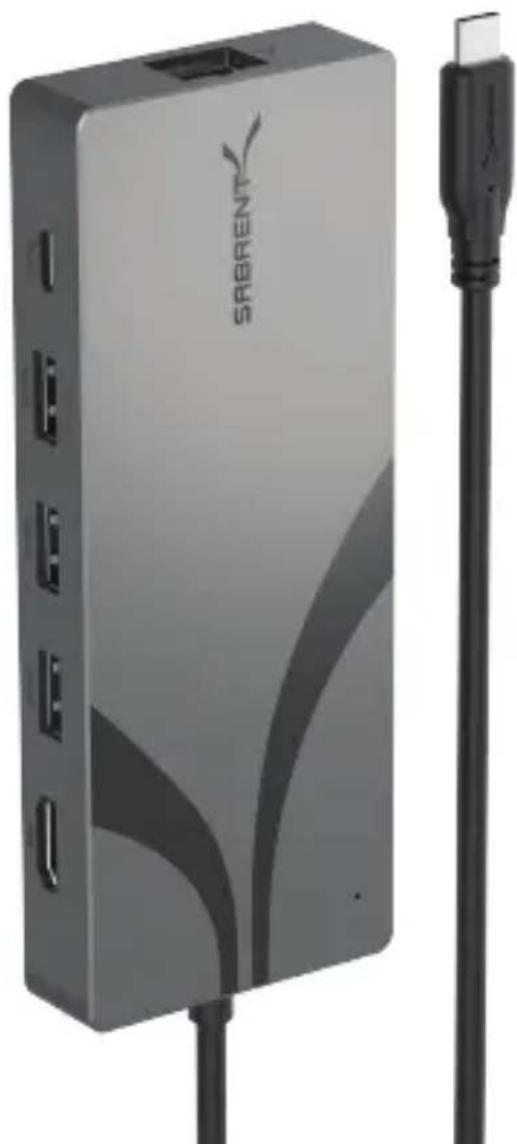
natural_image
Exterior view of a gray SAGRENT device with attached black cable (no text or symbols on main body)HB-6PNV / USER MANUAL
FEATURES
• Lightweight and travel-friendly design: a compact, multiport USB Type-C hub
• High-quality aluminum body optimized heat dissipation and ruggedness, with an LED for power status
- Integrated 6" USB Type-C cable for upstream connection to computers and other compliant devices at up to 10Gbps
• Supports one M.2 SATA or NVMe SSD at up to 5Gbps (USB 3.2 Gen 1x1) transfer speeds
- 3x USB Type-A ports, 1x 2.0 and 2x 3.0, the latter with transfer speeds of up to 5Gbps (USB 3.2 Gen 1x1) and 5V/900mA charging for accessories
- 1x HDMI 2.0 port for an extended or mirrored external display at up to 4K/60Hz, for devices with DP Alternate Mode (DP Alt Mode) support
• 1x RJ45 1GbE Ethernet port for network and Internet connectivity at up to 1000Mbps
- Bus-powered, but also supports USB-C PD3.0 bypass charging for laptops and other devices at up to 90W
SYSTEM REQUIREMENTS
- Windows
- macOS
- Linux
natural_image
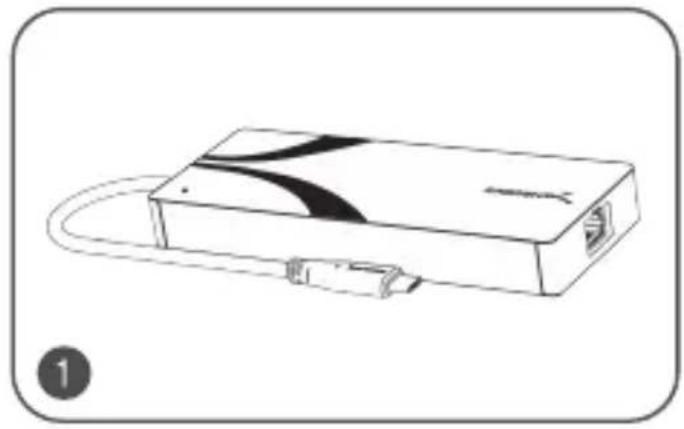
Line drawing of a rectangular electronic device with ports and cables, no text or symbols present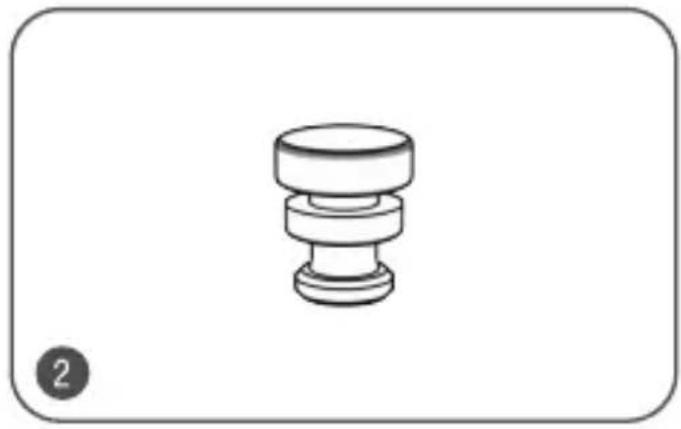
natural_image
Simple line drawing of a mechanical knob or dial (no text or symbols)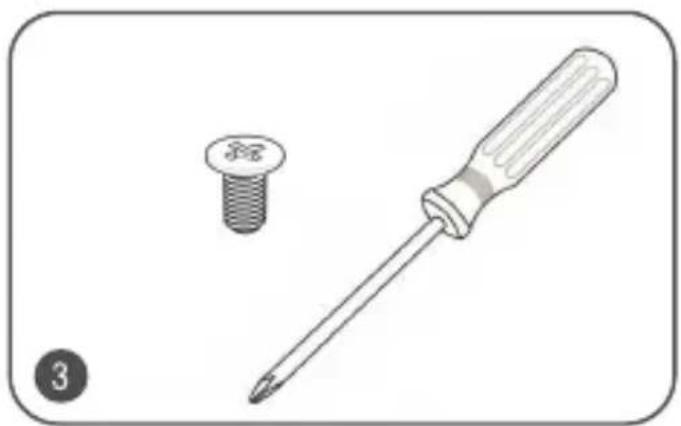
natural_image
Illustration of a screwdriver and a screw with a screw (no text or symbols)
natural_image
Simple line drawing of a document with two horizontal lines, no text or symbols presentPACKAGE CONTENT
- USB-C 6-Port Hub with M.2 SSD Slot
- M.2 SSD rubber fastener
- SSD heatsink screw and screwdriver
- User manual
PRODUCT OVERVIEW
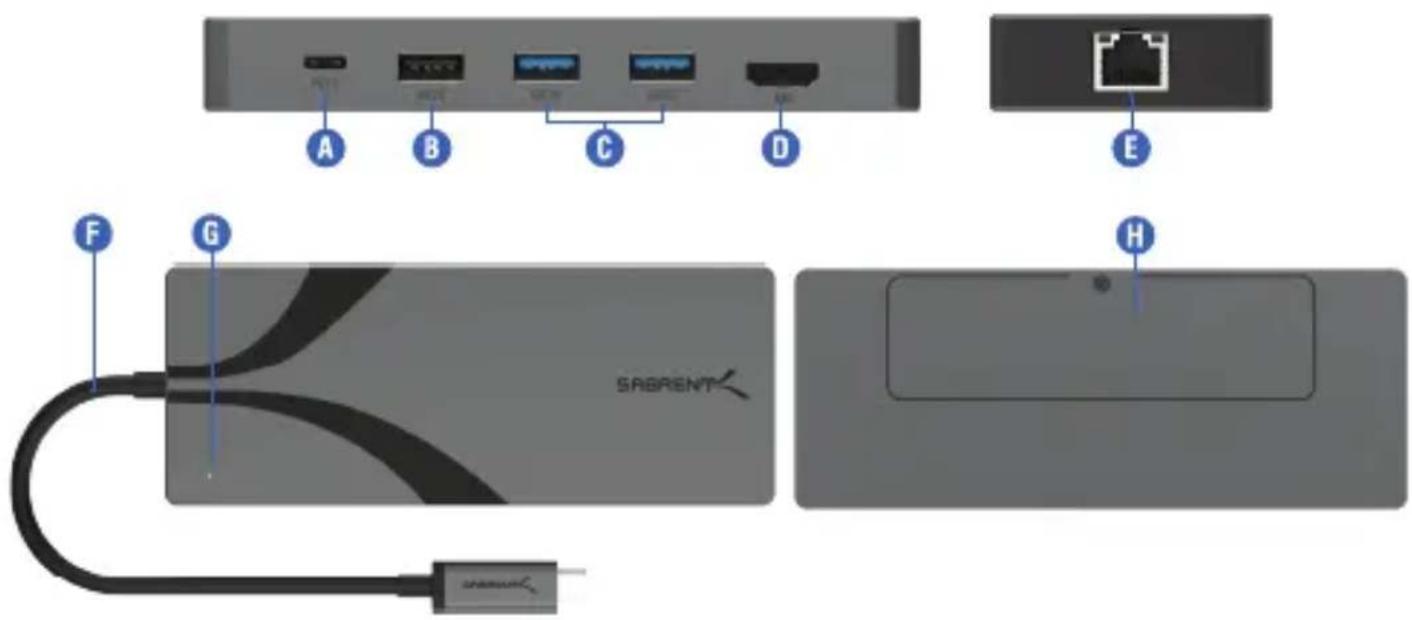
A-USB-C Power Delivery (PD3.0)
Pass-through laptop and device charging up to 90W
B-USB 2.0 Type-A Port
Connect external storage, mice, keyboards, and more
C-USB 3.1 Type-A Ports
Connect external storage, mice, keyboards, and more
Transfer speeds of up to 10Gbps with 5V/900mA charging
D-HDMI 2.0 port
Output video to an external display at up to 4K/60Hz
E-Gigabit Ethernet (GbE) RJ45 port
Supports 10/100/1000Mbps Ethernet
F-6" USB Type-C integrated cable
Connect the hub to a laptop, desktop, or other compliant device
G-LED power indicator
A blue glow lets you know you have power
H-M key M.2 SSD slot
Connect an M.2 NVMe or SATA SSD
Works with 2242/2260/2280 form factor SSDs
M.2 SSD INSTALLATION
natural_image
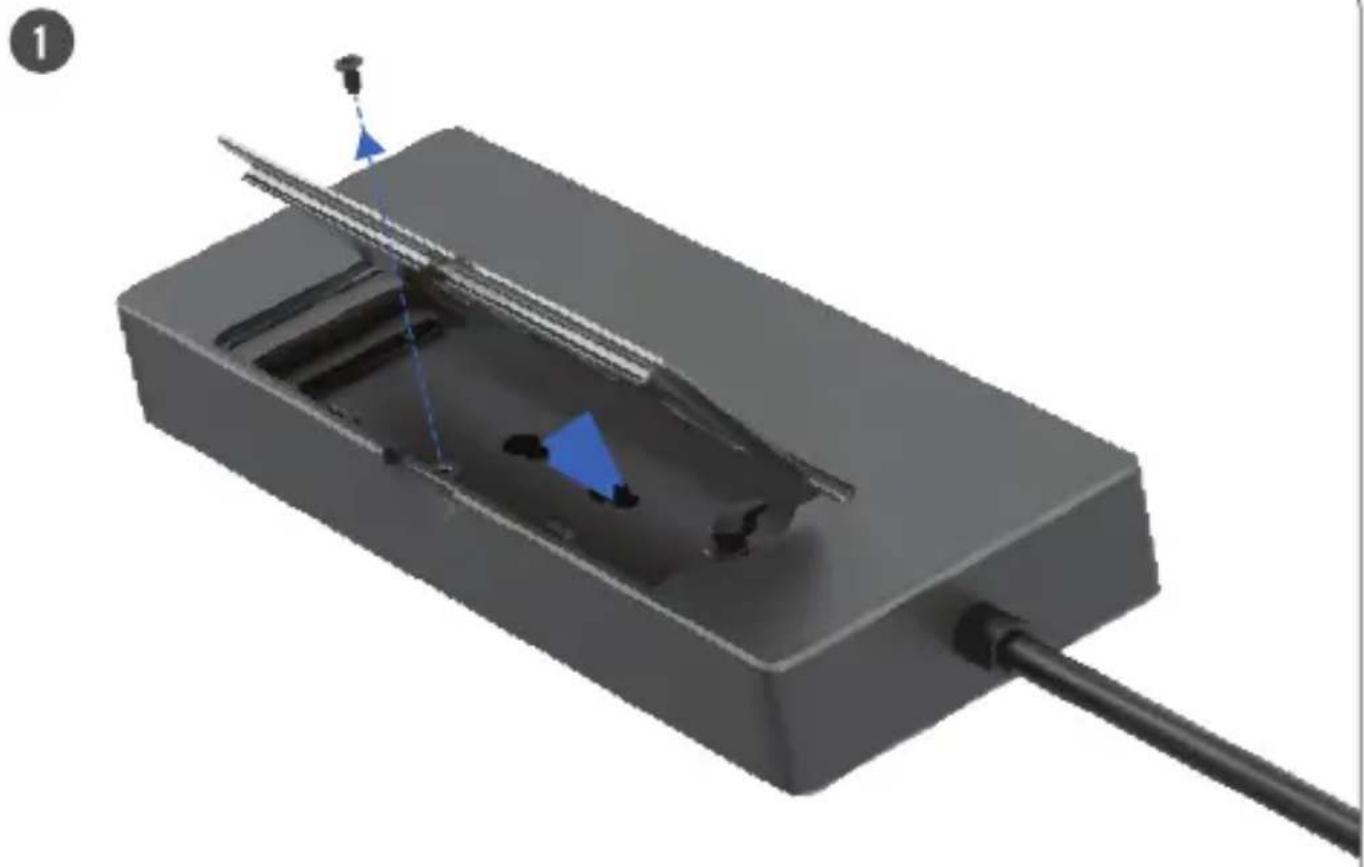
3D rendering of a mechanical component with internal channels and a rod, no visible text or symbolsRemove the aluminum heatsink covering the M.2 SSD slot.
- Unscrew the retaining screw, turning it counterclockwise, and then remove the aluminum heatsink following the direction indicated by the arrows.
natural_image
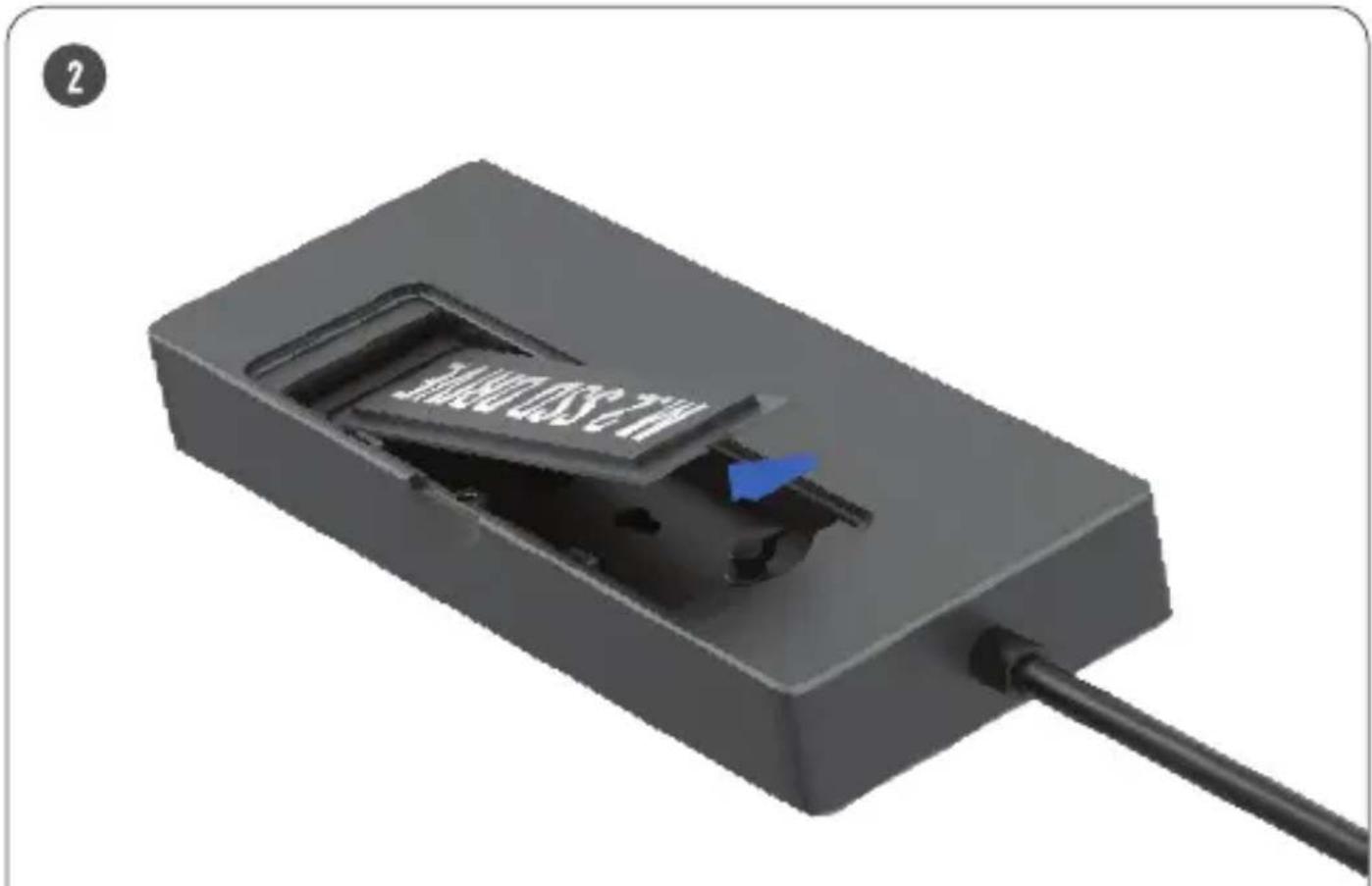
Close-up of a black rectangular electronic device with a blue arrow pointing to a slot, connected by a black cable (no visible text or symbols)Insert the M.2 SSDs into the M key connector.
- Carefully insert the M.2 SSD into the M key connector at the angle indicated above (\~15 degrees).
3
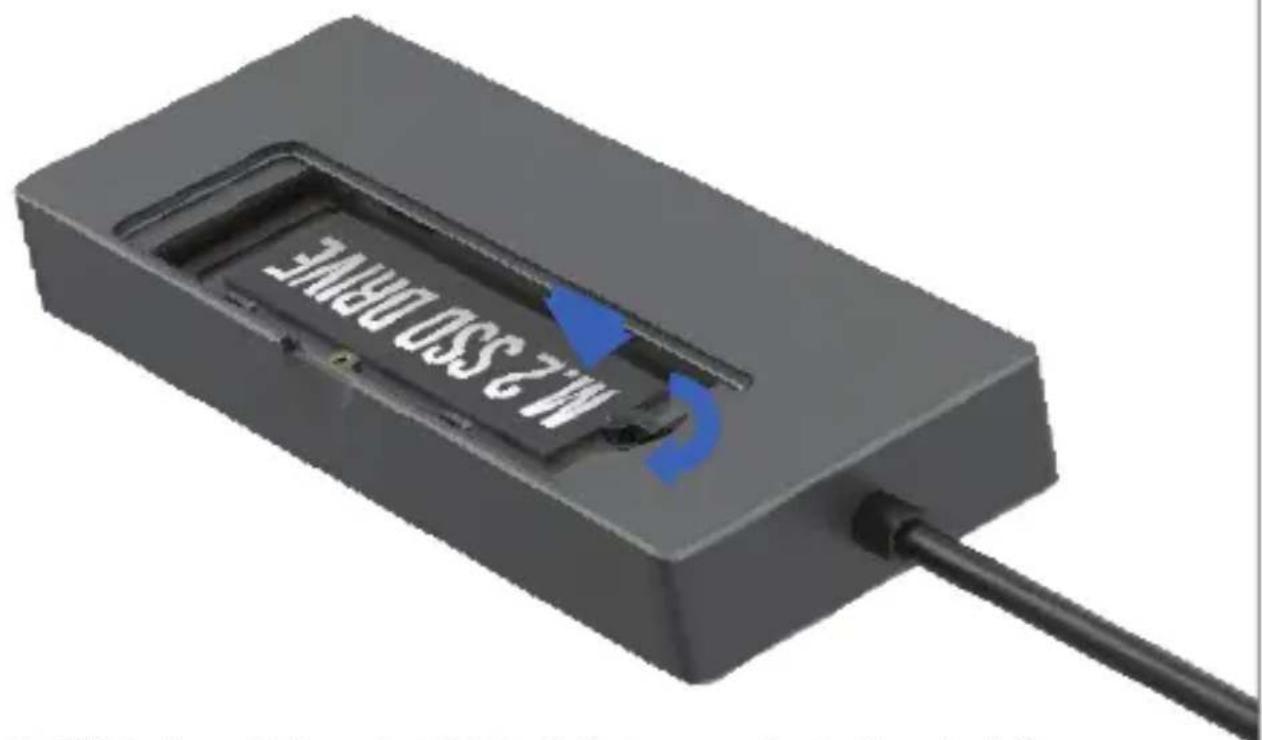
Secure the SSD in place with the preinstalled plastic fastener or optional rubber standoff.
- Gently press the M.2 SSD down until it is horizontal (pay attention to ensure that the M.2 connector remains secured).
- Rotate the plastic fastener 90 degrees to secure the M.2 SSD in place. Or, insert the rubber fastener to secure smaller form factor M.2 SSDs.
natural_image
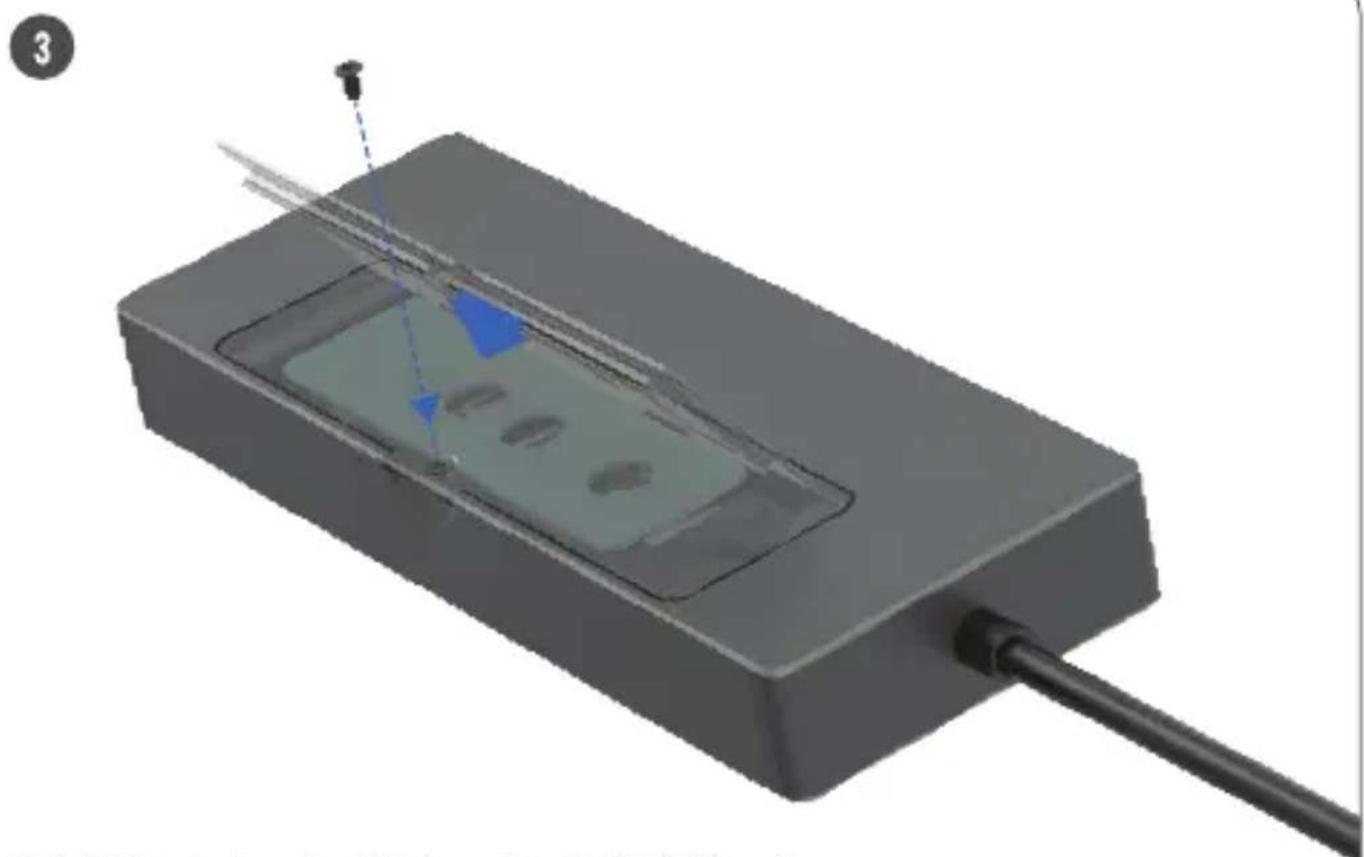
3D rendering of a rectangular electronic device with internal components and a cable, no visible text or symbolsReinstall the aluminum heatsink to assist with M.2 SSD cooling.
- Remove the protective film on the silicon thermal pad before installation.
- Insert the heatsink into the fixed guide slot at a 45-degree angle and then gently press down the heatsink until it is flat, ensuring that it is properly attached using the retention clip.
- Secure the heatsink in place with the retaining screw, turning it clockwise.
- Plug the integrated USB Type-C cable into your Mac or Windows PC, or other compatible device's USB Type-C port.
- Insert the cable end from your USB-C charger into the USB-C PD3.0 bypass charging port to power and charge your devices. Then connect Ethernet, HDMI, and other peripherals to the dock's USB ports as desired.
SABRENT
FOR HELP, COMMENTS, QUESTIONS OR CONCERNS PLEASE CONTACT OUR TECH SUPPORT TEAM VIA OUR WEBSITE WWW.SABRENT.COM
- SABRENT Connecting Differently™
- USB-C 6-PORT HUB WITH M.2 SSD SLOT
- FEATURES
- SYSTEM REQUIREMENTS
- PACKAGE CONTENT
- A-USB-C Power Delivery (PD3.0)
- B-USB 2.0 Type-A Port
- C-USB 3.1 Type-A Ports
- D-HDMI 2.0 port
- E-Gigabit Ethernet (GbE) RJ45 port
- F-6" USB Type-C integrated cable
- G-LED power indicator
- H-M key M.2 SSD slot
- M.2 SSD INSTALLATION
- SABRENT
Brand : Sabrent
Model : HB-6PNV
Category : Uncategorized