Elektrobock WS310 - Uncategorized

WS310 - Uncategorized Elektrobock - Free user manual and instructions

Find the device manual for free WS310 Elektrobock in PDF.

📄 2 pages English EN Download 💬 AI Question 10 questions ⚙️ Specs
Notice Elektrobock WS310 - page 1
Pick your language and provide your email: we'll send you a specifically translated version.
Product Type Heating Controller
Brand Elektrobock
Model WS310
Dimensions (H x W x D) 120 mm x 80 mm x 30 mm
Weight 200 g
Power Supply 230 V AC, 50 Hz
Power Consumption 2 W (standby)
Display Type LCD with backlight
Temperature Range 5°C to 35°C
Control Method Digital, touch buttons
Programming 7-day programmable timer
Sensor Type Internal NTC thermistor
Protection Class IP20
Mounting Wall-mounted (flush or surface)
Housing Material White ABS plastic
Operating Temperature 0°C to 40°C
Storage Temperature -10°C to 50°C
Warranty 2 years
Package Contents Controller, manual, screws, wall plugs

Frequently Asked Questions - WS310 Elektrobock

How do I install the WS310 thermostat?
First, turn off the power supply. Mount the backplate on the wall using the provided screws and wall plugs. Connect the wires according to the wiring diagram in the manual. Attach the front unit and restore power.
How to set the correct time and day?
Press the Menu button, use the arrow keys to navigate to Clock, then set hour, minute, and day using the + and - buttons. Confirm with OK.
Why is my heating not turning on?
Check if the thermostat is set to Heat mode and the set temperature is higher than the room temperature. Ensure the power supply is on and the circuit breaker is not tripped.
How do I program a weekly schedule?
Go to Program in the menu. You can set up to 4 time periods per day (Morning, Day, Evening, Night) with desired temperatures. Repeat for each day or copy one day to others.
What does the lock icon mean?
The lock icon indicates that the keypad is locked to prevent accidental changes. To unlock, press and hold the Menu button for 5 seconds until the icon disappears.
Can I use the thermostat with a floor heating system?
Yes, the WS310 is compatible with most floor heating systems. However, ensure the floor sensor (if included) is properly installed to avoid overheating.
How to change the temperature display from Celsius to Fahrenheit?
Access the Settings menu, select Temperature Scale, and toggle between °C and °F using the arrow keys.
What is the holiday mode?
Holiday mode allows you to set a constant low temperature for an extended absence. Activate it in the menu, set the desired temperature and duration. The thermostat will return to normal schedule after the period ends.
My thermostat shows 'Err' or 'E1' on the screen. What does it mean?
Error codes indicate sensor faults. 'Err' may be a general error, while 'E1' typically means the internal sensor is short-circuited. Check sensor connections or contact support.
How do I reset the thermostat to factory settings?
Go to Settings > Reset and confirm. This will erase all programmed schedules and restore default values.

User questions about WS310 Elektrobock

0 question about this device. Answer the ones you know or ask your own.

Ask a new question about this device

The email remains private: it is only used to notify you if someone responds to your question.

No questions yet. Be the first to ask one.

Download the instructions for your Uncategorized in PDF format for free! Find your manual WS310 - Elektrobock and take your electronic device back in hand. On this page are published all the documents necessary for the use of your device. WS310 by Elektrobock.

USER MANUAL WS310 Elektrobock

FOUR-CHANNEL KEY FOB

NIS302

10-CHANNEL RECEIVER WS304-10

DECLARATION OF CONFORMITY

PLUG-IN RECEIVER WS303

WALL-MOUNTED RECEIVER WS302

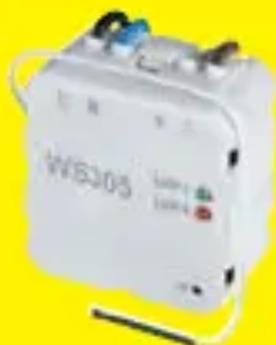
White industrial battery labeled 'WB301' with red and blue terminals, set against a yellow background.

RECEIVER UNDER SWITCH WS301

White WASO5 electric vehicle with attached power cord and buttons, set against a yellow background.

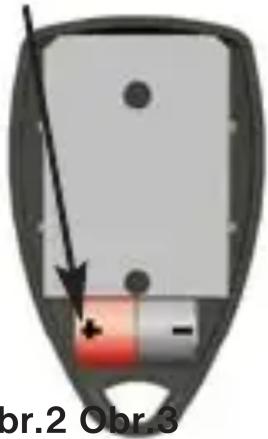
BATTERY LOCATION (2x1.5V/ GP394)br.2 Obr.3

CONTROL BUTTONS

Table of contents Click a title to access it
Manual assistant
Powered by Anthropic
Waiting for your message
Product information

Brand : Elektrobock

Model : WS310

Category : Uncategorized