
SWS TH2900 - Weather Station SENCOR - Free user manual and instructions
Find the device manual for free SWS TH2900 SENCOR in PDF.


Pick your language and provide your email: we'll send you a specifically translated version.
| Product Type | Weather Station |
| Brand | Sencor |
| Model | SWS TH2900 |
| Dimensions (approx.) | 150 x 100 x 30 mm |
| Weight (approx.) | 200 g |
| Power Supply | 2 x AAA batteries (not included) |
| Display | LCD with backlight |
| Indoor Temperature Range | 0°C to +50°C |
| Indoor Humidity Range | 20% to 95% |
| Outdoor Temperature Range (via sensor) | -30°C to +70°C |
| Outdoor Humidity Range (via sensor) | 10% to 99% |
| Wireless Sensor Range | Up to 100 m (open area) |
| Time/Date Function | Yes, with alarm |
| Barometric Pressure Display | Yes |
| Weather Forecast | Yes (icons) |
| Moon Phase | Yes |
| Minimum/Maximum Memory | Yes |
| Maintenance | Clean with soft dry cloth; avoid liquids |
| Safety Precautions | Keep away from water and extreme temperatures; use only as directed |
| Spare Parts Availability | Contact Sencor support for replacement sensors |
Frequently Asked Questions - SWS TH2900 SENCOR
How do I set the time on my Sencor SWS TH2900 weather station?
Press and hold the SET button until the hour digit flashes. Use the UP/DOWN buttons to adjust, then press SET again to confirm and move to minutes. Repeat for date and other settings.
How do I replace the batteries?
Open the battery compartment on the back of the unit. Insert 2 x AAA batteries (not included) observing correct polarity. Replace the cover. For the outdoor sensor, use 2 x AAA as well.
What is the maximum range of the outdoor sensor?
The wireless range is up to 100 meters in open area. Walls and interference may reduce the range. Ensure the sensor is placed within range and not behind metal objects.
Why is the outdoor temperature not displaying?
Check that the sensor batteries are installed correctly and fresh. Press and hold the CHANNEL button on the main unit to rescan for the sensor. Ensure the sensor is within range and not obstructed.
How do I switch between Celsius and Fahrenheit?
Press the °C/°F button (or similar) on the back or inside the battery compartment to toggle between Celsius and Fahrenheit.
Does the weather station forecast the weather?
Yes, it displays weather forecast icons (sunny, cloudy, rainy, etc.) based on barometric pressure changes. Note that the forecast is for the next 12-24 hours and is not 100% accurate.
How do I reset the min/max records?
Press and hold the MIN/MAX button for about 3 seconds until the display clears. This resets both indoor and outdoor temperature and humidity records.
Can I add more sensors to this weather station?
The SWS TH2900 supports up to 3 outdoor sensors (sold separately). Use the CHANNEL button to cycle through channels 1-3. Each sensor must be set to a different channel.
What should I do if the display is dim or not working?
Replace the batteries with fresh ones. If still dim, check the backlight setting (if available). The unit may also have a power-saving mode; press any button to wake it.
How do I clean the weather station?
Use a soft, dry cloth to gently wipe the display and housing. Do not use water, solvents, or abrasive cleaners. Avoid getting moisture into the openings.
User questions about SWS TH2900 SENCOR
0 question about this device. Answer the ones you know or ask your own.
Ask a new question about this device
No questions yet. Be the first to ask one.
Download the instructions for your Weather Station in PDF format for free! Find your manual SWS TH2900 - SENCOR and take your electronic device back in hand. On this page are published all the documents necessary for the use of your device. SWS TH2900 by SENCOR.
USER MANUAL SWS TH2900 SENCOR
natural_image
Technical line drawing of a device rear panel with internal components and mounting holes (no text or symbols)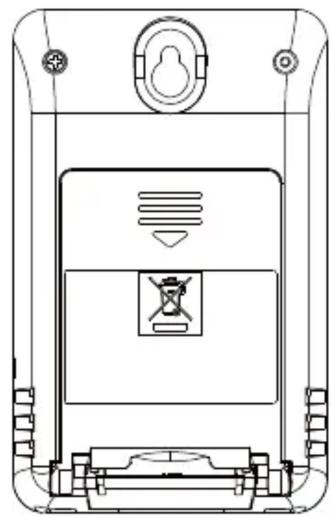
natural_image
Technical line drawing of a device rear panel with no visible text or symbolsFUNKCE
Table of contents
Click a title to access it
Manual assistant
Powered by Anthropic
Waiting for your message
Product information
Brand : SENCOR
Model : SWS TH2900
Category : Weather Station