
SWS 5200 - Weather Station SENCOR - Free user manual and instructions
Find the device manual for free SWS 5200 SENCOR in PDF.


Pick your language and provide your email: we'll send you a specifically translated version.
| Product Type | Weather Station |
| Brand | Sencor |
| Model | SWS 5200 |
| Display | LCD with time, date, indoor/outdoor temperature and humidity |
| Indoor Temperature Range | 0°C to +50°C (32°F to 122°F) |
| Outdoor Temperature Range (via sensor) | -20°C to +60°C (-4°F to 140°F) |
| Indoor Humidity Range | 20% to 95% RH |
| Outdoor Humidity Range (via sensor) | 20% to 95% RH |
| Wireless Sensor | 1 included, 433 MHz, up to 30 m range |
| Clock | Radio-controlled (DCF) or manual setting, with alarm |
| Power Supply (Base Station) | 2 x AAA batteries (not included) or DC adapter (not included) |
| Power Supply (Sensor) | 2 x AAA batteries (not included) |
| Dimensions (Base Station) | Approx. 130 x 100 x 25 mm |
| Weight (Base Station) | Approx. 150 g (without batteries) |
| Features | Minimum/maximum memory, temperature trend, weather forecast icons, moon phase |
| Mounting | Table stand or wall mount (keyhole) |
| Maintenance | Clean with soft dry cloth; do not use solvents |
| Safety | Keep away from water and direct sunlight; use only specified batteries |
| Repairability | No user-serviceable parts; contact service center for repairs |
| Spare Parts | Additional sensors available separately (model compatible?) |
Frequently Asked Questions - SWS 5200 SENCOR
How do I set up the outdoor sensor?
Insert 2 AAA batteries into the sensor, then place it outdoors within 30 m of the base station. The base station will automatically detect the signal.
Why is the outdoor temperature not showing?
Check that the sensor batteries are installed correctly and press the reset button on the sensor. Ensure the sensor is within range and not obstructed.
Can I add more sensors?
Yes, the SWS 5200 supports up to 3 sensors. Additional sensors can be purchased separately and paired via the base station menu.
How do I set the time manually?
Press and hold the SET button for 3 seconds. Use the + and - buttons to adjust hours and minutes. Press SET to confirm.
What does the weather forecast icon mean?
The icons indicate expected weather: sunny, partly cloudy, cloudy, rainy, or stormy. The forecast is based on barometric pressure trends and is an estimate for the next 12-24 hours.
How do I switch between Celsius and Fahrenheit?
Press the °C/°F button on the back of the base station to toggle between temperature units.
What type of batteries do I need?
Both the base station and sensor use 2 x AAA batteries each. Alkaline batteries are recommended for best performance.
Why is the display showing dashes for outdoor readings?
This indicates a loss of connection with the sensor. Try moving the sensor closer, replacing batteries, or resetting the sensor by pressing the reset button.
Can I mount the base station on a wall?
Yes, the base station has a keyhole slot on the back for wall mounting. Use a screw and anchor suitable for the wall type.
How do I reset the min/max memory?
Press and hold the MEM button for 3 seconds to clear all stored min/max values for temperature and humidity.
User questions about SWS 5200 SENCOR
0 question about this device. Answer the ones you know or ask your own.
Ask a new question about this device
No questions yet. Be the first to ask one.
Download the instructions for your Weather Station in PDF format for free! Find your manual SWS 5200 - SENCOR and take your electronic device back in hand. On this page are published all the documents necessary for the use of your device. SWS 5200 by SENCOR.
USER MANUAL SWS 5200 SENCOR
natural_image
White rectangular electronic device with a small circular port, no visible text or symbolsNávod k obsluze
METEOSTANICE
CZ
FUNKCE:
HLAVNÍ FUNKCE:
natural_image
Simple line drawing of a smartphone with a labeled point A pointing to the screen (no text or symbols beyond label)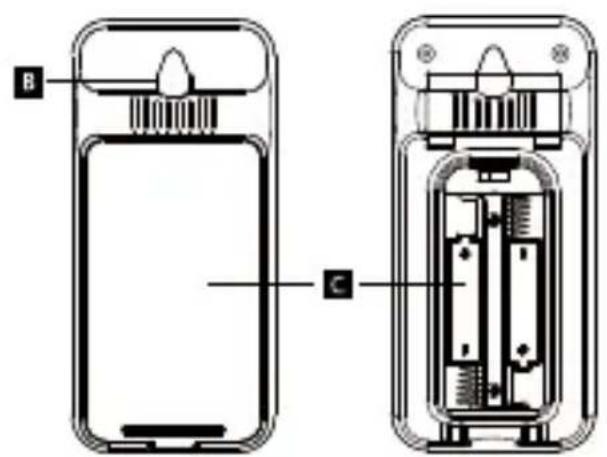
Table of contents
Click a title to access it
Manual assistant
Powered by Anthropic
Waiting for your message
Product information
Brand : SENCOR
Model : SWS 5200
Category : Weather Station