
T-Fit 230 Call - Smartwatch Trevi - Free user manual and instructions
Find the device manual for free T-Fit 230 Call Trevi in PDF.


| Product Type | Smartwatch / Smart bracelet |
| Model | T-Fit 230 Call |
| Display | 1.39" TFT |
| Weight | 46 g |
| Band Length | 25 cm |
| Band Material | Silicone |
| Water Resistance | IP67 (rainproof, splashproof, sweatproof; not for swimming or showering) |
| Battery Capacity | 220 mAh |
| Charging | Magnetic charging cable, 5V/1A via USB |
| Bluetooth | Bluetooth 5.0; Transmission power peak 1 mW, max 0.8 mW, band 2.4 GHz |
| Compatible Operating Systems | Android 4.4+ or iOS 9.0+ |
| App | Da Fit (available on Apple Store and Google Play) |
| Sensors | Heart rate sensor (optical), accelerometer |
| Main Functions | Step counting, distance, calorie tracking, sleep monitoring, heart rate, blood pressure, SpO2, weather, notifications, music control, stopwatch, alarm, timer, training modes (8 sports) |
| Call Features | Make/receive calls via Bluetooth (requires separate audio connection) |
| Watch Faces | Multiple pre-loaded, additional via Da Fit app |
| Package Contents | Smart bracelet, charging cable, user manual |
| Certification | CE, EU Declaration of Conformity (Directive 2014/53/EU) |
| Manufacturer | Trevi S.p.A., Rimini, Italy |
| Country of Origin | Made in China |
Frequently Asked Questions - T-Fit 230 Call Trevi
User questions about T-Fit 230 Call Trevi
0 question about this device. Answer the ones you know or ask your own.
Ask a new question about this device
Download the instructions for your Smartwatch in PDF format for free! Find your manual T-Fit 230 Call - Trevi and take your electronic device back in hand. On this page are published all the documents necessary for the use of your device. T-Fit 230 Call by Trevi.
USER MANUAL T-Fit 230 Call Trevi
3. Menu funzioni
Pressione sanguigna
Welcome to use smart bracelet, the high-performance wrist-band smart bracelet will create the intimate fitness experience for you.
Maintenance
Please, remember the following tips in terms of smart bracelet maintenance:
- Clean the smart bracelet regularly, especially the inner side of it and keep it dry.
- Adjust the tightness of smart bracelet to ensure air circulation.
- Exclusive skincare product is undesirable on wrist with a smart bracelet on
- Please cease wearing the smart bracelet in case of skin allergy or any discomfort.
Charging
-
There are metal contacts on the back of the bracelet for charging the battery. Bring the magnetic clip of the charging cable close to the metal contacts, this will tend to align correctly automatically.
-
Connect the USB plug of the charging cable to a USB port of a 5V/1A charger or a computer
- You can view the charge status on the display.

How to wear the watch
- Wear the watch after the ulnar styloid.
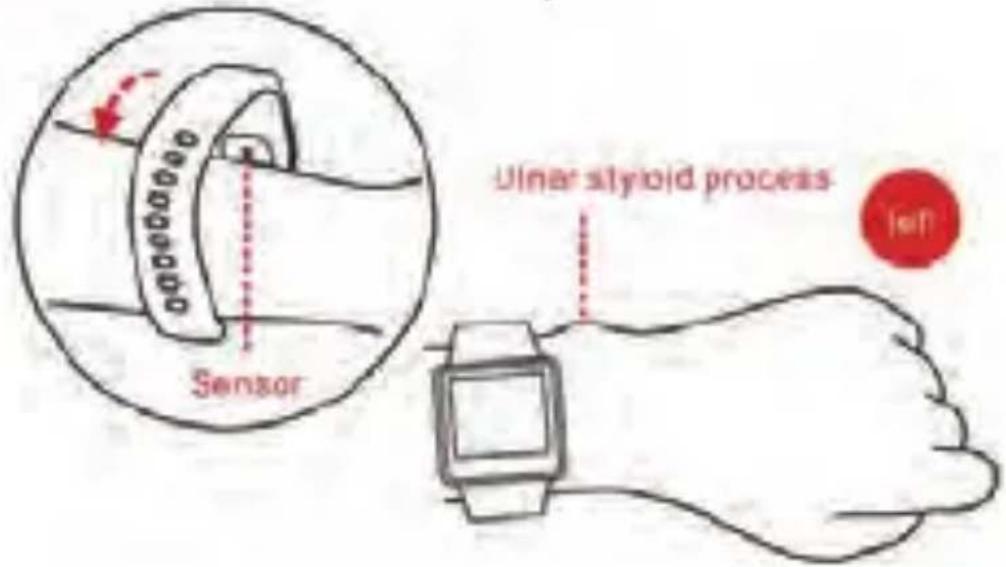
- Fasten the strap to your wrist by adjusting it perfectly to the size of your wrist.
- Keep the sensor as close to the skin, avoid any movement and that external light influences the accuracy of the tests.
- Keep the test area clean, sweat or stains will affect the test results.
Bracelet description
- Schematic diagram of main body of smart bracelet.
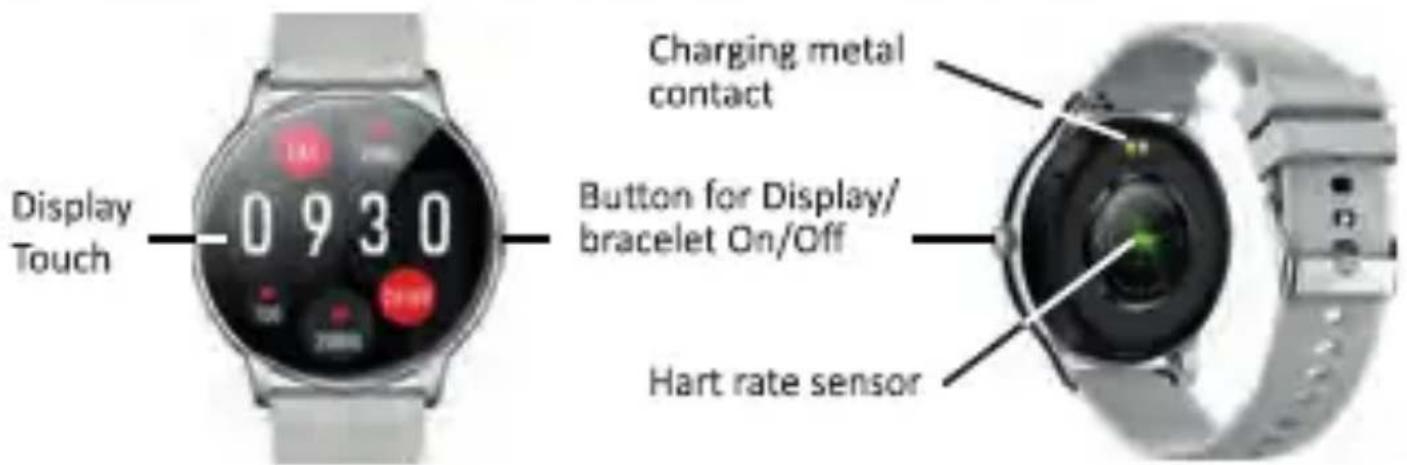
2. Power On
You can hold the button for 5 seconds or plug in the charging clamp to charge the smart bracelet.
3. Power Off
Press and hold the button for 5 seconds and select the check mark that will appear on the display.
Downloading and binding of smart bracelet APP
- Scan the QR code below with mobile phone to download and install the APP "Da Fit".
You can also find the "Da Fit" APP on the Apple store® and Play store®.

Note: Your smartphone must support Android 4.4 or iOS 9.0 or above, and Bluetooth version 5.0 or above.
-
Smart bracelet binding by APP:
-
Switch to the home page of APP "Da Fit" and select the icon at the bottom and then select "Add a device", a search for available Bluetooth devices will automatically start;
-
Wait a few seconds and from the list of devices select "TFit230CALL"; For iOS systems, Bluetooth pairing will be required;
-
After pairing, the icon 🧿️ on the bracelet will turn Blue.

- Slide down the home page of the watch to enter the shortcut function page, click the call Bluetooth icon;
- Then turn On the phone settings;
- Enter the Bluetooth pairing interface;
- Search and connect the Bluetooth call "TFit230CALL_Audio"; the wording Audio differentiates it from the previous connection with the App.
After the watch is connected with mobile phone, you can use the watch to dial, control the mobile phone to make calls, or answer calls from the mobile phone on the watch. At the same time, you can also view the call record information of the watch.
When using the call function, ensure that the connection between the watch and the mobile phone is stable.
Changing the dial
Once the clock is turned on, long press to set the clock interface, if you want to change it, and choose from the pre-loaded ones.
It is also possible to download new ones directly from the DaFit APP
in the "Device" section under "Watch face".
Introduction of smart braccelet features
- Slide your finger on the display to view the various screens;
- Press the side button to illuminate the screen, press it again to deactivate the illumination, while navigating, press it to return to the previous page.
![graph TD A["Menue"] -->|Swipe Left| B["Control Center"] A -->|Swipe Right| B B -->|Swipe Down| C["Feature pages"] B -->|Swipe Up| C C -->|Swipe Left| D["Feature pages"] C -->|Swipe Right| D D -->|Swipe Down| E["Feature pages"] D -->|Swipe Up| E E -->|Swipe Down| F["Feature pages"] E -->|Swipe Up| F…](/content/2026/05/850556/images/8984bdf4eaa930380cdf8ed619daa4fb359b3c8e5a1b58481b077f8258bf1470.jpg)
1. Main interface
After the smart bracelet and APP are first paired, it will synchronize the time, date, steps and calories symbols of the phone.

2. Counting steps, distance and calories
Drag your finger to the left to view the step-counting interface. With the smart bracelet on wrist, it can count steps, distance and calories automatically.

3. Menu Functions
Drag your finger to the right to view the list of all available functions. Other functions can be found by selecting the item "Settings"
T-Fit 230 CALL
English
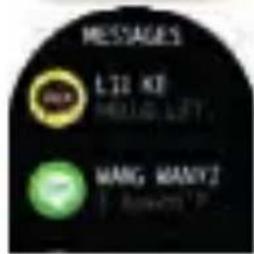
4. Notifications
Drag your finger up to view the list of all notifications received.

5. Control center
Drag your finger down to view the page where you can quickly activate some functions.
Main functions
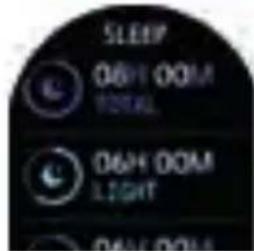
Sleep monitoring
In the Menu Functions, tap the Sleep icon With the smart bracelet at night, it can automatically determine whether users are in the sleep state, record deep sleep and shallow sleep respectively, and summarize sleep time to help users monitor their sleep quality. It can measure quality of sleep by the range and frequency of wrist movements as your sleep.

Note: Because sleep time and habits are different for different people, the time of sleep monitoring is only for reference.
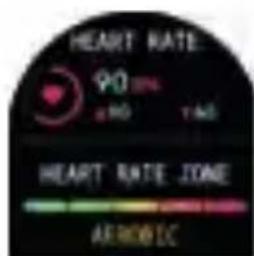
Heart rate measurement
In the Menu Functions, tap the heart rate icon

Selecting the heart rate interface will start the real-time measurement of your heart rate. The high and low heart rate values measured during the day will also be indicated. Warnings to be observed to obtain correct detection:
- The heart rate sensor must be in good contact with the skin during detection. If the bracelet is too loose, the measurement may be inaccurate. It is strongly not recommended to stare at the green sensor light; otherwise, damage to the visual system could occur.
T-Fit 230 CALL
English
- During the measurement it is recommended that the user stay as still as possible and in rest conditions.
- The device measures heart rate dynamically and in real time, so heart rate varies according to different conditions, such as talking, eating and drinking.
- Make sure the sensor is not dirty during measurement. Skin color, hair density, tattoos and scars can affect the accuracy of the measurement results.
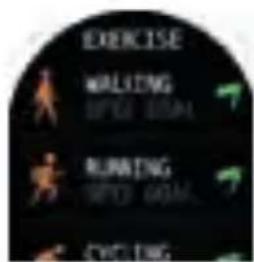
Training mode
In the Menu Functions, tap the Training icon In the sport interface, you can select the type of sport from those pre-loaded. There are 8 sport modes to be chosen, including walking, running, cycling, skipping, badminton, basketball, etc... Once the type of sport is selected it will automatically start recording the parameters. During the sports session, press the button to pause or stop the sports session. The last training recording will be shown on the training page.
Blood pressure test
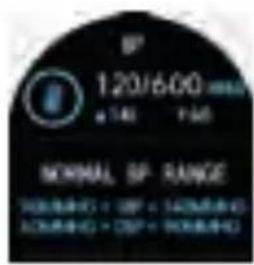
In the Menu Functions, tap the blood pressure icon

Once the blood pressure interface is selected, the detection will start automatically. After measurement, the motor will vibrate once and display the current data. You should measure blood pressure in the quiet place with appropriate temperature, rest for at least 5 minutes before measurement to avoid tension, anxiety and emotional excitement, measure blood pressure for three times, with two minutes apart each time and record the average of three reading.


T-Fit 230 CALL
English
SpO2 Test
In the Menu Functions, tap the SpO2 icon

Once the blood oxygenation interface has been selected, the detection will start automatically. After measurement, the motor will vibrate once and display the current test data.
Blood oxygen saturation (SpO2) is the percentage of the volume of oxygen-bound hemoglobin (HbO2) in the binding hemoglobin in the blood, that is, the concentration of oxygen in the blood.
Note: The data of blood pressure and oxygen are for reference only, and cannot be used as basic of medical related aspects.
Weather
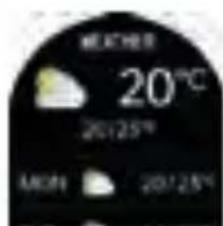
In the Menu Functions, tap the Weather icon

The Weather interface shows the weather, the current temperature and the minimum and maximum temperature forecasts for the day. The weather information will be displayed only after the bracelet is connected with the APP, set the place, and the weather information will not be updated if the bracelet is disconnected for a long time.

Message reminder
The device can sync incoming notifications from Twitter, Facebook, Whatsapp, Instagram, etc. Go to the Messages interface to scroll and read all the messages received. Recently 5 messages can be stored. You can switch On/Off the incoming notification in the APP.
Note:
- when viewing a message, you can delete it by selecting the icon with the bin.
- the watch also notifies incoming calls but it is not possible to start a conversation, you can, possibly, just reject the call.
Player Shutter
In the Menu Functions, tap the icon

After connecting the device, you can remote control the music player on your phone.
Other Features
In the Menu Functions, tap the icon Other features, it include:
- Stopwatch: Tap the start button on stopwatch page to start timing, and tap the stop button to stop timing
- Allarm: Set up the alarm on the APP, the device will vibrate to remind on time.
- Timer: to set a countdown.
- Menu view: to change the user interface of the Menu.
- Brightness: to access the "Brightness adjustment".
- Vibration: to turn On/Off the vibration.
- Theater: The device will turn off the vibration and turn down the brightness when the theater mode is turned On.
- Reset: to clear Off all messages in smart bracelet and restore the factory settings.
- Power Off: to turn Off the bracelet.
- About: to view all the information concerning the watch.
- QR Code: Download "Da Fit" by scanning QR code of the smart bracelet.
Using in Wet Conditions
Your device is water-resistant, which means it is rain-proof and splash-proof and can stand up to even the sweatiest workout. Note: Do not swim with your Smart Bracelet. We also don't recommend showering with your wristband; though the water won't hurt the device, wearing it 24/7 does not give your skin a chance to breathe. Whenever you get your bracelet wet, dry it thoroughly before putting it back on.
Frequently Asked Question (FAQ)
- Why does the smart bracelet automatically disconnect
Bluetooth when the Android screen goes out?
1 Look Background APP. When "Da Fit" process is cleared, the smart bracelet will be disconnected from the phone.
2 Set APP self-startup.
3 Unrestricted Background operation with App installed on Android mobile phone, the background operation is restricted intelligently by default. App should be set manually without any restrictions.
- Why cannot the smart bracelet receive message push?
1 You have to confirm that a switch for message push is turned on at the phone client.
2 You have to confirm that message can be displayed normally in the mobile phone notification bar. The message push on the smart bracelet is completed by reading the message from the mobile phone notification bar; the smart bracelet will not receive the push if there is no message in the mobile phone notification bar. (You need to find notification settings in the obile phone settings, and turn on the notification switch of WeChat, QQ, phone, SMS and mobile phone client).
3 You have to open the auxiliary function settings of the APP client.
3. Why can't you take a hot bath with the smart bracelet?
Bath water temperature is relatively high, there is a lot of vapor in the gas phase, with small molecular radius and it can easily infiltrate into the smart bracelet from the shell gap; when the temperature drops down, it will condensate into liquid droplets, which will easily cause short circuit inside the smart bracelet, damage the circuit board, and then damage the smart bracelet.
Note: for more common questions, please, refer to "Da Fit" APP feedback.

Warnings:
Please consult your doctor before you take part in a new sport. The smart bracelet should not be used for medical purpose though it may monitor the heart rate in the real-time and dynamic way.
Warnings
This device is an electronic instrument of high precision; therefore, avoid using it in the following cases:
- Close to strong heat sources such as heaters and stoves.
• In environments that are too cold or too hot or very dusty. - The appliance must not be exposed to dripping or splashing water. No liquid-filled objects, such as vases, must be placed on the appliance.
- If liquids penetrate into the device, bring the device to the nearest authorized TREVI service Centre.
- Do not use the device near flammable or explosive gases, this may cause a malfunction of the device or a fire hazard.
- No naked flame sources, such as lighted candles, must be placed on the appliance.
T-Fit 230 CALL
English
- Keep the device out of reach of children. The device is not a toy. The device is made up of small removable parts which, if ingested, can cause suffocation.
- Do not expose the device to strong shocks.
- Store the product in a dry place when you are not using it.
- Keep this instruction manual.
Features
Device type: Smart bracelet
Display: 1,39" TFT
Weight: 46g
Lenght: 25cm
Strap Material: Silicone
Water resistance Index: IP67
Battery Capacity: 220mAh
Bluetooth: 5.0
Peak of Bluetooth transmission power: 1mW
Maximum Bluetooth transmission power: 0.8mW
Bluetooth transmission band: 2,4GHz
Supported operating system: Android 4.4, iOS 9.0 or above Included in the package: device, charging cable, instructions.
Precautions for correct disposal of the product
The symbol shown on the equipment indicates that waste must be disposed of in "separate collection" and so the product must not be disposed of together with urban waste.
The user must take the product to special "separate waste collection centres" provided by local government, or deliver it to the retailer against the purchase of a new product.
Separate collection of waste and subsequent treatment, recycling and disposal operations promotes the production of equipment with recycled materials and limits negative effects on the environment and on health caused by improper handling of waste.
Illegal disposal of the product leads to the enforcement of administrative penalties.
EN If you will not find your language
on the instruction manual, please go on our website www.trevi.it to find it

Trevi S.p.A. Strada Consolare Rimini-San Marino, 62 47924 RIMINI (RN) Italy
https://www.trevi.it/dms/zidi/TREVI/DOCTFIT230CALL.pdf
Simplified EU Declaration Of Conformity
Hereby TREVI S.p.A. declares that the equipment T-Fit 230 CALL
is in compliance with Directive 2014/53/EU.
The full text of the EU declaration of conformity is available at the following internet address
https://www.trevi.it/dms/zidi/TREVI/DOCTFIT230CALL.pdf


- MENU FUNZIONI
- PRESSIONE SANGUIGNA
- MAINTENANCE
- CHARGING
- HOW TO WEAR THE WATCH
- BRACELET DESCRIPTION
- POWER ON
- POWER OFF
- DOWNLOADING AND BINDING OF SMART BRACELET APP
- CHANGING THE DIAL
- INTRODUCTION OF SMART BRACCELET FEATURES
- MAIN INTERFACE
- COUNTING STEPS, DISTANCE AND CALORIES
- MENU FUNCTIONS
- T-FIT 230 CALL
- ENGLISH
- NOTIFICATIONS
- CONTROL CENTER
- MAIN FUNCTIONS
- SLEEP MONITORING
- HEART RATE MEASUREMENT
- TRAINING MODE
- BLOOD PRESSURE TEST
- SPO2 TEST
- WEATHER
- MESSAGE REMINDER
- NOTE
- PLAYER SHUTTER
- OTHER FEATURES
- USING IN WET CONDITIONS
- FREQUENTLY ASKED QUESTION (FAQ)
- WHY CAN'T YOU TAKE A HOT BATH WITH THE SMART BRACELET
- WARNINGS
- FEATURES
- PRECAUTIONS FOR CORRECT DISPOSAL OF THE PRODUCT
- SIMPLIFIED EU DECLARATION OF CONFORMITY
Brand : Trevi
Model : T-Fit 230 Call
Category : Smartwatch