
Eye II E3 Plus - Thermometer InfiRay - Free user manual and instructions
Find the device manual for free Eye II E3 Plus InfiRay in PDF.


| Product Type | Infrared Thermometer |
| Brand | InfiRay |
| Model | Eye II E3 Plus |
| Dimensions (approx.) | 200 x 50 x 30 mm |
| Weight (approx.) | 300 g |
| Power Source | Rechargeable Li-ion battery, 3.7V |
| Temperature Range | -20°C to 550°C (-4°F to 1022°F) |
| Accuracy | ±2°C or ±2% of reading (whichever greater) |
| Display | LCD with backlight |
| Functions | Spot measurement, MAX/MIN/DIF, high/low alarm, data logging, laser pointer |
| Emissivity | Adjustable from 0.1 to 1.0 |
| Response Time | Less than 500 ms |
| Distance to Spot Ratio | 12:1 |
| Maintenance & Cleaning | Clean lens with soft, lint-free cloth; store in dry place |
| Safety Precautions | Do not point laser at eyes; avoid measuring reflective surfaces |
| Spare Parts & Repairability | Battery, lens cap, holster; contact InfiRay support for repairs |
| General Information | CE, RoHS certified; manual available in 2-page PDF |
Frequently Asked Questions - Eye II E3 Plus InfiRay
User questions about Eye II E3 Plus InfiRay
0 question about this device. Answer the ones you know or ask your own.
Ask a new question about this device
Download the instructions for your Thermometer in PDF format for free! Find your manual Eye II E3 Plus - InfiRay and take your electronic device back in hand. On this page are published all the documents necessary for the use of your device. Eye II E3 Plus by InfiRay.
USER MANUAL Eye II E3 Plus InfiRay
6. Laser Indicator
Long press the image Mode button to call out laser indicator, meanwhile the cursor shows on the display screen indicating the position of 50 meters away. Long press the button again to turn off the laser function, and the cursor is changed to the user cursor. The user can adjust the cursor position through the cursor calibration function in the menu. Long press again to close the user cursor.
7. E-Zoom
Short press the E-zoom button for image zooming from 1×-2×-4× circularly.
×2/×4
8. Storage
In the normal display mode, short press the Photo button to take photos and long-pressing for video recording. A video time prompt box appears in the upper-right corner. Long press again to quit and save the video.
- Stadiametric Rangefinder Long press the E-zoom and Image Mode button to turn the stadiametric rangefinder mode on/off. Then by short or long pressing the Image Mode button or the Photo button to adjust the selecting range of the target. The distance of human(7.1m target), wild boar (0.9m target) and hare (0.2m target) can be measured and displayed behind the corresponding icon.
10. Hot Spot Tracking
Long press the image mode button and Photo button simultaneously to start hot spot tracking function and the hotte objects on the screen can be tracked.

11. Setting Menu
Long press the E-zoom button to enter the main menu, then short press the Image mode button or the Photo button to toggle up and down. And short press the E-zoom button to perform following settings: Ultrackear / Wi-Fi / screen brightness / hue selection / calibration mode /analog video /PIP and more. When done, long press the E-zoom button to exit the menu.

12. Ultraclear Mode
In this mode, the image contrast is enhanced, which is suitable for cloudy, rainy, foggy and other harsh weather conditions.
Turn on WiFi in the main menu, and connect the phone to the WiFi signal that names Eye_xxxxx-xxxxxx, xxxx-xxxxx is the SN code of the device, and the password is 12345678. After the WiFi connection is successful, the APP installed on the phone can be used for real-time operations, such as taking photos and recording videos.
14. Hue Selection
There are two hues for selections: C (cool) hue and W (warm) hue. Short press the menu button to switch between C and W. But the switch between the warm and cool hues is not applicable to the Color mode.
15. Calibration Mode
Image degradation can be improved by manual correction. There are two mode available-B/background) and S(shutter), which can be switched through the main menu. Press and hold down the E-zoom and Photo button at the same time to achieve the manual correction. If the mode B is selected, the lens cover shall be closed during the correction.
Turn on the analog video in the main menu, and a video output icon will appear on the lower-right corner of the image. The analog video can be output to the monitor with the specific video transmission cable via the MCX interface.

- Picture in Picture (PIP) When the PIP function is turned on, a small window appears at the top center of the screen, showing a double zoom of the center area of the target image.
18. More
Short press the E-zoom button to enter the secondary menu, including functions of digital compass / motion
sensor / auto-standby / cursor
calibration / compass calibration /
system information / factory resets ,
return to the main menu, etc.
Short press the E-zoom button to turn the digital compass
Hybrid.
When is on, the digital compass is displayed in the middle top of the screen, indicating the current direction.
20. Motion Sensor
Short press the E-zoom button to turn the motion sensor on/off. The motion sensor will display on the right side of the screen when it is on.
The horizontal represents the dip angle, and the vertical represents the pitch angle.
The values of the current dip angle
and pitch angle are displayed on the bottom of the scale plate.


21. Auto Standby
When the auto standby is on, the device will automatically enter the standby state if there is no operation within 15 minutes, and power off automatically after 15 minutes in the standby state.
22. Cursor Calibration
In the reticle calibration interface, short press the E-zoom button to toggle from all directions. Short pre the image mode button or Photo button to adjust the reticle position. When done, long press the E-zoom
- System Information Short press the E-zoom button to enter the system information interface under which user can check all version information and product code
24. Factory Resets
Short press the E-zoom button for factory reset. Select √ (Yes) or × (No) with a short press of the Image Mode button or Photo button. Press the E-zoom button briefly to confirm your selection.
If Yes is selected, the television
If Yes is selected, the following settings will be restored to the
settings will be factory state:
Image Mode - white hot mode
Brightness - level 2 E-zoom - x1 Calibration Mode
Image Hue - warm, and the other functions are off.
Note: Restore factory settings will format memory, so please
Note: Holders' factory be save the date in advance

25. Charge
When the indicator light is flashing red, it means the battery is less than 10%, please charge in time. At the same time, there will be relevant text prompts on the screen.
Open the USB cover at the bottom, plug in the USB charging cable, and connect with the power to charge, you can also charge with the power adapter or any other power supply such as portable power.
The indicator light is orange when charging and green when full.
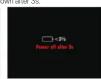
When the warning indication of power less than 3% appears on the display screen, if the device is not charged in time, the

26. Data Catching
After connecting the device with the computer via USB cable, the memory of the device can be read on the computer.
| Eye IV2.0 SeriesEVI II Series | ||||
| Model | ESProV2.0 | EMMaxV2.0 | E6+V2.0 | ESProV2.0 |
| DetectorResolution | 384±288 | 640±480 | ||
| Pixel Size, μm | 12 | |||
| NETO, m/s | ≤50 | |||
| Frame Rate, Hz | ||||
| Objective Lens,mm | 25 | 35 | 50 | 50 |
| Field of View,1 | 10.5-7.9 | 7.5-5.7 | 12.5-10.0 | 8.7-8.0 |
| Display | 1280×960 LIOS | |||
| Laser*, mm | 650 | |||
| Magnification,« | 2.5-10 | 3.5-14.0 | 2.1-8.4 | 3.0-12.0 |
| E-zoom, × | 2/4 | |||
| Max. BatteryLife*h | 7 | 6 | ||
| Weight, g | <4 | <520 | ||
| Dimension, mm | 981-65×64 | 986-65×64 | 988-65×64 | 202-65×64 |
| DetectionRange, m(Total=0.5×10^4),% (n=9%) | 1298 | 1818 | 2597 | |
* The laser and cursor function may be disabled due to the legal
restrictions in your countries and regions.
Built-in video recorder.
“Technical parameters of the device may be improved without prior
Notice of the customer.
ATTENTION
-
The rated charging voltage of this product is 5V, please charge timely when power is low, so as to avoid the service life loss caused by battery over-discharge.
-
The thermal imager is not recommended to use in high-temperature environment for a long time, if the temperature is too high, the imager will enter the high-temperature protection state, and automatically shut down.
-
The use of temperature is recommended at -10^ to +50^ 4. Make sure that the USB/MCX port cover on the bottom of the thermal imager is tightly plugged firstly when using in water environment, such as rainy days.
-
Under any circumstances (whether on or off), do not expose the thermal imager directly into the high-intensity radiation sources (such as the sun, laser, etc.), to avoid irreversible damage to the device.
-
The B correction mode will reduce the frequency of automatic shutter correction after the condition of the device become stable. If the image gets worse, please cover the lens cover for manual background correction.
-
When the device is not used for a long time, it should be charged at least 2 months during storage and stored in a dry and ventilated environment.
-
Do not shine the laser pointer on human eyes.
-
The laser and cursor function depends on the legal contributions of different settings and conditions
-
The following is written in the section 10.
-
Do not be charged in a reinforcement above 45 °C

WeChat Official Account

Official Website
Brand : InfiRay
Model : Eye II E3 Plus
Category : Thermometer