
Geneva DGW Mini - Alarm Clock Techno Line - Free user manual and instructions
Find the device manual for free Geneva DGW Mini Techno Line in PDF.


| Product Type | Quartz Alarm Clock |
| Model | Geneva DGW Mini |
| Brand | Techno Line |
| Power Supply | 1 x LR44 battery (included) |
| Battery Life | Approximately 1 year |
| Time Setting | Rotary wheel (upper, back) |
| Alarm Setting | Rotary wheel (lower, back) |
| Alarm Control | ON/OFF switch (back) |
| Display Type | Analog (clock hands) |
| Movement | Quartz |
| Dimensions | 8 x 8 x 6 cm (approx.) |
| Weight | 100 g (approx.) |
| Material | Plastic |
| Color | Black/White (actual may vary) |
| Usage Location | Indoor only |
| Operating Temperature | Room temperature |
| Humidity Range | Dry environment, avoid humidity |
| Water Resistance | None (do not immerse) |
| Maintenance | Replace battery when depleted |
| Cleaning | Wipe with dry cloth |
| Battery Safety | Do not recharge; keep away from children |
| Disposal | Do not incinerate; follow local regulations |
| Included Accessories | 1 x LR44 battery |
| Warranty | Refer to retailer |
| Country of Origin | China (typical) |
Frequently Asked Questions - Geneva DGW Mini Techno Line
User questions about Geneva DGW Mini Techno Line
0 question about this device. Answer the ones you know or ask your own.
Ask a new question about this device
Download the instructions for your Alarm Clock in PDF format for free! Find your manual Geneva DGW Mini - Techno Line and take your electronic device back in hand. On this page are published all the documents necessary for the use of your device. Geneva DGW Mini by Techno Line.
USER MANUAL Geneva DGW Mini Techno Line
Geneva DGW Mini – Quartz alarm clock
Instructions manual
- Quick setup
Insert 1 x LR44 battery (included) by observing the correct polarity signs (+/-) inside the battery compartment.
- Setting the time
Turn the upper wheel at the back of the alarm clock in the indicated direction until the current time is adjusted.
- Setting the alarm time
Turn the lower wheel at the back of the alarm clock in the indicated direction until the desired alarm time is adjusted.
- Turn on or off the alarm
Use the switch at the back of the alarm clock to turn on or off the alarm. Slide the switch to "ON" to turn on the alarm. Slide the switch to "OFF" to turn off the alarm.
If your alarm clock shows larger deviations or a change in alarm tone, insert a new battery.
Precautions
- This main unit is intended to be used only indoors.
- Do not subject the unit to excessive force or shock.
- Do not expose the unit to extreme temperatures, direct sunlight, dust or humidity.
- Do not immerse in water.
- Avoid contact with any corrosive materials.
- Do not dispose this unit in a fire as it may explode.
- Do not open the inner back case or tamper with any components of this unit.
Batteries safety warnings
- Please read all instructions carefully before use.
- Use only alkaline batteries, not rechargeable batteries.
• Install batteries correctly by matching the polarities (+/-). - Remove exhausted batteries immediately.
- Remove batteries when not in use.
- Do not recharge and do not dispose of batteries in fire as the batteries may explode.
- Ensure batteries are stored away from metal objects as contact may cause a short circuit.
- Avoid exposing batteries to extreme temperature or humidity or direct sunlight.
- Keep all batteries out of reach from children. They are a choking hazard.
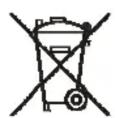
Consideration of duty according to the battery law
Old batteries do not belong to domestic waste because they could cause damages of health and environment. End-users are committed by law to bring back needed batteries to distributors and other collecting points!
Brand : Techno Line
Model : Geneva DGW Mini
Category : Alarm Clock