
MW91100 - Kitchen scale SIEMENS - Free user manual and instructions
Find the device manual for free MW91100 SIEMENS in PDF.


Pick your language and provide your email: we'll send you a specifically translated version.
| Product Type | Kitchen Scale |
| Brand | Siemens |
| Model | MW91100 |
| Maximum Capacity | 2 kg |
| Division (Accuracy) | 1 g |
| Display Type | LCD digital display |
| Tare Function | Yes |
| Auto-Off | Yes (after period of inactivity) |
| Overload Indication | Yes |
| Low Battery Indication | Yes |
| Power Source | 2 x AAA batteries (not included) |
| Platform Material | Stainless steel |
| Housing Material | Plastic |
| Dimensions (approx.) | 20 x 15 x 3 cm |
| Weight (approx.) | 300 g |
| Cleaning | Wipe with a damp cloth; do not immerse in water |
| Storage | Store in a dry, cool place |
| Safety | Do not exceed maximum capacity; use on a flat, stable surface |
| Warranty | 2 years |
| Certifications | CE |
Frequently Asked Questions - MW91100 SIEMENS
How do I set the time on the Siemens MW91100 scale?
Press and hold the Set/Mode button (4) for about 5 seconds until the display flashes. Use the +/- buttons to adjust the time, then press Set to confirm.
How do I use the tare function?
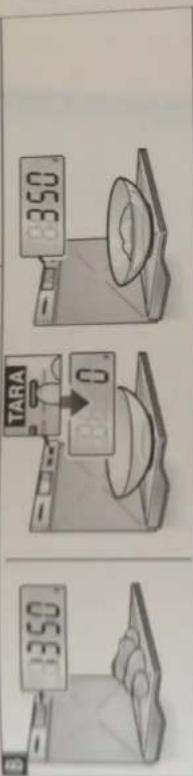
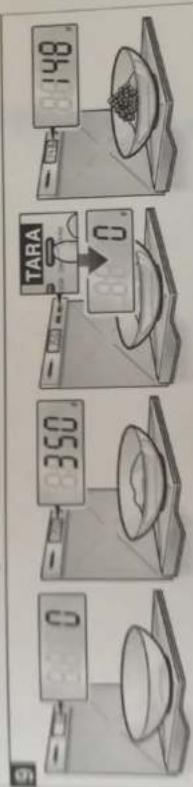
Place an empty container on the scale and press the TARA button. The display will reset to zero, allowing you to measure only the contents. The tare icon appears.
What is the maximum weight the scale can measure?
The Siemens MW91100 has a maximum capacity of 2 kg. Exceeding this may damage the scale and cause an overload indication.
How do I change the batteries?
Open the battery compartment on the bottom of the scale. Remove old batteries and insert two new AAA batteries, observing correct polarity. Close the compartment.
How should I clean the scale?
Wipe the exterior with a soft, damp cloth. Do not use abrasive cleaners or immerse the scale in water. The stainless steel platform can be wiped with a mild detergent.
What does an 'EEEE' or error message mean?
An error message typically indicates overload or unstable measurement. Remove excess weight or ensure the scale is on a flat surface. If persists, try replacing batteries.
Can I measure in different units (g, lb, oz)?
Yes, the scale supports multiple units. Press the Set/Mode button to toggle between grams (g), pounds (lb), and ounces (oz). The current unit is shown on the display.
Is the scale waterproof?
No, the Siemens MW91100 is not waterproof. Avoid contact with liquids. If spilled, dry immediately. Do not submerge.
How often should I calibrate the scale?
The scale is calibrated at the factory and generally does not require recalibration. If you suspect inaccuracy, use a known weight (e.g., a coin) to check. Contact support if needed.
What should I do if the display is dim or blinking?
A dim or blinking display usually indicates low battery. Replace the batteries with fresh ones. If the problem continues, ensure battery contacts are clean.
User questions about MW91100 SIEMENS
0 question about this device. Answer the ones you know or ask your own.
Ask a new question about this device
No questions yet. Be the first to ask one.
Download the instructions for your Kitchen scale in PDF format for free! Find your manual MW91100 - SIEMENS and take your electronic device back in hand. On this page are published all the documents necessary for the use of your device. MW91100 by SIEMENS.
USER MANUAL MW91100 SIEMENS
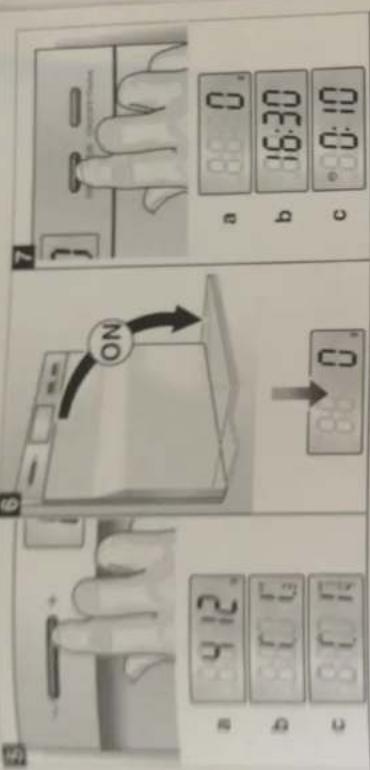
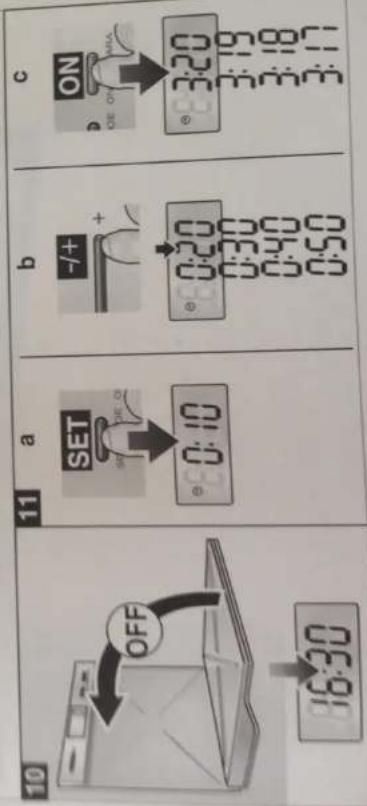
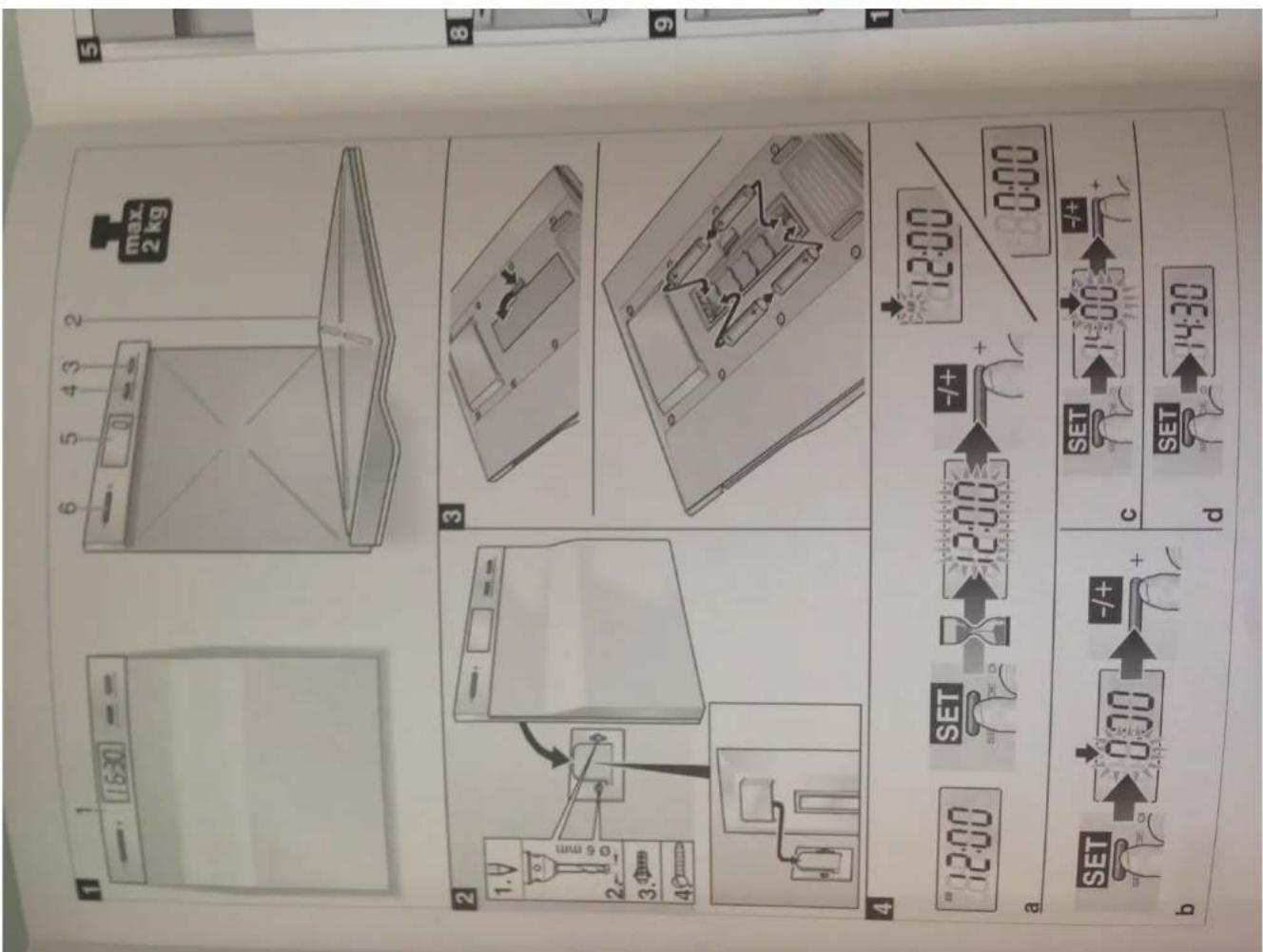
Tijd instellen
afb. 4a-d
- Toets „Set/Mode“ (4) indrukken en 5 sec. ingedrukt houden (afb. 4a).
Table of contents
Click a title to access it
Manual assistant
Powered by Anthropic
Waiting for your message
Product information
Brand : SIEMENS
Model : MW91100
Category : Kitchen scale