
LuxePad A110 - Keyboard GENIUS - Free user manual and instructions
Find the device manual for free LuxePad A110 GENIUS in PDF.


| Product Type | Wired Keyboard for Android Tablet PC |
| Brand | Genius |
| Model | LuxePad A110 |
| Interface | Micro USB |
| Key Structure | Ultra-thin scissor-type |
| Number of Hotkeys | 10 (5 Media, 3 Internet, 2 Settings) |
| Tablet Stand Included | Yes, adjustable multiple angles |
| Compatibility | Android 4.0+ with embedded HID device |
| Plug and Play | Yes |
| Weight | 180 g |
| Dimensions (LxWxH) | 21.2 x 15 x 0.8 cm |
| Package Size (LxWxH) | 48 x 27 x 32.5 cm |
| Package Contents | Keyboard, Tablet Stand, User Manual |
| Power Source | Powered via USB from tablet |
| Cable Length | Approximately 1.5 m (estimated) |
| Color | Black |
| Maintenance | Clean with soft dry cloth; keep away from liquids |
| Safety | Do not disassemble; avoid extreme temperatures |
| Spare Parts | Not available separately; contact support for issues |
| Repairability | Non-user-serviceable; professional repair only |
Frequently Asked Questions - LuxePad A110 GENIUS
User questions about LuxePad A110 GENIUS
0 question about this device. Answer the ones you know or ask your own.
Ask a new question about this device
Download the instructions for your Keyboard in PDF format for free! Find your manual LuxePad A110 - GENIUS and take your electronic device back in hand. On this page are published all the documents necessary for the use of your device. LuxePad A110 by GENIUS.
USER MANUAL LuxePad A110 GENIUS
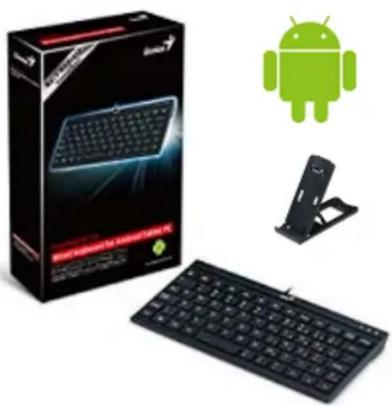
LuxePad A110 is the first wired Android Tablet PC keyboard from Genius that brings you more convenience when using your Android Tablet.
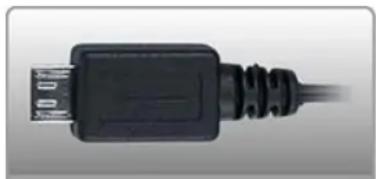
LuxePad A110 features a micro USB connector which pairs perfectly with most Android Tablets, and you can plug and play the keyboard in anytime, anywhere. Manage your Android Tablet PC easier with 10 specific keys, play/pause music, turn up/turn down the volume, lock the screen, open e-mail folder, etc. These specific keys are designed specifically for handling your media, Internet and setting options.
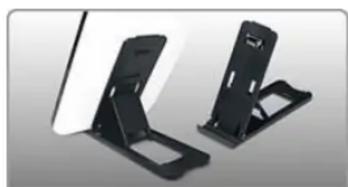
With the Tablet stand, you can position your tablet at multiple angles for comfortable typing and instantly turns your Tablet PC and keyboard into a small workstation as well!!
natural_image
Product photo of a black wired keyboard with a green Android logo and a stand, no visible text or symbols on the main objects.
natural_image
Man smiling while sitting at a desk with a tablet and keyboard, no visible text or symbolsComfortable typing experience with scissor-type keyboard
natural_image
Two black electronic device stands with adjustable brackets, no visible text or symbolsTablet stand for comfortable typing
natural_image
Close-up of a black USB cable with connector (no text or symbols visible)Micro USB cable
▼ Key Features
- Wired keyboard for Android Tablet PC
- Ultra thin type scissor key structure
- Micro USB connector; plug and play function
• 10 specific keys for instant activation - Tablet stand positions the tablet at multiple angles for comfortable typing
▼ System Requirements
• Supports Android 4.0+ with embedded HID device
• Available Micro USB port
▼ Package Contents
- Wired Android Tablet PC keyboard
- Tablet PC stand
- User manual
▼ Recommended Products
ECO-u700

HS-M470
GS-i780
▼ General Information
| Model Name | LuxePad A110 |
| Product Image | 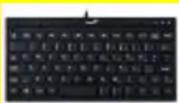 |
| Interface Support | Micro USB |
| Keyboard Features | |
| Number of Hotkeys 10 | |
| - Media 5 | |
| - Internet 3 | |
| - Settings 2 | |
| Stand for Tablet | Yes |
| WEEE Information | |
| Body Weight (g) | 180 g |
| Size (LxWxH cm) | 21.2 x 15 x 0.8 |
| Package Size (LxWxH cm) | 48 x 27 x 32.5 |
| Shipping Information | |
| PCS/CTN 20 | |
| CUFT/CTN | 1.487 |
| PCS/20"Container | 13440 pcs |
| PCS/40"Container | 28000 pcs |

Brand : GENIUS
Model : LuxePad A110
Category : Keyboard