
MC9002 - Keyboard ModeCom - Free user manual and instructions
Find the device manual for free MC9002 ModeCom in PDF.


| Product Type | Keyboard |
| Brand | ModeCom |
| Model | MC9002 |
| Dimensions (L x W x H) | 450 x 150 x 30 mm |
| Weight | 800 g |
| Cable Length | 1.5 m |
| Interface | USB 2.0 |
| Power Source | USB bus-powered |
| Key Layout | Full QWERTY with numeric keypad |
| Number of Keys | 104 |
| Multimedia Keys | Yes (play/pause, volume, etc.) |
| Operating System Compatibility | Windows, macOS, Linux |
| Maintenance | Wipe with a soft, dry cloth |
| Cleaning | Do not use liquids or abrasive cleaners |
| Safety Precautions | Keep away from water and heat sources |
| Spare Parts | Not available; device is non-repairable |
| Repairability | Not designed for user repair |
| Color | Black |
| Warranty | 2 years |
Frequently Asked Questions - MC9002 ModeCom
User questions about MC9002 ModeCom
0 question about this device. Answer the ones you know or ask your own.
Ask a new question about this device
Download the instructions for your Keyboard in PDF format for free! Find your manual MC9002 - ModeCom and take your electronic device back in hand. On this page are published all the documents necessary for the use of your device. MC9002 by ModeCom.
USER MANUAL MC9002 ModeCom
professional keyboard
user's manual
MODECOM
MC-9002
MODECOM
professional keyboard
GB
Introduction
Thank you for choosing the keyboard MC-9002.
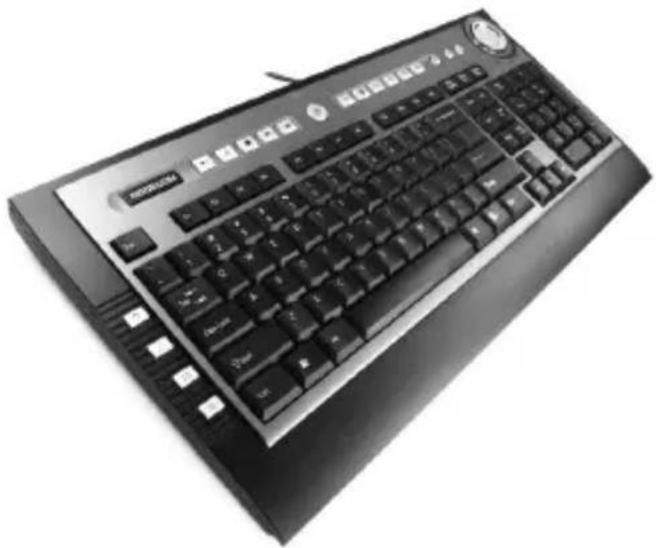
The keyboard MC – 9002 has been created especially for the needs of the user. The MC-9002 is a multimedia keyboard that combines a stylish design and the top level functions. 20 buttons makes it easy to enjoy multimedia, system and Internet functions. The state-of-the-art technology ensures quiet and comfortable work. Designers gave an extra focus to soft buttons and elegant appearance to meet expectations of even most demanding users. Numerous offi ce and multimedia functions position the MC-9002 among the best keyboards. Additional buttons are placed on the top to make the keyboard more functional. Mode Com cares for the quality of its products not only meeting, but also anticipating our Customers' expectations. We have accustomed the Users to a high quality of our products, their advanced technology as well as reliability and rich system functions.
We create for you things unique in every aspect.
Choose better future - choose MODECOM!
Product specifi cation
- Ultra-slim appearance, simple and fashion • Convenient volume knob • Multimedia hotkeys function • Key switch elasticity: 55+/-7g • Keystroke lifetime: over 10 million times
- Keystroke pulling power: 0.8 kg • Operating temperature: 0\~45°C • Working humidity: 10%\~90% • Connector: USB
System requirements:
Compatible with Windows 2000 and superior systems, Vista system. Not compatible with Apple computer.
Hardware Installation
Plug the keyboard USB connector into USB port in your computer.
Cleaning the keyboard
Use disinfectant wipes to clean the keyboard. Do not use any dissolvent, which may damage the surface of your keyboard.
Environment protection:

This symbol on our product nameplates proves its compatibility with the EU Directive2002/96 concerning proper disposal of waste electric and electronic equipment (WEEE).
By using the appropriate disposal systems you prevent the potential negative consequences of wrong product take-back that can pose risks to the environment and human health. The symbol indicates that this product must not be disposed of with your other waste. You must hand it over to a designated collection point for the recycling of electrical and electronic equipment waste. The disposal of the product should obey all the specific Community waste management legislations.
Contact your local city office, your waste disposal service or the place of purchase for more information on the collection.
Weight of the device: 937.5 g
MC-9002
MODECOM
professional keyboard
PL
Instrukcja obsługi
professional keyboard
H
Leírás
professional keyboard

Návod k obsluze
professional keyboard
SK
Návod na obsluhu


Brand : ModeCom
Model : MC9002
Category : Keyboard