
SWS 260 - Weather Station SENCOR - Free user manual and instructions
Find the device manual for free SWS 260 SENCOR in PDF.


Pick your language and provide your email: we'll send you a specifically translated version.
| Product Type | Weather Station |
| Model | SWS 260 |
| Brand | Sencor |
| Display Type | LCD |
| Indoor Temperature Range | 0°C to +50°C (32°F to 122°F) |
| Outdoor Temperature Range | -20°C to +60°C (-4°F to 140°F) |
| Indoor Humidity Range | 20% to 95% RH |
| Outdoor Humidity Range | 20% to 95% RH |
| Wireless Frequency | 433 MHz |
| Maximum Outdoor Sensors | 1 (included) |
| Transmission Range | Up to 100 m (328 ft) in open area |
| Power Supply Base Station | 2 x AA batteries (not included) or AC adapter (output 5V DC, cable included) |
| Power Supply Remote Sensor | 2 x AA batteries (not included) |
| Battery Life (Base Station) | Approx. 12 months (with alkaline batteries) |
| Battery Life (Remote Sensor) | Approx. 12 months (with alkaline batteries) |
| Weather Forecast | Sunny, partly cloudy, cloudy, rainy, stormy |
| Time/Date Display | Yes, with alarm and snooze |
| Min/Max Memory | Yes, for temperature and humidity |
| Trend Arrows | Rising, steady, falling |
| Dimensions (Base Station) | 120 x 75 x 20 mm (4.7 x 3.0 x 0.8 in) |
| Dimensions (Remote Sensor) | 60 x 40 x 20 mm (2.4 x 1.6 x 0.8 in) |
| Weight (Base Station) | 180 g (6.3 oz) without batteries |
| Weight (Remote Sensor) | 80 g (2.8 oz) without batteries |
| Cleaning | Wipe with a soft dry cloth; avoid water and solvents |
| Safety | Use only specified batteries; do not expose to extreme temperatures or moisture |
| Spare Parts/Repairability | Contact Sencor service center for replacement parts; device is non-serviceable by user |
Frequently Asked Questions - SWS 260 SENCOR
How do I set up the weather station?
Insert batteries into the remote sensor first, then into the base station. The base station will automatically search for the sensor. Wait up to 3 minutes for synchronization. Set the time and date using the buttons on the base station.
What does the trend arrow indicate?
The trend arrow shows whether the temperature or humidity is rising, steady, or falling compared to the last reading.
How often does the remote sensor transmit data?
The remote sensor transmits data approximately every 58 seconds.
Can I use more than one remote sensor?
This model supports only one remote sensor. It is included in the package.
What type of batteries do I need?
Both the base station and remote sensor use AA alkaline batteries. Do not use rechargeable batteries as they may have lower voltage.
The display shows '--' for outdoor temperature. What should I do?
Check that the remote sensor is within range (up to 100m) and its batteries are fresh. Press and hold the channel button on the base station to re-sync.
How do I switch between Celsius and Fahrenheit?
Press and hold the °C/°F button on the base station for 3 seconds to toggle between units.
What does the weather forecast icon mean?
The forecast is based on barometric pressure changes. Icons include sunny, partly cloudy, cloudy, rainy, and stormy. It is an indication, not 100% accurate.
How do I reset the min/max values?
Press and hold the MEM button for 3 seconds to clear the recorded minimum and maximum values.
The remote sensor is not being detected. What can I do?
Relocate the base station and sensor closer together. Remove and reinsert batteries in both devices. Ensure no other 433MHz devices cause interference.
User questions about SWS 260 SENCOR
0 question about this device. Answer the ones you know or ask your own.
Ask a new question about this device
No questions yet. Be the first to ask one.
Download the instructions for your Weather Station in PDF format for free! Find your manual SWS 260 - SENCOR and take your electronic device back in hand. On this page are published all the documents necessary for the use of your device. SWS 260 by SENCOR.
USER MANUAL SWS 260 SENCOR
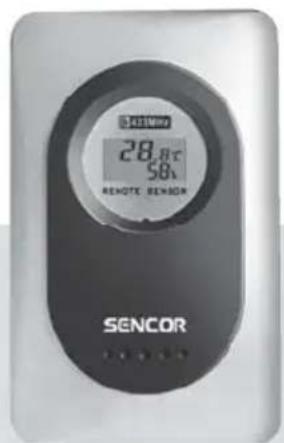
NÁVOD K OBSLUZE
METEOROLOGICKÁ STANICE
POPIS PŘÍSTROJE
Pohled zepredu
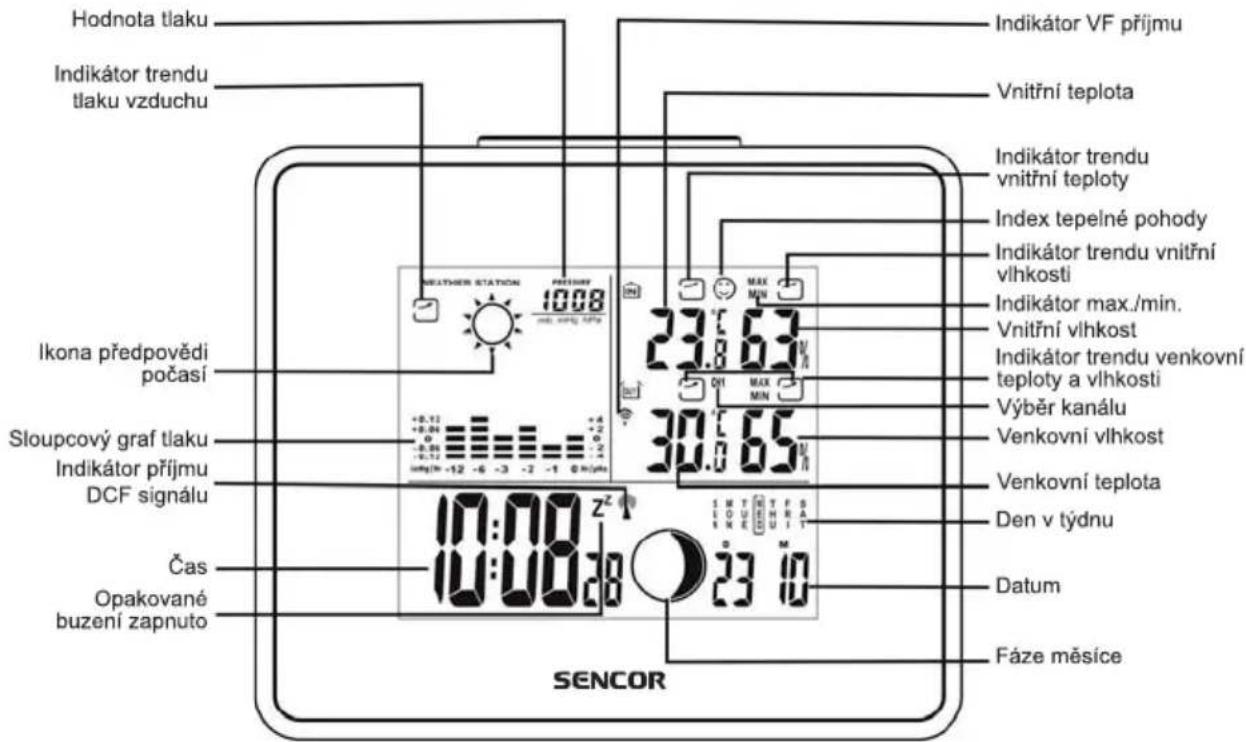
natural_image
Simple black arrow inside a rounded rectangle, pointing right (no text or symbols)rostoucí

natural_image
Simple black arrow inside a square frame, pointing right (no text or symbols)stabilní

natural_image
Simple black arrow pointing right inside a rounded square (no text or symbols)klesající
Table of contents
Click a title to access it
Manual assistant
Powered by Anthropic
Waiting for your message
Product information
Brand : SENCOR
Model : SWS 260
Category : Weather Station