
A7 (2016) - Automobile AUDI - Free user manual and instructions
Find the device manual for free A7 (2016) AUDI in PDF.


| Product Type | Automobile |
| Brand | Audi |
| Model | A7 (2016) |
| Engine Options | 3.0L TFSI / 3.0L TDI / 4.0L TFSI (S7) |
| Transmission | 7-speed S tronic / 8-speed tiptronic |
| MMI System | MMI Navigation Plus with 10.25" display, control knob and touch pad |
| Navigation | GPS navigation with voice recognition, free search, online destinations, Google Earth |
| Voice Recognition | Steering wheel TALK button; commands for navigation, phone, media; external voice assistants (Siri, Google Now) |
| Bluetooth | Hands-free calling, contacts sync, text message reading, wireless audio streaming |
| Wi-Fi Hotspot | Audi connect Wi-Fi, up to 8 devices, WPA2 encryption |
| Start-Stop System | Auto Start-Stop with ON/OFF button; default on for A7, last mode for S7 |
| Climate Control | 4-zone automatic climate control with AUTO mode, SYNC, heated seats |
| Cruise Control | Standard cruise control with SET, resume, cancel; optional Adaptive Cruise Control |
| Parking Brake | Electromechanical parking brake (pull to engage, push to disengage) |
| Driver Information System | DIS with trip computer, outside temperature, alerts; controlled via steering wheel thumbwheel |
| Safety Systems | ESC, ABS, tire pressure monitoring, brake wear warning, airbag system, adaptive light, lane assist |
| Entertainment | CD/DVD, SD card, USB AMI, Jukebox, Bluetooth audio, Audi connect online services |
| Warning Indicators | Check engine, oil pressure, battery, brake system, tire pressure, adaptive cruise control, start-stop, lane assist, etc. |
| Owner's Manual | 10-page quick reference guide; full manual available separately |
| Compatibility | iPhone and Android for Bluetooth features; Audi connect requires subscription |
Frequently Asked Questions - A7 (2016) AUDI
User questions about A7 (2016) AUDI
0 question about this device. Answer the ones you know or ask your own.
Ask a new question about this device
Download the instructions for your Automobile in PDF format for free! Find your manual A7 (2016) - AUDI and take your electronic device back in hand. On this page are published all the documents necessary for the use of your device. A7 (2016) by AUDI.
USER MANUAL A7 (2016) AUDI
Quick Questions & Answers
51402
Truth in Engineering

- Start Engine Stop
Press the brake for automatic transmissions then press this button to start the engine.
- MMI® Controls
MMI controls consist of a control knob, control buttons and function buttons. Turn the control knob to the left or right and press it to select a menu in the MMI.
- MMI® Touch Pad (Optional)
The MMI Touch Pad can be used to write letters and numbers or access Preset radio stations.
- Navigation
Get started with setting destinations and discover more as you become familiar with the interface.
- Electromechanical Parking Brake
Pull the switch up to engage the parking brake. To disengage, place your foot on the brake and push down on the switch.
- Climate Controls
When AUTO is selected, the system maintains your temperature selection by regulating air temperature, fan speed and airflow.
- Start-Stop System
This advanced Audi technology is designed to help save fuel and reduce CO_2 emissions at the same time.
- Media/Audi connect® (CD/DVD/SD card)
Press the MEDIA button to access available media from connected sources (e.g., Bluetooth Audio, USB Audi Music Interface (AMI), Jukebox, Wireless Audio using MMI connect and more).
- MMI® Display
The MMI Display screen displays MMI menus and multi-media information, including Voice Recognition commands, media selections and radio information.
- Voice Recognition
Press the TALK function button to activate Voice Recognition in the MMI.
- Driver Information System (DIS)
The DIS provides important driver information, navigation, including trip computer data, outside temperature and vehicle alerts.
- DIS Controls
The DIS is controlled with multifunction steering wheel controls. To select a menu item, turn and press the thumbwheel.
- Cruise Control
To activate, pull the stalk toward you. Braking or pushing the stalk away slightly will cancel Cruise Control.
Introduction to your A7
Audi Navigation
Setting a Destination
Your MMI Navigation system has extraordinary capabilities to enhance your drive with user-definable views, routing selections and more. Get started with setting destinations and discover more as you become familiar with the interface.
- Press the NAV function button.
- Select the Destination control button.
- Many methods of entering information for Navigation can be selected from this Menu. One method is to select Free search from the Navigation Menu.
- Using the MMI Touch Pad, enter the address information, starting with street number and address. Address information will populate as you enter the address. When the address is displayed, use the control knob to select.
- When completed, select Start route guidance.
- Instead of selecting Start route guidance, you can select Display alternative routes to see two other possible routes along with the default.

Learn more about Navigation Settings
TEXT A7NAV16A to 38981
Do not text and drive. Message and data rates may apply.


Voice Recognition Commands
- Press the TALK button on the steering wheel.
- Say "Enter address." See Owner's Manual for complete list of commands.
- After the beep, speak the address; for example "2024 Main St, Los Angeles." (Speak street number as single digits.)
If destination is in another state, say "Change State" when prompted to enter address. - The system will repeat the address for confirmation and ask if you would like to start route guidance; after the beep say "Yes" and guidance will begin.
There are three options to cancel Voice Recognition:
Say "Cancel" at voice prompt » Press any button on MMI controls » Press and hold TALK button on steering wheel until you hear "Cancel".

Learn more about Voice Recognition Navigation
TEXT A7NAV16B to 38981
Do not text and drive. Message and data rates may apply.
Note:
Always pay careful attention to the road and do not drive while distracted. Enter destinations while vehicle is stationary away from traffic. When pressing the iNav button, the last navigation announcement will be repeated.
Important Safety Instructions and Warnings: Navigation & Infotainment
The demands of traffic require your full attention.
▶ Obey all traffic laws when driving.
The route calculated by the navigation system is a recommendation for reaching your destination.
- Obey traffic lights, stopping restrictions, one-way streets, lane change restrictions, etc.
Audi connect®
Wi-Fi Configuration
Audi connect can provide you with Google Earth™, Google Voice™ Local Search, Wi-Fi Hotspot, Online Services (fuel prices, weather information, travel information, personalized feeds and more) and myAudi Destinations*.
- Ensure SIM card (provided by dealer) is present in the SIM slot.
- Press the TEL function button.
- Press the Settings control button.
- Select Network connection (Wi-Fi).
- Then, select Wi-Fi hotspot and choose Visible.
- Select a Password. The default password may be used or a new eight character long password can be entered.
Most devices use encryption type WPA2 as the default.
- Select Apply settings to save your password.
- On your device, search for Wi-Fi networks, select your Audi MMI and enter your password to establish a connection.
You may connect up to eight wireless devices at one time.

Learn more about
Audi connect Wi-Fi
TEXT A7CONNECT16A
to 38981
Learn more about
Audi connect Features
TEXT A7CONNECT16B
to 38981
Do not text and drive.
Message and data rates may apply.

Google Voice™ Local Search
- Press the TALK button on the steering wheel.
- Say "Online Destinations" followed by a keyword such as "Coffee Shop", (e.g., bookstore, museum, pizza, etc.).
The system will respond with "Starting search" and display a list.
- Make your selection from the displayed list:
By speaking the line number.
- Or saying "Next page" to view additional results.
- Say either "Call", "Show on map" or "Start route guidance" to start the navigation to your destination.

Learn more about
Voice Recognition & Online Destinations
TEXT A7CONNECT16C
to 38981
Do not text and drive.
Message and data rates may apply.

*Always pay careful attention to the road and do not drive while distracted. The features and technologies discussed are optional, may require an additional subscription with separate terms and conditions and should be used only when it is safe and appropriate. The Wi-Fi feature is intended for passenger use only. Audi connect services are only available where there is mobile network coverage. You can obtain more information from your current service provider. Vehicle must be stationary with the parking brake engaged while performing this operation.
Note:
Refer to your Owner's Manual for additional commands. Cellular connectivity is dependent on available cellular signal. Online Destinations requires Audi connect and may require an additional subscription with separate terms and conditions. Enter destinations while vehicle is stationary and away from traffic. This feature is available on select trim lines.
Important Safety Instructions and Warnings: Audi connect ^TM
To reduce the risk of an accident, only use Audi connect services when road and traffic conditions permit.
▶ Use the Audi connect services with a Wi-Fi hotspot only in the rear seat when the vehicle is in motion or only when the vehicle is stationary to reduce the risk of an accident.
As the driver, do not allow usage of the Wi-Fi hotspot to distract you from driving, as this could increase the risk of an accident.
- It is only safe to use laptops and similar mobile devices when the vehicle is stationary because, like all loose objects, they could be thrown around the inside of the vehicle in a crash and cause serious injuries. Store these types of devices securely while driving.
- Do not use any wireless devices on the front seats within range of the airbags while driving.
- Read and follow the safety precautions in the separate vehicle Owner's Manual under "Important information about the front airbag system" in the "Airbag System" chapter.
Start-Stop System
Operation
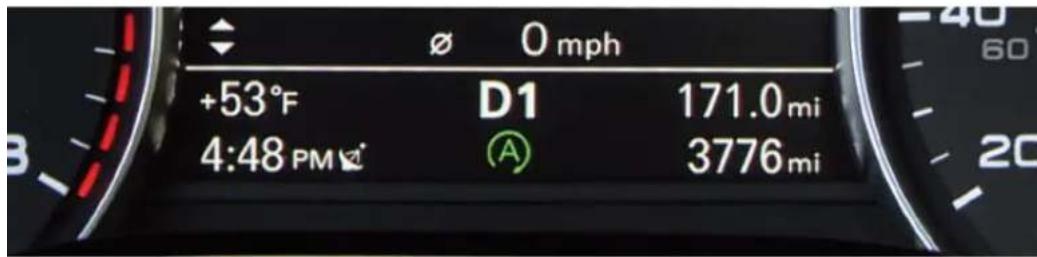
The Start-Stop System shuts off the engine when you stop at traffic signals or during certain stop-and-go driving conditions to save fuel. When conditions are met and the engine shuts off, the Start-Stop System light appears in the Driver Information System in the instrument cluster. Releasing the brake pedal instantly restarts the engine and makes power available before your foot even reaches the accelerator.

Learn more about
Stop-Start System
TEXT A7START16
to 38981
Do not text and drive.
Message and data rates may apply.
Start-Stop ON or OFF?
For the A7 3.0L TFSI and TDI models, the Start-Stop function engages to turn off the engine at speeds below approximately 2 mph in situations where the vehicle senses you are coming to a complete stop. This helps achieve improved fuel economy, while making the stop engagement of the engine more seamless. For the S7 4.0L TFSI, the engine stop function is not engaged until a full stop has been achieved.
If you wish to turn off the Start-Stop System, simply press the ON/OFF button located below the Audi multimedia panel or MMI display. The button will illuminate to tell you the Start-Stop is off. The engine will continue to run when the vehicle is stopped at traffic signals or during stop-and-go driving. Of course, you will not receive the potential fuel savings or CO₂ reduction benefit.

| Vehicle Engine Type | Auto Start-Stop Mode |
| Audi A7 3.0L TFSI | Default On |
| Audi A7 3.0L TDI | Default On |
| Audi S7 4.0L TFSI | Last Mode |
| Audi RS 7 4.0L TFSI | n/a |
▶ Default On
If you turn off Auto Start-Stop, it will default back to On the next time the vehicle is started.
Last Mode
Auto Start-Stop continues in the last selected mode when the vehicle is restarted.
Note:
This feature is available on select trim lines.
Important Safety Instructions and Warnings: Start-Stop System
- Never allow the engine to run in confined spaces, because this increases the risk of asphyxiation.
- Never turn off the engine before the vehicle has come to a complete stop.
- The brake booster and power steering no longer function when you stop the engine. You must use more force when braking or steering. Because you cannot brake and steer as you usually would, this could lead to accidents and serious injuries. These functions are still active if the Start-Stop System has stopped the engine.
Start-Stop System
Climate Control
4-Zone Climate Control
1. AUTO Setting
The AUTO setting of your Climate Control System will help the cabin maintain your selected temperature by regulating the temperature, fan speed and airflow. Once activated, there is no need to alter the settings. When AUTO is selected, AC will come on automatically to condition and dehumidify the air.
Dual Temperature Settings
Temperature and airflow can be operated independently for each side of the cabin using the control knobs. AUTO will maintain separate temperatures for the driver and front passenger.
2. Synchronize Zones
Pressing the SYNC button will synchronize the driver and passenger side controls along with the rear settings to the same temperature, fan speed and airflow. The synchronization disengages once a passenger adjusts their temperature setting.
3. Heated Seats
To warm up more quickly on a cool morning, turn on your heated seats.

4. Fan Speed
Fan speed can be operated independently. To change the speed, press the FAN button followed by turning either the driver or passenger control knob.
5. Recirculation
The recirculation function helps prevent outside air and odors from entering the cabin. It may also be used in conjunction with AC to cool the cabin more quickly.
6. Airflow
The airflow selector directs air to the floor, panel or defrost vents, or a combination. Pressing multiple times will toggle between different airflow settings.

natural_image
Interior view of a car showing the dashboard, steering wheel, and gear shift (no visible text or symbols)Important Safety Instructions and Warnings: Climate Control
- Reduced visibility is dangerous and can cause accidents.
- For safe driving it is very important that all windows be free of ice, snow and condensation.
- Completely familiarize yourself with the proper use and function of the heating and ventilation system and especially how to defog and defrost the windows.
- Never use the windshield wiper/washer system in freezing weather until you have warmed the windshield first, using the heating and ventilation system. The washer solution may freeze on the windshield and reduce visibility.
- You should not use the recirculation mode for an extended period since no fresh air is drawn in. With the air-conditioning switched off, the windows can fog up, which increases the risk of an accident.
- Individuals with reduced sensitivity to pain or temperature could develop burns when using the seat heating function. To reduce the risk of injury, these individuals should not use seat heating.

Learn more about
4-Zone Climate Control
TEXT A7CLIMATE16A
to 38981
Do not text and drive
Message and data rates may apply.
Cruise Control
Activate
To activate, pull the control stalk toward you (On position).

Set Cruising Speed
At your desired speed, press the SET button at the end of the stalk. The set speed and the illuminated CRUISE icon are shown in the Driver Information Display.
Changing Speed
There are three ways to change your speed:
▶ Accelerate or decelerate, then press the SET button again.
To increase/decrease speed in 1 mph increments, or 2.5 mph increments with Adaptive Cruise Control*, tap the stalk up or down.
- Hold the stalk up or down to increase/decrease speed in 5 mph increments; release when desired speed is reached.
Cancel/Resume
- Press the brake pedal or push the stalk slightly away from you (Cancel position).
-
The CRUISE light will go off.
-
To resume, pull the stalk towards you; you will return to your set speed.
Your most recently set speed appears as a small icon in the Driver Information Display. It remains in memory until you turn Cruise Control or your Audi off.

natural_image
Front view of a silver sedan car with visible headlights and grille (no text or symbols)*Optional feature available on all trim lines.
Important Safety Instructions and Warnings: Cruise Control & Adaptive Cruise Control
• Always pay attention to the traffic around you when the Cruise Control is in operation. You are always responsible for your speed and the distance between your vehicle and other vehicles.
• For safety reasons, Cruise Control should not be used in the city, in stop-and-go traffic, on winding roads and when road conditions are poor (such as ice, fog, gravel, heavy rain and hydroplaning), because this increases the risk of an accident.
Switch the Cruise Control off temporarily when driving in turning lanes, highway exits or in construction zones.
Please note that unconsciously "resting" your foot on the accelerator pedal prevents the Cruise Control from braking. This is due to the control system being overridden by the driver's acceleration.
If a brake system malfunction such as overheating occurs when the Cruise Control system is switched on, the braking function in the system may be switched off. The rest of the Cruise Control system functions remain active as long as the indicator light is on:
• Always pay attention to traffic when Adaptive Cruise Control is switched on and braking guard is active. As the driver, you are still responsible for starting and for maintaining speed and distance to other objects. Braking guard is used to assist you. The driver must always take action to avoid a collision. The driver is always responsible for braking at the correct time.
- Improper use of Adaptive Cruise Control can cause collisions, other accidents and serious personal injury.
- Never let the comfort and convenience that Adaptive Cruise Control and braking guard offer distract you from the need to be alert to traffic conditions and the need to remain in full control of your vehicle at all times.
- Always remember that the Adaptive Cruise Control and braking guard have limits – they will not slow the vehicle down or maintain the set distance when you drive towards an obstacle or something on or near the road that is not moving, such as vehicles stopped in a traffic jam, a stalled or disabled vehicle. If registered by the radar sensors, vehicles or obstacles that are not moving can trigger a collision warning and if confirmed by the video
camera, an acute collision warning.
- For safety reasons, do not use Adaptive Cruise Control when driving on roads with many curves, when the road surface is in poor condition and/or in bad weather (such as ice, fog, gravel, heavy rain and hydroplaning). Using the system under these conditions could result in a collision.
- Switch Adaptive Cruise Control off temporarily when driving in turning lanes, on expressway exits or in construction zones. This prevents the vehicle from accelerating to the set speed when in these situations.
- The Adaptive Cruise Control system will not brake by itself if you put your foot on the accelerator pedal. Doing so can override the speed and distance regulation.
- When approaching stationary objects such as stopped traffic, Adaptive Cruise Control will not respond and braking guard will have limited function.
- The Adaptive Cruise Control system and braking guard do not meet requirements. Animals which are covering the mind or exercise subjects
• The adaptive cruise control system and braking gears do not reset to people, animals, objects crossing the road or ceiling objects.
• The function of the radar sensors can be affected by reflective objects such as guard rails, the entrance to a tunnel, heavy rain or ice.
Never follow a vehicle so closely that you cannot stop your vehicle safely. The Adaptive Cruise Control cannot slow or brake the vehicle safely when you follow another vehicle too closely. Always remember that the automatic braking function cannot bring the vehicle to a sudden or emergency stop under these conditions.
- To prevent unintended operation, always switch ACC off when it is not being used.

Learn more about Cruise Control
TEXT A7CRUISE16A to 38981
Learn more about Adaptive Cruise Control
TEXT A7CRUISE16B to 38981
Do not text and drive. Message and data rates may apply.
Bluetooth® Pairing
Initial Setup
Bluetooth pairing is a one-time procedure. Once paired via Bluetooth, your phone will automatically connect when you start your vehicle and your phone's contacts automatically synchronize, allowing you to retrieve contacts and make and receive calls through the infotainment system. For more information regarding phone compatibility visit audiusa.com/bluetooth.
- Switch ignition to accessories mode.
- Activate your phone's Bluetooth function and set to pairing or search mode.
- Select Audi MMI when it appears on the phone's screen.
- Use the MMI control knob to select Yes.
- Confirm the six-digit PIN displayed matches the PIN displayed on your phone, and select Yes.
- Select Pair on your phone to complete the pairing process.
- Contacts synchronizing.
- Bluetooth active and network strength bars.

Some phones may require a response to automatically connect for future connections. Once paired, the Bluetooth symbol appears on the MMI screen along with network strength bars and it will be displayed whenever a paired phone is connected to the infotainment system.

Learn more about Bluetooth Pairing
TEXT A7PAIR16A to 38981
Do not text and drive. Message and data rates may apply.

Read Messages
Your Audi vehicle's Bluetooth system can allow you to get text messages that are sent to your cellular phone from the MMI System.
- Establish Bluetooth connection.
- Configure your mobile phone. Select option 2a or 2b depending on your device.
2a. For iPhone, enable Show Notifications from Bluetooth properties of your connection.


natural_image
Close-up of a smiling couple in a car, one smiling and the other looking through the driver's seat (no visible text or symbols)Note:
Bluetooth® Fairing
See your phone's Owner's Manual for specific Bluetooth activation instructions. Vehicle must be stationary with the parking brake engaged while performing this operation. Once paired, the Bluetooth symbol appears in the MMI screen along with network strength bars and it will be displayed whenever a paired phone is connected to the infotainment system.
Important Safety Instructions and Warnings: Bluetooth® Pairing
- Medical experts warn that cell phones can interfere with the function of pacemakers. Always maintain a minimum distance of 20 centimeters between the cell phone antenna and the pacemaker.
- Do not carry the cell phone in a pocket directly over the pacemaker when the phone is switched on.
- Switch the cell phone off immediately if you suspect it may be interfering with the pacemaker.
Do not use the Voice Recognition system in emergencies because your voice may change in stressful situations. It may take longer to dial the number or the system may not be able to dial it at all. Dial the emergency number manually.
- Switch your cell phone off in areas where there is a risk of an explosion. These locations are not always clearly marked. This may include gas stations, fuel and chemical storage facilities or transport vehicles; or locations where fuel vapors (such as propane or gasoline vapor in vehicles or buildings), chemicals or large quantities of dust particles (such as flour, sawdust or metal) may be present in the air. This also applies to all other locations where you would normally turn your vehicle engine off.
• The demands of traffic require your full attention.
- Obey all applicable laws regarding use of telephones in vehicles.
- Switch off the telephone where use of cell phones is prohibited. Obey all applicable notices and regulations.
Important Safety Instructions and Warnings: Voice Recognition
- Direct your full attention to driving. As the driver, you have complete responsibility for safety in traffic. Only use the functions in such a way that you always maintain complete control over your vehicle in all traffic situations.
- Do not use the Voice Recognition system in emergencies because your voice may change in stressful situations. It may take longer to dial the number or the system may not be able to dial it at all. Dial the emergency number manually.
Bluetooth® Pairing
Initial Setup
Bluetooth pairing is a one-time procedure. Once paired via Bluetooth, your phone will automatically connect when you start your vehicle and your phone's contacts automatically synchronize, allowing you to retrieve contacts and make one receive calls through the infotainment system. For more information regarding phone compatibility visit audiusa.com/bluetooth.
- Switch ignition to accessories made
- Activate your phone's Bluetooth function and set to pairing or search made.
- Select Audi MMI when it appears on the phone's screen.
- Use the MMI control knob to select Yes
- Confirm the six-digit PIN displayed matches the PIN displayed on your phone, and select Yes.
- Select Pair on your phone to complete the passing process.
- Contacts synchronizing

- Bluetooth active and network strength bars.

Some phones may require a response to data transitally cannot for future connections. Once paired, the Bluetooth symbol appears on the NMI screen along with network strength bars and it will be displayed whenever a paired phone is connected to the infotainment system.

Learn more about!
TEXT A7PAIR16A
to 38981
Do not beat and drive. Message and data rates may apply.
Read Messages
Your Audi vehicle's Bluetooth system can allow you to get text messages that are sent to your cellular phone from the MMT System.
- Establish Bluetooth connection.
- Configure your mobile phone. Select option 2a or 2b depending on your device.
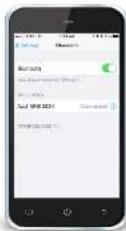
2a. For iPhone, enable Show Notifications from Bluetooth properties of your connection.

2b. With an Android phone, you will be
prompted to enable MAP as your establish the connection.
Upon activating show notifications, some phones may require Bluetooth to be temporarily turned off on device to force the MMI system to identify the new setting. Once Bluetooth is turned back on the MMI will recognize the new setting and read messages will be active.
The new message notification will be displayed at the bottom of the MMI display. To access and read your messages:
- Select the TEL function.
- Select messages and press the control knob to view messages.
- Or you can press the TALC button and say, "Read Message". The MMI system will read any new text message to you.
Wireless Audio Streaming
Audio from your Bluetooth compatible media device can be played to your MMT system with a few simple steps. Ensure that Bluetooth Audio is enabled on the MMT system:
- Select the TEL function » Settings » Bluetooth » Bluetooth Audio » then choose the "On" option.
- Pair the device to the system (see Bluetooth pairing instructions).
- Select the MEDIA function » Source » Bluetooth
- Select From Artists, Albums, Songs and more to make your selection.
To return to the previous screen, press the BACK button on Browse control button to make another selection.
Your Bluetooth wireless audio is also capable of streaming audio from other apps too:
• To begin playing from another app or restarting audio stored on your device, start the app from the device.
- If your device is currently connected with Bluetooth and plugged in to the USB port. The Bluetooth audio connection will be turned off.
To re-establish the Bluetooth connection, remove the connection to the USB port and select the Bluetooth source and follow the prompts to turn Bluetooth Audio back on.

Voice Recognition:
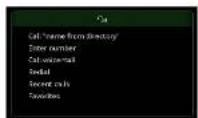
Call By Name
- Press the TALK button on the steering wheel. A beep will sound.
- Say "Call"
(e.g., "Call John Smith"). - In confirm the request, say "Yes". The number will be dialed.
- There are three options to cancel Voice Recognition.
• Simply say "Cancel" at the voice prompt - Press any button on the MMI controls.
• Or, press and hold the TALK button until you bear "Cancel". - If multiple numbers are stored for a given contact, the system will ask which number you wish to dial. When calling by name using Voice Recognition, you must say the name as it is stored in your phone book.
Refer to your Owner's Manual for additional amendments.

Learn note about:
TEXT A7VOICE16A
to 38981
Do not test and drive.
Message and data rates may apply.
External Voice Recognition
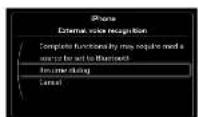
You can activate Sir, Google Now, Cortana, or Blackberry Assistant Voice Recognition commands depending on the program your phone supports.
With an established Bluetooth connection to your vehicle:
- Press and hold the TALK button until you hear a tone.
- Say the Voice Recognition command. These are general voice commands that you would normally use with your phone.
- When this screen is available, you can continue by pressing the TALK button or by pressing the control knob.
- The External Voice Recognition can be ended by selecting Cancel, or it will time out within a few seconds of no interaction.
No manipulation prompts or traffic announcements are given when a dialog is running. Refer to your Driver's Manual for additional commands.

Lamp mays d'ou!
Enerly Rate Recognition TEXT A7VOICE16B
to 38981
Do not best and differ
Message and data later may apply

Brake malfunction

Electromechanical parking brake

Engine cooling system

Engine oil pressure

Engine oil level

Battery

Engine stops while driving

Safety Belt

Electromechanical steering

Electronic steering column lock

Engine start system

Speed warning system

Adaptive cruise control

Air suspension

Night vision Assistant

Night vision Assistant

Rear Spoiler
AdBlue
Refill AdBlue
AdBlue
AdBlue malfunction

Safety systems

Electronic Stabilization Control

Electronic Stabilization Control

Anti-lock braking system (ABS) defective

Worn brake pads

Electromechanical parking brake

Tire pressure monitoring system

Tire pressure monitoring system

Electronic power control

Glow plug system

Malfunction indicator lamp (MIL)

Diesel particulate filter clogged

Engine speed limitation

Engine oil level

Engine oil sensor

Request to warm engine by driving

Battery

Tank system

Windshield washer fluid level

Windshield wipers

Remote control key

Remote control key

Battery in remote control key

Defective light bulb warning

Rear fog light(s)

Headlight range control

Adaptive light

Light-/rain sensor faulty

Audi active lane assist

Transmission (tiptronic)

Transmission -S tronic

Electronic steering column lock

Engine start system

Brake booster

Electromechanical steering, dynamic steering

Air suspension

Sport differential

Rear spoiler
AdBlue
Refill AdBlue
AdBlue
AdBlue malfunction

Turn signals

Cruise Control

Adaptive Cruise Control

Adaptive Cruise Control

Adaptive Cruise Control

Audi active lane assist

Start-Stop System

Start-Stop System

High beam assist

High beam
- Introduction to your A7
- Audi Navigation
- Setting a Destination
- TEXT A7NAV16A to 38981
- Voice Recognition Commands
- TEXT A7NAV16B to 38981
- Note:
- Important Safety Instructions and Warnings: Navigation & Infotainment
- Audi connect®
- Wi-Fi Configuration
- TEXT A7CONNECT16A
- to 38981
- TEXT A7CONNECT16B
- Google Voice™ Local Search
- TEXT A7CONNECT16C
- Important Safety Instructions and Warnings: Audi connect TM
- Start-Stop System
- Operation
- Start-Stop ON or OFF?
- ▶ Default On
- Last Mode
- Climate Control
- 4-Zone Climate Control
- AUTO Setting
- Dual Temperature Settings
- Synchronize Zones
- Heated Seats
- Fan Speed
- Recirculation
- Airflow
- TEXT A7CLIMATE16A
- Cruise Control
- Activate
- Set Cruising Speed
- Changing Speed
- Cancel/Resume
- Bluetooth® Pairing
- Initial Setup
- Read Messages
- Wireless Audio Streaming
- Voice Recognition:
- Call By Name
- External Voice Recognition
Brand : AUDI
Model : A7 (2016)
Category : Automobile