
SmartCam 220 - Security Camera GENIUS - Free user manual and instructions
Find the device manual for free SmartCam 220 GENIUS in PDF.


| Product Type | Security Camera |
| Brand | Genius |
| Model | SmartCam 220 |
| Resolution | HD (1280 x 720 pixels) |
| Video Compression | H.264 |
| Motion Detection | Yes |
| Audio Detection | Yes |
| Two-Way Audio | Yes (Built-in Mic & Speaker) |
| Night Vision | Yes (IR LED, up to 10m) |
| Connectivity | Wi-Fi 802.11 b/g/n |
| Bluetooth Detection | Yes |
| App Compatibility | iOS and Android (Genius SmartCam app) |
| Power Supply | DC 5V, included adapter |
| Dimensions (Unit) | 92 x 80 x 150 mm |
| Weight | 225 g |
| Package Contents | Camera, Stand, Adapter, Screws, Quick Guide |
| Mounting | Desktop stand or wall mount (screws included) |
| Care and Cleaning | Wipe with dry soft cloth; avoid liquids |
| Security | Use strong Wi-Fi password; keep app updated |
| Spare Parts / Repairability | Not user-serviceable; contact Genius support |
| Certifications | CE, FCC |
Frequently Asked Questions - SmartCam 220 GENIUS
User questions about SmartCam 220 GENIUS
0 question about this device. Answer the ones you know or ask your own.
Ask a new question about this device
Download the instructions for your Security Camera in PDF format for free! Find your manual SmartCam 220 - GENIUS and take your electronic device back in hand. On this page are published all the documents necessary for the use of your device. SmartCam 220 by GENIUS.
USER MANUAL SmartCam 220 GENIUS
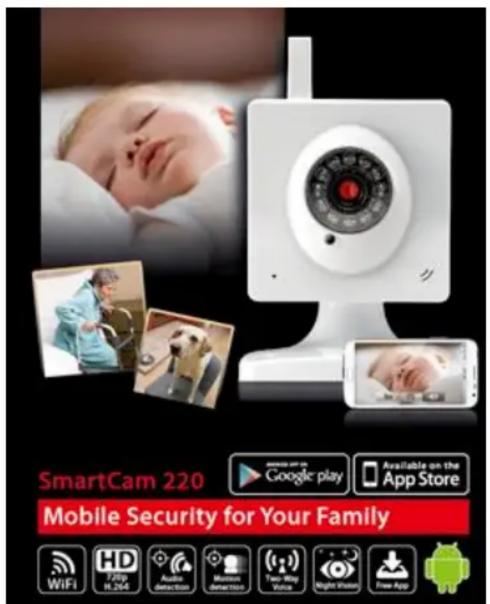
Genius introduces a brand-new mobile security product - SmartCam 220. It's designed for convenience and peace of mind in knowing your loved ones (family members, pets, etc.) and property are safe when you're not around. With the free Genius download app, you can use your smartphone to stream live HD resolution video anytime, anywhere.
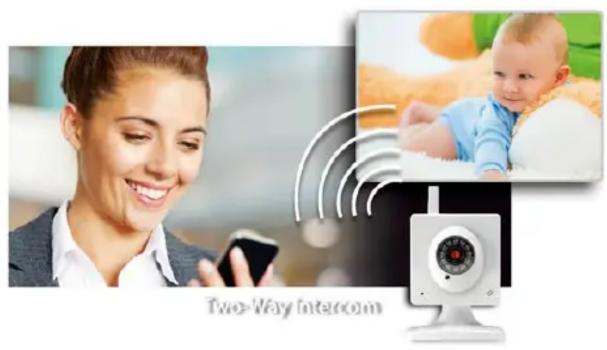
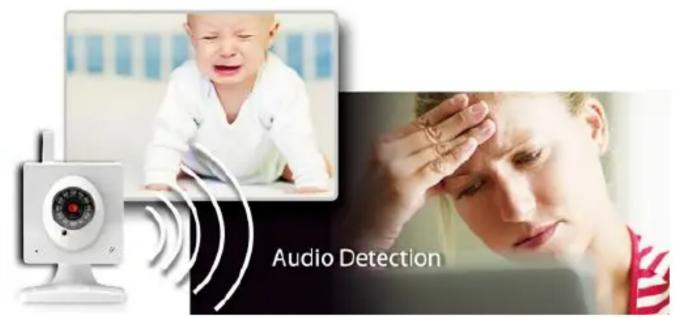
Along with motion detection, the innovative audio detection system double guards by sending an alert whenever motion is detected. In addition, the two-way voice function lets you listen and respond while you are watching video. The IR LED also provides clearer videos during the day and at night when there is low light. Compared with previous IP cam products, Smartcam 220 provides an easy, direct setting on your smartphone/tablet with the Genius smart cam app downloaded from Google Play or the Apple store. No more messing with complicated connections with your PC – it’s a snap to setup.
Package Contents
- SmartCam 220 camera
- Stand
- Adapter
- Fix screw
• Multi-language quick guide
WEEE information
• PN: 32200225101 (US) / 32200226101 (EU)
• Unit Weight (g):225 g
• Unit Size (L x W x H): 92 x 80 x 150 mm
• Package Size (L x W x H): 150 x 88 x 220 mm
• PCs/Carton: 20pcs/Carton
• CUFT:2.44 CU'FT/CTN 465 x 465 x 320 mm
• EAN: 4710268 246640 / UPC: 091163 246640 (US)
• EAN: 4710268 246923 / UPC: 091163 246923 (EU)
| Product Photo |  |
| Model Name | SmartCam 220 |
| Resolution | HD (1280 x 720) |
| Compression rate | H.264 |
| Motion detection | Yes |
| Audio detection | Yes |
| Two-way voice (Mic & Speaker) | Yes |
| IR LED | Yes |
| Smart phone direct & easy setting | Yes (Genius SmartCam app) |
Brand : GENIUS
Model : SmartCam 220
Category : Security Camera