
ST100N - Stapler Eldom - Free user manual and instructions
Find the device manual for free ST100N Eldom in PDF.


| Product Type | Stapler |
| Brand | Eldom |
| Model | ST100N |
| Dimensions (L x W x H) | 210 mm x 55 mm x 150 mm |
| Weight | 0.65 kg |
| Material | High-impact plastic with metal base |
| Power Source | Manual (hand-operated) |
| Staple Type | Standard 24/6 or 26/6 staples |
| Staple Capacity | Up to 100 staples |
| Stapling Capacity | Up to 30 sheets of 80 g/m² paper |
| Loading Mechanism | Top-loading, easy refill |
| Anvil Function | Adjustable for permanent or temporary stapling |
| Stapling Depth | Adjustable up to 50 mm from edge |
| Non-Slip Base | Rubberized base for stability |
| Security Features | Safety lock to prevent accidental firing |
| Maintenance | Clean with dry cloth; do not use oil or solvents |
| Spare Parts Availability | Spare parts available from Eldom service centers |
| Reparability | Designed for easy repair; user-replaceable spring |
| Included Accessories | Starter pack of 100 staples |
| Warranty | 2 years limited warranty |
| Compliance | CE certified |
| Country of Origin | China |
Frequently Asked Questions - ST100N Eldom
User questions about ST100N Eldom
0 question about this device. Answer the ones you know or ask your own.
Ask a new question about this device
Download the instructions for your Stapler in PDF format for free! Find your manual ST100N - Eldom and take your electronic device back in hand. On this page are published all the documents necessary for the use of your device. ST100N by Eldom.
USER MANUAL ST100N Eldom
natural_image
Black rectangular food grater with a red and green button, no visible text or symbolsINSTRUKCJA OBSŁUGI OPIEKACZ DO KANAPEK ST100N
OPIS OGÓLNY
natural_image
Close-up of a black, reflective surface with a numbered label '5' in the top-left corner (no other text or symbols)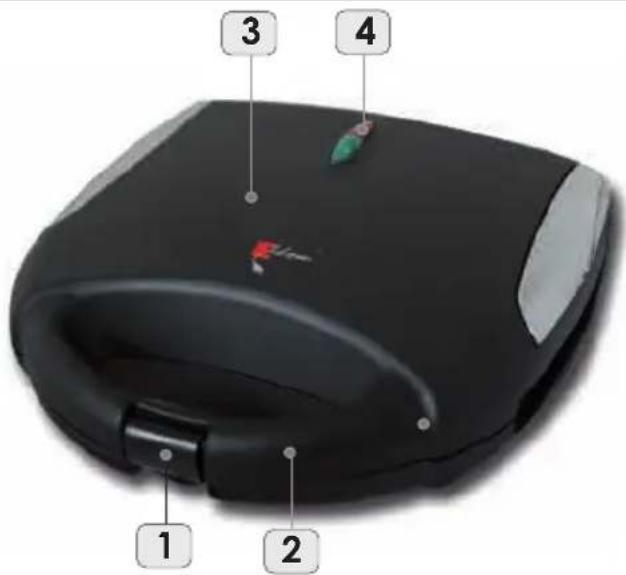
DANE TECHNICZNE
- Locking tab
- Handgrip
- Cover
- Indicator lights
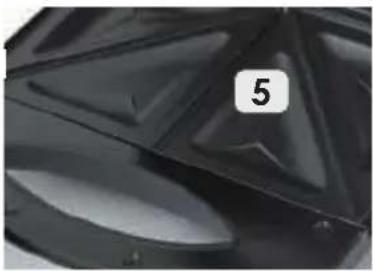
- Cooking plates
natural_image
Close-up of a black plastic or metal component with a numbered label '5' on the side (no other text or symbols visible)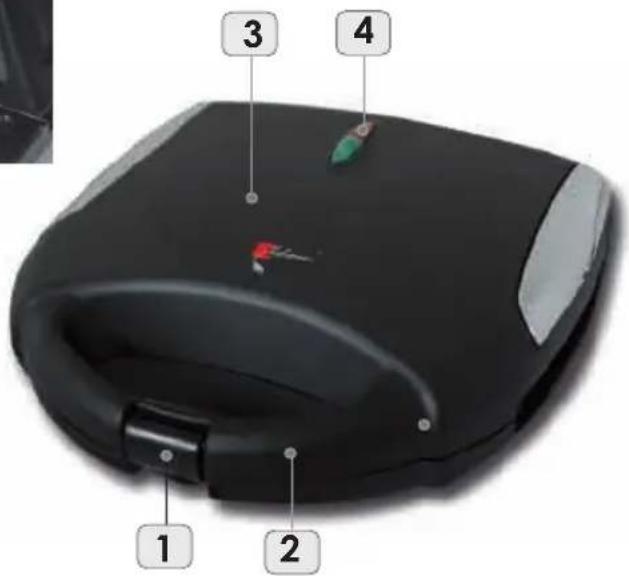
SPECIFICATION
- power: 750W
- power supply voltage: 230V \~ 50Hz
USING THE APPLIANCE
Make sure that the appliance, the plug and the power cord are in order and that all parts of the packaging have been removed before you start using the appliance.
Important:
The appliance may give off a smell while being used for the first time. The smell is associated with the manufacturing procedure. It is a natural process which ceases to occur after a certain period of time. Ensure a suitable ventilation in the room, e.g. by opening a window. Use the toaster with any food products while using it for the first time.
- Set the appliance on a flat, stable and high temperature resistant surface.
- Run the cooking plates (5) with a wet cloth and lubricate with grease.
- Close the cover (3), make sure that the locking tab (1) is properly locked.
- Connect the appliance to the mains. A red indicator light will go on.
- The appliance is heating up. The green indicator light indicates that the appliance has reached a required temperature
- Open the sandwich toaster, put on the sandwiches and close the cover.
- Toast for about 2-3 minutes.
Avoid putting too thick sandwiches into the appliance. The cover and the locking tab may not have any difficulty to close. This brings the risk of damaging the appliance.
The green indicator light goes on and off during toasting. The thermostat maintains a proper temperature.
- Take the hot sandwiches out. Use cutlery made of wood or high temperature resistant plastics to avoid damaging the cooking plates.
- While preparing more sandwiches, close the cover (3) in order to keep the temperature.
- Disconnect the appliance from the mains after the toasting is finished.
CLEANING AND MAINTENANCE
- disconnect the appliance from the mains and let it cool down before cleaning it
- do not immerse any part of the appliance in water or other liquids
- first, rub the cooking plates with paper towels in order to remove grease
- then, clean the appliance and the cord gently with a wet cloth.
Wipe the appliance dry before using it again - do not use cleaning agents and dissolvents
- in case of residue which is difficult to be removed, do not use sharp tools as they can destroy coatings on the plates of the appliance. The best way to remove dirt is to cover them with a wet cloth to dissolve the residue
SAFETY TIPS
- read the whole content of this user manual before using the appliance for the first time connect the connection cord to a socket which complies with the specification provided in the manual
- set the appliance on a flat, stable and high temperature resistant surface
- always disconnect the appliance from the mains by pulling the plug, not the power cord
- disconnect the appliance from the mains whenever it is not used or before cleaning it
- do not immerse the cord or the appliance in water,
- do not use in open air
- do not use nearby inflammable materials such as furniture, bedding, paper, clothes, lace curtains, linings etc.
- do not leave children without care nearby the appliance,
- parts of the appliance become hot when the appliance is being used.
You should hold the appliance only by the handgrip - be careful when taking out the sandwiches.
Ready made sandwiches are hot and can burn - do not leave the appliance unattended when it is being used
- the appliance is not intended for use by persons (including children) whose physical, sensory or intellectual capabilities are limited unless they are supervised by a person who is responsible for their safety.
- Pay attention to make sure that the appliance is not played with by children.
- do not carry or move the appliance when it is being used
- do not cover the appliance when it is being used
- do not put any products in metal foils into the appliance
- do not grasp the appliance with wet hands
- the appliance is intended for household use only
- a very hot stream of steam may come out of the appliance when the cover is being opened do not use the appliance if the power cord has been damages or when the appliance has fallen down or was damaged in another way. The appliance should be repaired by an authorized service shop; see the annexe or visit the site www.eldom.eu for the list of authorized service shops
- the appliance may be repaired only by an authorized service outlet.
Modernizing the appliance or using other spare parts or components for the appliance with the genuine ones is forbidden and threatens the safety of use. - Eldom Sp. z o. o. is not responsible for any potential damages caused by improper use of the appliance.

This symbol is a warning against the high temperature of the appliance surface.
ENVIRONMENT PROTECTION
- the device is made of materials which can be reused or recycled
- the device should be handled to a special point which deals with collecting and recycling of electric and electronic equipment
GUARANTEE
- the device is designed to be used in households
- not for professional use
- the control lamp is not subject to guarantee
- the guarantee expires when device is used improperly Detailed warranty description in the annex.
VŠEOBECNÝ POPIS
natural_image
Close-up of a glossy black plastic surface with a numbered label '5' in the corner (no other text or symbols)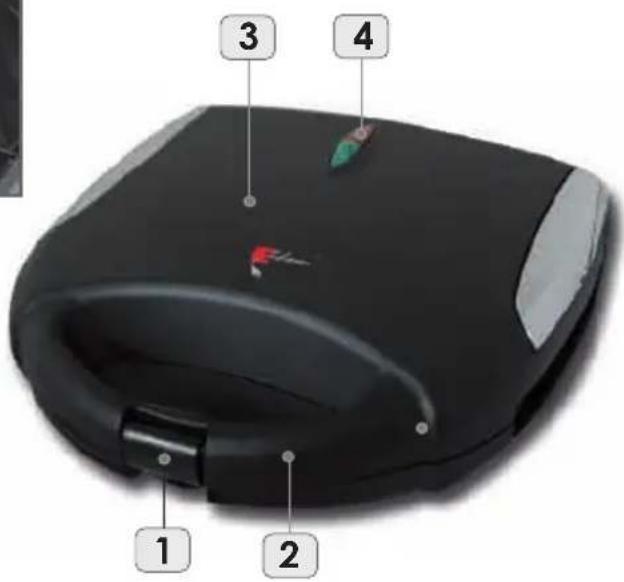
TECHNICKÉ ÚDAJE
natural_image
Close-up of a glossy black plastic surface with a numbered label '5' in the corner (no other text or symbols)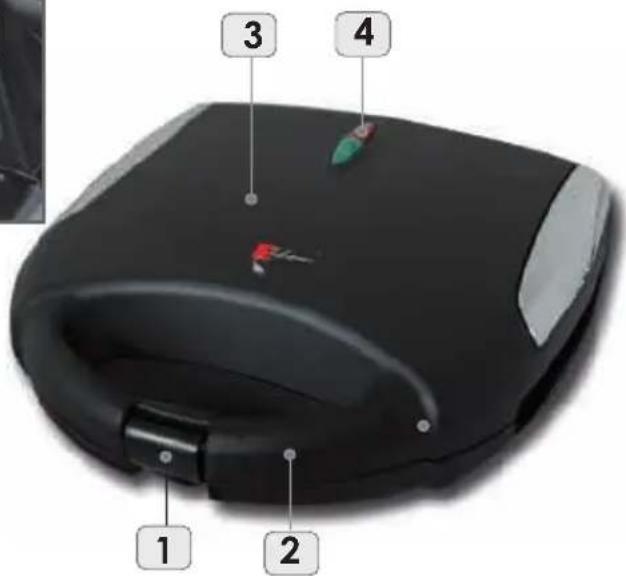
Technische Daten
natural_image
Close-up of a black metal surface with triangular patterns and a numbered label '5' (no text or symbols on the surface itself)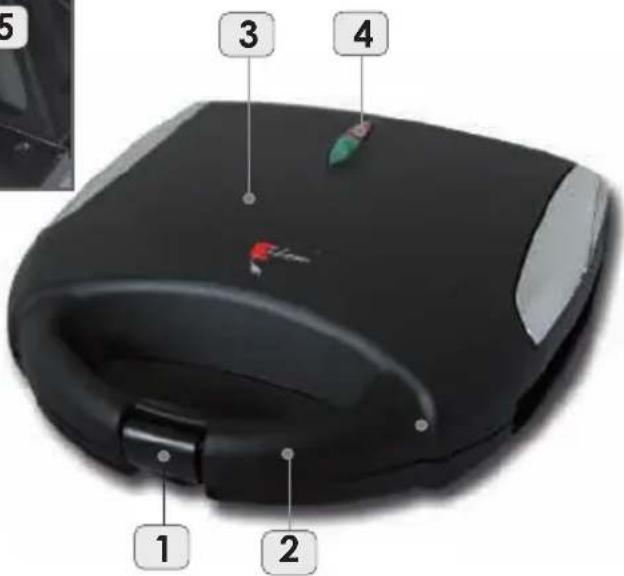
natural_image
Close-up of a glossy black plastic surface with a numbered label '5' in the corner (no other text or symbols)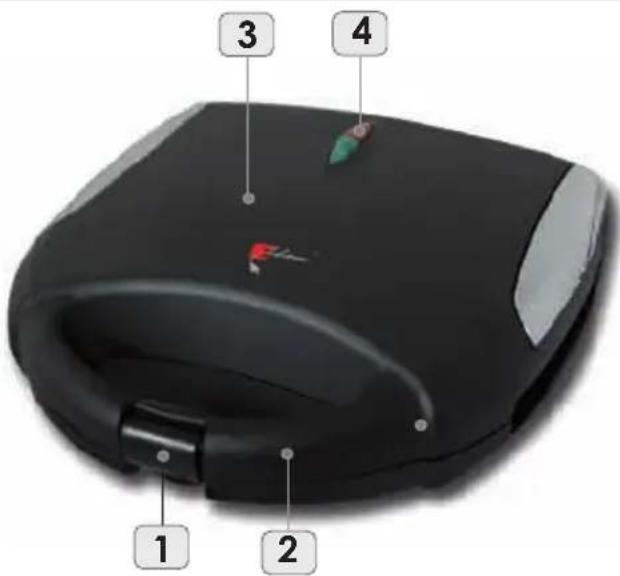
TECHNICKÉ ÚDAJE
natural_image
Close-up of a black metal surface with a numbered label '5' in the top-left corner (no other text or symbols)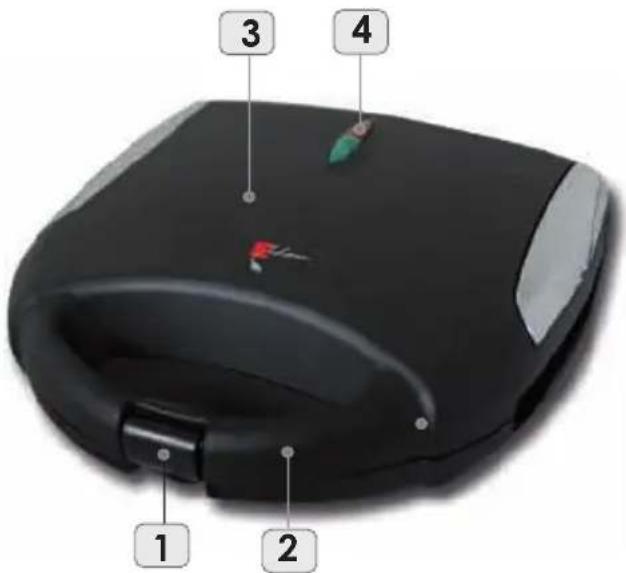
MÜSZAKI ADATOK
Brand : Eldom
Model : ST100N
Category : Stapler