
AVerTV Mobile Android EW310 - TV Tuner for Computer AVERMEDIA - Free user manual and instructions
Find the device manual for free AVerTV Mobile Android EW310 AVERMEDIA in PDF.


| Product Type | TV Tuner for Computer / Android Device |
| Brand | AVerMedia |
| Model | AVerTV Mobile Android EW310 |
| Compatibility | Android devices (tablets/smartphones) and Windows PC |
| TV Standards | DVB-T / DVB-T2 (digital terrestrial) |
| Interface | USB 2.0 |
| Dimensions | Approx. 95 x 30 x 12 mm |
| Weight | Approx. 30 g |
| Power Source | USB powered (5V DC) |
| Main Functions | Watch and record live TV, timeshift, electronic program guide (EPG) |
| Supported Resolutions | Up to 1080i |
| Antenna Input | PAL / SECAM / NTSC compatible |
| Accessories Included | USB cable, portable antenna, quick start guide |
| Software | AVerMedia TV app for Android (free download) |
| Operating Temperature | 0°C to 40°C |
| Storage Temperature | -20°C to 60°C |
| Humidity | 20% to 80% (non-condensing) |
| Maintenance | Clean with a dry, soft cloth; avoid liquids |
| Safety Precautions | Do not expose to moisture or extreme temperatures |
| Spare Parts & Repairability | No user-serviceable parts; contact AVerMedia support for repairs |
Frequently Asked Questions - AVerTV Mobile Android EW310 AVERMEDIA
User questions about AVerTV Mobile Android EW310 AVERMEDIA
0 question about this device. Answer the ones you know or ask your own.
Ask a new question about this device
Download the instructions for your TV Tuner for Computer in PDF format for free! Find your manual AVerTV Mobile Android EW310 - AVERMEDIA and take your electronic device back in hand. On this page are published all the documents necessary for the use of your device. AVerTV Mobile Android EW310 by AVERMEDIA.
USER MANUAL AVerTV Mobile Android EW310 AVERMEDIA
European Community Compliance Statement

Class B
This product is herewith confirmed to comply with the requirements set out in the Council Directives on the Approximation of the laws of the Member States relating to Electromagnetic Compatibility Directive 2004/108/EC.
Disclaimer
All the screen shots in this documentation are only example images. The images may vary depending on the product and software version. Information presented in this documentation has been carefully checked for reliability; however, no responsibility is assumed for inaccuracies. The information contained in this documentation is subject to change without notice.
Copyright
© 2014 by AVerMedia Technologies, Inc. All rights reserved.
No part of this document may be reproduced or transmitted in any form, or by any means (Electronic, mechanical, photocopying, recording, or otherwise) without prior written permission of AVerMedia Technologies, Inc.
Information in this document is subject to change without notice. AVerMedia Technologies, Inc. reserves the right to modify, change, improve or enhance its products and to make changes in the content without obligation to notify any person or organization of such changes. Please visit www.avermedia.com to get the updates of the operation and use of AVerMedia products.
"AVerMedia" is a trademark and logo of AVerMedia Technologies, Inc. Other trademarks used herein for description purpose only belong to each of their companies.
Made in Taiwan (Except Accessories).
Picture shown may vary from actual product

The mark of crossed-out wheeled bin indicates that this product must not be disposed of with your other household waste. Instead, you need to dispose of the waste equipment by handing it over to a designated collection point for the recycling of waste electrical and electronic equipment. For more information about where to drop off your waste equipment for recycling, please contact your household waste disposal service or the shop where you purchased the product.
Note
This product is designed as a portable TV receiver for mobile devices. It is not intended for use while in transit. For the best results, use the device in a stationary position with strong signal.
備註
natural_image
Simple line drawing of a vertical cylindrical object with a protruding rod (no text or symbols)Telescopic Antenna

Quick Installation Guide

natural_image
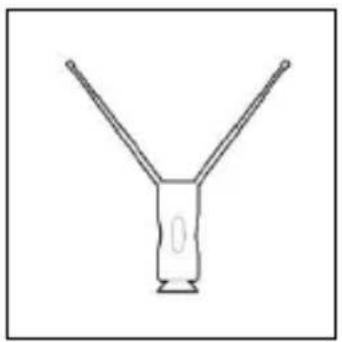
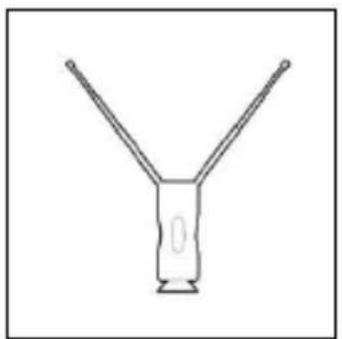
Simple line drawing of a Y-shaped object with two arms and a central base (no text or symbols)High Gain Antenna

natural_image
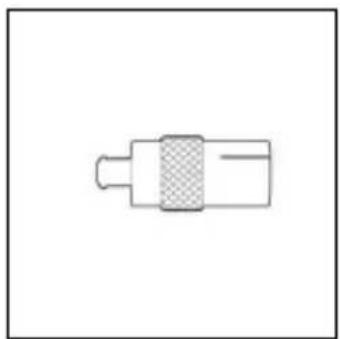
Simple line drawing of a mechanical component with a central shaded section (no text or symbols)MCX Adapter
System Requirements
- Android device with dual-core CPU and NEON support
- Android 4.0.3 (Ice Cream Sandwich) or later
- DTT / Freeview / DVB-T coverage
- Encrypted programs and DVB-T2 broadcasts are not supported
- Android devices need to support USB OTG
Watching TV on Android Device
Connection

flowchart
graph LR
    A["Table with battery icon"] --> B["Electricity meter"]
    B --> C["Device with LED and antenna"]
    C --> D["Wireless Device with LED and antenna"]
- Connect AVerTV Mobile Android to your Android device
- Connect the Telescopic Antenna to AVerTV Mobile Android OR
- Connect the MCX Adapter to AVerTV Mobile and connect the High Gain Antenna to the MCX Adapter
Software Installation
- Download and install the app AVerTV Mobile from Google Play
- Launch AVerTV Mobile to start watching TV on your Android device

natural_image
Simple line drawing of a vertical cylindrical object with a protruding rod (no text or symbols)Teleskopantenne

Kurzanleitung

natural_image
Simple line drawing of a Y-shaped object with two arms and a central hole (no text or symbols)natural_image
Simple line drawing of a mechanical component with a central shaded section (no text or symbols)MCX-Adapter
Systemanforderungen
flowchart
graph LR
    A["Table with monitor"] --> B["Device with battery"]
    B --> C["Electricity meter"]
    C --> D["Wireless Device with LED"]
natural_image
Simple line drawing of a vertical cylindrical object with a protruding rod (no text or symbols)Antena telescópica
natural_image
Simple line drawing of a Y-shaped object with two arms and a central base (no text or symbols)Antena doble
natural_image
Simple line drawing of a mechanical component with a central shaded section (no text or symbols)Adaptador MCx
flowchart
graph LR
    A["Table with battery icon"] --> B["Device with battery symbol"]
    B --> C["LED output"]
    style A fill:#f9f,stroke:#333
    style B fill:#ccf,stroke:#333
    style C fill:#cfc,stroke:#333
natural_image
Simple line drawing of a vertical cylindrical object with a protruding rod (no text or symbols)natural_image
Simple line drawing of a Y-shaped object with two arms and a central hole (no text or symbols)Antenne Haute Performance

natural_image
Simple line drawing of a mechanical component with a central shaded section (no text or symbols)Adaptateur MCX
Configuration Minimale Requise
flowchart
graph LR
    A["Table with battery icon"] -->|①| B["Cell with battery symbol"]
    C["Table with battery icon"] -->|②| D["LED with LED symbol"]
    B -->|OR| E["Device with LED"]
natural_image
Simple line drawing of a vertical cylindrical object with a protruding rod (no text or symbols)Antenna telescopica
natural_image
Simple line drawing of a Y-shaped object with two arms extending upward (no text or symbols)natural_image
Simple line drawing of a mechanical component with a central shaded section (no text or symbols)Adattatore MCX
flowchart
graph LR
    A["Table with battery icon"] --> B["Electricity meter"]
    B --> C["Device with LED and antenna"]
    C --> D["Wireless Device with LED and antenna"]
natural_image
Simple line drawing of a vertical mechanical component with a base and top (no text or symbols)Antena telescópica

natural_image
Simple line drawing of a Y-shaped object with two arms and a central base (no text or symbols)natural_image
Simple line drawing of a mechanical component with a central shaded section (no text or symbols)Adaptador MCX
Requisitos do sistema
flowchart
graph LR
    A["Table with battery icon"] -->|①| B["Electricity meter"]
    B -->|②| C["Wireless device with LED and antenna"]
    style A fill:#f9f,stroke:#333
    style B fill:#ccf,stroke:#333
    style C fill:#cfc,stroke:#333
- Ligue a AVerTV Mobile para Android ao seu dispositivo Android
- Ligue a antena telescópica à AVerTV Mobile para Android
OU - Ligue o adaptador MCX à AVerTV Mobile e ligue a antena de alta receptividade ao adaptador MCX
natural_image
Simple line drawing of a vertical mechanical component with a flanged end (no text or symbols)Antena teleskopowa

natural_image
Simple line drawing of a Y-shaped object with two arms and a central base (no text or symbols)natural_image
Simple line drawing of a mechanical component with a shaded central section (no text or symbols)Adapter MCX
Wymagania systemowe
flowchart
graph LR
    A["Table with battery icon"] -->|①| B["Cell with battery symbol"]
    C["Table with battery icon"] -->|②| D["LED with LED symbol"]
    B -->|OR| E["Device with LED"]
natural_image
Simple line drawing of a vertical mechanical component with a base and top (no text or symbols)Teleskopická anténa

Průvodce instalací
natural_image
Simple line drawing of a Y-shaped object with two arms, no text or symbols presentnatural_image
Simple line drawing of a mechanical component with a central shaft and textured body (no text or symbols)Adaptér MCX
Systémové požadavky
flowchart
graph LR
    A["Table with battery icon"] -->|①| B["Cell with battery symbol"]
    C["Table with battery icon"] -->|②| D["LED with LED symbol"]
    B -->|OR| E["Device with LED"]
natural_image
Simple line drawing of a vertical cylindrical object with a protruding rod (no text or symbols)natural_image
Simple line drawing of a Y-shaped object with two arms and a central base (no text or symbols)Antenna

natural_image
Simple line drawing of a mechanical component with a central shaded section (no text or symbols)MCX Adapter
flowchart
graph LR
    A["Table with monitor"] --> B["Device with battery"]
    C["Table with tablet"] --> B
    B --> D["OR charging"]
    D --> E["Device with LED"]
    E --> F["Wireless device"]
natural_image
Simple line drawing of a vertical cylindrical object with a protruding rod (no text or symbols)Antenă Telescopică

natural_image
Simple line drawing of a Y-shaped object with two arms and a central hole (no text or symbols)natural_image
Simple line drawing of a mechanical component with a central shaded section (no text or symbols)Adaptor MCX
Cerințe de Sistem
flowchart
graph LR
    A["Table with battery icon"] -->|①| B["Electricity meter"]
    B -->|②| C["Wireless device with LED and antenna"]
    style A fill:#f9f,stroke:#333
    style B fill:#ccf,stroke:#333
    style C fill:#cfc,stroke:#333
natural_image
Simple line drawing of a vertical mechanical component with a base and top (no text or symbols)natural_image
Simple line drawing of a Y-shaped object with two arms and a central base (no text or symbols)natural_image
Simple line drawing of a mechanical component with a shaded central section (no text or symbols)Переходник MCX
flowchart
graph LR
    A["Table with monitor"] --> B["Device with battery"]
    C["Table with tablet"] --> B
    B --> D["OR charging"]
    D --> E["Device with LED"]
    E --> F["Wireless device"]
natural_image
Simple line drawing of a vertical cylindrical object with a protruding rod (no text or symbols)เส่าอากาศขนาดเล็ก
natural_image
Simple line drawing of a Y-shaped object with two arms and a central hole (no text or symbols)natural_image
Simple line drawing of a mechanical component with a central shaded section (no text or symbols)อะแคปเตอร์ MCX
ความต้องการของระบบ
flowchart
graph LR
    A["Table with monitor"] -->|①| B["Battery with battery symbol"]
    C["Table with tablet"] -->|①| B
    B -->|②| D["LED display with screwdriver"]
    B -->|②| E["LED display with battery symbol"]
natural_image
Simple line drawing of a vertical mechanical component with a base and top (no text or symbols)伸縮天線

快速安装指南
natural_image
Simple line drawing of a Y-shaped object with two arms, no text or symbols present高增益天線

natural_image
Simple line drawing of a mechanical component with a central hatched area (no text or symbols)MCX 轉接器
系統需求
flowchart
graph LR
    A["Table with battery"] -->|①| B["Device with battery"]
    B -->|②| C["LED with LED"]
    C -->|OR| D["Device with LED"]


- European Community Compliance Statement
- Disclaimer
- Copyright
- Note
- System Requirements
- Watching TV on Android Device
- Connection
- Software Installation
- Systemanforderungen
- Configuration Minimale Requise
- Requisitos do sistema
- Wymagania systemowe
- Systémové požadavky
- Cerințe de Sistem
- ความต้องการของระบบ
- 系統需求
Brand : AVERMEDIA
Model : AVerTV Mobile Android EW310
Category : TV Tuner for Computer