
SVC 9031BK CLEENO - Vacuum Cleaner SENCOR - Free user manual and instructions
Find the device manual for free SVC 9031BK CLEENO SENCOR in PDF.


| Product Type | Robotic Vacuum Cleaner |
| Brand | Sencor |
| Model | SVC 9031BK (Black) / SVC 9031RD (Red) |
| Dimensions (Diameter x Height) | Approx. 33 cm x 8 cm |
| Weight | Approx. 3 kg |
| Power Supply | Rechargeable Li-ion battery, 14.8 V |
| Battery Capacity | 2600 mAh |
| Runtime | Up to 90 minutes |
| Charging Time | Approx. 4-5 hours |
| Dust Container Capacity | 300 ml |
| Filtration System | HEPA filter |
| Navigation Type | Random with sensors (bump, cliff, etc.) |
| Special Features | UV LAXS sterilization, Sensor CLEENO technology |
| Maintenance | Clean brushes, replace HEPA filter periodically |
| Safety Features | Cliff and bumper sensors |
| Included Accessories | Charging dock, power adapter, cleaning brush |
| Warranty | 2 years |
Frequently Asked Questions - SVC 9031BK CLEENO SENCOR
User questions about SVC 9031BK CLEENO SENCOR
0 question about this device. Answer the ones you know or ask your own.
Ask a new question about this device
Download the instructions for your Vacuum Cleaner in PDF format for free! Find your manual SVC 9031BK CLEENO - SENCOR and take your electronic device back in hand. On this page are published all the documents necessary for the use of your device. SVC 9031BK CLEENO by SENCOR.
USER MANUAL SVC 9031BK CLEENO SENCOR
natural_image
Black circular robotic vacuum cleaner with Sensor CL-ENO® branding and UV LAXS indicator (no readable text beyond branding)SENCOR®
SVC 9031BK / SVC 9031RD
natural_image
Line drawing of hands operating a device with a handheld control panel (no text or symbols present)natural_image
Technical line drawing showing a robotic arm interacting with a circular device on a curved surface, with no visible text or symbols.
Varování:
natural_image
Hand holding a pen over a circular mechanical component (no text or symbols visible)natural_image
Technical line drawing of a robotic vacuum cleaner with a close-up view of its internal components (no text or symbols)
Varování:
natural_image
Diagram of a boat hull with a curved roof and side-mounted side panels, showing no text or symbols.Obr. 8
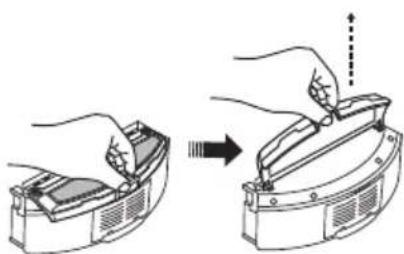
natural_image
Illustration of hands using a tool to adjust or install a mechanical component (no text or symbols present)Obr. 9

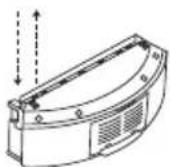

Varování:
natural_image
Hand holding a mechanical device with a tool, labeled 'Obr. 1' below (no other text or symbols)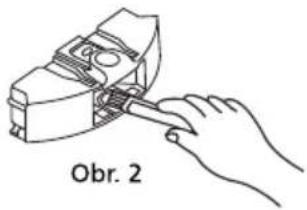
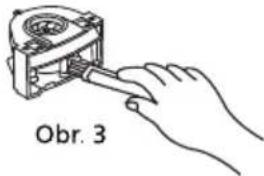
natural_image
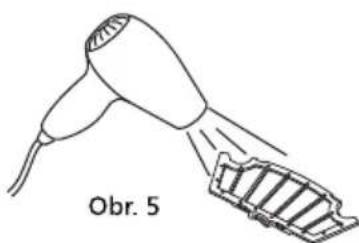
Line drawing of a hair dryer with a slide labeled 'Obr. 5' (no other text or symbols)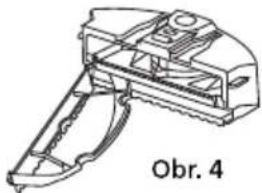
natural_image
Technical line drawing of a mechanical device with no visible text or symbols
natural_image
Line drawing of a hand using a tool to adjust or install a mechanical component (no text or symbols present)Obr. 1
natural_image
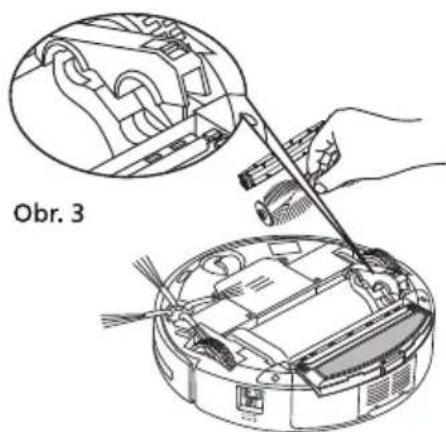
Technical line drawing of a mechanical component with internal gears and shafts (no text or symbols)Obr. 2
natural_image
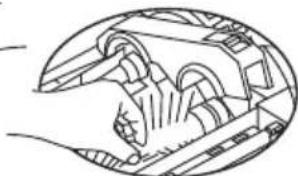
Diagram showing a hand using a tool to clean or adjust internal components of an electronic device (no text or symbols visible)Čištění kartáčů
natural_image
Illustration of a computer monitor with open case and hands inserting a cable (no text or symbols)natural_image
Technical diagram of a circular device with internal components and arrows indicating assembly or flow (no text or symbols)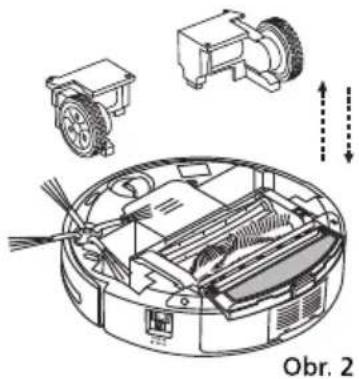
natural_image
Technical diagram of a robotic device with labeled components and directional arrows (no readable text or symbols)natural_image
Technical line drawings of a robotic vacuum cleaner showing internal components and a close-up view (no text or symbols)5. VÝMĚNA BATERIE
6. ODSTRAŇOVÁNÍ PROBLÉMŮ
Brand : SENCOR
Model : SVC 9031BK CLEENO
Category : Vacuum Cleaner