
SVC 9020BK - Vacuum Cleaner SENCOR - Free user manual and instructions
Find the device manual for free SVC 9020BK SENCOR in PDF.


| Product Type | Robotic vacuum cleaner |
| Model Number | SVC 9020BK / SVC 9020RD |
| Dimensions (D x H) | 320 mm x 80 mm |
| Weight | 2.8 kg |
| Power Supply | 14.4V Li-ion battery (rechargeable) |
| Charging Time | Approximately 4-5 hours |
| Runtime | Up to 90 minutes (standard mode) |
| Suction Power | 2000 Pa |
| Dustbin Capacity | 0.35 L |
| Filtration System | HEPA filter (washable) |
| Cleaning Brush | Main brush + side brush |
| Sensors | Cliff (drop) sensors, infrared, bump sensors |
| Control | Remote control included; manual buttons on device |
| Cleaning Modes | Auto, spot, edge, and scheduled cleaning |
| Noise Level | ≤ 65 dB |
| Battery Replacement | User-replaceable (screw access) |
| Brush Maintenance | Clean hair/debris from main and side brushes periodically |
| Filter Maintenance | Wash and dry filter every 2 weeks; replace every 3-6 months |
| Safety Features | Anti-drop sensors, auto-shutoff on lifted, thermal protection |
| Spare Parts Available | Replacement battery, brushes, filter, remote control |
Frequently Asked Questions - SVC 9020BK SENCOR
User questions about SVC 9020BK SENCOR
0 question about this device. Answer the ones you know or ask your own.
Ask a new question about this device
Download the instructions for your Vacuum Cleaner in PDF format for free! Find your manual SVC 9020BK - SENCOR and take your electronic device back in hand. On this page are published all the documents necessary for the use of your device. SVC 9020BK by SENCOR.
USER MANUAL SVC 9020BK SENCOR
natural_image
Black circular robotic vacuum cleaner with control buttons and brand logo (no visible text or symbols on body)SENCOR®
SVC 9020BK / SVC 9020RD
natural_image
Line drawing showing hands operating a vacuum cleaner next to a handheld remote control (no text or symbols present)
Varování:
Obr. 3
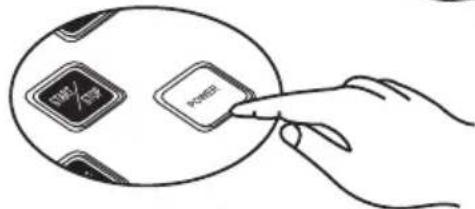
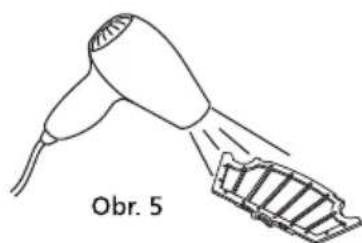
Obr. 5
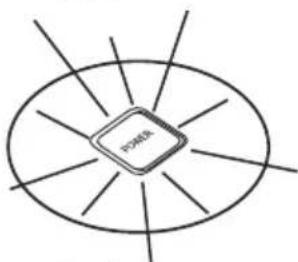
natural_image
Simple line drawing of a microchip with radiating lines around it, no text or symbols present.Obr. 6
natural_image
Line drawing of a remote control device and a circular robotic vacuum cleaner (no text or symbols)
Varování:
natural_image
Diagram of a device with a curved top and internal components, showing airflow direction (no text or symbols)Obr. 8
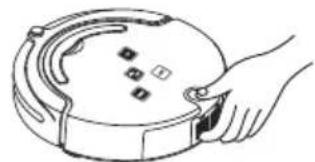
natural_image
Line drawing of a hand holding a circular device with a handle and buttons (no text or symbols)Obr. 1
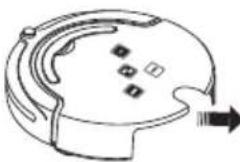
natural_image
Simple line drawing of a helmet with a curved handle and arrow indicating direction (no text or symbols)Obr. 2
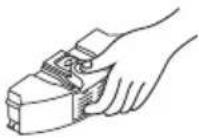
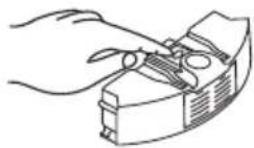

Obr. 3

natural_image
Illustration of two hands holding a small electronic device with a circular component (no text or symbols visible)Obr. 4



Obr. 5
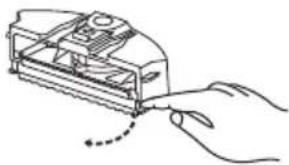
natural_image
Hand inserting a small electronic device into a device casing (no text or symbols visible)
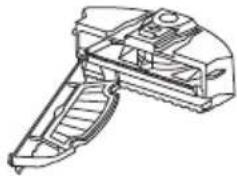
natural_image
Technical line drawing of a mechanical device with internal components (no text or symbols)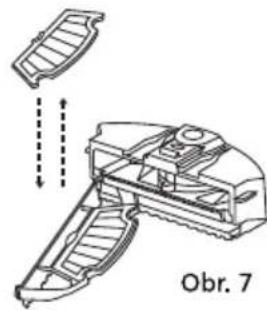
natural_image
Technical line drawing of a mechanical device with internal components and dashed arrows indicating motion (no text or symbols)
Varování:
natural_image
Hand holding a mechanical device with a tool, labeled 'Obr. 1' below (no other text or symbols)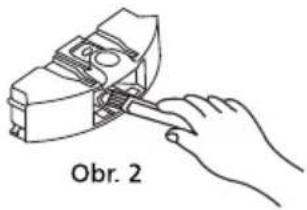
natural_image
Line drawing of a hand using a tool to adjust or install a mechanical component (no text or symbols)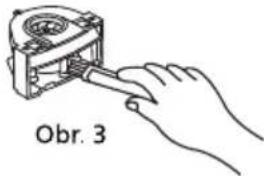
natural_image
Line drawing of a hair dryer with a slide labeled 'Obr. 5' (no other text or symbols)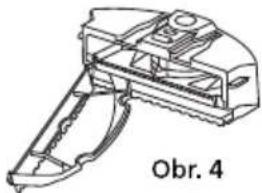
natural_image
Technical line drawing of a mechanical device with no visible text or symbols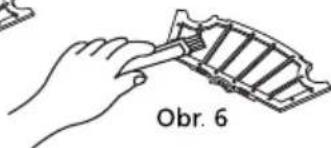
natural_image
Line drawing of a hand using a tool to cut or adjust a mechanical component (no text or symbols present)Obr. 1
natural_image
Technical line drawing of a mechanical component with hands and gears (no text or symbols)Obr. 2
natural_image
Diagram showing a hand using a tool to adjust cable or wire in an open device (no text or symbols visible)Čištění kartáčů
natural_image
Illustration of a computer monitor with open case and hands inserting a cable (no text or symbols)natural_image
Technical diagram of a circular device with internal components and arrows indicating assembly or flow (no text labels)
natural_image
Technical diagram of a robotic device with labeled components and directional arrows (no readable text or symbols)natural_image
Technical line drawings of a robotic vacuum cleaner with internal components and a close-up view showing the handle (no text or symbols)5. VÝMĚNA BATERIE
6. ODSTRAŇOVÁNÍ PROBLÉMŮ
Brand : SENCOR
Model : SVC 9020BK
Category : Vacuum Cleaner