
SVC 820BK - Vacuum Cleaner SENCOR - Free user manual and instructions
Find the device manual for free SVC 820BK SENCOR in PDF.


Pick your language and provide your email: we'll send you a specifically translated version.
| Product Type | Upright Vacuum Cleaner |
| Brand | Sencor |
| Model | SVC 820BK |
| Color | Black |
| Power Supply | 220-240 V, 50/60 Hz |
| Power Consumption | 800 W |
| Dust Capacity | 2 L |
| Filtration System | HEPA filter |
| Bagless | Yes |
| Dimensions (W x D x H) | 30 x 25 x 110 cm |
| Weight | 5.5 kg |
| Cord Length | 5 m |
| Cleaning Path Width | 30 cm |
| Noise Level | 78 dB |
| Attachments Included | Crevice tool, brush tool, upholstery tool |
| Maintenance | Empty dust container after each use; clean filter monthly |
| Safety Features | Overheat protection, automatic shut-off |
| Spare Parts Availability | Filters, belts, brush rolls available |
| Repairability Index | Moderate; user-replaceable parts |
| Warranty | 2 years |
Frequently Asked Questions - SVC 820BK SENCOR
How do I assemble the vacuum cleaner?
To assemble, attach the handle to the main body until it clicks. Then connect the hose to the intake port and select the desired tool.
How often should I empty the dust container?
Empty the dust container after each use for optimal suction performance. Do not let it exceed the MAX line.
How do I clean the HEPA filter?
Remove the filter and gently tap it over a trash bin. For thorough cleaning, rinse with water and let it dry completely for 24 hours before reinserting.
The vacuum cleaner loses suction. What should I do?
Check if the dust container is full or if the filter is clogged. Also inspect the hose and brush roll for blockages. Clean if necessary.
Can I use the vacuum cleaner on hardwood floors?
Yes, it is safe for hardwood floors. Use the hard floor setting or attach the brush tool to avoid scratches.
How do I replace the brush roll?
Unplug the vacuum. Remove the bottom plate, slide out the old brush roll, and insert a new one. Ensure it fits securely before replacing the plate.
The vacuum cleaner overheats and shuts off. What to do?
Turn off and unplug. Let it cool for 30 minutes. Check for blockages in the hose or filter. The overheat protection will reset automatically.
Where can I purchase spare parts?
Spare parts like filters, belts, and brush rolls are available on Sencor's official website or authorized dealers.
What is the warranty period?
The Sencor SVC 820BK comes with a 2-year warranty against manufacturing defects. Retain your purchase receipt.
How do I store the vacuum cleaner?
Store it upright in a dry place. Wrap the cord around the cord hooks and attach the tools to the designated holders.
User questions about SVC 820BK SENCOR
0 question about this device. Answer the ones you know or ask your own.
Ask a new question about this device
No questions yet. Be the first to ask one.
Download the instructions for your Vacuum Cleaner in PDF format for free! Find your manual SVC 820BK - SENCOR and take your electronic device back in hand. On this page are published all the documents necessary for the use of your device. SVC 820BK by SENCOR.
USER MANUAL SVC 820BK SENCOR
natural_image
Line drawing of a vacuum cleaner with front wheel and side blades (no text or symbols)SENCOR®
SVC 820BK
natural_image
Line drawing of a robotic vacuum cleaner with a handle and control panel (no text or symbols)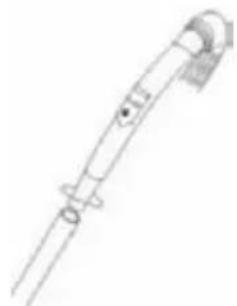
natural_image
Line drawing of a medical or laboratory device with no visible text, numbers, or symbolsnatural_image
Line drawing of a mop with a handle and base, no text or symbols present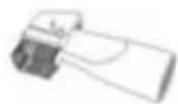
natural_image
Line drawing of a mechanical device with no visible text or symbolsnatural_image
Line drawing of a vacuum cleaner (no text or symbols)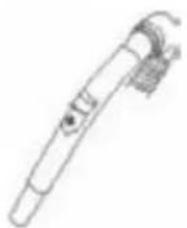
natural_image
Line drawing of a handheld medical or laboratory device with no visible text or symbolsnatural_image
Line drawing of a vacuum cleaner (no text or symbols)Sáček na prach
natural_image
Simple line drawing of a mechanical component with a square top and circular hole (no text or symbols)natural_image
Diagram of a robotic vacuum cleaner with mechanical components and valve mechanism (no text or labels)natural_image
Line drawing of a vacuum cleaner with attached fan (no text or symbols)natural_image
Illustration of three different hand tools: a bowl with steam, a rectangular object with a handle, and a small rectangular object (no text or symbols)Výstupní filtr
natural_image
Line drawing of a vacuum cleaner with attached mechanical components (no text or symbols)natural_image
Illustration of three different hand tools: a bowl with liquid, a rectangular object with a handle, and a small rectangular object (no text or symbols)natural_image
Technical line drawing of a mechanical device with no visible text or symbols
Table of contents
Click a title to access it
Manual assistant
Powered by Anthropic
Waiting for your message
Product information
Brand : SENCOR
Model : SVC 820BK
Category : Vacuum Cleaner