
MI102 - Mouse SWEEX - Free user manual and instructions
Find the device manual for free MI102 SWEEX in PDF.


Pick your language and provide your email: we'll send you a specifically translated version.
| Product Type | Mouse |
| Brand | Sweex |
| Model | MI102 |
| Connection Type | Wired USB |
| Number of Buttons | 3 (left, right, scroll wheel click) |
| Scroll Wheel | Yes |
| Resolution (DPI) | 1000 DPI |
| Dimensions (L x W x H) | Approximately 115 x 60 x 35 mm |
| Weight | Approximately 80 g (with cable) |
| Cable Length | 1.5 m |
| Operating Systems | Windows, macOS, Linux |
| Color | Black |
| Power Source | USB powered (5V, 100 mA) |
| Maintenance & Cleaning | Wipe with a dry or slightly damp cloth; avoid liquids inside |
| Safety Precautions | Do not disassemble; avoid exposure to moisture or extreme temperatures |
| Spare Parts & Repairability | Not designed for user repair; no spare parts available |
| General Information | Standard optical mouse for everyday use |
Frequently Asked Questions - MI102 SWEEX
How do I connect the Sweex MI102 mouse to my computer?
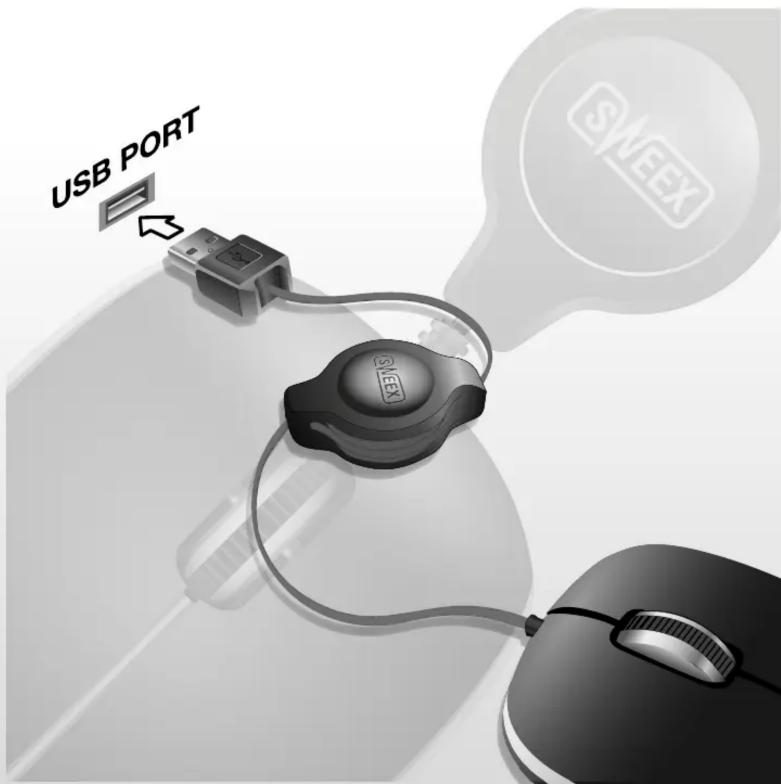
Plug the USB connector into an available USB port on your computer. The mouse should be automatically detected and work without additional drivers.
Why isn't my Sweex MI102 mouse working?
Check that the USB cable is firmly connected. Try a different USB port. If it still doesn't work, restart your computer. The mouse is plug-and-play and requires no special software.
Can I use the Sweex MI102 mouse with a Mac?
Yes, the mouse is compatible with macOS as well as Windows and Linux. Just plug it in and it should function.
What is the DPI of the Sweex MI102?
The mouse has a fixed resolution of 1000 DPI, suitable for general office and browsing tasks.
How do I clean the Sweex MI102 mouse?
Use a soft, dry cloth to wipe the exterior. For stubborn dirt, slightly dampen the cloth with water. Avoid using chemicals or getting moisture inside the mouse.
Does the Sweex MI102 mouse have a scroll wheel?
Yes, it includes a standard scroll wheel that also acts as a middle button when pressed.
How long is the cable on the Sweex MI102?
The USB cable is approximately 1.5 meters long, providing flexibility in placement.
Is the Sweex MI102 mouse ergonomic?
It has a standard symmetrical shape suitable for both left and right-handed users, but does not include special ergonomic features.
Can I use the Sweex MI102 mouse on any surface?
It works on most non-reflective surfaces like wood, plastic, and cloth mouse pads. Avoid glass or glossy surfaces for optimal tracking.
What should I do if the mouse cursor jumps or moves erratically?
Clean the sensor area on the bottom of the mouse. Ensure the surface is suitable. If problems persist, try a different USB port or restart your computer.
User questions about MI102 SWEEX
0 question about this device. Answer the ones you know or ask your own.
Ask a new question about this device
No questions yet. Be the first to ask one.
Download the instructions for your Mouse in PDF format for free! Find your manual MI102 - SWEEX and take your electronic device back in hand. On this page are published all the documents necessary for the use of your device. MI102 by SWEEX.
USER MANUAL MI102 SWEEX


please visit our website for CE declaration: www.sweex.com
Manual assistant
Powered by Anthropic
Waiting for your message
Product information
Brand : SWEEX
Model : MI102
Category : Mouse