
HCH2000WF - Heating Heller - Free user manual and instructions
Find the device manual for free HCH2000WF Heller in PDF.


| Product Type | Convection Panel Heater |
| Brand | Heller |
| Model | HCH2000WF |
| Power Settings | 1000W / 1300W / 2300W |
| Voltage | 220-240V~ |
| Frequency | 50/60Hz |
| Control | Touch screen buttons + remote control |
| Display | Digital LCD display |
| Timer | Programmable timer (1-24 hours) |
| Temperature Range | 5°C to 37°C |
| Modes | Low (1000W), Medium (1300W), High (2300W), Frost Protection |
| WiFi Connectivity | Yes (via GAFSmartLife app for iOS/Android) |
| Safety Features | Overheat protection, automatic shutdown (if covered), child lock not specified |
| Placement | Free-standing on supplied feet |
| Usage | Indoor only |
| Suitable For | Well-insulated spaces or occasional use |
| Warranty | 12 months |
| Maintenance | Wipe with soft damp cloth, do not immerse, remove dust regularly |
| Cord Length | Not specified (likely approx. 1.5 m) |
Frequently Asked Questions - HCH2000WF Heller
User questions about HCH2000WF Heller
0 question about this device. Answer the ones you know or ask your own.
Ask a new question about this device
Download the instructions for your Heating in PDF format for free! Find your manual HCH2000WF - Heller and take your electronic device back in hand. On this page are published all the documents necessary for the use of your device. HCH2000WF by Heller.
USER MANUAL HCH2000WF Heller
natural_image
White HELLER electric heater with digital display and control panel (no visible text or symbols on body)IMPORTANT
Read and follow the instructions in this user manual even if you feel you are familiar with the product and find a place to keep it handy for future reference.
For your convenience record the complete model number (located on the product identification plate) and the date you received the product, together with your purchase receipt and attach to the warranty and service information. Retain in the event that warranty service is required.
NOTE: The rating of this product (as marked on the product identification plate) is based on specific loading tests. Normal use or the use of other recommended attachments may draw significantly less power.
INTENDED USE
The product is intended for indoor use only. This product is only suitable for well insulated spaces or occasional use. Any modification of the product may have consequences for safety, warranty and proper functioning.
SPECIFICATIONS
| Details | HCH2000WF |
| Voltage | 220-240V~ |
| Frequency | 50/60Hz |
| Power | 1000W/1300W/2300W |
SAFETY INSTRUCTIONS
WARNING: Only use the product as described in this manual.
• Only use the product as described in this manual.
- Do not use the product if a part is damaged or defective. Replace a damaged or defective device immediately.
• This product may only be serviced by a qualified technician for maintenance to reduce the risk of electric shock.
- Disconnect the product from the electrical outlet and other equipment if problems occur.
- Do not drop the product and avoid bumping.
- Close supervision is necessary when the product is used by or near children, animals or infirm persons. Do not allow children to play with it or touch it.
- Do not use the product where splashing of water might occur, e.g. bathroom, swimming pool or close to a washbowl.
- Do not use the product in rooms where flammable liquids or gases are used or stored. • Do not use the product in dusty environments.
- Place the product on a stable and flat surface.
• Make sure that the electrical supply in your area matches a voltage of 220 – 240 VAC and a frequency of 50 Hz.
- Keep away heat-deformable, discolouring or deteriorating products.
- Avoid direct sunlight.
- Make sure that no other high current appliances are plugged into the same circuit with your product. Overloading may occur.
- Do not place near other heat sources.
- Connect to a grounded socket only.
- Do not place the heater directly under a wall socket.
- Do not use the product on a mobile socket.
- Do not immerse the product in water.
- Do not subject the product to water jets.
- Do not obstruct or cover the product's air inlet or outlet grid.
- Do not insert any objects into the product.
- Do not use solvents to clean the product.
- Only plug the cable into a wall outlet.
- Do not use extension cords.
- Keep the power cable away from the outlet grid.
- Do not use the product when the cord or plug is damaged.
- Do not pull the power cord to move the product.
- Do not pull the power cord to shut down the heater, always use the on/off switch.
- Fully extend the power cord and make sure the power cord does not contact the product.
• In case of failure, shut down the heater, unplug the power cord and have it serviced by a qualified technician.
- The product is hot when in use. To avoid burns, DO NOT touch any hot surfaces. Keep combustible materials, such as furniture, pillows, bedding, papers, clothes, and curtains at least 3.3 ft (1 m) from the front of the heater and keep them away from the sides and rear.
WARNING: To avoid overheating, DO NOT COVER the heater.
BEFORE FIRST USE
Read and follow the instructions in this user manual even if you feel you are familiar with the product and find a place to keep it handy for future reference.
- Remove the heater out of the box.
- Remove all the packing material.
- Check and ensure the all the installation parts as per instruction manual are included in the packaging. If anything is missing, please contact the retailer immediately.
FOOT ASSEMBLY
• The product must be installed so that airflow is not obstructed.
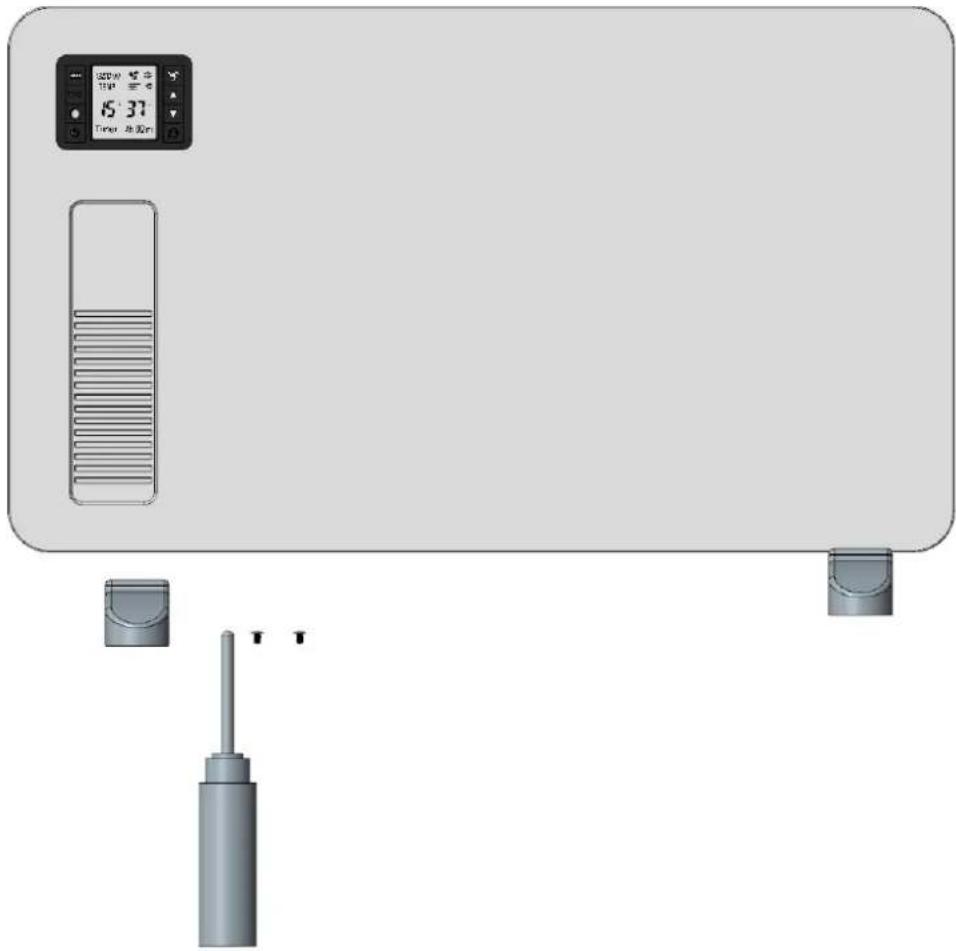
- Carefully turn the unit upside down. Use the screws to fix the feet onto the heater. Take care to ensure that they are located correctly at the bottom ends of the heater side molding.
- Be sure to place the convection heater on a flat surface.
• This panel convector heater is suitable for free-standing on supplied legs/feet.
- For Free-standing, mount the supplied feet/legs on the main heater body in accordance with Figure G1.
natural_image
Front view of a portable electronic device with a digital display showing 15:37 and control buttons (no text or symbols on main body)Figure G1
OPERATION
Insert the plug into a suitable socket outlet on an A.C. power supply having the same voltage as that shown on its rating label.
The touch screen buttons located on the product correspond to the remote-control functions:

- Fan
- Temperature“+” button
- Temperature“-” button
- Power button
- Mode & WIFI reset button
- Timer button
- °F / °C switchover button
- WiFi indicator light
- Frost prevention light
CONNECTION BY WIFI
A free app is available for downloading for iOS and Android.
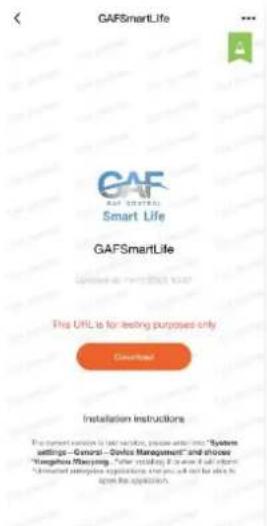
- Use your mobile phone to scan the QR code below or search "GAFSmartLife" from the Google play or Apple Stores. Proceed to download and install the application GAFSmartLife.

- Select Sign up and register your mobile number or email address to obtain a verification code or select sign in if you have already signed up to GAFSmartLife. Your verification code will be sent to your registered mobile number or email address.
-
Enter the verification code in the message and tap "Login" to log into the App.
-
Ensure the heater is located within WiFi range and switch on via power button. The indicator light “ ” will rapidly blink. If the indicator light does no rapidly blink, please press “ ” button for 5 seconds until you hear “beep” sound, then go to the App, tap “add device” at the bottom, as shown in Image 1,
a) Press "+" in the top right corner, as shown in Image 1.
b) Choose "All Devices" as shown in Image 2.
c) Choose "Heater", as shown in Image 3.
d) Press the "confirm indicator rapidly blinks" when the indicating light on device rapidly blinks, as shown in Image 4.
e) Input password of WIFI and then confirm, as shown in Image 5.
f) Wait for the APP to connect with the device until it is connected successfully, as shown in Image 6.

Image 1
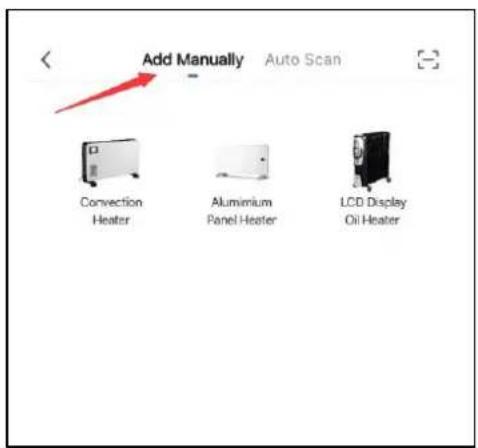
Image 2
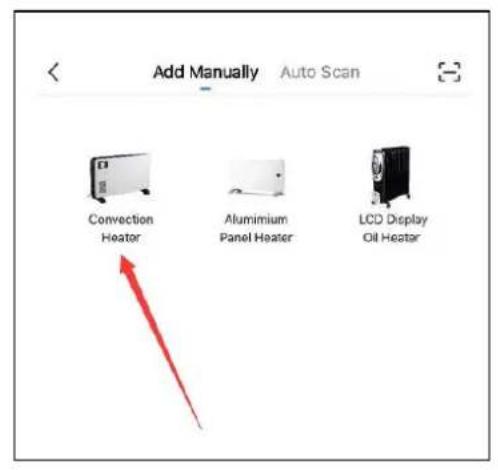
Image 3

Image 4

Image 5

Image 6
By connecting your heaters with the iOS/Android device you can do the following:
• Control all your heaters situated in multiple locations. Everything is controlled with the GAFSmartLife App.
- Set individual temperatures. Image 7 and 8.
- The app will automatically increase the temperature in your house before you get back home manually, so that the heaters keep an even temperature throughout the whole day and night. Image 9 and 10.

Image 7

Image 8
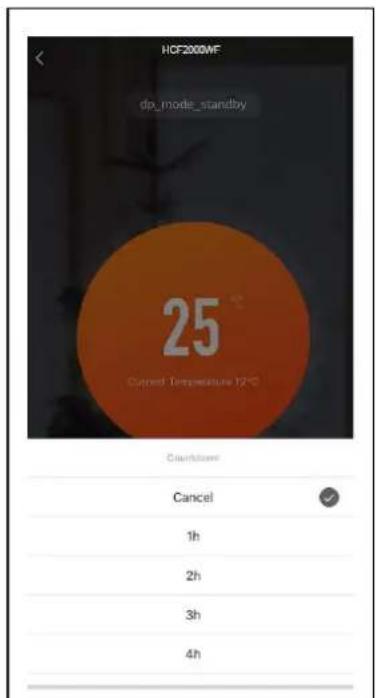
Image 9
MAINTENANCE
• Before cleaning the heater, wait until it cools down completely and unplug.
- Do not use abrasives and solvents. Wipe the product with a soft, wet cloth.
- It is necessary to remove dust from the surface regularly.
• DO NOT wash the heater or immerse in water.
• If you are not going to use heater for long periods of time, wipe the surface and store away in box.
- It should be stored in dry ventilated room. Avoid high humidity.
WARRANTY INFORMATION
Before delivery, our appliances are subjected to rigorous quality control. If, despite all care, damage has occurred during production or transportation, please return this appliance to your dealer. In addition to statutory legal rights, the purchaser has an option to claim under the terms of the following guarantee:
Manufacturer provides 12 months warranty, commencing from the day of purchase. If you have a defective product, you can return to place of purchase with your receipt.
Defects which arise from improper handling, misuse, or neglect of the device and malfunctions due to the unauthorized interventions and repairs by third parties of the fitting of non-original parts are not covered by the third parties or the fitting of non-original parts are not covered by this guarantee.
Claims for warranty must always be supported by proof of purchase.
Refer to attached warranty statement for complete terms and conditions.
ENVIRONMENT FRIENDLY DISPOSAL

This marking indicates that this product should not be disposed of with other household waste. To prevent possible harm to the environment or human health from uncontrolled waste disposal, recycle it responsibly to promote the sustainable re-use of material resources. To dispose of your appliance correctly, please contact or take it to your local refuse/ recycling centre. Alternatively, contact your local council or information on your local re-use centre. Please make this product environmentally sale for recycling.
CUSTOMER SERVICE
Australian Customer Service
GAF Control (Sales) Pty Ltd
P.O Box 19
Altona North, Victoria, 3025
Phone: 1300 659 489
Hours: 9am-5pm (EST) Mon-Fri
www.gafcontrol.com.au
*This product may vary slightly to the product illustrated due to ongoing product development.
Brand : Heller
Model : HCH2000WF
Category : Heating