
FreeStyle 21 LED - Lighting Kino Flo - Free user manual and instructions
Find the device manual for free FreeStyle 21 LED Kino Flo in PDF.


| Product Type | LED Panel Light |
| Brand | Kino Flo |
| Model | FreeStyle 21 LED |
| Category | Lighting |
| Dimensions (L x W x H) | 24 x 12 x 4 inches (approx) |
| Weight | 9 lbs (approx) |
| Power Input | AC 100-240V, 50/60Hz or DC 14.4V battery |
| Power Consumption | 200W max |
| Color Temperature Range | 2700K - 6500K adjustable |
| Dimming Range | 0 - 100% continuous |
| CRI / TLCI | 95 / 98 |
| Control Protocols | DMX512 (via 5-pin XLR), Wireless DMX (optional) |
| Remote Control | Infrared remote included |
| Mounting | Standard 5/8" baby pin, yoke bracket |
| Beam Angle | 120 degrees |
| Cooling | Passive (no fan) for silent operation |
| Housing Material | Aluminum and composite |
| IP Rating | IP20 (indoor use) |
| Accessories Included | Yoke, AC adapter, gel frame, power cord |
| Maintenance | Clean exterior with soft dry cloth; do not use liquids |
| Safety Warnings | Do not stare at LEDs; use only specified power; ensure ventilation |
| Spare Parts / Repair | Replaceable LED array, power supply, control board; contact Kino Flo service |
Frequently Asked Questions - FreeStyle 21 LED Kino Flo
User questions about FreeStyle 21 LED Kino Flo
0 question about this device. Answer the ones you know or ask your own.
Ask a new question about this device
Download the instructions for your Lighting in PDF format for free! Find your manual FreeStyle 21 LED - Kino Flo and take your electronic device back in hand. On this page are published all the documents necessary for the use of your device. FreeStyle 21 LED by Kino Flo.
USER MANUAL FreeStyle 21 LED Kino Flo
natural_image
Close-up of a hand holding a black metal clamp device with a small inset showing a gold-colored device (no text or symbols visible)

natural_image
Logo of a black and yellow circular emblem with stylized white and yellow elements (no text or symbols)KINO FLO
Lighting Systems
FreeStyle Systems

natural_image
Diagram of a server rack with attached cable and connector (no text or symbols visible)SYS-F41U FreeStyle 41 LED DMX System, Univ
SYS-F41TU FreeStyle/GT 41 LED DMX System, Univ

natural_image
Laboratory setup with a monitor, tower, and cable (no visible text or symbols)SYS-F31U FreeStyle 31 LED DMX System, Univ
SYS-F31TU FreeStyle/GT 31 LED DMX System, Univ

natural_image
Experimental setup with monitor, tower, and equipment (no visible text or symbols)SYS-F21U FreeStyle 21 LED DMX System, Univ
SYS-F21TU FreeStyle/GT 21 LED DMX System, Univ
Each FreeStyle LED System consists of:
1 FreeStyle LED Fixture or 1 x FreeStyle/GT LED Fixture
1 Mounting Plate
1 Extension Cable
1 LED Controller
FreeStyle System Components

natural_image
Black metal frame with angled cutouts and a stand (no text or symbols visible)CFX-F41 FreeStyle 41 LED Fixture
CFX-F31 FreeStyle 31 LED Fixture
CFX-F21 FreeStyle 21 LED Fixture
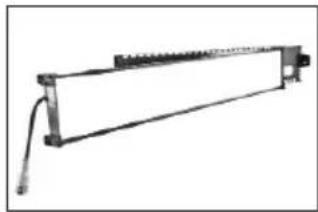
natural_image
Simple line drawing of a mechanical frame or support structure (no text or symbols)CFX-F41T FreeStyle/GT 41 LED Fixture
CFX-F31T FreeStyle/GT 31 LED Fixture
CFX-F21T FreeStyle/GT 21 LED Fixture
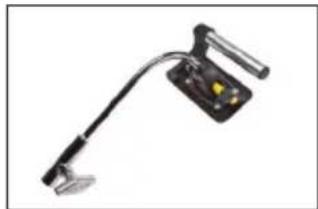
natural_image
Close-up of a black adjustable optical device with a handle and central display (no text or symbols visible)MTP-BG41 KinoGrip 41K Mount w/
Baby Receiver (16mm)
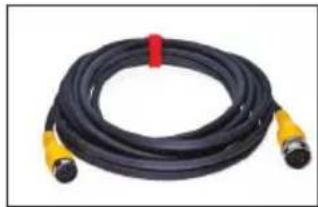
natural_image
Coiled black and yellow hose with two connectors, no visible text or symbolsX12-25 FreeStyle Extension, 25ft

natural_image
Black FreeStyle electronic device with display and control buttons (no readable text or symbols beyond branding)LED-152X-120U
FreeStyle 152 LED DMX Controller, Univ 120U
LED-152X-230U
FreeStyle 152 LED DMX Controller, Univ 230U
Included w/ all FreeStyle & GT Fixtures

natural_image
Abstract geometric pattern with a grid-like texture and two black rectangular cutouts (no text or symbols)LVR-SL290-P FreeStyle 21 Louver/HP, 90°
LVR-SL390-P FreeStyle 31 Louver/HP, 90°
LVR-SL490-P FreeStyle 41 Louver/HP, 90°
FreeStyle 41 LED DMX Kits

natural_image
Exterior view of a yellow portable electronic device with attached black panel and cable, no visible text or symbolsFreeStyle 41 LED DMX Kit w/ Travel Case
KIT-F41U
FreeStyle 41 LED DMX Kit w/ Travel Case, Univ
Kit Contents:
1 FreeStyle 41 LED Fixture
1 FreeStyle 152 LED DMX Controller
1 MTP-BG41 Mount w/ Baby Receiver (16mm)
1 Extension, 25ft
1 Travel Case
Dimensions:
Weight:
54.5 × 9 × 21"
49 lb
(138.5 × 23 × 53.5cm)
(22.5kg)

natural_image
Exterior view of a yellow portable electronic device with attached circuit board and control panel (no text or symbols visible)FreeStyle/GT 41 LED DMX Kit w/ Travel Case
KIT-F41TU
FreeStyle/GT 41 LED DMX Kit w/ Travel Case, Univ
Kit Contents:
1 FreeStyle/GT 41 LED Fixture
1 FreeStyle 152 LED DMX Controller
1 MTP-BG41 Mount w/ Baby Receiver (16mm)
1 Extension, 25ft
1 Travel Case
Dimensions:
Weight:
54.5 × 9 × 21"
46 lb
(138.5 × 23 × 53.5cm)
(21kg)
FreeStyle 31 LED DMX Kits

natural_image
Exterior view of a portable electronic device with attached case, cables, and display panel (no visible text or symbols)FreeStyle 31 LED DMX Kit w/ Soft Case
KIT-F31BU
FreeStyle 31 LED DMX Kit w/ Soft Case, Univ
Kit Contents:
1 FreeStyle 31 LED Fixture
1 FreeStyle 152 LED DMX Controller
1 MTP-BG41 Mount w/ Baby Receiver (16mm)
1 Extension, 25ft
1 Soft Case
Dimensions:
42.5 × 7.5 × 16.5"
(108 × 19 × 42cm)
Weight:
29 lb
(13kg)

natural_image
Collection of electronic equipment including a yellow case, black modules, and a control panel (no visible text or symbols)FreeStyle 31 LED DMX Kit w/ Flight Case
KIT-F31U
FreeStyle 31 LED DMX Kit w/ Flight Case, Univ
Kit Contents:
1 FreeStyle 31 LED Fixture
1 FreeStyle 152 LED DMX Controller
1 MTP-BG41 Mount w/ Baby Receiver (16mm)
1 Extension, 25ft
1 Flight Case
Dimensions:
46 × 11 × 16.5"
(117 × 28 × 42cm)
Weight:
49.5 lb
(22kg)

natural_image
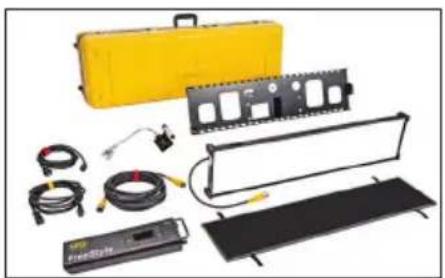
Disassembled electronic device with circuit boards, capacitors, and wiring (no visible text or labels)Gaffer/FS 31 LED DMX Kit (2-Unit)
KIT-F32U
Gaffer/FS 31 LED DMX Kit, Univ (2-Unit)
Kit Contents:
2 FreeStyle 31 LED Fixture
2 FreeStyle 152 LED DMX Controller
2 MTP-BG41 Mount w/ Baby Receiver (16mm)
2 Extension, 25ft
1 Ship Case
Dimensions:
43.5 × 13 × 18.5"
(110.5 × 33 × 47cm)
Weight:
75 lb
(34kg)
natural_image
Collection of electronic equipment including a yellow case, black modules, and cables (no visible text or symbols)FreeStyle/GT 31 LED DMX Kit w/ Travel Case
KIT-F31TU
FreeStyle/GT 31 LED DMX Kit w/ Travel Case, Univ
Kit Contents:
1 FreeStyle/GT 31 LED Fixture
1 FreeStyle 152 LED DMX Controller
1 MTP-BG41 Mount w/ Baby Receiver (16mm)
1 Travel Case
Dimensions:
45.5 × 9 × 16.5"
(116 × 23 × 42cm)
Weight:
39 lb
(18kg)
FreeStyle 21 LED DMX Kits
natural_image
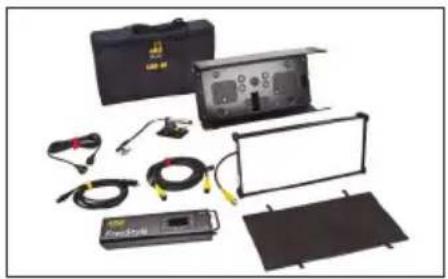
Collection of electronic equipment including a case, display panel, and measurement devices (no visible text or symbols)FreeStyle 21 LED DMX Kit w/ Soft Case
KIT-F21BU
FreeStyle 21 LED DMX Kit w/ Soft Case, Univ
Kit Contents:
1 FreeStyle 21 LED Fixture
1 FreeStyle 152 LED DMX Controller
1 MTP-BG41 Mount w/ Baby Receiver (16mm)
1 Extension, 25ft
1 Soft Case
Dimensions:
31 × 7.5 × 18"
(79 × 19 × 46cm)
Weight:
24.5 lb
(11kg)

natural_image
Collection of electronic testing equipment including a yellow case, display panel, and control panel (no visible text or symbols)FreeStyle 21 LED DMX Kit w/ Flight Case
KIT-F21U
FreeStyle 21 LED DMX Kit w/ Flight Case, Univ
Kit Contents:
1 FreeStyle 21 LED Fixture
1 FreeStyle 152 LED DMX Controller
1 MTP-BG41 Mount w/ Baby Receiver (16mm)
1 Extension, 25ft
1 Flight Case
Dimensions:
30 × 10.5 × 21"
(76 × 27 × 53cm)
Weight:
39.5 lb
(18kg)
natural_image
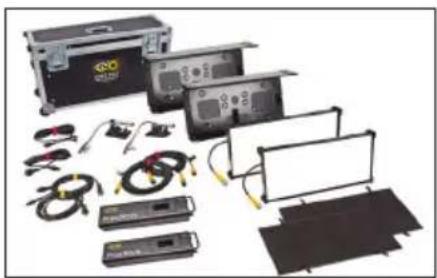
Collection of electronic testing equipment including control boxes, cables, and display screens (no visible text or labels)Interview/FS 21 LED DMX Kit (2-Unit)
KIT-F22U
Interview/FS 21 LED DMX Kit, Univ (2-Unit)
Kit Contents:
2 FreeStyle 21 LED Fixture
2 FreeStyle 152 LED DMX Controller
2 MTP-BG41 Mount w/ Baby Receiver (16mm)
2 Extension, 25ft
1 Ship Case
Dimensions:
36 × 13 × 20.5"
(91.5 × 33 × 52cm)
Weight:
66.5 lb
(30kg)

natural_image
Collection of electronic testing equipment including a yellow case, black modules, and a power supply unit (no visible text or symbols)FreeStyle/GT 21 LED DMX Kit w/ Travel Case
KIT-F21TU
FreeStyle/GT 21 LED DMX Kit w/ Travel Case, Univ
Kit Contents:
1 FreeStyle/GT 21 LED Fixture
1 FreeStyle 152 LED DMX Controller
1 MTP-BG41 Mount w/ Baby Receiver (16mm)
1 Extension, 25ft
1 Travel Case
Dimensions:
28.5 × 8.5 × 16"
(72.5×22×41cm)
Weight:
27.5 lb
(12.5kg)
Power
natural_image
Front view of a black industrial electrical device with yellow and black buttons (no visible text or symbols)
AC Input
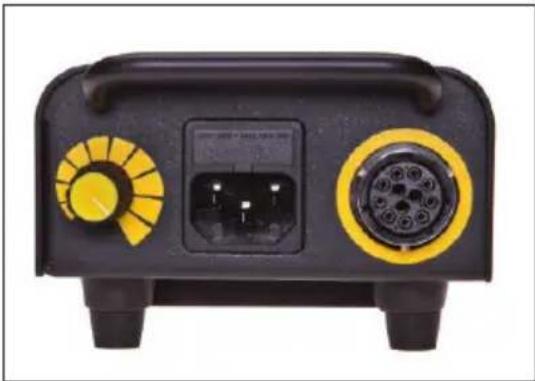
The FreeStyle 152 LED DMX Controller is powered AC and includes an IEC connection. It also includes a 12ft power cord with a locking IEC connector.
The FreeStyle 152 LED DMX has a built-in power supply with universal input from 100-240VAC.
Ambient Operating Temperature
The FreeStyle 152 LED DMX is designed to operate at temperatures from 14irc F to 104irc F ( -10irc C to 40irc C).
DC Input
The FreeStyle 152 LED DMX can also be operated on 24VDC (input range 18-36VDC) through a 3-Pin XLR. The pin polarity is:
Pin # 1 - Ground Pin # 2 + 18-36VDC Pin # 3 not used

Note:
A low voltage warning will display if input DC voltage is under 18VDC. Photo example: LOW VDC: 16
FreeStyle Fixture Assembly
natural_image
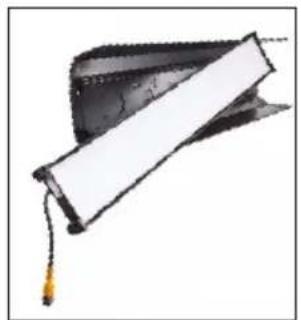
Graduation cap with tassel, partially open showing a white rectangular object (no text or symbols visible)The FreeStyle LED Fixture is comprised of a removable Fixture Shell, LED panel and Louver. The Louver is held in place with Velcro fasteners.
natural_image
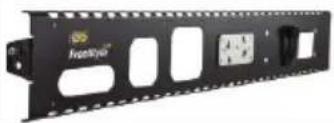
Black rectangular electronic device with mounting holes and a small inset panel (no visible text or symbols)The FreeStyle/GT includes Gaffer Tray in place of Plastic Shell.

natural_image
Close-up of a black electronic device showing a port and cable with directional arrows (no text or symbols visible)To remove the LED panel from the fixture housing, press the locking pin and turn thumbscrew to release LED panel.

natural_image
Close-up of a black electronic device with a mesh panel and mounting bracket (no visible text or symbols)Lift LED panel from metal tray.

natural_image
Close-up of a black electronic device with attached cable and connector (no visible text or symbols)Slide LED panel from fixed pins.
To replace, reverse the procedure.
Removable Mount

natural_image
Close-up of a hand using a mechanical tool to apply black holes onto a metal base (no text or symbols visible)Align the center pin of the mounting plate to the center hole on the mating plate.
natural_image
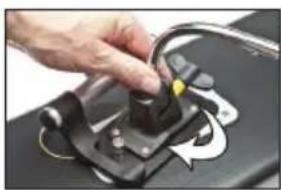
Close-up of a hand adjusting a black mechanical component with a yellow accent (no visible text or symbols)Rotate plate clockwise until the four shoulder rivets drop into the receptacle. A locking pin will snap into place when the plate is properly seated.
The yellow wire loop provides an attachment point for a safety chain.

natural_image
Close-up of a hand adjusting a mechanical component with wires (no visible text or symbols)To remove the plate, pull up on the locking pin and reverse the mounting procedure.

natural_image
Close-up of a hand using a tool to adjust or mark a metallic component with black holes (no visible text or symbols)
natural_image
Hand using a tool to adjust or install a metal bracket with mounting holes (no text or symbols visible)The FreeStyle/GT Gaffer Tray & LED panel also have a mating plate to accept the twist-on mount plate.
Mounting the Controller

The controller can operate the fixture remotely with an extension cable or can be attached to the back of the FreeStyle 21/31 fixture. It can also be mounted to the FreeStyle 21/31/41 Gaffer Tray.
Insert the 4 rubber feet of the controller into the 4 holes in the fixture/Gaffer Tray.
Secure the controller to the fixture/Gaffer Tray with the Velcro fastening strap.
Connect the harness to the controller. Align the key ways on the harness connector with the circular receptacle on the ballast. Rotate the silver locking ring until it clicks into the lock position.
Extension Cable

natural_image
Close-up of a black handheld electric shock absorber with yellow and red connectors (no visible text or symbols)The FreeStyle LED fixture can operate remotely from the controller with extension cable up to 50ft (2 x 25ft). Remote operation of the controller provides more rigging options.
Mount Options

natural_image
Mechanical device with three circular components and a handle (no visible text or symbols)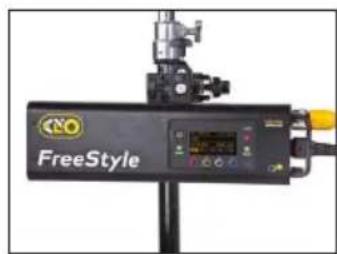
The Controller can be mounted to a stand with a ballast mount accessory, MTP-BAL1 and mafer clamp.
MTP-BAL1
Baby Offset Arm

natural_image
Metallic kitchen tool with handle and knob (no text or symbols visible)MTP-B41F
Kino Offset w/ Baby Receiver (16mm)

natural_image
Photography lighting setup with a black rectangular device mounted on a stand, connected to cables and a yellow cable (no visible text or symbols)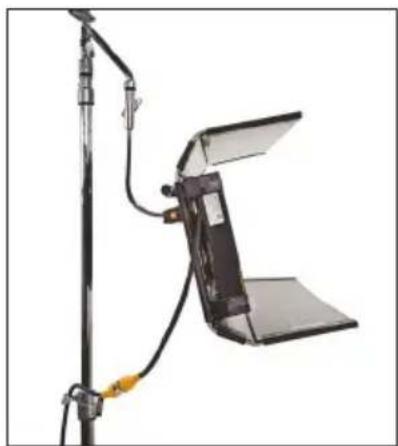
natural_image
Photography setup with a flat-screen lamp and stand, no visible text or symbolsThe Baby Offset Arm (MTP-B41F) allows fixtures to mount on the center of a stand or it can also be under slung from a baby stand to use as an up light.
Applying Louver

natural_image
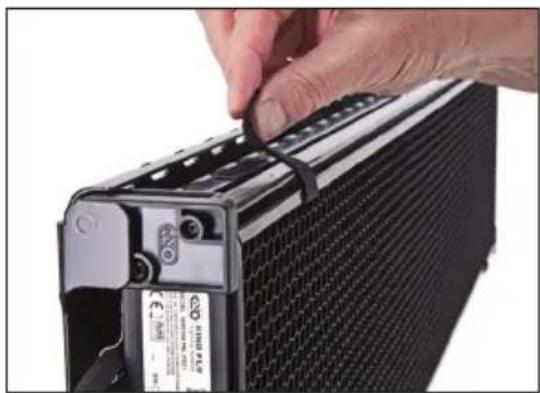
Close-up of hands installing or adjusting a black panel mounted on a stand, no visible text or symbolsThe Louver is fastened to the fixture with 4 Velcro straps.
natural_image
Close-up of a hand securing a black cable or plug into a black battery pack (no visible text or symbols)SnapBag & SnapGrid

natural_image
Exterior view of a black rectangular light bulb with transparent insulation (no text or symbols visible)
natural_image
Black rectangular light bulb device with a flat screen, isolated on white background (no text or symbols)The SnapBag accessory is a lightweight fabric tailor-made for the FreeStyle LED. It slips over the fixture and is attached with straps. The reflective material intensifies the soft light. The removable grid cloth attaches to the inside with Velcro.
DFS-FS41-S FreeStyle 41 SnapBag w/ 2 x Diffusion DFS-FS31-S FreeStyle 31 SnapBag w/ 2 x Diffusion DFS-FS21-S FreeStyle 21 SnapBag w/ 2 x Diffusion

natural_image
Hand holding a black plastic tray with grid pattern (no text or symbols visible)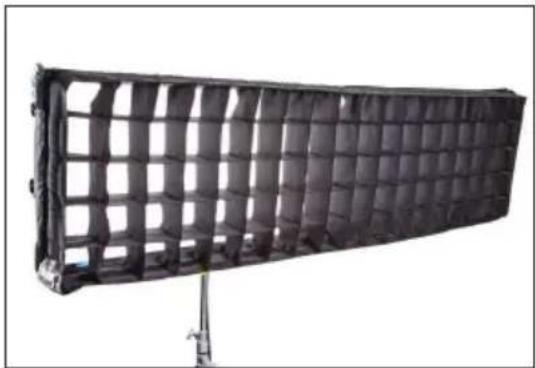
natural_image
Black rectangular object with grid pattern, mounted on a stand (no visible text or symbols)The SnapGrid accessory is constructed of pre-stretched fireproof fabric with a built-in stainless steel frame. It unfolds and snaps into place. This model requires the use with the corresponding SnapBag; it is not designed to be used by itself.
LVR-FS440-S FreeStyle 41 SnapGrid 40° LVR-FS340-S FreeStyle 31 SnapGrid 40° LVR-FS240-S FreeStyle 21 SnapGrid 40°
Control Panel - White Mode
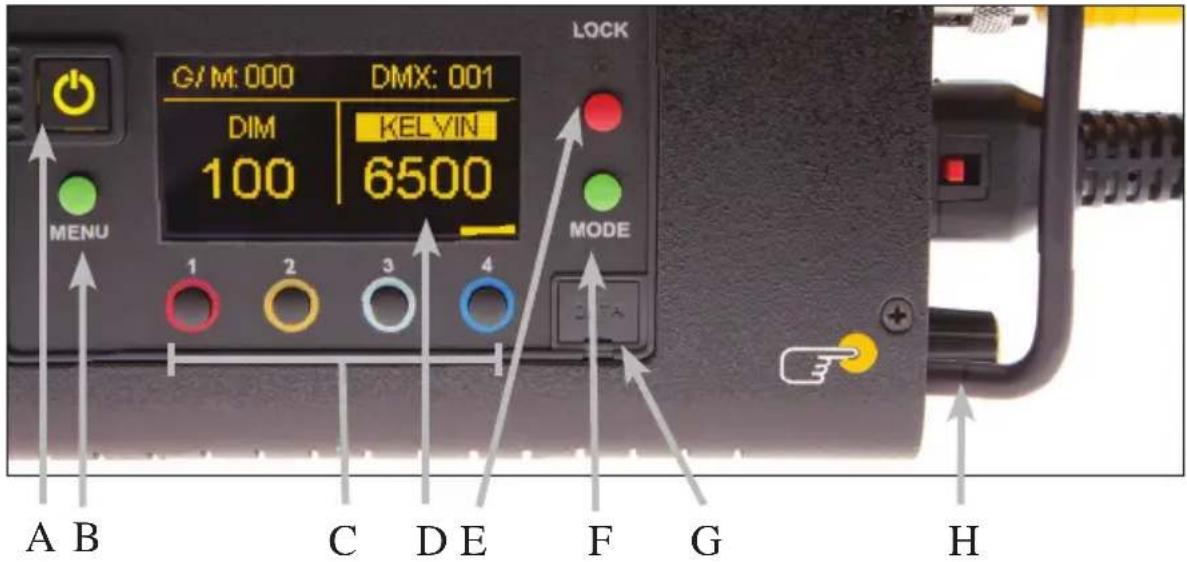
A) On /Off: On = Green light displayed. Off = Red light displayed. The display and all menu settings can be operated while the power button is in the Off position, as long as power is applied to the controller. The On /Off button only controls the light source.
B) Menu: Provides access to menu options such as General settings, Reset, DMX and DMX Wireless settings. Shortcut: While on control screen, press and hold for 3 seconds to switch through menus (White, Gels & Hue, RGB, FX).
C) Preset Buttons: Factory defaults left to right are: 2700K, 3200K, 5000K and 6500K. G/M default value is 000. User can also use these preset buttons to store custom Kelvin and G/M settings.
D) Display: Provides access to Dim, Kelvin, G/M, and DMX channel. Factory reset will show: Dim = 10%, Kelvin = 2700K, G/M = 000, DMX = 001.
E) Lock: Press the Lock button to disable all buttons and Control knob. Press for 3 seconds to restore displayed presets to default factory settings.
F) Mode: Press to navigate from Dim to Kelvin and G/M settings. When in sub-menus, pressing Mode always returns you to main display. When DMX is applied, use Mode to access DMX channel on main display. Shortcut: Long press will bring you back one step.
G) Data Port: Mini B USB for firmware updates.
H) Control Knob: Manually adjusts Dim, Kelvin, G/M levels and DMX address. Press the Control knob to toggle between Fine and Coarse increments or when selecting options within menus.
DMX Note: Each LED Fixture has an "AUTO TERMINATE" feature. The last fixture that does not have an XLR cable attached to the DMX "Out" port will automatically terminate.
Control Panel - Gels/Hue Mode

ADCB
Gels/Hue Mode
A) Menu:
Provides access to menu options such as General settings (Gels/Hue Mode), Reset, DMX and DMX Wireless settings. Shortcut: While on control screen, press and hold for 3 seconds to switch through menus (White, Gels & Hue, RGB, FX).
B) Preset Buttons:
Factory defaults left to right are: 2700K, 3200K, 5000K and 6500K. G/M default value is 000. User can also use these preset buttons to store custom Kelvin between 2500K and 9900K and custom G/M, Gel, Hue and Saturation settings.
C) Display:
Provides access to Dim, Kelvin, G/M, Gel, Hue/Saturation and DMX channel. Factory reset will show: Dim = 10%, Kelvin = 2700K, G/M = 000, DMX = 001.
D) Mode:
Press to navigate from Dim to Kelvin, G/M, Gel, Hue and Saturation settings. When on the Gel function, pushing the Control knob in/out will apply the gel or remove the gel. When in sub-menus, pressing Mode always returns you to main display. When DMX is applied, use Mode to access DMX channel on main display. Shortcut Tip: Long press will bring you back one step.
Control Panel - RGB Mode

ADCB
RGB Mode
A) Menu:
Provides access to menu options such as General settings (RGB Mode), Reset, DMX and DMX Wireless settings. Shortcut: While on control screen, press and hold for 3 seconds to switch through menus (White, Gels & Hue, RGB, FX).
B) Preset Buttons:
Factory defaults left to right are: 2700K, 3200K, 5000K and 6500K. G/M default value is 000. User can also use these preset buttons to store custom Kelvin between 2500K and 9900K and custom G/M, and RGB settings.
C) Display:
Provides access to Dim, Kelvin, G/M, RGB and DMX channel. Factory reset will show: Dim = 10%, Kelvin = 2700K, G/M = 000, DMX = 001.
D) Mode:
Press to navigate from Dim to Kelvin, G/M, RGB settings. When in sub-menus, pressing Mode always returns you to main display. When DMX is applied, use Mode to access DMX channel on main display. Shortcut: Long press will bring you back one step.
Control Panel - FX (Effects)

FX (Effects) Mode
FX mode provides access to effects including Candle, Fire, TV, Police, Lightning, Paparazzi, Pulse and Scroll. Candle mode used as an example:
A) FX Option:
Choose the desired FX Mode by rotating the control knob. When on the desired effect, there will be several pre-programmed effects as well as control parameters that can be altered.
B) Preset Buttons:
In FX Mode, Kelvin custom settings and any control functions displayed such as Rate and Amplitude (Ampl) can be saved as a preset. Chosen values can be assigned to any preset button by holding down the desired button for 3 seconds. The Kelvin display will flash once the setting is registered.
To restore presets to default factory settings, choose Reset under General settings and Clear Presets. This method will reset all buttons in all Modes. Shortcut: If only want to clear presets for Candle Mode, hold Lock button for 3 seconds while Candle mode is displayed.
C) Mode:
Press to navigate from Dim to Kelvin and FX settings. Shortcut: Long press will bring you back one step.
Accessories

natural_image
Product photo of electronic devices including a power adapter, cable, and two labeled boxes (no visible text or symbols)SYS-BK12 Block/KF21 Single Battery System, 140Whr, 28.8V (2 x Battery)

natural_image
White rectangular light bulb mounted on a stand, no visible text or symbolsDFS-SL20-H FreeStyle 21 Flozier, Half
DFS-SL30-H FreeStyle 31 Flozier, Half
DFS-FS40-H FreeStyle 41 Flozier, Half
natural_image
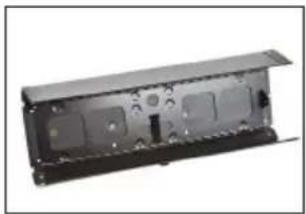
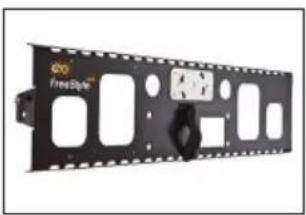
Exterior view of a black electronic device casing with internal compartments and mounting holes (no text or symbols visible)FIX-F21 FreeStyle 21 Fixture Shell Only
FIX-F31 FreeStyle 31 Fixture Shell Only
FIX-F41 FreeStyle 41 Fixture Shell Only
natural_image
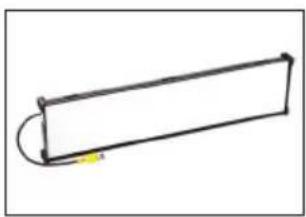
Exterior view of a black film strip with multiple slots and mounting holes (no text or symbols visible)FIX-F21T FreeStyle/GT 21 Gaffer Tray
FIX-F31T FreeStyle/GT 31 Gaffer Tray
FIX-F41T FreeStyle/GT 41 Gaffer Tray
natural_image
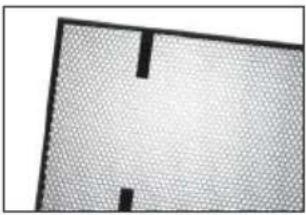
Simple line drawing of a rectangular object with a curved top and a small yellow mark at the bottom (no text or symbols)PAN-F21 FreeStyle 21 LED Panel Only
PAN-F31 FreeStyle 31 LED Panel Only
PAN-F41 FreeStyle 41 LED Panel Only
natural_image
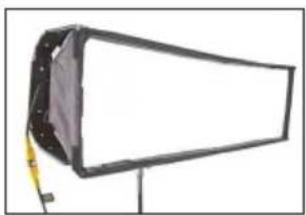
Close-up of a textured surface with two black rectangular cutouts (no text or symbols)LVR-SL260-P FreeStyle 21 Louver/HP, 60°
LVR-SL360-P FreeStyle 31 Louver/HP, 60°
LVR-SL460-P FreeStyle 41 Louver/HP, 60°
natural_image
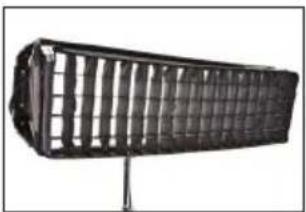
Exterior view of a modern office building (no signage)DFS-FS21-S FreeStyle 21 SnapBag w/ 2 x Diffusion
DFS-FS31-S FreeStyle 31 SnapBag w/ 2 x Diffusion
DFS-FS41-S FreeStyle 41 SnapBag w/ 2 x Diffusion
natural_image
Black rectangular object with grid pattern mounted on a stand (no visible text or symbols)LVR-FS240-S FreeStyle 21 Louver/HP, 40°
LVR-FS340-S FreeStyle 31 Louver/HP, 40°
LVR-FS440-S FreeStyle 41 Louver/HP, 40°
Cases

BAG-SL20
FreeStyle 20 Soft Case
BAG-SL30
FreeStyle 30 Soft Case

natural_image
Yellow plastic electronic device casing with black connectors (no visible text or symbols)KAS-DL20
FreeStyle 20 Flight Case
KAS-DL30
FreeStyle 30 Flight Case
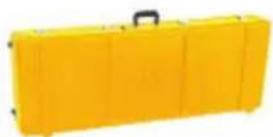
KAS-DL21-C
FreeStyle/GT 21 Travel Case
KAS-DL31-C
FreeStyle/GT 31 Travel Case
KAS-FS41-C
FreeStyle/GT 41 Travel Case

natural_image
Exterior view of a black and silver automotive hard case with visible branding (no text or symbols on the casing itself)KAS-FS22
Interview/FS 21 Ship Case (2-Unit)
KAS-FS32
Gaffer/FS 31 Ship Case (2-Unit)

KAS-SL23
FreeStyle 21 Fixture (3) Ship Case
KAS-SL33
FreeStyle 31 Fixture (3) Ship Case
KAS-FS43
FreeStyle 41 Fixture (3) Ship Case
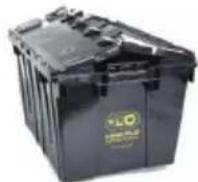
KAS-KFC
Ballast and Cable Crate w/ Lid
natural_image
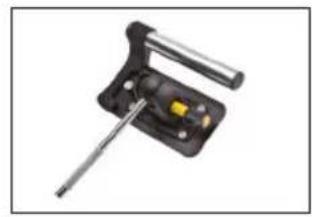
Close-up of a mechanical clamp or tool with a yellow component and metal rod (no visible text or symbols)MTP-KG41 KinoGrip 41K Mount w/ 3/8" Pin (10mm)

natural_image
Mechanical clamp device with black body, yellow handle, and metal bracket (no visible text or symbols)MTP-BG41S KinoGrip 41K Mount w/ Baby Receiver Short (16mm)
natural_image
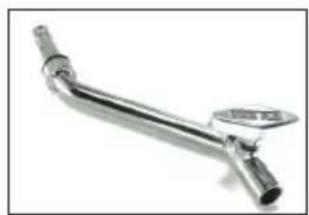
Metal kitchen tool with a handle and handle plate (no text or symbols visible)MTP-B41F Kino Offset w/ Baby Receiver (16mm)

natural_image
Mechanical device with lever and handle (no visible text or symbols)MTP-BAL1 Kino Bal/Led Controller Mount (16mm)

natural_image
Metal pipe fitting with flanged ends and a central shaft (no text or symbols visible)MTP-BRA Baby Right Angle Offset (5/8" Pin)

natural_image
Coiled black cable with two connectors and a yellow tag (no text or symbols visible)XLR-310 3-Pin Xlr DC Power Cable, 10ft

natural_image
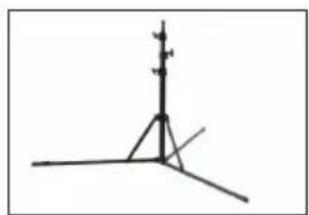
Simple line drawing of two tall poles with connecting lines, no text or symbols presentSTD-M30 Medium Duty, 3-Rise 30"
natural_image
Simple line drawing of a tripod with a vertical pole and triangular base (no text or symbols)STD-M36 Medium Duty, 3-Rise 36"
STD-D1 Reverse Stand
LED Fixture Specifications
natural_image
Black metal structural component with flanged top and horizontal base, mounted on a stand (no text or symbols visible)FreeStyle LED
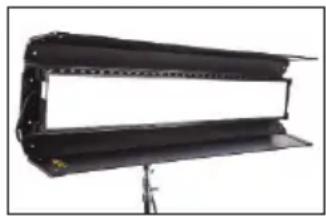
CFX-F41 FreeStyle 41 LED Fixture
Weight: 16 lb (7kg)
Dimensions: 52.5 x 4 x 9" w/ 6" barndoors (133 x 10 x 23cm w/ 15cm barndoors)
CFX-F31 FreeStyle 31 LED Fixture
Weight: 15 lb (7kg)
Dimensions: 40.5 x 3.5 x 11" w/ 6.5" barndoors (103 x 9 x 28cm w/ 16.5cm barndoors)
CFX-F21 FreeStyle 21 LED Fixture
Weight: 11.5 lb (5kg)
Dimensions: 26.5 x 3.5 x 13" w/ 6" barndoors (67 x 9 x 33cm w/ 15cm barndoors)

natural_image
Mechanical support bracket with metal frame and connecting rod (no text or symbols)FreeStyle/GT LED
CFX-F41T FreeStyle/GT 41 LED Fixture
Weight: 12.5 lb (6kg)
Dimensions: 50 x 2.5 x 8"
(127 × 6.5 × 20cm)
CFX-F31T FreeStyle/GT 31 LED Fixture
Weight: 11.5 lb (5kg)
Dimensions: 37.5 x 2.5 x 9.5"
(95 × 6.5 × 24cm)
CFX-F21T FreeStyle/GT 21 LED Fixture
Weight: 9 lb (4kg)
Dimensions: 23.5 x 2.5 x 11.5"
(60 × 6.5 × 29cm)

natural_image
Simple line drawing of a megaphone with attached cable and stand (no text or symbols)FreeStyle LED Panel Only
PAN-F41 FreeStyle 41 Panel Only
Weight: 10 lb (4.5kg)
Dimensions: 49.5 × 2.5 × 7.5"
(126 × 6.5 × 19cm)
PAN-F31 FreeStyle 31 Panel Only
Weight: 9 lb (4kg)
Dimensions: 37.5 × 2.5 × 9.5"
(95 × 6.5 × 24cm)
PAN-F21 FreeStyle 21 Panel Only
Weight: 7 lb (3kg)
Dimensions: 23.5 × 2.5 × 11.5"
(60 × 6.5 × 29cm)
LED Controller Specifications
natural_image
Exterior view of a FreeStyle electronic device (no visible text or symbols on body)FreeStyle 152 LED DMX Controller
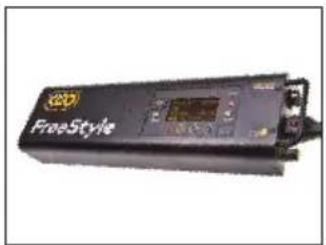
LED-152X FreeStyle 152 LED DMX Controller
AC Input Voltage: 100\~240VAC 50/60Hz, 150W
Amperage VAC: 1.25A at 120VAC, 0.65A at 230VAC
DC Input Voltage: 18\~36VDC, 150W
Amperage VDC: 6.25A at 24VDC
Kelvin Range: 2700K\~6500K (White Mode)
Kelvin Range: 2500K\~9900K (Color Mode)
Dimming Range: 100%\~1%
Weight: 4 lb (2kg)
Dimensions: 15 x 4.5 x 3"
(38 × 11 × 8cm)
FCC Part 15 Verification:
This device complies with Part 15 of the FCC Rules. Operation is subject to the condition that this device does not cause harmful interference.
FCC Part 15 Declaration of Conformity:
This device complies with Part 15 of the FCC Rules. Operation is subject to the following two conditions: (1) this device may not cause harmful interference, and (2) this device must accept any interference received, including interference that may cause undesired operation.

KINO FLO, INC
FreeStyle & GT 41, 31 & 21 LED
ID: XRSCRMXTIMO101
IC: 8879A-CRMXT101
For latest Warranty information and Certifications, see Kino Flo website at www.kinoflo.com.

Environmental: Disposal of Old Electrical & Electronic Equipment.

This symbol on the product or on its packaging indicates that this product shall not be treated as household waste. This product is made of recyclable materials and should be disposed of in accordance with governmental regulations.
- FreeStyle Systems
- Each FreeStyle LED System consists of:
- FreeStyle System Components
- Included w/ all FreeStyle & GT Fixtures
- FreeStyle 41 LED DMX Kits
- KIT-F41U
- Kit Contents:
- Dimensions:
- Weight:
- KIT-F41TU
- FreeStyle 31 LED DMX Kits
- KIT-F31BU
- KIT-F31U
- KIT-F32U
- KIT-F31TU
- FreeStyle 21 LED DMX Kits
- KIT-F21BU
- KIT-F21U
- KIT-F22U
- KIT-F21TU
- Power
- AC Input
- Ambient Operating Temperature
- DC Input
- Note:
- FreeStyle Fixture Assembly
- Removable Mount
- Mounting the Controller
- Extension Cable
- Mount Options
- Baby Offset Arm
- Applying Louver
- SnapBag & SnapGrid
- Control Panel - White Mode
- Control Panel - Gels/Hue Mode
- Gels/Hue Mode
- A) Menu:
- B) Preset Buttons:
- C) Display:
- D) Mode:
- Control Panel - RGB Mode
- RGB Mode
- Control Panel - FX (Effects)
- FX (Effects) Mode
- A) FX Option:
- C) Mode:
- Accessories
- Cases
- LED Fixture Specifications
- LED Controller Specifications
- FCC Part 15 Verification:
- FCC Part 15 Declaration of Conformity:
- Environmental: Disposal of Old Electrical & Electronic Equipment.
Brand : Kino Flo
Model : FreeStyle 21 LED
Category : Lighting