ManualGo.com
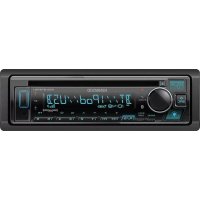
KDC-W4034G - Car stereo KENWOOD - Free user manual and instructions
Find the device manual for free KDC-W4034G KENWOOD in PDF.


Download the instructions for your Car stereo in PDF format for free! Find your manual KDC-W4034G - KENWOOD and take your electronic device back in hand. On this page are published all the documents necessary for the use of your device. KDC-W4034G by KENWOOD.
USER MANUAL KDC-W4034G KENWOOD
Safety precautions A WARNING To prevent injury or fire, take the following precautions: + To prevent a short circuit, never put or leave any metallic objects (such as coins or metal to0s) inside the unit. + Mounting and wiring this product requires skills and experience. For safety's sake, leave the mounting and wiring work to professionals. ACAUTION To prevent damage to the machine, take the following precautions: + Make sure to ground the unit to a negative 12V DC power supply. Do not install the unit in a spot exposed to direct sunlight or excessive heat or humidity. Also avoid places with too much dust or the possibility of water splashing, Do not place the faceplate (and the faceplate case) in areas exposed to direct sunlight, excessive heat or humidity. Also avoid places with too much dust or the possibility of water splashing, To prevent deterioration, do not touch the terminals of the unit or faceplate with your fingers Do not subject the faceplate to excessive shock, as itis a piece of precision equipment. When replacing a use, only use a new fuse with the prescribed rating. Using a fuse with the wrong rating may cause your unit to malfunction. Do not use your own screws. Use only the screws provided. If you use the wrong screws, you could damage the unit Do Not Load 8 cm (3 in.) CDs in the CD slot If you try to load à 8 cm (3 in) CD with its adapter into the unit, the adapter might separate from the CD and damage the unit. About CD players/disc changers connected to this unit Kenwood disc changers/ CD players released in 1998 or later can be connected to this unit. Refer to the catalog or consult your Kenwood dealer for connectable models of disc changers/ CD players. Note that any Kenwood disc changers/ CD players released in 1997 or earlier and disc changers made by other makers cannot be connected to this unit. Connecting unsupported disc changers/CD players to this unit may result in damage. Set the "O-N' Switch to the ‘N° position for the applicable Kenwood disc changers/ CD players The functions you can use and the information that can be displayed may differ depending on the models being connected
*_You can damage both your unit andthe CD changer if you connect them incorrectiy. Lens Fogging When you turn on the car heater in cold weather, dew or condensation may form on the lens in the CD player of the unit. Called lens fogging, this condesnation on the lens may not allow CDs to play. In such à situation, remove the disc and wait for the condensation to evaporate. IF the unit still does not operate normally after a while, consult your Kenwood dealer. English | 3
I B64-3294-00_Englishindd 4 Notes If you experience problems during installation, consult your Kenwood dealer. When you purchase optional accessories, check with your Kenwood dealer to make sure that they. work with your model and in your area Ithe unit fails to operate properly, press the Reset button. The unit returns to factory settings when the Reset button is pressed. Press the reset button if the disc auto changer fails to operate correctly. Normal operation should be restored. Reset button + The characters which can be displayed by this unit are A-Z 0-9@"'"%&*+-=,./\<>[]():; 1-01 The RDS feature won't work where the service is not supported by any broadcasting station. The illustrations of the display and the panel appearing in this manual are examples used to explain more clearly how the controls are used Therefore, what appears on the display in the illustrations may differ from what appears on the display on the actual equipment, and some of the illustrations on the display may be inapplicable. Cleaning the Unit IFthe faceplate of this unit is stained, wipe it with a dry soft cloth such as a silicon cloth IFthe faceplate is stained badly, wipe the stain off with a cloth moistened with neutral cleaner, then wipe it again with a clean soft dry cloth.
Apphing spray cleaner directly to the unit may affect its mechanical parts. Wiping the faceplate with à hard cloth or using a volatile liquid such as thinner or alcohol may scratch the surface or erases characters. Cleaning the Faceplate Terminals If the terminals on the unit or faceplate get dirty, wipe them with a clean soft dry cloth 4 | English Before using this unit for the first time This unit is niially set on the Demonstration mode. When using this unit for the first time, cancel the <Demonstration mode Setting> (page 25) About DAB Tuner control (KDC-W4534) Refer to [A] group on the Instruction manual of DAB Tuner KTC-9090DAB (optional accessory) for the control method of DAB Tuner function. However, the following control methods of the function for this unit may be differed from the Instruction manual; therefore, refer to the following supplemental instruction <Auto Ensemble Memory Entry>
1. Select the preset band for Auto Ensemble
Memory Entry. Press the [AME] button for at least 2 seconds. Open Auto Ensemble Memory Entry. After storing in the memory finishes, the number of the pre-set buttons and the ensemble label are displayed <Searching by programme type and language> and <Languages to be displayed> in <Programme Type (PTY) Function> At the operation to press [DISP] button, use [TI] button instead.
B64-3294.00_Englshindd 5 This Product is not installed by the manufacturer of a vehicle on the production line, nor by the professional importer of à vehicle into an EU Member State. Information on Disposal of Old Electrical and Electronic Equipment (applicable for EU countries that have adopted separate waste collection systems) Products with the symbol (crossed-out wheeled bin) cannot be disposed as household waste. Old electrical and electronic equipment should be recycled at à facility capable of handling these items and their waste byproducts. Contact your local authority for details in locating à recycle facility nearest to you. Proper recycling and waste disposal will help conserve resources whilst preventing detrimental effects on our health and the environment. The marking of products using lasers {Except for some areas) CLASS 1 LASER PRODUCT The label is attached to the chassis/case and says that the component uses laser beams that have been classified as Class 1. It means that the unit is utilizing laser beams that are of à weaker class. There is no danger of hazardous radiation outside the unit. English | 5
About MP3 and WMA The playable MP3/WMBA file (hereafter called Audio file) and the media format has the following limitation. The Audio file, which is not comforming to the specification, may not play normally, or the flle and folder names may not display correctly. Playable Audio file + MP3, WMA: KDC-W4534/W4034A/W4034AV/ W4034G/W4034GY/W434A/W434G/ WATOA/W4TOAY/W410G/W410GY/ WA0G/W434GY + Attach the correct extension for the Audio file (MP3: “'MP3°, WMA: WMA") + Do not attach the extensions to files other than the Audio file. If the extension is attached, the file, which is not the Audio file, will play and outputs a loud noise, causing damage to the speaker. + The files with copy protection cannot be played + The settings of your encoding software and the environment in which it is used may now allow you to play or view specific audio files. For encoding specifications and instructions on how ta set encoding software, browse through software help or check with the developers. Playable MP3 file + MPEG 1/2 Audio Layer 3 file + Transfer bit rate: 8-320 kbps + Sampling frequency 8,11.025, 12, 16, 22.005, 24, 32, 44.1, 48 kHz Playable WMA + The file in accordance with Windows Media Audio {Except for the file for Windows Media Player 9 or after which applies the new functions) + Transfer bit rate: 48-192 kbps + Sampling frequency: 32, 44.1, 48 kHz Playable media
+ CD-ROM, CD-R, CD-RW
+ CD-RW discs which are quick formatted by the writing software cannot be used + When recording ta the maximum media capacity at once, the writing software is set to "Disc at once” Playable disc format + ISO 9660 Level 1/2 + Joliet + Romeo + Long file name. 6 | English I B64-3294.00_Englshindd 6 The maximum number of characters for display File/Folder name: 64 (Joliet: 32) characters MP3 1D3 Tag/ WMA Contents property: 30 characters + File/Folder name is the number of the characters including the extensions. + MP3 ID3 Tag can only display the tag of Ver1.0/1.1 Limitation of structure for the file and the folder + Maximum number of directory levels: 8 + Maximum number of folders: 100 + Maximum number of files per folder: 255 Playing order of the Audio file The Audio file plays in the order which is written by writing software. You may be able to set the playing order by writing the play sequence numbers such as "O1" to "99" at the beginning of the file name Example GI: Folder À: Audio file + Playing order Playing order after D® play. )2. 20, 2®, 26 File search Forward file search during ® play. Push the Control knob towards [æ-æ-1] = D@ Folder search Forward folder search during P@ play. Push the Control knob towards [FM] = @], Folder select When the selection is set to directory (3, and you want to skip to the folder 2] at the same level. Push the Control knob towards [4] = (] When the selection is set to directory (57, moves the level up by folder select. Push the Control knob towards [AM] = 7]
B64-3294-00_Englishindd 7 About CDs Handling CDs + Do not touch the recording surface of the CD. + CD-R and CD-RW are easier to damage than a normal music CD. Use à CD-R or a CD-RW after reading the caution items on the package etc. + Do not stick tape etc. on the CD, or use a CD with tape stuck on it When using a new CD Ifthe CD center hole or outside rim has burrs, use the CD only after removing the burrs with à ballpaint pen, etc. CD accessories Do not use disc type accessories. CD cleaning Clean from the center of the disc and move outward. —__= ——Àà
Removing CDs When removing CDs from this unit pull them out horizontal. CDs that cannot be used + CDs that are not round cannot be used + CDs with coloring on the recording surface or CDs that are dirty cannot be used + This unit can only play the CDs with disque
This unit may not correctiy play discs which do not have the mark. + You cannot play a CD-R or CD-RW that has not been finalizedl. (For the finalization process refer to your CD-R/CD-RW writing software, and your CD- R/CD-RW recorder instruction manual) CD storage + Do not place CDs in direct sunlight (On the seat or dashboard etc.) or where the temperature is high. + Store CDs in their cases. English | 7
General features Release button VOL Control knob ATT/DIM a LOUD indicator Clock display ab) ab: Ge) } Power The time until full power OFF can be set in <Power OFF Timer> (page 25). Turning ON the Power Press the [SRC] button. Turning OFF the Power Volume Press the [SRC] button for at least 1 second. Selecting the Source Press the [SRC] button. Source required Display luner UNER" [0] "Oo" External disc” (Optional accessory) ‘CD CH" Auxiliary input* “AUX EXT" Standby llumination only mode) STANDBY" + * Function ofthe KDC-W4534 = This unit autom minutes lapses in vehicle's battery call turns full power OFF af 8 | English B64-3294-00_Englshindd 8 Increasing Volume Turn the [VOL] knob clockwise. Decreasing Volume Turn the [VOL] knob counterclockwise. Attenuator Tuming the volume down quickly. Press the [ATT] button. Each time you press the button, the Attenuator turns ON and OFF. When the Attenuator is ON, the "AT" indicator blinks.
B64-3294-00_Englishindd 9 System Q Adjustmentitem Display Range Selecting the best sound setting preset for different types of music. 1 Select the source to set Press the [SRC] button. 2 Select the Sound type Press the [Q] button. When you press the button once, the current sound setting is displayed Each time you press the button, the sound setting alternates. Bass level ES ide level "MD Treble CTREL Balance EU Left 15 — Right 15 Fader "AD Rear 15 — Front 15 Exit Audi Control mode (Volume control mode) 5 Exit Audio Control mode Press any button. Press a button other than the [VOL] knob, [SRC], [A] and [ATT] button. Sound setting Display Natural "NATURAL" Rock ROCK" Pons "POPS : Es EASY Audio Setup Top 40 FTOP40" Setting the Sound system, such as Volume offset la “AZ and Loudness. + Change each setting value with the <Speaker Setting> (page 10). First, select the speaker type with the Speaker setting USER" is displayed Audio Control Vhen the value is set up by <Audio Control> (page 9), 1 Select the source to adjust Press the [SRC] button. 2 Enter Audio Control mode Press the [VOL] knob. 3 Select the Audio item to adjust Press the [VOL] knob. Each time you press the knob, the item to be adjusted alternates between the items shown in the table below. 4 Adjust the Audio item Turn the [VOL] knob. 1 Select the source to adjust Press the [SRC] button. 2 Enter Audio Setup mode Press the [VOL] knob for at least 1 second. 3 Select the Audio Setup item to adjust Press the [VOL] knob. Each time you press the knob, the item to be adjusted alternates between the items shown in the table below. 4 Adjust the Audio setup item Turn the [VOL] knob. Adjustment Item Display Volume offset "V-0F" Loudness + Volume t: Sets each sources volume as a difference from the basic volume. + Loudness: Compensates for low and high tones during low volume. When Loudness is ON,"LOUD" indicator is ON. 5 Exit Audio Setup mode Press the [VOL] knob for at least 1 second. English | 9
General features Speaker Setting In CD & External disc source Fine-tuning so that the System Q value is optimal when setting the speaker type. 1 Enter Standby Press the [SRC] button. Select the "STANDBV" display. 2 Enter Speaker Setting mode Press the [VOL] knob. 3 Select the Speaker type Turn the [VOL] knob. Each time you turn the knob, the setting alternates between the settings shown in the table below. Speakertype Display OF "SPOF For5&4n speaker "SPSA For & 6x9 in. speaker Forthe OEM speaker 4 Exit Speaker Setting mode Press the [VOL] knob. Switching Display Changing the information displayed. 1 Enter Switching Display mode Press the Control knob for at least 1 second. "DISP SEL'is displayed 2 Select the Display item Push the Control knob towards [4-4] or Dep]. In Tuner source (KDC-W434A/W434G/ W434GY/W40G) information Frequeno Got In Tuner source information Display Program Service name or Frequency "FREQ/PS' {FM) Radio text Program Service name or "R-TEXT Frequency (FN) (KDC-W4S34 only) Frequency (MW, LW) 'FREQ" Clock "cLocK" 10 | English B64-3294-00_Englishindd 10 Ve information Display Dôsc title {in Exterml disc source or KDC- DILE"*
WAS34/ NADIA NADSARTANAD
WACAGYAMAAANNE3AG IN
WA10G/WA1OGY/W4OG/VE34GY CD source) rack tite (in External is source orKDC-“TTILE*
mmer Control TEL Mute You can lower the brightness of the display by The audio system automatically mutes when a using the dimmer function. call comes in. Press the [DIM] button for at least 1 second. When a call come: Each time you press the button for 1 second, the Dimmer contol turns ON or OFF When the Dimmer control is ON, "DIM ON" is displayed Theft Deterrent Faceplate The faceplate of the unit can be detached and taken with you, helping to deter theft. Removing the Faceplate Press the Release button. The faceplate unlocks, allowing you to detach it
+ The faceplate is a precision piece of equipment and can be damaged by shocks or jos. Keep the faceplate in its faceplate case while detached Do not expose the faceplate (and the faceplate case) to direct sunlight or excessive heat or humidity. Also avoid places with too much dust or the possibility of water splashing
Reattaching the Faceplate 1 Align the projections on the unit with the grooves on the faceplate. Projections Grooves 2 Push the faceplate in until it clicks. The faceplate is locked in place, allowing you to use the unit. B64-3294-00_Englishindd 11 CALL'is displayed. The audio system pauses. Listening to the audio during a call Press the [SRC] button. The "CALL' display disappears and the audio system comes back ON When the call ends Hang up the phone. The "CALL' display disappears and the audio system comes back ON + To use the TEL Mute feature, you need to hook up the MUTE wire to your telephone using a commercial telephone accessory. Refer to <Connection Wires to Terminals> (page 27) English | 11
16 SC Controlknob Tuning Frequency display Preset station number Selecting the station. 1 Select tuner source Press the [SRC] button. Select the TUNER" display. 2 Select the band Push the Control knob towards [FM] or [AM]. Each time you push the knob toward [FM], it switches between the FM1, FM2, and FM3 bands, 3 Tune up or down band Push the Control knob towards [4-4] or Dep]. eption of stereo stations the" 12 | English B64-3294-00_Englishindd 12 Function of the KDC-W434A/G/KDC-W40G/KDC- W434GY Tuning Mode Choose the tuning mode. Press the [AUTO] button. Each time you press the button, the Tuning mode altemates between the modes shown in the table below Tuningmode Display Operation Auto seek AUTO 1" Automatic search for a station. Preset station seek "AUTO 2" Searchin order ofthe stations in te Preset memory Manual “MANUAL" Normal manual tuning control
Station Preset Memory Putting a station in the memory. 1 Select the band Push the Control knob towards [FM] or [AM]. 2 Select the frequency to put in the memory Push the Control knob towards [+44] or Dei]. 3 Put the frequency in the memory Press the desired [1] — [6] button for at least 2 seconds. The preset number display blinks 1 time On each band, 1 station can be put in the memory on each [1] — [6] button. Auto Memory Entry Putting stations with good reception in the memory automatically. 1 Select the band for Auto Memory Entry Push the Control knob towards [FM] or [AM]. 2 Open Auto Memory Entry Press the [AME] button for at least 2 seconds. When 6 stations that can be received are put in the memory Auto Memory Entry closes. hen the <AF (Altemative Frequency)> (page 23) is ON, only RDS stations are put in the memory hen Auto Memory Entry is done in the FM2 band the RDS stations preset in the FMI band are not put the memory Likewise, when Auto Memory Entry is done in the FM3 band, RDS stations preset in FMI or FM2 are not put n the memory.
Preset Tuning Recalling the stations in the memory. 1 Select the band Push the Control knob towards [FM] or [AM]. 2 Recall the station Press the desired [1] — [6] button. B64-3294-00_Englishindd 13 English | 13
—6— Function of the KDC-W4534/KDC-W4034A/AY/G/GY/KDC-3034A/G/KDC-W410A/AY/G/GY RDS features o —
Traffic Information Changing to traffic information automatically when a traffic bulletin starts even when you are not listening to the radio. Press the [TI] button. Each time you press the button, the Traffic formation function turns ON and OFF When traffic information is ON, "TI" indicator is ON. When a traffic information station is not being received the "TI" indicator blinks. When a traffic bulletin starts, "TRAFIC" is displayed and the audio changes to traffic nformation. + During reception of an AM station when the Traffic Information function is turned ON, the frequency changes to an FM station. + During reception of traffic information the adjusted volume is automatically remembered, and the next time the audio changes to traffic information, the volume automatically becomes the remembered volume 14 | English B64-3294-00_Englishindd 14 1g other traffic information stations Push the Control knob towards [+4] or Di]. + Traffic information can be switched when it is on the Tuner Source. However, you cannot switch the Traffic information during reception of the Traffic bulletin switched from the source other than the Tuner. Function of the KDC-W4534 Radio Text Scroll Scrolling the displayed radio text. Hold down on [FMI] of the Control knob for at least 2 seconds.
PTY (Program Type) Selecting the Program Type and searching for a + Speech and Music include the Program type shown station. belo Music: No.12 — 17, 26 — 30 1 Enter PTY mode Speech: No3 — 11, 18— 25, 31 Press the Control knob. + You can put the Program Type in the [1] — [6] button During PTY mode the *PTY" indicator is ON memory and for quick recall. Refer to the <Program Type preset> (page 15) You can change the display language. Refe: + This function cannot be used during a t or AM reception <Changing Language for PTY Function> (page 16). 3 Search for the selected Program Type 2 Select the Program Type station Push the Control knob towards [FM] or [AM]. Push the Control knob towards [+44] or Each time you push the knob, the Program Type Di. alternates between the program types shown in When you want to search for other stations, push the table below. [ke] or 1-1] of the Control knob again. No. Programiÿpe Display Speech MSPEECH" + When the selected Program Type is not found, "NO
z Music “MUSIC PTY" is displayed. Select another Program Type. 3 News AE 4 Curent Mas FAFAIRS 4 Exit PTY mode 5 nome NE Press the Control knob. G Sport "SPORT Z Education E Drama 9 Guture
6 Serious Classi 1 Select the Program Type to preset D Other Muse OTHER Refer to <PTY (Program Type)> (page 15)
18. Weather PAEATHER 2 Preset the Program Type
19. Fnanæ ANANCE" Press the desired [1] — [6] button for at least
2 Social Afairs "SOCIAL" . 7 telgon RUE Recalling the preset Program Type
3. Phone "PHONE IN" 1 Enter PTY mode
Function of the KDC-W4534/KDC-W4034A/AY/G/GY/KDC-3034A/G/KDC-W410A/AY/G/GY RDS features Changing Language for PTY Function Selecting the Program Type display language. 1 Enter PTY mode Refer to <PTY (Program Type)> (page 15) 2 Enter Changing Language mode Press the [TI] button. 3 Select the language Push the Control knob towards [FM] or [AM]. Each time you push the knob, the language alternates between the languages shown in the table below. language English French German 4 Exit Changing Language mode Press the [TI] button. 16 | English
CD/Audio file/External disc control features
SCAN RDM/ REP FSEL MRDM SRC
Controlknob Disemumber IN indicator Track number Playing CD & Audio file When a disc is inserted Press the [SRC] button. Select the "CD" display. Vhen a CD is inserted, the "IN' indicator is ON. Pause and play Press the Control knob. Each time you press the knob, the audio pauses or plays Eject the CD Press the [A] button. to <About MP3 and Wl ü file by models you can play age 6) for the B64-3294-00_Englishindd 17 Play time Function of the KDC-W4534 Playing External Disc Playing discs set in the optional accessory disc player connected to this unit. Press the [SRC] button. Select the display for the disc player you want. Display examples: Display Discplayer CD CH CD changer MD CH" MD changer Pause and play Press the Control knob. Each time you press the knob, the audio pauses or plays + Disc 10 + The functions that can be used and the information that can be display differ depending on external disc playe ispla English | 17
CD/Audio file/External disc control features Fast Forwarding and Reversing Track/File/Disc/Folder Repeat Fast Forwarding Hold down toward [»1] with the Control knob. Release your finger to play the disc at that point. Reversing Hold down toward [#4] with the Control knob. Release your finger to play the disc at that point. + There is no sound while the Audio fil is being searched. Track/File Search Searching for a song on the disc or in the Audio file folder. Push the Control knob towards [4-4] or Dep]. Function of the KDC-W4534/KDC-W4034A/AY/G/ GY/KDC-W434A/G/KDC-W410A/AY/G/GY/KDC-
Function of disc changer/ Audio file Disc Search/Folder Search Selecting the disc set in the Disc changer or the folder recorded on the Audio file media. Push the Control knob towards [FM] or [AM]. 18 | English
B64-3294-00_Englishindd 18 Ve Replaying the song, disc in the Disc changer or Audio file folder you are listening to. Press the [REP] button. Each time you press the button, the Repeat Play alternates between the modes shown in the tables below In CD & External disc source Repeat play rack Repeat Disc Repet (In Disc Changer)
In Audio file source Repeat play Fle Repeat Folder Repeat
Scan Play Playing the first part of each song on the disc or Audio file folder you are listening to and searching for the song you want to hear. 1 Start Scan Play Press the [SCAN] button. "TRAC SCNY/FILE SCN" is displayed 2 Release it when the song you want to hear is played Press the [SCAN] button. Random Play Playing all the songs on the disc in random order. Press the [RDM] button. ch time you press the button, Random Play turns ON or OFF. When the Random mode is ON, "DISC RDM°/ LD RDM' is displayed. en you push the Control knob t next random song starts.
Function of the KDC-W4534 Function of disc changer Magazine Random Play Play the songs on all the discs in the disc changer in random order. Press the [M.RDM] button. Each time you press the button, the Magazine Random Play turns ON or OFF. When the Magazine Random mode is ON, "MGZN RDM'is displayed. + When you push the Control knob toward ei, the next random song starts Function of the KDC-W4534/KDC-W4034A/AY/G/ GY/KDC-W434A/G/KDC-W410A/AY/G/GY/KDC-
Function of Audio file Folder Select Quickly selecting the folder you want to hear. 1 Enter Folder Select mode Press the [F.SEL] button. "FOLD SEL' is displayed During Select mode the folder information is displayed as shown below. Folder name display Displays the current folder name. 2 Select the folder level Push the Control knob towards [FM] or [AM]. With the [FM] of the Control knob, you move 1 level down and with the [AMI of the Control knob, 1 level up. Selecting a folder in the same level Push the Control knob towards [+44] or Di. With the [H@@] ofthe Control knob, you move to the previous folder, and with the [BB] of the Control knob, to the next folder. Returning to the top level Press the [3] button. I B64-3294-00_Englishindd 19 3 Decide the folder to play Press the Control knob. The Folder Select mode releases, and the Audio flle in the folder being displayed plays Cancelling the Folder Select mode Press the [F.SEL] button. Function of the KDC-W4534/KDC-W4034A/AY/G/ GY/KDC-W434A/G/KDC-W410A/AY/G/GY/KDC-
Text/Title Scroll Scrolling the displayed CD text, Audio file text, or MD title. Push the Control knob toward [FM] for at least 2 seconds. English | 19
B64-3294-00_Englishindd 20 Menu system 0=— (© sl | RSR EE MENU SRC Cntralimeb ADS indctor Menu System Setting beep sound during operation, etc. functions. The Menu system basic operation method is explained here. The reference for the Menu items and their setting content is after this operation explanation. 1 Enter Menu mode Press the [MENU] button for at least 1 second. "MENU" is displayed 2 Select the menu item Push the Control knob towards [FM] or [AM]. Example: When you want to set the beep sound, select the "BEEP" display. 3 Set the menu item Push the Control knob towards [4-4] or Dep]. Example: When you select "BEEP" each time you push the knob it alternates between BEEP ON" or "BEEP OFF" Select 1 of them as the setting, 20 | English You can continue by returning to step 2 and setting other items. 4 Exit Menu mode Press the [MENU] button. + When other items those applicable to the basic operation method above are displayed, their setting content chart is entered. (Normally the setting listed at the top ofthe chi re original setting) Also, the explanation for items that are not applicable {<Manual Clock Adjustment> etc) are entered step by step.
B64-3294-00_Englishindd 21 Function of the KDC-W4534 In Standby mode Security Code Activating the Security Code disables the usage of audio unit by someone else, Once the Security Code is activated, the entry of authorized Security Code is required to turn on the audio unit when itis removed from the vehicle. Indication of this Security Code activation prevents your precious audio unit from stealing. + the Security Code when the <Demanstration mode ting> (page 25) is set to OFF. + When you activate the Security Code function, it cannot be released Note, your Security Code is the 4 digit number entered in Your "Car Audio Passport" in this package 1 Enter Standby Press the [SRC] button. Select the "STANDBY" display. 2 Enter Menu mode Press the [MENU] button for at least 1 second. When "MENU" is displayed, "CODE SET" is displayed. 3 Enter Security Code mode Press the Control knob for at least 2 seconds. When "ENTER" is displayed, "CODE" is also displayed 4 Select the digits to enter Push the Control knob towards [+44] or Dei. 5 Select the Security Code numbers Push the Control knob towards [FM] or [AM]. 6 Repeat steps 4 and 5, and complete the Security Code. 7 Confirm the Security Code Press the Control knob for at least 3 seconds. When "RE-ENTER"is displayed, "CODE" is also displayed 8 Do the step 4 through 7 step operation, and reenter the security code. "APPROVED" is displayed. The Security Code function activates. + Ifyou enter a Code different from your Security Code, you ha rt over from step 4. o st Resetting the Security Code function when the audio unit is first used after removed from the battery power source or the Reset button is pressed 1 Turn the power ON. 2 Do the step 4 through 7 step operation, and reenter the security code. ‘APPROVED" is displayed. Now, you can use the unit. + Ifan incorrect code is entered,"WAITING" is displayed, and'the input prohibition periods shown in the table below is generated After the input prohibition time lapses, "CODE" is displayed, and you can reenter the code Number oftimes the Input prohibited time incorrect code was input 1 — 2 5 minutes 3 hour 4 24 hours In Standby mode Touch Sensor Tone Setting the operation check sound (beep sound) ON/OFF. Display Setting "BEEP ON" Beep is heard. "BEEP OFF" Beep canceled. English | 21
Menu system In Standby mode Manual Clock Adjustment Function of the KDC-W4534 Selectable Illumination + You can do this adjustment when the <Synchronize Clock> (page 22) is set as OFF 1 Select Clock Adjustment mode Push the Control knob towards [FM] or [AMI]. Select the "CLK AD!" display 2 Enter Clock Adjust mode Press the Control knob for at least 1 second. The clock display blinks. 3 Adjust the hours Push the Control knob towards [FM] or [AM]. Adjust the minutes Push the Control knob towards [4-4] or Dep]. 4 Exit Clock adjustment mode Press the [MENU] button. Function of the KDC-W4534/KDC-W4034A/AY/G/ GY/KDC-3034A/G/KDC-W410A/AY/G/GY In Standby mode Synchronize Clock Synchronizing the RDS station time data and this units clock. Setting Synchronizes the time. Adjust the time manual. + Ittakes 3 to 4 minutes to synchronize the clock Function of the KDC-W4534/KDC-W4034A/AY/G/ GY/KDC-3034A/G/KDC-W410A/AY/G/GY DSI (Disabled System Indicator) A red indicator will blink on the unit after the faceplate is removed, warning potential thieves. Display "DSION" FDSIOFF" LED 22 | English I B64-3294-00_Englishindd 22 Ve Selecting the button illumination color as green orred. Display Setting CKEVRED" The illumination color is red. KEY GRN' The illumination color is green. Function of the KDC-W4534/KDC-W4034A/AY/G/ GY/KDC-W434A/G/KDC-W410A/AY/G/GY/KDC-
In CD mode Supreme Setting When MP3 or WMA files encoded at a low bit rate (less than 96kbps (fs=32k, 44.1k, 48kHz)) are played, this function restores their high frequency region to approach the sound quality of equivalents of these files encoded at a high bit rate. Processing is optimized for the compression format used (MP3, or WMA), and adjustment is made for the bit rate used. Display Setting 'SPRM ON" Plays sound using the Supreme function. 'SPRM OFF" Plays the original sound stored in the audio file. + The sound effect may be imperceptible depending on the relationship between the audio file format and setting
Function of the KDC-W4534/KDC-W4034A/AY/G/ GY/KDC-3034A/G/KDC-W410A/AY/G/GY News Bulletin with Timeout Setting The tuner automatically changes when a news bulletin starts even if the radio is not being listened to. Also, you can set the time interval when interruption is prohibited. Display and Setting “NEWS OFF" “NEWS 00" NEWS SM" When you set "NEWS 00M" — "NEWS 90M' the News Bulletin Interrupt function is ON. When the news bulletin starts, "NEWS" is displayed, and the tuner changes to the news bulletin + Ifyou choose the "20MIN' setting, further news bulletins will not be received for 20 minutes once the fist news bulletin is received. + The news bulletin volume is the same level that was set for <Traffic Information> (page 14) + This news bulletin function is only available ifthe n sends PTY-code for news bulletin or belongs to <Enhanced Other Network>-Network sending PTY-code for news bulletin. + When the News Bulletin Interrupt function is ON, the tuner changes to an FM station. desired stat In Tuner mode Local Seek Only stations whose reception is good are searched in auto seek tuning. Display. Setting “LOS OFF" The local seek function is OFF. “LOS ON" The local seek function is ON. B64-3294-00_Englishindd 23 Function of the KDC-W4534/KDC-W4034A/AY/G/ GY/KDC-3034A/G/KDC-W410A/AY/G/GY In Tuner mode Tuning Mode Sets the tuning mode. Tuningmode Display Operation Auto seek AUTO 1° Automatic search for à station. Preset station seek "AUTO 2" Search in order ofthe stations in the Preset memory. Manual “MANUAL" Normal manual tuning control Function of the KDC-W4534/KDC-W4034A/AY/G/ GY/KDC-3034A/G/KDC-W410A/AY/G/GY AF (Alternative Frequency) When the reception is poor, automatically alternate to another frequency broadcasting the same program in the same RDS network with better reception. Display Setting AF ON" The AF function is ON. AE OFF" The AF function is OFF. When the AF function is ON, the "RDS" indicator is ON + When no other stations with stronger reception are available for the same program in the RDS network, you may hear the incoming broadcast in bits and snatches. Turn OFF the AF function in such a case Function of the KDC-W4534/KDC-W4034A/AY/G/ GY/KDC-3034A/G/KDC-W410A/AY/G/GY Restricting RDS Region (Region Restrict Function) You can choose whether or not to restrict the RDS channels, received with the AF function for a particular network, to a specific region. Display Setting REG ON" The Region Restrict Function is ON. "REG OFF The Region Restrict Function is OFF. + IFAF function is not restricted to the specified region and network, the AF function sets up to search the station with good reception in the same RDS network English | 23
Menu system Function of the KDC-W4534/KDC-W4034A/AY/G/ GY/KDC-3034A/G/KDC-W410A/AY/G/GY Auto TP Seek When the TI function is ON and the reception is poor while listening to a traffic information Station, another traffic information station with better reception will be searched for automatically. Display Setting 'ATPS ON" The Auto TP Seek Function is ON. 'ATPS OFF The Auto TP Seek Function is OFF. In FM reception Monaural Reception You can reduce the noise when stereo broadcasts are received as monaural. Display Setting MONO OFF' The monaural reception is OFF. MONO ON" The monaural reception is ON. Function of the KDC-W4534 Auxiliary Input Display Setting Selecting the display when alternating to Auxiliary input source. 1 Select Auxiliary input source Press the [SRC] button. Select the "AUX EXT" display. 2 Enter Menu mode Press the [MENU] button for at least 1 second. "MENU" is displayed 3 Select Auxiliary input display setting mode Push the Control knob towards [FM] or [AMI]. Select the "NAME SET" display. 4 Enter Auxiliary input display setting mode Press the Control knob for at least 1 second. The selected Auxiliary input display is displayed. 5 Select the Auxiliary input display Push the Control knob towards [4-4] or Dep]. 24 | English B64-3294-00_Englishindd 24 a Each time you push the knob, the display alternates as listed below. 6 Exit Auxiliary input display setting mode Press the [MENU] button. + When operation stops for 10 seconds, the name at that time is registered, and the Auxliary input display setting mode closes. Function of the KDC-W4534/KDC-W4034A/AY/G/ GY/KDC-W434A/G/KDC-W410A/AY/G/GY/KDC-
In Standby mode Power OFF Timer Setting the timer to turn this units power OFF automatically when Standby mode continues. Using this setting can save the vehicle's battery power. Display Setting Power OFF Timer function is OFF Tums the power OFF ter 20 minutes. ur the power OFF after 40 minutes. ur the power OFF ter 60 minutes. er setting <Security Code> Function of the KDC-W4534/KDC-W4034A/AY/G/ GY/KDC-W434A/G/KDC-W410A/AY/G/GY/KDC-
In Standby mode CD Read Setting When there is a problem with playing a CD with special format, this setting plays the CD by force. Display Setting CD READI" Play CD and Audio file. "CD READ2" Play CD by force. + Setting "CD READ2" cannot play Audio file. Some music CDs may not play even in the "CD READ2" mode. B64-3294-00_Englshindd 25 Function of the KDC-W4534 In Standby mode Demonstration mode Setting Sets the demonstration mode. 1 Select the Demonstration mode Push the Control knob towards [FM] or [AM]. Select the "DEMO" display. 2 Set the Demonstration mode Press the Control knob for at least 2 seconds. Each time you press the knob at least 2 seconds, the Demonstration mode alternates between the settings shown in the table below Display Setting "DEMO ON" The Demonstration mode function is ON. "DEMO OFF" Exit Demonstration mode (Normal mode). English | 25
Accessories/Installation Procedure Accessories {KDC-W4534 only) Installation Procedure To prevent short circuits, remove the key from the ignition and disconnect the © terminal of the battery.
2. Make the proper input and output wire
connections for each unit.
3. Connect the wire on the wiring harness.
4. Take Connector B on the wiring harness and
connect it to the speaker connector in your vehicle.
5. Take Connector A on the wiring harness and
connect it to the external power connector on your vehicle.
6. Connect the wiring hamness connector to the
7. Install the unit in your car.
8. Reconnect the © terminal ofthe battery.
+ Ifthe power is not tumed ON (or i is ON, but will be OFF immediately), the speaker wire may have a short-circuit or touched the chasis of the vehicle and the protection function may have been activated. Therefore, the speaker wire should be checked. I your car is not prepared for this special connection system, consul your Kenwood dealer. Onby use antenna conversion adaptors (SO-JASO) when the antenna cord has an ISO plug Make sure that all wire connections are securely made by inserting jacks until they lock completely. your vehicle ignition does not have an ACC position, or ifthe ignition wire is connected to a power source with constant voltage such as à battery wire, the power will not be linked with the ignition (Le, it wil not turn on and'off along with the ignition). I you want to linktthe units power with the ignition, connect the ignition wire to a power source that can be turned on and off with the ignition key. Ithe fuse blowr, first make sure that the wires have not caused a short circuit, then replace the old fuse with one with the same rating Insulate unconnected wires with vinyl tape or other similar material. To prevent short circuits, also do not remove the caps on the ends ofthe unconnected wires or the terminals. Connect the speaker wires correctly to the terminals to which they correspond. The unit may receive damage or fail to work if you share the © wires and/or ground them to any metal part in the car. After the unit is installed, check whether the brake lamps, indicators, wipers, etc. on the car are working properl. the console has a lid, make sure to install the unit so that the faceplate does not hit the lid when closing and opening. + Mount the unit so that the maunting angle is 30° or less.
—6— Connecting Wires to Terminals KDC-W4534 KDC-W4034A/W4034nv/ [KDC-wa34a7 [W4034G/W4034GV/ [W434G/W434GV/ [W410A/W410AY/W410G/ |W40G [W410GV/3034A/3034G FAI] To Steering remote To Steering remote — BA To Kenwood disc changer/ External optional accesson Rear left output (White)/ Rear right output (Red) Rear left output (White) — Rear right output (Red) FM/AM antenna input Fuse (10A) Wiring harness (Accessory@D) TEL mute wire (Brown)
nnections are made, do the tab. Power control/ Motor antenna control wire (Blue/White) Battery wire (Yellow) Ignition wire (Red) A-7 Pin (Red) A4 Pin (Yellow) Connector A
CACRERT EE UT CAGE Connector 8 B64-3294-00_Englishindd 27 To connect these leads, refer to the relevant instruction manuals. O—< Antenna Cord (150) Antenna Conversion Adapi (S0-JASO) (Accessory®) = = 0 external audio unit (Portable Audio, etc.) AUX Input adaptor (Accessory(®) Connect ta the terminal that is grounded when either the telephone rings or during conversation To connect the Kenwood navigation system, consult your navigation manual, Connect either to the power control terminal when using the optional power amplifier, or to the antenna control terminal in the vehicle. English | 27
I B64-3294-00_Englshindd 28 —6— Connecting Wires to Terminals Connector Function Guide A WARNING Pin Numbers for [Cable Colour Functions Connecting the ISO Connector ISO Connectors u 150 Connector The pin arrangement for the ISO connectors depends pcemalre on the type of vehicle you drive. Make sure to make the aa Vellow Battery proper connections to prevent damage to the unit as BlueWhite Power Control The default connection for the wiring hamess is described A7 Red ignition (ACC) in [ below. the ISO connector pins are set as described PA Black Earth (Ground) in 2] or [&] make the connection as illustrated Connection Please be sure to reconnect the cable as shown [2] below Speaker to install this unit to the Volkswagen vehicles etc. Connector nil Purple Rear Right (+) [(Defautt setting) The A-7 pin (red) of the vehicle’s B-2 Purple/Slack |Rear Right (-) is a Front High 8) ISO connector is linked with the ignition, and Pin lack Front Rght €) the A4 pin (yellow) is connected to the constant Bs White Front Left (+) power supply Be \hite/Black Front Left () Ignition cable (Red) A7 Pin (Red) 87 \Green Rear Left (+) ù nr) ) nit Vehicle 58 (Green/Biack __|Rear Left (-) 2© + ee Battery cable (Yellow) A4 Pin (Yellow) [The A7 pin (red) ofthe vehicles ISO connector is connected to the constant power supply, and the A4 pin (yellow) is linked to the ignition. lgnition cable (Red) +" 7 Pin (Red) Unit X tm) Vehicle Battery cable (Yellow) A4 Pin (Yellow) [The A4 pin (yellow) of the vehicles ISO connector is not connected to anything, while the A-7 pin (red) is connected to the constant power supply (or both the A-7 (red) and A-4 (yellow) pins are connected to the constant power supply) Ignition cable (Red) A7 Pin (Red) Unit Jr % Eee) Vehicle Battery cable (Yellow) A4 Pin (Yellow) + When the connection is made as in (SJ above, the units power vil not be linked ta the ignition key. For that reason, ahways make sure to turn off the unité power when the ignition is turned of. To linkthe units power to the ignition, connect the ignition cable (ACC..red) to à pourer source that can be turned on and off with the ignition key 28 | English
B64-3294-00_Englishindd 29 Installation Installation Metal mounting strap (commercially available) Firewall or metal support Bend the tabs ofthe mounting sleeve with à screwdriver or similar utensi and attach it in place. Sel-tapping screwr {commercially available) Screw (M4X8) {commercial available) + Make sure that the unit is installed securely in place. If the unit is unstable, it may malfunction (for example, the sound may skip} English | 29
Removing the Unit Removing the hard rubber frame Removing the Unit Engage the catch pins on the removal tool and remove the two locks on the upper level Upper the frame and pull it forward as shown in the figure.
ch 4 Accessory@) Removal tool 2 When the upper level is removed, remove the lower two locations. The frame can be removed from the bottom side in the same manner. 30 | English I B64-3294-00_Englishindd 30 1 Refer to the section <Removing the hard rubber frame> (page 30) and then remove the hard rubber frame. 2 Remove the screw (M4 X 8) on the back panel. 3 Insert the two removal tools deeply into the slots on each side, as shown. Screw (MAXE) {commercial available) ACtBSsary@ Rernoval too! 4 Lower the removal tool toward the bottom, and pull out the unit halfway while pressing towards the inside + Be careful to avoid injury from the catch pins on the removal tool. 5 Pull the unit all the way out with your hands, being careful not to drop it
I B64-3294-00_Englishindd 31 Troubleshooting Guide What might seem to be a malfunction in your unit may just be the result of slight misoperation or miswiring. Before calling service, first check the following table for possible problems. General ? The power does not turn ON. The fuse has bloun # After checking for short circuits in the wires, replace the fuse with one with the same rating, ? There's a source you can't switch. #7 Theres no media inserted &æ Set the media you want to listen to. Iftheres no media in this unit, you can't switch to each source. #7 The Disc changer isnt connected #_ Connect the Disc changer. If the Disc changer isn't connected to its input terminal, You can't switch to an external disc source. ? The memory is erased when the ignition is turned OFF. #7 The ignition and battery wire are incorrectly connected. #æ Connect the wire correctly, referring to the section on <Connecting Wires to Terminals>
The TEL mute function does not work. The TEL mute wire is not connected properly. #_ Connect the wire correct}, referring to the section on <Connecting Wires to Terminals>.
The TEL mute function turns ON even though the TEL mute wire is not connected. The TEL mute wire is touching a metal part of the car. # Pull the TEL mute wire away from the metal part of the car ? Even if Loudness is turned ON, high-pitched tone isn't compensated for. W_ Tuner source is selected. #_ High-pitched tone isn't compensated for when in Tuner source. ? No sound can be heard, or the volume is low. W_ The fader or balance settings are set all the way to one side. #x_ Center the fader and balance settings. #7 The nput/output wires or wiring harness are connected incorrect #_ Reconnect the input/output wires or the wiring harness correctiy. See the section on <Connecting Wires to Terminals> #7 The values of Volume offset are low. &æ Turn up the Volume offset, referring to the section on <Audio Setup> (page 9) ? The sound quality is poor or distorted. #_ One ofthe speaker wires is being pinched by a screw in the car. «Check the speaker wiring #7 The speakers are not wired correct #_ Reconnect the speaker wires so that each output terminal is connected to à different speaker ? The Touch Sensor Tone doesn't sound. #_ The preout jack is being used. & The Touch Sensor Tone can't be output from the preout jack ? Even though Synchronize Clock is ON, the clock can't be adjusted. W_ The received RDS station isnit sending time data «= _ Receive another RDS station Tuner source ? Radio reception is poor. W_ The car antenna is not extended. #_Pul the antenna out all the way. #7 The antenna control wire is not connected. #æ Connect the wire correct} referring to the section on <Connecting Wires to Terminals> English | 31 a 05.106 0:51:56 PM
I B64-3294-00_Englishindd 32 Troubleshooting Guide c source Audio file source ? "AUX EXT" is displayed without achieving ? Cannot play an Audio file. External disc control mode. #_ The media is scratched or dirty. #_ Unsupported disc changer is connected &_ Clean the media, referring ta the CD cleaning # Use the disc changer mentioned in the of the section on <About CDs> (page 7) <About CD players/disc changers connected x — = to this unit> (page 3) ofthe section on «Safety |? The sound skips when an Audio file is being precautions>. played. #_ The media is scratched or dirty. ? The specified disc does not play, but another one #_ Clean the media, referring ta the CD cleaning plays instead. of the section on <About CDs> (page 7) W_ The specified CD is quite dirty. #7 The recording condition is bad #x_Ciean the CD. #_Record the media again or use another media. 47 The disc 5 loaded in a different slot from inat specified ? The Audio file track time isn't displayed correctly. “x Eject the disc magazine and check the Le number for the specified disc &x_ There are times when it isnt displayed 37 Te disc is severely scratched correctly according to the Audio file recording ex _Try another disc instead conditions, ? A CD ejects as soon as itis loaded. ? Supreme does not take effect when it is turned #_The CDis quite dirty. ON. 1x Clean the CD, referring ta the CD cleaning of #_Litile high-frequency component. the section on <About CDs» (page 7) # Supreme would not take effect with songs with little high-frequency component ? Can't remove disc. 97 Songs that have not been encoded at bit rates W_ The cause is that more than 10 minutes has lower than 96 kbps (fs = 32k, 44.1 k, 48 kHzjor elapsed since the vehicle ACC switch was turned those that have been encoded at a variable bit OFF. rate cannot be decoded to reproduce their high &æ The disc can only be removed within 10 frequency components. minutes of the ACC switch being turned OFF. Ê If more than 10 minutes has elapsed, turn the ACC switch ON again and press the Eject button ? The disc won't insert. W_Theres already another disc inserted «Press the [A] button and remove the disc. ? Direct Search can't be done. W_ Another function is ON «x _ Turn Random Play or other functions OFF. ? Track Search can't be done. W_ For the discs/folders first or last song, #x_ For each disc/folder, Track Search can't be done in the backward direction for the first song or in the fonward direction for the last song, 32 | English a 05.106 0:51:57 PM
The messages shown below display your systems condition. EJECT: NO DISC: TOC ERR: E-05 BLANK NO TRACK E5; NO PANEL: E77: E-99: HOLD: LOAD: No disc magazine has been loaded in the changer The disc magazine is not completely loaded + Load the disc magazine properly. No CD in the unit. + Insertthe CD. No disc has been loaded in the disc magazine. + Load a disc into the disc magazine. No disc has been loaded in the disc magazine. + Load a disc into the disc magazine. The CD is quite dirty. The CD is upside down. The CD is scratched a lot + Clean the CD and load it correct. The CD is upside-down. + Load the CD correctiy. Nothing has been recorded on the MD. No tracks are recorded on the MD, although it has a title. Media was played that does have data recorded that the unit can play. + Use media that has data recorded that the unit can play. The faceplate ofthe slave unit being connected to this unit has been removed. + Replace it. The unit is malfunctioning for some reason + Press the reset button on the unit. Ithe "E-77° code does not disappear, consult Your nearest service center. Something is wrong with the disc magazine. Or the unit is malfunctioning for some reason + Check the disc magazine. And then press the reset button on the unit. Ithe “E-99" code does not disappear, consult Your nearest service center. The protective circuit in the unit activates when the temperature inside the automatic disc changer exceeds 60°C {140°P), stopping all operation. + Cool down the unit by opening the windows or turning on the air conditioner. As the temperature falls below 60°C (140°F), the disc will start playing again. Discs are being exchanged in the Disc changer. I B64-3294-00_Englshindd 33 READING IN (Blink: PROTECT: NA FILE: COPY PRO: DEMO: The unit is reading the data on the disc. The CD player section is not operating proper. + Reinsert the CD. Ifthe CD cannot be ejected or the display continues to flash even when the CD has been proper reinserted, please switch off the power and consult your nearest service center. The speaker wire has a short-circuit or touches the chassis of the vehicle, and then the protection function is activated + Wire or insulate the speaker cable proper and press the reset button. An Audio fie is played with a format that this unit can't support. À copy-protected file is played.
The Demonstration mode has been selected +? The <Demonstration mode Setting> (page 25) is ON. Turn it OFF. English | 33
Specifications Specifications subject to change without notice. FM tuner section Frequency range (50 kHz space)
Usable sensitivity (S/N = 26dB) 07 uv/75 Q Quieting Sensitivity (S/N = 46dB) 16 hV/75 Q Frequency response (43.0 dB) Hz = 15 kHz Signal to Noise ratio (MONO) 65 dB Selectivity (DIN) (4400 kHz) > 80 d& Stereo separation (1 kHz) MW tuner section Frequency range (9 kHz space) 531 kHz 1611 kHz Usable sensitivity (S/N = 20dB) 25 pV LW tuner section Frequency range de. 153 kHz 281 kHz Usable sensitivity (S/N = 20dB) 45 pV
34 | English I B64-3294-00_Englishindd 34 CD player section Laser diode GaAIAs Digital filter (D/A) 8 Times Over Sampling D/A Converter 1 Bit Spindle speed KDC-WA534/W4034A/W4034AY/W4034G/ WAO3AGY/W434A/N434G/W434GY/WATOA/ WA10AV/W410G/W410GY/W40G 1000 — 400 rpm (CLV 2times) KDC-30344/3034G 500 — 200 rpm (CLV) Wow & Flutter Below Measurable Limit Frequency response (+1 dB) 10 Hz 20 kHz Total harmonic distortion (1 kHz) 001 % Signal to Noise ratio (1 kHz) KDC-W4534/W4034A/W4034AY/W4034G/ WA034GY/W434A/N434G/W434GY/WATOA/ WA10AV/W410G/W410GY/W40G 105 d& KDC-30344/3034G 93 dB Dynamic range MP3 decode KDC-W4534/W4034A/W4034AY/W4034G/ W4034GV/W434A/W434G/W434GY/W41OA/ WA10AY/W410G/W410GY/W40G Compliant with MPEG-1/2 Audio Layer-3 WMA decode KDC-W4534/W4034A/W4034AY/W4034G/ W4034GV/W434A/W434G/W434GV/W4TOA/ WA10AY/W410G/W410GY/W40G Compliant with Windows Media Audio
SO Wx4 KDC-W4034A/W4034G/3034A/3034G/ \W434A/ W434G/WA1OA/WA410G/W40G 45Wx4 Output power (DIN 45324, +B=14.4V) KDC-W4534/W4034AY/W4034GY/W434GV/
30Wx4 KDC-W4034A/W4034G/3034A/3034G/ \W434A/ W434G/WA1OA/WA410G/W40G 28Wx4 Speaker Impedance Tone action Bass : 100 Hz +8 dB Middle : 1 kHz +8 dB Treble : 10 kHz +8 dB Preout level / Load (during disc play)
KDC-W4534/W40344/W4034AY/W4034G/
W4034GY/W410A/W41OAY/WA10G/WA410G/ 30344/3034G 2000 mV/10 kQ Preout impedance (during disc play) KDC-W4534/W4034A/W4034AY/W4034G/ W4034GY/W410A/W41OAY/WA10G/WA410GV/ 30344/3034G < 600 Q Auxiliary input (Using AUX Input Adaptor) {KDC-W4534 only) Frequency response (+1 dB) 20 Hz- 20 kHz Input Maximum Voltage 1200 mV Input Impedance 100 kQ General Operating voltage (11 - 16V allowable) T44V Current consumption 10 À Installation Size (W x H x D) 182 x 53 x 155 mm Weight T4kg English | 35