B-web 95 00 - Security System Dormakaba - Free user manual and instructions
Find the device manual for free B-web 95 00 Dormakaba in PDF.


| Product Type | Biometric data collection terminal for time and attendance / access control |
| Brand | Dormakaba (formerly Kaba) |
| Model | B-web 95 00 |
| Biometric Technology | Fingerprint recognition (optical sensor) |
| Identification Methods | Identification (1:n) and Verification (1:1 with badge) |
| Operating Concept | Guide by Light – intuitive user guidance with illuminated keys |
| Enrollment | Central enrollment via PC (MSO 1300 or MSO 300) or local enrollment at terminal |
| Integration | Into existing time and access control systems; supports identification and verification modes |
| Data Protection | Only mathematical reference template stored; no fingerprint image; non-reconstructible; compliant with data protection regulations |
| Benefits | Eliminates buddy punching; no badge management; unique personal identification; cost savings |
| Recommended Users | Companies with up to 200 employees (or more with MSO 300 enrollment station) |
| Optional Accessories | Kaba biometric reader 91 50 (weatherproof, IP54), USB enrollment reader, badge reader for verification |
| Power Supply | Via network (PoE) or external power supply (typical 12V DC, exact not specified) |
| Mounting | Wall-mounted |
| Language Support | Multilingual (including English, manual available) |
Frequently Asked Questions - B-web 95 00 Dormakaba
User questions about B-web 95 00 Dormakaba
0 question about this device. Answer the ones you know or ask your own.
Ask a new question about this device
Download the instructions for your Security System in PDF format for free! Find your manual B-web 95 00 - Dormakaba and take your electronic device back in hand. On this page are published all the documents necessary for the use of your device. B-web 95 00 by Dormakaba.
USER MANUAL B-web 95 00 Dormakaba
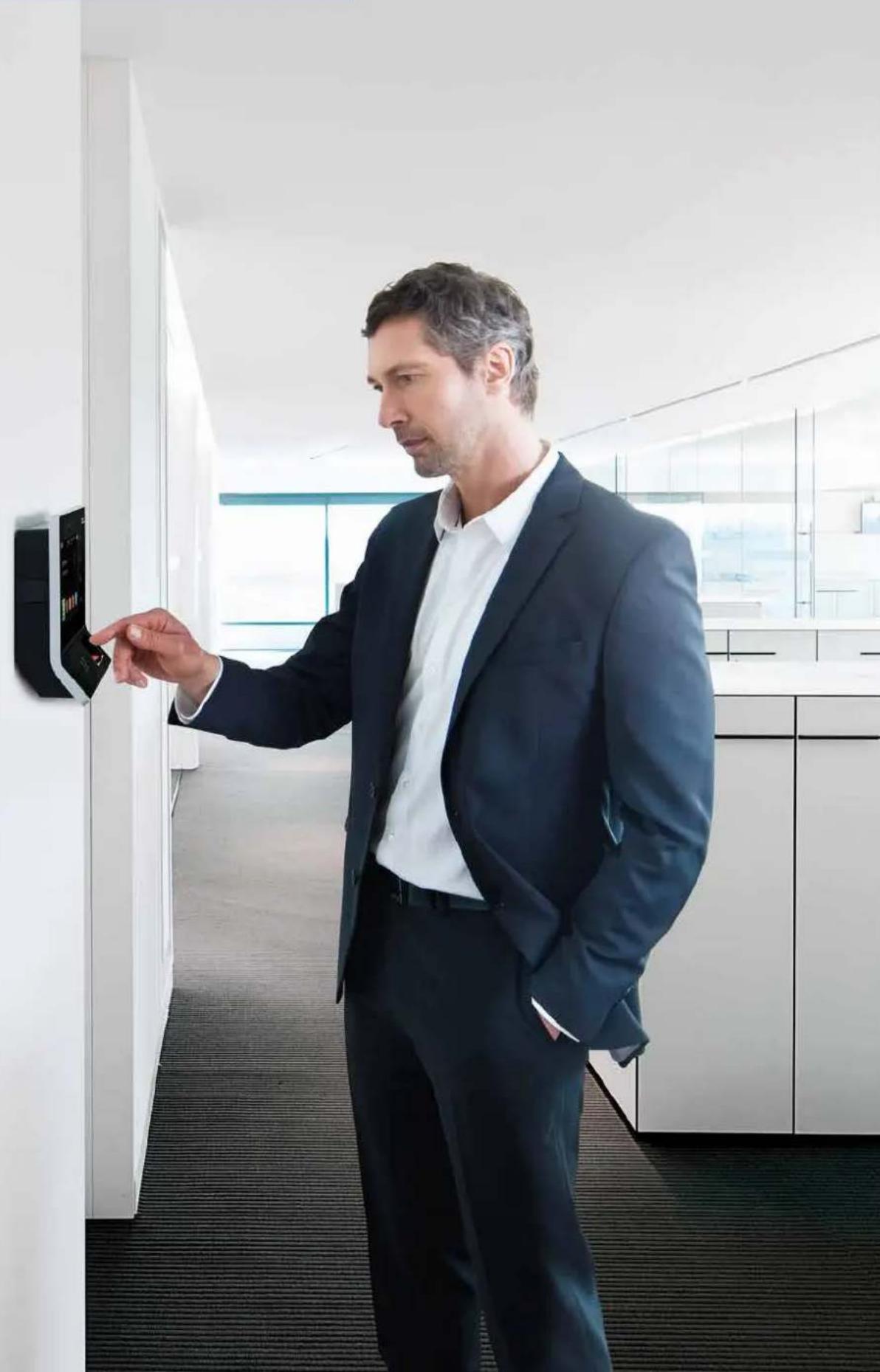
Biometrics — Unique, simple, convenient
Biometrics - Unique personal identification.
Simply place your finger on the sensor -
job done! As convenient as it gets.
natural_image
Man in business suit interacting with a wall-mounted control panel in an office hallway (no visible text or symbols)Why biometrics?
Would you like to bring in unique employee identification?
Increase security and cut costs at the same time?
If so, biometric data collection from Kaba is just what you need.
Biometric methods have now become established in time registration and access control. They are technically mature and guarantee trouble-free use in practice. Kaba became involved with biometrics at an early stage and now has in-depth knowledge of the development and application of biometric solutions. From the large number of possible biometric identification features - finger, veins, hand, iris - Kaba has decided in favor of finger recognition. Compared with other technologies, data collection using fingerprints is characterized by effective detection performance combined with a high level of security and maximum user acceptance. This comes as no surprise. After all, the collection process is simple and fast - a brief touch of the sensor with the finger is all it takes.
Kaba offers a broad range of biometric products. We can provide you with all the latest data collection terminals with biometric sensors:
The choice is yours.
Your benefits at a glance
Simple, secure, convenient operation
Unique personal identification
Biometric features cannot be forgotten, lost, stolen or passed on to third parties
No «buddy punching»
Legal security - who identified themselves when
Data protection - fully guaranteed thanks to non-reconstructible fingerprints
Cost savings
- Fewer erroneous bookings and therefore fewer corrections
- No badges and no badge administration
Simple integration into existing systems


How does biometric finger recognition work?
Using a finger instead of a badge to identify persons in a unique and legally binding manner, but how exactly does it work?
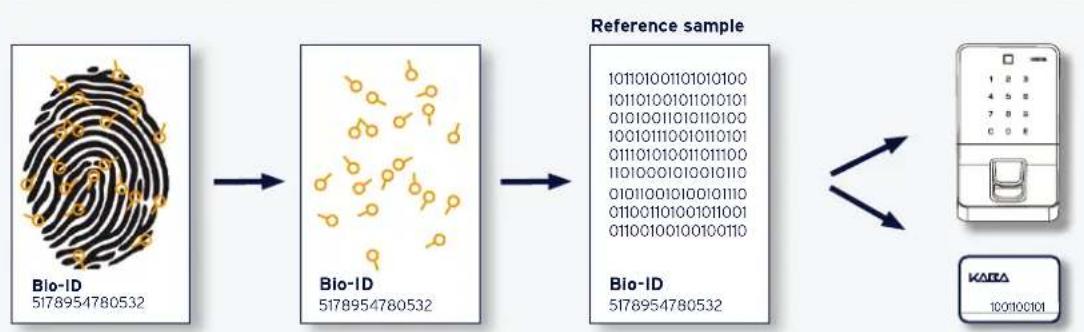
The concept is easy. The biometric reading unit creates a unique recognition template based on distinctive features of the fingertip. This involves a mathematical description of position coordinates.
This template is stored in a one-off enrollment process as the unique reference for the person. No visual fingerprint is reproduced from this reference template. Two different fingers are always registered in order to guarantee reliable recognition at all times.
If an employee wishes to identify themself at a terminal, they places their finger on the sensor. The finger is compared with the stored reference template. If this tallies, the time or access booking is carried out.
THE RECOGNITION CONCEPT
flowchart
graph LR
    A["Bio-ID\n5178954780532"] --> B["Bio-ID\n5178954780532"]
    B --> C["Reference sample\n101101001101010100\n101101001011010101\n01010011010110100\n100101110010110101\n01110101001101100\n11010001010010110\n0101001010010110\n011001101001011001\n01100100100100110\n"]
    B --> D["Bio-ID\n5178954780532"]
    D --> E["KARDA\n100100101"]
Two different methods: Identification or verification
Would you like to bring in biometric identification and do away with badges completely? Do you already use badges but would like to increase security in your company using a biometric method? Kaba offers you both the identification and the verification method. Both methods have their advantages.
IDENTIFICATION VERIFICATION

flowchart
graph TD
    A["Bio-ID\nB24760032"] -->|1001100101| B["B COMM\nbiometric option"]
    B --> C["Monitor"]
    C --> D["1: n"]
    D --> E["Biometric\nreference sample\nin terminal\n1 1001010010\n2 1001100101\n3 10101010011\n4 10010101101\n5 11010010110\n6 11010010011"]
The identification method
With this method, the reference templates are stored in the collection terminal. If an employee places their finger on the sensor, a so-called 1:n comparison is made. This means that the finger is compared with all reference templates allocated to this terminal. If this tallies, the time or access booking is carried out.
With this convenient, badge-free method, each person identifies themself solely with their fingerprint. This offers the advantage that costly badge management is no longer required. A further advantage is that the fingerprint is always there and cannot be forgotten or stolen.

flowchart
graph LR
    A["Bio-ID\nB954180352"] -->|1001100101 1001100101| B["B-COMM\nbiometric option"]
    B --> C["KARA\n1001100101"]
    D["User Interface"] -->|1:1| E["KARA\n1001100101"]
The verification method
With verification, the personal reference template is stored on the employee's badge. If a person places their finger on the sensor, a 1:1 comparison is made, in contrast to identification. The reference template is first read from the badge and is then compared with the finger that has just been placed. If the two features tally, the time is recorded or the accessed granted.
Verification not only represents a very fast and secure type of recognition, but can also be used in countries where strict data protection regulations apply. The employee is responsible for retaining the personal biometric data. No further storage or distribution of these data is required.
Latest Kaba products for your biometric solution

Data collection terminals B-web 93 00 and B-web 95 00
The B-web 93 00 and B-web 95 00 series terminals have proven themselves in practice. With the biometrics option and the «Guide by Light» operating concept, they are intuitive and reliable to operate. This increases convenience, reduces erroneous input and subsequent corrections.
The terminals are easy to install and can be adapted and extended precisely in line with your requirements.

Kaba biometric reader 91 50
The Kaba biometric reader 91 50 in modern Kaba design guarantees unique personal identification and increases your company's security. The combination of a high-quality, optical biometric sensor, an optional LEGIC advant reader and a capacitive keypad meets all the requirements for a viable recognition system. The reader is certified to protection class IP54 and can also be used for building security in the weatherproof outdoor area.

Kaba terminal 97 00 multifunction terminal
With the high-tech Kaba terminal 97 00, all employees in the company can obtain information more quickly, communicate more easily and therefore save time. The terminal serves as a central communication point in the company. It performs a wide range of tasks relating to professional time recording, access control, communication and information provision. Along with standard functions such as in, out, official absence and inquiry, further customized functions can be used via «Apps» or by opening a web browser. The functions can be selected via the scratchproof, 7" color touch screen and appear in brilliant quality behind the high-quality glass surface.
USB READER FOR CENTRAL ENROLLMENT

natural_image
Two electronic devices: a silver fingerprint with red LED and a red handheld device (no visible text or symbols)Enrollment station MSO 1300
With the MSO 1300, an employee's finger reference pattern can be reliably captured with any PC. This then enables the easy distribution of reference patterns to the relevant booking terminals. The enrollment station is ideally suitable for smaller companies or chain stores with a total number of max. 200 employees.
Enrollment station MSO 300
A premium enrollment station that meets the highest quality standards. Ideal for larger enterprises, also for use with people having less defined finger minutiae to ensure maximum system performance.
natural_image
Two business professionals in a modern office setting, engaged in discussion around a table with documents and water bottles (no visible text or symbols)Company-wide use of a Kaba biometric solution
In many cases, enrollment of persons is carried out centrally in the company's human resources department. The reference templates are then distributed to the terminals throughout the company. In companies with global operations, enrollment can be carried out at different locations. In this case, each location has its own biometric administration, but this is connected to the centrally installed server. Local enrollment using the collection terminal directly is also possible if, for example, ad-hoc enrollment of new employees is required in a branch office.
All of this is already taken into account in the biometric collection system from Kaba:
system-wide biometric administration
central collection for the one-off enrollment of the reference template
Intelligent administration and distribution of biometric data to all connected terminals, including different locations
Integration and operation of biometric terminals together with existing installed terminals
Data protection - and what you need to know about it

Personal data must be collected and processed in accordance with legal data protection requirements. Do I maintain responsibility for my personal data? Will my fingerprint be stored and possibly even passed on? These are valid questions from employees and are taken very seriously by Kaba.
It is important to know that the method used by Kaba does not store any fingerprint image, but only an anonymous, mathematical reference template. The personal features of the fingertip are vectorized and converted into a complex numerical code. The relevant personnel number is allocated to this value. A fingerprint image cannot be reproduced under any circumstances. Misuse of personal employee data by third parties is therefore avoided. If an employee still has concerns, he can alternatively enter his personal identification number (optionally with additional PIN) via the keypad.
Kaba offers comprehensive consultancy to your project manager or data protection manager, so that your biometric system can be seamlessly introduced.
KABA®
BEYOND SECURITY
- Why biometrics?
- Your benefits at a glance
- How does biometric finger recognition work?
- Two different methods: Identification or verification
- The identification method
- The verification method
- Latest Kaba products for your biometric solution
- Data collection terminals B-web 93 00 and B-web 95 00
- Kaba biometric reader 91 50
- Kaba terminal 97 00 multifunction terminal
- Enrollment station MSO 1300
- Enrollment station MSO 300
- Company-wide use of a Kaba biometric solution
- Data protection - and what you need to know about it
Brand : Dormakaba
Model : B-web 95 00
Category : Security System