
ModFX - Keyboard Tiptop Audio - Free user manual and instructions
Find the device manual for free ModFX Tiptop Audio in PDF.


| Product Type | Multi-Effects Processor |
| Brand | Tiptop Audio |
| Model | ModFX |
| Category | Keyboard Effects Processor |
| Form Factor | Eurorack Module, 8HP |
| Dimensions | Width: 40.3 mm (8HP), Depth: 40 mm, Height: 128.5 mm |
| Weight | 100 g |
| Power Supply | +12V / -12V via Eurorack Bus Board |
| Current Draw | +12V: 50 mA, -12V: 20 mA |
| Audio Inputs | 1x 3.5 mm Mono Jack |
| Audio Outputs | 1x 3.5 mm Mono Jack |
| Control Voltage Inputs | 1x 3.5 mm Jack (Expression/CV) |
| Controls | 3 Knobs (Modulation, Time, Mix), 1 Toggle Switch (Mode) |
| Effects Types | Chorus, Flanger, Phaser, Filter |
| Sampling Rate | 48 kHz |
| Bit Depth | 24-bit |
| Frequency Response | 20 Hz - 20 kHz |
| Signal-to-Noise Ratio | >100 dB |
| THD+N | <0.01% |
| Protection | Reverse Polarity Protection on Power Input |
| Operating Temperature | 0°C to 50°C |
| Certifications | CE, RoHS |
| Warranty | 2 Years |
| Included Accessories | Power Ribbon Cable, Mounting Screws |
| Maintenance | Clean with Dry Cloth; Avoid Liquids |
| Safety | Do Not Expose to Moisture; Use Only Specified Power |
Frequently Asked Questions - ModFX Tiptop Audio
User questions about ModFX Tiptop Audio
0 question about this device. Answer the ones you know or ask your own.
Ask a new question about this device
Download the instructions for your Keyboard in PDF format for free! Find your manual ModFX - Tiptop Audio and take your electronic device back in hand. On this page are published all the documents necessary for the use of your device. ModFX by Tiptop Audio.
USER MANUAL ModFX Tiptop Audio
- 8hp
- 3 illuminated buttons for bank selections
- 8 programs per bank, total 3 banks
- 3 CV inputs for all 3 DSP parameters
- Analog clocking of DSP with CV
- Black version: +12V@130mA -12V@20mA
- White version: +12V@100mA -12V@20mA
Controls:
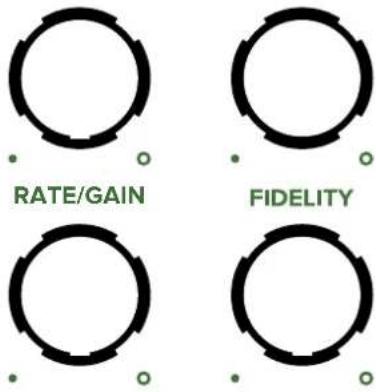
Rate - controls the speed of the modulation LFOs
Filter/Fdback - the cutoff frequency of a filter or the amount of feedback
Depth - how much the modulation sweeps through the range
ModFx
MODFX
CHORUS FLANGER FILTER

natural_image
Three identical gray circles arranged horizontally (no text or symbols)RATE
FILTER
DEPTH
FIDELITY
IN
[Non-Text]


DEPTH
RATE
FIDELITY
FILTER

IN
L (MONO)
R

TIPTOP
MODFX
CHORUS FLANGER FILTER
natural_image
Three identical circular shapes with yellow curved lines on black background (no text or symbols)RATE
natural_image
Two identical circular diagrams with curved black segments and small yellow dots at the bottom (no text or symbols)DEPTH
natural_image
Two identical circular light sources with curved black bands on a black background, no text or symbols present.IN

MIX
natural_image
Abstract graphic with two white circles and black segments on a black background, no text or symbols present.

DEPTH

natural_image
Three identical white circles on a black background, no text or symbols presentIN

natural_image
Three identical black-and-white circular patterns with no text or symbolsTTA
ModFx
CHORUS
| Vintage Random Vibrato |  |  |  |
| Dimension |  |  |  |
| Vintage Ensemble |  |  |  |
| 6 Voice Chorus |  |  |  |
| Dual Vibrato |  |  |  |
| Diffuse Chorus |  |  |  |
| Random Chorus 4 Voice |  |  |  |
| Tri Stereo Chorus |  |  |  |
FLANGER
| Dual Flange/Pan |  |  |  |
| Thru Zero Flanger |  |  |  |
| Short Karplus |  |  |  |
| Dual Karplus |  |  |  |
| Interval Karplus |  |  |  |
| Chord Resonator |  |  |  |
| Haas Panner |  |  |  |
| Haas Detune |  |  |  |
FILTER
| Mono 12 Stage Phaser |  |  |  |
| Dual 4 + 8 Stage Phaser |  |  |  |
| Quad Bandpass LFO |  |  |  |
| Many 1 Pole |  |  |  |
| Tremolo Pan |  |  |  |
| Tape Filter |  |  |  |
| Formant Ping Pong Delay |  |  |  |
| Ahh Detuned |  |  |  |
CHORUS PROGRAMS
Vintage Random Vibrato

Based on a very rare add-on to a groundbreaking digital delay/pitch shifter, this program randomly modulates the pitch of the left and right channels. The overall sound is different compared to the sweeping delay lines of most chorus effects: at low rates the artifacts of the pitch shift can be hard to detect but at high rates the pitch change gets very wobbly.
Rate - depth of Right Vibrato
Filter - high pass filter
Depth - depth of the Left Vibrato
Mix: 50/50
Output: Stereo
Dimension

Two chorus delay lines modulated by a single triangle LFO. The orientation of the LFO and signal phase are inspired by a classic 80s studio rack device. Unlike that unit, this algorithm offers both LFO rate and the depth of the modulation sweep. A High Pass Filter control removes low end from input for a clearer sound. This effect sums input to Mono, and works best with the Mix setting mostly or even fully wet.
Rate - Speed of LFO modulation
Filter - High Pass Filter cutoff
Depth - Amount of modulation sweep for LFO
Mix: 50/50 to 100% wet
Output: Stereo
Vintage Ensemble

An emulation of one of the most famous string synth effects. Use 100% wet for best results. The mix of vibrato can be controlled and about 30% is close to the original circuit. The Rate control adds in Octave Down pitch to thicken up the sound. Works best with basic waveforms. Stereo output.
Rate - Amount of octave down mixed in
Filter - high pass filter
Depth - amount of vibrato
Mix: 100% wet
Output: Stereo
6 Voice Chorus

This is a classic multiple delay line Chorus, found in high end studio effects, that uses 6 independent delay lines which are modulated. Choruses are driven by two sine LFOs with individual control for the speed of each LFO. The Depth control sets how deep the modulation sweeps. The chorus taps are panned across in stereo and have subtle feedback internally.
Rate - Speed of one LFO
Filter - Speed of the other LFO
Depth - Amount of modulation sweep for both channels
Mix: 50/50
Output: Stereo
Dual Vibrato

Instead of using modulated delay lines this program has two pitch shifters with slight detuning. The amount of detune is modulated.
Rate - Rate of the Right side pitch change
Filter - Rate of the Left side pitch change
Depth - the range of detuning
Mix: 50/50
Output: Stereo
Diffuse Chorus

Independent chorus lines for Left and Right channels made from allpass delays that would normally be the input ‘diffusion’ section of a reverb. Chaining a few of these delays in a row makes for a cross between a chorus and very small room (add external feedback for more reverb tone). Each delay is modulated by one of two sine LFOs with control for the speed of the LFOs. The Depth control sets how deep the modulation sweeps. Fidelity changes the length of the delays and lower settings makes odd sounding rooms and caverns.
Rate - Speed of LFO modulation
Filter - High Pass Filter cutoff
Depth - Amount of modulation sweep for LFO
Mix: 50/50
Output: Stereo
Random Chorus 4 Voice

Four independent chorus lines split between Left and Right channels. Each is modulated by a random walk algorithm with individual control for the speed of the LFO. The Rate and Depth controls set how deep the modulation sweeps. The randomness of the modulation is a secret of many high end studio devices. Internal feedback adds fullness to the sound and at high levels imparts a small room type ambience. The pitch wobble can be less noticeable compared to using periodic waveforms for modulation, but at extreme settings with lower Fidelity the room starts to spin.
Rate - Amount of modulation for one set of Chorus
Filter - Amount of signal fed back into delays
Depth - Amount of modulation for the other set of Chorus
Mix: 50/50
Output: Stereo
Tri Stereo Chorus

Three delay lines are panned Left, Center and Right in a configuration similar to some rare guitar and electric piano effect units. Each is modulated by quadrature outputs of the same sine LFO with control for the speed of the LFO. The center control sets how deep the modulation sweeps. A High Pass Filter control removes low end from the input which adds clarity and makes the sound less wobbly. Try 100% wet, too.
Rate - Speed of LFO modulation
Filter - High Pass Filter cutoff
Depth - Amount of modulation sweep for LFO
Mix: 50/50 or 100% wet
Output: Stereo
FLANGER PROGRAMS
Dual Flange/Pan

A pair of Flangers create a stereo effect. The modulation LFOs are phase shifted in a way that when the effect is 100% wet it becomes a Haas effect panner. Feedback can go positive or negative as well.
Rate - the rate of the LFOs
Filter - Feedback +/-
Depth - depth of the LFO sweeps
Mix - 50/50 for flanger sounds. 100% wet for panning
Output: Stereo
Thru Zero Flanger

A classic tape machine style flanger with a feedback control to inject the output to the input for classic jet plane sounds. The Mix needs to be set 100% to get the full thru-zero effect.
Rate - the rate of the LFOs
Filter - amount of feedback. Counter clockwise for negative, clockwise for positive
Depth - depth of the LFO sweeps
Mix - 100% wet
Output: Mono
Short Karplus

This is a mono Karplus-Strong program that adds a low pass filter control to sculpt the damping of the decay.
Rate - the pitch of the Right side
Filter - amount of feedback
Depth - low pass filter cutoff
Mix - 100% wet
Output: Mono
Dual Karplus

Karplus-Strong uses a delay line with high feedback to emulate the sound of various plucked or struck acoustic sounds. This program has 2 independent pitch controls for Left and Right. Feedback determines the decay time of the sound.
Note: the best sources are short percussive sounds with lots of harmonics to excite the delay.
Rate - the pitch of the Right side
Filter - amount of feedback
Depth - the pitch of the Left side
Mix - 100% wet
Output: Stereo
Interval Karplus

This is a dual Karplus-Strong program that adds a control to set precise intervals: 2nd, 3rd, 5th and octave down.
Rate - the pitch of the Left side
Filter - amount of feedback
Depth - interval of Right side
Mix - 100% wet
Output: Stereo
Chord Resonator

Three tuned delays can create chords from percussive sound sources. Chord type selects between major, minor, augmented and diminished intervals. Use the Fidelity control to set the pitch. A low pass filter dampens the sound.
Rate - Chord Type
Filter - Low Pass Filter
Depth - Resonance
Mix - 100% wet
Output: Stereo
Haas Panner

Haas effect uses the acoustic phenomenon of precedence to locate a sound in the stereo field. When two identical sounds are played but one is delayed, the first sound is perceived as the location even though both sounds are clearly present. In this program the Depth control adjusts the delay time which creates the width of the stereo field.
Rate - Speed of panning
Filter -
Depth - delay time of the 'panned' side
Mix - 100% wet
Output: Stereo
Haas Detune

Detuning one side adds even more depth to the Haas effect in the program. Feedback sets how much of the detuned sound recirculates into the delay channel. With some dry mixed in this can become a strange, small resonant space.
Rate - Detune amount
Filter - Feedback
Depth - delay time of the 'panned' side
Mix - 100% wet or 50/50 for small Echo/Room sounds
Output: Stereo
FILTER PROGRAMS
Mono 12 Stage Phaser

A phaser uses a type of filter called all-pass. Like the name implies, all frequencies are passed through the filter only the phase response around a certain frequency is shifted. Chaining multiple all-pass filters in a row produces notches in the sound with the more stages increasing the number of notches and creating a deeper sound. This program has 12 notches. The Regen control deepens the notches for a more pronounced effect.
Rate - the rate of the LFOs
Filter/Regen - how much of the sound is fed back
Depth - depth of the LFO sweeps
Mix - 100% wet
Output: Mono
Dual 4 + 8 Stage Phaser

A set of 4 stage phasers in series with the Left output having the first 4 stages and the Right output using all 8 stages. The outputs can be used individually or as a stereo pair. In stereo, the sound will move around in the stereo field and the depth control sets the width of the stereo.
Rate - the rate of the LFO
Filter/Fdback - amount of regeneration signal
Depth - depth of the LFO sweeps
Mix - 100% wet
Output: Stereo or Dual Mono
Quad Bandpass LFO

Four two-pole resonant bandpass filters are controlled by two LFOs. The filters are spread out in the stereo field to create animation.
Rate - Speed of LFOs
Filter/Fdback - Q of the filters
Depth - how much of the frequency range is swept by the filters.
Mix - 100% wet
Output: Stereo
Many 1 Pole

A large number of one pole bandpass filters are spread across the stereo field with two LFOs controlling their volume. Each LFO has a control for the speed allowing for combinations of fast and slow simultaneously. The effect is between panning, tremolo and auto-wah. Drive sets the gain into an overdrive/distortion effect. Turning down Fidelity is a low pass on the entire effect.
Rate - the rate of the LFO 2
Filter/Fdback - rate of LFO1
Depth - Drive level
Mix - 100% wet
Output: Stereo
Tremolo Pan

Tremolo is an amplitude modulation effect. In this program the Left and Right outputs are controlled by the same LFO but the phase is set to provide an auto-panning between the channels. Use only one output for the classic AM effect. The drive control adds saturation and a high pass filter adds to the sound sculpting options.
Rate - the rate of the LFO
Filter/Fdback - cutoff of High Pass Filter
Depth - Drive level
Mix - 100% wet
Output: Stereo or Dual Mono
Tape Filter

The filter and saturation algorithm from our Tape Echo programs.
Rate - cutoff of Low Pass Filter
Filter/Fdback - cutoff of High Pass Filter
Depth - Drive level
Mix - 100% wet
Output: Mono
Formant Ping Pong Delay

Three filters create vowel formants that mimic ‘Ahh’ type vocal sounds and the filters can be tuned from Male of Female ranges. The output of the filters feeds a stereo ping pong delay. The effect is strongest with simple harmonically rich waveforms like saw waves.
Note: use the Fidelity control to change the range of the filters/vowel sounds.
Vowel Sounds: A, Ahh, E, I, Ohh, U
Rate - Delay Time
Filter/Fdback - Tuning of Filter
Depth - Feedback of delay
Mix - 100% wet for vocal sounds, 50/50 for delay effects
Output: Stereo
Ahh Detuned

Three filters create vowel formants that mimic female Ahh voices. This program has a pair of pitch shifters for detuning (+/- about a semitone) to help give the effect of a group of voices. The effect is strongest with simple harmonically rich waveforms like saw waves.
Rate - Detune of Left +/-
Filter/Fdback - tuning of filter
Depth - Detune of Right +/-
Mix - 100% wet
Output: Stereo
Tiptop Audio FSU
Hardware Features:
- 8hp
- 3 illuminated buttons for bank selections
- 8 programs per bank, total 3 banks
- 3 CV inputs for all 3 DSP parameters
- Analog clocking of DSP with CV
- Black version: +12V@130mA -12V@20mA
- White version: +12V@100mA -12V@20mA
Controls:
Gain - Controls the final output level on the Distortion bank and the recording level on the Sound on Sound (SOS) bank
Rate - The speed of modulation or similar parameter.
Filter/Feedback - controls the cutoff of a filter or the amount of feedback.
Depth - the range of modulation or how far a delay tap or grain reads out of the buffer
Drive - sets the gain going into a distortion effect
FSU
DISTORT GLITCH SOS

natural_image
Three identical gray circles arranged horizontally (no text or symbols)DRIVE/DEPTH FILTER/FBACK
IN
natural_image
Diagram showing two circular components with internal shapes and a connector, no text or symbols presentGAIN
TIPTOP
FSU
DISTORT GLITCH SOS
natural_image
Three identical white circles with curved black and yellow lines on a black background (no text or symbols)DRIVE/DEPTH FILTER/FBACK
natural_image
Two identical circular diagrams with curved lines and small dots, no text or symbols present.RATE/GAIN
natural_image
Two circular white panels with black and yellow curved lines on a black background, no text or symbols present.IN
natural_image
Pure electrical circuit lines without any symbols
GAIN


TTA

FILTER


FSU
DISTORT
| Tape Saturation | |||
| Bit Crusher | |||
| Clipper | |||
| Dual Rectifier | |||
| Ring Mod Sine | |||
| Dual Ring Mod | |||
| Frequency Shifter | |||
| Dual Frequency Shift |
GLITCH/WARP
| Glitch Pitch | |||
| Glitch Chorus | |||
| Varispeed | |||
| Varispeed Grains | |||
| Random Grain | |||
| Pitch Grain | |||
| Random Grain Fb2 | |||
| Many Head Pitch Feedback |
SOUND ON SOUND
| Dual Head | |||
| Dual Pitch | |||
| Chorus | |||
| Varispeed | |||
| Panning Heads | |||
| Random Grains | |||
| Buffer Degrade | |||
| Frozen Plate |
EFFECTS PROGRAMS FOR FSU
Distortion:
This bank distorts the incoming audio in various ways from emulations of analog tape and fuzz distortion to ring mod and frequency shifting.
Important Note! All of the programs in this bank are designed to work with the Mix set to 100% wet (full clockwise). Interesting effects can also be made with varying amounts of dry signal mixed in as well.
Tape Saturation

Saturation taken from the Tape Echo programs with some more overdrive available.
Gain - final output level
Filter - low pass filter
Depth - sets the amount of drive into the saturation effect
Bit Crusher

Bit depth reduction from 8 down to 4 bits.
Gain - final output level
Filter - low pass filter
Depth - bit depth from 8 to 4 bits
Clipper

Clips the signal to create mild to extreme distortion effects.
Gain - final output level
Filter - low pass filter cutoff
Depth - amount of clipping
Dual Rectifier

This program uses basic analog rectification techniques to distort the sound. Left and Right have inverted rectifiers with a low pass on the Left and high pass on the Right to further separate the outputs.
Gain - final output level
Filter - Low pass Left
Depth - High pass Right
Ring Mod Sine

Ring mod is audio rate modulation of the input signal's amplitude by a carrier signal's amplitude. This program has a sine wave carrier with coarse and fine tuning
Gain - final output level
Filter - Coarse Tune
Depth - Fine Tune
Dual Ring Mod

A dual channel version of ring modulation with independent Left and Right sine VCOs.
Gain - final output level
Filter - Ring mod frequency for the Left channel
Depth - Ring mod frequency for the Right channel
Frequency Shifter

A mono frequency shifter that uses analog style techniques to move the harmonics of the input up. Based on some old code Alesis/MXR/Spin founder Keith Barr posted. This is very different from the digital pitch shifting algorithm.
Gain - final output level
Depth - amount of frequency shift
Dual Frequency Shift

A dual channel version of the frequency shifter. Both Left and Right channels have independent shift amounts.
Gain - final output level
Filter - amount of frequency shift for the Left channel
Depth - amount of frequency shift for the Right channel
GLITCH/WARP PROGRAMS:
This bank of algorithms uses a variety of delay and pitch techniques to introduce glitches and warp the sound.
Most of these work best with 100% wet output (Mix knob at full clockwise) to get the maximum glitchy effect. When the dry is mixed in they can also create types of chorus, delay and tremolo effects as well.
Glitch Pitch

L/R pitch shifters randomly change pitch. Control over change rate and depth of shift
Gain - speed of Left side pitch change
Filter - speed of Right side pitch change
Depth - how far up/down the pitch can change
Glitch Chorus

A variation on Chorus with an added 'glitch' control to mix in some digital grunge. With slow rate and high depth it does some intense flange type effects. Moderate rate and depth introduce some sea sick modulations and randomized delay type effects. Try this with high Depth on drums or other highly percussive, rhythmic sources.
Gain - rate of change
Filter - amount of glitching to the chorus
Depth - range of the chorus taps
Varispeed

This does real-time playback speed change on incoming audio. The speed control goes from full reverse to stopped to full forward speed. The aliasing control mixes in interpolation error for extra glitch.
Gain - Speed of Left channel Filter - Speed of Right channel Depth - Aliasing
Varispeed Grains

Uses the Varispeed playback method of program #4 on four grains. The speed controls the playback of two grains. Try feeding the output of one or both channels through a delay and back into the input.
Gain - Speed of one set of grains Filter - Speed of second set of grains Depth - how far in the buffer the grains move
Random Grain

6 grains move randomly around on the live input. Individual control of the LFOs for fast + slow grains at the same time.
Gain - Speed of one set of grains Filter - Speed of second set of grains Depth - the range in the buffer the grains read from
Pitch Grain

A pitch shifter feeds a set of grains. The shift amount goes from almost 2 octaves down to one octave up.
Gain - Speed of grains
Filter - Pitch shift
Depth - the range in the buffer the grains read from
Random Grain Fb2

Like #5 but with feedback that sends the input sound directly back to the buffer. Mixed with dry signal this creates a scrambled multi-tap delay effect with randomized decay tails. At max feedback the input can be frozen.
Gain - Speed of grains
Filter - amount of input fed back into buffer
Depth - how far in the buffer the grains move
Many Head Pitch Feedback

Dozens of delay taps with bandpass filters are faded in/out with 2 LFOs. The input runs through a pitch shifter with a range of +/- 1 octave. Feedback adds some depth and the pitch shift is in the path. When mixed with dry signal the effect becomes a complex delay or reverb type sound.
Gain - Speed of taps fade in/out
Filter - feedback level
Depth - Pitch
SOUND ON SOUND PROGRAMS
These programs are Sound on Sound (SOS) loopers. The Rec/Play control is basically a VCA for recording into the buffer which loops infinitely.
The key to using these programs is to only grab shorter chunks of sound which can be done manually, but an envelope generator (AR, ADSR) can help with controlling and triggering what is recorded.
At the highest Fidelity there is only 1 second of memory but lowering the DSP clock increases the recording time and changes the pitch of the recording. Fidelity is pretty critical to these effects.
These programs need to be set to 100% wet mix for maximum effect.
Note: there are two ways to clear the recorder buffer - change to the next preset or hold the SoS button down to reload the bank and keep the current preset.
Dual Head

The playback position in the buffer can be changed for both Left and Right outputs.
Gain - Amount of input recorded to the SoS buffer
Filter - Playback position of Left head
Depth - Playback position of Right Head
Dual Pitch

Left and Right have independent pitch shifters from the buffer. Using the Fidelity control with Pitch shift can create time stretching type effects. For example, record at maximum Fidelity, lower Fidelity for playback and then pitch shift up. This buffer is shorter than the others to make room for the pitch shifters.
Gain - Amount of input recorded to the SoS buffer Filter - Pitch of one playback head Depth - Pitch of the other playback head
Chorus

Not a traditional chorus but playback uses the chorusing method to scrub through large sections of the buffer.
Gain - Amount of input recorded to the SoS buffer Filter - Depth Depth - Rate
Varispeed

Separate playback speed for Left and Right including reverse! Note that reverse playback introduces a click when the playback head flips around to the start position.
Gain - Amount of input recorded to the SoS buffer Filter - Right playback speed Depth - Left playback speed
Panning Heads

Four different playback heads flying around in stereo. Two LFOs running at slightly different rates control the panning and also introduce various phasing effects as a result.
Gain - Amount of input recorded to the SoS buffer Filter - Spread of the read heads Depth - Rate of panning
Random Grains

6 voice granular playback like the Glitch bank program with random positions. The grains fade in/out based on the rate control. Depth controls the spread of the grains in the buffer.
Gain - Amount of input recorded to the SoS buffer Filter - Spread Depth - Rate
Buffer Degrade

User controlled amount of degrading each time the buffer loops around
Gain - Amount of input recorded to the SoS buffer Filter - Spread Depth - Degrade
Frozen Plate

A plate reverb modified for Sound On Sound use. The sound input buffer is fed into the plate but it does also degrade slowly over time as set by the Decay control. A low pass filter removes some of the high end that can build up over time.
Gain - Amount of input recorded to the SoS buffer
Filter - Low pass filter
Depth - Decay time
TIPTOPaudio®
- Controls:
- ModFx
- CHORUS PROGRAMS
- Vintage Random Vibrato
- Dimension
- Vintage Ensemble
- Voice Chorus
- Dual Vibrato
- Diffuse Chorus
- Random Chorus 4 Voice
- Tri Stereo Chorus
- FLANGER PROGRAMS
- Dual Flange/Pan
- Thru Zero Flanger
- Short Karplus
- Dual Karplus
- Interval Karplus
- Chord Resonator
- Haas Panner
- Haas Detune
- FILTER PROGRAMS
- Mono 12 Stage Phaser
- Dual 4 + 8 Stage Phaser
- Quad Bandpass LFO
- Many 1 Pole
- Tremolo Pan
- Tape Filter
- Formant Ping Pong Delay
- Ahh Detuned
- Tiptop Audio FSU
- Hardware Features:
- FSU
- EFFECTS PROGRAMS FOR FSU
- Distortion:
- Tape Saturation
- Bit Crusher
- Clipper
- Dual Rectifier
- Ring Mod Sine
- Dual Ring Mod
- Frequency Shifter
- Dual Frequency Shift
- GLITCH/WARP PROGRAMS:
- Glitch Pitch
- Glitch Chorus
- Varispeed
- Varispeed Grains
- Random Grain
- Pitch Grain
- Random Grain Fb2
- Many Head Pitch Feedback
- SOUND ON SOUND PROGRAMS
- Dual Head
- Dual Pitch
- Chorus
- Panning Heads
- Random Grains
- Buffer Degrade
- Frozen Plate
Brand : Tiptop Audio
Model : ModFX
Category : Keyboard