
TC-4V19Z - Video Conferencing System Newline - Free user manual and instructions
Find the device manual for free TC-4V19Z Newline in PDF.


| Product Type | Video Conferencing System |
| Brand | Newline |
| Model | TC-4V19Z |
| Resolution | 4K at 30 fps (requires USB 3.0) |
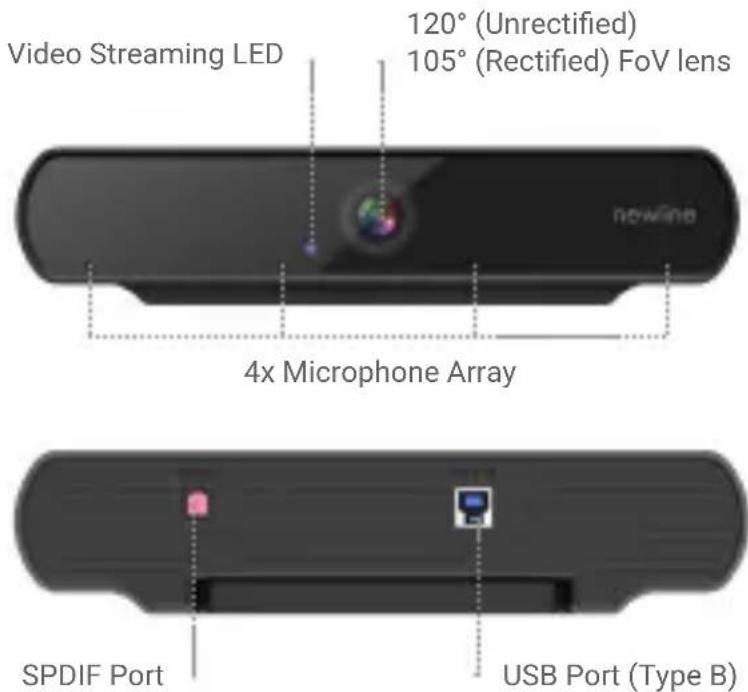
| Field of View (FoV) | 120° (unrectified) / 105° (rectified) |
| Microphone Array | 4 integrated microphones |
| Connectivity | USB Type-B (for data), SPDIF (for audio/echo cancellation) |
| Mounting Options | On top of display (15mm-32.6mm thickness) or on tripod via 1/4"-20 UNC screw |
| Package Contents | Camera, Camera Bucket, USB Cable, Screws (x5) |
| Power Supply | USB bus-powered (5V DC) |
| Dimensions (approx.) | 160 × 60 × 60 mm |
| Weight (approx.) | 0.4 kg |
| Operating Temperature | 0°C to 40°C |
| Storage Temperature | -20°C to 60°C |
| Cleaning Instructions | Wipe with a soft, dry cloth. Do not use liquids or abrasive cleaners. |
| Safety Compliance | FCC Part 15, ICES-3(B), RoHS |
| WEEE Compliance | Do not dispose as unsorted municipal waste; recycle separately. |
| Warranty | 2 years (standard) |
| Repairability | Contact Newline support for service; do not disassemble. |
| Spare Parts Availability | Contact Newline or authorized distributors. |
Frequently Asked Questions - TC-4V19Z Newline
User questions about TC-4V19Z Newline
0 question about this device. Answer the ones you know or ask your own.
Ask a new question about this device
Download the instructions for your Video Conferencing System in PDF format for free! Find your manual TC-4V19Z - Newline and take your electronic device back in hand. On this page are published all the documents necessary for the use of your device. TC-4V19Z by Newline.
USER MANUAL TC-4V19Z Newline
natural_image
Exterior view of a modern office building (no signage)FEATURES
PACKAGE CONTENTS
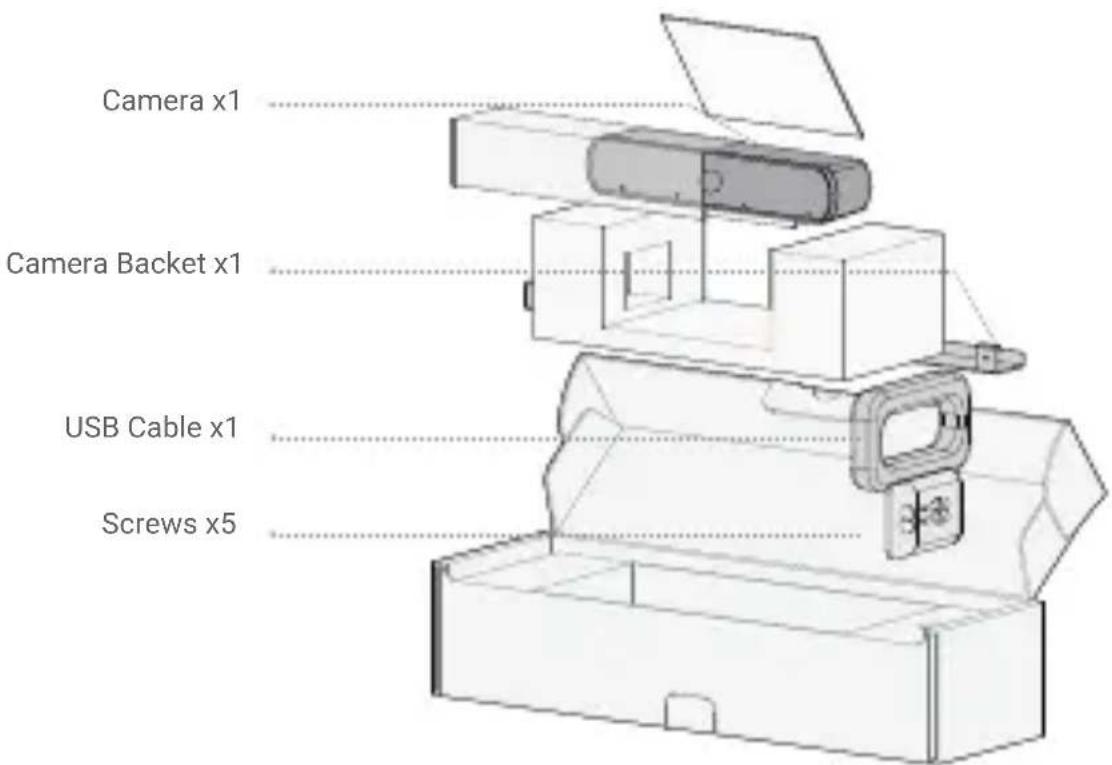
Note. We recommend that you use the accessories provided. The use of unapproved third-party accessories may result in poor performance.
TC-4V19Z INSTALLATION
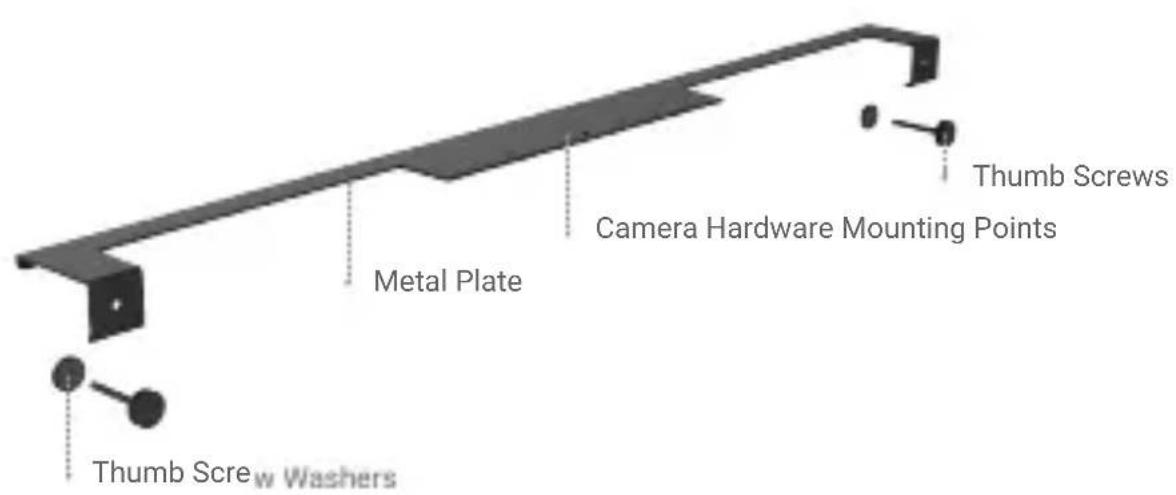
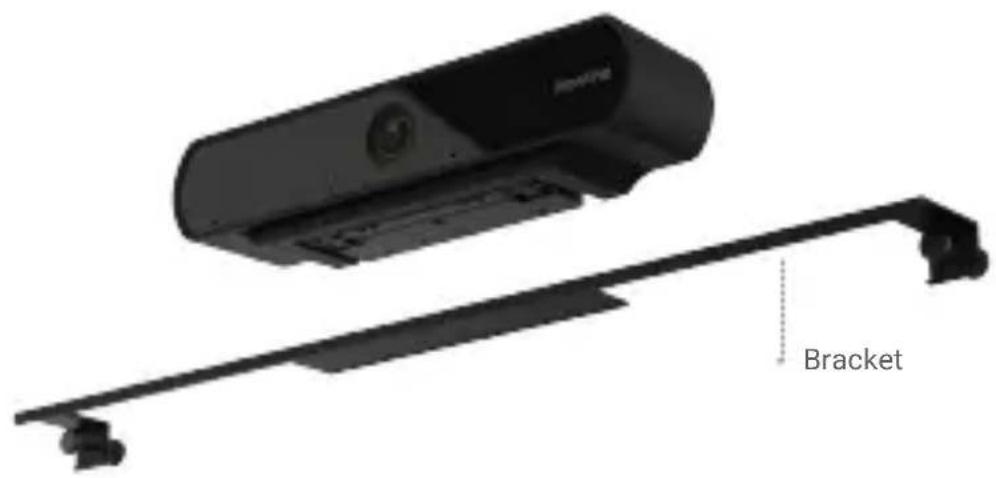
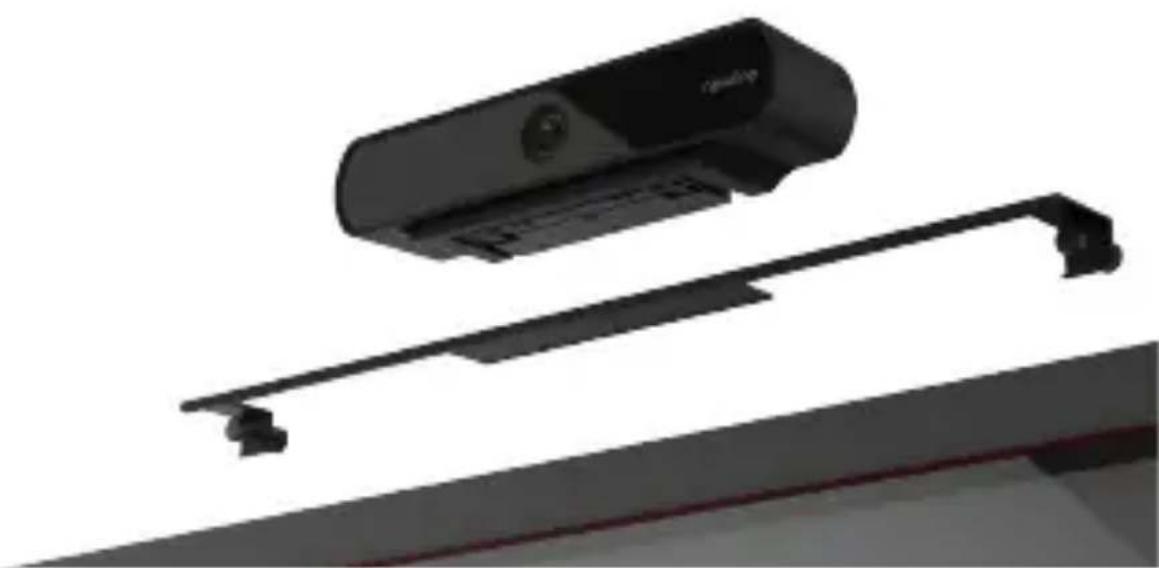
MOUNT ON THE TOP OF A DISPLAY
Suitable for a wide range of sizes (15mm-32.6mm)
natural_image
Technical illustration of a device with a bracket and a flat panel, no text or symbols present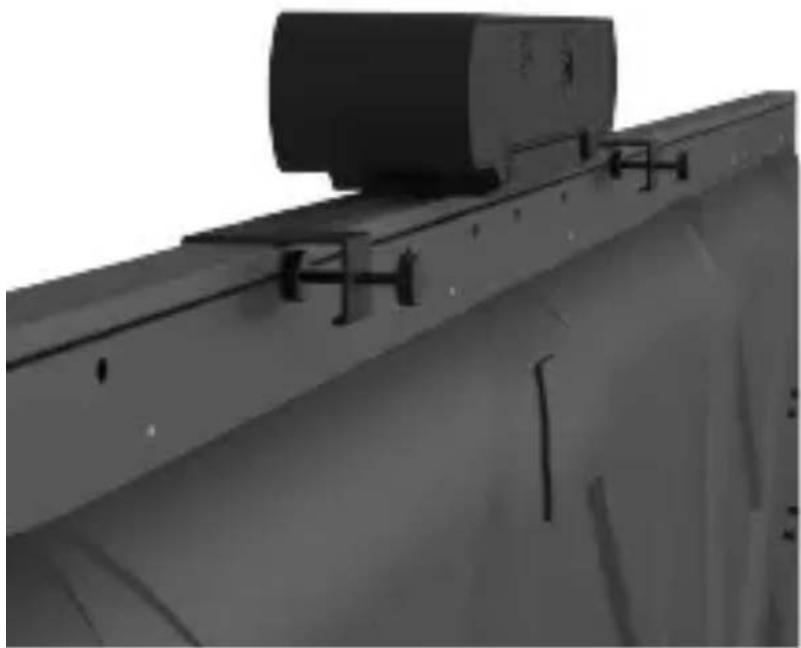
natural_image
Exterior view of a mechanical or industrial component with mounting brackets and a cylindrical component (no visible text or symbols)
Thumb Screw
Secure Points
Side View

natural_image
Pure mechanical component diagram without any text, numbers, or symbolsTC-4V19Z INSTALLATION
MOUNT ONTO A TRIPOD
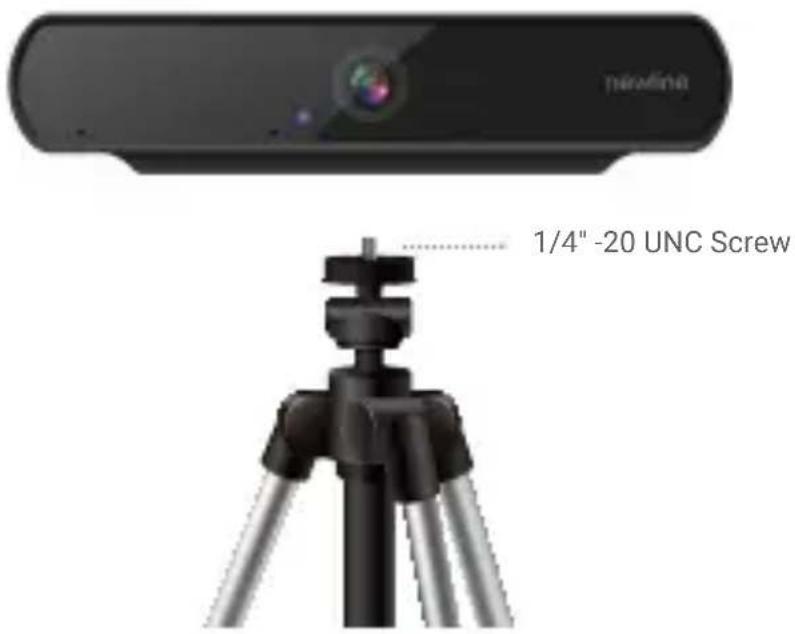
Tripod Mounting Option (Tripod not included)
SET UP YOUR PRODUCT
-
Mount your camera to the display directly or use the option tripod method.
-
Connect the included USB cable from the camera to the connected devices such as a laptop or OPS. If echo cancellation is required, connect the camera using the SPDIF port.
Note. USB 3.0 is required to achieve 4K 30 Fps.
natural_image
3D rendering of a black camera module with attached lever and bracket (no text or symbols visible)Explanation of the symbols
DC symbol
is the DC voltage symbol.
WEEE Warning symbol
To avoid the potential effects on the environment and human health as a result of the presence of hazardous substances in electrical and electronic equipment, end users of electrical and electronic equipment should understand the meaning of the crossed-out wheeled bin symbol. Do not dispose of WEEE as unsorted municipal waste and have to collect such WEEE separately.
Restriction of Hazardous Substances Directive (RoHS)
All adapter devices comply with the requirements of the EU RoHS Directive Statements of compliance can be obtained by contacting support@newline-interactive.com.
Safety Instructions
Save these instructions. Read these safety instructions before use! General Requirements
- Before you install and use the device, read the safety instructions carefully and observe the product during operation.
- During the process of storage, transportation, and operation, always keep the device dry, clean, and avoid impacts.
- Do not attempt to disassemble the product to prevent serious injury. Please contact Newline if service is required.
- Please refer to local laws and statutes while using this device and observe the legal rights of others.
Environmental Requirements
Operating Requirements
Cleaning Requirements
FCC Statement
This device complies with part 15 of the FCC Rules. Operation is subject to the following two conditions: (1) this device may not cause harmful interference, and (2) this device must accept any interference received, including interference that may cause undesired operation.
Any Changes or modifications not expressly approved by the party responsible for compliance could void the user's authority to operate the equipment.
IC Statement
This device complies with Industry Canada's licence-exempt RSSs. Operation is subject to the following two conditions:
(1) this device may not cause interference; and
(2) this device must accept any interference, including interference that may cause undesired operation of the device. CAN ICES-3(B) Le présent appareil est conforme aux CNR d'Industrie Canada applicables aux appareils radio exempts de licence.
Headquartered in Plano, Texas, Newline Interactive is a leading supplier of interactive touch screens and innovative software that increase productivity and enable collaboration. Newline Interactive develops products that help organizations in a wide range of vertical markets including financial services, education, healthcare, law enforcement, manufacturing, municipalities, and legal services.
Technical Support
Visit Newline (https://newline-interactive.com/) for the latest information, FAQ and product documents. The email address provide here is for the U.S. only. I recommend pointing them to the website to ensure each region can handle support issues.

Copyright ©2020 Newline Interactive Inc. All rights reserved
Brand : Newline
Model : TC-4V19Z
Category : Video Conferencing System