
PowerTEC 909 HS - Shredder Dahle - Free user manual and instructions
Find the device manual for free PowerTEC 909 HS Dahle in PDF.


| Product Type | Industrial Paper Shredder |
| Brand | Dahle |
| Model | PowerTEC 909 HS |
| Security Level | P-3 |
| Shred Size | 4 mm x 50 mm (particles) |
| Feed Width | 17.5 inches (445 mm) |
| Shred Capacity | 85-90 sheets per pass (20 lb bond) |
| Bin Capacity | 68 gallons (257 liters) |
| Dimensions (WxDxH) | 30 x 30 x 64.25 inches (762 x 762 x 1632 mm) |
| Weight | 992 lbs (450 kg) |
| Power Supply | 220V, 3-phase, 20A (NEMA L15-20P plug, L15-20R receptacle) |
| Warranty | 1 year (labor and cutting cylinders) |
| Auto Oiler | Yes, built-in automatic lubrication system |
| Operating Modes | Auto Start/Stop, Manual, Reverse, Cleaning |
| Safety Features | Emergency stop button, door open sensors, hopper door interlocks, overload protection |
| Indicators | AUTO, MANUAL, DOOR OPEN, FULL, OVERLOAD LEDs |
| Recommended Oil | Dahle branded shredder oil only |
| Cleaning Cycle | Monthly or after emptying bin; 1-minute cycle via REV button hold |
| Operating Environment | Indoors, 15-32°C (59-90°F), 15-95% non-condensing humidity |
| Short Circuit Protection | Max 16A (US max 20A) building installation |
Frequently Asked Questions - PowerTEC 909 HS Dahle
User questions about PowerTEC 909 HS Dahle
0 question about this device. Answer the ones you know or ask your own.
Ask a new question about this device
Download the instructions for your Shredder in PDF format for free! Find your manual PowerTEC 909 HS - Dahle and take your electronic device back in hand. On this page are published all the documents necessary for the use of your device. PowerTEC 909 HS by Dahle.
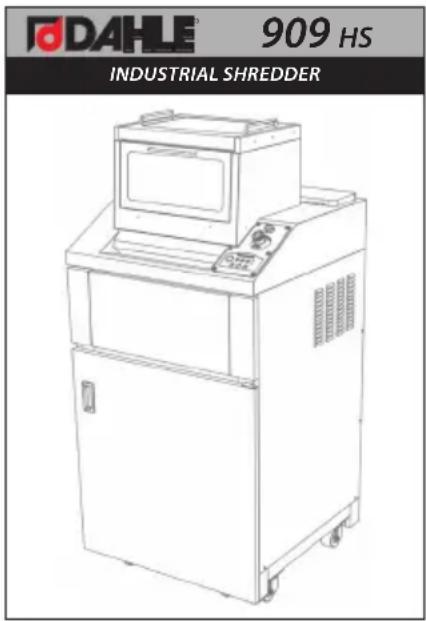
USER MANUAL PowerTEC 909 HS Dahle
natural_image
Line drawing of a laboratory instrument with control panel and motor (no text or symbols)Operating Instructions
Dahle 909HS
TABLE OF CONTENTS
CONTENTS
PAGE
Safety Precautions....3-4
Installation 4
Operation 5-6
Auto Oiler 7
Maintenance....7
Warranty 7
Troubleshooting....8
READ CAREFULLY BEFORE USING
Proper care of your new shredder will ensure many years of trouble free operation, with minimum of maintenance or repair.
IMPORTANT:
Please note that all packaging should be retained by the customer for (30) days from the time of receipt. In the event that this unit needs to be sent back for replacement or repair this packaging will be required to do so. Should the packaging have been discarded before the (30) day requested period, packaging costs may be incurred by the customer.
SPECIFICATIONS
| Security Level: P-3 |
| Shred Size: 4mm X 50mm |
| Feed Width: 17 1⁄2" |
| Shred Capacity: 85 / 90 sheets |
| Bin Capacity: 68 gal. |
| Warranty: 1 year |
| Dimensions: 30" X 30" X 64.25" |
| Weight: 992 lbs. |
| Power Supply: 220v 3 phase, 20 amp(NEMA L1520P-Plug, L1520R-Receptacle) |
Results may vary depending on power source, paper type, and proper maintenance. Warranty includes labor but excludes wearable parts.
IMPORTANT SAFETY PRECAUTIONS
Your new shredder features powerful cutting mechanisms that may cause serious injury. Please follow all safety precautions.
- Only store, transport, and operate the shredder in an upright position!
- All liquids and gases used on the shredder must comply with Dahle guidelines!
- The shredder must only be operated in enclosed spaces at temperatures of 15 °C to 32 °C(59 °F–90 °F) and non-condensed humidity of 15% to 95%!
- Do not place the shredder near a heat source!
- Ensure the shredder is firmly on the floor at a distance of 4" from the wall; activate caster locks!
- Avoid any accumulation of heat!
- The mains socket must be grounded and easily accessible at all times!
- Use only the power cord supplied with the device by Dahle and ensure that it is not damaged!
- Ensure that the building installation has short-circuit protection: max. 16 A (US max. 20 A)!
- Do not use near flammable liquids and gases!
- Do not use near caustic substances!
- Do not subject to moisture!
- Do not open up the machine!
• Automatic start-up! - Switch off the shredder at the main switch when not in use!
- Only use the shredder provided that it is in perfect working order, while observing the operating instructions and the usual regulations, guidelines and applicable safety and accident prevention requirements. Take the shredder out of service immediately if faults occur!
- The device is not intended for use by persons (including children) with restricted physical, sensory or mental capabilities or a lack of experience and knowledge, unless they are working under supervision or receive detailed instruction about how to use the device from a person who is responsible for safety.
IMPORTANT SAFETY PRECAUTIONS
- It is obligatory to follow the safety instructions!
- Read the operating instructions carefully before using the shredder!
- This shredder is not intended to be used by children (the product is not a toy)!
- Do not touch the feed opening with your hands!
- Do not allow items of clothing to touch the feed opening!
- Do not allow your hair to touch the feed opening!
- Prior to maintenance work, disconnect the shredder from the power supply!






INSTALLATION

natural_image
Line drawing of a laboratory instrument with open doors and control panel (no text or symbols)- Insert supplied waste container into the shredder.
- Plug shredder directly into a NEMA L15-20R receptacle.
- Connect Auto Oiler supply tube located on side of machine
OPERATION
POWER ON
- Turn the key on the main power switch ON.
AUTO START/STOP
- Press the START button. The AUTO LED will illuminate indicating the shredder is ready for use.
- When in AUTO mode, the shredder will start and stop automatically when shredding.
- AUTO mode switches off after one (1) minute of no activity.
MANUAL MODE
- With the AUTO button illuminated, push the START button again. The MANUAL LED will illuminate, and the shredder will begin to run. Press the START button again to turn off Manual mode.
DOOR OPEN
- When the waste bin door is open the OPEN LED will illuminate and the shredder will not operate. Close the door to resume shredding.
HOPPER DOOR OPEN
- There are two hopper doors located on the top of the shredder. For safety, the shredder will not operate if either of these doors are open. To begin shredding, close the doors and press the START button twice.
REVERSE MODE
- In the event of a jam, press the REV (reverse) button. Reduce the amount of paper and re-insert into the shredder. For safety, it's recommended to turn off the power to the machine when inserting hands into hopper.

flowchart
graph TD
    A["OVERLOAD"] --> B["PROPER | NORMAL | OVERLOAD"]
    B --> C["RUNNING"]
    C --> D["CLEANING"]
    C --> E["DOOR OPEN"]
    C --> F["FULL"]
    D --> G["REV"]
    E --> H["START"]
    F --> I["STOP"]
    style A fill:#f9f,stroke:#333
    style B fill:#ccf,stroke:#333
    style C fill:#cfc,stroke:#333
    style D fill:#fcc,stroke:#333
    style E fill:#cff,stroke:#333
    style F fill:#ffc,stroke:#333
    style G fill:#fff,stroke:#333
    style H fill:#fff,stroke:#333
    style I fill:#fff,stroke:#333
OPERATION
CLEANING
- From the STOP mode, push and hold the reverse (REV) button for five seconds. The machine will cycle through a one-minute cleaning mode and then automatically STOP. It is recommended to activate CLEANING mode monthly, or every time the waste container is emptied.
FULL
- The FULL LED will illuminate if the waste container is full. Open the cabinet door, empty the waste container, replace the waste container, close the cabinet door, and press the START button to resume shredding.
EMERGENCY STOP

- Press the EMERGENCY STOP button to immediately turn OFF the shredder. To resume operation, turn the red knob clockwise until it releases.

flowchart
graph TD
    A["OVERLOAD"] --> B["PROPER | NORMAL | OVERLOAD"]
    B --> C["RUNNING"]
    C --> D["CLEANING"]
    C --> E["DOOR OPEN"]
    C --> F["FULL"]
    D --> G["REV"]
    E --> H["START"]
    F --> I["STOP"]
    style A fill:#f9f,stroke:#333
    style B fill:#ccf,stroke:#333
    style C fill:#cfc,stroke:#333
    style D fill:#fcc,stroke:#333
    style E fill:#cff,stroke:#333
    style F fill:#ffc,stroke:#333
    style G fill:#fff,stroke:#333
    style H fill:#fff,stroke:#333
    style I fill:#fff,stroke:#333
AUTO OILER

natural_image
White plastic bottle with a pipette inserted into a square container (no text or symbols visible)This shredder is equipped with an auto oiling system. This system is designed to pump the optimal amount of oil onto the cutting blades at specific time intervals. Please make sure the oil container stays full and use only Dahle branded oil. Use of other oil may void warranty and cause damage to the shredder. To add oil follow the following steps:
- Remove hose and cap and fill existing bottle with Dahle shredder oil.
- Insert hose and cap into the bottle.
MAINTENANCE
- After emptying waste container, it is recommended to run a CLEANING cycle by pressing and holding the REV button for five seconds. The machine will cycle through a one-minute cleaning mode and then automatically STOP.
- Clean the exterior of the machine with a soft cloth. Do not use harsh detergents or chemicals.
WARRANTY
Dahle guarantees it's industrial shredders to be free from manufacturing defects (materials / workmanship) for a period of one year. Dahle offers a one year guarantee on the cutting cylinders.
This warranty shall not apply to wearable items or defects caused by ordinary wear and tear, insufficient maintenance or improper operation. This warranty applies to the original purchaser only and is not transferable. There are no other warranties expressed or implied beyond the face of this agreement.
TROUBLESHOOTING
Easy check points before you report malfunction.
| Symptoms Check Point | ||
| 1. The paper shredder is not working.2. Auto LED light is off | - Check the power plug- Check the voltage of the outlet (AC 120V or 220V it depends on your country's voltage rate)- Check the breaker switch which is located behind the hopper on top of shredder |  Confirmation Confirmation |
| 3. The paper shredder does not reverse and just stops when it's fed too much paper. | - Press the reverse button and clear the jammed paper then re-operate the paper shredder. | 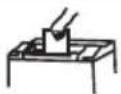 |
| 4. When the waste basket is full, the shredder is not working. | - Clear the waste basket then check that the Full LED light is off | Clear  |


- Operating Instructions
- TABLE OF CONTENTS
- CONTENTS
- PAGE
- READ CAREFULLY BEFORE USING
- IMPORTANT:
- SPECIFICATIONS
- IMPORTANT SAFETY PRECAUTIONS
- Your new shredder features powerful cutting mechanisms that may cause serious injury. Please follow all safety precautions.
- INSTALLATION
- OPERATION
- POWER ON
- AUTO START/STOP
- MANUAL MODE
- DOOR OPEN
- HOPPER DOOR OPEN
- REVERSE MODE
- CLEANING
- FULL
- EMERGENCY STOP
- AUTO OILER
- MAINTENANCE
- WARRANTY
- TROUBLESHOOTING
Brand : Dahle
Model : PowerTEC 909 HS
Category : Shredder