 ManualGo.com
WIRELESS AUDIO CLIP-ON HEADSET HS-21W - Wireless headphones NOKIA - Free user manual and instructions
Find the device manual for free WIRELESS AUDIO CLIP-ON HEADSET HS-21W NOKIA in PDF.

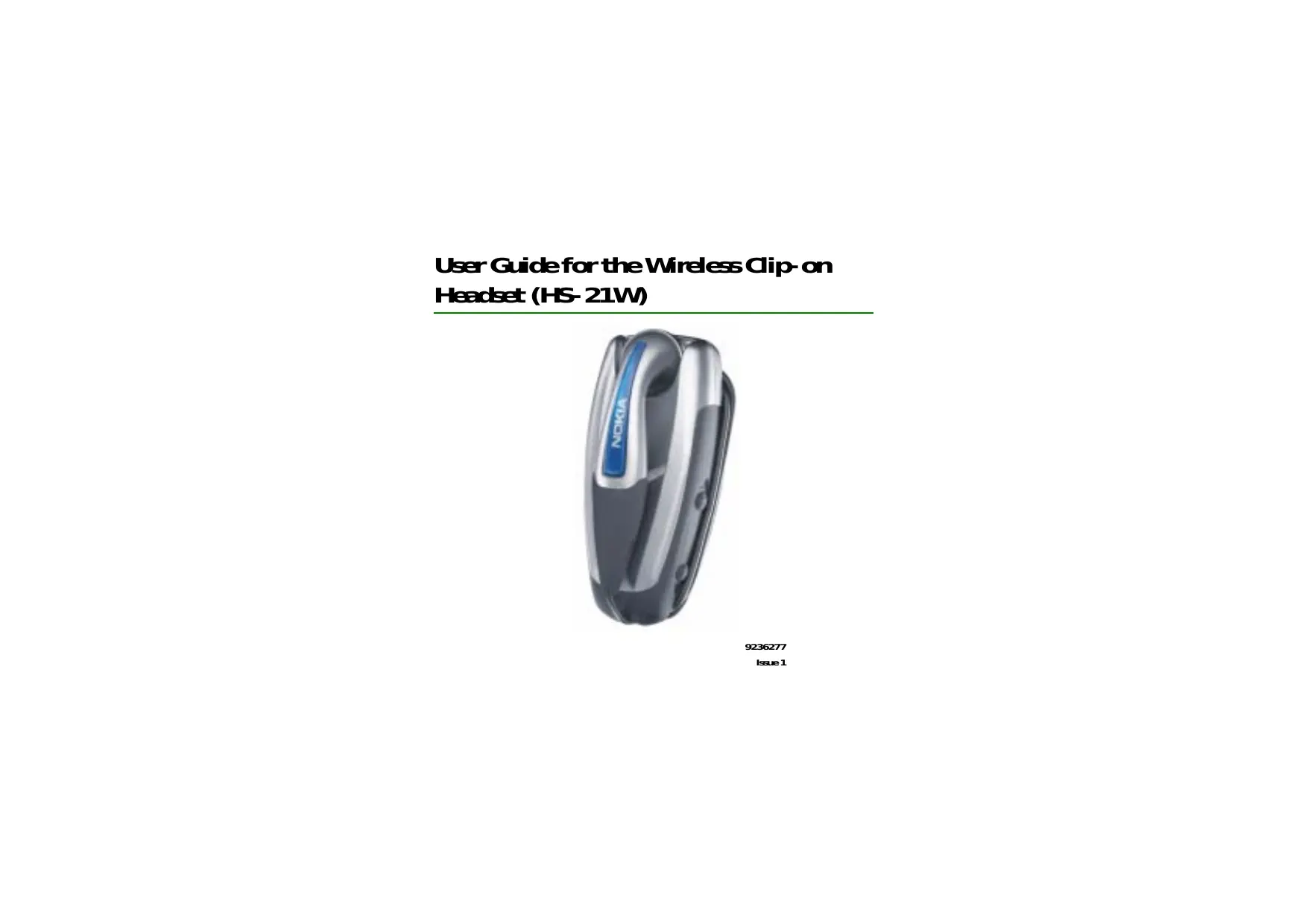

Download the instructions for your Wireless headphones in PDF format for free! Find your manual WIRELESS AUDIO CLIP-ON HEADSET HS-21W - NOKIA and take your electronic device back in hand. On this page are published all the documents necessary for the use of your device. WIRELESS AUDIO CLIP-ON HEADSET HS-21W by NOKIA.
USER MANUAL WIRELESS AUDIO CLIP-ON HEADSET HS-21W NOKIA
DECLARATION OF CONFORMITY
We, NOKIA CORPCRATION déclare under our sole responsibility that the product HS-21W is in conforrity withthe provisions of the following Council Directive: 1999/5/EC. A copy of the Declaration of Gonformity can be found at http:/Muww:nokia.co/phones/ dedaration_of_confority. C€0682 Copyright ©2004 Nokia Al rights reserved. Reproduction, transfer, distribution or storage of part or all of the contents in this docurrent in any form without the prior written perrission of Nokia is prohibited. Nokia and Nokia Gonnecting People areregistered traders of Nokia Corporation. Gther product and company ares mentioned herein may be traderrerks or tradenarres of their respective owners. Bluetooth is a registered tradererkof Bluetooth SIG, Inc. Nokia operates a policy of continuous developrent. Nokia reserves the right to male changes and irproverents to any of the products described in this document without prior notice. Under no dircurretances shall Nokia be responsible for any loss of data or income or any special, incidental, consequential or indirect damages howsoever causer. ‘The contents of this document are provided "asis". Except as required by applicable law, no werranties of any kind, either epress orirrplied, induding, but not limitedto, theirrplied waranties of rrerchantability and fitness for a particular purpose, are madein relation to the accurecy, reliability or contents of this doaurrent. Nokia reserves theright to revise this docurrent or withdraw it at any time without prior notice.
Theavailability of particular products ray very by region. Plesse check with the Nokia dealer nearest to you. There may berestrictions on using Bluetooth technology in some locations Checkwith your local authoñties or senice provider. Unauthorized changes or modifications to this device ray voidthe users authority to operatethe equiprent. This deicerray contain commmdities, technology or software subject to export laws andreguiations from theUS andother countries, Diversion contrary to lawis prohibited. 9236277 /1sue 1
Contents L'introduction. 6 Bluetooth wireless technology.
2. Getting started 8
Oenvien. Chargers and batteries. Removing and irstalling the battery. Charging the battery Switching the headset on or off . Pairing the headset with a corrpatible phone. Answering and ending a call Réjecting a cal Autorratic answer Copyright © 2004 Nokia. All rights reserved.
4. Battery infonration.
FCC notice—Nokia Wireless Gip- on Headset HS-21W. Copyright © 2004 Nokia. All rights reserved.
L. Introduction The Wireless Gip-on Headset HS-21W can be connected to a compatible mobile phone that supports Bluetooth wireless technology. This allows you fresdomto make and receive calls while on the move or in the office. Reed'this user guide carefully before usingthe headiset. In addition to this user guide, read also the user guide for your phone, which provides important safety and rraintenance infomretion. Keep the headiset out of reach of srrall children. HE Blustooth virdes technology he Bluetooth wireless technology rrakes it possible to connect compatible communication devices without using cables. À Bluetooth connection does not require that the phone and the headset bein line of sight, but both devices should bewithin 10 meters of each other. Gonnections can be subject to interference fromobstructions, such as walls, or other alectronic devices. TheHS-21W hesdiset is specially designed for compatible Nokia mobile phones that support Bluetooth wireless technology. The headset can, however, be use with any corrpatible devices that support the compatible Handsfree or Headset profiles. (Here, a profileis a set of Bluetooth wireless technology conrrandés that the phone uses to control the headiset). TheHS-21Whesdst is compliant withthe Bluetooth Specification 1.1 supporting thefollowing profiles: Headset Profile 1.1, Handisfree Profile 1.0. However, interoperability between the HS-21W headset and other Bluetooth- enabled Copyright © 2004 Nokia. All rights reserved.
products is not guaranteed because it depends on compatibility. Checkwiththe rrenufacturers of other devices to deterrrinetheir compatibility with this device. Copyright © 2004 Nokia. All rights reserved.
Notethat there may be restrictions using Bluetooth wireless technology in some locations. Check with your local authorities or service provider. HE oerieaw The headset contains the following parts, as shoun in Figure 1. Copyright © 2004 Nokia. All rights reserved.
re Note Parts of the headiset are regnetic. Metallic rraterials ray be attractedto the headket, and persons with a hearing aid or a pacerraker should not hold the headset to the ear with the hearing aid or clasetothe pacerraker. Always secure the er piecein its holder, because rraterials ray be attracted by the earpiece. Do not place credit cards or other magnetic storage media near the hendset, because infomretion stored onthemey be erased. Pover ley (1): Switches the hendset on and off. Press the power key briefly to mute or unrutethe ongoing call. Ansner/end key (2): Answers or ends the call. This key can also be used for voice dialing, redialing, and switching an active call between the headset andthe corpatible phone. Indicator light (3): Displays the current status of the headiset. Volume up (4): increases the earphone volume during a call. Volume doun (5): Decreases the earphone volume during a call. Earphone (6): Rdays the caller's voice. Microphone (7): Picks up your voice. Charger connector (8) Battery cover (9) Before you can start using the headket, you must do the following: + Install and chargethe battery. + Paira corpatible phone with the hendiset. Copyright © 2004 Nokia. All rights reserved.
EE Gergess and batteries Checkthe model nurrber of any charger before using it with this device. The headset HS- 21Wis intended for use with the following chargers: AC-1, ACP- 12, and LCH-12. mins Use only batteries and chargers approved by Nokia for usewiththis particular enhancement. The use of any other types ray invelidate any approval or warranty, and ray be dangerous. For availability of approved enhancerrents, please check with your dealer. When you disconnect the power cord of any enhancerent, grasp and pui the plug, not the cord. EE Remoingandinstalling the battery Before remnving the back cover, always switch off the power, and disconnect the charger fromthe device. Always store and usethe device with the back cover attached. he headset has a rechargeable LiPo battery. To changeit: L. To open the battery cover, gently push the release button and slidethe battery cover backwards. See Figure 2.1.
2. Rarovethe battery. See Figure 22.
3. Detach the connector fromits space, and detach the battery fromthe
connector. See Figure 2.3.
4. Replacethe battery. Place the connector inthe space reserved for it, and set
the battery in place See Figure 2.4.
5. Gosethe battery cover. See Figure 2.5.
Copyright © 2004 Nokia. All rights reserved. 10
6. Make surethat the cover is property locked in place. Seæe Figure 2.6.
Copyright © 2004 Nokia. All rights reserved.
E Gargng the bittery
1. Gonnect the charger cable to the hendset as shown in
Figure 3. 2.. Gonnert the charger to a wall outlet. Theredindicator light is displayed during charging. If the batteryis conrpletay discharged, it raytake a few minutes before theredindicator is shown. Charging the battery fully rrey take up to 2 hours depending on the charger.
3. Whenthe battery isfully charged, the green indicator
light is displayed. Disconnect the charger fromthe wall outiet andthe headiset. Thefully charged battery has power for up to 7 hours of talk-time or up to 180 hours of standby tire. (Inthe standby mode, the paired headset is switched on but no call isin progress.) When the batteryis running out of power, the headset beeps, and the red indicator light starts to blink. Charge the battery as described above. EE Svitching the heacket on or off To switch on, press and hold the power key for 2 seconds, The headset beeps and the green indicator light starts Hlinking fast. The linking continues slower after the head is connected to your phone. Toswitch off, press and hold the power key for 2 seconds. The hendset beeps, and theredindicator light is displayed briefly. Copyright © 2004 Nokia. All rights reserved.
BE FPäring the heacket with a compatible phone L. Switch on your phone.
2. Switch ontheheadset.
3. Enter the Bluetooth menu of your phone, and reke sure that the Bluetooth
feature is activated. A. Enter the submenu where you can set the phone to search for Bluetooth devices, and start the search.
5. Sdect the headset fromthelist.
6. Enter the passcode 0000 to associate (pair“) and connect the headset to your
phone. In some phones you may need to rrakethe connection separataly. See the user guide of your phone for details. Once you have entered the passcode, your phone becomes the default phone fortheheadset, if the hendset was not previously paired with another phone. See also Usingthe headset with several phones on page 18. ‘The hendset beeps and appears in the phone menu where you can iewthe Bluetooth devices that are currently paired with your phone.
7. Start using the headset (see page 16).
Disconnecting the hecist You can disconnect the hendset from your phone when, for exarple, you want to connect another device with your phone usingthe Bluetooth wireless technology. The hezdset can be disconnected in the following ways: Copyright © 2004 Nokia. All rights reserved.
+ Switch off the hendset. + Disconnect the headiset in the Bluetooth menu of your phone + Movetheheadset morethan 10 meters away fromthe phone. The headset is also disconnected if its battery becomes discharged. Notethat you do not need to delete the pairing with the headset to disconnect it. When you reconnect a paired headset, you are not asked for its passcode. GConnecting the paired headiset To connect the headiset to your phone, suitch on the hendset, rrakethe connection in the Bluetooth menu of your phone, or press and hold the answer ‘endkey of the headiset. You can set your phone to accept Bluetooth connection requests from your paired headset. In this case, the headsat can connect to your phone autorratically when it is switched on. In Nokia phones this can be done by changing your paired devices settings in the Bluetooth menu. Æ TouHieshooting If you cannot connect the headset to your phone, do as follows: + Makesurethat the hendset is charged, switched on (the green indicator light biinks) and paired with your phone. + Makesurethat the Bluetooth feature is activated on your phone. Copyright © 2004 Nokia. All rights reserved. 14
Checkthat the headset is within 10 meters of your phone andthat thereareno obstructions between the headset andithe phone, such as walls or other dectronic daices. Checkthe pairing infonration ist of the headset; it may be full. The headset can storetheinforretion of up to eight phones at a tire. If thelist becomes full, reset the headset to the original settings (see page 19). If the headiset does not autorratically reconnect to the default or last used phone, press and holdthe ansner/endkey for 2 seconds. Copyright © 2004 Nokia. All rights reserved.
Carytheheadset by attachingit to your |) clothing as shown in Figure 4, or wear it around your neckusingtheneckstrapas shonnin Figures. Mhen you do not usetheheadiset, you can windthe earphone | (TR wire aroundthe headiset as shoun in Figure 6. E Making a dll When the headset is connected to your phone, rake a call by using your phone in thenomrel way. Copyright © 2004 Nokia. All rights reserved.
E Redaingthelat daled number Press the anser/endkey twice briefly when no call is in progress. E \oicœ daing “hisfunction is only availableif your phone supports voice dialing. When no call is in progress, press and holdthe answer/endkey for 2 second, and proceed as described in the user guide of your phone. EE Answæring and ending a il Pressthe arsuer/endkey to answer the call or to endthe currently active call. You can also answer or end'the call by using your phone in the norral way. E Rectinga dll If you do not want to answer a call, briefly press the ansuer/endkey twice. BE Automatic ansver Ifthe autorratic answer function is set on in your phone, the phone autorratically answerstheincoming call after onering. Copyright © 2004 Nokia. All rights reserved. 17
E Adusting the earphone volume Press the volume upkey to increzse or the volume doun key to decressethe volume. To adjust the volume quiddy, press and hold either of these keys for 2 seconds. EE Muting a dll You can rute or unrrutethe ongoing call by pressing the power key briefly. EE Svitching the cal betueen phone and heacdiset You can switch the active call between the headset and a corrpatible Nokia phone. To suitchthe call fromthe headset to a phone and vice versa, press and hold the ansnerendkay for 2 secondés, or use the respective function in your phone. EE Using the hecket with serai phones The headset can be paired with up to eight phones but connected to only one phoneat atime ‘The phonethat was first paired with the headset is calledthe default phone. The phone that wes last used with the headset is called the last used phone. If the headiset is switched on within 10 meters of several paired phones, the headset will try to connect to the default phone within a few seconds. Copyright © 2004 Nokia. All rights reserved. 18
Ifthe headiset cannot connect to the default phone (for example, when it is switched off or its user rejectsthe connection), the headiset tries to connect tothe last used phone within a few seconds, If the headset cannot connect to either of the phones, it rermins discoverable for other phones. If you want to usethe headset with a paired phonethat is not a default phone or last used phone, rake the connection inthe Bluetooth menu of your phone. E Rretting the heacet You can reset the headset to its original settings (for earple, to changethe default user of the headset). When you reset the hendset, all of its settings, including pairinginformetion, are deared. Toreset the headset, press and holdthe pouer key andthe volume upkey for 10 seconds, After the hendset has been reset, it beeps twice, andtheredandthe green indicator lights altemate for several seconds. Copyright © 2004 Nokia. All rights reserved. 19
Your deviceis powered by a rechargeable battery The full perfommance of a new batteryis achieved only after two or three corrplete charge and discharge cycles. The battery can be charged and discharged hundreds of times but it will eventually wear out. When the talk and standby times are noticeably shorter than norrel, buy a new battery. Use only Nokia approved batteries, and recharge your battery only with Nokia approved chargers designated for this device. Unplugthe charger fromthe dectrical plug and the device when not in use. Do not leave the battery connected to a charger. Overcharging may shorten its liftirre. f left unused, a fully charged battery will leseits charge over time. Temperature etremes can affect the ability of your battery to charge Usethe battery only for its intended purpose. Never use any charger or battery that is darreged. Do not short- circuit the battery. Accidental short- circuiting can occur when a metallic object such as a coin, dlip, or pen causes direct connection of the positive {4 and neggtive (-) terrinals of the battery. (These look like metal strips onthe battery.) This right happen, for exarrple, when you carry a spare battery in your pocket or purse. Short- circuiting the terrinals ray damage the battery or the connecting object. Leavingthe devicein hot or cold places, such as in aclosed car in summer or winter conditions, will reducethe capacity and lifetime of the battery. Always try to keep the battery between 15°C and 25°C (59°F and 77°P). A device with a hot or Copyright © 2004 Nokia. All rights reserved.
cold battery may not workterporarily, even when the battery isfully charged. Battery perforranceis particulay limited in terperatures wall below frezing. Do not dispose of batteries in a fire! Dispose of batteries according to local regulations. Please recycle when possible. Do not dispose as household waste. Copyright © 2004 Nokia. All rights reserved.
Care and naintenance Your daiceis a product of superior design and craftsmanship and should be treated with care: The suggestions below will help you protect your warranty coverage. + Kecpall accessories and enhancerents out of the reach of srrall children. + Kecpthedaicedry. Predipitation, humidity andall types of liquid or rroisture can contain ineralsthat will corode alectronic circuits. If your device does get wet, remove the battery and allow the device to dry corpletely before replacing it. + Donotuseorstorethe daicein dusty, dirty aress. Its moving parts and electronic ‘components can be danreged. + Donotstorethe devicæin hot areas. High terperatures can shartenthelifeof electronic devices, darrege batteries, and warp or rreit certain plastics. + Donotstorethedaicæin coldares Whenthedeicereturstoits normal terperature, roisture can forminside the device and darrage electronic circuit boards. + Do not atterpt to openthe device other than asinstructed'inthis guide. = Donot drop, knock, orshakethe device. Rough handling can breakintemal circuit boards andfinemechanics. + Donotuseharshchemicals, cleaning solvents, or strong detergentsto cleanthe device. + Do not paint the daice Paint can dogthe moving parts and prevent proper operation. All of the above suggestions apply equallyto your device, battery, charger, or any enhancerent. If any device is not working propey, take it to the nearest authorized service facility for senice. Copyright © 2004 Nokia. All rights reserved.
FC notice—-Nokia Wireless Gip- on Heaciet HS-21W his device corrplies with Part 15 of the FCC Rules. Operation is subject to the followingtwo conditions: 1. This device may not cause hamrful interference; and
2. This device must accept any interference received, including interference that
may cause undesired operation. This equipment has been tested and found to compiy with thelirits for a Class B digital device, pursuant to Part 15 of the FOC Rules. Theselirrits are designed to provide reasonable protection against hamrful interferencein a residential installation. This equipment generates, uses and can radiate radio frequency energy and, if not installed and used in accordance with theinstructions, may cause hamrful interferenceto radio communications. However, thereis no guaranteethat interference will not occur in a particular installation. If this equipment does cause hamful interferenceto radio or tdevision reception, which can be determined by tuning the equipment off and on, the user is encouraged to try to correct the interference by one or more of the following messures: Reorient or relocatethe receiving antenna. Increasethe separation between the equipment and receiver. Gonnect the equipment into an outiet on a circuit different fromthat to which the receiver is connected. Gonsuit the dealer or an experienced radio/TVtechnician for help. NOTE: FGC Radiation Exposure Statement: This equipment corplies with FCC radiation exposurelimits set forth for an uncontrolled environment. This transmitter must not be co- located or operating in conjunction with any other antenna or transrritter. Copyright © 2004 Nokia. All rights reserved.
Copyright © 2004 Nokia. All rights reserved.