RHD-2201 - Laminator Royal Sovereign - Free user manual and instructions
Find the device manual for free RHD-2201 Royal Sovereign in PDF.


| Product Type | Pouch Laminator |
| Brand | Royal Sovereign |
| Model | RHD-2201 |
| Dimensions (W x D x H) | 557 x 282 x 145 mm |
| Max Laminating Width | 346 mm |
| Pouch Thickness Range | 75–250 micron |
| Max Laminating Thickness | 3 mm |
| Max Laminating Speed | 2700 mm/min |
| Number of Rollers | 6 |
| Heating Method | Hot Roller |
| Ready Time | 5–6 minutes |
| Motor Type | DC Motor |
| Weight | 19.5 kg |
| Power Supply | AC 220V / 50–60Hz |
| Power Consumption | 1200 W |
| Temperature Range | 40–160°C (adjustable in 1°C steps) |
| Speed Steps | 1–9 (adjustable in 1 step increments) |
| Functions | Hot/Cold lamination, Reverse, Standby, Auto shut-off, Overheat protection, Present temperature check |
| Display Type | FND (Fluorescent) window for temperature and speed |
| Cleaning Method | Use included cleaning paper (plain coated white paper); do not use liquids or sharp objects |
| Package Contents | Main body, Power cord, Manual, Cleaning paper |
| Warranty | Limited 1 year (parts and labor) |
Frequently Asked Questions - RHD-2201 Royal Sovereign
User questions about RHD-2201 Royal Sovereign
0 question about this device. Answer the ones you know or ask your own.
Ask a new question about this device
Download the instructions for your Laminator in PDF format for free! Find your manual RHD-2201 - Royal Sovereign and take your electronic device back in hand. On this page are published all the documents necessary for the use of your device. RHD-2201 by Royal Sovereign.
USER MANUAL RHD-2201 Royal Sovereign
natural_image
Exterior view of a white plastic electronic device labeled 'RHD-2201' with control panel (no readable text beyond branding)Please read instructions carefully before use.
Royal Sovereign International Inc.
TABLE OF CONTENTS
Contents Page
Introduction
Package Contents
Safety Precautions
Parts
Features Guide
Operating Instructions
Maintenance
Trouble Shooting Guide
Warranty
INTRODUCTION
Thank you for purchasing the RHD-2201 Pouch laminator. It has been designed and manufactured to provide years of continuous service. For high quality lamination, please read this instruction manual thoroughly. This manual will provide you with complete operating and maintenance information.
PACKAGE CONTENTS
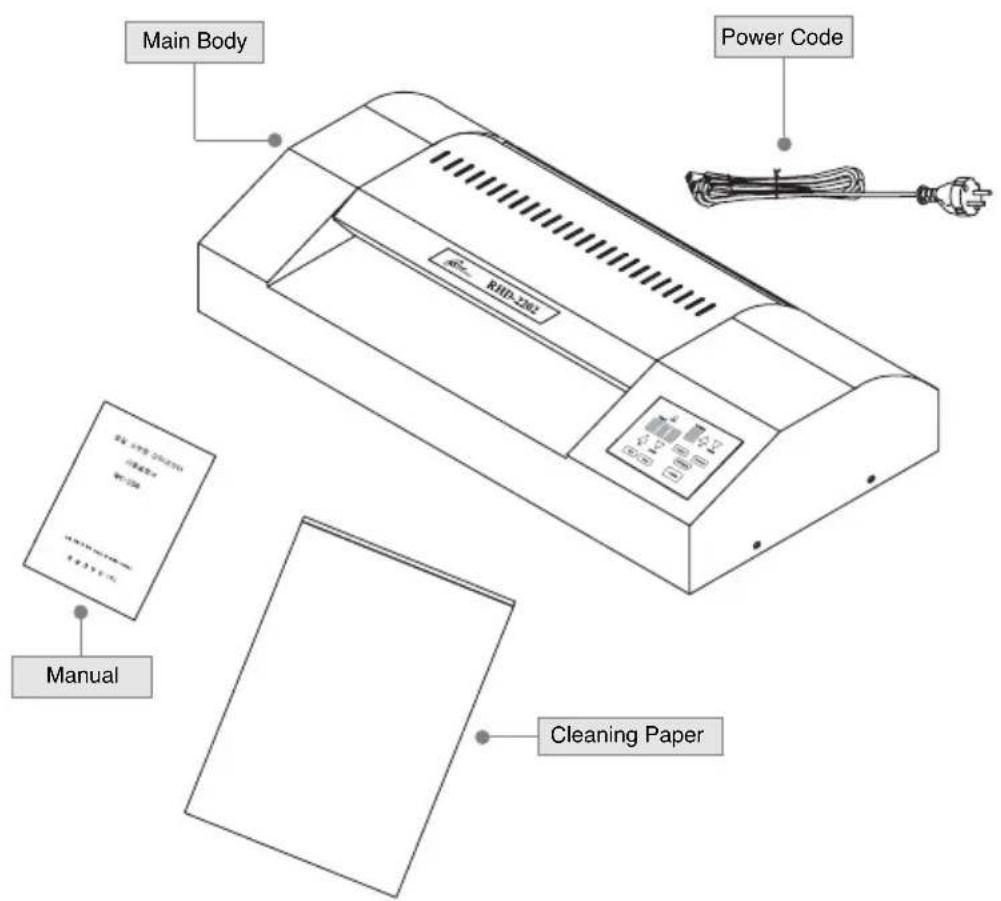
SAFETY PRECAUTIONS

Failure to comply with any of the following safety procedures could result in serious injury.
Keep this information for future reference.
- Insure the unit is plugged into a properly grounded outlet with the correct voltage.
- Only licensed electricians should service or repair the electrical wiring.
- Keep flammable and wet objects away from the machine.
- Place machine on a flat sturdy surface.
- Avoid excessive sunlight, humidity and temperatures.
- Unplug the machine when moving it or when it's not in use.
- Keep out of reach of children.
- Only authorized maintenance and service technician are permitted to make repairs to the machine.
- When cleaning the machine, don't use flammable sprays or materials.
- Do not touch the rollers or allow foreign objects inside the machine.
PARTS
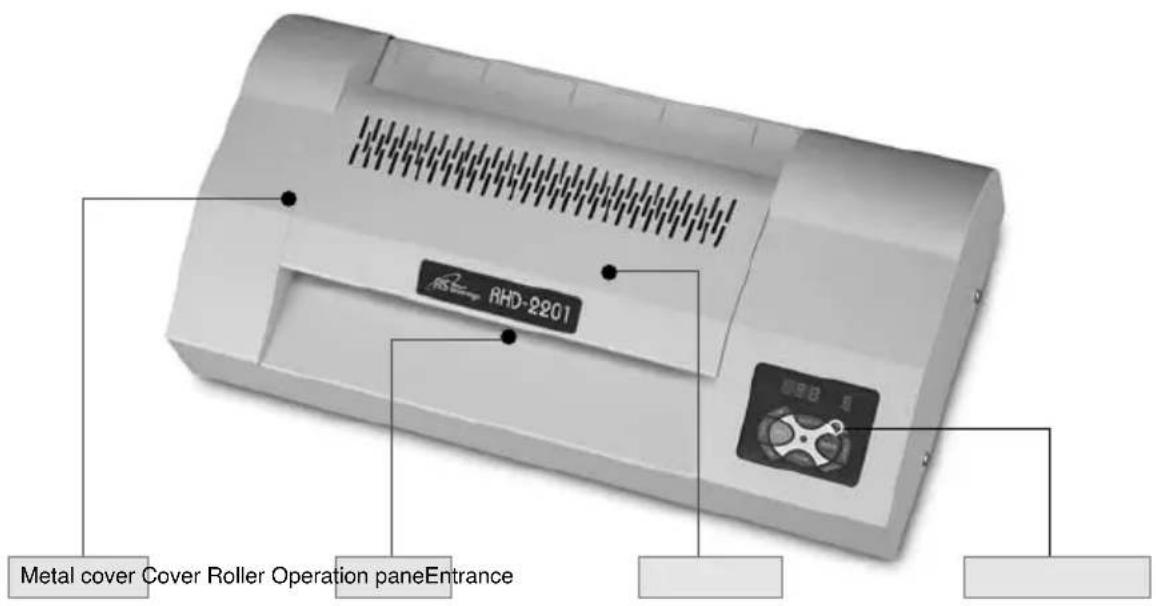
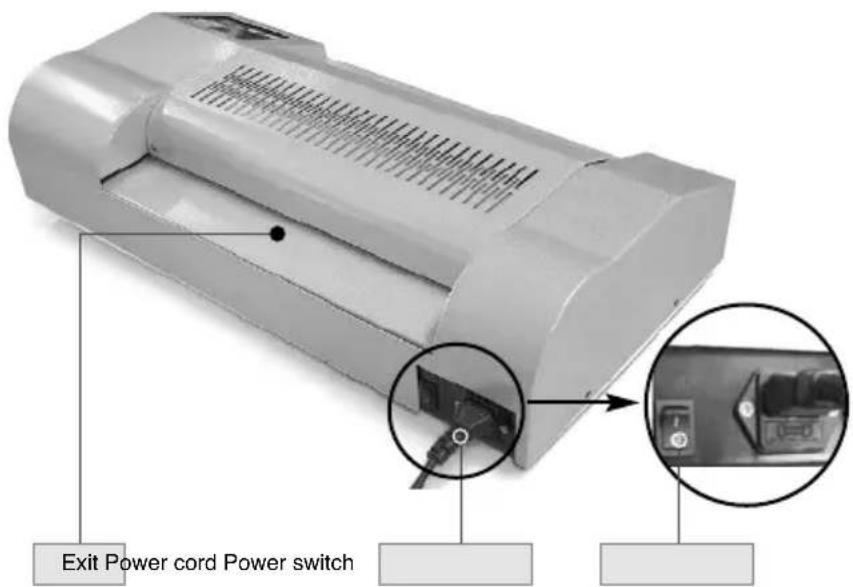
Detail for the operation panel
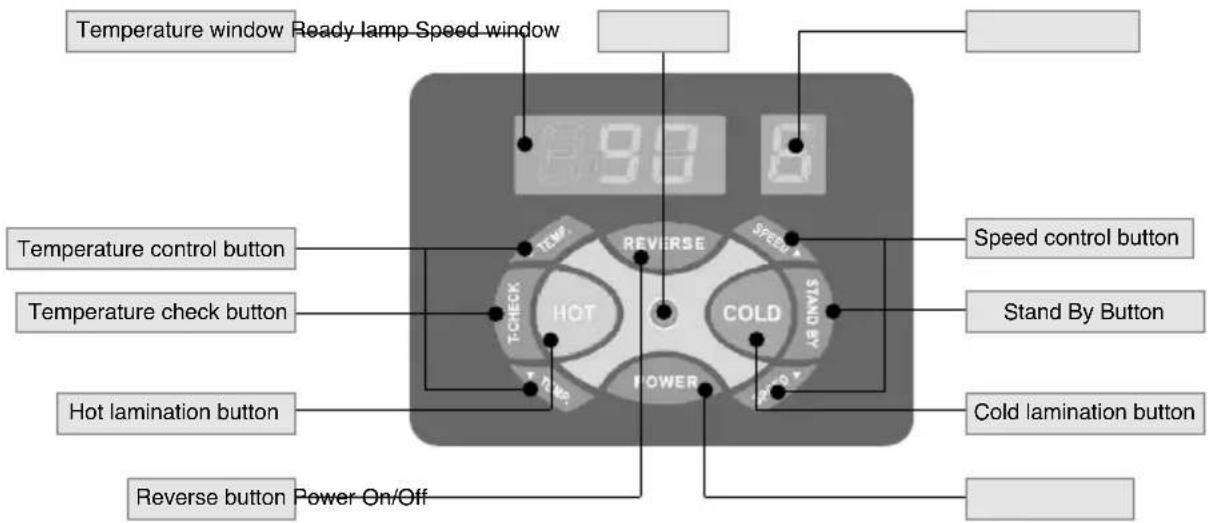
Power : It starts after pushing button, and it is set temperature 90^ C and speed 6step(75mic+80g) when the start. Please push the power button when shut off. It is set the temperature 60^ C and speed 2step automatically, then it is stop automatically after for a while.
HOT: After pushing Cold function and Stand By function then pushing HOT button that is set up the temperature 90°C and speed 6 step automatically. Please control the temperature and speed on it's required film specification referring to the manual "Film Temperature and Speed chart"
Cold : Please push the cold button when the lamination of cold film.
Temp : It can be controlled 40^ C \~ 160^ C in unit of 1^ C In case of wide range of temperature, please push the button continuously.
Speed : It can be controlled 1\~9 step in units of 1step (Please refer to the manual "Film Temperature and Speed Chart")
Start lamp : When not ready, light on and off repeatably When ready, the lamp light on
Reverse : In case of wrong inserting and rolled film, the machine has a reverse function
Stand By : It is set up the temperature 80^ C and speed 2step automatically. (please use this function when you stop the machine for a while)
T-Check : In case of changing temperature and starting the machine, the present temperature of roller can be checked.
FEATURES GUIDE
- 6 Rollers Product : High quality and fast speed with 6 Rollers laminator.
- Hot and Cold function : There are Hot and Cold function that can be used both hot and cold film
- Use different film : Hot film, Cold film, Thinflex film, Foam board, Foil
- Temperature and Speed Control Function : It can be controlled the temperature 40\~160°C in unit of 1°C and 1\~9 step in unit of 1step. It can be controlled temperature and speed on it's required specification of various film lamination.
- Reverse Function : In case of wrong inserting and rolled film, the machine has a reverse function
- Stand By Function : The machine can be staying in 80^ C of temperature continuously that the user who frequently use the machine can reduce the ready time for saving electronic power.
- Fast Speed : Maximum speed is 2700mm / min, and 1\~9 step can be controlled for it's condition of lamination.
- Preventing Overheat Function : When the wong condition of temperature sensor, heating system is automatically stopped for safety.
- FND Display : It can be seen it's speed and temperature condition at day and night through the FND window.
- Present Temperature Function : The user can check the present temperature.
- Automatical shutting off function : It can be shut off the power supply automatically after the use.
- Cover Roller : There is special cover on the roller to help the clean.
- Button Sound : The user know it's condition through the button sound.
- Accuracy : The temperature and speed are very accurate by Microprocessor.
- Stability : Heating can be transmitted to the roller very stably by using Quartz and High-sensor heater.
- Simplicity : It's simple and fascinate design can be used in every place and simply set up.
- Safety : It is guaranteed by the perfect after-service.
OPERATING INSTRUCTIONS
- Place the machine on a flat sturdy surface.
- Insure the unit is plugged into a properly grounded outlet with the correct voltage power plug and outlet.
- Turn the laminator ON located on the rear of the machine.
| > Power On | Starting lamination |
| > Power Off | Finishing lamination(Please turn off the machine when rollers are cooled down) |
- Push on POWER button.
- Press the HOT FILM or COLD FILM button according to the film you are using for lamination.
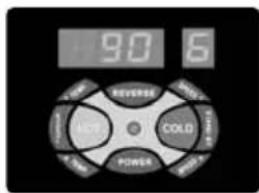
Use for Hot Button
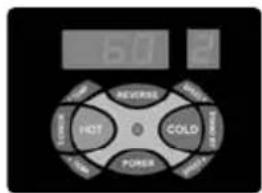
Use for Cold Button
- If you are laminating several items and need hot lamination for some and cold lamination for some we recommend you laminate the cold pouch items first to save time.
- Choose appropriate laminating thickness and speed using the FND controller, Please see below temperature and speed table which is standard for RHD-2201.
* Materials to be laminated :
80g = Thin paper such as paper for fax machine or magazine.
120g = Copy paper
200g = Pictures, Catalogues
* NOTE : The weight of paper may vary depending on manufacturers therefore it is recommended to adjust proper temperature and speed accordingly.
• We recommend you use Royal Sovereign laminating film.
• The above table is based on Royal Sovereign's film.
| FILM SETTINGS -Based on 25°C- | |||
| Film Thickness | Paper(g) Temp(°C) Speed | ||
| 75 mic (3 mil) | 80 | 90 | 6 |
| 120 | 90 | 5 | |
| 200 | 90 | 4 | |
| 100 mic (4 mil) | 80 | 95 | 7 |
| 120 | 95 | 6 | |
| 200 | 95 | 4 | |
| 125 mic (5 mil) | 80 | 100 | 7 |
| 120 | 100 | 6 | |
| 200 | 100 | 4 | |
| 150 mic (6 mil) | 80 | 105 | 7 |
| 120 | 105 | 6 | |
| 200 | 105 | 4 | |
| 175 mic (7 mil) | 80 | 110 | 6 |
| 120 | 110 | 5 | |
| 200 | 110 | 4 | |
| 200 mic (8 mil) | 80 | 115 | 6 |
| 120 | 115 | 5 | |
| 200 | 115 | 4 | |
| 250 mic (10 mil) | 80 | 125 | 6 |
| 120 | 125 | 5 | |
| 200 | 125 | 4 | |
| THINFLEX | 80 | 120 | 4 |
| 120 | 120 | 3 | |
| 200 | 125 | 3 | |
| FOIL | 80 | 120 | 4 |
| 120 | 125 | 4 | |
| 200 | 125 | 3 | |
- Please wait until "Ready Lamp" is steadily lit.
(If materials are laminated while Ready Lamp is blinking, lamination results may not be good enough). - Once the ready lamp is steadily lit place the lamination pouch with the sealed end first into the entrance of the laminator.



Make sure that you place the laminating pouch with the sealed end first into the entrance of the laminator.
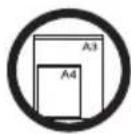

Only laminate whole pouches, DO NOT cut or alter pouches in anyway before laminating.
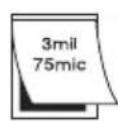

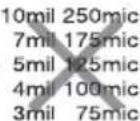
Set temperature according to pouch film thickness.
- The laminated item will exit the rear of machine.
- If an item gets jammed press the "Reverse" button to clear the jam.
- For periods in between jobs set the laminator to "pre-heat" to conserve electricity.
- Repeat the above steps until all of your lamination is completed. When lamination is completed turn the power off
MAINTENANCE
Using Cleaning Paper :
- Turn the laminator ON located on the rear of the machine.
- Please wait until "Ready Lamp" is steadily lit. Once the ready lamp is steadily lit place the cleaning paper in the entrance of the machine. Once the paper has exited the machine fold the cleaning paper so that the inside is now facing out and again place the paper in the entrance of the machine.
- Continue repeating step 2 until the paper exits the machine and is not dirty.
* NOTE : Rollers should be cleaned after 10 laminations.
Do not use regular paper to clean the rollers it must be plain coated white paper. - Do not apply any cleaning fluids to the rollers, certain fluids may cause damage.
- Do not clean rollers with sharp or pointed objects.
- Use a damp cloth with water to clean the body of the machine.
- Store machine in a dry clean area.
TROUBLE SHOOTING GUIDE
| Problem | Possible Solution |
| Motor doesn't work. | 1. Check if the power cord is plugged in. |
| 2. Check if the power is on. |
SPECIFICATIONS
| Description RHD-2201 | |
| Unit dimension (mm) | 557(W) x 282(D) x 145(H) |
| Max. laminating width (mm) | 346 |
| Laminating pouch thickness (micron) | 75~250 |
| Max. laminating thickness (mm) | 3 |
| Max. laminating speed (mm/min) | 2700 |
| Number of rollers (EA) | 6 |
| Heating method HOT ROLLER | |
| Ready Time (Min) | 5~6 |
| Driving Motor DC MOTOR | |
| Weight (Kg) | 19.5 |
| Power supply | AC 220V / 50~60Hz |
| Power consumption (W) | 1200 |
LIMITED ONE YEAR WARRANTY
This warranty applies to repair or replacement of product found to be defective in material or workmanship for one year from the date of the original purchase. This warranty is extended only to the original purchaser.
This warranty does not apply to damage resulting from abuse, misuse or improper maintenance or damage that is attributable to acts of God. Royal Sovereign International, Inc. (and its affiliated companies) is not liable for incidental or consequential damages of any nature.
This limitation would not apply if you live in those areas that do not permit the exclusion or limitation of incidental or consequential damages.
Royal Sovereign International will repair or replace this product if it is found to be defective in material or workmanship. Defective product must be returned to Royal Sovereign International, freight prepaid, with proof of purchase. Upon repair or replacement the product will be returned to the customer, freight collect.
Return defective product to the following address with a detailed description of the problem. If possible, pack in original carton. Please prepay shipping charges.
For service or sales please contact your local Royal Sovereign office:
Royal Sovereign International Inc.
2 Volvo Drive Rockleigh, N.J. 07647, U.S.A
TEL :+1) 201.750.1020, 800-397-1025
info@royalsovereign.com
Royal Sovereign International Australia PTY. LTD.
30 Prime Drive, Seven Hills, NSW 2147, Australia
TEL: +61) 2-9674-2127
FAX: +61) 2-9674-2027
salesaust@royalsovereign.com
Royal Sovereign Canada
164 Oakdale Road, Unit 164 Toronto,
Ontario M3N2S5
TEL: +1) 416-741-8400
FAX: +1) 416-741-8185
info@royalsovereign.com
RS Holland B.V.
purchaseorder@royalsovereign.com
- TABLE OF CONTENTS
- Contents Page
- INTRODUCTION
- PACKAGE CONTENTS
- SAFETY PRECAUTIONS
- PARTS
- Detail for the operation panel
- FEATURES GUIDE
- OPERATING INSTRUCTIONS
- MAINTENANCE
- Using Cleaning Paper :
- TROUBLE SHOOTING GUIDE
- LIMITED ONE YEAR WARRANTY
- For service or sales please contact your local Royal Sovereign office:
- Royal Sovereign International Inc.
- Royal Sovereign International Australia PTY. LTD.
- Royal Sovereign Canada
- RS Holland B.V.
Brand : Royal Sovereign
Model : RHD-2201
Category : Laminator