
ER-6700 - Uncategorized SEIKO - Free user manual and instructions
Find the device manual for free ER-6700 SEIKO in PDF.


| Product Type | Electronic Cash Register |
| Brand | Seiko |
| Model | ER-6700 |
| Dimensions (W x D x H) | 350 x 400 x 150 mm |
| Weight | 3.2 kg |
| Power Supply | AC adapter (input 100-240V, 50/60Hz) |
| Display | 2-line alphanumeric LCD |
| Printer | Thermal receipt printer (paper width 58 mm) |
| Key Functions | PLU (price look-up), department keys, tax calculation, subtotal, total, cash, credit, check |
| Memory | Up to 1000 PLUs, 50 clerks, 20 departments |
| Reports | Daily sales, department, clerk, cashier reports |
| Connectivity | RS-232 port for PC connection |
| Battery Backup | CR2032 lithium battery for memory retention |
| Operating Temperature | 0°C to 40°C |
| Cleaning | Wipe with a soft, dry cloth; do not use liquid cleaners |
| Safety | Do not expose to moisture or extreme temperatures; disconnect power before cleaning |
| Spare Parts | Thermal paper rolls, AC adapter, printer mechanism |
| Repairability | Repair by qualified technician; user-replaceable thermal paper and battery |
Frequently Asked Questions - ER-6700 SEIKO
User questions about ER-6700 SEIKO
0 question about this device. Answer the ones you know or ask your own.
Ask a new question about this device
Download the instructions for your Uncategorized in PDF format for free! Find your manual ER-6700 - SEIKO and take your electronic device back in hand. On this page are published all the documents necessary for the use of your device. ER-6700 by SEIKO.
USER MANUAL ER-6700 SEIKO
Seiko Instruments Inc.
ER6700
OPERATION MANUAL
Thank you for purchasing the ER6700.
Please read this operation manual carefully before using the product.
This unit contains Concise Oxford English Dictionary, Concise Oxford Thesaurus and Oxford Concise Encyclopedia.
You can expand your English vocabulary further through use of the Spellchecker, the 13 Solvers, the 10 Word Games, and the EASY LEARN function.
Concise Oxford English Dictionary Eleventh Edition Revised © Oxford University Press 2008
Concise Oxford Thesaurus Third Edition © Oxford University Press 2007
Oxford Concise Encyclopedia Second Edition © Market House Books Ltd. 2007
New British English Word List v 1.1 © Oxford University Press 2004
Additional material © Oxford University Press 2004
SEIKO is a registered trademark of Seiko Holdings Corporation.
SII is a registered trademark of Seiko Instruments Inc.
© 2011 Seiko Instruments Inc.
CE CN681
EC DECLARATION OF CONFORMITY
This is to certify that this equipment fully conforms to the protection requirements of the following EC Council Directives on the approximation of the laws of the member states relating lo:-
Electromagnetic Compatibility Directive 2004/108/EC
SEIKO UK Limited SC House, Vanwall Road, Malcenhead, Berks. SL6 4UW U.K.
This equipment has been tested and found to comply with the limits for a Class B digital device, pursuant to Part 15 of the FCC Rules. These limits are designed to provide reasonable protection against harmful interference in a residential installation. This equipment generates, uses and can rotate radio frequency energy and, if not installed and used in accordance with the instructions, may cause harmful interference in radio communications. However
there is no guarantee that interference will not occur in a particular installation. If this equipment does cause harmful interference to radio or television reception, which can be determined by turning the equipment all and on, the user is encouraged to try to correct the interference by one or more of the following measures:
- Resient of relocalize the receiving antenna.
- Increase the separation between the equipment, and receiver
- Connect the equipment into an outlet on a circuit different from that to which the receiver is connected.
- Consult the dealer of an experienced radio TV technician for help.
Note: this device should be disposed of through your local electronic product recycling system - do not throw away in your domestic rubbish.
The display screen can be switched to Large or Small.
(See page 105.)
The screen display examples used in this manual are shown in the
"Small" format.
Since this unit contains the most recent publishers' updates, there will be some minor differences between the data displayed here and that in the print books.
The unit does not contain book-edition photographs, diagrams and tables, boxed items and some appendices.

CONTENTS
Preparation for Use.... 6
-
Install the battery 6
-
Adjust the LCD contrast.....7
-
Set the key sound 8
-
Demo function 8
Changing the battery 9
Resetting 11
Functions and Features ..... 12
The Keys and their Functions .....16
Help Function 19
Entering and Correcting Letters ... 20
Dictionary 22
Headword Search 22
Jump function 25
Explanatory notes 27
Thesaurus 30
Headword Search 30
Wordfinder 33
Encyclopedia 36
Headword Search 36
Spellchecker 40
Basic procedure 40
Using the Wildcard function ..... 43
Solvers 44
Selecting the Solver 44
Crossword 46
Anagram 48
Letter Changer 49
Word Maker 50
Word Origins 51
Word Viewer 53
Definition Find 54
Encyclopedic Find 56
Abbreviations....58
Abbreviation Find 59
Phrase Finder 61
Knowledge List 63
Knowledge Find...... 66
Games 70
Selecting a game 70
Hangman 72
User Hangman 75
Jumble 76
User Jumble 78
Crossword Quiz 79
General Knowledge 81
Definitions 83
Word Building 85
User Word Building.... 87
2
3
Word Challenge....88
EASY LEARN 90
Building your word list 90
Viewing the word list....91
Deleting a word 93
Deleting all words 94
Calculator 96
Keys and their functions 96
Correcting and clearing entries .... 97
Converters 98
Entering or changing a 98
conversion rate
Currency conversion 99
Metric / Imperial conversion ..... 100
Clothing Size chart 102
Setting Function...... 104
Selecting the menu 104
Changing the Demo message.... 104
Changing the Text size 105
Setting the Game Level 105
Game Scores 106
Setting the frequency for ..... 107
the EASY LEARN List
Changing the sorting 107
for the EASY LEARN List
Setting the Auto Power Off Timer .. 108
Setting the Key Sound..... 108
Setting the LCD Contrast ..... 109
Variant Spelling 109
Precautions 110
Specifications.... 112
FAO's Generic 112
ONE YEAR LIMITED WARRANTY .....115
4
5
Preparation for Use
1 Install the battery
The unit is powered by one "AAA" size battery. Before using the unit, please install the battery as follows.
-
Turn the unit over.
-
Slide the tab to the right and then unlock and remove the battery cover.
-
Insert one "AAA" battery according to the polarity (+, -) marks inside the battery compartment. Be sure to insert the battery from (-) side.
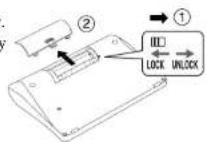
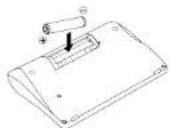

- After replacing the battery cover, slide the tab to the left and lock the battery cover.
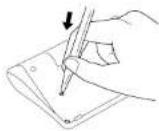
- Press the "RESET" button on the bottom of the unit.
- The contrast adjustment display will appear.
2 Adjust the LCD contrast
Use ☑ to adjust the contrast of the display and then press ENTER.
The "LCD Contrast" can also be adjusted using the "Setting" function. (See page 109.)

Contrast Adjust
Lighter Darker
3 Set the key sound
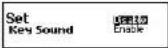
You can turn the key touch sound on and off by using ▼ or □d then press . *ENTER
The "Key Sound" can also be set using the "Setting" function. (See page 108.)
4 Demo function
When you turn on the power, a demonstration display will begin to explain the contents of the unit.
You can stop the demonstration by pressing any of the keys.

* If you want to turn off the demonstration display at the time of power ON, press SET and select "Demo Message". Select "Disable" and press "ENTER" (See page 104.)

● Changing the battery
If the battery is almost exhausted, the message "Battery is almost exhausted, please change it!" will appear at the time of power ON.
NOTE - Please check the contrast setting is correct before changing the battery.
• The unit is powered by one AAA alkaline battery.
• Make sure that power is switched off before replacing the battery.
- Press the "RESET" button on the bottom of the unit after battery replacement.
- Changing the battery and Resetting erases the EASY LEARN List, the Game Score, the calculator memory and the initialize settings.


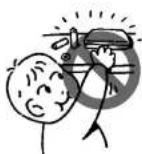
CAUTION
• The battery may pose a choking hazard to small children.
- Keep the battery and product away from small children.
- Do not expose the battery to open flame or intense heat.
- Rechargeable batteries cannot be used.
- Do not try to recharge the battery.
- Remove the battery from the unit if you do not intend to use it for a long duration.

- Resetting
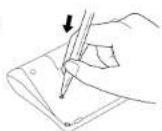
If the unit does not operate properly after the battery has been replaced, or if at any time the unit fails to operate properly, gently press the "RESET" button on the bottom of the unit.
NOTE:
Resetting the product deletes all the user data stored in the memory. The EASY LEARN List, the Game Score and the calculator memory are deleted.
All settings are initialized.
10
1
Functions and Features
1 Dictionaries and Encyclopedia
Concise Oxford English Dictionary
High speed search of over 240,000 words, phrases and definitions covering current and historical English, as well as hundreds of specialist and technical subjects.
Dictionary entry words, definitions and grammatical information all come from the Concise Oxford English Dictionary.
Concise Oxford Thesaurus
The unit offers a high speed search of over 4 million synonym links, with over 300,000 alternative words and opposite words to make what you write and say more interesting.
The thesaurus entries, including examples, sense groupings, and all alternative and opposite words, are taken from the Concise Oxford Thesaurus.
12
Oxford Concise Encyclopedia
Lively, accessible, and up to date, this is the perfect encyclopedia for use at home and in the office.
Over 12,000 entries cover natural history, science, technology, history, geography, politics, literature, the arts, and sports.
2 Spellchecker
Instant phonetic spelling correction for over 130,000 words ensures you will always have the answer at your fingertips.
3 Solvers
The 13 indispensable solvers to help you with word games: Crossword, Anagram. Letter Changer. Word Maker. Word Origins. Word Viewer. Definition Find, Encyclopedic Find, Abbreviations, Abbreviation Find, Phrase Finder, Knowledge List. Knowledge Find
13
4 Word Games
You can take on the challenge of 10 different word games set to any one of three levels of difficulty.
Hangman, User Hangman, Jumble, User Jumble, Crossword Quiz, General Knowledge, Definitions, Word Building, User Word Building, Word Challenge
5 EASY LEARN
The EASY LEARN function allows you to create your own word list from the Dictionary, Thesaurus, Encyclopedia, Spellechecker, Solvers and Games.
6 Calculator
A full function calculator including memory and % functions. 12 digits, 1 Memory
7 Converters
The conversion function enables you to convert foreign currencies and metric/imperial units of length, area, volume, weight, capacity, power, and temperature.

You can also convert foreign clothing sizes of shirts, shoes, hats etc. for men, women and children.
8 Other Features
Setting function
You can customize the operating conditions.
Jump function
This function enables you to look up a word displayed on the explanation screen in any dictionary of your choosing, and to register it in the EASY LEARN word list.
Help function
A simple explanation of how to operate the various functions can be displayed on the screen at each operational stage in each mode.
Demo function
A demonstration display explains the contents of the unit.

The Keys and their Functions
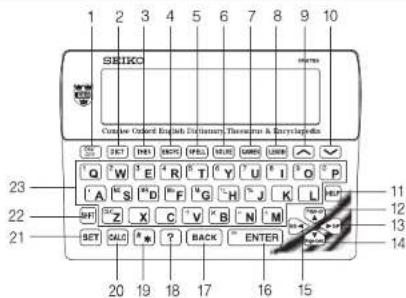
16
1 Turns the power ON and OFF.
2 Selects Dictionary mode.
3 Selects Thesaurus mode.
4 Selects Encyclopedia mode.
5 Selects Spellchecker mode.
6 Selects Solver mode.
7 Selects Game mode.
8 Selects Easy Learn mode.
9 For scrolling back through the entries.
/ Changes the input area.
10 For scrolling down through the entries.
/ Changes the input area.
11 Activates Help function
12 & 14 Cursor moves up and down. /
Screen moves one line at a time.
(With SHIFT key) Screen moves one
page at a time.
13 Enters space. / Cursor moves to right.
/ Jump key
15 Cursor moves to left. / Jump key
16 Selects the headword and displays the explanation or translation. / Executes after the functions have been selected.
17 For deleting the last input character. / Returns to the previous screen or mode. (With SHIFT key) Clears all input characters.
18 Substitutes for a single letter when you are uncertain of a spelling.
19 Used instead of one or more letters if you don't know how to spell a word.
20 Selects Calculator mode, Currency, Metric/Imperial and Clothing Size Converters.
21 Selects Setting mode.
22 Shift key
23 Letter and numeral input keys.
17
- Input is changed to numerals using

- When the power is turned back on using ON/ OFF, the unit will show the display used before the power was last turned off.
• Auto Power Off
In order to avoid unnecessary wear of the battery, the power will turn off automatically if the keys are not operated for a prescribed length of time. (The initial setting is approximately 3 minutes. The time duration can be changed in settings.)

Help Function
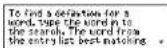
An explanation of how to operate the various functions is simply explained on the screen at each operational stage in each mode.
Example:
1 Press.
Type a word.
2 P r e ^55 .
-Scrolling the screen -
by line
←▶,or zky pageENTER
You can clear the help message by pressing any key.

Entering and Correcting Letters
- Use to enter a space.
- If there is no headword corresponding to the sequence of letters you have entered, the word with the closest spelling will be displayed.
• Corrections can be made by using BACK - All input characters can be cleared by using SHFT and then BACK
- Use or move the cursor.
• The entire display can be cleared by pressing the mode key once or twice.
* W hen switching between the Dictionary, Thesaurus, Encyclopedia and Spellchecker in the character entry state, the previously entered sequence of letters will be taken over unchanged into the newly selected function.
20
- Looking up words whose spelling you aren't sure of
When entering the letters, you can enter “?”, “*” or “#” in place of any letters you aren’t sure of.
Use ? to enter "?"
This is used in place of a single character.
Use * to enter "*".
This is used in place of one or more characters (including spaces or symbols).
Use and then to enter “#”.
This is used in place of one or more characters (without spaces or symbols).
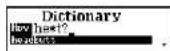
Example: he*t?
The first corresponding headword will be displayed. Use ▼ or □ change the headword as necessary.
21
Dictionary
- Preface. Introduction and other explanations of this Dictionary can be accessed from Explanatory notes. (See page 27.)
● Headword Search
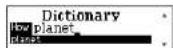
1 P r

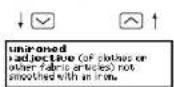
2 T ype a word. Example: unique
Every time you enter a letter, the closest match will be displayed.
* Use ▼ or □ view the next term in the index.
* When there is a derivative in the headword list, it will be displayed with the base form in round brackets. Example: uniquely (unique)

3 Press ENTER
The unit shows headwords, parts of speech, inflected forms and definitions.
* Use BACK to return to the headword selection screen.
* The ▼ mark will appear if there is insufficient space to display the whole entry.
4 P r ess to see the rest of an entry. Press ▲ to scroll up.
- Scrolling the screen -
by line


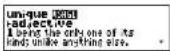
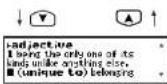
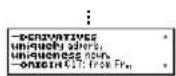
* When there are phrases, phrasal verbs, derivatives or origins, they will be displayed after the last headword definition.
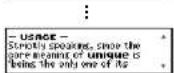
* If the USAGE marker is displayed after the headword, there is a usage note in an entry.
5 T o scroll alphabetically up or down through the headword list, press √ or ∧
6 T o clear the display and search for another word, simply enter your new word.
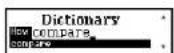
Example: compare
24
- Jump function
This function enables you to look up a word displayed on the explanation screen in any dictionary of your choosing, or to register it in the EASY LEARN word list.
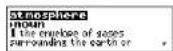
Example: atmosphere
1 P r ees to select the first word you can look up.
Press to select the last word.
Selected word will begin to flash on and off.
* Press BACK to return to the previous screen or to disable the cursor.
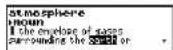
2 Select another word using the cursor keys.
Example: earth
25
3 P r e\$ENTER
4 S elect Encyclopedia, Dictionary, Thesaurus or EASY LEARN List by using ▼ or ▲
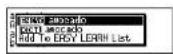
ENCYC Oxford Concise Encyclopedia DICT Concise Oxford Dictionary THES Concise Oxford Thesaurus
Add To EASY LEARN List: Add the selected word to the EASY LEARN List.
Example: DICT
5 Press ENTER.
* P resBACK return to the previous screen.
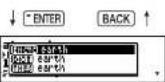
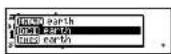
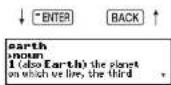
26
● Explanatory notes
Explanations for the details of the dictionary can be obtained as required.
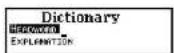
1 P r ess and then to select
"EXPLANATION".
2 Press ENTER
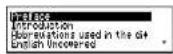
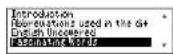
3 Use ▼ or ▶ select the section title. Example: Fascinating Words
* "Introduction" and "Guide to Good English" have multiple subsections, accessed via a submenu.
-Scrolling the list
by line shift + by page
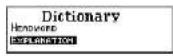
27
4 P r e\$ENTER
The explanation screen of the selected title will be displayed.
* Press BACK to return to the title selection screen.
* The ▼ mark will appear if there is insufficient space to display the whole entry.
5 P r ess to see the rest of an entry. Press ▲ to scroll up.
-Scrolling the screen -
by line
SHIFT + OT Play pagCENTER
: by title
↓ * ENTER
BACK
| Fascinating WordsHere is a small selection ofcolourful, unusual, andobscure words in the English |
↓ ▲↑
| Here is a small selection of colourful, unusual, and obscure words in the English language, many of which you |
↓ * ENTER
| might not encounter in the course of your popular dictionary use. Some of the terms are no longer current |
28
MEMO
29
Thesaurus
- Introduction and Guide to the Thesaurus can be found by pressing from the Thesaurus entry screen.

● Headword Search
1 P r

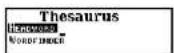
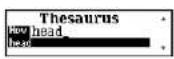
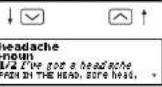
2 T ype a word.
Example: head Every time you enter a letter, the closest match will be displayed.
* Use ▼ or ▲ view the next term in the index.
3 P r

The unit shows a list of synonyms along with any example sentences.
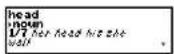

* The synonyms in each set that are closest in meaning to the entry word are given first, usually starting with a 'core synonym' in SMALL CAPITALS.
* Use BACK to return to the headword selection screen.
* The ▼ mark will appear if there is insufficient space to display the whole entry.
4 P r ess to see other synonyms. Press ▲ to scroll up.
- Scrolling the screen -
by line

SHIFT + by scasc number

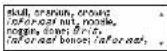

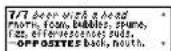
* Any opposites are listed at the end of the relevant synonym set.
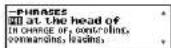
* When there are phrases, they will be displayed after the main senses for each part of speech.
5 T o scroll alphabetically up or down through the headword list, press √ or ↗
* T o clear the display and search for another word, simply enter your new word.
Jump function
This function enables you to look up a word displayed on the explanation screen in any dictionary of your choosing, or to register it in the EASY LEARN List. (See page 25.)
32
:
:
Wordfinder
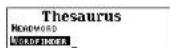
You can search for thematic word lists using keywords to match words in the list title or category name.
1 P r esses and then to select "WORDFINDER".
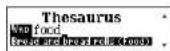
2 T ype a word list name.
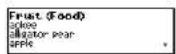
Example: food
* By entering a list name in the subcategory, you can directly select the word list.
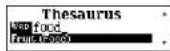
3 U se▼ or to select the word list as necessary.
Example: Fruit
33
4 Press
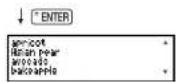
The list of the words will be displayed.
5 Press to see the rest of an entry. Press ▲ to scroll up.
-Scrolling the screen -
by line
SHF + or :ay pagCENTER
* P resBACK to return to the previous screen.
6 P r ees to select the first word you can look up. Press → to select the last word. Selected word will begin to flash on and off.
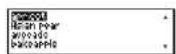
* Press tBAG turn to the previous screen or
to disable the cursor.
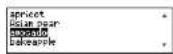
7 Select another word using the cursor keys.
Example: avocado
8 Press.
(See "Jump function" at page 25.)
* Please note that not every word is included in the Encyclopedia or Dictionary.


Encyclopedia
- Preface can be found by pressing from the Encyclopedia entry screen.
● Headword Search
1 Press
2 T ype a word.
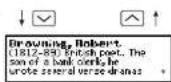
Example: brown
Every time you enter a letter, the closest match will be displayed.
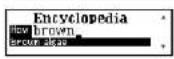
3 Use or to view the next term in the index.
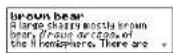
Example: brown bear
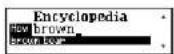

4 P r es s wter
The explanation screen of the selected headword will be displayed.
* Use BACK to return to the headword selection screen.
* The ▼ mark will appear if there is insufficient space to display the whole entry.
5 Press to see the rest of an entry. Press ▲ to scroll up.
- Scrolling the screen -



6 T o scroll alphabetically up or down through the headword list, press √ or ▲
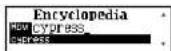
7 T o clear the display and search for another word, simply enter your new word. Example: cypress
Jump function
This function enables you to look up a word displayed on the explanation screen in any dictionary of your choosing, or to register it in the EASY LEARN List. (See page 25.)

MEMO

Spellchecker
The Spellchecker function conducts a phonetic search using over 130,000 words from the Oxford New British English Word List.
● Basic procedure
1 P r

2 T ype a word to be checked and press ENTER.
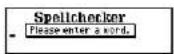
○ If the spelling of a word you enter is correct:
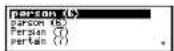
Example: person
The message "Correctly Spelt" will be displayed for about one second. The entered word will then be displayed in bold characters. Phonetically similar words may also be displayed.

○ If the spelling of a word you enter is
incorrect:
Example: nolij
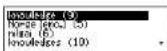
The message "Correction List" will be displayed for about one second. A list of words that are phonetically similar to the entered word will then be displayed.
* If you select "Enable" at the setting of the "Variant Spelling", any close match labelled as a variant spelling will also be listed in the word list. (See page 109.)
* T o clear the display and spellcheck another word, simply enter your new word.

3 S elect a word by using or Example: knowledge

-Scrolling the list
by line

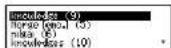
4 P r ess to activate the jump function.
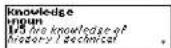
5 S elect Encyclopedia, Dictionary, Thesaurus or EASY LEARN List by using ▼ or ▲ Example: THES (See Page 26.)
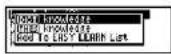
6 Press
* P resBACK return to the previous screen.
* Please note that not every word returned by the Spellchecker is included in the Dictionary. Thesaurus or Encyclopedia.

● Using the Wildcard function
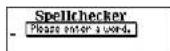
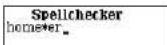
If you are unsure of part of the spelling of a word, enter the word using “?”, “*” or “#” for the letter(s) of which you are unsure. (See Page 21.)
1 Press
2 T ype a word. Example: home* er
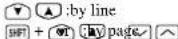
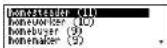
3 P r e s inter. The corresponding word list will be displayed.
-Scrolling the list -

Solvers
The unit provides 13 solvers that can help you to solve word games.
- Selecting the Solver
1 P r e#SOLVE.
The unit selects the last solver used each time you select the solver mode.
2 S elect the solver you wish to use by using

- Scrolling the list -
by line

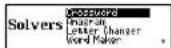
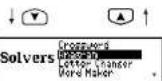

* By pressing the first letter of a solver name, you can directly select the desired solver.
Further solvers starting with the same letter can be selected by pressing the same letter again.
Example: w
3 P r essITER.

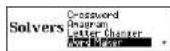
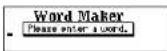
13 solvers:
Crossword, Anagram, Letter Changer, Word Maker, Word Origins, Word Viewer, Definition Find, Encyclopedic Find, Abbreviations, Abbreviation Find, Phrase Finder, Knowledge List, Knowledge Find

Crossword
To solve a crossword, type the known letters and insert “?”, “*” or “#” for any unknown letters.
enter"?
This is used in place of a single character.
Use * to enter "*".
This is used in place of one or more characters (including spaces or symbols).
Use 📋 and then to enter “#”.
This is used in place of one or more characters (without spaces or symbols).
1 Select "Crossword" and then press

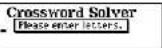

2 Enter letters.
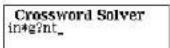
Example: in*g?nt
3 Presseter.
The corresponding word list will be displayed.
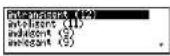
* Use the jump function as described on Page 42.
* Please note that not every word returned by the Solvers is included in the Encyclopedia, Dictionary or Thesaurus.
* If the letters entered do not have any corresponding words, the message "No matches found." will be displayed.

● Anagram
Look for anagrams using the same letters or words that you entered.
You can enter actual words, or jumbled letters.
1 Select "Anagram" and then press ENTER
2 Enter letters.
Example: treaties
3 Presseter
The corresponding word list will be displayed.
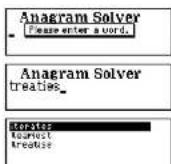
* Use the jump function as described on Page 42.
* Please note that not every word returned by the Solvers is included in the Dictionary, Thesaurus or Encyclopedia.
18
● Letter Changer
The unit will allow you to view possible alternative words by changing one letter at a time.
1 Select "Letter Changer" and then press ENTER.
2 T ype a word.
Example: tread
3 Press
The corresponding word list will be displayed.
* Use the jump function as described on Page 42.
* Please note that not every word returned by the Solvers is included in the Encyclopedia, Dictionary or Thesaurus.
* If the letters entered do not have any corresponding words, the message "No matches found," will be displayed.
19
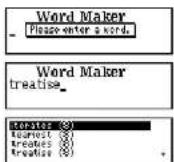
● Word Maker
Look for anagrams using some or all of the letters entered.
You can enter actual words, or jumbled letters.
1 Select "Word Maker" and then press "ENTER
2 Enter letters.
Example: treatise
3 Press
The corresponding word list will be displayed.
* Use the jump function as described on Page 42.
* Please note that not every word returned by the Solvers is included in the Encyclopedia, Dictionary or Thesaurus.
* If the letters entered do not have any corresponding words, the message "No matches found." will be displayed.

● Word Origins
Search for the origins of the entered word in the Concise Oxford English
Dictionary.
1 Select "Word Origins" and then press
ENTER
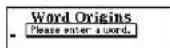
2 T ype a word.
Example: yacht
Every time you enter a letter, the closest match will be displayed.


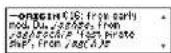
3 P r eS WTER
The origin of the entered word will be displayed.
Note that the origin is displayed within its full dictionary entry, not on its own.
- Scrolling the screen -
by line
SFT + by taste
by headword
* P resBACK to return to the previous screen.
52
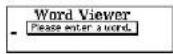
● Word Viewer
Search for an entered word across the Oxford New British English Word List.
1 Select "Word Viewer" and then press ENTER
2 T ype a word.
Every time you enter a letter, the closest match will be displayed.
Use ▼ or ▶view the next term in the index.
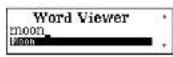
* Use the jump function as described on Page 42.
* Please note that not every word returned by the Solvers is included in the Dictionary. Thesaurus or Encyclopedia.
53
- Definition Find
The unit will find the Concise Oxford English Dictionary entries whose definitions contain the word(s) you enter.
1 Select "Definition Find" and then press * ENTER.
2 T ype word(s).
Example: alcoholic drink p????e
Search the headwords whose definitions contain the words "alcoholic" and "drink". Also the spelling of the headword fits into "p????c".
* Y ou can enter up to seven words. This method will find the entries which contain all the entered words in their definitions.
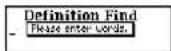
Definition Find alcoholic drink p??? e.

A space can be entered by using ▶.
* T o enter a number, pressand then the character of Q, W, ... P. A number is available as a keyword as an era.
* For narrowing the corresponding headwords down, a single word containing a wildcard (“?”, “*” or “#”) can be input. (See page 46.)
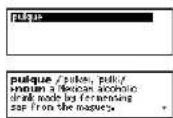
3 P r eSESTER The corresponding headword list will be displayed.
4 Press The definition screen will be displayed.

● Encyclopedic Find
The unit will find the Oxford Concise Encyclopedia articles whose explanations contain the word(s) you enter.
1 S elect "Encyclopedic Find" and then press "ENTER".
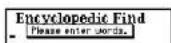
2 T ype word(s).
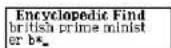
Example: british prime minister b*
Search the articles whose explanation contains the words "British", "prime" and "minister". Also the spelling of the article fits into "b*".
* Y ou can enter up to seven words.
This method will find the articles which contain all the entered words in their explanations. A space can be entered by using ▶.

* T o enter a number, pres ^SHIFT and then the character of Q, W, ... P.
A number is available as a keyword as an era.
* For narrowing the corresponding articles down, a single word containing a wildcard (“?”, “*” or “#”) can be input. (See page 46.)
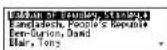
3 Press
The corresponding article list will be displayed.
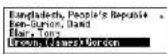
4 Select an article using

Example: Brown, (James) Gordon
-Scrolling the list -
by line

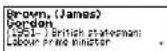
5 Press
The explanation screen which has the selected article will be displayed.

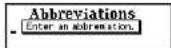
- Abbreviations
The Abbreviations solver allows you to search the abbreviation database to "decode" nearly 10,000 common abbreviations.
1 Select "Abbreviations" and then press ENTER
2 T ype an abbreviation.
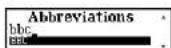
Example: bbc
Every time you enter a letter, the closest match
will be displayed.
Use ☑ to change the word as necessary.
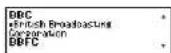
3 Press
- Scrolling the screen
by line by abbreviation
* P resBATK return to the previous screen.
59
● Abbreviation Find
The unit will find abbreviations in the Oxford Abbreviation List whose explanations contain the word(s) you enter.
1 Select "Abbreviation Find" and then press
"ENTER.
2 T ype word(s).
Example: british corporation ???
Search the three letters abbreviation whose
explanation contains the words "British" and
"corporati
* Y ou can enter up to seven words.
This method will find the abbreviations which contain all the entered words in their explanations. A space can be entered by using ▶.
* T o enter a number, pres ^HFT and then the character of Q, W, ... P.
A number is available as a keyword as an era.
59
* For narrowing the corresponding abbreviations down, a single word containing a wildcard (“?”, “*” or “#”) can be input. (See page 46.)
3 P r eSSITER
The corresponding abbreviation list will be displayed.
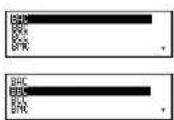
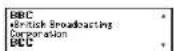
4 Select an abbreviation using ▼ or ▲. Example: BBC
-Scrolling the list -
by line
SF + or by page √
5 P r eSENTER
The explanation screen which starts from the selected abbreviation will be displayed.
60
- Phrase Finder
Search for phrases in the Concise Oxford English Dictionary including one or more entered words.
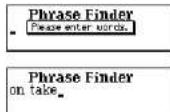
1 Select "Phrase Finder" and then press ENTER.
2 T ype word(s).
Example: on take
* Y ou can enter up to seven words.
This method will find the phrases which contain all the entered words.
A space can be entered by using ▶.
61
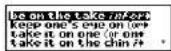
3 Press
The corresponding phrase list will be displayed.
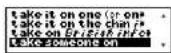
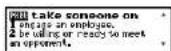
4 Select a phrase using
Example: take someone on
-Scrolling the list -
by line
SHIFT + ON C#v page √
5 Press
The selected phrase and its definition will be
displayed.
Note that the selected phrase is displayed within its full dictionary entry, not on its own.
62
● Knowledge List
The unit enables you to scroll through various general knowledge resources in a similar manner to browsing through the lists in a book.
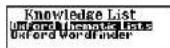
1 Select "Knowledge List" and then press ENTER.
2 Select the name of the source and then press ENTER. Example: Oxford Thematic Lists
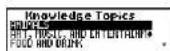
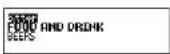
3 Select the category and then press "ENTER". Example: FOOD AND DRINK
* By pressing the first letter of a category, you can directly select the desired category. Further categories starting with the same letter can be selected by pressing the same letter again.
163
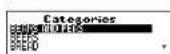
4 Select the subcategory and then press
* ENTER
Example: BEERS
The corresponding item list will be displayed.
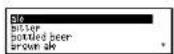
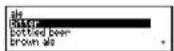
5 Select an item using
Example: bitter
-Scrolling the list -
by line

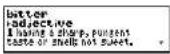
6 P r es inter
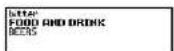
The explanation screen which has the selected item will be displayed with its knowledge Topics and Categories.

7 P r ees to activate the jump function.
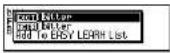
8 P r ess inter and select Encyclopedia, Dictionary, Thesaurus or EASY LEARN List by using ▼ or ▲
ENCYC Oxford Concise Encyclopedia
DICT Concise Oxford Dictionary
THES Concise Oxford Thesaurus
Add To EASY LEARN List: Add the selected word to the EASY LEARN List.
Example: DICT
9 P r eSSITER.
* P resB46 return to the previous screen.
* Please note that not every word returned by the Knowledge Lists is included in the Dictionary, Thesaurus or Encyclopedia.

● Knowledge Find
Look for the items in the Oxford Thematic Lists and Oxford Wordfinder using the word(s) you have entered.
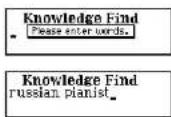
1 Select "Knowledge Find" and then press ENTER.
2 T ype word(s).
Example: russian pianist
* Y ou can enter up to seven words. This method will find the items which contain all the entered words.
A space can be entered by using ▶.
* T o enter a number, presand then the character of Q. W. ... P. A number is available as a keyword as an era.
* Y ou can add one target word with wildcard (“?”, “*” or “#”), if you know some letters of the target word. (See page 46.)
3 P r eS###TEB

Oxford Thematic Lists Oxford Wordfinder
4 Select an item using 📋. Example: Horowitz
-Scrolling the list -

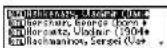
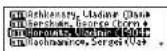


5 Press
* Use the jump function as described on Page 65.
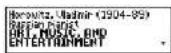
Here are some further examples of how you can use Knowledge Finder:
(Entry) (Result)
fish s???? A list of fish with 5 letter words in their names starting with "s"
harry webb Finds: Sir Cliff Richard jet engine Finds: Sir Frank Whittle, inventor phobias spiders a* arachnophobia
63
NOTE -
Because you can search across all categories at the same time, you may get results from different categories in the same list. E.g.-
fish p????? = 1) Plaice (Fish)
2) Piscis Austrinus Southern Fish (Constellations)
This is intended to give you all possible solutions which match your criteria, because you may not always know from your clue exactly which of the Oxford Thematic Lists: 256 categories and the Oxford Wordfinder: 155 categories you should be looking under.
To see categories, press ENTER.
Please take a little time to learn how to use this solver, as it has been designed to provide you with many different ways to search a wealth of general knowledge information.
69
Games
There are 10 great word games that will help you to improve your spelling and vocabulary.
- Selecting a game
1 Presses
The unit selects the last game used each time you select the game mode.
2 Select the game you wish to play by using ▼ or ▲
-Scrolling the list -
by line
+ 01 4v page √
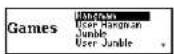


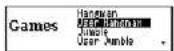

* By pressing the first letter of a game name,
you can directly select the desired game.
Further games starting with the same letter can be selected by pressing the same letter again.
Example: u
3 P r eSSITER.

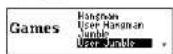
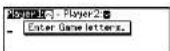
10 word games:
Hangman, User Hangman, Jumble, User Jumble, Crossword Quiz, General Knowledge, Definitions, Word Building, User Word Building, Word Challenge
* The Game Levels can be changed from the SET menu. (See page 105.)

● Hangman
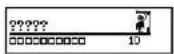
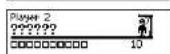
This is a game in which you have to find a mystery word whose spelling is unknown to you with a limited number of allowed tries.
1 Select "Hangman" and then press ENTER
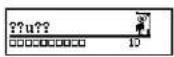
The number of letters in the mystery word is indicated by question marks.
The number of times you can try is shown.
2 When you enter one of the letters used in the mystery word, the question mark will be replaced by the letter.
Example: Enter "u".
12
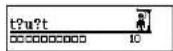
* In some cases, the same letter is used two or
more times in the same word:
When you enter the letter, all the corresponding question marks will be replaced by the letter simultaneously.
Example: Enter "t".
* The number of tries you are allowed will decrease progressively every time you enter an incorrect letter.
Example: Enter "a".
* One letter will be displayed in turn as a "Hint" every time you press ? .
The number of times a "Hint" can be used is determined on the basis of the set game level. (Beginner: 5, Intermediate: 3, Advanced: 2)
73
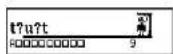
* A. If the letters will be displayed if you press "ENTER".
3 If all the letters in the word are displayed before you have used up all the tries, a congratulatory message will be displayed and counted in the "Won" column.
The answer will then be displayed.
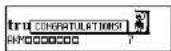
* Press any alphabet key to display the next question.
* Y ou can use jump function by pressing ENTER . (See page 42.)
* If you fail to find the word before you have used up all the tries you are allowed, or if you press ENTER halfway through a game, "Sorry, you lost." will be displayed and counted in the "Lost" column.
The answer will then be displayed.

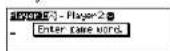
- User Hangman
This is the Hangman game for 2 players using words that you can select.
1 Select "User Hangman" and then press ENTER
2 Select the player you want by pressing √
or
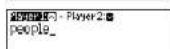
3 Enter a word. You can use up to 12 letters.
Example: people
4 P r essITER
5 An opponent has to guess the mystery word.
* The ensuing procedure is the same as that used in the Hangman Game.
\*\*\* Tip for Parents \*\*\*
This game is a fun way for you to help your children to learn new words from a list or as part of their homework. Select a suitable level, secretly enter your chosen word and then work with them to spell the mystery word correctly.

● Jumble
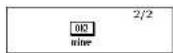
Using letters displayed at random, you attempt to find a specified number of words.
1 Select "Jumble" and then press ENTER The selected letters and the number of answers will be displayed. Example: emni
| enni | 2/2 |
* T o shuffle the letters, press?
2 Enter a try using all the selected letters. Press BACKturn.
| 2/2 | |
| mine |
* If your answer is incorrect, the message "Try again" will appear and the selected letters will be displayed again.
* T o give up entering letters, press ENTER
76
3 Press
* Y ou need to answer all the mystery words.
* Y ou can use or to redisplay correct words already accepted.
Press [RE]return.
* If you enter all the requested number of the answers and press Enter ingrataulatory message will be displayed and counted in the "Won" column.
* Press any alphabet key to display the next question.
* Y ou can use jump function by pressing ENTERSee page 42.)
* Please note that not every word returned by the Games is included in the Dictionary, Thesaurus or Encyclopedia.

7
- User Jumble
This is a Jumble game using words that you can select.
1 Select "User Jumble" and then press ENTER
2 Select the player you want by pressing or
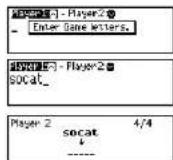
3 Enter a word. You can use up to 12 letters. Example: socat
4 P r essITER
5 An opponent has to enter a try.
* The ensuing procedure is the same as that used in the Jumble Game.
\*\*\* Tip for Parents \*\*\*
This game is a fun way for you to help your children to learn new words. Simply enter your chosen word and then work with them to find the correct anagrams.

● Crossword Quiz
Enter a letter or letters to replace the question marks.
1 Select "Crossword Quiz" and then press ENTER The question will be displayed.
2 Enter letters to replace the question marks. Example: t, r
* The entered letter can be changed. Press or ⚙ select the letter and then enter the new letter.
* One letter will be displayed in turn as a "Hint" every time you press ? .
* T o give up entering letters, press ENTER .

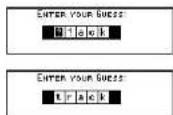
3 P r eSSITER
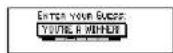
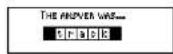
If your answer is correct, a congratulatory message will be displayed and counted in the "Won" column.
The answer will then be displayed.
* If you press ▼ or at the display of the answer, the list of the possible answers will be displayed.
* Press any alphabet key to display the next question.
* Y ou can use jump function by pressing ENTER . (See page 42.)
* If your answer is incorrect, or if you press "ENTER" halfway through a game. "Sorry, you lost." will be displayed and counted in the "Lost" column.
* Please note that not every word returned by the Games is included in the Dictionary, Thesaurus or Encyclopedia.
BD
● General Knowledge
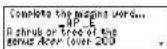
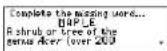
Guess the article in the Encyclopedia based on the contents of the article, with some of the letters already supplied.
1 Select "Gen. Knowledge" and then press ENTER.
The question will be displayed.
Example: AP E
* Press of to see the rest of the explanation.
2 Enter letters to replace the underline marks. Example: M, L
* The entered letter can be changed. Press or ⚙ select the letter and then enter the new letter.
61
* One letter will be displayed in turn as a "Hint" every time you press ☐. The number of times a "Hint" can be used is determined on the basis of the set game level.
* T o give up entering letters, press ENTER
3 Press
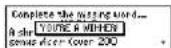
If your answer is correct, a congratulatory message will be displayed and counted in the "Won" column.
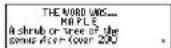
The answer will then be displayed.
* Press any alphabet key to display the next question.
* Y ou can use jump function by pressing ENTER . (See page 42.)
* If your answer is incorrect, or if you press "ENTER", "Sorry, you lost." will be displayed and counted in the "Lost" column.

- Definitions
Guess the headword in the “Concise Oxford English Dictionary” based on its definitions, with some of the letters already supplied.
1 Select "Definitions" and then press
The question will be displayed. Example: RTZ
* Press ☑ to see the rest of the definitions.
2 Enter letters to replace the underline marks. Example: H, E
* The entered letter can be changed. Press or ⚙ select the letter and then enter the new letter.

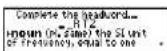
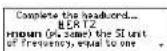
* One letter will be displayed in turn as a "Hint" every time you press ☐. The number of times a "Hint" can be used is determined on the basis of the set game level.
* T o give up entering letters, press ENTER
3 Press
If your answer is correct, a congratulatory message will be displayed and counted in the "Won" column.
The answer will then be displayed.
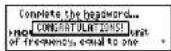
* Press any alphabet key to display the next question.
* Y ou can use jump function by pressing ENTER . (See page 42.)
* If your answer is incorrect, or if you press ENTER, "Sorry, you lost," will be displayed and counted in the "Lost" column.

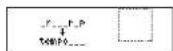
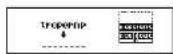
● Word Building
Use some or all of the letters displayed to make new words. You'll win if you succeed in creating the required number of words depending on the level of the game. (Beginner - 15 words / Intermediate - 20 words / Advanced - 30 words)
1 Select "Word Building" and then press
ENTER
The selected letters will be displayed.
T o shuffle the letters, press?
2 E nter a word using over 3 displayed letters.
Press BACK return.
3 P r eSSITER
If your answer is correct, you can enter the next word. One third part of the building will be stacked if you succeed in creating one third number of required words.
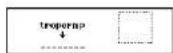

* Y ou can use▼ or □display correct words already accepted.
Press BACKreturn.
* T o give up entering letters, press ENTER.
* If your answer is incorrect, the message " Try again" will appear and the selected letters will be displayed again.
* If you enter all the answers and press "ENTER", a congratulatory message will be displayed and counted in the "Won" column.
* Press any alphabet key to display the next question.
* Y ou can use jump function by pressing ENTER . (See page 42.)
* Please note that not every word returned by the Games is included in the Dictionary. Thesaurus or Encyclopedia.
66
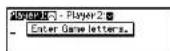
● User Word Building
This is a Word Building game using words that you can select.
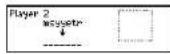
1 Select "User Word Bldg" and then press "ENTER".
2 Select the player you want by pressing or
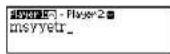
3 Enter a word. You can use up to 12 letters.
Example: msyyetr
4 P r essITER.
5 An opponent has to enter a try.
* The ensuing procedure is the same as that used in the Word Building Game.
** Tip for Parents **
This game is a fun way for you to help your children to learn new words. Simply enter your chosen word and then work with them to find the correct anagrams.
67
● Word Challenge
Use some or all of the letters displayed to make new words.
This is a word building game in which you have to use the prescribed letter.
1 Select "Word Challenge" and then press ENTER.
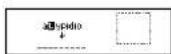
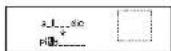
The selected letters will be displayed.
* T o shuffle the letters, press?
2 Enter a word using over 3 displayed letters. Press Hecreturn.
Be sure always to use the highlighted letter.
3 P r eSSITEB
If your answer is correct, you can enter the next word.
B3
* Y ou can use▼ or ▲redisplay correct
words already accepted.
Press BACKturn.
* T o give up entering letters, press ENTER
* If your answer is incorrect, the message " Try again" will appear and the selected letters will be displayed again.
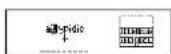
* If your answer is correct, the following messages will be displayed and counted in the appropriate column by the number of the answers.
"Poor" column (P) Under 60% of all the answers "Good" column (G) 60% to 90% of all the answers "Brilliant" column (B) Over 90% of all the answers
* Press any alphabet key to display the next question.
* Y ou can use jump function by pressing ENTER. (See page 42.)
* Please note that not every word returned by the Games is included in the Dictionary, Thesaurus or Encyclopedia.
69
EASY LEARN
The EASY LEARN function allows you to create your own word list from the Dictionaries, Thesaurus, Encyclopedia, Spellchecker, Solvers and Games, which can then be used in the games.
● Building your word list
(Using the Jump Function)
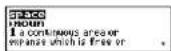
1 Select the word you wish to add to your word list using the cursor keys. (See page 25.)
* If you simply press LEARN, the selected word will be added directly to your EASY LEARN word list.
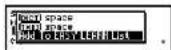
2 P r essiT and then select "Add To EASY LEARN List" by using ▼.
90
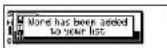
3 P r esseto confirm.
* The unit can store words between 4 and 12 letters. The words must not contain capital letters or symbols other than lower case alphabetic letters.
* If the word to be added is already contained in memory, the message “The word is already in your list” will appear.
* The unit's memory can store 500 words. When you try to add the 501st word, the message "Sorry, Memory is full" will appear.
- Viewing the word list
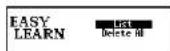
1 Press
2 Select "List" and then press ENTER. The word list will be displayed.
91
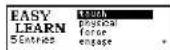
3 P r ess or 40 scroll the list.
- Scrolling the list -
by line
by page
4 P r essieto use jump function.
(See page 25.)
* P resBACK to return to the previous screen.
* Please note that not every word returned by Spellchecker or Solvers is included in the Dictionaries, Thesaurus or Encyclopedia.
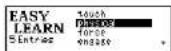
\*\*\* Tip for Parents \*\*\*
This is a fun way to help your children learn new words from a list as part of their homework. Enter the words into the list as described above, then set the frequency of use from EASY LEARN Word in the SET menu. The words will then appear in the games.

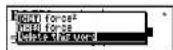
- Deleting a word
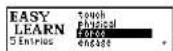
1 Select the word you wish to delete from your word list.
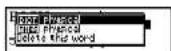
2 P r essiter and then select "Delete this word" by using ▼.
3 P r eSSATER.
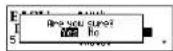
4 P r essITER again to confirm.
* If you decide not to delete the word, select "No" then press ENTER
* P resBACK to return to the previous screen.

- Deleting all words
1 Press
2 P r ess to select "Delete All".
3 P r essiter.
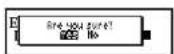
4 P r essITER again to confirm.
* If you decide not to delete all the word, select
"No" then press "ENTER
* P res BANK return to the previous screen.


MEMO

Calculator
● Keys and their functions
- Selects Calculator and Unit Converters.
- Clears last entry
- 1 \~ 0 Number input keys.
- +,-, x, | Mathematical function keys.
- MC Clears memory
- MR Recalls number from memory.
- M+ Adds number into memory.
- M- Removes number from memory.
- +/- Changes sign of number.
10.% Percentage key.
* The number stored in the memory is held when the calculation is changed, the mode is switched or the power is turned off.

● Correcting and clearing entries
If you enter an incorrect number, press Ⓞ clear the entire display, then re-enter the correct number.
If you press an incorrect mathematical function key, simply press the correct function key afterwards.
If "E" appears in display:
• The answer to a calculation is more than 12 digits.
• The memory is full.
• 0 has been used as a divisor.
Press ☐ remove the "E" and continue.

Converters
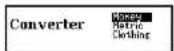
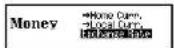
● Entering or changing a conversion rate
1 Press.
2 Press or to display the conversion menu.
3 P r essiter to select "Money".
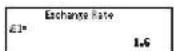
4 P r ess to select "Exchange Rate".
5 Presseter.
6 Enter the new rate and then press ☐ ENTER.
Example: £1 = \$ 1.6

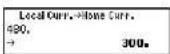
● Currency conversion
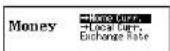
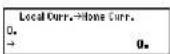
Example: 480 US Dollar to £ (£1 = \$1.6)
1 Press or to select "-Home Curr.".
2 Press.
3 Enter the amount you wish to convert and then press ENTER.
(S 480 = £ 300)
* Y ou can convert a new amount by entering the new number and pressing ENTER.

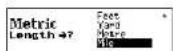
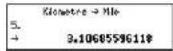
● Metric / Imperial conversion
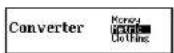
Example: Kilometres to Miles
1 Press.
2 Press or to display the conversion menu.
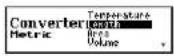
3 P r ess to select "Metric" and then ENTER.
4 P r ess to select "Length" and then "ENTER".
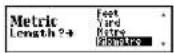
5 Select "Kllometre" by using cursor keys.
6 P r essITER.
100
7 Select "Mlle" by using cursor keys.
8 Press ENTER
Enter the number you wish to convert.
9 P r eSSITER.
(5 Kilometres = 3.10685596118 miles.)
Categories of Metric Conversion
Temperature: °C, °F
Length: Centimetre, Inch, Feet, Yard, Metre, Kilometre, Mile
Area: Centimetre ^2 , Inch ^2 , Feet ^2 , Yard ^2 , Metre ^2 , Acre, Kilometre ^2 , Mile ^2
Volume: Centimetre ^3 , Inch ^2 , Feet ^3 , Yard ^3 , Metre ^3
Weight: Gram, Ounce, Pound, Kilogram
Capacity: Millilitre, Ounce(AM), Ounce(BR), Litre, Quart(AM),
Quart(BR), Gallon(AM), Gallon(BR)
Power: Kilowatt, Horsepower
101
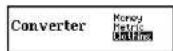
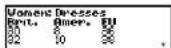
● Clothing Size chart
You can easily check foreign clothing sizes: shirts, shoes, hats etc. for men, women and children.
1 Press.
2 Press or to display the conversion menu.
3 P r ess to select "Clothing" and then ENTER.
4 Pr ess to select "Women" and then ENTER.
5 Press to select "Dresses" and then ENTER.


102
Categories of Clothing Size Chart
Men: Suits, Trousers, Overcoats, Pullovers, Socks, Shoes, Shirts, Hats
Women: Blouses, Pullovers, Dresses, Coats, Suits, Skirts, Trousers, Shoes, Stockings
Children: Dresses, Coats, Suits, Skirts, Trousers, Shoes, Most Clothing
103
Setting Function
You can customize the operating conditions.
- Selecting the menu
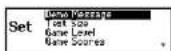
1 P r eSST .
2 Select the function you want to change by pressing ▼ or ▲
* B y pressing the first letter of a menu item, you can directly select the desired function. Further menu starting with the same letter can be selected by pressing the same letter again.
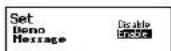
● Changing the Demo message
1 Select "Demo Message" and then press . "ENTER
2 Select "Disable" or "Enable" by using or ▲
3 P r eSSITER to accept changes. (See page 8.)

● Changing the Text size
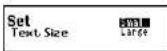
You can change the size of the characters on the screen.
1 Select "Text Size" and then press ENTER 2 Select "Small" or "Large" by using ▼ or ▲.
3 P r esseter to accept changes.
● Setting the Game Level
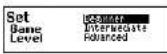
The unit provides three skill levels for playing games (Beginner, Intermediate and Advanced). The level can be changed as required.
1 Select "Game Level" and then press ENTER 2 Select one of the levels by using OF. 3 P r es###to set it.

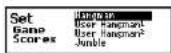
● Game Scores
The unit can display the score of the games.
1 Select "Game Scores" and then press ENTER 2 Select one of the games by using the cursor keys.
* Select "All Clear" to reset all game scores.
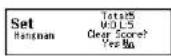
3 P r eSSITER "Clear Score?" will be displayed.
4 Select "Yes" or "No" by using or and then press ENTER
* The Game Score limit is 999 for the total number of games played. You should clear the game score if you exceed the 999 limit.
10
● Setting the frequency for the EASY LEARN List
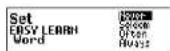
The unit provides four frequency levels to use your EASY LEARN List for playing games.
1 Select "EASY LEARN Word" and then press ENTER.
2 Select a frequency level by using OF.
3 P r ess to set it.
● Changing the sorting for the EASY LEARN List
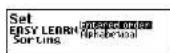
The unit can change the sorting of your EASY LEARN List.
1 Select "EASY LEARN Sorting" and then press ENTER.
2 Select "Entered order" or "Alphabetical" by using ☑r .
3 P r essiter to set it.
10
● Setting the Auto Power Off Timer
The unit automatically turns off after a period of time. This amount of time can be customized. (Default 3 min.)
1 Select "Auto Power Off Timer" and then press ENTER.
2 Select one of the preset durations by using ▼ or ▲
3 P r esseter to set it.
Note - Lengthening the Auto Power Off time will shorten the battery life.
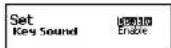
● Setting the Key Sound
1 Select "Key Sound" and then press

2 Select "Disable" or "Enable" by using or

3 P r essiter to accept changes. (See page 8.)

● Setting the LCD Contrast
1 Select "LCD Contrast" and then press

2 Change the contrast level by using
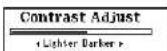
3 P r essITER to accept changes. (See page 7.)
● Variant Spelling
The unit can switch variant spelling words between include and exclude for phonetic checking in the Spellchecker.
1 Select "Variant Spelling" and then press

2 Select "Disable" or "Enable" by using or ▲
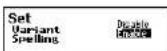
3 P r essiter to accept changes.

Precautions
Under no circumstances should the unit be subjected to the following treatment, which is likely to damage or deform it.
- Do not use, store or leave the unit in any of the following places: Places subject to direct sunlight and places where the temperature is likely to reach high levels such as inside a car during the summer months and by the side of heating devices (especially on the seat or dashboard of a car with all the windows closed during the summer). Places liable to accumulation of dust; bathrooms and other humid places where drops of water may come into contact with the unit; places where the influence of magnetism may be felt such as in the vicinity of magnets, speakers and TVs.
- Do not place anything heavy on top of the unit. Do not press hard on the surface of the display unit or place heavy items such as books on top of it.
- Do not bend, twist, drop or apply a strong shock to the unit.
- Do not operate the keys with a hard, pointed instrument or apply more
170
pressure to them than is necessary.
• T ake care not to spill drinks on the unit.
Take care especially when using the unit while drinking coffee, soft drinks, etc.
- Do not alter the unit in any way or attempt to repair it by yourself.
- Do not use for a long time or store in close contact with synthetic leather products, rubber products, etc.
Chemical changes, etc. may resulting in melting, discoloration and damage to the surface of the unit.
- When removing dirt from the surface of the unit, do not use a cloth soaked in paint thinner, benzene, alcohol or any other volatile solvent. Doing so may damage the finish of the surface through deterioration, discoloration, etc.
- Do not replace the batteries with the power on.
• A Iways reset the unit after replacing the battery.
- Clean with a clean, soft cloth. If the unit is particularly dirty, wipe with a
thoroughly wrung cloth soaked in water.
- Condensation (droplets of water) may form on the display section immediately after turning on the heating in a cold place. In this case, use after wiping gently with a dry, clean, soft cloth.
11
Specifications
Display: 24 characters x 4 lines
Temperature range: 0°C to +40°C (32°F to 104°F)
Battery: One AAA (LR03) alkaline battery
Battery life: approx. 70 hours for continuous display
Size: 124 (W) x 86.6 (H) x 22.6 (D) mm
Weight: approx. 110g (including battery)
* Specifications may change without notice in order to make product improvements.
* The life of the battery will vary depending on how the unit is used.

FAQ's Generic
Q. Most display problems or malfunctions.
A. Press RESET button (Use a paperclip, not a pen tip as this may be too wide to operate the button properly).
Q. Display too light/Dark.
A. Adjust contrast/replace battery.
Q. Same letter keeps appearing on screen.
A. Check if button has become jammed under case.
Q. The unit keeps using the same words in games.
A. Change EASY LEARN Word settings-it's probably set to use the EASY LEARN List either "Always" or "Often".

Q. Can I use a rechargeable battery?
A. The unit has been designed only to work with the normal non-rechargeable battery.
A rechargeable battery has a lower voltage than the normal non-rechargeable battery so the unit may not function correctly if a rechargeable battery is used.
Q. Problems after changing the battery.
A. Always press the reset button after changing the battery.
Customer Services Telephone No. 01628-770988
114
ONE YEAR LIMITED WARRANTY
- This product is warranted to be free from defects in material or workmanship for one year from date of purchase.
- Repair (or at our option, replacement) will be made on any unit which proves to be defective during this period. Carefully pack the unit along with proof of purchase and a completed copy of the Warranty Record you will find in this manual. Postage, insurance and shipping costs incurred in returning the product for warranty service are your responsibility.
- This warranty does not extend to units which have been subjected to misuse, abuse, neglect, accidents or to units that have been used in violation of the operation instructions. If in our judgement, the unit shows evidence of having been altered, modified or serviced without our authorisation, it will be ineligible for service under this warranty.
- In Europe, this warranty does not affect your statutory rights.
- Battery replacement and broken Liquid Crystal Displays are not covered under this warranty.
Seiko Instruments Inc. shall not be liable for any direct, consequential or incidental damages arising out of use of this product. Seiko Instruments Inc. shall not be responsible for damages to this unit as a result of a natural or unnatural disaster, except to the extent prohibited by applicable law. Any implied warranty of merchantability or fitness for a particular purpose on this product is limited in duration to the duration of the warranty.
115
| WARRANTY RECORD ER6700 |
| Warranty Period: One year from the date of purchasePurchase Date: |
| Customer Name: |
| Address: |
| Phone No.: |
| Retailer Name: |
| Address: |
SEIKO U.K. Limited
SC House, Vanwall Road.
Maidenhead, Berkshire SL6 40W U.K.
Seiko Instruments Inc.
System Application Division
8, Nakase 1-chome, Mihama-ku
Chiba-shi, Chiba 261-8507, Japan

- CE CN681
- EC DECLARATION OF CONFORMITY
- CONTENTS
- Preparation for Use
- Install the battery
- Adjust the LCD contrast
- Set the key sound
- Demo function
- ● Changing the battery
- CAUTION
- - Resetting
- NOTE:
- Functions and Features
- Dictionaries and Encyclopedia
- Concise Oxford English Dictionary
- Concise Oxford Thesaurus
- Oxford Concise Encyclopedia
- Spellchecker
- Solvers
- Word Games
- EASY LEARN
- Calculator
- Converters
- Other Features
- Setting function
- Jump function
- Help function
- Demo function
- • Auto Power Off
- Entering and Correcting Letters
- - Looking up words whose spelling you aren't sure of
- Dictionary
- ● Headword Search
- - Jump function
- ● Explanatory notes
- Thesaurus
- Wordfinder
- Encyclopedia
- Spellchecker
- ● Basic procedure
- ● Using the Wildcard function
- Solvers
- - Selecting the Solver
- Crossword
- ● Anagram
- ● Letter Changer
- ● Word Maker
- Select "Word Maker" and then press "ENTER
- Enter letters.
- Press
- ● Word Origins
- Select "Word Origins" and then press
- T ype a word.
- - Definition Find
- ● Encyclopedic Find
- - Abbreviations
- ● Abbreviation Find
- - Phrase Finder
- ● Knowledge List
- ● Knowledge Find
- NOTE -
- Games
- - Selecting a game
- ● Hangman
- Select "Hangman" and then press ENTER
- When you enter one of the letters used in the mystery word, the question mark will be replaced by the letter.
- - User Hangman
- \*\*\* Tip for Parents \*\*\*
- ● Jumble
- - User Jumble
- ● Crossword Quiz
- P r eSSITER
- ● General Knowledge
- - Definitions
- Select "Definitions" and then press
- Enter letters to replace the underline marks. Example: H, E
- ● Word Building
- Select "Word Building" and then press
- E nter a word using over 3 displayed letters.
- ● User Word Building
- ● Word Challenge
- EASY LEARN
- ● Building your word list
- - Viewing the word list
- - Deleting all words
- Calculator
- ● Keys and their functions
- ● Correcting and clearing entries
- Converters
- ● Metric / Imperial conversion
- Categories of Metric Conversion
- ● Clothing Size chart
- Categories of Clothing Size Chart
- - Selecting the menu
- ● Changing the Demo message
- ● Changing the Text size
- ● Setting the Game Level
- ● Game Scores
- ● Setting the frequency for the EASY LEARN List
- ● Changing the sorting for the EASY LEARN List
- ● Setting the Auto Power Off Timer
- ● Setting the Key Sound
- ● Setting the LCD Contrast
- ● Variant Spelling
- Precautions
- Specifications
- FAQ's Generic
- ONE YEAR LIMITED WARRANTY
Brand : SEIKO
Model : ER-6700
Category : Uncategorized