
VOICE Call - Microphone Niceboy - Free user manual and instructions
Find the device manual for free VOICE Call Niceboy in PDF.


| Product Type | Conference Microphone |
| Brand | Niceboy |
| Model | VOICE Call |
| Microphone Type | Omnidirectional, Stereo |
| Frequency Range | 100 Hz – 16 kHz |
| Sensitivity | -40 dB ± 3 dB |
| Maximum Talking Distance | 2 meters |
| Dimensions (W x D x H) | 60 x 60 x 15 mm |
| Weight | 92 grams |
| Power Supply | USB powered (via integrated USB cable) |
| Connection Type | USB 2.0 |
| Compatibility | Windows 8.1 and newer, MacOS 10.1 and newer |
| Plug & Play | Yes, no additional drivers required |
| Default Audio Device | Must be set as default recording device in system settings |
| Package Contents | Microphone, Integrated USB cable, User manual |
| Cleaning and Maintenance | Wipe with a soft, dry cloth. Do not use liquids or solvents. |
| Safety | Complies with EU regulations. Do not expose to moisture or extreme temperatures. |
| Spare Parts / Repairability | No user-serviceable parts. Contact manufacturer for service. |
| General Information | Imported by RTB media s.r.o., Czech Republic. Made in China. |
Frequently Asked Questions - VOICE Call Niceboy
User questions about VOICE Call Niceboy
0 question about this device. Answer the ones you know or ask your own.
Ask a new question about this device
Download the instructions for your Microphone in PDF format for free! Find your manual VOICE Call - Niceboy and take your electronic device back in hand. On this page are published all the documents necessary for the use of your device. VOICE Call by Niceboy.
USER MANUAL VOICE Call Niceboy
User Manual / Conference Microphone

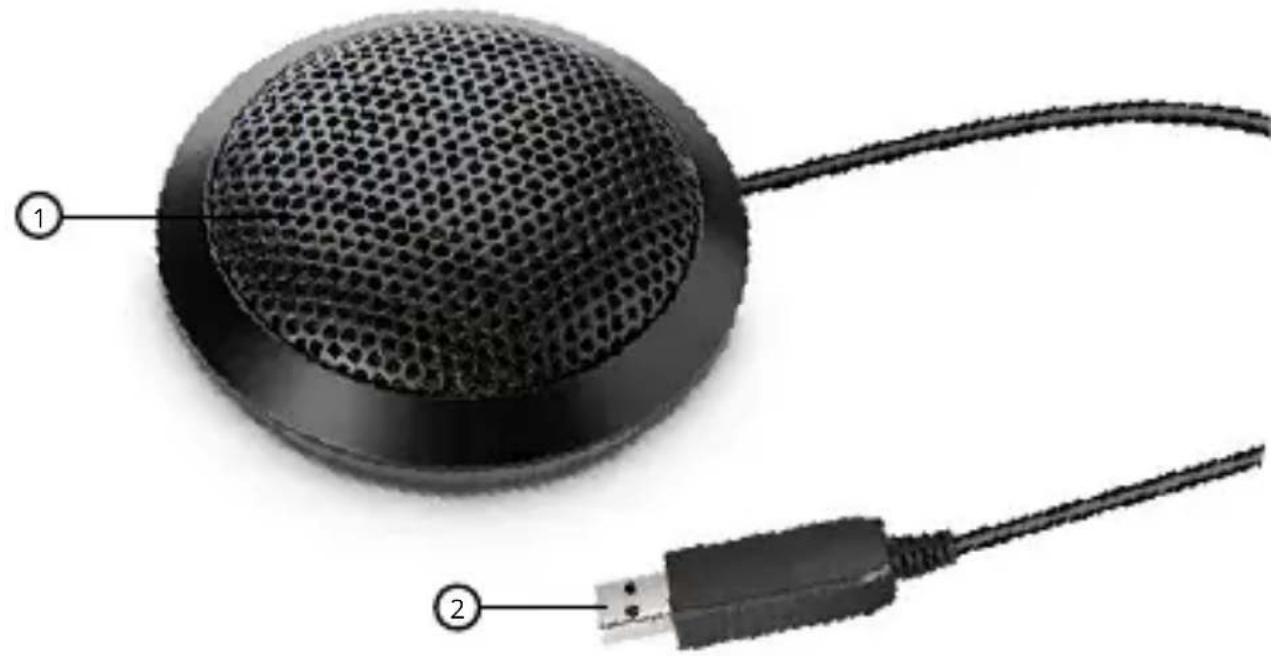
natural_image
Close-up of a black computer mouse with mesh head and connected cable, labeled with numbers 1 and 2 (no text or symbols on the device itself)POPIS
- Mikrofon
- USB kabel
PŘIPOJENÍ K PC
natural_image
Close-up of a black computer mouse with mesh head and connected cable, labeled with numbers 1 and 2 (no text or symbols on the device itself)POPIS
- Mikrofón
- USB kábel
PRIPOJENIE K PC
natural_image
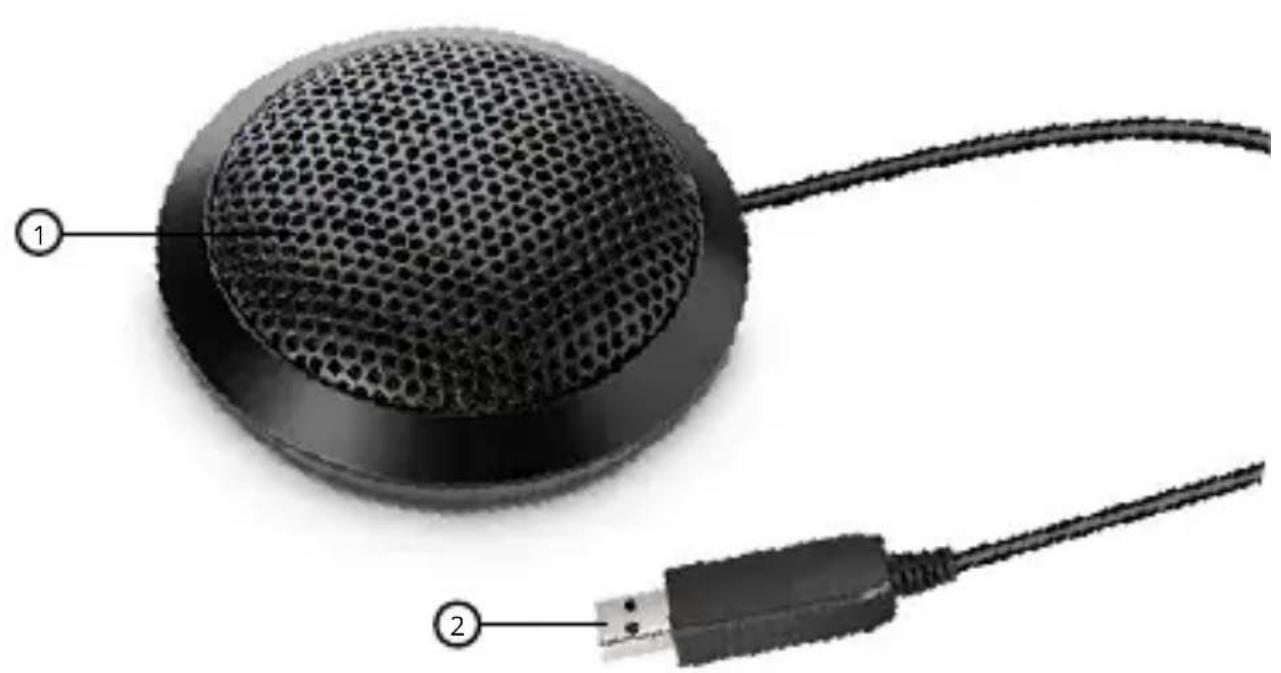
Close-up of a computer mouse with mesh head and USB cable, no visible text or symbolsDESCRIPTION
- Microphone
- USB cable
CONNECTING TO A PC
Plug the cable connected to the microphone into the USB port on your PC. Niceboy VOICE Call is a Plug & Play device.
Notice: set this device as the default audio device for recording. This can be done in the Windows settings (Control panel).
PARAMETERS
Microphone: omnidirectional, stereo
Frequency: 100Hz - 16KHz
Sensitivity: -40dB±3dB
Talking distance: max. 2 metres
Dimensions and weight: 60 x 60 x 15 mm, 92 grams
System requirements: Windows 8.1 and newer,
MacOS 10.1 and newer, USB 2.0
PACKAGE CONTENTS
Niceboy VOICE Call
Integrated USB cable
Manual
The manual may be accessed in its electronic form at www.niceboy.eu under the support section. This product meets all basic EU regulation requirements placed upon it.

natural_image
Close-up of a black computer mouse with mesh head and connected cable, labeled with numbers 1 and 2 (no text or symbols on the device itself)BESCHREIBUNG
- Mikrophon
- USB-Kabel
ANSCHLUSS AN DEN PC
natural_image
Close-up of a black computer mouse with mesh head and connected cable, labeled with numbers 1 and 2 (no text or symbols on the device itself)LEÍRÁS
- Mikrofon
- USB kábel
PC-HEZ CSATLAKOZTATÁS
natural_image
Close-up of a black computer mouse with mesh head and connected cable, labeled with numbered parts (1 and 2), no text or symbols on the device itself.OPIS
- Mikrofon
- USB-kabel
PRIKLJUČIVANJE NA RAČUNALO
Kabel s mikrofona priključite na USB na računalu. Niceboy VOICE Call je uređaj tipa Plug & Play.
Upozorenje: u postavkama sustava Windows (Upravljačka ploča) postavite ovaj uređaj kao zadani audio uređaj za snimanje.
PARAMETRI
natural_image
Close-up of a black computer mouse with mesh head and connected cable, labeled with numbers 1 and 2 (no text or symbols on the device itself)OPIS
- Mikrofon
- Kabel USB
POŁĄCZENIE Z PC
natural_image
Close-up of a black computer mouse with mesh head and connected cable, labeled with numbers 1 and 2 (no text or symbols on the device itself)OPIS
- Mikrofon
- USB kabel
PRIKLJUČITEV K RAČUNALNIKU
Kabel, ki vodi od mikrofona, priključite v USB na računalniku. Niceboy VOICE Call je naprava tipa Plug & Play.
natural_image
Close-up of a computer mouse with mesh head and USB cable, no visible text or symbolsDESCRIERE
- Microfon
- Cablu USB
CONEXIUNE LA PC
Importer to EU: RTB media s.r.o., Pretlucka 16, Prague 10, 100 00, Czech Republic, ID: 294 16 876 Made in China.
RoHS CE ✉ ✉
- User Manual / Conference Microphone
- POPIS
- PŘIPOJENÍ K PC
- PRIPOJENIE K PC
- DESCRIPTION
- CONNECTING TO A PC
- PARAMETERS
- PACKAGE CONTENTS
- BESCHREIBUNG
- ANSCHLUSS AN DEN PC
- LEÍRÁS
- PC-HEZ CSATLAKOZTATÁS
- OPIS
- PRIKLJUČIVANJE NA RAČUNALO
- PARAMETRI
- POŁĄCZENIE Z PC
- PRIKLJUČITEV K RAČUNALNIKU
- DESCRIERE
- CONEXIUNE LA PC
Brand : Niceboy
Model : VOICE Call
Category : Microphone