Max Ci - Detector Escort - Free user manual and instructions
Find the device manual for free Max Ci Escort in PDF.


| Type of product | Custom-installed radar and laser detection system |
| Brand | Escort |
| Model | MAX Ci Platform |
| Radar bands detected | X, K, Ka (with segmentable Ka); POP |
| Laser detection | Yes, with optional ShifterMax sensors for active shifting |
| GPS intelligence | TrueLock, AutoLearn, location-based false alert locking, mark locations |
| Defender Database | Pre-loaded with verified speed traps, speed cameras, red light cameras |
| Connectivity | Built-in Bluetooth for ESCORT Live app (iOS and Android) |
| Display | Full color OLED, adjustable brightness, multiple color options (blue, green, red, amber) |
| Audio alerts | Standard, Standard+Mild, Mild tones; voice announcements in English or Spanish; AutoMute |
| False alert filtering | IVT Filter (updatable), GPS Filter, TSR signal ranking software |
| Stealth technology | TotalShield – undetectable by VG-2, Spectre, and future RDDs |
| Power | Vehicle ignition (switched or constant); AutoPower timer (off, 1, 2, 4, 8 hours) |
| Meter modes | Standard, SpecDisplay (frequency), ExpertMeter (up to 4 signals), Simple (Caution/Slow Down) |
| Optional components | Rear radar receiver, ShifterMax Pack (laser shifters) |
| Safety | Class 1 Laser product (IEC 60825-1); FCC part 15 compliant |
| Warranty | 1 year (3 years if installed by authorized installer) |
| Service | Return to Escort or authorized dealer with RMA number |
Frequently Asked Questions - Max Ci Escort
User questions about Max Ci Escort
0 question about this device. Answer the ones you know or ask your own.
Ask a new question about this device
Download the instructions for your Detector in PDF format for free! Find your manual Max Ci - Escort and take your electronic device back in hand. On this page are published all the documents necessary for the use of your device. Max Ci by Escort.
USER MANUAL Max Ci Escort
AW-1210033-1C MAXO PLATFORM OWNER MANLind 1-23/18 1:11 PM
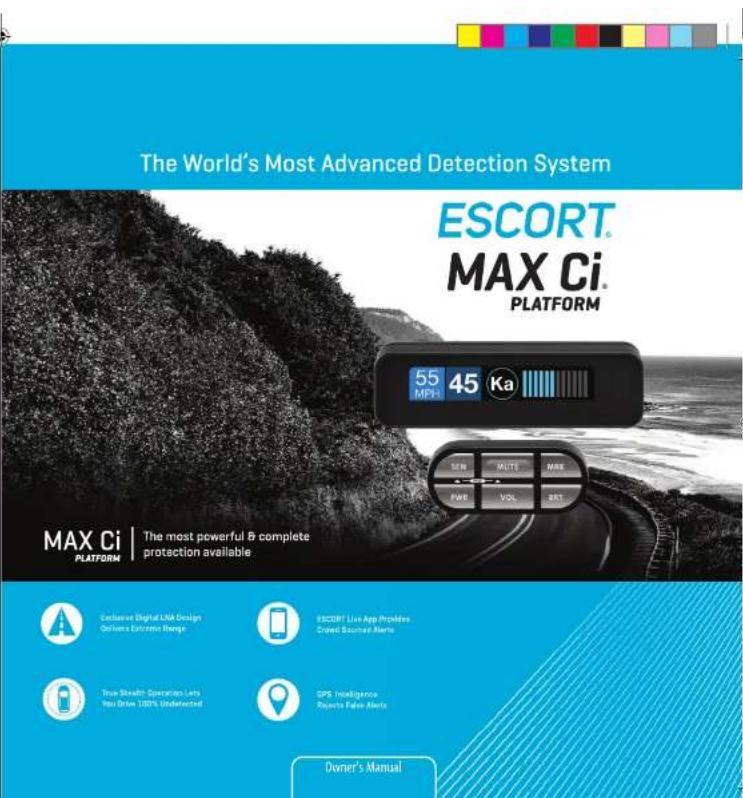
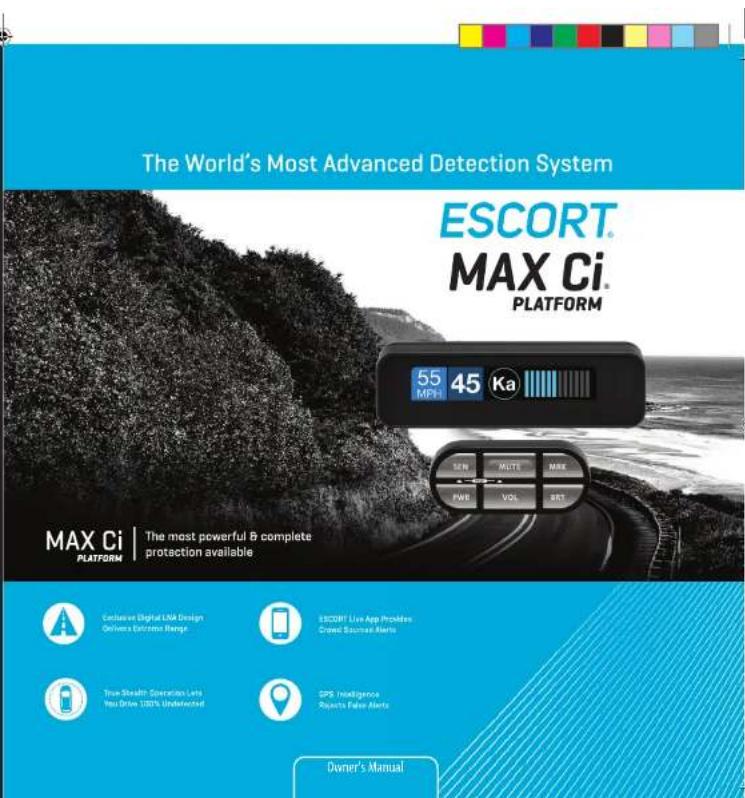

Installed Power. Precision.
Your new ESCORT MAX CI is the most advanced custom-installed radar and laser defense system ever designed.
The ESCORT MAX CI includes multiple LNA (low noise amplifier) receivers using Ultra DSP (digital signal processing) for superior radar detection range and false alert filtering.
Also included is a full color OLED display and all the performance and features that only ESCORT can deliver.
In addition, the ESCORT MAX CI contains the following revolutionary features:
- Updatable IVT Filter automatically reduces false alerts from moving In-Vehicle Technology systems and adaptive cruise control
• GPS location-based intelligence automatically locks out false alerts and allows you to mark locations for future reference
- Exclusive TotalShield™ Technology makes the ESCORT MAX CI totally undetectable by any radar detector detector (RDD)
- Access to ESCORT'S DEFENDER Database, which wams you of verified speed traps, speed cameras and red light cameras
• Built-In Bluetooth technology gives you access to ESCORT's award-winning real-time ticket protection app, ESCORT Live!
- Optional Laser ShifterMax sensors deliver the ultimate defense against all LIDAR laser guns, including new variable pulse rate guns.
Please drive safely.
Important Notes
Warning
Never, under any circumstances, look at the Laser ShifterMax sensors while they are powered on and operating. Do not view with optical instruments (like magnifiers).
CLASS 1 LASER PRODUCT
This product complies with IEC 60825-1:2007-03 Ed. 2.0
This product complies with 21CFR Subchapter J Parts 1040.10 and 1040.11 except for deviations pursuant to Laser Notice No. 50 dated June 24, 2007.
Please Note
This product may be limited or prohibited in some jurisdictions. Check applicable laws before using.
FCC Note: Modifications not expressly approved by the manufacturer could void the user's FCC granted authority to operate the equipment.

Table of Contents
Introduction Inside Front Cover
What's in the Box 2
Registration and ESCORT Live 2-3
Controls and Features 4-5
Settings & Preferences 6-14
- User Mode 8
- Pilot Mode 8
• Display Color 8
• Speed Display 8
• Cruise Alert 8
• Over Speed Alert 9 - Meter Mode 9
-Standard 9 - 5pecDisplay 9
-ExpertMeter 9 - Simple 9
- Alert Tones 10
• AutoMute 10
• AutoLearn 10
• GPS Filter/TrueLock 10
• AutoPower 11
• Band Enables 11
- Shifters 11
- Marker Enables 12
• Clear Locations 13
- Restore Factory Settings 13
- Serial Number and Software version 13
Understanding Your Detector 14-23
• Interpreting Alerts 14
• How Radar Works 16
• How "POP" Works 17
+How Laser Works 17
• How GPS Works 18
• How TotalShield™ Works 18
• TSR Signal Ranking Software 19
Service 20-24
• Troubleshooting 20
• Service Procedure 21
• Warranty 22
• Registration 23

What's in the Box
Front Radar Receiver
GPS Antenna

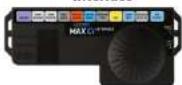
Display Module
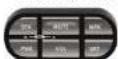
Control Module
Interface
Not shown:
Concealed Alert Indicator
Radio Mute Cable
Download Data Cable
Documentation & Mounting Hardware
Registration
Follow these steps to register your ESCORT MAX CI. You will need the detector's serial number to complete the registration. To view the serial number, hold down the MRK and SEN buttons while powering on the detector.
1 Visit www.EscortRadar.com and click Product Registration.
2 Click the "Registration for all devices" link.
3 Follow the onscreen instructions to register your device.
Be sure to write down the username and password you create, as you will need this information to access the ESCORT Live ticket protection app. (You will also receive an e-mail with this information, once you have registered your device.)
System Expansion
The following optional components are available separately, adding 360" radar detection and laser shifting capabilities to ESCORT MAX CI.
MAX Ci Rear Radar Receiver

ShifterMax Pack Plus
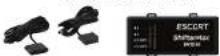
ShifterMax Pack
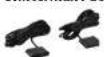
AW-1210033-1C MAXO PLATFORM OWNER MANLind 5-837/18 1:11 PM

ESCORT Live
For iPhone:
1 Ensure ESCORT MAX CI power is ON.
2 Open the App Store on your iPhone and search for ESCORT Live Radar.
3 Follow the onscreen instructions to download ESCORT Live Radar and then open the app.
4 When prompted, enter the username and password you created when registering your product at EscortRadar.com.
5 Press the Settings button 🙏 then select Devices.
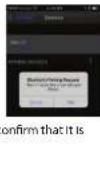
6 You should see MAX Ci listed with Not Connected underneath. Press the MAX Ci device entry and when prompted select Pair.
7 The Bluetooth icon on the MAX CI display will appear to confirm that it is paired to your iPhone.

For Android based smartphones:
1 Ensure ESCORT MAX CI power is ON.
2 On your smartphone go to Bluetooth® Settings and make sure that Bluetooth® is ON.
3 Press Scan for devices and wait for the device list to populate, MAX Ci should appear under Available devices.
4 Press the MAX CI device entry.
5 The Bluetooth icon on the ESCORT IX display will appear to confirm that it is paired to your smartphone.
6 Open Google Play on your smartphone and search for Escort Live Radar.
7 Follow the onscreen instructions to download Escort Live Radar and then open the app.
8 When prompted, enter the username and password you created when registering your product at EscortRadar.com.
9 Open the app, walk through the tutorial, and you're ready to hit the road!

Settings & Preferences – Overview
How To Use Preferences
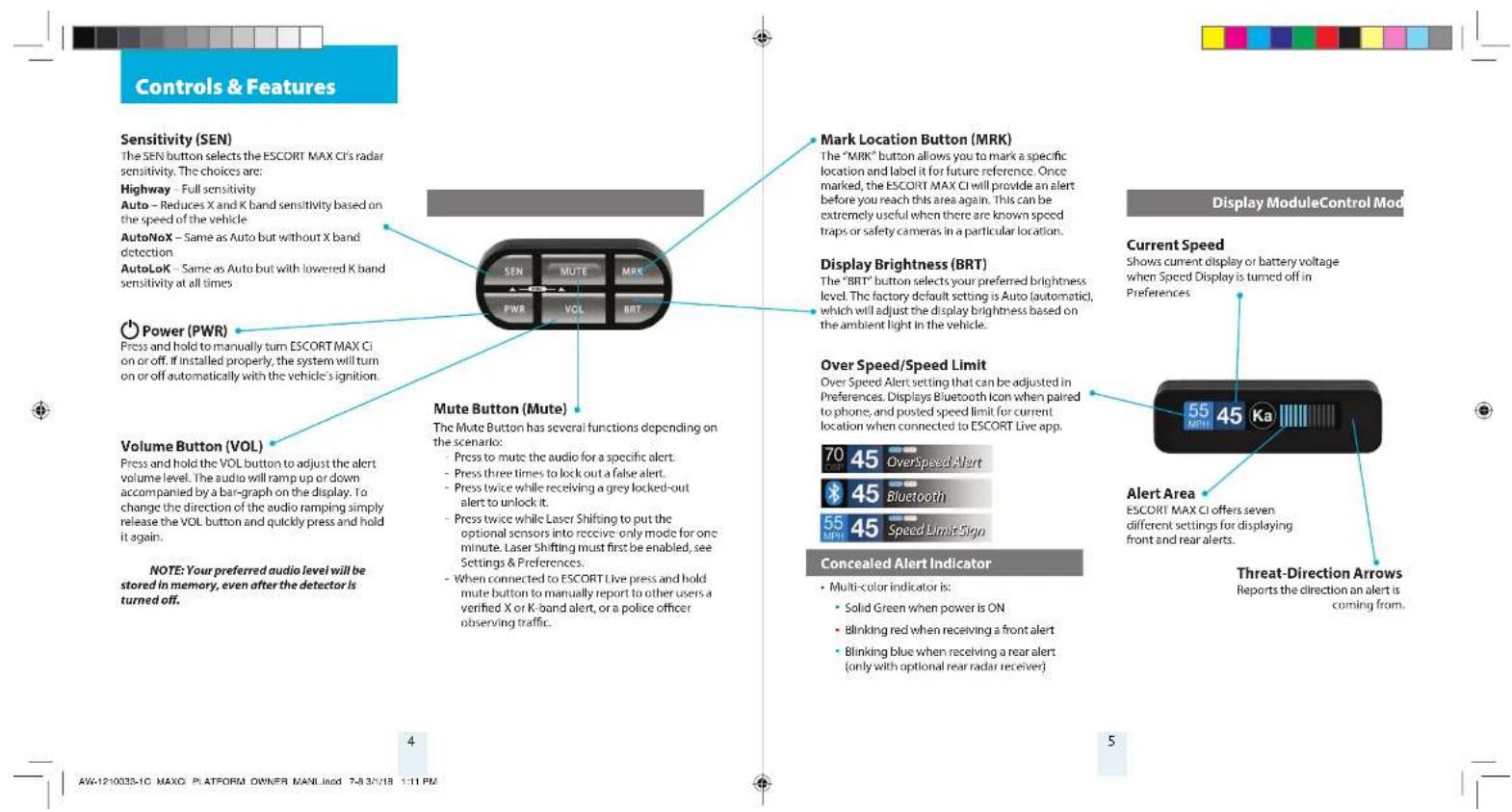
To access the Preferences menu, press and hold both the SEN and MUTE buttons. ESCORT MAX CI will
display "Preferences," indicating that it is in program mode
Once in Preferences mode, the SEN button is used to review the preference categories, and the Up and Down
buttons are used to change the individual settings within the selected category.
To exit the Preferences menu, press the power button or simply wait a few seconds without pressing any
button. A "Completed" message will display, confirming your selection(s).
Press SEN to go from Press Up or Down to change
one category to the next your setting within a category
| User Mode Settings are set to factory defaults) | Advanced*Novice | Access and customize all Settings and Preferences Access and customize units and display color (all other NOTE: Switch co-Advance made to view all Preferences | |
| Pilot Mode | Scanning*Full Word | Scanning Bar with Full Word Full Word Highway, Auto, AutoNoX, or AutoLoX | |
| Display Color | Blue*/ Green / Red / Amber | Set color to match your vehicle's dash Instrumentation | |
| Speed Display | On*Off | Displays current speed Displays battery voltage | |
| Cruise Alert Over Speed | 20 mph*, Off / 20-160 mph specified speed70 mph*, Off / 20-160 mph | Others double loop alert tones if traveling below Reminds you when you exceed a specified speed | |
| Meter Mode | StandardSpecExpertSimple | Primary alert band, with bar graph of signal strength Single band with numeric frequency Multiple bands with bar graph of signal strengths Simple messages replace bands:Caution if traveling below Cruise Alert limits Slow Down (if traveling above Cruise Alert limit) | |
| Tonos double-beep tones for additional alerts | Standard*Standard+Mild | Standard ESCORT alert tones Standard ESCORT alert tones for primary alert and Mild doorbell chime alert tones | |
| AutoMute | Low/Med*/High/Off | Automatically reduces audio to preferred volume during alert | |
| AutoLearn | On*/ Off | Automatically stores and locks out false alarms | |
| Units | English*/ Metric | Units for distance and speed | |
| Language | English*/ Espanol | Language for voice and text | |
| Voice | On*/ Off | Voice announcements | |
| GPS Filter | On*/ Off | 6 | Enables GPS powered features |

| AutoPower | Off1 Hour2 Hours4 Hours ^a 8 Hours | When installed to a switched power supply, powers off with the vehicle's ignitionPowers off automatically after 1 hourPowers off automatically after 2 hoursPowers off automatically after 4 hoursPowers off automatically after 8 hoursNOTE: AutoPower only works with constant power ignition. If AutoPower is on, the display screen goes blank after 30 minutes to save screen life. Display screen will turn on automatically after you reach 10 mph |
| Band Enables | Default*Modified | Default Settings for North AmericaCustomize the bands you want to monitor |
| Press MUTE to go from one category to the next | Press Up or Down to change your setting within a category | |
| X BandK-band | On* / OffOn* / Off | Freq: 24.050 - 24.250 GHzNOTE: When K-band is off, you can select separate segments of the band to turn on or off. |
| KN1KN2Ka Band | On* / OffOn* / OffOn* / Off | Freq: 24.050 - 24.110 GHzKNA On* / OffFreq: 24.110 - 24.175 GHzKNA On/ OffFreq: 23.950 - 24.050 GHz |
| Freq: 24.110 - 24.175 GHzKNA On/ OffFreq: 23.950 - 24.050 GHz | ||
| Freq: 33.400 - 36.000 GHzNOTE: When Ka Band is off, you can select separate segments of the band to turn on or off. | ||
| KaN1KaN2KaN3KaN4KaN5Ka-POP Laser TSR | On/ OffOn/ OffOn* / OffOn* / OffOn* / OffOn* / OffOn* / OffOn* / OffOn* / Off | Freq: 33.400 - 33.700 GHzKnN5 On/ OffFreq: 34.800 - 35.180 GHzKaN5 On/ OffFreq: 35.180 - 35.400 GHzKaN7 On/ OffFreq: 35.400 - 35.600 GHzKaN5 On* / OffFreq: 35.600 - 35.840 GHzKaN9 On/ OffFreq: 35.600 - 35.840 GHzKaN10 On/ OffFreq: 35.840 - 36.000 GHz |
| Freq: 34.800 - 34.800 GHzKaN10 On/ OffFreq: 35.840 - 36.000 GHz | ||
| Automatically rejects traffic flow sensor false alarms | ||
| Shifters | Receive*/Shift/Off | Select the mode used by all shifters.Receive = receive-only mode |
| Marker Enables | Default*Modified | Default settingsCustomize the types of locations you want alerted to |
| Press MUTE to go from one category to the next | Press Up or Down to change your setting within a category | |
| OtherRedlightRed & SpeedSpeed CameraSpeed TrapAir Patrol | On* / OffOn* / OffOn* / OffOn* / OffOn* / OffOn* / OffOn* / OffOn* / Off | Other locationRed light cameraRed light & speed cameraSpeed cameraSpeed trapKnown aircraft patrolled areasNOTE: User control mark on Air Packet location |
| Clear Locations | MarkedLockoutsDefenderFormat | Clear all user-marked locations. Press MUTE button to confirmClear all lockouts. Press MUTE button to confirmClear all DEFENDER Database data. Press MUTE button to confirmClear DEFENDER Database, all markers, and all lockouts.Press MUTE button to confirm |
*Default Setting
Settings & Preferences
Notes for Settings & Preference
For descriptions of features and functions available when connected to ESCORT Live, visit EscortRadar.com To view serial number and software revision press MRK and SEN while powering on detector.
To restore ESCORT MAX CI to its original factory settings, press and hold MRK and BRT while turning the power on. A Restored message will display, acknowledging the reset.
User Mode
ESCORT MAX Ci offers two unique user modes:
Advanced
In Advanced mode you can access and customize all settings and preferences.
Novice
In this mode, you can only access and customize units (English or metric) and display color. All other preferences are set to the factory defaults. To view all settings and preferences, you must switch to Advanced mode.
Pilot Mode
You can select the pilot mode power-on indication of the unit. Scanning Bar shows an animated scanning bar along with the selected sensitivity mode. Full Word only displays the selected sensitivity mode.
Display Color
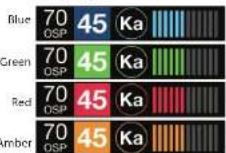
Your detector screen can be displayed with blue, green, red or amber accents to match the dashboard lighting of various vehicles.
Speed Display
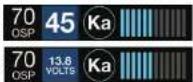
ESCORT MAX CI displays your current speed just to the right of the Over Speed Alert setting (or the posted speed limit for your current location, if connected to ESCORT Live). If speed display is OFF, your battery voltage will be displayed in this location.
Speed display ON:
Current speed
Speed display OFF:
Battery voltage
Cruise Alert
While you are traveling below the specified Cruise Alert speed, all alerts will only sound a short double-beep. The alert will fully sound when you exceed the Cruise Alert speed. The factory default setting is 20 mph.
Over Speed Alert
You can set the Over Speed alert to notify you when you are traveling over a specified speed. When you travel above the speed threshold that you have set, the background display for your current speed will turn red and a voice prompt will announce that you have exceeded the set Over Speed limit. When using Escort Live with the ESCORT MAX CI, the Over Speed setting is automatically set to the speed limit showing on the display. If no speed limit data is available from Escort Live, the Over Speed setting is used. The factory default setting is 70 mph.
AW-1210033-1C MAXO PLATFORM OWNER MANLind 11-12 3/1/16 1:11 PM
Meter Mode
ESCORT MAX CI offers seven different settings for displaying information about alerts. Standard FRI is the factory default meter mode setting.
Standard

The Standard meter mode provides only the band information and signal strength information of a single alert. When radar is detected, the band (X, K or Ka) and a bar graph of the signal's strength are displayed. When laser is detected, the display will simply read "Laser." If there are multiple alerts present, only the highest priority threat is displayed. Laser is the highest priority threat, followed by Ka, K, then X band radar.
SpecDisplay

The SpecDisplay option is an advanced display for experienced detector users. In this mode, it will display the actual numeric radar frequency being received. Even long-time detector users will require some time to get familiar with this new level of information about detected signals. To use SpecDisplay instead of the Standard bar graph meter, select Spec in Preferences.
ExpertMeter
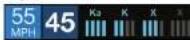
ESCORT's exclusive ExpertMeter option is also designed for the advanced detector user. In this mode, ESCORT MAX CI simultaneously tracks up to four radar signals. It shows each band along with a bar graph of its signal strength. In the image above, a Ka band, K band and two X bands are being detected with the greyed out X band being a locked out false. ExpertMeter can help you spot a change in your normal driving environment (e.g., a traffic radar unit being operated in an area where there are normally other signals present).
Simple
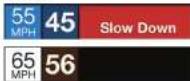
Simple messages replace actual bands and signal strengths or frequencies. "Caution" is used when an alert is received while you are traveling below your current Cruise Alert setting (or posted speed limit for your current location when connected to ESCORT Live), "Slow Down" is displayed when an alert is received while you are traveling above the current Cruise Alert setting (or posted speed limit of your current location, when connected to ESCORT Live).
Settings & Preferences
Alert Tones
Standard
The factory default Standard alert tones uses a Geiger counter-type sound to indicate the signal strength and type of radar signal being encountered. When you encounter radar, a distinct audible alert will sound and will increase as the signal gets stronger. This allows you to judge the distance from the signal source without taking your eyes off of the road. Each band has a distinct tone for easy identification:
X band - beep tone
K band = brap tone
Ka band = double-brap tone
Laser = solid brap tone
Pop = solid brap tone
Standard Plus
Features the Standard alert tones outlined above for the primary alert, plus double-beep tones for additional alerts.
Mild
Mild alert tones offer softer, simpler alert tones that are less obtrusive to the driving experience;
• X band, K band, Ka band and POP = Doorbell chime
- Low signal strength = Double chime
• High signal strength = Triple chime
- If alert remains in area more than 15 seconds = Single chime (as a reminder)
- Laser = Solid brap tone
Since laser signals are a possible threat no matter how weak, laser alerts are always full strength.
AutoMute
Your ESCORT MAX CI also includes ESCORT's patented AutoMute feature. Once ESCORT MAX CI alerts you to a radar encounter at your selected volume level, it automatically reduces the volume to the selected AutoMute level. This keeps you informed without the annoyance of a continuous full-volume alert. If you prefer, you can turn the AutoMute feature off.
AutoLearn
The AutoLearn feature analyzes (over time) the source of radar signals by location and frequency. This allows ESCORT MAX CI to determine if a fixed location signal is a real threat or a false one. If it determines that the signal is an automatic door opener, motion sensor, etc., it automatically locks out this source at this particular location. A "Stored" message will appear on the display when a signal has been automatically locked out. AutoLearn typically needs to encounter the exact frequency in the same location approximately three times to lock it out. Since some door openers are turned on and off routinely, some variations may occur. ESCORT MAX CI will also unlearn signals to protect you from locking out real threats. If a particular signal is no longer present at a location that was previously locked out, ESCORT MAX CI will unlock that signal. If you prefer, you can turn the AutoLearn feature off.
GPS Filter/TrueLock
ESCORT MAX CI is equipped with a TrueLock GPS Filter to store and lock out, or ignore, fixed location false alerts in its memory. Common sources of fixed location false alerts are storefront automatic door openers and motion sensors. The TrueLock GPS Filter will not lock out moving false alerts that are commonly caused by vehicle's blind spot monitoring and collision avoidance systems.
10 11
AW-1210033-1C MAXO PLATFORM OWNER MANLind 13-143/1/16 1:11 PM
GPS Filter/TrueLock continued
Locking Out False Alerts
To manually lock out a fixed location false alert (X band, X band or laser only), press the MUTE button three times during an alert. Pressing the first time will silence the audio. Pressing a second time will generate a prompt on the display that will read "Lockout?" Press a third time to confirm you want to lock this signal out by location and frequency. A "Stored" message will be displayed. Once a signal has been stored, ESCORT MAX CI will not audibly alert the next time you approach this area but will display the locked-out alert in grey.
Locked Out Alert

To unlock a signal that has already been stored, simply press the MUTE button twice while receiving the locked out alert. The display will read "Unlock?" when pressing MUTE the first time. Press the MUTE button again to unlock it from memory. The display will read "Unlocked" to confirm your action.
Note: When the GPS Filter is set to OFF, you do not have access to ESCORT MAX CI's other GPS-enabled features (e.g., Defender Database alerts, marking locations, etc.).
AutoPower
This feature automatically turns off ESCORT MAX CI after a set period of time to save unnecessary drain on your battery. This is especially useful if your vehicle has a constant-power ignition. To turn ESCORT MAX CI on again you must press the power button.
Note: If AutoPower is on, to save screen life the display screen goes blank after 30 minutes without moving. The display screen will turn on automatically after you reach 10MPH.
Band Enables
In the factory default setting the suggested radar and laser bands for North America are monitored and sources of some common false alerts are rejected. It is highly recommended that you use your ESCORT MAX CI in this mode.
If you modify Band Enables then this setting will show Modified. The ESCORT MAX CI will also notify you during the startup sequence with an audible alert, and associated text message stating which bands have changed from the factory default settings.
WARNING: Do not turn off any bands unless you are absolutely certain there are no traffic radar guns using that specific band in your area.
Shifters (optional, available separately)
By adding ShifterMax Pack Plus, ESCORT MAX CI can be equipped with Laser ShifterMax sensors. Additional sensors can be added to ESCORT MAX CI separately.
These highly sensitive laser transceivers will detect a laser signal and, when Shifting is enabled, will respond (or transmit) a pulsed signal back in order to "Shift" or confuse the targeting laser gun.
The MUTE button can be used to manually shut off Laser Shifting once you have checked your speed. Since some laser guns provide "jamming" codes for the officer, this can be useful to avoid any undue attention. Simply press the MUTE button twice during a laser alert. All Shifters will cease to transmit and the display will change from "Shifting" to "Laser". "Laser" indicates that you are receiving a laser alert in "Receive Only" mode.
The Shifters will remain in the "Receive Only" mode for approximately sixty seconds, giving you time to pass the speed trap. Once this time has expired a double beep tone will be given, indicating that the Shifters are now back in "Shifting" mode.
Settings & Preferences
Marker Enables
In the factory default setting, the suggested fixed location alerts are reported. It is highly recommended that you use your ESCORT MAX CI in this mode.
If you modify Marker Enables then this setting will show Modified and only the Markers that you have selected are reported.
Marking Locations
The MRK button allows you to mark a specific location and label it for future reference. Once marked, ESCORT MAX CI will provide an alert when you reach this area again.
Red light camera
Red light & speed camera
Speed camera
Speed trap
Other
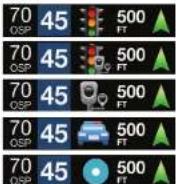
ESCORT MAX Ci gives an advanced warning of upcoming markers at the following distances:
- Red light cameras: 250 ft or 10 seconds
• Red light & speed cameras: 250 ft or 10 seconds
• Speed cameras: 500 ft when traveling below 55 mph; 1,000 ft when traveling above 55 mph
• Speed traps: 0.3 mi or approximately 1,584 ft - Other: 500 ft when traveling below 55 mph; 1,000 ft when traveling above 55 mph
To mark a location, press the MRK button. The display will read "Mark?" Press MRK again to bring up a menu of markers to choose from. Repeatedly press MUTE to scroll through the markers then press MRK to select the marker that you wish to use at this location. The display will read "Marked!"
Air Patrol locations cannot be marked by the user. Note: When a location is marked the first time, you must travel at least 1 mile away from that location to receive an alert when you return to the area.
To unmark a location, touch the MRK button when you are receiving a marked-location alert. The display will read "Unmark?" Touch the MRK button again to confirm. The display will read "Unmarked!"
Clear Locations
At some point, you may wish to clear some of the data in ESCORT MAX CI's database. This may include any of the following: Defender Database data, Marked locations or false alert Lockouts. To clear all data in ESCORT MAX CI's database, select Format then press MUTE to confirm.
Restore factory Settings
To restore ESCORT MAX CI to it's original factory settings, press and hold MRK and BRT while turning the power on. A Restored message will display, acknowledging the reset.
Serial Number and Software Version
To view your ESCORT MAX CI's serial number and software revision, press and hold the MRK and SEN buttons while powering on the detector.
Understanding Your Detector
Although the ESCORT MAX CI has a comprehensive warning system and this Manual is as complete as we can make it, only experience will teach you what to expect from your detector and how to interpret what it tells you. The specific type of radar being used, the type of transmission (continuous or instant-on) and the location of the radar source affects the radar alerts you receive.
The following examples will give you an introduction to understanding the detector warning system for radar, laser and safety alerts.
Alert
Explanation
| Detector begins to sound slowly; rate of alert Increases until it becomes a solid tone. The signal meter ramps accordingly. | You are approaching a continuous radar source aimed in your direction. |
| Detector emits short alerts for a few seconds then falls silent, only to briefly alert and fall silent again. | An instant-on radar source is being used ahead of you and out of your view. |
| Detector suddenly sounds a continuous tone for the appropriate band received. | An instant-on radar or laser source is being used nearby. This kind of alert requires immediate attention. |
| Detector sends a brief laser alert. | Laser is being used in the area. Because laser is inherently difficult to detect, any laser alert may indicate a source very close by. |
| Detector receives weak signals. Signals may be a little stronger as you pass large, roadside objects. Signals increase in frequency. | A moving patrol car with continuous radar is over-taking you from behind. Because these signals are reflected (reflections are increased by large objects), they may or may not eventually melt into a solid point, even when the patrol car is directly behind you. |
| Detector alerts slowly for a while then abruptly jumps to a strong alert. | You are approaching a radar unit concealed by a hill or an obstructed curve. |
Alert
Explanation
| Detector alerts intermittently. Rate and strength of alerts may be consistent or vary wildly. | A patrol car is traveling in front of you with a radar source aimed forward. Because signals are sometimes reflected off of large objects and sometimes not, the alerts may seem inconsistent. |
| Detector alerts intermittently; rate and strength of signal increases with each alert. | A patrol car is approaching from the other direction, sampling traffic with instant-on radar. Such alerts should be taken seriously. |
| Detector gives an X band alert intermittently. | You are driving through an area populated with radar motion sensors (e.g., door openers or burglar alarms). Since these transmitters are usually contained inside buildings or aimed toward or away from you, they are typically not as strong or lasting as a real radar encounter. |
CAUTION: Overconfidence in an unfamiliar area can be dangerous. Likewise, if an alert in a commonly traveled area is suddenly stronger or on a different band than usual, speed radar may be set up nearby.
Understanding Your Detector
How Radar Works
Traffic radar, which consists of microwaves, travels in straight lines and is easily reflected by objects such as cars, trucks, even guardrails and overpasses. Radar works by directing its microwave beam down the road. As your vehicle travels into range, the microwave beam bounces off your car, and the radar antenna looks for the reflections.
Using the Doppler Principle, the radar equipment then calculates your speed by comparing the frequency of the reflection of your car to the original frequency of the beam sent out.
Traffic radar has limitations, the most significant of these being that it typically can monitor only one target at a time. If there is more than one vehicle within range, it is up to the radar operator to decide which target is producing the strongest reflection. Since the strength of the reflection is affected by both the size of the vehicle and its proximity to the antenna, it is difficult for the radar operator to determine if the signal is from a sports car nearby or a semi-truck several hundred feet away.
Radar range also depends on the power of the radar equipment itself. The strength of the radar unit's beam diminishes with distance. The farther the radar has to travel, the less energy it has for speed detection.
Because intrusion alarms and motion sensors often operate on the same frequency as X, and K band radar, your detector will occasionally receive non-police radar signals.
Since these X-Band transmitters are usually contained inside of a building, or aimed toward the ground, they will generally produce much weaker readings than will a true radar encounter.
As you become familiar with the sources of these pseudo alarms in your daily driving, they will serve as confirmation that your device's radar detection abilities are fully operational.
In-Vehicle Technology (IVT Filter)
Some modern vehicles are equipped with radar based in-vehicle technology (IVT) systems for adaptive cruise control, predictive braking, and blind spot monitoring. Because some of these systems operate on the same frequency as police K band radar, many radar detectors will alert to these signals as police radar. This radar detector is equipped with our updatable IVT Filter which rejects these signals. Because these safety systems are continually changing, the IVT Filter is updatable. Updates to the IVT Filter are released as firmware updates for your detector that are installed using our exclusive Detector Tools Pro software.
How "POP" Works
POP works by transmitting an extremely short burst, within the allocated band, to identify speeding vehicles in traffic. Once the target is identified, or "popped," the gun is then turned to its normal operating mode to provide a vehicle tracking history (required by law).
Note: According to radar gun manufacturers, tickets should not be issued in pop mode.
How Laser (Lidar) Works
Laser speed detection is actually light detection and ranging (LIDAR). Laser guns project a beam of invisible infrared light. The signal is a series of very short infrared light energy pulses that move in a straight line, reflecting off your car and returning to the gun. Laser uses these light pulses to measure the distance to a vehicle. Speed is then calculated by measuring how quickly these pulses are reflected, given the known speed of light.
Laser is a newer technology whose use is not as widespread as conventional radar; therefore, you may not encounter it on a daily basis. And unlike radar detection, laser is not prone to false alarms. Because laser transmits a much narrower beam than does radar, it is much more accurate in its ability to distinguish between targets and is also more difficult to detect. As a result, even the briefest laser alert should be taken seriously.
There are limitations to laser, however. Laser is much more sensitive to weather conditions than radar, and a laser gun's range will be decreased by anything affecting visibility, such as rain, fog or smoke. A laser gun cannot operate through glass, and it must be stationary to get an accurate reading. Because laser must have a clear line of sight and is subject to cosine error (an inaccuracy that increases as the angle between the gun and the vehicle increases), police typically use laser equipment parallel to the road or from an overpass. Laser can be used day or night.
Understanding Your Detector
How GPS Works
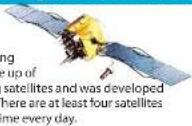
The Global Positioning System (GPS) is made up of twenty four orbiting satellites and was developed by the U.S. military. There are at least four satellites visible at any given time every day.
A GPS receiver is designed to locate and receive data from four of these satellites. This data includes the distance to your location from each of the satellites. Once the distance from each satellite is known, the receiver can calculate and pinpoint your exact location.
How TotalShield Works
ESCORT's TotalShield Technology keeps RF signals from radiating from the detector. Unlike other radar and laser detectors, which merely move their RF signals (local oscillators) to another frequency (which will be detectable by future detector-detectors), this revolutionary design keeps you unseen by current radar detector-detectors, including VG-2 and Spectre. This unique design will also keep you unseen from any future radar detector detectors as well.
Although the ESCORT MAX CI is a completely undetectable radar, laser and safety detector, driving techniques and reactions to alerts can still draw unwanted attention. Here are a few examples:
-
Hitting the brakes immediately when the ESCORT MAX Ci provides an alert can broadcast use of a detector.
-
Traveling at night with a glow from a radar detector's display visible from outside your vehicle can also draw unwanted attention. The ESCORT MAX Ci offers adjustable brightness, including a full dark mode which will provide audio alerts, but no visual indication.
TSR Signal Ranking Software
Your radar detector includes a new optional boost in anti-falsing software to eliminate excessive alerts from
erroneous X and K-band sources. One example of this is traffic flow monitoring systems. These systems, which are becoming more widely used in several countries, generate K-band signals to measure the flow of traffic on a given road. Unfortunately most detectors see this as a real threat and will alert you to it unnecessarily. Our new proprietary software (TSR), intelligently sorts, ranks and rejects this type of false alarm automatically. The result is ultimate protection without excessive false alarms.
The TSR software is set up as an option and can be activated through the Programming section. We suggest you turn TSR on if you are experiencing extreme false alerts in your area. If not, your detector is ready to start protecting you right out of the box.
If you have any questions about this new feature, please give us a call or visit our website for more details.

Troubleshooting Service Procedure
| Problem | Solution |
| Detector beeps briefly at the same location every day, but no radar source is in sight. | A motion sensor or intrusion alarm is located within range of your route. If you have Autol earn enabled, the factory default setting, then ESCORT MAX CI will store this signal after about 3 passes and no longer alert to it. |
| Detector did not alert when a police car was in view. | Officer may not have radar or laser unit turned on.VASCAR (Visual Average Speed Computer and Recorder), a stopwatch method of speed detection, may be in use. |
| Detector's audible alerts become softer after the first few alerts. | Detector is in AutoMute mode. See "AutoMute" in the Settings & Preferences section for details. |
| The power on sequence reoccurs while you are driving. | A loose power connection can cause ESCORT MAX CI to be briefly disconnected and will retrigger the power-on sequence. Check all connections. |
| You wish to restore the factory default settings. | Press and hold the MRK and BRT buttons while powering on the detector. A "Factory Settings Restored" message will display, acknowledging the reset. |
| The device will not turn on. | Check that vehicle Ignition is on. |
| The display is blank. | ESCORT MAX CI is in Dark mode. Press the BRT button to adjust the brightness. |
| Detector displays "Check FR" | There is a communication issue with the Front Receiver (FR). The Front Receiver's connections and wiring should be checked. If no connection or wiring issue is found and the message persists there may be an issue with the component. |
| Detector displays "Replace FR" | A critical issue has been reported from the Front Receiver (FR) requiring it to be replaced or repaired. |
Service Procedure
if your ESCORT MAX CI ever needs service, please follow these simple steps:
1 Check the troubleshooting section of this manual. It may have a solution to your problem.
2 Contact your installing dealer. They will evaluate your unit and arrange repairs if necessary.

Warranty
ESCORT One Year Limited Warranty
Three-Year Limited Warranty with installation by authorized installer
What this warranty covers: Escort, Inc. ("Escort") warrants your Product against all defects in materials and workmanship.
For how long: One (1) year from the date of original purchase from an authorized Escort dealer or three (3) years from the date of original purchase when installed by an authorized Escort installer. For a list of authorized Escort installers, see the following website:
https://www.escortradar.com/dealer-locator/
What we will do: If a breach of warranty occurs, Escort, at its discretion, will either repair or replace your Product free of charge.
What we will not do: Escort will not pay shipping charges that you incur for sending your Product to us.
What you must do to maintain this warranty:
Show original proof of purchase from an authorized Escort dealer and proof of installation by an authorized Escort installer to be eligible for three years of warranty coverage.
Warranty exclusions: This warranty does not apply to your product under any of the following conditions: 1. The serial number has been removed or modified. 2. Your product has been subjected to misuse or damage (including water damage, physical abuse, and/or improper installation). 3. Your product has been modified in any way. 4. Your receipt or proof-of-purchase is from a non-authorized dealer or internet auction site, including E-bay, U-bid, or other non-authorized resellers. 5. You are not the original purchaser of the Product from an authorized dealer or did not receive it as a gift from the original purchaser of the Product from an authorized dealer.
22 23
AW-1210035-1C MAXO PLATFORM OWNER MANLind 75-26
To obtain service: 1. Contact Escort (1-800-543-1608) to obtain a Return Authorization Number. 2. Properly pack your Product and include: your name, complete return address, written description of the problem with your Product, daytime telephone number, and a copy of the original proof of purchase or receipt. 3. Label the outside of the package clearly with your Return Authorization Number. Ship the Product pre-paid (insured, for your protection) to: Escort, Inc., 5440 West Chester Rd., West Chester, OH 45069.
LIMITATION OF WARRANTY: The obligations set forth above are Escort's sole obligations and your exclusive remedy. Escort makes no other express warranty. Any implied warranty of merchantability or fitness for a particular purpose that may be applicable to the Product is limited in duration to the duration of this warranty. Some States do not allow limitations on how long an implied warranty lasts, so the above limitation may not apply to you. ESORTC SHALL NOT BE LIABLE FOR CONSEQUENTIAL, SPECIAL OR INCIDENTAL DAMAGES INCLUDING, WITHOUT LIMITATION, DAMAGES ARISING OUT OF THE USE, MISUSE OR MOUNTING OF THE PRODUCT. Some States do not allow the exclusion or limitation of incidental or consequential damages, so the above limitation or exclusion may not apply to you. Escort is not responsible for products lost in shipment between the owner and our service center.
Other legal rights: This warranty gives you specific legal rights, and you may also have other rights which vary from State to State.

Register
online:
@www
EscortRadar.com
▼ Remove card overlap performers ▼
ESCORT.
ESCORT PRODUCT REGISTRATION CARD
If you purchased your detector directly from ESCORT, you do not need to fill this out.
If you did not purchase your detector directly from ESCORT, please fill out this section and return to us, or register online at our web address: www.EscortRadar.com
- First Name: ____ Middle Initial ____ Last Name
Address
City State
E-mail (In case we have a question).
ESCORT MAX Ci Product Purchased
Place of Purchase Date
Primary reason for
[Non-Text]
[Non-Text]
Would you like to be added to our mailing list?
Would you like us to e-mail you with updates? □ Yes □ No
6

3/1/8 1:11 PM
5440 WEST CHESTER RD WEST CHESTER OH 45069-9789
ATTN: CUSTOMER SERVICE ESCORT INC
POSTAGE WILL BE PAID BY ADDRESS
FIRST-CLASS MAIL PERMIT NO. 300 WEST CHISTER OH BUSINESS REPLY MAIL
NO POSTAGE NECESSARY IF MALDED IN THE UNITED STATES
AW-1210033-1C MAXO PLATFORM OWNER MANLlncd 27-28 3/1/16 1:11 PM
24
ESCORT®
MAX Ci®
25
The image is too blurry to recognize any text content.

- Installed Power. Precision.
- Important Notes
- Warning
- CLASS 1 LASER PRODUCT
- Please Note
- Table of Contents
- Registration
- System Expansion
- ESCORT Live
- Settings & Preferences – Overview
- How To Use Preferences
- Settings & Preferences
- Notes for Settings & Preference
- User Mode
- Pilot Mode
- Display Color
- Speed Display
- Cruise Alert
- Over Speed Alert
- Meter Mode
- Alert Tones
- AutoMute
- AutoLearn
- GPS Filter/TrueLock
- GPS Filter/TrueLock continued
- AutoPower
- Band Enables
- Shifters (optional, available separately)
- Marker Enables
- Clear Locations
- Restore factory Settings
- Serial Number and Software Version
- Understanding Your Detector
- How Radar Works
- In-Vehicle Technology (IVT Filter)
- How "POP" Works
- How Laser (Lidar) Works
- How GPS Works
- How TotalShield Works
- TSR Signal Ranking Software
- Service Procedure
- Warranty
- ESCORT One Year Limited Warranty
- Three-Year Limited Warranty with installation by authorized installer
- What you must do to maintain this warranty:
- Register
- online:
- EscortRadar.com
- ESCORT.
- ESCORT PRODUCT REGISTRATION CARD
- ESCORT®
- MAX Ci®
Brand : Escort
Model : Max Ci
Category : Detector